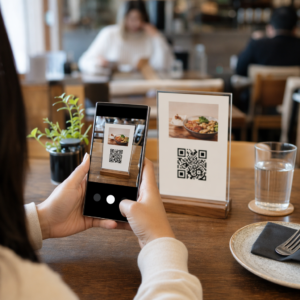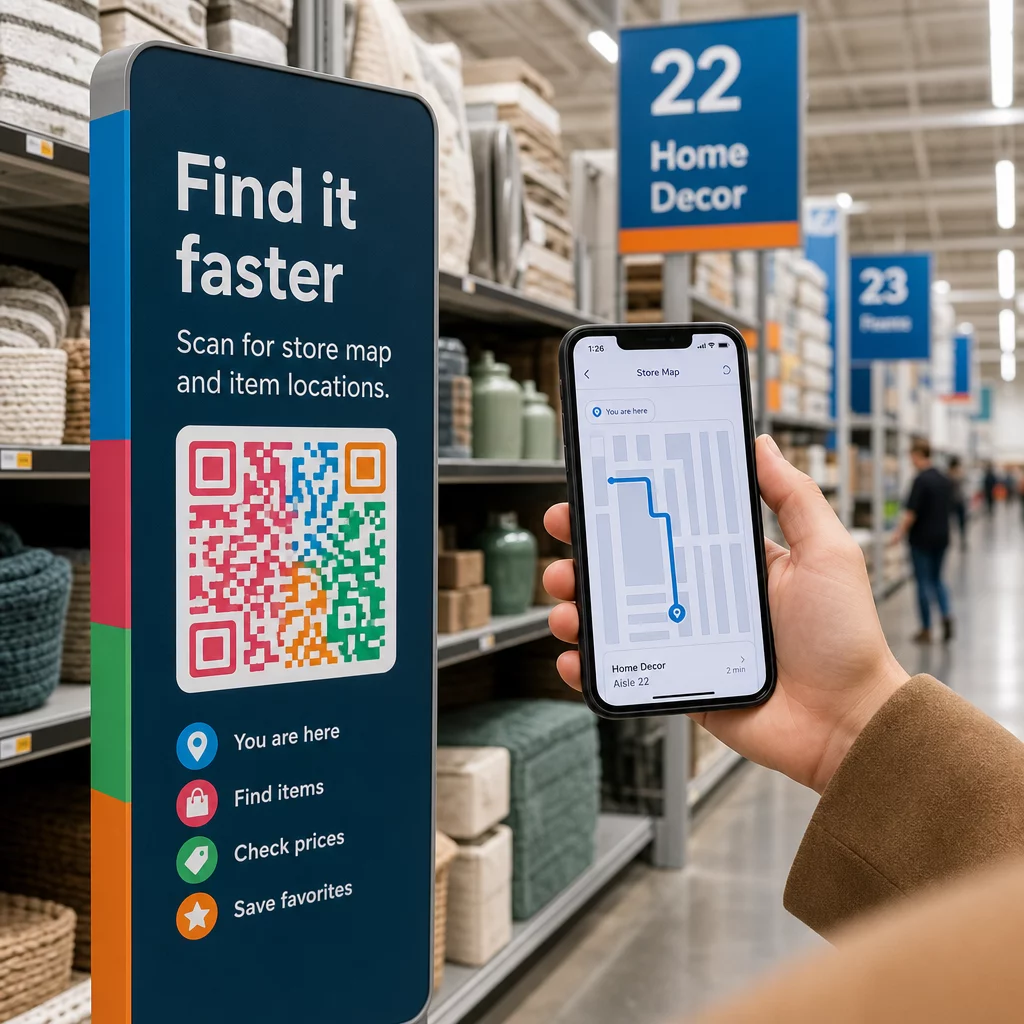
Müşterileriniz koridorlarda dolaşıyor, hayal kırıklığına uğramış ve eli boş mu kalıyor? Kötü mağaza içi navigasyon, alışveriş yapanları satın almadan kapı dışarı eder. Bu rehber, müşterileri doğrudan ihtiyaç duydukları ürünlere, haritalara ve promosyonlara yönlendirmek için QR kodlarını nasıl kullanacağınızı gösterir.
Mağaza İçi Navigasyon Neden Perakendeciler İçin Gerçek Bir Sorun?
Büyük perakende alanlarında gezinmek zordur. Bir hırdavat mağazasında veya büyük bir perakendecide belirli bir ürün arayan bir müşteri, vazgeçmeden önce birkaç dakika arama yapabilir. Bu sürtünme size satışlara mal olur.
Dijital yol bulma bunu çözer, ancak özel bir mağaza uygulaması oluşturmak pahalıdır ve çoğu müşteri bunu indirmez. Tüketicilerin 'si, işletmeye özel bir uygulama indirmek yerine bir QR kodu taramayı tercih eder, bu da QR kodlarını pratik, düşük maliyetli bir alternatif haline getirir. Her alışveriş yapanın cebindeki kamerayla çalışırlar – kurulum gerektirmez.
2025 yılında 89 milyon Amerikalının QR kodlarını taramasıyla, müşterileriniz bunları nasıl kullanacaklarını zaten biliyorlar. Soru, sizin bunları etkili bir şekilde kullanıp kullanmadığınızdır.
QR Kodları Mağaza İçi Navigasyon İçin Neler Yapabilir?
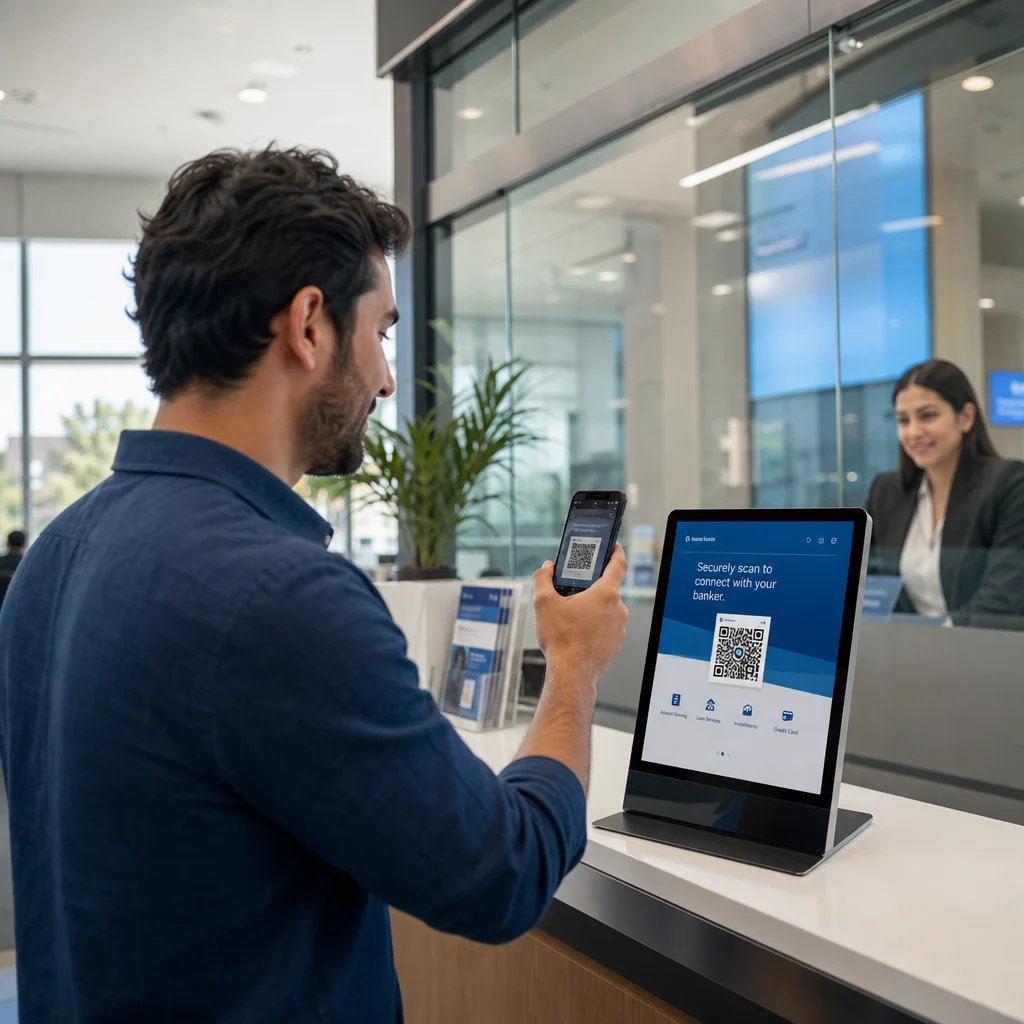
QR kodları, fiziksel bir konum ile dijital içerik arasında anında köprü görevi görür. Perakende bağlamında bu, taranabilir bir kodu neredeyse her yüzeye – bir raf etiketine, bir zemin işaretine, bir vitrin ekranına – iliştirebileceğiniz ve alışveriş yapanları doğrudan faydalı bilgilere gönderebileceğiniz anlamına gelir.
İşte temel navigasyon kullanım durumları:
- Mağaza haritaları ve kat planları – Mağaza düzeninizi gösteren, bölümleri açıkça etiketlenmiş bir PDF'ye veya web sayfasına bağlantı verin
- Ürün konum rehberleri – Müşterileri belirli bir koridora veya departmana yönlendirin
- Google Haritalar yol tarifleri – Müşterilerin mağaza girişinizi, otoparkınızı veya büyük bir mülk içindeki belirli bir konumu bulmalarına yardımcı olun
- Promosyon bölgeleri – Alışveriş yapanları mevcut indirim alanlarına veya öne çıkan sergilere yönlendirin
- Ürün detayları ve stok durumu – Müşterilerin koridorda dururken teknik özellikleri, stok durumunu veya ilgili ürünleri görüntülemesini sağlayın
Bu kullanım senaryolarının her biri, tek bir QR kodu ve iyi tasarlanmış bir hedef sayfa ile gerçekleştirilebilir.
Mağazanı Haritaya Koy Mağazanızın konumunu doğrudan Google Haritalar'da açan taranabilir bir kod oluşturun. Kullanın Google Haritalar QR Kod Oluşturucu müşterileri otoparktan doğru girişe saniyeler içinde ulaştırmak için.
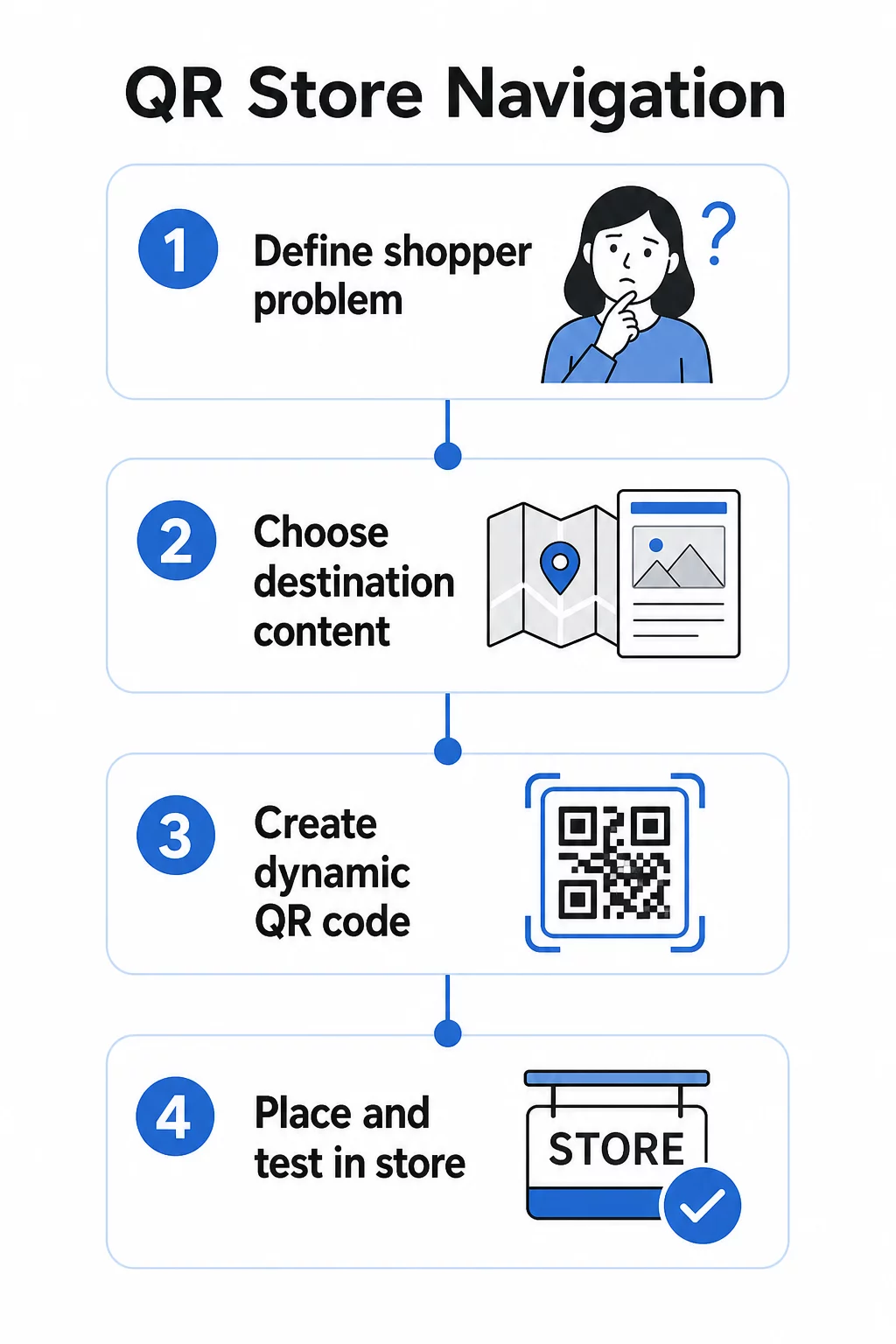
Navigasyon için QR Kodları Nasıl Kurulur: Pratik Bir Rehber
Adım 1: Çözdüğünüz Navigasyon Sorununu Tanımlayın
Belirli bir sürtünme noktasıyla başlayın. Müşteriler belirli bir departmanı bulmakta zorlanıyor mu? Girişin yakınında kafaları karışıyor mu? Mevsimlik promosyonları bulmak zor mu? Tam sorunu belirlemek, QR kodunun neye bağlanması gerektiğine ve nereye yerleştirilmesi gerektiğine karar vermenize yardımcı olur.
Adım 2: Doğru Hedef İçeriğini Seçin
QR kodunun hedefini müşterinin ihtiyacına göre eşleştirin:
| Müşteri Sorunu | QR Hedefi |
|---|---|
| Bir departmanı bulamıyor | PDF mağaza haritası veya etiketli kat planı |
| Koridorda ürün detaylarına ihtiyacı var | Ürün sayfası veya teknik özellikler sayfası |
| Mevcut promosyonları arıyor | Kupon açılış sayfası veya fırsatlar sayfası |
| Mağazanızı bulmaya çalışıyor | Google Haritalar bağlantısı |
| Seçenekleri karşılaştırmak istiyor | PDF katalog veya lookbook |
Mağaza haritaları ve ürün rehberleri için, bir PDF QR kodu en pratik seçeneklerden biridir – net bir kat planı tasarlayabilir, bir kez yükleyebilir ve düzeniniz değiştiğinde yeni kodlar basmadan istediğiniz zaman güncelleyebilirsiniz.
Adım 3: Yeniden Baskı Yapmadan Güncelleyebilmek İçin Dinamik QR Kodları Kullanın
Bu adım çoğu perakendecinin fark ettiğinden daha önemlidir. Mağaza düzenleri değişir. Promosyonlar döner. Ürünler hareket eder. Sabit bir URL'ye bağlı statik QR kodları basar ve ardından hedefi güncellemeniz gerekirse, basılan her kod işe yaramaz hale gelir.
Dinamik QR kodları bunu, bir kontrol panelinden güncelleyebileceğiniz kısa bir yönlendirme URL'si depolayarak çözer. Raftaki kod aynı kalır; sadece hedef değişir. Bilgilerin haftalık veya mevsimlik olarak değiştiği bir perakende ortamı için bu çok önemlidir.
Pageloot'un QR kod oluşturucu mağaza haritanızı güncellemenize, bir promosyonu değiştirmenize veya yeni bir ürün sayfasına yönlendirmenize olanak tanıyan dinamik kodlar oluşturur – tüm bunları fiziksel tabelalara dokunmadan yapabilirsiniz.
Adım 4: Kodları Alışveriş Yapanların Gerçekten İhtiyaç Duyduğu Yerlere Yerleştirin
Yerleştirme, bir QR kodunun kullanılıp kullanılmayacağını veya göz ardı edilip edilmeyeceğini belirler. Şu yönergeleri izleyin:
- Göz hizası ve kol mesafesi – Kodları, alışveriş yapanların eğilmeden veya uzanmadan doğal bir şekilde tarayabileceği yerlere yerleştirin. Çoğu akıllı telefon için optimum tarama mesafesi yaklaşık 10–50 cm'dir.
- Kafa karışıklığı noktasında – Bir mağaza haritasına bağlanan giriş kapısındaki bir kod, bir müşteri ilk girdiğinde ve kendini yönlendirirken en kullanışlı olanıdır.
- İlgili ürün veya bölümün yakınında – Ürün detayları için raf kenarı kodları, koridorun sonunda değil, ürünün hemen yanında olduklarında en iyi şekilde çalışır.
- Yönlendirme tabelalarında – Departman tabelaları, asılı afişler ve zemin grafikleri, navigasyon QR kodları için etkili yüzeylerdir.
- Tüm alışveriş yapanlar için erişilebilir – Yerleştirme yüksekliğinin tekerlekli sandalye kullanan müşteriler için uygun olduğundan emin olun. Kodları, alışveriş yapanlarınızın herhangi bir kesimini dışlayacak kadar alçak veya yüksek konumlandırmaktan kaçının.
Detaylı yerleştirme tavsiyesi için, rehberimize bakın: perakende mağazaları için en iyi QR kodu yerleşimleri.
Adım 5: Gerçekten Taranabilen Kodlar Tasarlayın
Güvenilir bir şekilde taranmayan bir kod, deneyimi mahveder. Şu teknik minimumlara uyun:
- Boyut – Raf etiketleri ve çıkartmaları için minimum 2 × 2 cm kullanın. Daha büyük tabelalar için 10:1 kuralını uygulayın: maksimum tarama mesafesi, kodun genişliğinin on katından fazla olmamalıdır.
- Kontrast – Açık bir arka plan üzerinde koyu bir ön plan kullanın. Ters çevrilmiş veya düşük kontrastlı renk şemalarından kaçının.
- Sessiz bölge – Her tarafta en az dört modüllük net bir kenar boşluğu bırakın. Metin, kenarlıklar veya grafiklerin bu alana taşmasına izin vermeyin.
- Yüzey – Mümkün olduğunca yansıtıcı, dokulu veya kavisli yüzeylerden kaçının. Mat yüzeyler, parlak olanlardan daha güvenilir bir şekilde taranır.
- Ayırma – Birden fazla kodu birbirine yakın yerleştiriyorsanız (örneğin, birden fazla ürün içeren bir ürün teşhirinde), bir kameranın yanlış olanı yanlışlıkla okumaması için aralarında yeterince boşluk bırakın.
Kodlarınızı mağazanızda dağıtmadan önce, alışveriş yapanların karşılaşacağı gerçek boyut, mesafe ve aydınlatma koşullarında her zaman test edin. Daha fazla ayrıntı için, aşağıdaki kılavuzlarımıza bakın: QR kodu okunabilirlik en iyi uygulamaları ve farklı baskı malzemeleri için QR kodu boyutlandırma.
Belirli Navigasyon Senaryoları ve Bunları Nasıl Uygulayacağınız
Mağaza Haritasına Bağlantı Verme
PDF formatında basit, açıkça etiketlenmiş bir kat planı tasarlayın. Mağazayı adlandırılmış bölgelere ayırın – Elektronik, Giyim, Müşteri Hizmetleri, Tuvaletler – ve mevcut konumu “Buradasınız” işaretiyle vurgulayın. PDF'i Pageloot'un PDF QR kod oluşturucu ve ortaya çıkan kodu mağaza girişinize, müşteri hizmetleri masalarının yakınına ve ana koridor kesişim noktalarına yerleştirin.
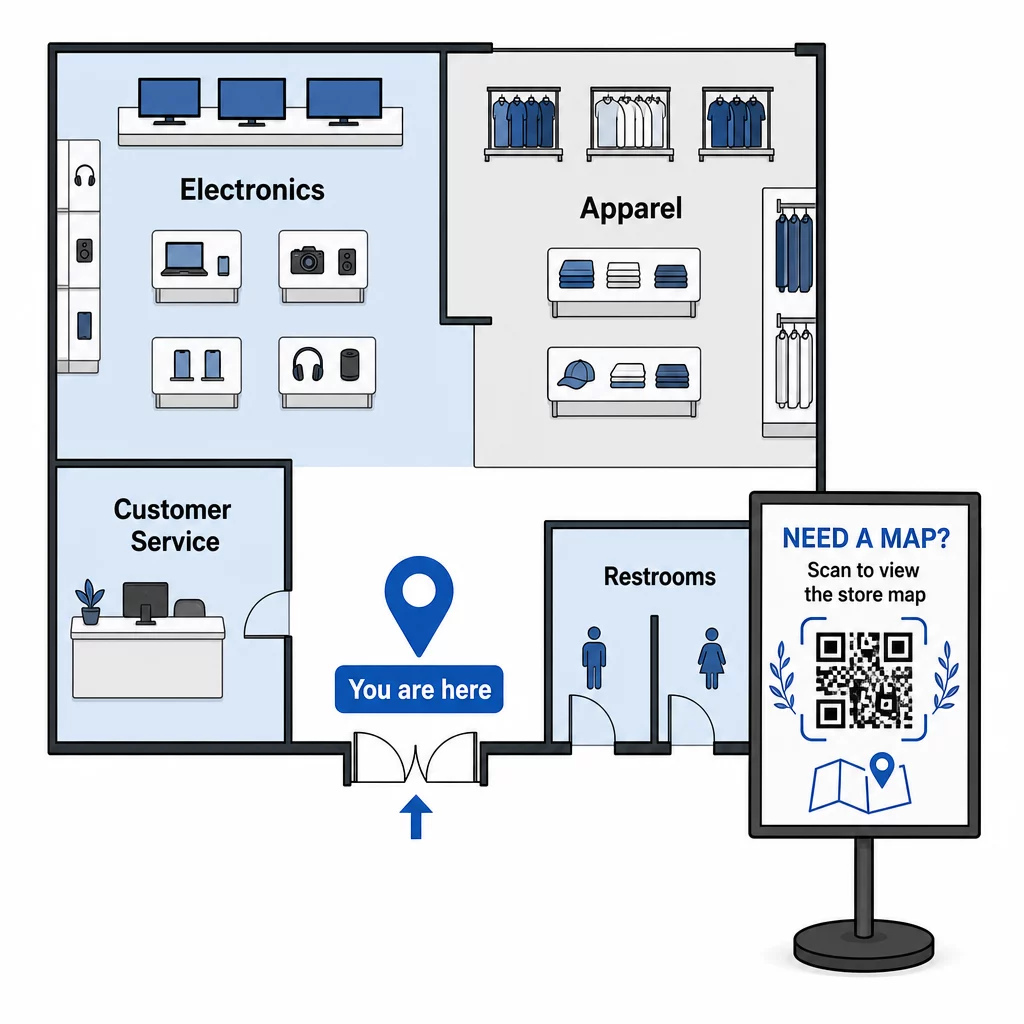
Düzeniniz mevsimsel bir sıfırlama için değiştiğinde, PDF'i kontrol panelinizde güncelleyin. Basılı QR kodları çalışmaya devam eder.
Müşterileri Mağaza Girişinize veya Otoparka Yönlendirme
Daha büyük perakende mülkleri, alışveriş merkezleri veya birden fazla girişi olan mağazalar için, bir Google Haritalar QR kodu ziyaret öncesi iletişimlere – e-posta onaylarına, makbuzlara veya web sitenize – yerleştirilebilir, böylece müşteriler tam olarak nereye gideceklerini bilerek gelirler. Tanıdık olmayan bir alana park eden müşterilerin doğru girişi bulmalarına yardımcı olmak için aynı kodu dış tabelalara yerleştirin.
Diğer perakendecilerle bir kompleksi veya kampüsü paylaşan mağazalar için bu yaklaşım, alışveriş yapanları belirli bir binaya veya otoparka yönlendirmek için de işe yarar. QR kodlarının nasıl desteklediği hakkında daha fazla bilgi edinin: yol tarifleri ve konum paylaşımı farklı harita hizmetlerinde.
Alışveriş Yapanları Promosyonlara Yönlendirme
Bir indirim veya mevsimlik etkinlik sırasında, mağaza girişine ve doğrudan bir promosyon açılış sayfasına bağlanan ilgili tabelalara QR kodları yerleştirin. Pageloot'un kupon QR kodu oluşturucu alışveriş yapanların anında açıp ödeme sırasında sunabileceği, güncel fırsatlar için özel bir sayfa oluşturmanızı sağlar.
Dinamik kodlar kullandığınız için, bir indirimin sonunda mağaza içi tabelaları değiştirmeden promosyon sayfasını değiştirebilirsiniz.
Rafta Ürün Seviyesinde Navigasyon
Anahtar ürünlerin yanındaki raf kenarı etiketlerine küçük QR kodları yerleştirin. Bunları şunları içeren bir sayfaya bağlayın:
- Ürün özellikleri veya karşılaştırma tabloları
- Stok bilgisi (stokta, sınırlı sayıda)
- İlgili ürünler veya aksesuarlar
- Eğitim videoları veya kurulum kılavuzları
Bu yaklaşım, alışveriş yapanların bir fiyat etiketinin sağlayabileceğinden daha fazla bilgi istediği yüksek maliyetli alışverişler – elektronik, beyaz eşya veya özel aletler gibi – için özellikle etkilidir. Perakendeciler kullanabilir bağlantı QR kodlarınızın herhangi bir ürün sayfasına veya özel bir açılış sayfasına doğrudan işaret etmek için.
Navigasyon İçeriğinizi Güncel Tutun Mağaza düzenleri, promosyonlar ve ürün serileri sürekli değişir. Kullanın Pageloot'un dinamik QR kodları mağaza içi tabelalarınızı yeniden basmadan hedef sayfalarınızı istediğiniz zaman güncellemek için.
Hangi Navigasyon Kodlarının Çalıştığını Takip Etme
QR tabanlı navigasyonun en az kullanılan avantajlarından biri, ürettiği verilerdir. Her tarama bir sinyaldir: bir müşteri o konumda, o zamanda bir şey bulmak için yardıma ihtiyaç duydu.
Dinamik QR kodları ve yerleşik analizlerle şunları takip edebilirsiniz:
- En çok tarama hangi konumlarda gerçekleşiyor? – Belirli bir departmanın yakınındaki yüksek tarama hacmi, o alandaki fiziksel tabelaların yetersiz olduğunu gösterebilir.
- Alışveriş yapanlar gezinirken – Yoğun tarama zamanları, müşterilerin ne zaman en aktif olduğunu ve rehberliğe en çok ne zaman ihtiyaç duyduğunu gösterir.
- Hangi içerik en çok etkileşim alıyor? – Mağaza haritanız promosyon kodunuzdan on kat daha fazla tarama alıyorsa, alışveriş yapanların nerede zorlandığını bilirsiniz.
Bu veriler, mağaza düzeninizi iyileştirmenize, tabelaları geliştirmenize ve promosyonların fiziksel olarak nereye yerleştirilmesi gerektiği konusunda daha iyi kararlar almanıza yardımcı olur. Birden fazla konumu yöneten perakendeciler için, aynı analitik çerçeve tüm mağazalarda geçerlidir, bu da performansı karşılaştırmanıza ve işe yarayanı standartlaştırmanıza olanak tanır.
Bu Pageloot perakende QR kod çözümü tam da bu tür sürekli optimizasyon için tasarlanmıştır ve mağaza yöneticilerine mağazalarındaki her kodu yönetmek ve analiz etmek için merkezi bir kontrol paneli sunar.
Kaçınılması Gereken Yaygın Hatalar
- Değişen içerik için statik kodlar basmak – Güncellenmesi gerekebilecek her şey için her zaman dinamik kodlar kullanın.
- Sinyal olmayan yerlere kod yerleştirmek – Bağlantılı sayfalarınızı sadece mağaza Wi-Fi'ında değil, hücresel veride de test edin. Bazı alışveriş yapanlar ağınıza bağlı olmayacaktır.
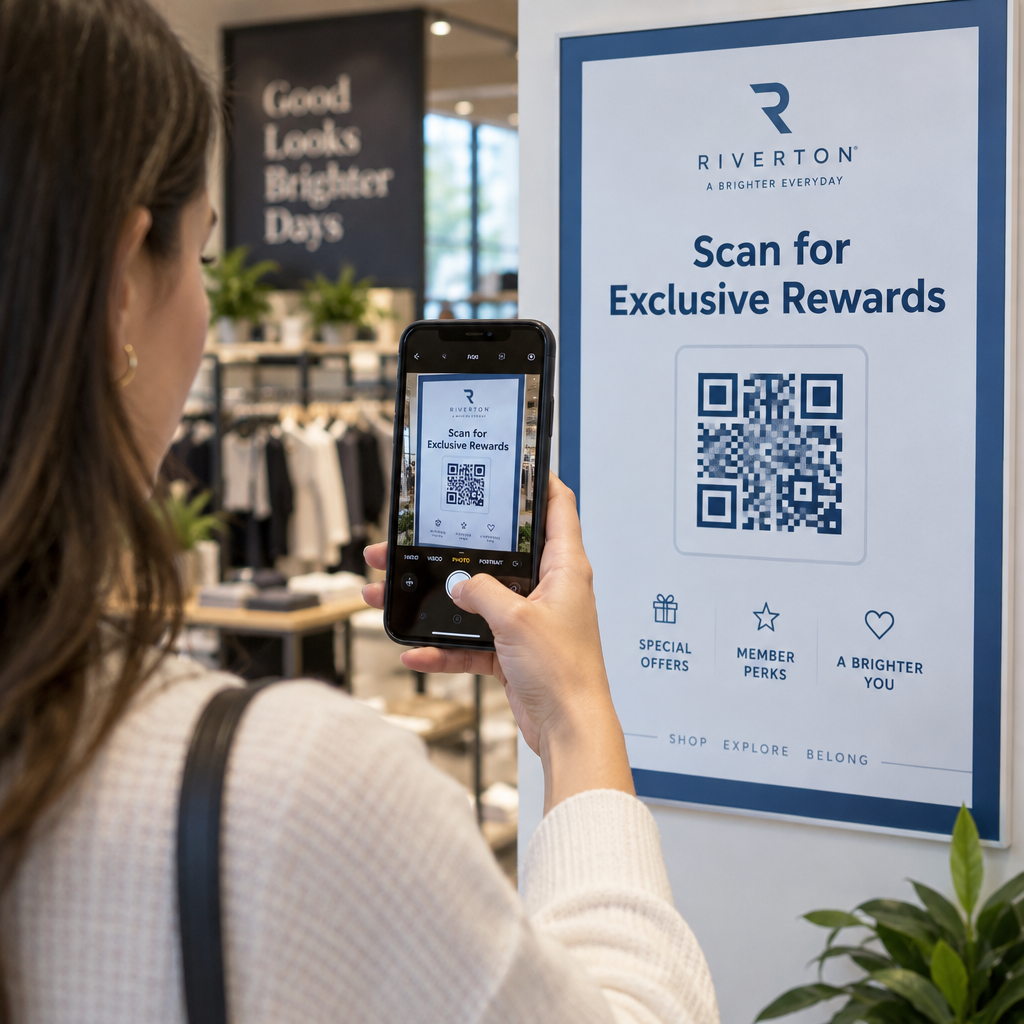
- Harekete geçirici mesajı kaçırmak – Bağlamı olmayan bir QR kodu göz ardı edilir. Alışveriş yapanın ne elde edeceğini açıklayan kısa bir metin satırı her zaman ekleyin: “Mağaza haritası için tarayın”, “Bugünün fırsatları için tarayın” veya “Ürün detayları için tarayın.”
- Doğal bir mesafeden taranamayacak kadar küçük kodlar – 10:1 boyutlandırma kuralını kullanın ve büyük ölçekte yazdırmadan önce test edin.
- Mobil uyumlu olmayan sayfalara bağlantı verme – Her hedef hızlı yüklenmeli ve bir akıllı telefon ekranında düzgün bir şekilde görüntülenmelidir.
Başlarken
QR tabanlı navigasyon, mağaza içi deneyimi iyileştirmenin en uygun maliyetli yollarından biridir. Özel bir uygulamaya, büyük bir bütçeye veya karmaşık bir altyapıya ihtiyacınız yok. İyi yerleştirilmiş kodlara, net hedef içeriğe ve mağazanız geliştikçe her ikisini de güncelleyebilme yeteneğine ihtiyacınız var.
Mağazanızdaki yüksek sürtünmeli bir noktadan başlayın – giriş, bulunması zor bir departman veya mevcut promosyon alanınız – ve oradan ilerleyin. Bir şeyler her değiştiğinde materyalleri yeniden basmak zorunda kalmamak için baştan itibaren dinamik kodlar kullanın.
Pageloot'un perakende için QR kod araçlarını keşfedin ilk navigasyon kodunuzu oluşturmak için veya tüm yelpazesine göz atın sektöre özel QR çözümleri diğer işletmelerin aynı teknolojiyi nasıl kullandığını görmek için.
Sıkça Sorulan Sorular
Bir PDF QR kodu mağaza haritaları için iyi çalışır – net bir kat planı tasarlayabilir, PDF olarak yükleyebilir ve kodu ona bağlayabilirsiniz. Düzeniniz her değiştiğinde herhangi bir tabelayı yeniden basmak zorunda kalmadan haritayı güncelleyebilmek için dinamik bir QR kodu kullanın. Pageloot'un PDF QR kod oluşturucusu hem yüklemeyi hem de dinamik güncellemeyi tek bir yerde halleder.
Müşterilerin rehberliğe en çok ihtiyaç duyabileceği noktalara navigasyon kodları yerleştirin: mağaza girişi (genel bir harita için), büyük koridor kesişimleri (departman yönlendirmeleri için) ve doğrudan ürünlerin veya promosyonel teşhirlerin yanına (ürüne özel içerik için). Kodlar göz hizasında, iyi aydınlatılmış alanlarda ve güvenilir tarama için düz, mat yüzeylerde olmalıdır. Mağaza bölgesine göre yerleştirme önerileri için perakende mağazaları için en iyi QR kod yerleşimleri hakkındaki tam kılavuzumuza bakın.
Statik kodlar yerine dinamik QR kodları kullanın. Dinamik bir kod, bir kontrol panelinden kontrol ettiğiniz kısa bir yönlendirme URL'si içerir. Mağaza düzeniniz değiştiğinde veya bir promosyon sona erdiğinde, hesabınızdaki hedefi güncellersiniz ve mevcut basılı kodlar otomatik olarak yeni içeriğe yönlendirilir. Pageloot'un QR kod oluşturucusu, tam düzenleme ve analiz erişimi ile dinamik kodlar oluşturur.