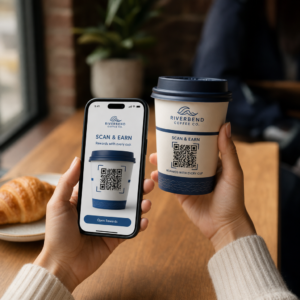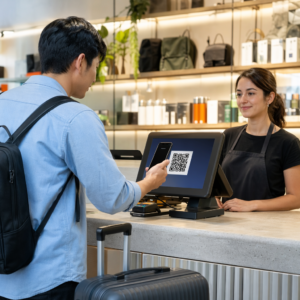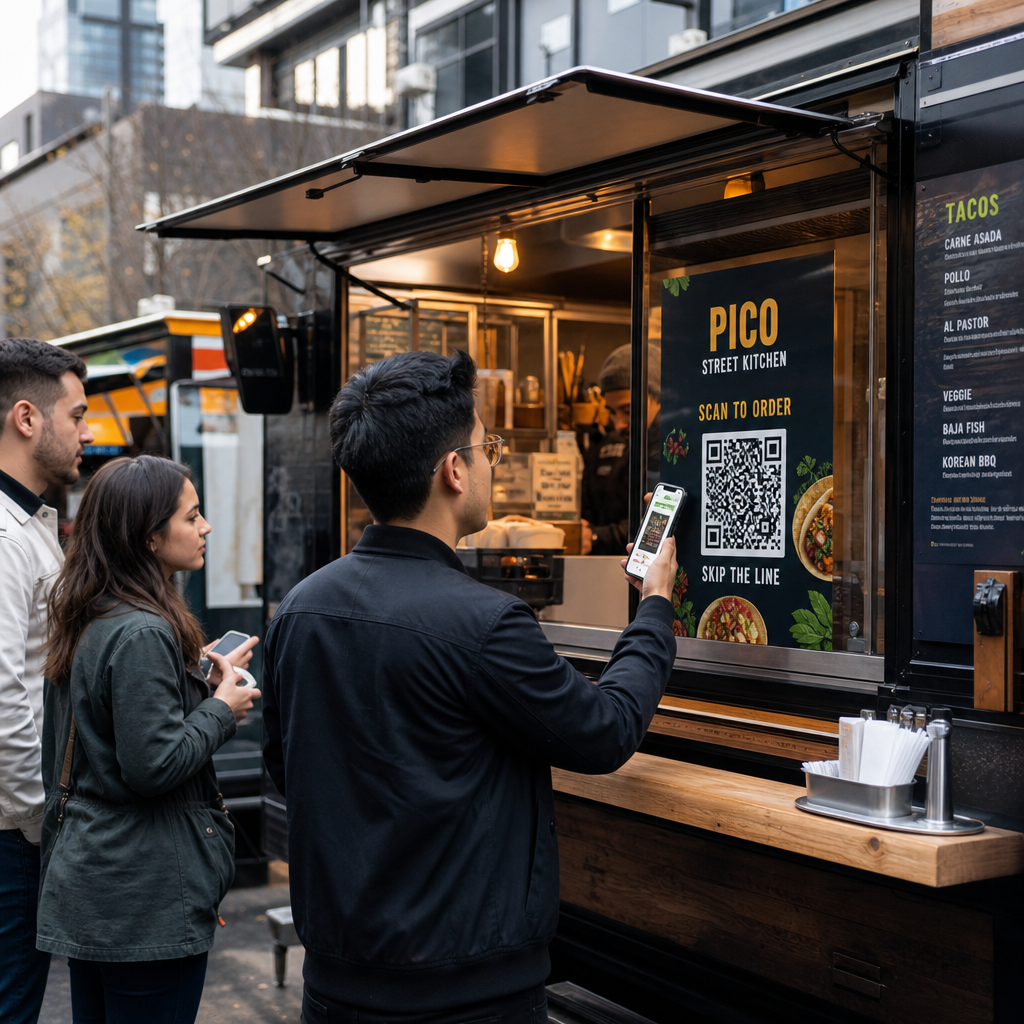

Bewegt sich Ihre Food-Truck-Schlange so schnell, wie sie sollte? Lange Warteschlangen, unentschlossene Kunden und langsame Zahlungsabwicklung vertreiben Menschen, bevor sie überhaupt Ihr Fenster erreichen. Dieser Leitfaden erklärt, wie QR-Codes den Service beschleunigen, Reibung reduzieren und Kunden dazu bringen können, wiederzukommen.
Warum QR-Codes für Food Trucks sinnvoll sind
Food Trucks arbeiten unter Einschränkungen, denen traditionelle Restaurants nicht begegnen. Sie haben begrenzten Thekenplatz, keinen Empfangstisch und oft einen einzigen Mitarbeiter, der Bestellungen, Zubereitung und Bezahlung gleichzeitig jongliert. Jede Sekunde, die mit der Erklärung eines Menüpunkts oder dem Wechselgeld verbracht wird, ist eine Sekunde, in der die Schlange länger wird.
Die US-Food-Truck-Branche erwirtschaftet jährlich rund $2,4–2,8 Milliarden Umsatz, was bedeutet, dass selbst kleine Steigerungen des Durchsatzes direkt zu mehr Einnahmen pro Servicefenster führen. QR-Codes beheben die häufigsten Engpässe: Kunden, die nicht wissen, was sie wollen, wenn sie vorne ankommen, Zahlungsverzögerungen und die wiederkehrenden Kosten für den Neudruck von Speisekarten, wann immer sich Ihr Angebot ändert.
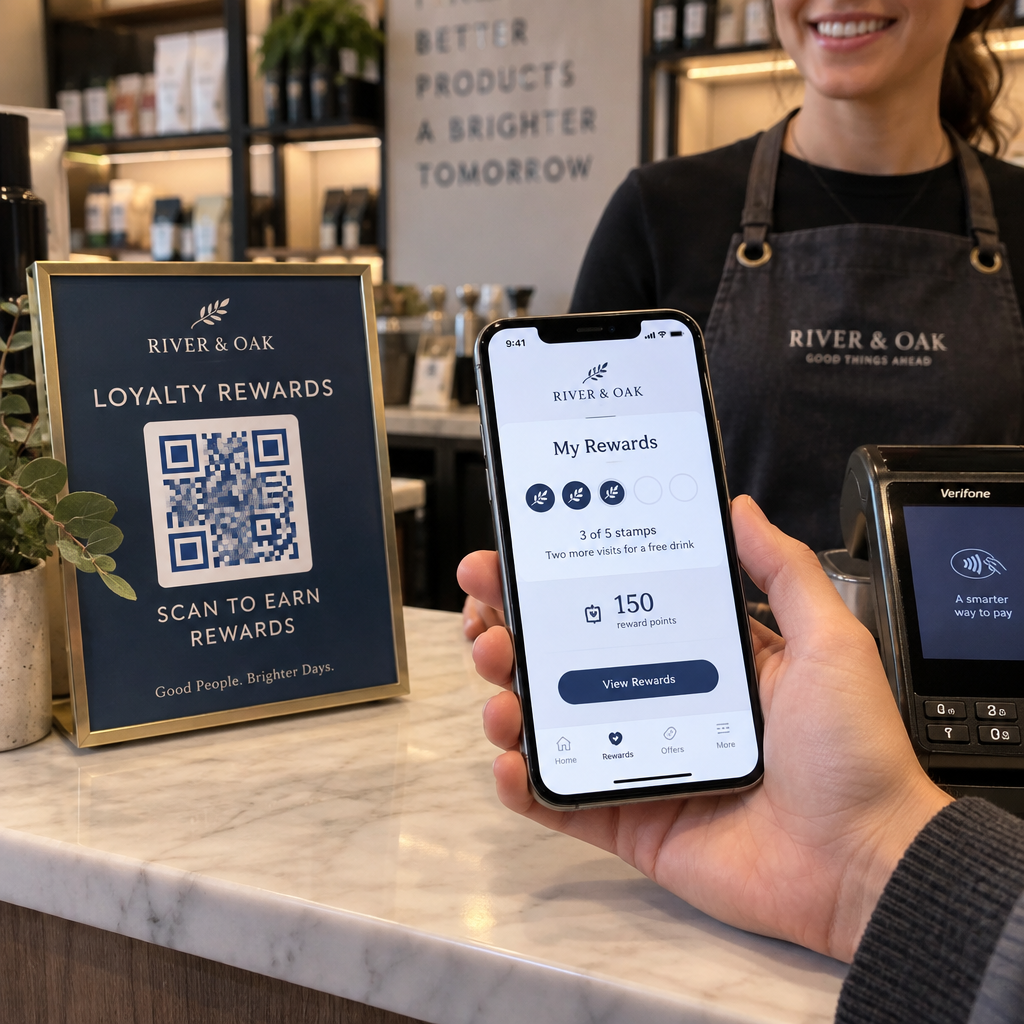
Kontaktloses Bezahlen ist mittlerweile Mainstream. Laut Visa stiegen kontaktlose Transaktionen von weniger als 1% der US-Face-to-Face-Transaktionen im Jahr 2017 auf über 60% bis zum zweiten Quartal des Geschäftsjahres 2025. Ihre Kunden erwarten bereits, zum Bezahlen zu tippen oder zu scannen – eine QR-basierte Option beseitigt Reibung, anstatt sie hinzuzufügen.
So verwenden Sie ein QR-Code-Menü in Ihrem Food Truck
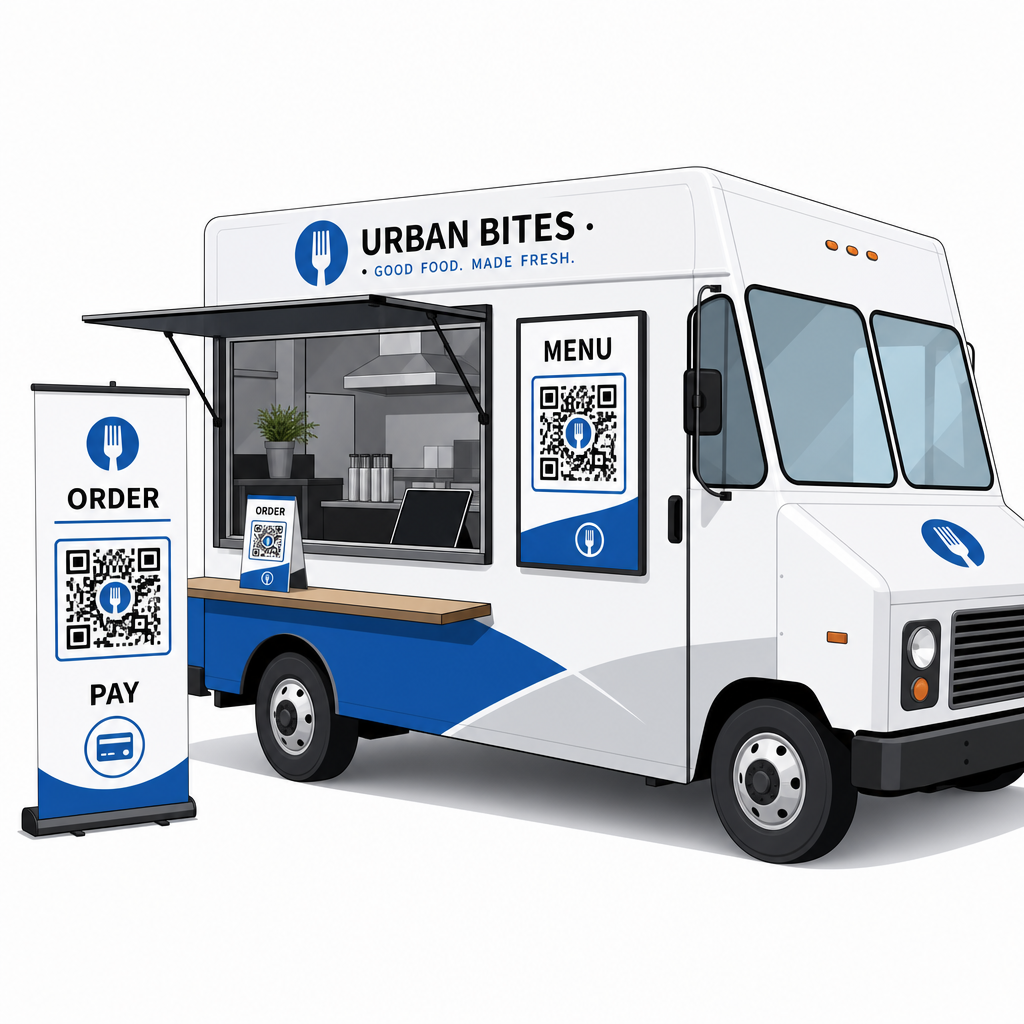
Ein QR-Code-Menü funktioniert, indem ein gedruckter Code mit einer digitalen Version Ihrer Speisekarte verknüpft wird, die Kunden auf ihren eigenen Smartphones öffnen. Anstatt Papiermenüs zu drucken und zu laminieren oder sich auf ein Kreidetafelschild zu verlassen, das vom Ende der Schlange schwer zu lesen ist, platzieren Sie einen QR-Code auf Ihrem Truck, auf Schildern oder auf einem kleinen Tischaufsteller – und Kunden stöbern auf ihren Telefonen, während sie warten.
Dies löst ein spezifisches Food-Truck-Problem: Kunden, die unentschlossen sind, wenn sie das Fenster erreichen, verlangsamen jede Person hinter ihnen. Wenn Menschen Ihre Speisekarte durchsuchen können, bevor sie sich anstellen, kommen sie am Tresen an und sind bereit zu bestellen.
Pageloots Menü QR-Code erstellen ermöglicht es Ihnen, Ihren QR-Code entweder mit einem PDF-Menü oder einer mobil-optimierten Landingpage zu verknüpfen. Eine Landingpage bietet im Allgemeinen ein besseres Erlebnis – Kunden können Artikelbeschreibungen, Fotos und Preise in einem für einen Telefonbildschirm optimierten Format sehen. Sie können Allergeninformationen, Tagesangebote und Ausverkaufsmitteilungen hinzufügen, ohne etwas Neues drucken zu müssen. Wie Pageloots Menügenerator feststellt, sind QR-Code-Menüs nützlich, egal ob Ihr Unternehmen ein Food Truck oder ein Fast-Dining-Café ist, da sie Kunden ermöglichen, zu entscheiden, was sie bestellen möchten, bevor sie zur Kasse gehen.
Hauptvorteile eines digitalen Menüs für Food Trucks:
- Preise, Artikel oder Sonderangebote in Echtzeit aktualisieren, ohne neu drucken zu müssen
- Ihr vollständiges Menü in einem Format anzeigen, das auf jedem Smartphone lesbar ist
- Kunden entscheiden lassen, was sie bestellen möchten, während sie in der Schlange warten, nicht erst, nachdem sie das Fenster erreicht haben
- Nachdruckkosten eliminieren, wenn sich Ihr Menü saisonal oder täglich ändert
Erstellen Sie Ihren Food Truck Menü QR-Code Bereit, Kunden Ihre Speisekarte durchsuchen zu lassen, bevor sie das Fenster erreichen? Verwenden Sie den Menü QR-Code erstellen um in wenigen Minuten ein mobil-bereites digitales Menü zu erstellen.
QR-Code-Bestellung für Ihren Truck einrichten
Die QR-Code-Bestellung geht einen Schritt weiter: Anstatt nur zu stöbern, können Kunden ihre Bestellung direkt von ihrem Telefon aus aufgeben. Dies ist besonders nützlich für Food Trucks, die Veranstaltungen, Parks oder feste Standorte bedienen, wo Kunden in der Nähe warten können, anstatt in einer einzigen Schlange zu stehen.
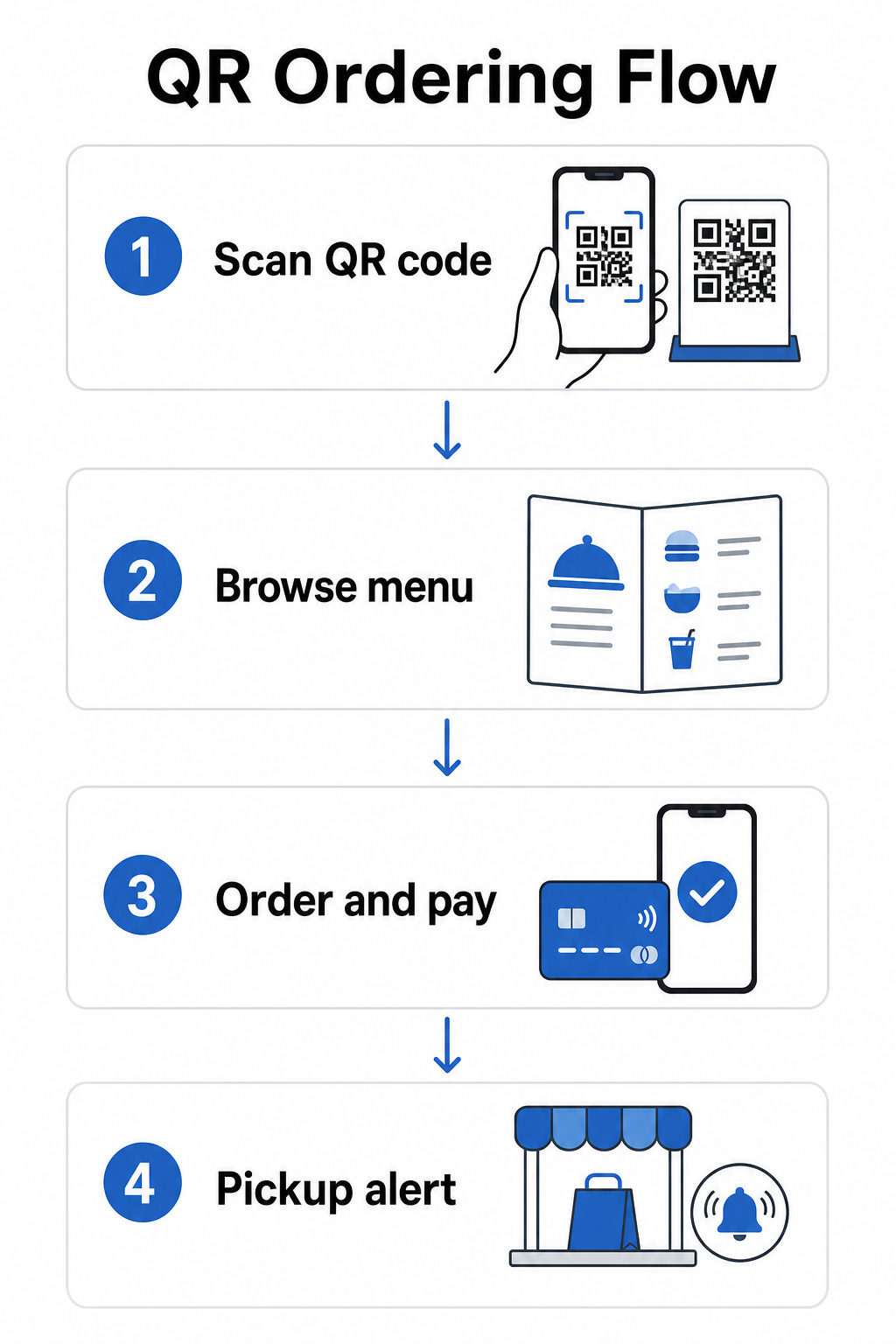
EIN QR-Code-Bestellsystem erfordert einige zusammenarbeitende Komponenten:
- Ein mobil-optimiertes digitales Menü mit Artikelbeschreibungen und Anpassungsoptionen
- Ein QR-Code, den Kunden scannen, um auf das Menü und das Bestellformular zuzugreifen
- Eine Zahlungs-Gateway-Integration, damit Kunden gleichzeitig mit der Bestellung bezahlen können
- Eine Möglichkeit, wie Bestellungen Ihre Küche erreichen – entweder ein Bildschirm im Truck oder ein Textbenachrichtigungssystem
Ein hervorzuhebender operativer Vorteil: Die Aktivierung der Online-Bestellung mit Abholbenachrichtigungen bedeutet, dass Kunden überhaupt nicht in der Schlange stehen müssen. Sie geben ihre Bestellung auf, erhalten eine Benachrichtigung, wenn sie fertig ist, und kommen nur zum Abholen zum Fenster. Dies reduziert Überfüllung und das Risiko, dass Kunden während der Stoßzeiten weggehen.
Bei der Konfiguration Ihres Bestellsystems wählen Sie dynamische QR-Codes gegenüber statischen. Ein dynamischer QR-Code verweist auf eine kurze Weiterleitungs-URL, die Sie jederzeit aktualisieren können – wenn Sie also Ihre Bestellplattform ändern, Ihr Menü aktualisieren oder an einen neuen Standort ziehen, aktualisieren Sie das Ziel, ohne die physischen Codes auf Ihrem Truck zu ersetzen. Der Dynamischer QR-Code Generator von Pageloot verwaltet dies von einem einzigen Dashboard aus und ist die praktische Wahl für jeden Betreiber, dessen Menü oder Einrichtung sich im Laufe der Zeit entwickeln wird.
Zahlungen per QR-Code akzeptieren
QR-Code-Zahlungen ermöglichen Kunden, eine Transaktion abzuschließen, indem sie einen Code scannen und über ihre bevorzugte mobile Geldbörse oder Zahlungs-App bezahlen – kein Kartenlesegerät erforderlich, keine Bargeldabwicklung, keine Verzögerungen beim Wechselgeld. Für einen Foodtruck-Betreiber kann dies die Zeit, die jeder Kunde an Ihrem Fenster verbringt, erheblich verkürzen.
Die Einrichtung ist unkompliziert. Sie generieren einen Zahlungs-QR-Code, der mit Ihrem PayPal-, Stripe- oder einem anderen Zahlungsanbieter verknüpft ist, drucken ihn aus oder zeigen ihn an Ihrem Fenster an, und Kunden scannen, um zu bezahlen. Pageloots PayPal QR-Code Generator führt durch den Prozess: Generieren Sie Ihren PayPal.me-Link, fügen Sie ihn in den Generator ein, passen Sie das Design an Ihr Branding an und laden Sie den Code zum Drucken oder Anzeigen herunter.
Für einen umfassenderen Überblick darüber, wie QR-Code-Zahlungen auf verschiedenen Plattformen funktionieren, deckt Pageloots QR-Zahlungsleitfaden die wichtigsten Optionen und Einrichtungsschritte ab. Wenn Sie mehr Kontext dazu wünschen, warum Gastronomiebetriebe diesen Ansatz übernehmen, erklärt die Vorteile von QR-Code-Zahlungen für Restaurants Seite, wie schnellere Kassenabläufe und geringere Reibung bei der Abwicklung zu operativen Gewinnen führen.
Die National Restaurant Association berichtete 2024, dass 85 % der Restaurants jetzt kontaktlose Zahlungsoptionen anbieten und 92 % der Inhaber positives Feedback von Kunden melden. Foodtrucks, die sich immer noch auf reine Barzahlung oder reine Kartenzahlung verlassen, sind zunehmend nicht mehr im Einklang mit dem, was Kunden erwarten.
Dynamische QR-Codes verwenden, um alles aktuell zu halten
Einer der praktischsten Vorteile von QR-Codes für einen Foodtruck ist die Möglichkeit, Ihre Inhalte zu aktualisieren, ohne den gedruckten Code zu ändern. Wenn Sie einen statischen QR-Code verwenden – einen, der dauerhaft eine einzige URL kodiert – bedeutet jede Änderung an Ihrem Menü, Bestelllink oder Ihrer Zahlungsseite das Neudrucken und Neuverteilen neuer Codes.
Dynamische QR-Codes lösen dies. Der Code selbst kodiert eine kurze Weiterleitungs-URL, die sich nie ändert. Was Sie kontrollieren, ist, wohin diese Weiterleitung den Kunden schickt. Aktualisieren Sie Ihr Menü, wechseln Sie Zahlungsplattformen oder bewerben Sie ein saisonales Angebot – der physische Code auf Ihrem Truck bleibt genau derselbe.
Dynamische Codes bieten Ihnen auch Analysen. Sie können verfolgen, wie viele Kunden Ihren Menücode gescannt haben, wann Scans ihren Höhepunkt erreichen (nützlich für Personal- und Vorbereitungsentscheidungen), welche Geräte die Leute verwenden und welche Standorte oder Veranstaltungen die größte Beteiligung generieren. Dynamische QR-Codes verfolgen Metriken wie Scanzeit, geografischer Standort, Gerätetyp und Scanfrequenz und liefern Ihnen Echtzeitdaten zur Entscheidungsfindung. Dies wird ausführlicher auf Pageloots QR-Code-Tracking-Seite.
Jeden Scan von Ihrem Truck verfolgen Verwenden Sie die Dynamischer QR-Code Generator um bearbeitbare, verfolgbare Codes für Ihre Menü-, Bestell- und Zahlungslinks zu erstellen – alles von einem einzigen Dashboard aus verwaltbar.
Marketing und Kundenbindung mit QR-Codes
QR-Codes sind nicht auf Menüs und Zahlungen beschränkt. Foodtrucks, die an festen Standorten, Bauernmärkten oder Veranstaltungen tätig sind, können sie nutzen, um Kundenbeziehungen zwischen den Besuchen aufzubauen.
Praktische QR-Code-Marketingideen für Foodtrucks:
- Google-Bewertungen: Platzieren Sie einen Google-Bewertungs-QR-Code an Ihrem Fenster oder auf Ihrer Verpackung. Kunden, die eine großartige Erfahrung gemacht haben, können in Sekundenschnelle eine Bewertung hinterlassen, was Ihre lokale Suchsichtbarkeit im Laufe der Zeit aufbaut.
- Gutscheine und Aktionen: Verwenden Sie eine Gutschein-QR-Code um einen Rabatt bei einem erneuten Besuch anzubieten, ein neues Produkt zu bewerben oder treue Kunden zu belohnen. Verknüpfen Sie den Code mit einer Landingpage, die Ihre aktuellen Angebote zeigt.
- Social Media und Terminaktualisierungen: A Link QR-Code können Kunden zu Ihrem Instagram, einem Anmeldeformular oder Ihrem bevorstehenden Standortplan leiten – und sie so nach dem Verlassen in Verbindung halten.
QR-Code-Beschilderung eignet sich besonders gut für Foodtruck-Außenbereiche und Veranstaltungsdisplays. Ein Code, der auf Augenhöhe an der Seite Ihres Trucks, auf einem gebrandeten Banner oder auf einem kleinen Tischaufsteller in der Nähe des Bestellfensters platziert ist, ist leicht zu scannen und erfordert kein Personal. Bevor Sie drucken, lohnt es sich, zu überprüfen Best Practices für die Platzierung von QR-Codes und Lesbarkeitsrichtlinien um Größe, Kontrast und Oberflächenauswahl beim ersten Mal richtig zu machen. Pageloot empfiehlt ein Mindestkontrastverhältnis von 4:1, dunkle Muster auf hellen Hintergründen und eine Größe von mindestens 2 × 2 cm für das Scannen aus nächster Nähe – all dies ist wichtig, wenn Ihre Codes im Freien bei unterschiedlichen Lichtverhältnissen gelesen werden.
Was Sie beachten sollten, bevor Sie QR-Codes einführen
QR-Codes funktionieren gut für Foodtrucks, aber einige praktische Faktoren werden bestimmen, ob Ihre Einführung reibungslos verläuft.
Konnektivität: Ihr QR-Code-Bestell- oder Zahlungssystem hängt davon ab, dass Kunden eine zuverlässige mobile Datenverbindung haben. Bei einer belebten Outdoor-Veranstaltung oder einem Straßenstandort ist dies normalerweise in Ordnung. In einer Keller-Food-Halle oder einem Veranstaltungsort mit schlechter Mobilfunkabdeckung testen Sie die Konnektivität vor Ihrem ersten Einsatz dort.
Nicht jeder Kunde wird scannen: Eine Untersuchung der National Restaurant Association ergab, dass zwar 73% der Gen Z-Erwachsenen daran interessiert waren, Menüs über QR-Codes abzurufen, dieser Wert jedoch bei Babyboomern auf 46% sank. Food Trucks sind ein anderer Kontext als Restaurants mit Bedienung – Kunden sind bereits an ihren Telefonen und warten in der Schlange – aber es lohnt sich trotzdem, eine sichtbare Tafel oder eine mündliche Zusammenfassung Ihrer wichtigsten Artikel als Notlösung zu haben, damit sich niemand ausgeschlossen fühlt.
Sicherheit: Platzieren Sie QR-Codes an Stellen, an denen sie nicht leicht verdeckt oder ersetzt werden können. Ihre eigene Markenbeschilderung und das Äußere des Trucks sind Umgebungen mit geringem Risiko, aber es ist eine gute Praxis, zu überprüfen, ob Ihre Codes zu Beginn jedes Services intakt sind. Die Verbraucherrichtlinien des Bundes weisen darauf hin, dass Betrüger manchmal betrügerische Codes über legitime legen, daher macht die Anzeige von Codes in konsistenten, gebrandeten Formaten sie für Kunden vertrauenswürdiger.
Mobilfreundliches Ziel: Die Seite, die Ihr QR-Code öffnet, muss schnell laden und auf einem Telefonbildschirm korrekt angezeigt werden. Eine Seite, die mehr als ein paar Sekunden zum Laden benötigt, oder eine, die zum Lesen ein Aufziehen erfordert, führt dazu, dass Kunden sie vor der Bestellung verlassen. Pageloots Leitfaden zu mobile QR-Code-Landingpages deckt ab, was Sie optimieren müssen, bevor Sie live gehen.
Erste Schritte: Was Sie brauchen
Wenn Sie bereit sind, QR-Codes in Ihrem Food Truck zu implementieren, finden Sie hier eine Zusammenfassung dessen, was die Einrichtung beinhaltet:
| Was Sie brauchen | Warum es wichtig ist |
|---|---|
| Ein digitales Menü (PDF oder Landingpage) | Das Ziel, das Kunden auf ihren Telefonen durchsuchen werden |
| Ein QR-Code-Generator | Erstellt den scannbaren Code, der mit Ihrem Menü oder Ihrer Zahlungsseite verknüpft ist |
| Dynamische QR-Codes | Ermöglicht Ihnen, Inhalte zu aktualisieren, ohne physische Codes neu zu drucken |
| Ein Zahlungslink (PayPal, Stripe, etc.) | Ermöglicht kontaktloses Bezahlen per QR-Scan |
| Strategische Code-Platzierung | Stellt sicher, dass Kunden den Code tatsächlich finden und scannen können |
| Zugang zu Analysen | Zeigt, was funktioniert und wann Kunden am meisten interagieren |
Die Plattform von Pageloot deckt all dies von einem einzigen Dashboard aus ab. Sie können Menü-QR-Codes, Zahlungs-QR-Codes und Marketing-Codes erstellen – alle dynamisch und verfolgbar – und jeden davon aktualisieren, ohne die physischen Materialien an Ihrem Truck zu berühren. Die Restaurant- und Hotellerie-Seite zeigt, wie ähnliche Unternehmen dies angegangen sind, und die Seite für breitere Branchenlösungen deckt andere Food-Service-Kontexte ab, die es wert sind, erkundet zu werden.
QR-Codes ersetzen kein gutes Essen oder schnelle Zubereitung – aber sie beseitigen die operative Reibung, die Ihre Schlange verlangsamt und Kunden davon abhält, zurückzukehren. Beginnen Sie mit einem Menü-QR-Code, damit Kunden während des Wartens stöbern können, fügen Sie einen Zahlungs-Code hinzu, um den Kassiervorgang zu beschleunigen, und fügen Sie Marketing-Codes hinzu, wenn Sie mit dem System vertrauter werden.
Erstellen Sie Ihr Food Truck QR-Code-Setup Erstellen Sie in wenigen Minuten einen gebrandeten, bearbeitbaren Menü-QR-Code mit dem Menü QR-Code erstellen – kein technisches Wissen erforderlich, und Sie können Ihr Menü jederzeit aktualisieren, ohne neu zu drucken.
Häufig gestellte Fragen
Nein. Jedes moderne Smartphone kann einen QR-Code mithilfe der integrierten Kamera-App scannen – es ist kein separater Download erforderlich. Die Kamera erkennt den Code automatisch und fordert den Benutzer auf, die verknüpfte Seite in seinem Browser zu öffnen.
Wenn Sie einen dynamischen QR-Code verwenden, aktualisieren Sie einfach das Ziel in Ihrem QR-Code-Verwaltungs-Dashboard – der gedruckte Code funktioniert weiterhin und verweist nun auf Ihr aktualisiertes Menü. Statische QR-Codes kodieren dauerhaft eine einzige URL, sodass jede Änderung des Ziels das vollständige Drucken eines neuen Codes erfordert.
Sie können einen einzelnen Code mit einer kombinierten Menü- und Bestellseite verknüpfen, die Zahlungsfunktionen beinhaltet, oder separate Codes für verschiedene Zwecke verwenden, wie z.B. Menü-Browsing, Zahlung und Google-Bewertungen. Die Verwendung separater dynamischer QR-Codes ermöglicht Ihnen präzisere Analysen darüber, wie Kunden individuell mit jedem Berührungspunkt interagieren.