
Bevæger din food truck-kø sig så hurtigt, som den burde? Lange køer, ubeslutsomme kunder og langsom betalingshåndtering skræmmer folk væk, før de overhovedet når dit vindue. Denne guide forklarer, hvordan QR-koder kan fremskynde servicen, reducere friktion og få kunderne til at komme tilbage.
Hvorfor QR-koder giver mening for food trucks
Food trucks opererer under begrænsninger, som traditionelle restauranter ikke står over for. Du har begrænset diskplads, ingen værtinde og ofte kun én medarbejder, der jonglerer med ordrer, forberedelse og betaling samtidigt. Hvert sekund brugt på at forklare en menupunkt eller give byttepenge er et sekund, hvor køen bliver længere.
Den amerikanske food truck-industri genererer cirka $2,4–2,8 milliarder i årlig omsætning, hvilket betyder, at selv små forbedringer i gennemstrømning direkte omsættes til mere indkomst pr. servicevindue. QR-koder adresserer de mest almindelige flaskehalse: kunder, der ikke ved, hvad de vil have, når de når frem, betalingsforsinkelser og de tilbagevendende omkostninger ved genoptryk af menuer, når dine tilbud ændres.
Kontaktløse betalinger er nu mainstream. Ifølge Visa voksede kontaktløse transaktioner fra mindre end 1% af amerikanske ansigt-til-ansigt-transaktioner i 2017 til over 60% inden Q2 regnskabsåret 2025. Dine kunder forventer allerede at tappe eller scanne for at betale – at give dem en QR-baseret mulighed fjerner friktion i stedet for at tilføje den.
Sådan bruger du en QR-kode menu i din food truck
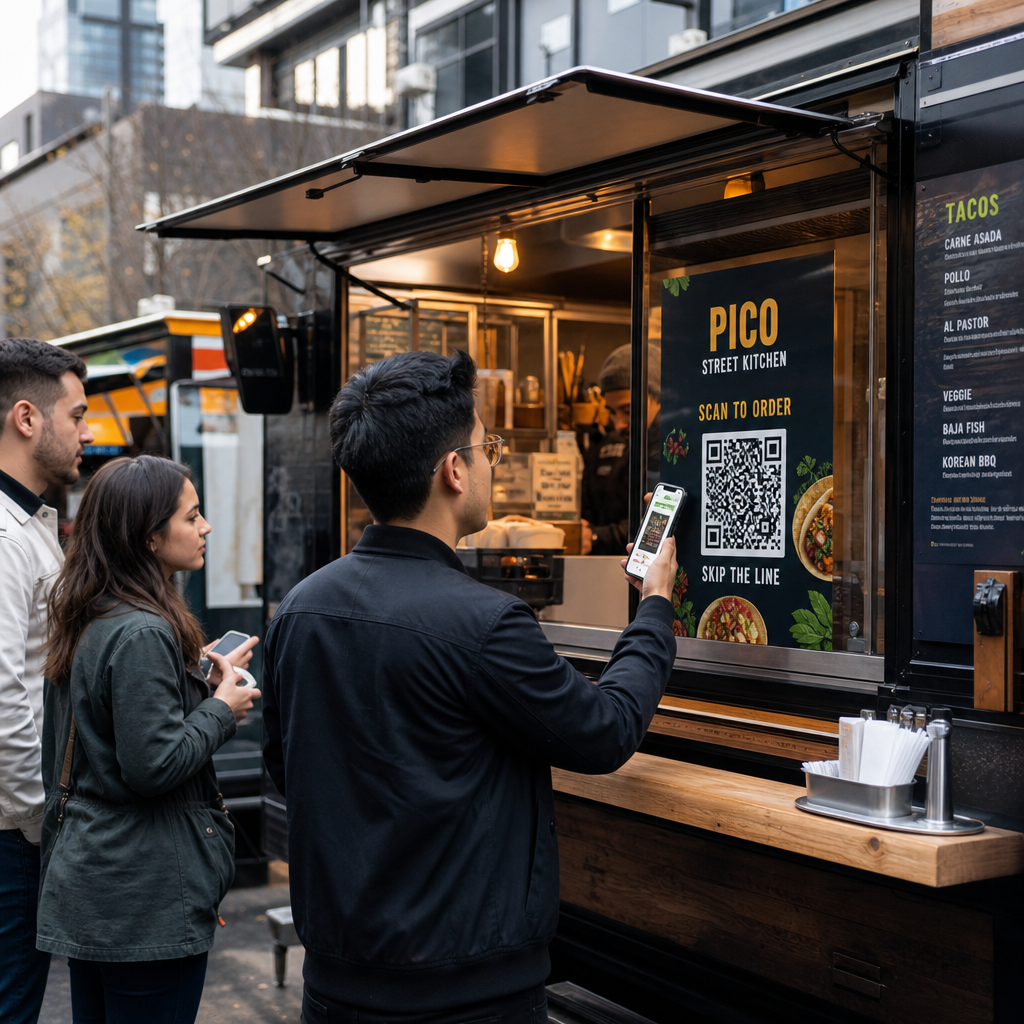
En QR-kode menu fungerer ved at linke en trykt kode til en digital version af din menu, som kunderne åbner på deres egne smartphones. I stedet for at printe og laminere papirmenuer eller stole på et kridttavleskilt, der er svært at læse fra bagenden af køen, placerer du en QR-kode på din truck, på skiltning eller på et lille bordtelt – og kunderne browser på deres telefoner, mens de venter.
Dette løser et specifikt food truck-problem: kunder, der er ubeslutsomme, når de når vinduet, forsinker alle bag dem. Når folk kan gennemse din menu, før de stiller sig i kø, ankommer de til disken klar til at bestille.
Pageloots QR-kode menu generator giver dig mulighed for at linke din QR-kode til enten en PDF-menu eller en mobiloptimeret landingsside. En landingsside tilbyder generelt en bedre oplevelse – kunder kan se varebeskrivelser, fotos og priser i et format designet til en telefonskærm. Du kan inkludere allergeninformation, daglige tilbud og udsolgt-meddelelser uden at printe noget nyt. Som Pageloots menu-generator bemærker, er QR-kode menuer nyttige, uanset om din virksomhed er en food truck eller en fast-dining café, hvilket giver kunderne mulighed for at beslutte, hvad de vil bestille, før de når kassen.
Vigtigste fordele ved en digital menu for food trucks:
- Opdater priser, varer eller tilbud i realtid uden genoptryk
- Vis din fulde menu i et format, der er læsbart på enhver smartphone
- Lad kunderne beslutte, hvad de vil bestille, mens de venter i kø, ikke efter de når vinduet
- Eliminer genoptryksomkostninger, når din menu ændres sæsonmæssigt eller dagligt
Opret din Food Truck Menu QR-kode Klar til at lade kunderne gennemse din menu, før de når vinduet? Brug QR-kode menu generator til at bygge en mobilklar digital menu på få minutter.
Opsætning af QR-kode bestilling til din truck
QR-kode bestilling tager menuen et skridt videre: i stedet for blot at gennemse, kan kunderne indsende deres ordre direkte fra deres telefon. Dette er især nyttigt for food trucks, der serverer arrangementer, parker eller faste steder, hvor kunderne kan vente i nærheden i stedet for at stå i en enkelt række.
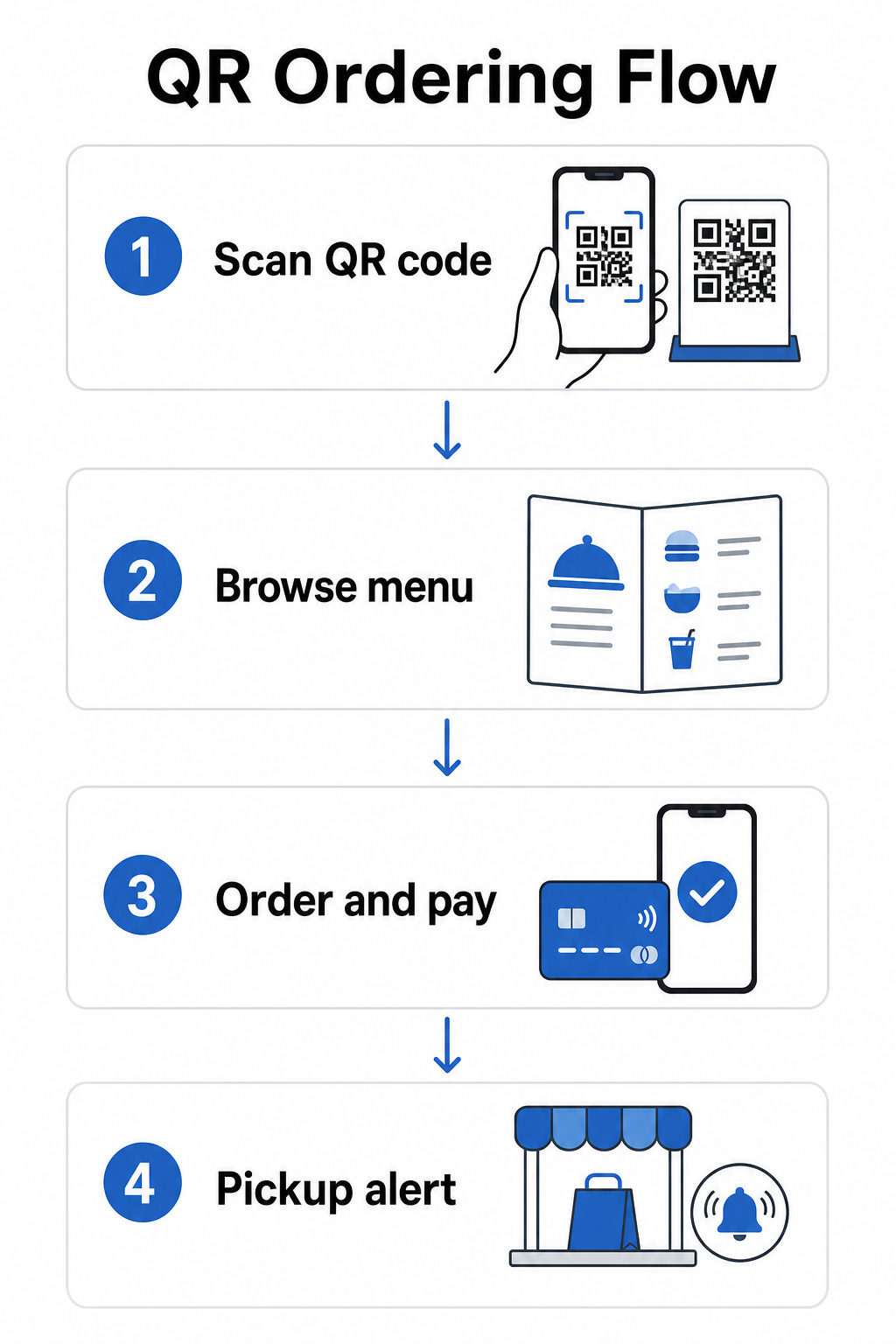
EN QR-kode bestillingssystem kræver et par komponenter, der arbejder sammen:
- En mobiloptimeret digital menu med varebeskrivelser og tilpasningsmuligheder
- En QR-kode, som kunderne scanner for at få adgang til menuen og bestillingsformularen
- En betalingsgateway-integration, så kunderne kan betale samtidig med, at de bestiller
- En måde for ordrer at nå dit køkken – enten en skærm inde i trucken eller et tekstnotifikationssystem
En operationel fordel, der er værd at fremhæve: at muliggøre online bestilling med afhentningsadvarsler betyder, at kunderne slet ikke behøver at stå i kø. De afgiver deres ordre, modtager en notifikation, når den er klar, og kommer kun til vinduet for at hente. Dette reducerer trængsel og risiko for at kunder går væk i spidsbelastningsperioder.
Når du konfigurerer din bestillingsopsætning, skal du vælge dynamiske QR-koder frem for statiske. En dynamisk QR-kode peger på en kort omdirigerings-URL, som du kan opdatere når som helst – så hvis du ændrer din bestillingsplatform, opdaterer din menu eller flytter til et nyt sted, opdaterer du destinationen uden at udskifte de fysiske koder på din truck. Den Dynamisk QR-kode generator fra Pageloot håndterer dette fra et enkelt dashboard og er det praktiske valg for enhver operatør, hvis menu eller opsætning vil udvikle sig over tid.
Acceptering af betalinger via QR-kode
QR-kodebetalinger lader kunder gennemføre en transaktion ved at scanne en kode og betale via deres foretrukne mobilpung eller betalingsapp – ingen kortterminal påkrævet, ingen kontanthåndtering, ingen forsinkelser med byttepenge. For en foodtruck-operatør kan dette betydeligt forkorte den tid, hver kunde bruger ved dit vindue.
Opsætningen er ligetil. Du genererer en betalings-QR-kode knyttet til din PayPal, Stripe eller anden betalingsudbyder, printer den eller viser den ved dit vindue, og kunder scanner for at betale. Pageloots PayPal QR-kode generator gennemgår processen: generer dit PayPal.me-link, indsæt det i generatoren, tilpas designet med dit brand, og download koden til udskrivning eller visning.
For et bredere overblik over hvordan QR-kodebetalinger fungerer på tværs af forskellige platforme, dækker Pageloots guide til betalings-QR de vigtigste muligheder og opsætningstrin. Hvis du ønsker mere kontekst om, hvorfor fødevarevirksomheder tager denne tilgang i brug, forklarer Fordele ved QR-kodebetalinger for restauranter -siden, hvordan hurtigere kasseprocesser og lavere behandlingsfriktion omsættes til operationelle gevinster.
National Restaurant Association rapporterede i 2024, at 85% af restauranter nu tilbyder kontaktløse betalingsmuligheder, og 92% af ejerne rapporterer positiv feedback fra kunder. Foodtrucks, der stadig er afhængige af kun kontanter eller kun kortlæser-opsætninger, er i stigende grad ude af trit med, hvad kunderne forventer.
Brug af dynamiske QR-koder til at holde alt opdateret
En af de mest praktiske fordele ved QR-koder for en foodtruck er evnen til at opdatere dit indhold uden at røre den trykte kode. Hvis du bruger en statisk QR-kode – en der permanent koder en enkelt URL – betyder enhver ændring af din menu, bestillingslink eller betalingsside genudskrivning og omfordeling af nye koder.
Dynamiske QR-koder løser dette. Selve koden koder en kort omdirigerings-URL, der aldrig ændrer sig. Hvad du styrer, er hvor den omdirigering sender kunden hen. Opdater din menu, skift betalingsplatforme, eller promover et sæsonbestemt tilbud – den fysiske kode på din foodtruck forbliver nøjagtig den samme.
Dynamiske koder giver dig også analyser. Du kan spore, hvor mange kunder der scannede din menukode, hvornår scanninger topper (nyttigt for personale- og forberedelsesbeslutninger), hvilke enheder folk bruger, og hvilke steder eller begivenheder der genererer mest engagement. Dynamiske QR-koder sporer metrics som tidspunkt for scanninger, geografisk placering, enhedstype og scanningsfrekvens, hvilket giver dig realtidsdata til at informere beslutninger. Dette er dækket mere detaljeret på Pageloots side for QR-kodesporing.
Spor hver scanning fra din foodtruck Brug Dynamisk QR-kode generator til at oprette redigerbare, sporbare koder til din menu, bestilling og betalingslinks – alt sammen håndterbart fra et enkelt dashboard.
Marketing og kundefastholdelse med QR-koder
QR-koder er ikke begrænset til menuer og betalinger. Foodtrucks, der opererer på faste steder, landmandsmarkeder eller begivenheder, kan bruge dem til at opbygge kunderelationer mellem besøg.
Praktiske QR-kode marketingidéer til foodtrucks:
- Google-anmeldelser: Placer en QR-kode til Google-anmeldelser ved dit vindue eller på din emballage. Kunder, der har haft en god oplevelse, kan efterlade en anmeldelse på få sekunder, hvilket opbygger din lokale søgesynlighed over tid.
- Kuponer og kampagner: Brug en Kupon-QR-kode til at tilbyde en rabat ved et genbesøg, promovere en ny vare eller belønne loyale kunder. Link koden til en landingsside, der viser dine aktuelle tilbud.
- Sociale medier og tidsplanopdateringer: En QR-kode til et link kan lede kunder til din Instagram, en tilmeldingsformular eller din kommende lokationsplan – og holde dem forbundet, efter de er gået.
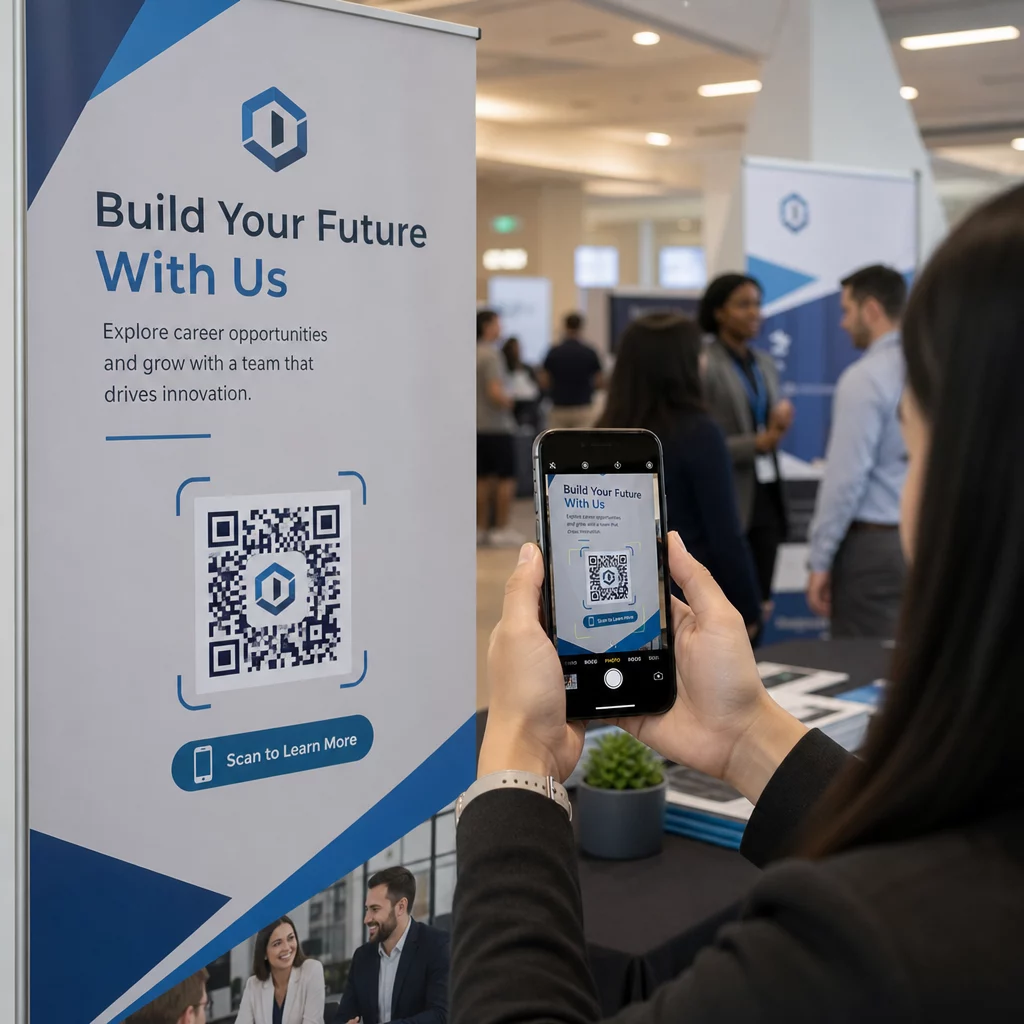
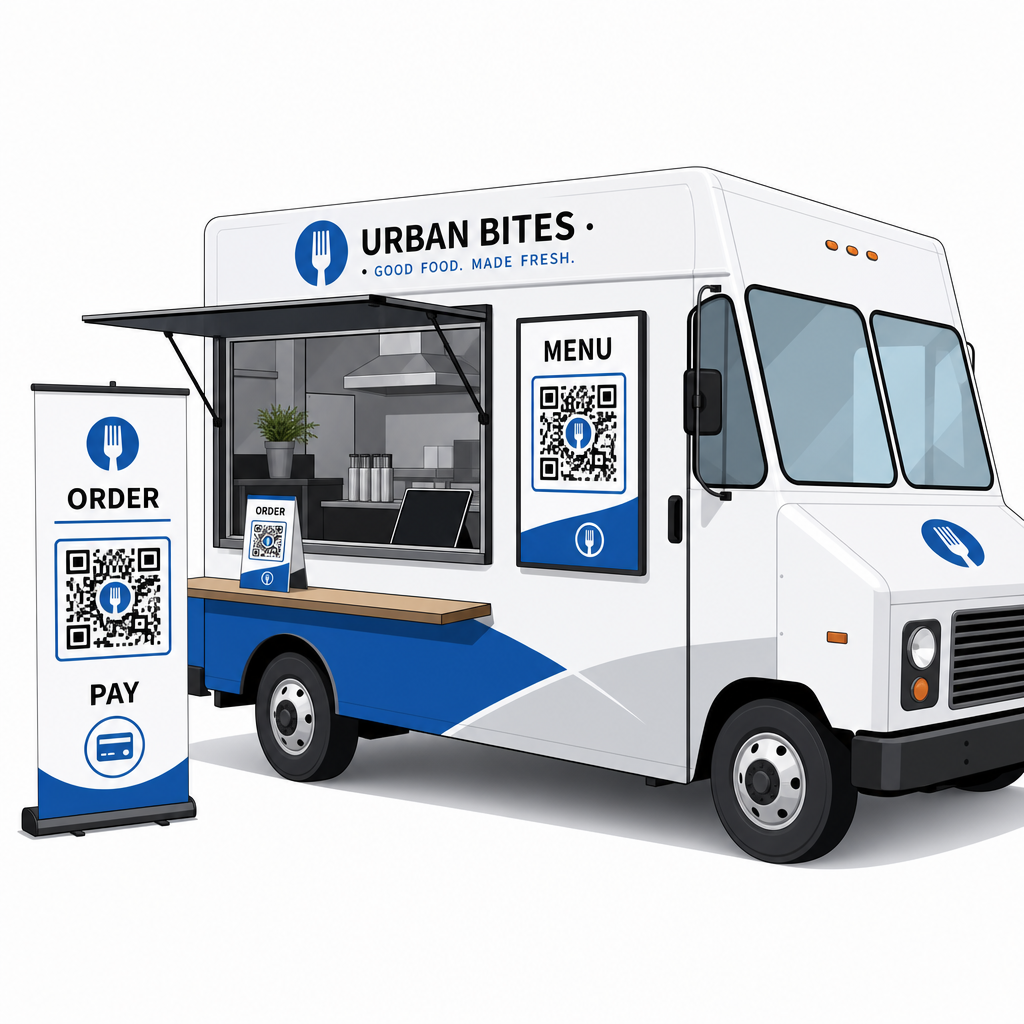
QR-kode skiltning er særligt velegnet til foodtruck-eksteriører og eventudstillinger. En kode placeret i øjenhøjde på siden af din foodtruck, på et brandet banner eller på et lille bordtelt nær bestillingsvinduet er nem at scanne og kræver ingen personaleinvolvering. Før du printer, er det værd at gennemgå Bedste praksis for placering af QR-koder og læsbarhedsretningslinjer for at få størrelse, kontrast og overfladevalg rigtigt første gang. Pageloot anbefaler et minimum kontrastforhold på 4:1, mørke mønstre på lyse baggrunde og en størrelse på mindst 2 × 2 cm til scanning på kort afstand – alt sammen vigtigt, når dine koder skal læses udendørs under varierende lysforhold.
Hvad du skal overveje, før du udruller QR-koder
QR-koder fungerer godt for foodtrucks, men et par praktiske faktorer vil afgøre, om din udrulning forløber gnidningsfrit.
Forbindelse: Dit QR-kode bestillings- eller betalingssystem afhænger af, at kunderne har en pålidelig mobil dataforbindelse. Ved en travl udendørs begivenhed eller gadelokation er dette normalt fint. I en kælder-foodhall eller et sted med dårlig mobildækning, test forbindelsen før din første service der.
Ikke alle kunder vil scanne: Forskning fra National Restaurant Association viste, at mens 73 % af Gen Z-voksne var interesserede i at få adgang til menuer via QR-kode, faldt dette tal til 46 % for babyboomere. Food trucks er en anden kontekst end traditionelle restauranter – kunderne er allerede på deres telefoner og venter i kø – men det er stadig værd at have en synlig tavle eller en mundtlig gennemgang af dine nøglevarer som en backup, så ingen føler sig ekskluderet.
Sikkerhed: Placer QR-koder på steder, hvor de ikke let kan dækkes eller udskiftes. Din egen brandede skiltning og lastbilens ydre er lavrisikomiljøer, men det er god praksis at kontrollere, at dine koder er intakte ved starten af hver service. Føderal forbrugervejledning bemærker, at svindlere nogle gange placerer falske koder over legitime, så visning af koder i ensartede, brandede formater gør dem lettere for kunderne at stole på.
Mobilvenlig destination: Siden, din QR-kode åbner, skal indlæses hurtigt og vises korrekt på en telefonskærm. En side, der tager mere end et par sekunder at indlæse, eller en, der kræver pinch-zoom for at læse, vil få kunderne til at opgive den, før de bestiller. Pageloots guide til mobile QR-kode landingssider dækker, hvad du skal optimere, før du går live.
Kom godt i gang: Hvad du har brug for
Hvis du er klar til at implementere QR-koder i din food truck, er her en oversigt over, hvad opsætningen indebærer:
| Hvad du har brug for | Hvorfor det er vigtigt |
|---|---|
| En digital menu (PDF eller landingsside) | Destinationen kunderne vil gennemse på deres telefoner |
| En QR-kodegenerator | Opretter den scanbare kode, der er linket til din menu- eller betalingsside |
| Dynamiske QR-koder | Giver dig mulighed for at opdatere indhold uden at genudskrive fysiske koder |
| Et betalingslink (PayPal, Stripe osv.) | Muliggør kontaktløs betaling via QR-scanning |
| Strategisk kodeplacering | Sikrer, at kunderne faktisk kan finde og scanne koden |
| Adgang til analyser | Viser, hvad der virker, og hvornår kunderne engagerer sig mest |
Pageloots platform dækker alt dette fra et enkelt dashboard. Du kan oprette menu-QR-koder, betalings-QR-koder og marketingkoder – alle dynamiske og sporbare – og opdatere dem alle uden at røre ved de fysiske materialer på din food truck. Den restaurant- og gæstfrihedsside viser, hvordan lignende virksomheder har grebet dette an, og den bredere brancheløsninger-side dækker andre fødevareservicekontekster, der er værd at udforske.
QR-koder vil ikke erstatte god mad eller hurtigt forberedelsesarbejde – men de fjerner den operationelle friktion, der bremser din kø og forhindrer kunder i at vende tilbage. Start med en menu-QR-kode for at lade kunderne gennemse, mens de venter, tilføj en betalingskode for at fremskynde kassen, og indfør marketingkoder, efterhånden som du bliver mere fortrolig med systemet.
Byg din Food Truck QR-kodeopsætning Opret en brandet, redigerbar menu-QR-kode på få minutter med QR-kode menu generator – ingen teknisk viden påkrævet, og du kan opdatere din menu når som helst uden at genudskrive.
Ofte stillede spørgsmål
Nej. Enhver moderne smartphone kan scanne en QR-kode ved hjælp af den indbyggede kamera-app – ingen separat download er nødvendig. Kameraet registrerer koden automatisk og beder brugeren om at åbne den linkede side i deres browser.
Hvis du bruger en dynamisk QR-kode, opdaterer du blot destinationen i dit QR-kode administrationsdashboard – den printede kode fortsætter med at virke og peger nu på din opdaterede menu. Statiske QR-koder koder permanent en enkelt URL, så enhver ændring af destinationen kræver udskrivning af en helt ny kode.
Du kan linke en enkelt kode til en kombineret menu- og bestillingsside, der inkluderer betalingsfunktionalitet, eller bruge separate koder til forskellige formål såsom menubrowsing, betaling og Google-anmeldelser. Brug af separate dynamiske QR-koder giver dig renere analyser af hvordan kunder interagerer med hvert berøringspunkt individuelt.