
Beveger matvognkøen din seg så raskt som den burde? Lange køer, ubesluttsomme kunder og treg betalingshåndtering driver folk bort før de i det hele tatt når vinduet ditt. Denne guiden forklarer hvordan QR-koder kan fremskynde tjenesten, redusere friksjon og få kunder til å komme tilbake.
Hvorfor QR-koder er fornuftige for matvogner
Matvogner opererer under begrensninger som tradisjonelle restauranter ikke står overfor. Du har begrenset benkeplass, ingen vertsstasjon, og ofte en enkelt ansatt som sjonglerer bestillinger, forberedelser og betaling samtidig. Hvert sekund brukt på å forklare en menyelement eller gi vekslepenger er et sekund køen blir lengre.
Den amerikanske matvognindustrien genererer omtrent $2,4–2,8 milliarder i årlig omsetning, noe som betyr at selv små gevinster i gjennomstrømning direkte oversettes til mer inntekt per servicevindu. QR-koder adresserer de vanligste flaskehalsene: kunder som ikke vet hva de vil når de kommer frem, betalingsforsinkelser og den tilbakevendende kostnaden ved å trykke menyer på nytt hver gang tilbudene dine endres.
Kontaktløse betalinger er nå mainstream. Ifølge Visa vokste kontaktløse transaksjoner fra mindre enn 1% av amerikanske ansikt-til-ansikt-transaksjoner i 2017 til over 60% innen Q2 regnskapsåret 2025. Kundene dine forventer allerede å tappe eller skanne for å betale – å gi dem et QR-basert alternativ fjerner friksjon i stedet for å legge til det.
Hvordan bruke en QR-kodemeny på matvognen din
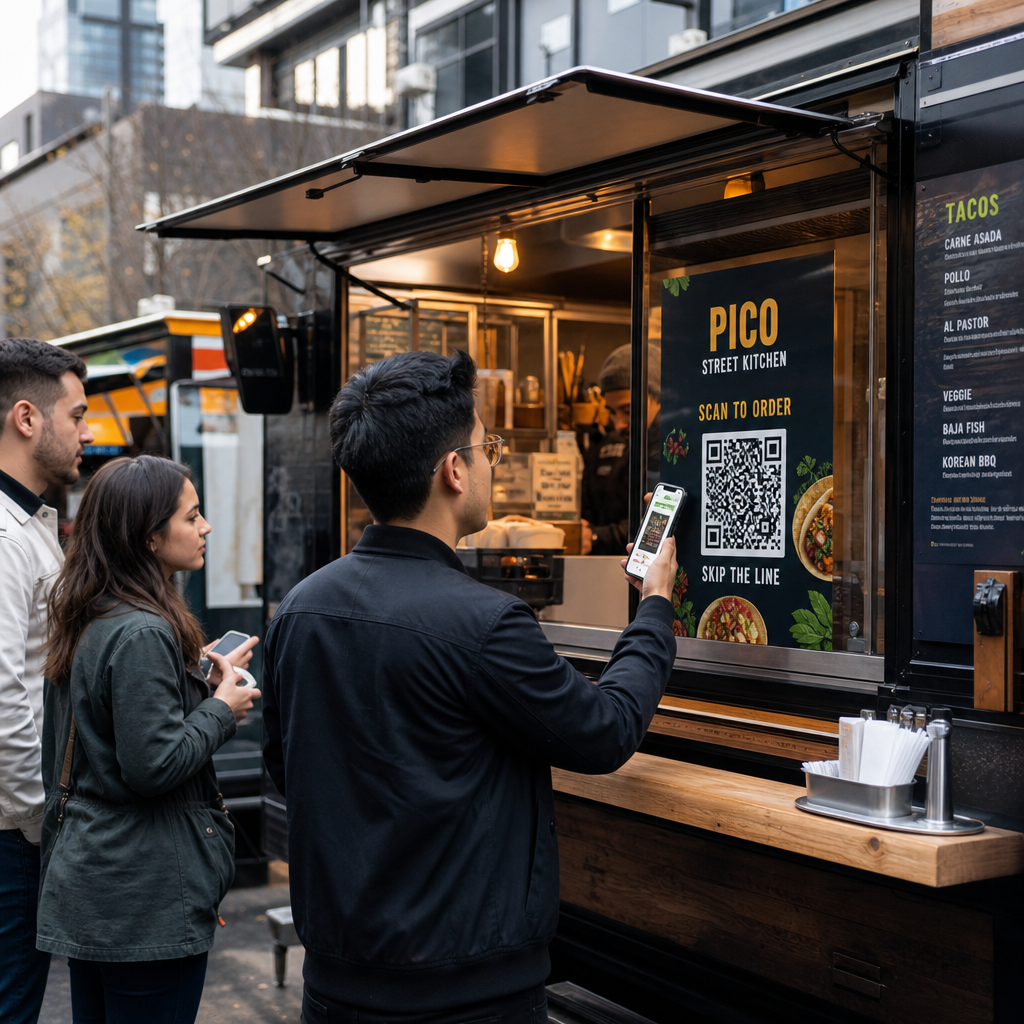
En QR-kodemeny fungerer ved å koble en trykt kode til en digital versjon av menyen din som kunder åpner på sine egne smarttelefoner. I stedet for å trykke og laminere papirmenyer, eller stole på et krittavleskilt som er vanskelig å lese fra baksiden av køen, plasserer du en QR-kode på vognen din, på skilting eller på et lite bordstativ – og kundene blar på telefonene sine mens de venter.
Dette løser et spesifikt matvognproblem: kunder som er ubesluttsomme når de når vinduet, forsinker hver person bak dem. Når folk kan bla gjennom menyen din før de stiller seg i kø, ankommer de disken klare til å bestille.
Pageloots QR-kode generator for meny lar deg koble QR-koden din til enten en PDF-meny eller en mobiloptimalisert landingsside. En landingsside tilbyr generelt en bedre opplevelse – kunder kan se varebeskrivelser, bilder og priser i et format designet for en telefonskjerm. Du kan inkludere allergeninformasjon, daglige spesialiteter og utsolgt-meldinger uten å trykke noe nytt. Som Pageloots menygenerator bemerker, er QR-kodemenyer nyttige enten bedriften din er en matvogn eller en hurtigmatkafé, slik at kundene kan bestemme hva de skal bestille før de kommer til kassen.
Viktige fordeler med en digital meny for matvogner:
- Oppdater priser, varer eller spesialiteter i sanntid uten å trykke på nytt
- Vis hele menyen din i et format som er lesbart på hvilken som helst smarttelefon
- La kundene bestemme hva de skal bestille mens de venter i kø, ikke etter at de har nådd vinduet
- Eliminer kostnader for nyutskrift når menyen din endres sesongmessig eller daglig
Lag din matvognmeny QR-kode Klar til å la kundene bla gjennom menyen din før de når vinduet? Bruk QR-kode generator for meny for å bygge en mobilklar digital meny på minutter.
Sette opp QR-kodebestilling for vognen din
QR-kodebestilling tar menyen et skritt videre: i stedet for bare å bla, kan kundene sende inn bestillingen sin direkte fra telefonen. Dette er spesielt nyttig for matvogner som serverer arrangementer, parker eller faste steder der kunder kan vente i nærheten i stedet for å stå i en enkelt kø.
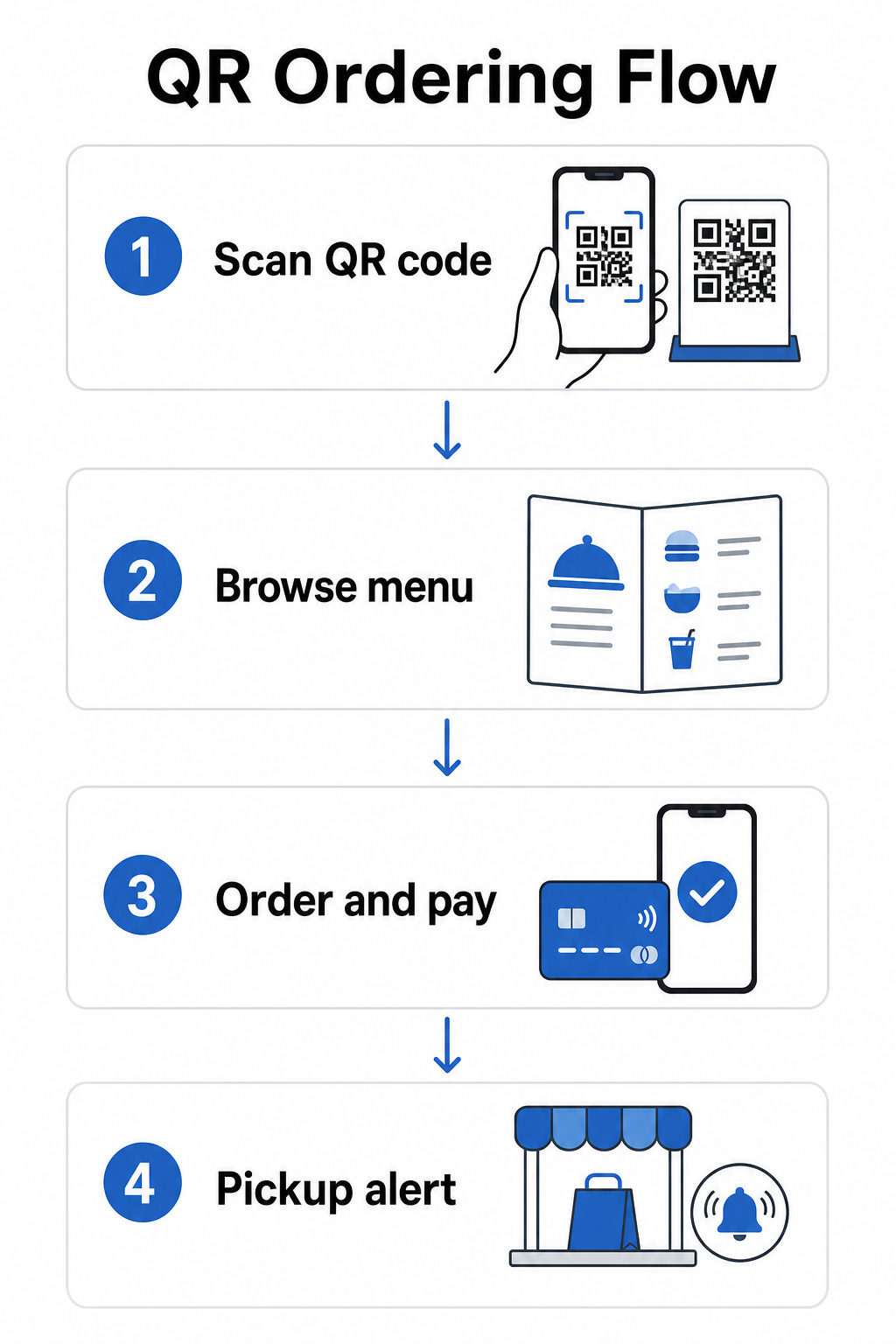
EN QR-kode bestillingssystem krever at noen komponenter fungerer sammen:
- En mobiloptimalisert digital meny med varebeskrivelser og tilpasningsmuligheter
- En QR-kode som kunder skanner for å få tilgang til menyen og bestillingsskjemaet
- En betalingsgateway-integrasjon slik at kunder kan betale samtidig som de bestiller
- En måte for bestillinger å nå kjøkkenet ditt – enten en skjerm inne i vognen eller et tekstvarslingssystem
En operasjonell fordel verdt å fremheve: å aktivere nettbestilling med hentevarsler betyr at kundene ikke trenger å stå i kø i det hele tatt. De legger inn bestillingen sin, mottar et varsel når den er klar, og kommer til vinduet kun for å hente. Dette reduserer trengsel og risiko for at kunder går sin vei i rushtiden.
Når du konfigurerer bestillingsoppsettet ditt, velg dynamiske QR-koder over statiske. En dynamisk QR-kode peker til en kort omdirigerings-URL som du kan oppdatere når som helst – så hvis du endrer bestillingsplattformen din, oppdaterer menyen din, eller flytter til et nytt sted, oppdaterer du destinasjonen uten å erstatte de fysiske kodene på vognen din. Den Dynamisk QR-kode generator fra Pageloot håndterer dette fra et enkelt dashbord og er det praktiske valget for enhver operatør hvis meny eller oppsett vil utvikle seg over tid.
Akseptere betalinger via QR-kode
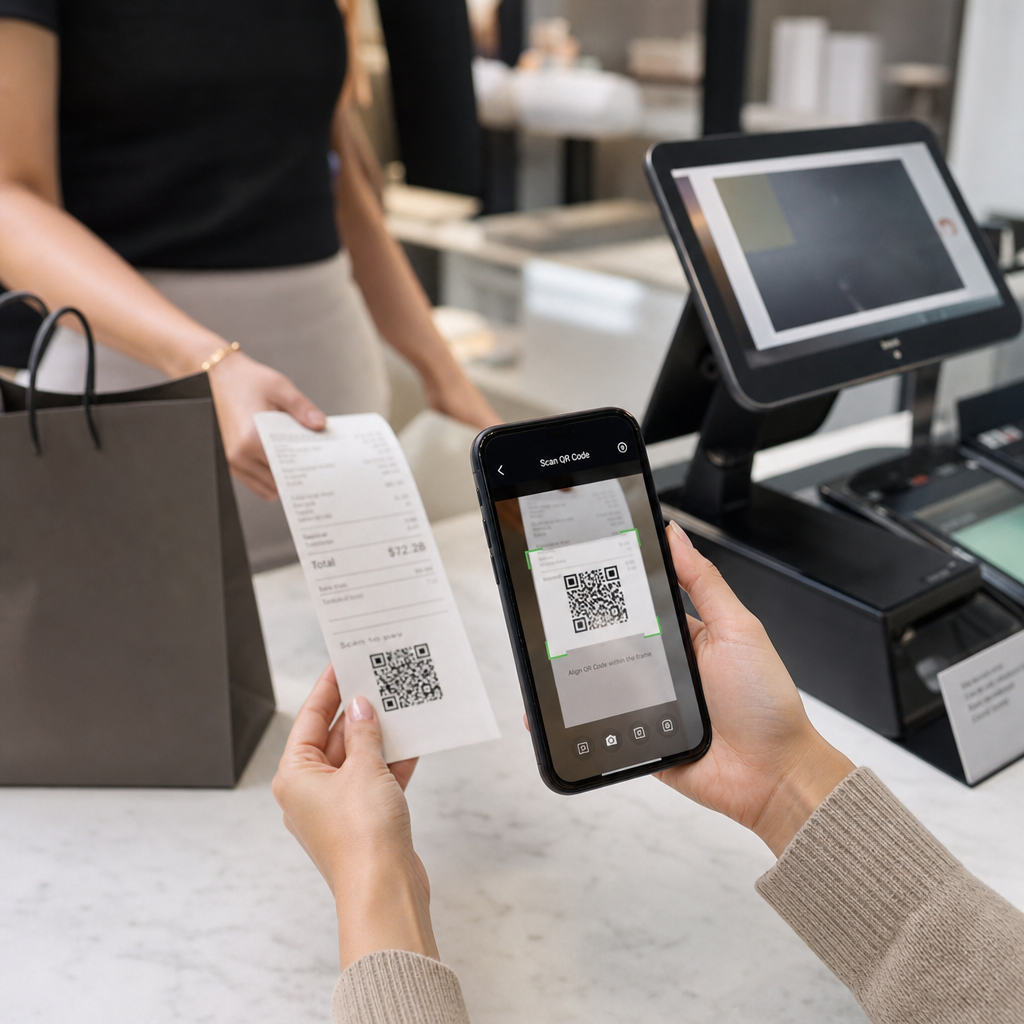
QR-kodebetalinger lar kunder fullføre en transaksjon ved å skanne en kode og betale via deres foretrukne mobil lommebok eller betalingsapp – ingen kortterminal nødvendig, ingen kontanthåndtering, ingen forsinkelser med vekslepenger. For en food truck-operatør kan dette betydelig forkorte tiden hver kunde bruker ved vinduet ditt.
Oppsettet er enkelt. Du genererer en betalings-QR-kode koblet til din PayPal, Stripe, eller annen betalingsleverandør, skriver den ut eller viser den i vinduet ditt, og kunder skanner for å betale. Pageloots PayPal QR-kode generator går gjennom prosessen: generer din PayPal.me-lenke, lim den inn i generatoren, tilpass designet med din merkevare, og last ned koden for utskrift eller visning.
For en bredere oversikt over hvordan QR-kodebetalinger fungerer på tvers av forskjellige plattformer, dekker Pageloots betalings-QR-guide nøkkelalternativene og oppsettstrinnene. Hvis du vil ha mer kontekst om hvorfor matserveringsbedrifter tar i bruk denne tilnærmingen, forklarer Fordeler med QR-kodebetalinger for restauranter -siden hvordan raskere kasser og lavere behandlingsfriksjon oversettes til operasjonelle gevinster.
National Restaurant Association rapporterte i 2024 at 85% av restauranter nå tilbyr kontaktløse betalingsalternativer, og 92% av eiere rapporterer positiv tilbakemelding fra kunder. Food trucks som fortsatt er avhengige av kun kontanter eller kun kort-sveip-oppsett er i økende grad ute av takt med hva kundene forventer.
Bruke dynamiske QR-koder for å holde alt oppdatert
En av de mest praktiske fordelene med QR-koder for en food truck er muligheten til å oppdatere innholdet ditt uten å røre den trykte koden. Hvis du bruker en statisk QR-kode – en som permanent koder en enkelt URL – betyr enhver endring i menyen din, bestillingslenken eller betalingssiden å trykke og distribuere nye koder på nytt.
Dynamiske QR-koder løser dette. Selve koden koder en kort omdirigerings-URL som aldri endres. Det du kontrollerer er hvor den omdirigeringen sender kunden. Oppdater menyen din, bytt betalingsplattformer, eller promoter et sesongtilbud – den fysiske koden på food trucken din forblir nøyaktig den samme.
Dynamiske koder gir deg også analyser. Du kan spore hvor mange kunder som skannet menykoden din, når skanninger topper seg (nyttig for bemannings- og forberedelsesbeslutninger), hvilke enheter folk bruker, og hvilke steder eller arrangementer som genererer mest engasjement. Dynamiske QR-koder sporer beregninger som tidspunkt for skanninger, geografisk plassering, enhetstype og skannefrekvens, noe som gir deg sanntidsdata for å informere beslutninger. Dette er dekket mer detaljert på Pageloots side for QR-kodesporing.
Spor hver skanning fra food trucken din Bruke Dynamisk QR-kode generator for å lage redigerbare, sporbare koder for menyen din, bestilling og betalingslenker – alt håndterbart fra ett enkelt dashbord.
Markedsføring og kundebevaring med QR-koder
QR-koder er ikke begrenset til menyer og betalinger. Food trucks som opererer på faste steder, bondemarkeder eller arrangementer kan bruke dem til å bygge kunderelasjoner mellom besøk.
Praktiske QR-kode markedsføringsideer for food trucks:
- Google anmeldelser: Plasser en Google Anmeldelse QR-kode ved vinduet ditt eller på emballasjen din. Kunder som hadde en flott opplevelse kan legge igjen en anmeldelse på sekunder, noe som bygger din lokale søkesynlighet over tid.
- Kuponger og kampanjer: Bruk en Kupong-QR-kode for å tilby en rabatt på et gjenbesøk, promotere en ny vare, eller belønne lojale kunder. Koble koden til en landingsside som viser dine nåværende tilbud.
- Sosiale medier og tidsplanoppdateringer: En Koble til QR-kode kan lede kunder til din Instagram, et registreringsskjema, eller din kommende stedsplan – og holde dem tilkoblet etter at de drar.
QR-kode skilting er spesielt godt egnet for food truck-eksteriør og arrangementsdisplayer. En kode plassert i øyehøyde på siden av food trucken din, på et merket banner, eller på et lite bordstativ nær bestillingsvinduet er enkel å skanne og krever ingen personalinvolvering. Før du skriver ut, er det verdt å gjennomgå Beste praksis for plassering av QR-koder og lesbarhetsretningslinjer for å få størrelse, kontrast og overflatevalg riktig første gang. Pageloot anbefaler et minimum kontrastforhold på 4:1, mørke mønstre på lyse bakgrunner, og en størrelse på minst 2 × 2 cm for skanning på nært hold – alt dette er viktig når kodene dine skal leses utendørs under varierende lysforhold.
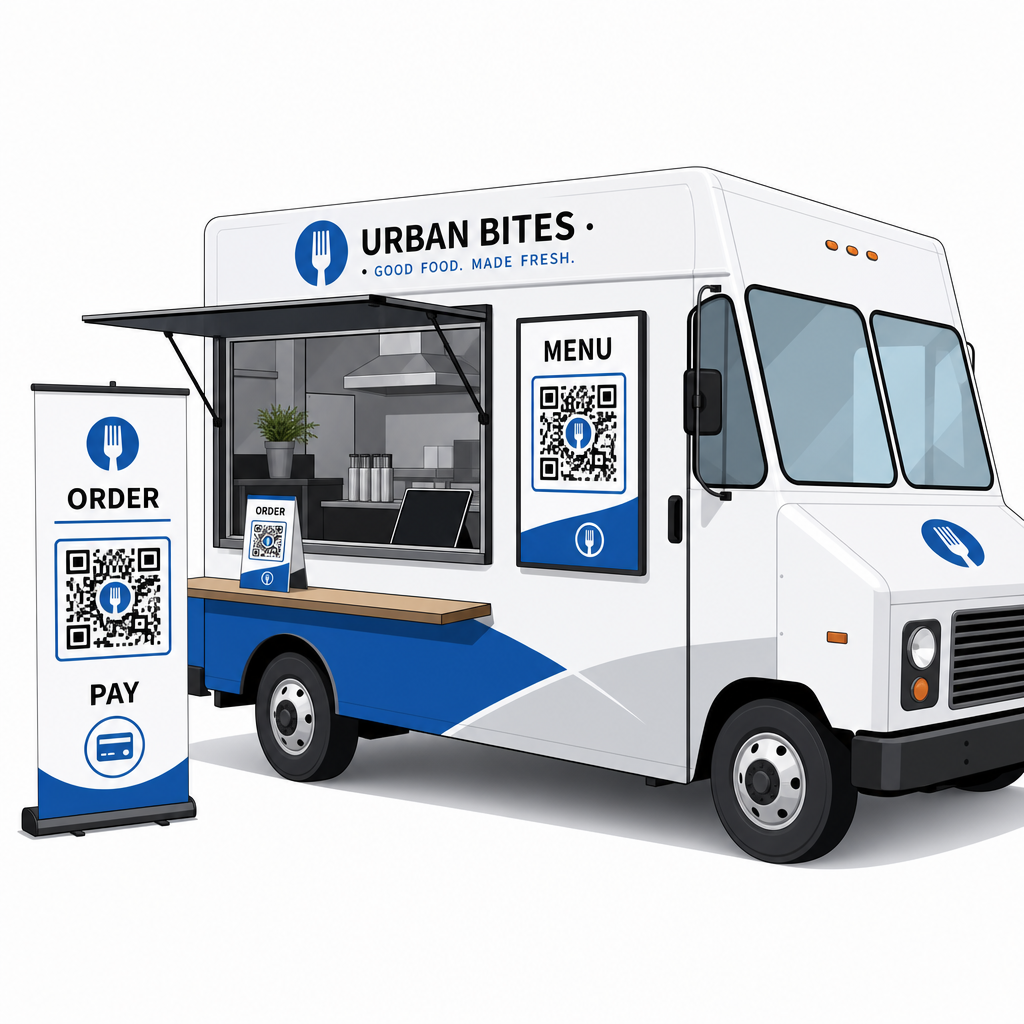
Hva du bør vurdere før du ruller ut QR-koder
QR-koder fungerer bra for food trucks, men noen praktiske faktorer vil avgjøre om utrullingen din går knirkefritt.
Tilkobling: Ditt QR-kode bestillings- eller betalingssystem avhenger av at kundene har en pålitelig mobildatatilkobling. På et travelt utendørsarrangement eller gateplassering er dette vanligvis greit. I en kjeller mathall eller et sted med dårlig mobildekning, test tilkoblingen før din første tjeneste der.
Ikke alle kunder vil skanne: Forskning fra den nasjonale restaurantforeningen fant at mens 73 % av Gen Z-voksne var interessert i å få tilgang til menyer via QR-kode, falt dette tallet til 46 % for babyboomere. Matvogner er en annen kontekst enn sitte-ned-restauranter – kunder er allerede på telefonene sine og venter i kø – men det er fortsatt verdt å ha en synlig tavle eller en muntlig gjennomgang av nøkkelelementene dine som en reserve slik at ingen føler seg ekskludert.
Sikkerhet: Plasser QR-koder på steder der de ikke lett kan dekkes til eller erstattes. Din egen merkevarebyggede skilting og lastebilens eksteriør er lavrisikomiljøer, men det er god praksis å sjekke at kodene dine er intakte ved starten av hver tjeneste. Føderal forbrukerveiledning bemerker at svindlere noen ganger plasserer falske koder over legitime, så det å vise koder i konsistente, merkevarebyggede formater gjør dem lettere for kunder å stole på.
Mobilvennlig destinasjon: Siden QR-koden din åpner, må lastes raskt og vises riktig på en telefonskjerm. En side som tar mer enn noen få sekunder å laste, eller en som krever klype-zooming for å lese, vil føre til at kunder forlater den før de bestiller. Pageloots guide til landingssider for mobile QR-koder dekker hva du bør optimalisere før du går live.
Komme i gang: Hva du trenger
Hvis du er klar til å implementere QR-koder på matvognen din, her er en oppsummering av hva oppsettet innebærer:
| Hva du trenger | Hvorfor det betyr noe |
|---|---|
| En digital meny (PDF eller landingsside) | Destinasjonen kunder vil bla gjennom på telefonene sine |
| En QR-kodegenerator | Oppretter den skannbare koden koblet til menyen eller betalingssiden din |
| Dynamiske QR-koder | Lar deg oppdatere innhold uten å gjentrykke fysiske koder |
| En betalingslenke (PayPal, Stripe, etc.) | Muliggjør kontaktløs betaling via QR-skanning |
| Strategisk kodeplassering | Sikrer at kunder faktisk kan finne og skanne koden |
| Analyse tilgang | Viser hva som fungerer og når kunder engasjerer seg mest |
Pageloots plattform dekker alle disse fra et enkelt dashbord. Du kan opprette meny-QR-koder, betalings-QR-koder og markedsføringskoder – alle dynamiske og sporbare – og oppdatere hvilken som helst av dem uten å røre de fysiske materialene på lastebilen din. Den restaurant- og gjestfrihetsside viser hvordan lignende bedrifter har tilnærmet seg dette, og den bredere bransjeløsninger-side dekker andre matservicekontekster verdt å utforske.
QR-koder vil ikke erstatte god mat eller raskt forberedelsesarbeid – men de fjerner den operasjonelle friksjonen som bremser køen din og hindrer kunder i å komme tilbake. Start med en meny-QR-kode for å la kunder bla gjennom mens de venter, legg til en betalingskode for å fremskynde kassen, og legg til markedsføringskoder etter hvert som du blir mer komfortabel med systemet.
Bygg ditt matvogn QR-kodeoppsett Opprett en merkevarebyggede, redigerbar meny-QR-kode på minutter med den QR-kode generator for meny – ingen teknisk kunnskap kreves, og du kan oppdatere menyen din når som helst uten å gjentrykke.
Ofte stilte spørsmål
Nei. Enhver moderne smarttelefon kan skanne en QR-kode ved å bruke den innebygde kameraappen – ingen separat nedlasting er nødvendig. Kameraet oppdager koden automatisk og ber brukeren om å åpne den tilknyttede siden i nettleseren sin.
Hvis du bruker en dynamisk QR-kode, oppdaterer du ganske enkelt destinasjonen i dashbordet for QR-kodeadministrasjon – den utskrevne koden fortsetter å fungere og peker nå til din oppdaterte meny. Statiske QR-koder koder permanent en enkelt URL, så enhver endring i destinasjonen krever utskrift av en helt ny kode.
Du kan koble en enkelt kode til en kombinert meny- og bestillingsside som inkluderer betalingsfunksjonalitet, eller bruke separate koder for forskjellige formål som menynavigering, betaling og Google-anmeldelser. Bruk av separate dynamiske QR-koder gir deg renere analyser av hvordan kunder engasjerer seg med hvert berøringspunkt individuelt.