
Ваша очередь у фудтрака движется так быстро, как должна? Длинные очереди, нерешительные клиенты и медленная обработка платежей отпугивают людей, прежде чем они доберутся до вашего окна. Это руководство объясняет, как QR-коды могут ускорить обслуживание, уменьшить трение и заставить клиентов возвращаться.
Почему QR-коды целесообразны для фудтраков
Фудтраки работают в условиях ограничений, с которыми не сталкиваются традиционные рестораны. У вас ограниченное пространство прилавка, нет стойки хостес, и часто один сотрудник одновременно жонглирует заказами, подготовкой и оплатой. Каждая секунда, потраченная на объяснение пункта меню или выдачу сдачи, — это секунда, на которую очередь становится длиннее.
Индустрия фудтраков США генерирует примерно $2,4–2,8 миллиарда долларов годового дохода, что означает, что даже небольшие улучшения пропускной способности напрямую преобразуются в больший доход на одно окно обслуживания. QR-коды решают самые распространенные узкие места: клиенты, которые не знают, чего хотят, когда доходят до прилавка, задержки платежей и повторяющиеся расходы на перепечатку меню всякий раз, когда меняются ваши предложения.
Бесконтактные платежи теперь стали мейнстримом. По данным Visa, бесконтактные транзакции выросли с менее чем 1% очных транзакций в США в 2017 году до более чем 60% к второму кварталу 2025 финансового года. Ваши клиенты уже ожидают возможности прикоснуться или отсканировать для оплаты – предоставление им опции на основе QR-кода устраняет трение, а не добавляет его.
Как использовать QR-код меню в вашем фудтраке
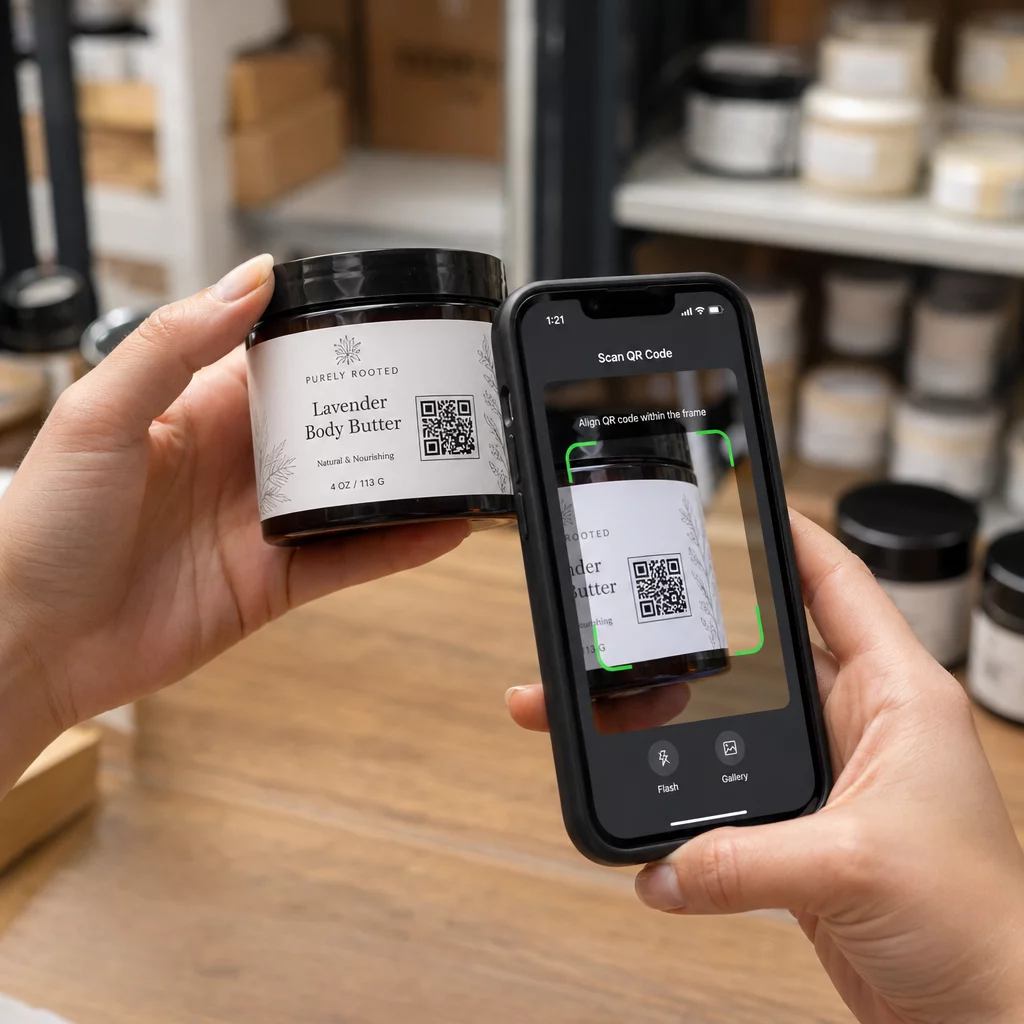
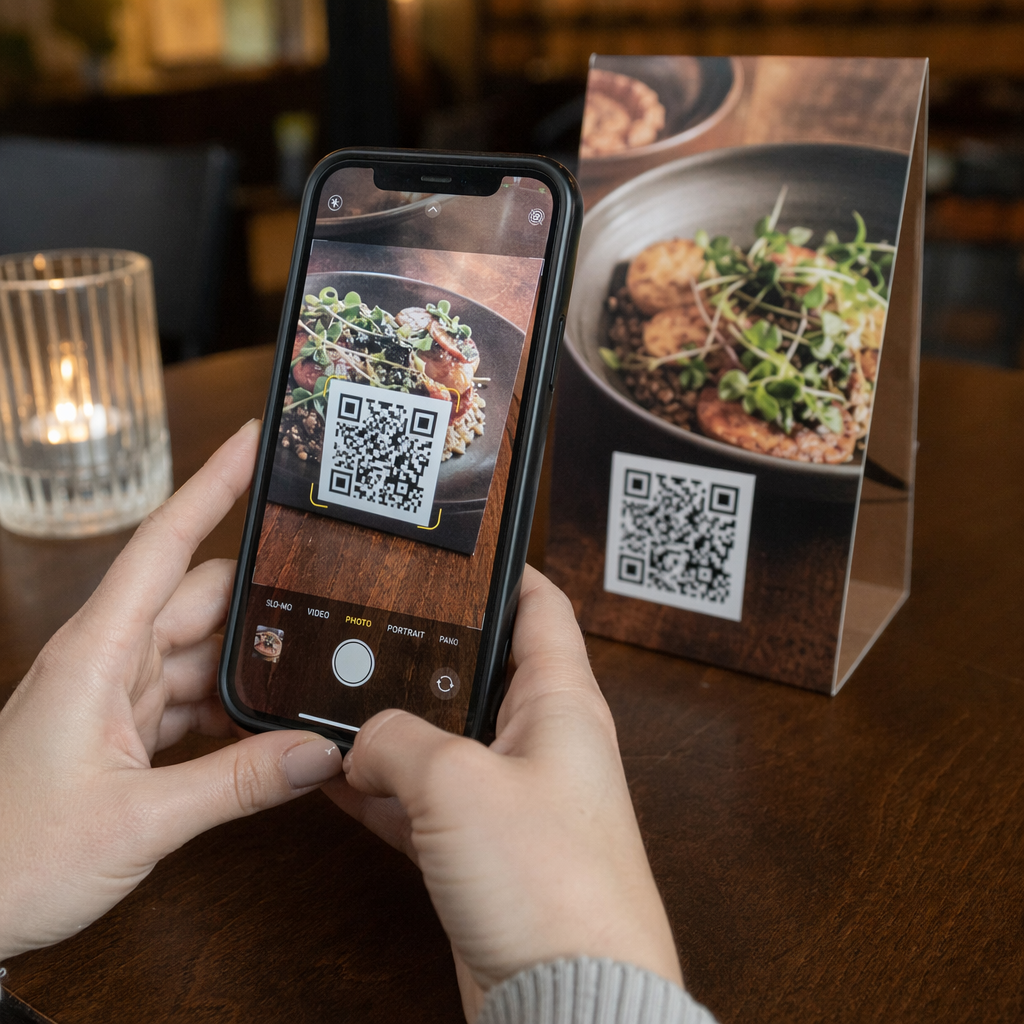
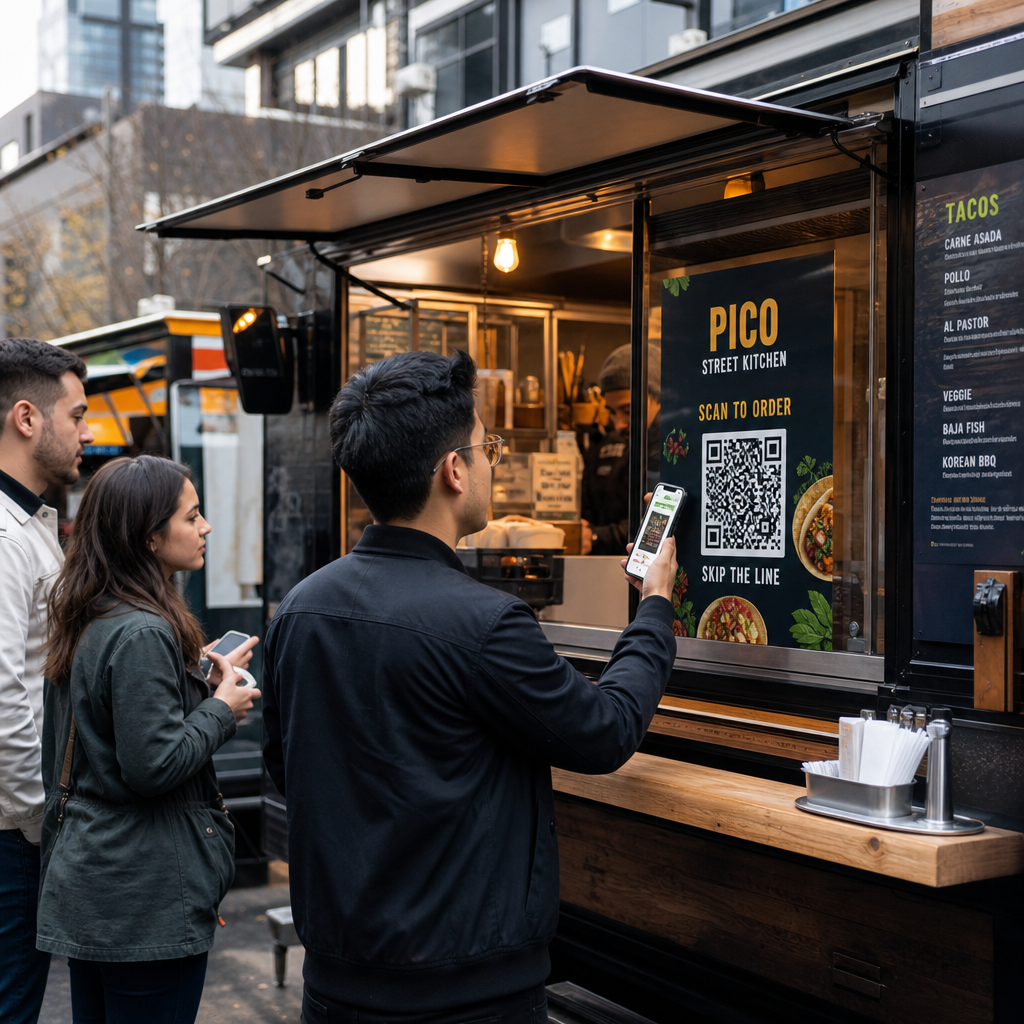
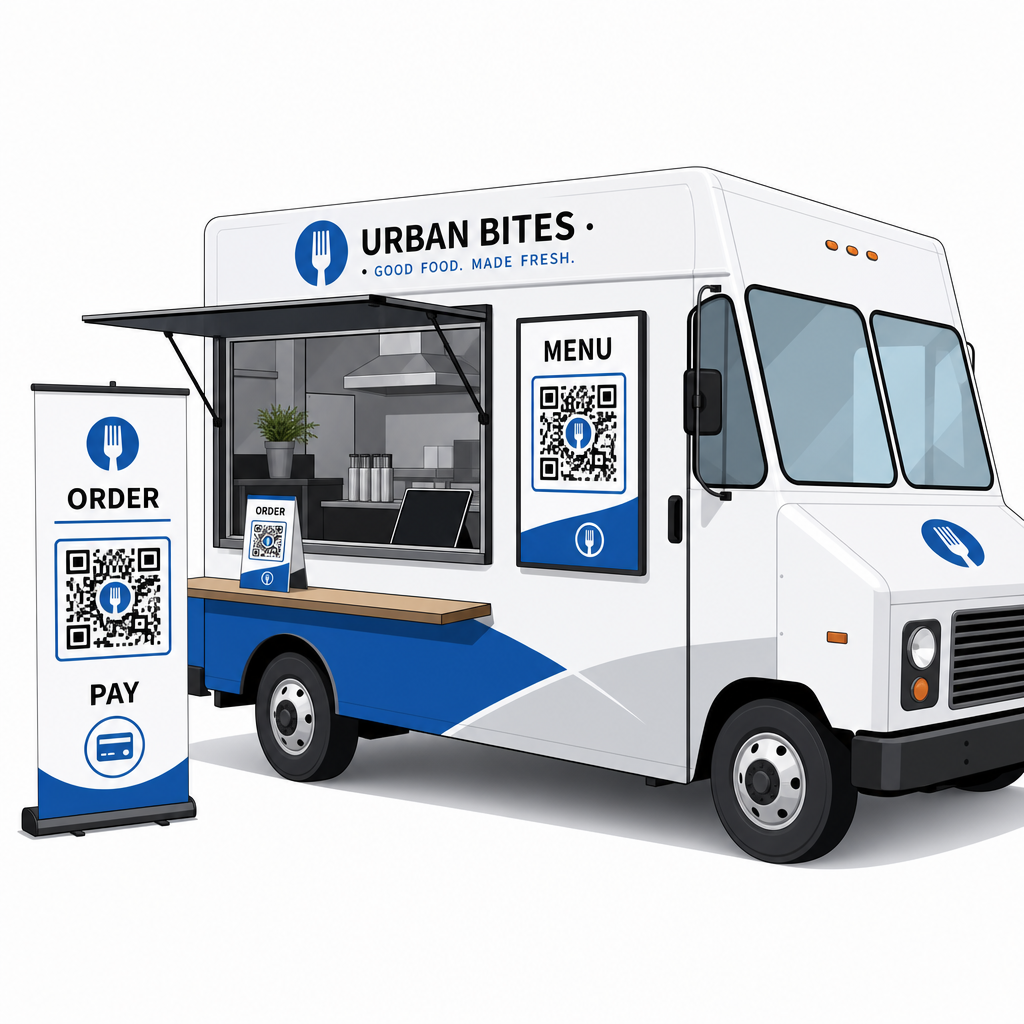
QR-код меню работает путем связывания напечатанного кода с цифровой версией вашего меню, которую клиенты открывают на своих смартфонах. Вместо печати и ламинирования бумажных меню или полагаясь на меловую доску, которую трудно прочитать с конца очереди, вы размещаете QR-код на своем фургоне, на вывеске или на небольшой настольной подставке – и клиенты просматривают меню на своих телефонах, пока ждут.
Это решает специфическую проблему фудтраков: клиенты, которые нерешительны, когда доходят до окна, замедляют каждого человека за ними. Когда люди могут просмотреть ваше меню, прежде чем встать в очередь, они подходят к прилавку, готовые сделать заказ.
Pageloot’s Создать QR код меню позволяет вам связать ваш QR-код либо с PDF-меню, либо с мобильно-оптимизированной целевой страницей. Целевая страница обычно предлагает лучший опыт – клиенты могут видеть описания блюд, фотографии и цены в формате, разработанном для экрана телефона. Вы можете включить информацию об аллергенах, ежедневные специальные предложения и уведомления о распроданных товарах, не печатая ничего нового. Как отмечает генератор меню Pageloot, меню с QR-кодами полезны независимо от того, является ли ваш бизнес фудтраком или кафе быстрого питания, позволяя клиентам решить, что заказать, прежде чем дойти до кассы.
Ключевые преимущества цифрового меню для фудтраков:
- Обновляйте цены, товары или специальные предложения в реальном времени без перепечатки
- Отображайте ваше полное меню в формате, читаемом на любом смартфоне
- Позвольте клиентам решать, что заказать, пока они ждут в очереди, а не после того, как они дойдут до окна
- Устраните расходы на перепечатку, когда ваше меню меняется сезонно или ежедневно
Создайте свой QR-код меню фудтрака Готовы позволить клиентам просматривать ваше меню, прежде чем они дойдут до окна? Используйте Создать QR код меню чтобы создать мобильно-готовое цифровое меню за считанные минуты.
Настройка заказа по QR-коду для вашего фургона
Заказ по QR-коду продвигает меню на один шаг дальше: вместо простого просмотра клиенты могут отправлять свои заказы прямо со своего телефона. Это особенно полезно для фудтраков, обслуживающих мероприятия, парки или стационарные локации, где клиенты могут ждать поблизости, а не стоять в одной очереди.
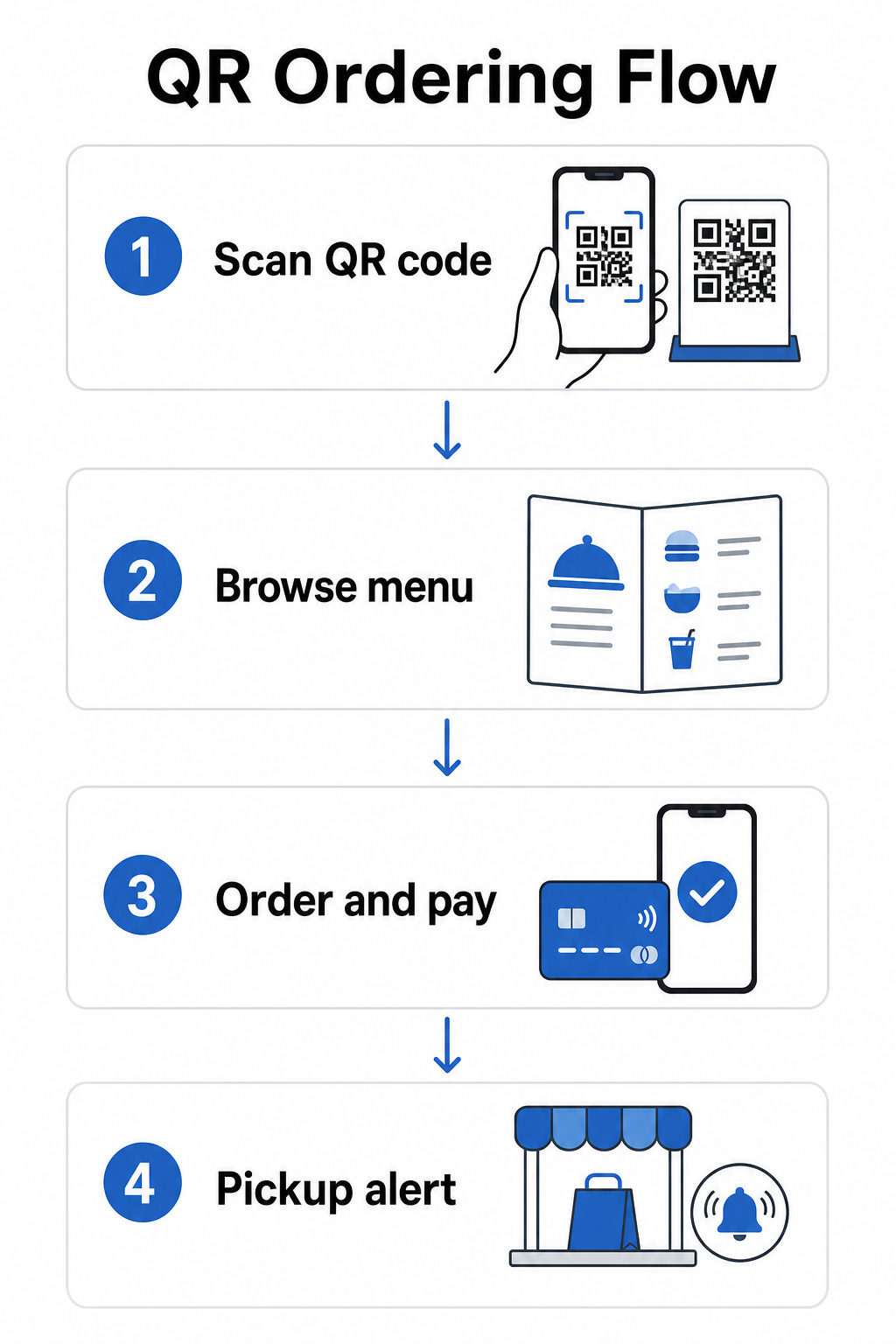
A Система заказа QR-кода требует нескольких компонентов, работающих вместе:
- Мобильно-оптимизированное цифровое меню с описаниями блюд и опциями настройки
- QR-код, который клиенты сканируют для доступа к меню и форме заказа
- Интеграция платежного шлюза, чтобы клиенты могли платить одновременно с заказом
- Способ доставки заказов на вашу кухню – либо экран внутри фургона, либо система текстовых уведомлений
Одно операционное преимущество, которое стоит выделить: включение онлайн-заказа с уведомлениями о готовности означает, что клиентам вообще не нужно стоять в очереди. Они размещают свой заказ, получают уведомление, когда он готов, и подходят к окну только для получения. Это уменьшает скопление людей и риск ухода клиентов в часы пик.
При настройке вашей системы заказа выбирайте динамические QR-коды вместо статических. Динамический QR-код указывает на короткий URL-адрес перенаправления, который вы можете обновить в любое время – так что если вы измените свою платформу заказа, обновите меню или переедете на новое место, вы обновляете пункт назначения, не заменяя физические коды на вашем фургоне. Динамический QR код: генератор от Pageloot управляет этим с единой панели управления и является практичным выбором для любого оператора, чье меню или настройки будут развиваться со временем.
Прием платежей через QR-код
Платежи по QR-коду позволяют клиентам завершить транзакцию, сканируя код и оплачивая через предпочитаемый мобильный кошелек или платежное приложение – не требуется карточный терминал, нет работы с наличными, нет задержек со сдачей. Для оператора фудтрака это может значительно сократить время, которое каждый клиент проводит у вашего окна.
Настройка проста. Вы генерируете платежный QR-код, связанный с вашим PayPal, Stripe или другим платежным провайдером, печатаете его или отображаете у своего окна, и клиенты сканируют для оплаты. Pageloot’s Создать QR код для оплаты PayPal показывает процесс: сгенерируйте свою ссылку PayPal.me, вставьте ее в генератор, настройте дизайн с вашим брендингом и загрузите код для печати или отображения.
Для более широкого обзора того, как платежи по QR-коду работают на разных платформах, руководство Pageloot по QR-платежам охватывает ключевые опции и шаги по настройке. Если вы хотите получить больше контекста о том, почему предприятия общественного питания принимают этот подход, страница Преимущества платежей по QR-коду для ресторанов объясняет, как более быстрые расчеты и меньшее трение при обработке платежей приводят к операционным выгодам.
Национальная ассоциация ресторанов сообщила в 2024 году, что 85% ресторанов теперь предлагают бесконтактные варианты оплаты, и 92% владельцев сообщают о положительных отзывах от клиентов. Фудтраки, которые все еще полагаются на расчеты только наличными или только считыванием карт, все больше отстают от того, что ожидают клиенты.
Использование динамических QR-кодов для поддержания актуальности всего
Одно из самых практических преимуществ QR-кодов для фудтрака — это возможность обновлять ваш контент, не затрагивая напечатанный код. Если вы используете статический QR-код – тот, который постоянно кодирует один URL-адрес – любое изменение вашего меню, ссылки для заказа или страницы оплаты означает перепечатку и повторное распространение новых кодов.
Динамические QR-коды решают эту проблему. Сам код кодирует короткий URL-адрес перенаправления, который никогда не меняется. Вы контролируете, куда это перенаправление отправляет клиента. Обновите свое меню, смените платежные платформы или продвигайте сезонное предложение – физический код на вашем фудтраке остается абсолютно таким же.
Динамические коды также предоставляют вам аналитику. Вы можете отслеживать, сколько клиентов отсканировали ваш код меню, когда сканирования достигают пика (полезно для решений по персоналу и подготовке), какие устройства используют люди и какие места или события генерируют наибольшее вовлечение. Динамические QR-коды отслеживают такие метрики, как время сканирования, географическое положение, тип устройства и частота сканирования, предоставляя вам данные в реальном времени для принятия решений. Это более подробно рассмотрено на странице Pageloot’s отслеживания QR-кодов.
Отслеживайте каждое сканирование с вашего фудтрака Использовать Динамический QR код: генератор для создания редактируемых, отслеживаемых кодов для вашего меню, заказа и платежных ссылок – все это управляется с одной панели инструментов.
Маркетинг и удержание клиентов с помощью QR-кодов
QR-коды не ограничиваются меню и платежами. Фудтраки, которые работают в постоянных местах, на фермерских рынках или мероприятиях, могут использовать их для построения отношений с клиентами между посещениями.
Практические идеи QR-маркетинга для фудтраков:
- Отзывы Google: Разместите QR-кода отзывов Google у вашего окна или на вашей упаковке. Клиенты, у которых был отличный опыт, могут оставить отзыв за считанные секунды, что со временем повышает вашу видимость в локальном поиске.
- Купоны и акции: Используйте QR-код купона чтобы предложить скидку на повторное посещение, продвигать новый товар или вознаграждать лояльных клиентов. Привяжите код к целевой странице, показывающей ваши текущие предложения.
- Социальные сети и обновления расписания: А QR-кода ссылки могут направлять клиентов на ваш Instagram, форму подписки или расписание ваших предстоящих локаций – поддерживая их связь после того, как они уйдут.
Вывески с QR-кодами особенно хорошо подходят для экстерьеров фудтраков и выставочных стендов. Код, размещенный на уровне глаз на боковой стороне вашего фудтрака, на фирменном баннере или на небольшой настольной палатке рядом с окном заказа, легко сканируется и не требует участия персонала. Прежде чем печатать, стоит ознакомиться с Лучшие практики размещения QR-кодов и рекомендациям по читаемости чтобы с первого раза правильно выбрать размер, контрастность и тип поверхности. Pageloot рекомендует минимальный коэффициент контрастности 4:1, темные узоры на светлом фоне и размер не менее 2 × 2 см для сканирования с близкого расстояния – все это имеет значение, когда ваши коды будут считываться на улице при различных условиях освещения.
Что учесть перед внедрением QR-кодов
QR-коды хорошо работают для фудтраков, но несколько практических факторов определят, пройдет ли ваше внедрение гладко.
Подключение: Ваша система заказа или оплаты по QR-коду зависит от наличия у клиентов надежного мобильного интернет-соединения. На оживленном мероприятии на открытом воздухе или на улице это обычно не проблема. В подвальном фуд-холле или в месте с плохим покрытием сотовой связи проверьте подключение перед первым обслуживанием там.
Не каждый клиент будет сканировать: Исследование Национальной ассоциации ресторанов показало, что хотя 73% взрослых поколения Z были заинтересованы в доступе к меню через QR-код, этот показатель снизился до 46% для бэби-бумеров. Фудтраки — это иной контекст по сравнению со стационарными ресторанами — клиенты уже сидят в своих телефонах и ждут в очереди — но все же стоит иметь видимую доску или устный перечень ваших ключевых позиций в качестве запасного варианта, чтобы никто не чувствовал себя исключенным.
Безопасность: Размещайте QR-коды в местах, где их нельзя легко закрыть или заменить. Ваша собственная фирменная вывеска и внешний вид фудтрака — это среды с низким риском, но хорошей практикой является проверка целостности ваших кодов в начале каждой смены. Федеральное руководство по защите прав потребителей отмечает, что мошенники иногда размещают поддельные коды поверх легитимных, поэтому отображение кодов в единообразных, фирменных форматах облегчает доверие клиентов.
Мобильно-дру: Страница, которую открывает ваш QR-код, должна загружаться быстро и корректно отображаться на экране телефона. Страница, загрузка которой занимает более нескольких секунд, или та, что требует масштабирования щипком для чтения, заставит клиентов отказаться от нее до оформления заказа. Руководство Pageloot по мобильных целевых страниц с QR-кодом охватывает то, что нужно оптимизировать перед запуском.
Начало работы: Что вам понадобится
Если вы готовы внедрить QR-коды в своем фудтраке, вот краткое описание того, что включает в себя настройка:
| Что вам понадобится | Почему это важно |
|---|---|
| Цифровое меню (PDF или целевая страница) | Место назначения, которое клиенты будут просматривать на своих телефонах |
| Генератор QR-кодов | Создает сканируемый код, связанный с вашим меню или страницей оплаты |
| Динамические QR-коды | Позволяет обновлять контент без перепечатки физических кодов |
| Платежная ссылка (PayPal, Stripe и т. д.) | Обеспечивает бесконтактную оплату через сканирование QR-кода |
| Стратегическое размещение кода | Гарантирует, что клиенты действительно смогут найти и отсканировать код |
| Доступ к аналитике | Показывает, что работает и когда клиенты наиболее активны |
Платформа Pageloot охватывает все это из единой панели управления. Вы можете создавать QR-коды для меню, QR-коды для оплаты и маркетинговые коды – все они динамические и отслеживаемые – и обновлять любой из них, не касаясь физических материалов на вашем фудтраке. Страница для ресторанов и гостиничного бизнеса показывает, как аналогичные предприятия подошли к этому, а страница более широких отраслевых решений охватывает другие контексты общественного питания, которые стоит изучить.
QR-коды не заменят вкусную еду или быструю подготовку, но они устраняют операционные трения, которые замедляют вашу очередь и мешают клиентам возвращаться. Начните с QR-кода меню, чтобы клиенты могли просматривать его во время ожидания, добавьте платежный код для ускорения оформления заказа и постепенно внедряйте маркетинговые коды по мере освоения системы.
Создайте свою систему QR-кодов для фудтрака Создайте фирменный, редактируемый QR-код меню за считанные минуты с помощью Создать QR код меню – никаких технических знаний не требуется, и вы можете обновить свое меню в любое время без перепечатки.
Часто задаваемые вопросы
Нет. Любой современный смартфон может сканировать QR-код, используя встроенное приложение камеры – отдельная загрузка не требуется. Камера автоматически обнаруживает код и предлагает пользователю открыть связанную страницу в своем браузере.
Если вы используете динамический QR-код, вы просто обновляете место назначения в своей панели управления QR-кодами – распечатанный код продолжает работать и теперь указывает на ваше обновленное меню. Статические QR-коды навсегда кодируют один URL-адрес, поэтому любое изменение места назначения требует полной печати нового кода.
Вы можете привязать один код к объединенной странице меню и заказа, которая включает функциональность оплаты, или использовать отдельные коды для различных целей, таких как просмотр меню, оплата и отзывы Google. Использование отдельных динамических QR-кодов дает вам более чистую аналитику о том, как клиенты взаимодействуют с каждой точкой взаимодействия индивидуально.