
Liikkuuko ruokarekkasi jono niin nopeasti kuin sen pitäisi? Pitkät jonot, epävarmoista asiakkaista ja hidas maksunkäsittely karkottavat ihmisiä ennen kuin he edes ehtivät luukullesi. Tämä opas selittää, miten QR-koodit voivat nopeuttaa palvelua, vähentää kitkaa ja saada asiakkaat palaamaan.
Miksi QR-koodit ovat järkeviä ruokarekoille
Ruokarekat toimivat rajoitusten alaisena, joita perinteiset ravintolat eivät kohtaa. Sinulla on rajallinen tiskitila, ei isäntäpöytää ja usein yksi työntekijä jongleeraamassa tilauksia, valmistelua ja maksuja samanaikaisesti. Jokainen sekunti, joka kuluu ruokalajin selittämiseen tai vaihtorahan antamiseen, on sekunti, jolloin jono kasvaa pidemmäksi.
Yhdysvaltain ruokarekka-ala tuottaa vuosittain noin $2,4–2,8 miljardia dollaria tuloja, mikä tarkoittaa, että pienetkin läpimenon parannukset muuttuvat suoraan suuremmiksi tuloiksi palveluluukkua kohden. QR-koodit ratkaisevat yleisimmät pullonkaulat: asiakkaat, jotka eivät tiedä mitä haluavat saapuessaan eteen, maksuviivästykset ja toistuvat kustannukset ruokalistojen uudelleenpainamisesta aina, kun tarjontasi muuttuu.
Lähimaksut ovat nyt valtavirtaa. Visan mukaan lähimaksutapahtumat kasvoivat alle 1%:sta Yhdysvaltain kasvokkain tapahtuvista maksutapahtumista vuonna 2017 yli 60%:iin vuoden 2025 toiseen neljännekseen mennessä. Asiakkaasi odottavat jo voivansa napauttaa tai skannata maksaakseen – QR-pohjaisen vaihtoehdon tarjoaminen poistaa kitkaa sen sijaan, että lisäisi sitä.
Miten käyttää QR-koodimenua ruokarekassasi
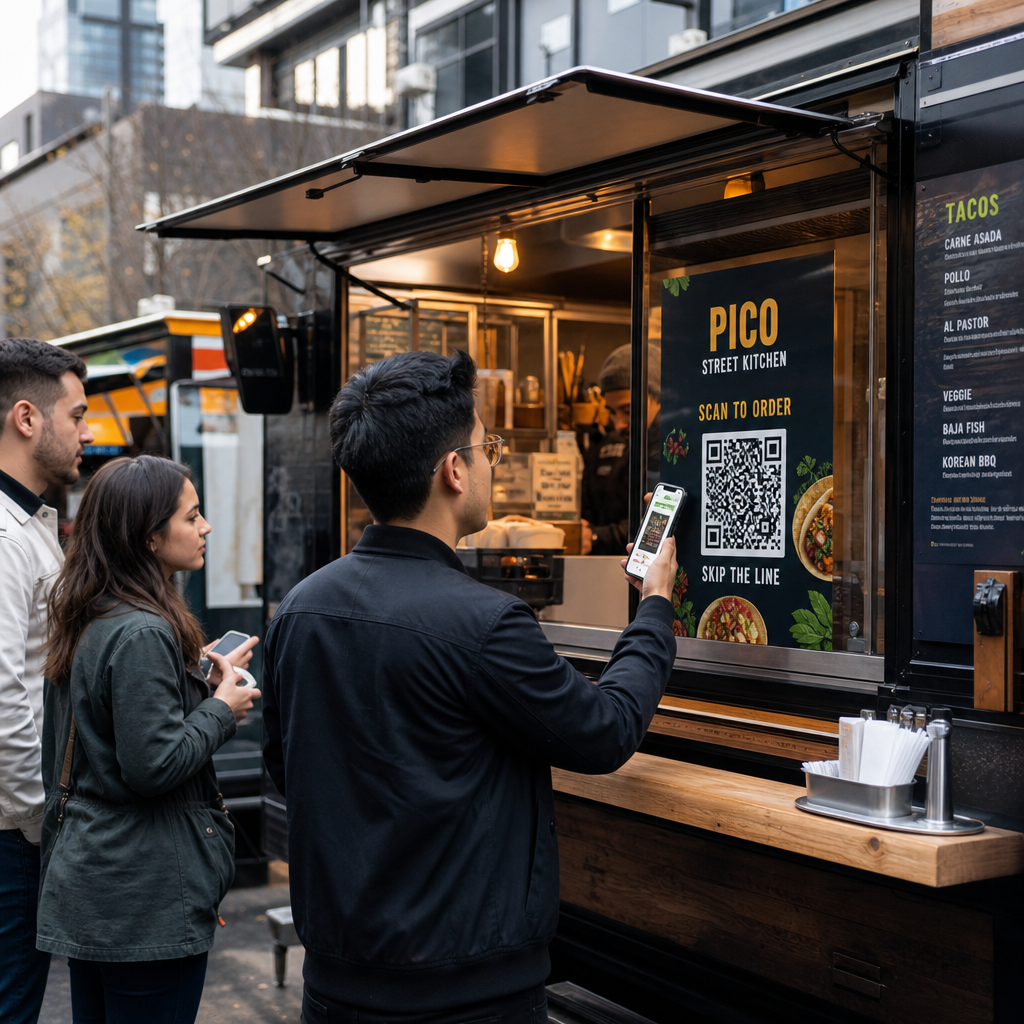
QR-koodimenu toimii linkittämällä painetun koodin digitaaliseen versioon ruokalistastasi, jonka asiakkaat avaavat omilla älypuhelimillaan. Sen sijaan, että tulostaisit ja laminoisit paperimenuja tai luottaisit liitutauluun, jota on vaikea lukea jonon takaa, asetat QR-koodin rekkaasi, kyltteihin tai pieneen pöytätelineeseen – ja asiakkaat selaavat puhelimillaan odottaessaan.
Tämä ratkaisee tietyn ruokarekkaongelman: asiakkaat, jotka ovat epävarmoja saapuessaan luukulle, hidastavat jokaista heidän takanaan olevaa. Kun ihmiset voivat selata ruokalistaasi ennen jonoon astumista, he saapuvat tiskille valmiina tilaamaan.
Pagelootin Ruokalistan QR-koodi generaattori antaa sinun linkittää QR-koodisi joko PDF-menuun tai mobiilioptimoidulle laskeutumissivulle. Laskeutumissivu tarjoaa yleensä paremman kokemuksen – asiakkaat voivat nähdä tuotekuvaukset, valokuvat ja hinnat puhelimen näytölle suunnitellussa muodossa. Voit sisällyttää allergeenitiedot, päivän erikoistarjoukset ja loppuunmyyty-ilmoitukset tulostamatta mitään uutta. Kuten Pagelootin menugeneraattori toteaa, QR-koodimenut ovat hyödyllisiä riippumatta siitä, onko yrityksesi ruokarekka vai pikaruokakahvila, antaen asiakkaiden päättää mitä tilata ennen kassalle saapumista.
Digitaalisen menun tärkeimmät edut ruokarekoille:
- Päivitä hinnat, tuotteet tai erikoistarjoukset reaaliaikaisesti ilman uudelleenpainatusta
- Näytä koko menusi muodossa, joka on luettavissa millä tahansa älypuhelimella
- Anna asiakkaiden päättää mitä tilata jonottaessaan, ei vasta luukulle saavuttuaan
- Poista uudelleenpainatuskustannukset, kun menusi muuttuu kausittain tai päivittäin
Luo ruokarekkasi menun QR-koodi Oletko valmis antamaan asiakkaiden selata menua ennen kuin he saapuvat luukulle? Käytä Ruokalistan QR-koodi generaattori rakentaaksesi mobiiliystävällisen digitaalisen menun minuuteissa.
QR-kooditilausten määrittäminen rekallesi
QR-kooditilaus vie menun askeleen pidemmälle: sen sijaan, että vain selaisivat, asiakkaat voivat lähettää tilauksensa suoraan puhelimestaan. Tämä on erityisen hyödyllistä ruokarekoille, jotka palvelevat tapahtumissa, puistoissa tai kiinteissä paikoissa, joissa asiakkaat voivat odottaa lähellä sen sijaan, että seisoisivat yhden tiedoston jonossa.
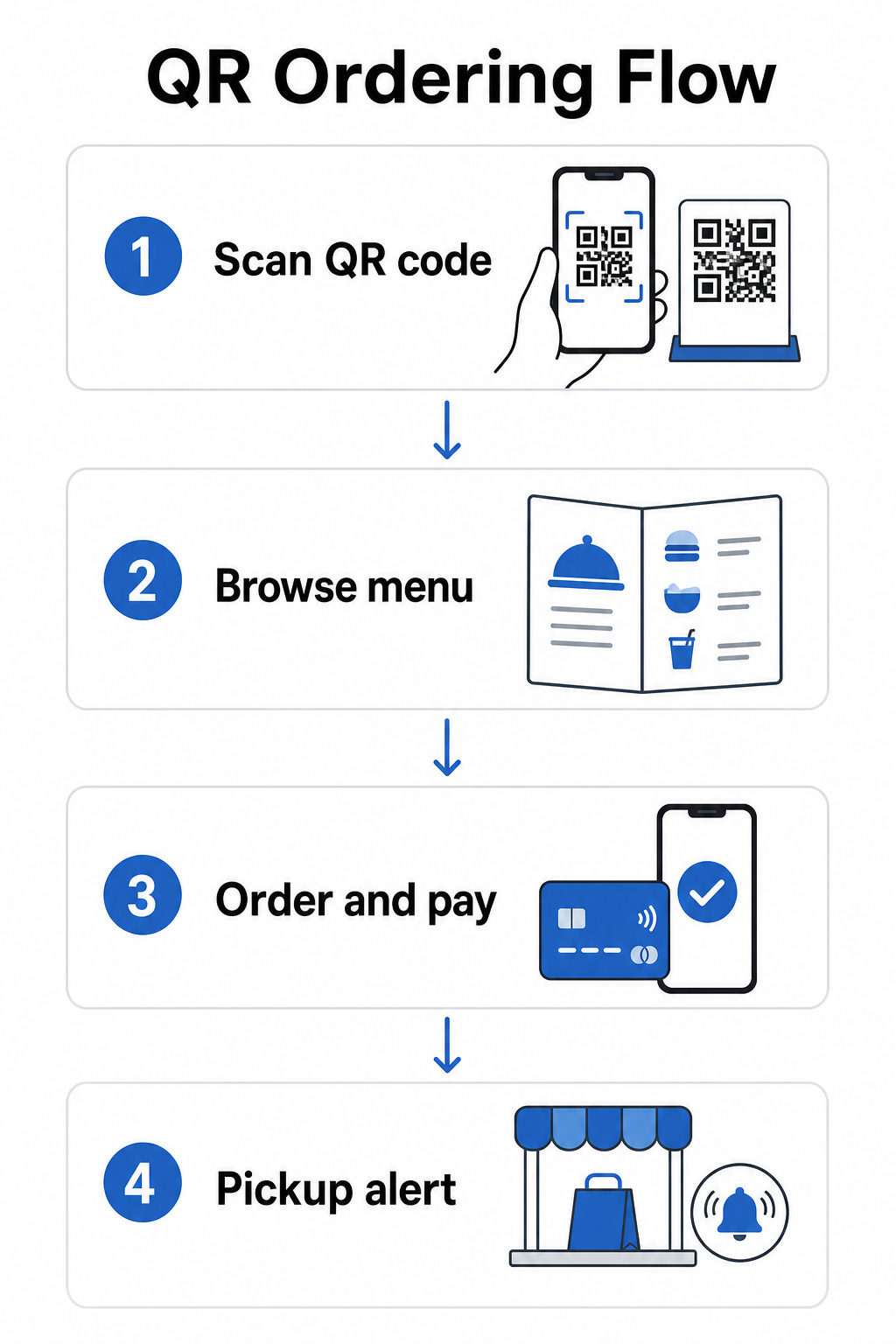
A QR-koodin tilausjärjestelmä vaatii muutaman komponentin toimimaan yhdessä:
- Mobiilioptimoidun digitaalisen menun tuotekuvauksilla ja mukautusvaihtoehdoilla
- QR-koodin, jonka asiakkaat skannaavat päästäkseen menuun ja tilauslomakkeeseen
- Maksuyhdyskäytävän integroinnin, jotta asiakkaat voivat maksaa samalla kun tilaavat
- Tavan, jolla tilaukset saapuvat keittiöösi – joko näytön rekan sisällä tai tekstiviesti-ilmoitusjärjestelmän
Yksi toiminnallinen etu, joka on syytä korostaa: verkko-tilausten mahdollistaminen noutoilmoituksilla tarkoittaa, että asiakkaiden ei tarvitse seistä jonossa lainkaan. He tekevät tilauksensa, saavat ilmoituksen, kun se on valmis, ja tulevat luukulle vain noutamaan. Tämä vähentää tungosta ja pois kävelyn riskiä ruuhka-aikoina.
Kun määrität tilausjärjestelmääsi, valitse dynaamiset QR-koodit staattisten sijaan. Dynaaminen QR-koodi osoittaa lyhyeen uudelleenohjaus-URL-osoitteeseen, jonka voit päivittää milloin tahansa – joten jos muutat tilausalustaasi, päivität menusi tai siirryt uuteen paikkaan, päivität kohteen korvaamatta fyysisiä koodeja rekassasi. Dynaaminen QR-koodi generaattori Pagelootista hoitaa tämän yhdestä hallintapaneelista ja on käytännöllinen valinta kaikille toimijoille, joiden menu tai järjestelmä kehittyy ajan myötä.
Maksujen vastaanottaminen QR-koodilla
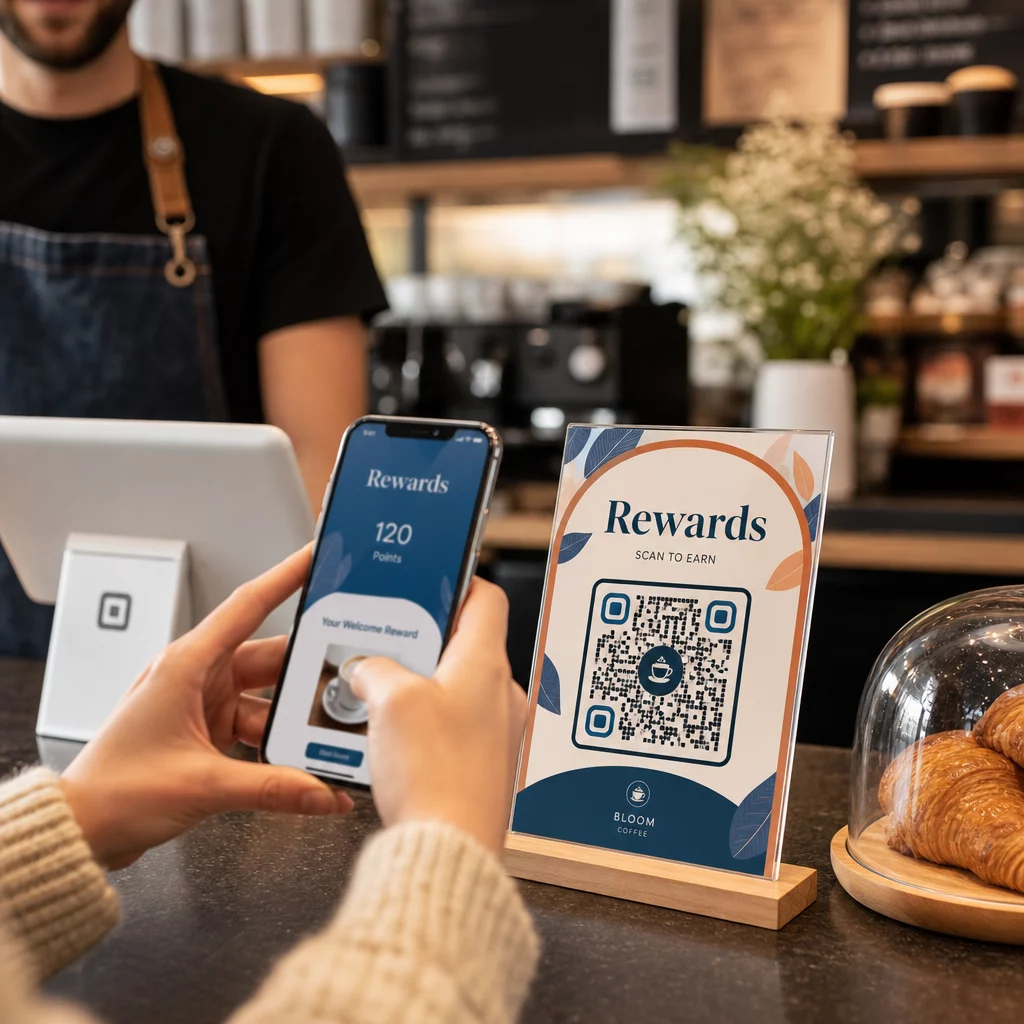
QR-koodimaksut antavat asiakkaiden suorittaa maksutapahtuman skannaamalla koodin ja maksamalla haluamallaan mobiililompakolla tai maksusovelluksella – ei tarvita korttipäätettä, ei käteisen käsittelyä, ei vaihtorahojen aiheuttamia viivästyksiä. Ruokarekan yrittäjälle tämä voi merkittävästi lyhentää aikaa, jonka jokainen asiakas viettää luukullasi.
Asennus on yksinkertainen. Luot maksu-QR-koodin, joka on linkitetty PayPaliin, Stripeen tai muuhun maksupalveluntarjoajaasi, tulostat sen tai näytät sen luukullasi, ja asiakkaat skannaavat maksaakseen. Pagelootin PayPal QR-koodi generaattori käy läpi prosessin: luo PayPal.me-linkkisi, liitä se generaattoriin, mukauta ulkoasu brändäykselläsi ja lataa koodi tulostusta tai näyttöä varten.
Laajemman yleiskatsauksen saamiseksi siitä, miten QR-koodimaksut toimivat eri alustoilla, Pagelootin maksu-QR-opas kattaa tärkeimmät vaihtoehdot ja asennusvaiheet. Jos haluat lisää tietoa siitä, miksi elintarvikealan yritykset ottavat tämän lähestymistavan käyttöön, QR-koodimaksujen edut ravintoloille -sivu selittää, miten nopeammat kassatapahtumat ja alhaisempi käsittelykitka muuttuvat toiminnallisiksi hyödyiksi.
National Restaurant Association raportoi vuonna 2024, että 85 % ravintoloista tarjoaa nyt lähimaksun, ja 92 % omistajista raportoi positiivista palautetta asiakkailta. Ruokarekat, jotka edelleen luottavat vain käteismaksuun tai kortinpyyhkäisyyn perustuviin järjestelmiin, ovat yhä enemmän ristiriidassa asiakkaiden odotusten kanssa.
Dynaamisten QR-koodien käyttö kaiken ajan tasalla pitämiseksi
Yksi käytännöllisimmistä QR-koodien eduista ruokarekalle on kyky päivittää sisältöäsi koskematta tulostettuun koodiin. Jos käytät staattista QR-koodia – sellaista, joka pysyvästi koodaa yhden URL-osoitteen – mikä tahansa muutos ruokalistallasi, tilauslinkissäsi tai maksusivullasi tarkoittaa uusien koodien uudelleentulostamista ja uudelleenjakelua.
Dynaamiset QR-koodit ratkaisevat tämän. Itse koodi koodaa lyhyen uudelleenohjaus-URL-osoitteen, joka ei koskaan muutu. Hallitset sitä, minne uudelleenohjaus lähettää asiakkaan. Päivitä ruokalistasi, vaihda maksujärjestelmiä tai mainosta kausitarjousta – fyysinen koodi rekassasi pysyy täsmälleen samana.
Dynaamiset koodit antavat sinulle myös analytiikkaa. Voit seurata, kuinka monta asiakasta skannasi ruokalistakoodisi, milloin skannaukset ovat huipussaan (hyödyllistä henkilöstö- ja valmistelupäätöksiin), mitä laitteita ihmiset käyttävät ja mitkä sijainnit tai tapahtumat tuottavat eniten sitoutumista. Dynaamiset QR-koodit seuraavat mittareita, kuten skannausaikaa, maantieteellistä sijaintia, laitetyyppiä ja skannaustiheyttä, antaen sinulle reaaliaikaista tietoa päätösten tueksi. Tämä käsitellään syvemmin Pagelootin QR-koodin seurantasivulla.
Seuraa jokaista skannausta rekastasi Käytä Dynaaminen QR-koodi generaattori luodaksesi muokattavia, seurattavia koodeja ruokalistallesi, tilaus- ja maksulinkeillesi – kaikki hallittavissa yhdestä hallintapaneelista.
Markkinointi ja asiakaspysyvyys QR-koodien avulla
QR-koodit eivät rajoitu ruokalistoihin ja maksuihin. Ruokarekat, jotka toimivat säännöllisillä paikoilla, maanviljelijöiden markkinoilla tai tapahtumissa, voivat käyttää niitä rakentaakseen asiakassuhteita käyntien välillä.
Käytännöllisiä QR-koodimarkkinointi-ideoita ruokarekoille:
- Google-arvostelut: Aseta Google-arvostelun QR-koodia luukullasi tai pakkauksessasi. Asiakkaat, joilla oli hieno kokemus, voivat jättää arvostelun sekunneissa, mikä rakentaa paikallista hakunäkyvyyttäsi ajan myötä.
- Kupongit ja kampanjat: Käytä Kuponki-QR-koodi tarjotaksesi alennuksen paluukäynnistä, mainostaaksesi uutta tuotetta tai palkitaksesi uskollisia asiakkaita. Linkitä koodi laskeutumissivulle, joka näyttää nykyiset tarjouksesi.
- Sosiaalinen media ja aikataulupäivitykset: A Linkki QR-koodi voivat ohjata asiakkaita Instagramiisi, ilmoittautumislomakkeeseen tai tulevien sijaintiesi aikatauluun – pitäen heidät yhteydessä lähdön jälkeen.
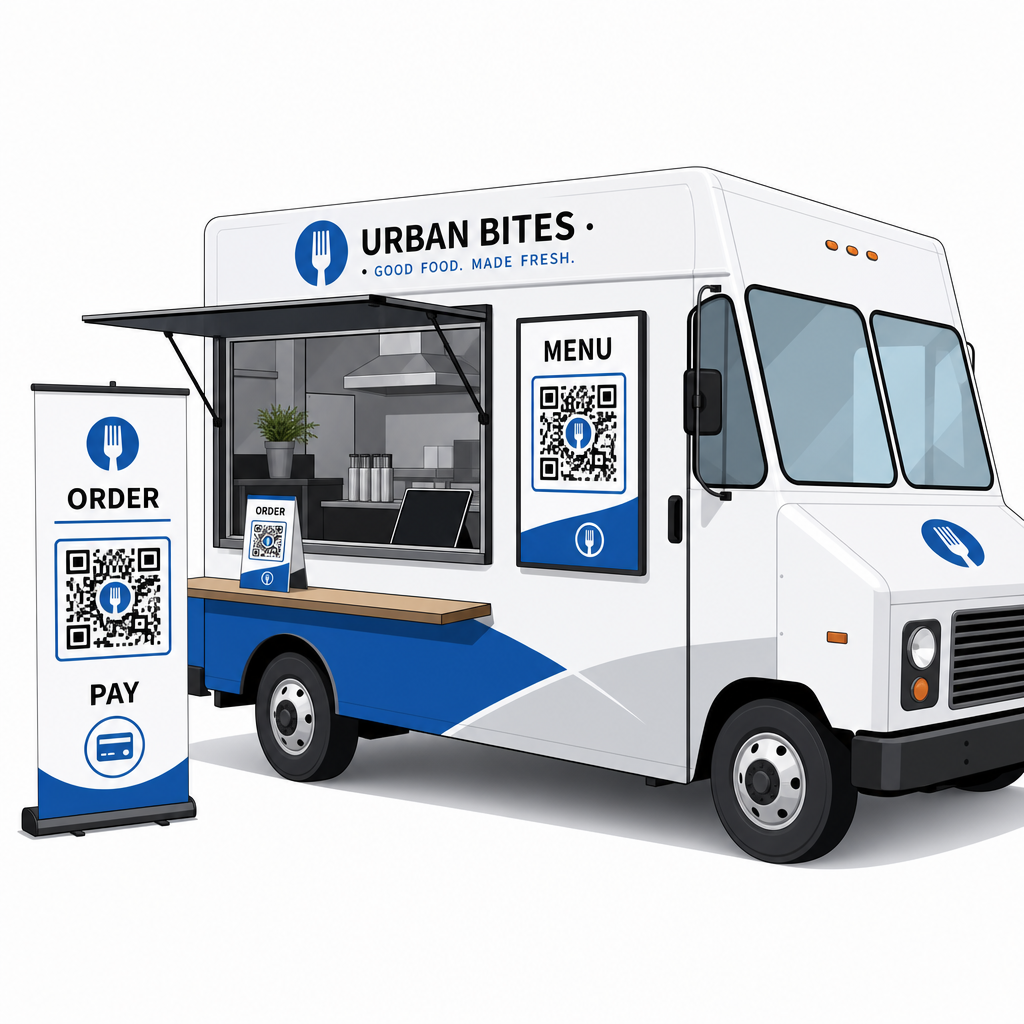
QR-koodikyltit sopivat erityisen hyvin ruokarekkojen ulkopintoihin ja tapahtumanäyttöihin. Koodi, joka on sijoitettu silmien korkeudelle rekkasi kylkeen, brändättyyn banneriin tai pieneen pöytätelttaan tilausikkunan lähelle, on helppo skannata eikä vaadi henkilökunnan osallistumista. Ennen tulostamista kannattaa tarkistaa QR-koodien sijoittamisen parhaat käytännöt ja luettavuusohjeisiin saadaksesi koon, kontrastin ja pintavalinnat oikein ensimmäisellä kerralla. Pageloot suosittelee vähintään 4:1 kontrastisuhdetta, tummia kuvioita vaaleilla taustoilla ja vähintään 2 × 2 cm kokoa lähiskannaukseen – kaikki nämä ovat tärkeitä, kun koodisi luetaan ulkona vaihtelevissa valaistusolosuhteissa.
Mitä harkita ennen QR-koodien käyttöönottoa
QR-koodit toimivat hyvin ruokarekoille, mutta muutama käytännöllinen tekijä määrittää, sujuuko käyttöönotto.
Yhteydet: QR-kooditilaus- tai maksujärjestelmäsi riippuu siitä, että asiakkailla on luotettava mobiilidatayhteys. Vilkkaassa ulkoilmatapahtumassa tai kadun varrella tämä on yleensä kunnossa. Kellarikerroksen ruokahallissa tai paikassa, jossa on huono matkapuhelinverkko, testaa yhteyttä ennen ensimmäistä palveluasi siellä.
Kaikki asiakkaat eivät skannaa: Kansallisen ravintolaliiton tutkimus osoitti, että vaikka 73 % Gen Z -aikuisista oli kiinnostuneita käyttämään ruokalistoja QR-koodin kautta, tämä luku laski 46 %:iin baby boomerien kohdalla. Ruokarekat ovat erilainen konteksti kuin perinteiset ravintolat – asiakkaat ovat jo puhelimillaan ja jonottavat – mutta on silti kannattavaa pitää näkyvillä taulua tai antaa suullinen yhteenveto tärkeimmistä tuotteistasi vararatkaisuna, jotta kukaan ei tunne itseään ulkopuoliseksi.
Turvallisuus: Aseta QR-koodit paikkoihin, joissa niitä ei voi helposti peittää tai korvata. Oma brändätty kylttisi ja rekan ulkopinta ovat matalan riskin ympäristöjä, mutta on hyvä käytäntö tarkistaa, että koodisi ovat ehjiä jokaisen palvelun alussa. Liittovaltion kuluttajaohjeistus huomauttaa, että huijarit asettavat joskus vilpillisiä koodeja aitojen päälle, joten koodien näyttäminen johdonmukaisissa, brändätyissä muodoissa tekee niistä helpommin asiakkaiden luotettaviksi.
Mobiiliystävällinen kohde: Sivu, jonka QR-koodisi avaa, on latauduttava nopeasti ja näytettävä oikein puhelimen näytöllä. Sivu, joka latautuu useamman sekunnin, tai joka vaatii nipistyszoomauksen lukemiseen, saa asiakkaat hylkäämään sen ennen tilaamista. Pagelootin opas mobiili-QR-koodin laskeutumissivut kattaa, mitä optimoida ennen julkaisua.
Aloittaminen: Mitä tarvitset
Jos olet valmis ottamaan QR-koodit käyttöön ruokarekassasi, tässä on yhteenveto siitä, mitä asennus sisältää:
| Mitä tarvitset | Miksi sillä on merkitystä |
|---|---|
| Digitaalinen ruokalista (PDF tai laskeutumissivu) | Kohde, jota asiakkaat selaavat puhelimillaan |
| QR-koodigeneraattori | Luo skannattavan koodin, joka on linkitetty ruokalistaasi tai maksusivullesi |
| Dynaamiset QR-koodit | Antaa sinun päivittää sisältöä ilman fyysisten koodien uudelleenpainamista |
| Maksulinkki (PayPal, Stripe jne.) | Mahdollistaa lähimaksun QR-skannauksen kautta |
| Strateginen koodin sijoittelu | Varmistaa, että asiakkaat todella löytävät ja skannaavat koodin |
| Analytiikan käyttöoikeus | Näyttää, mikä toimii ja milloin asiakkaat ovat aktiivisimpia |
Pagelootin alusta kattaa kaikki nämä yhdestä hallintapaneelista. Voit luoda ruokalistan QR-koodeja, maksu-QR-koodeja ja markkinointikoodeja – kaikki dynaamisia ja seurattavissa – ja päivittää niitä kaikkia koskematta rekan fyysisiin materiaaleihin. The ravintola- ja majoitusalan sivu näyttää, miten vastaavat yritykset ovat lähestyneet tätä, ja laajempi toimialaratkaisujen sivu kattaa muita ruokapalvelukonteksteja, joita kannattaa tutkia.
QR-koodit eivät korvaa hyvää ruokaa tai nopeaa valmistelutyötä – mutta ne poistavat toiminnallisen kitkan, joka hidastaa jonoasi ja estää asiakkaita palaamasta. Aloita ruokalistan QR-koodilla, jotta asiakkaat voivat selata odottaessaan, lisää maksukoodi nopeuttaaksesi kassaa, ja kerrosta markkinointikoodeja, kun totut järjestelmään.
Rakenna ruokarekkasi QR-koodiasennus Luo brändätty, muokattava ruokalistan QR-koodi minuuteissa Ruokalistan QR-koodi generaattori – teknistä osaamista ei tarvita, ja voit päivittää ruokalistasi milloin tahansa ilman uudelleenpainamista.
Usein kysytyt kysymykset
Ei. Mikä tahansa moderni älypuhelin voi skannata QR-koodin käyttäen sisäänrakennettua kamerasovellusta – erillistä latausta ei tarvita. Kamera tunnistaa koodin automaattisesti ja kehottaa käyttäjää avaamaan linkitetyn sivun selaimessaan.
Jos käytät dynaamista QR-koodia, päivität yksinkertaisesti kohteen QR-koodin hallintapaneelissasi – tulostettu koodi toimii edelleen ja osoittaa nyt päivitettyyn ruokalistaasi. Staattiset QR-koodit koodaavat pysyvästi yhden URL-osoitteen, joten mikä tahansa muutoksen kohteeseen vaatii kokonaan uuden koodin tulostamisen.
Voit linkittää yhden koodin yhdistetylle ruokalista- ja tilaussivulle, joka sisältää maksuominaisuudet, tai käyttää erillisiä koodeja eri tarkoituksiin, kuten ruokalistan selaamiseen, maksamiseen ja Google-arvosteluihin. Erillisten dynaamisten QR-koodien käyttäminen antaa sinulle selkeämpää analytiikkaa siitä, miten asiakkaat ovat vuorovaikutuksessa kunkin kosketuspisteen kanssa yksilöllisesti.