Kæmper du med at omsætte interessen fra støtter til faktiske donationer og tilmeldinger til arrangementer? Non-profit organisationer står ofte over for kløften mellem engagerede målgrupper og gennemførte handlinger – især når trykt materiale kun kan gøre så meget. Denne guide dækker de mest praktiske måder, QR-koder kan bygge bro over den kløft, fra donationssider til bud på stumme auktioner.
QR-koder er ikke længere kun et kommercielt værktøj, der bruges af detailhandlere og forbrugermærker. Non-profit organisationer har fundet dem oprigtigt nyttige til at reducere friktion i donationsprocessen, promovere arrangementer og opbygge støttefællesskaber. Med mobil donation i vækst – næsten 30% af alle online donationer i 2020 blev foretaget fra en mobil enhed – er det blevet en reel fundraisingprioritet at gøre det nemt for støtter at handle på deres telefoner.
Her er de mest effektive måder, din organisation kan bruge QR-koder på.
Link direkte til din donationsside
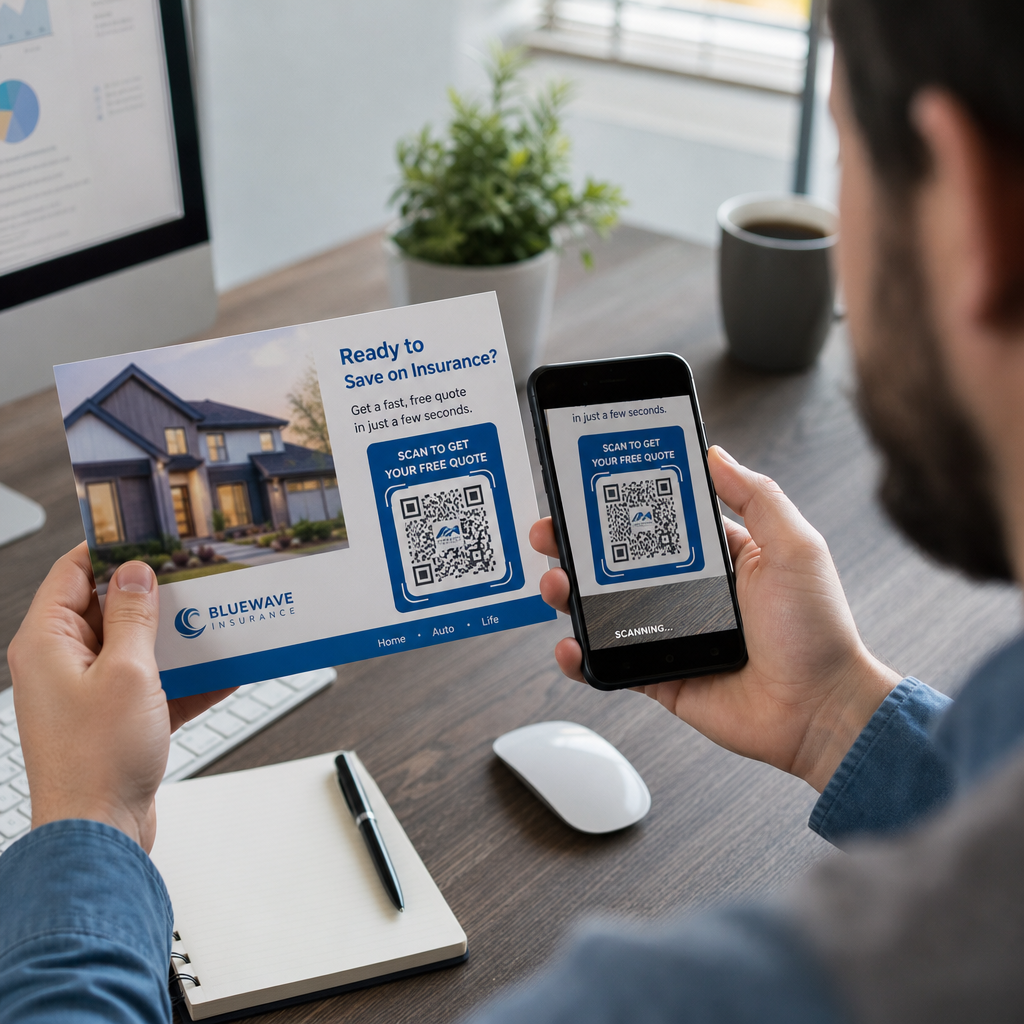
Trykt materiale som brochurer, flyers og direct mail har begrænset plads og endnu mere begrænset tålmodighed fra læserne. En QR-kode lader dig bygge bro over kløften mellem et overbevisende budskab og en gennemført donation uden at kræve, at støtter skal indtaste en URL eller åbne en bærbar computer.
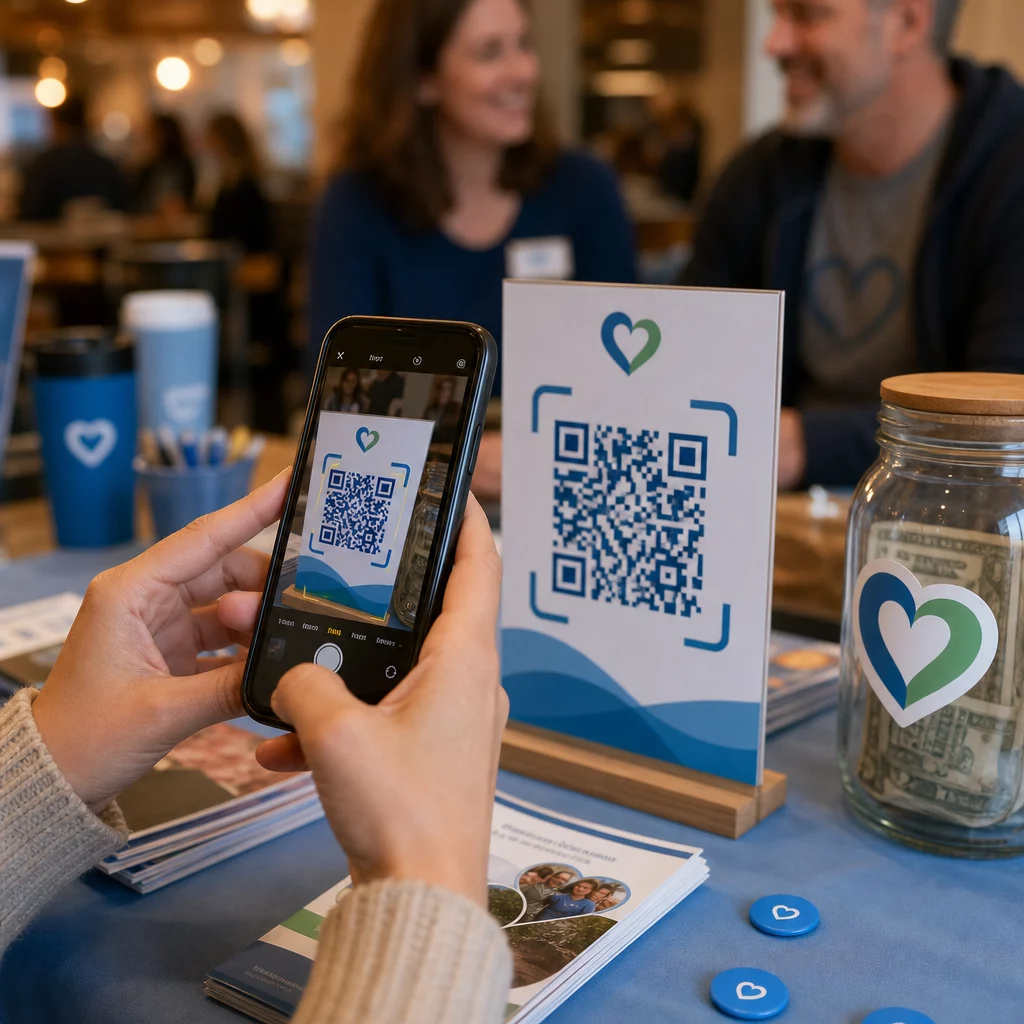
Placer en QR-kode på ethvert trykt materiale – arrangementsprogrammer, donationskuverter, bordkort eller appelbreve – og link den direkte til din donationsside. Når en støtte scanner den, lander de øjeblikkeligt på en mobiloptimeret donationsformular. Dette fjerner den friktion, der forårsager frafald mellem interesse og handling.
For kampagner, hvor destinationen kan ændre sig – såsom en sæsonbestemt appel eller en matchende gavekampagne – brug en dynamisk QR-kode snarere end en statisk. Dynamiske koder lader dig opdatere den linkede URL når som helst uden at genoptrykke dit materiale. Du kan lære mere om forskellen på sammenligningsside for statiske vs. dynamiske QR-koder.
Et par placeringstips, der er værd at følge:
- Inkluder en kort opfordring til handling ved siden af koden, såsom “Scan for at donere nu”
- Udskriv destinations-URL'en som tekst under koden, så støtter, der ikke kan scanne, stadig har en vej til at give
- Oprethold en minimum kodestørrelse på 0,8 × 0,8 tommer på standard trykt materiale for pålidelig scanning
Klar til at oprette din donations-QR-kode? Brug Pageloot non-profit QR-kodeværktøjer til at generere en brandet, sporbar donations-QR-kode og linke den direkte til din donationsside eller betalingsportal.
1. For en dybere gennemgang af processen, er 2. guiden til QR-koder for velgørenhedsindsamlinger 3. dækker design, kontrastkrav og mobiloptimering i detaljer.
4. Modtagelse af donationer via betalings-QR-koder
5. I stedet for at henvise støtter til en generisk donationsside, kan du generere en QR-kode, der linker til en specifik betalingsportal – såsom et PayPal.me-link eller en anden donationsplatform. Støtter scanner, betalingssiden åbnes, og transaktionen gennemføres fra deres telefon på få sekunder.
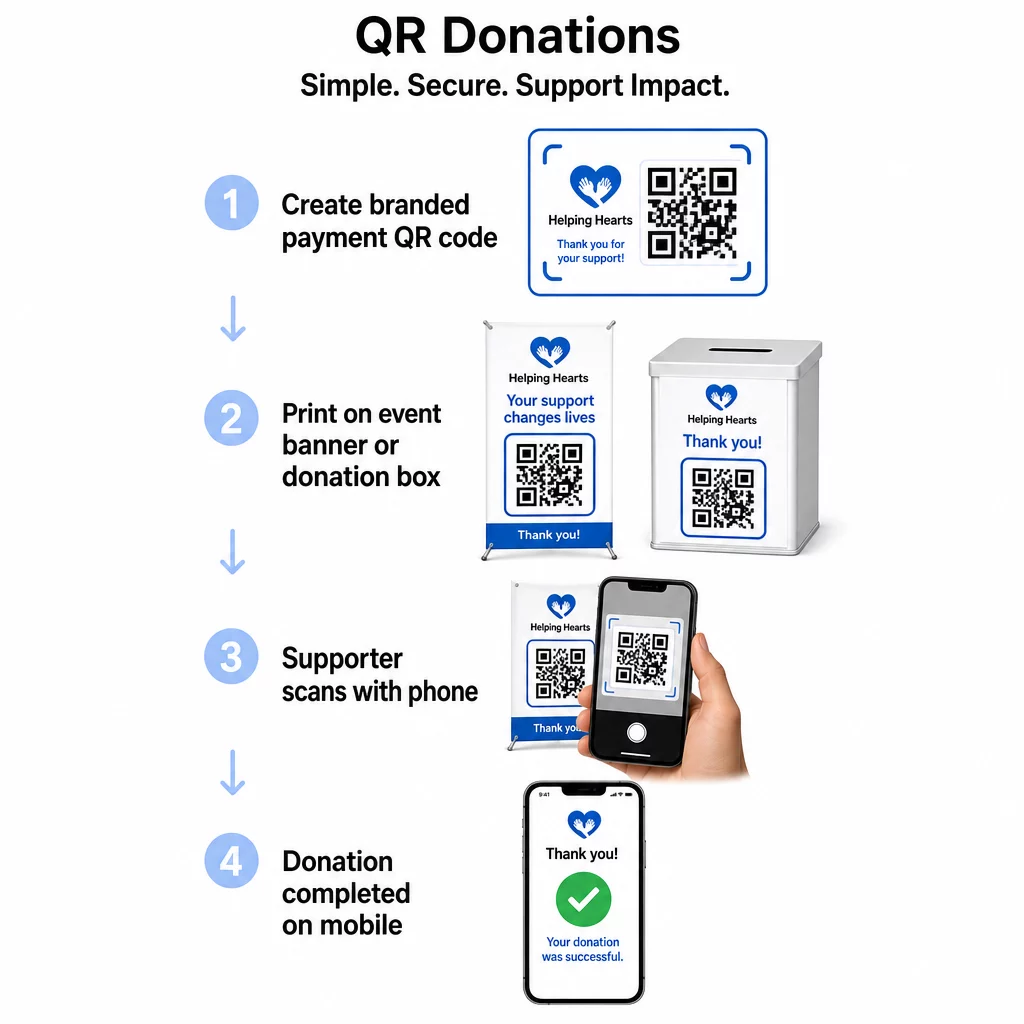
6. Denne tilgang fungerer især godt til personlige arrangementer: velgørenhedsgallaer, gadeindsamlinger, kirkekollektioner eller pop-up donationsstationer. Ved at placere en brandet kode på en donationsboks eller et banner ved din begivenhedsindgang muliggøres spontane bidrag fra deltagere, der måske ikke har medbragt kontanter eller en checkbog.
Det PayPal QR-kode generator 7. gør det ligetil at producere en scanbar kode knyttet til dit betalingslink, som du derefter kan tilpasse med din organisations branding.
8. Fremme af begivenhedsregistreringer og tilmeldinger
9. Nonprofitorganisationer afholder konstant arrangementer – gallaer, frivilligdage, oplysningsvandringer, fællesspisninger. At få støtter til faktisk at registrere sig, snarere end blot at udtrykke interesse, er en vedvarende udfordring. QR-koder på trykt reklamemateriale kan tage en person fra “Jeg vil gerne deltage” til “Jeg er registreret” på under et minut.
10. Link en QR-kode på din begivenhedsflyer direkte til en registreringsformular eller en begivenhedslandingsside. Du kan også indkode en kalenderinvitation, så scanning af koden automatisk tilføjer begivenheden til støttens telefonkalender – en enkel, men effektiv måde at reducere udeblivelser på.
Det Event QR-kode generator 11. understøtter begge tilgange: at linke til en registreringsside eller generere en kalenderklar invitation. For mere komplekse begivenheder, der kræver sikker billetudstedelse og check-in-styring, er guiden om 12. oprettelse af sikre QR-kode eventbilletter 13. værd at gennemgå.
14. For konferencer eller afdelingsbaserede organisationer giver placering af QR-koder på bordkort, navneskilte og bannere deltagerne øjeblikkelig adgang til live-tidsplaner, donationsportaler eller tilmeldingsformularer for frivillige uden at uddele papiruddelinger.
15. Erstatning af papirbudlister ved tavse auktioner
Silent auction bid sheets create unnecessary paperwork, introduce errors, and make it difficult to track bids in real time. Non-profits are increasingly replacing them with QR codes placed next to each auction item. Attendees scan the code, view item details, and place their bids directly from their phones.
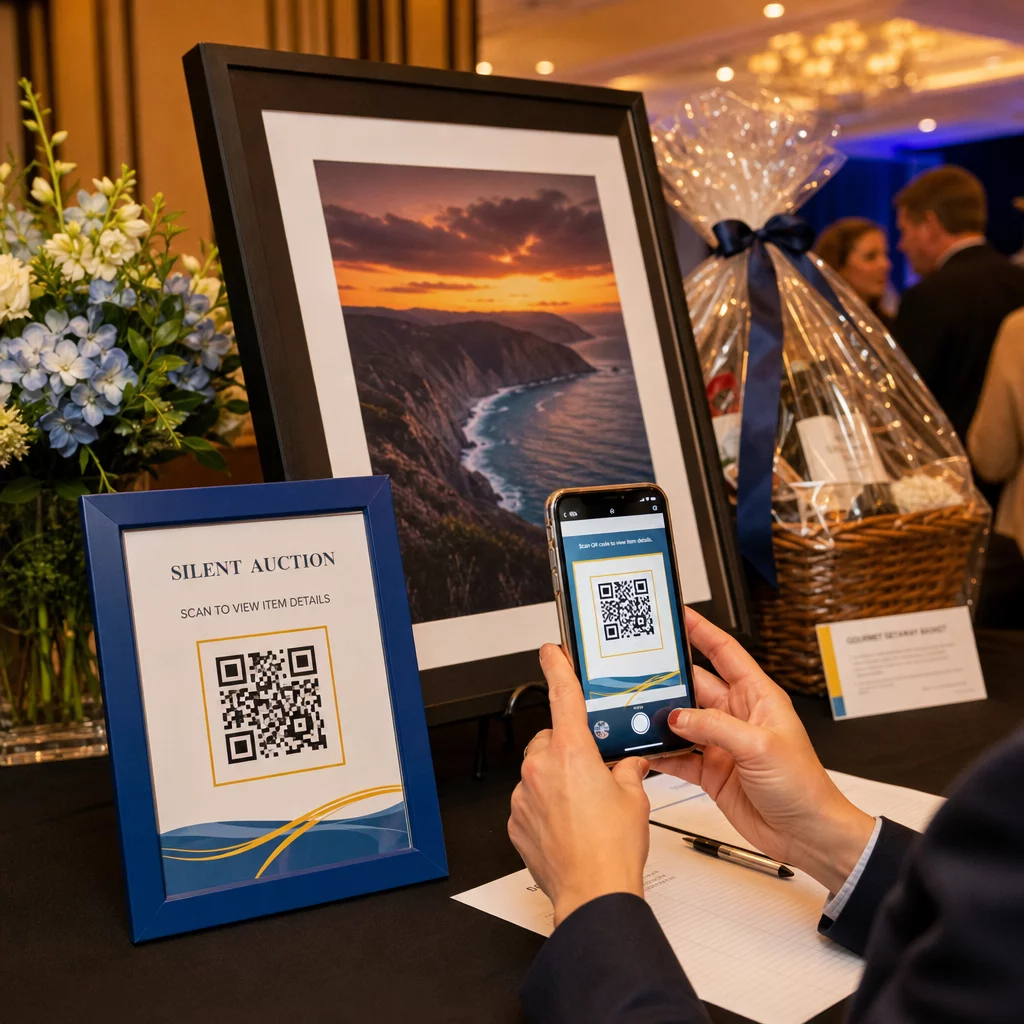
Denne tilgang reducerer administrativt arbejde, eliminerer problemer med ulæselig håndskrift og giver arrangører mulighed for at overvåge budaktivitet i realtid. Den holder også deltagerne mere engagerede i auktionen under hele arrangementet i stedet for at samle sig omkring papirark tæt på fristen.
EN dynamisk QR-kode er det rigtige valg her, da det giver dig mulighed for at opdatere det linkede indhold – for eksempel at skifte fra vareoplysninger til en “budgivning lukket”-side – uden at udskifte den fysiske kode ved siden af hver vare.
Indsamling af frivillige tilmeldinger og spørgeundersøgelsessvar
Nonprofitorganisationer er afhængige af frivillige, og jo enklere du gør det at tilmelde sig, jo flere svar får du. En QR-kode, der er linket til en Google Form eller en tilmeldingsside, kan printes på ethvert reklamemateriale – flyers ved et lokalt arrangement, plakater på et bibliotek, bannere ved et møde – og give folk mulighed for at registrere sig med det samme på deres telefoner.
Den samme tilgang virker for spørgeundersøgelser efter arrangementer, medlemsansøgninger og feedbackformularer. Den Google Form QR-kode generator lader dig generere en scanningsbar kode fra ethvert Google Form-link på få sekunder.
For organisationer, der ønsker at spore, hvilke materialer og placeringer der driver flest tilmeldinger, giver parring af formular-QR-koder med sporing et klarere billede af, hvad der faktisk virker. Den vejledning til sporing af QR-koder forklarer, hvordan man overvåger scanningsvolumen, placering og enhedstype på tværs af dine kampagner.
Øg dit følgerskab på sociale medier
Betalt annoncering på sociale medier kan være dyrt, og de følgere, det genererer, er ikke altid oprigtigt interesserede i din sag. En QR-kode på dine fysiske materialer tilbyder et billigere alternativ, der målretter sig mod folk, der allerede har vist interesse – fordi de har taget din flyer eller deltaget i dit arrangement.
Link en QR-kode til en landingsside, der inkluderer links til alle dine sociale profiler, så støtter kan vælge deres foretrukne platform. Alternativt kan du linke direkte til en specifik kampagneside eller et opslag, du ønsker at forstærke. Uanset hvad er konverteringen øjeblikkelig, og publikum er varmere end hvad de fleste betalte kampagner leverer.
For vejledning om, hvordan du får mest muligt ud af, hvor du placerer disse koder, den QR-kode placeringsguide dækker placering, størrelse og kontekst for forskellige typer trykt materiale.
Sporing af kampagneydelse
En af de mest underudnyttede fordele ved QR-koder for nonprofitorganisationer er analyse. Med dynamiske QR-koder kan du spore, hvor mange mennesker der scannede en given kode, hvornår de scannede den, hvilken enhed de brugte, og hvor de befandt sig. Dette fortæller dig, hvilke trykte materialer der faktisk skaber engagement, og hvilke der bliver ignoreret.
For en organisation med flere lokationer, der kører en direkte postappel, kunne du for eksempel bruge forskellige QR-koder til forskellige regioner og sammenligne scanningsrater for at forstå, hvor dit budskab er mest effektivt. Dataene kan informere om, hvor du skal investere i fremtidige trykninger, og hvilke kampagner der berettiger et større budget.
Spor hver scanning på tværs af dine kampagner Det Dynamisk QR-kode generator giver dig et komplet analyse-dashboard, der viser scanningsvolumen, timing, geografi og enhedstype – så du kan måle den virkelige effekt af hvert stykke trykt materiale.
Bedste praksis før du printer
Før du færdiggør en QR-kode til print, vil et par tekniske tjek spare dig for at producere materialer, der frustrerer støtter:
- Test på flere enheder – scan koden på både iOS og Android under varierende lysforhold, før du forpligter dig til et printoplæg
- Brug høj kontrast – mørke moduler på en lys baggrund; undgå at invertere farverne
- Størrelse passende – mindst 0,8 × 0,8 tommer til standardflyers; større til plakater og bannere set på afstand
- Optimer landingssiden til mobil – de fleste scanninger sker på smartphones, så siden koden linker til, skal indlæses hurtigt og være nem at navigere på en lille skærm
- Inkluder et tekstalternativ – print URL'en eller en kort beskrivelse under koden, så destinationen er tilgængelig for alle, der ikke kan eller vælger ikke at scanne
For detaljerede størrelsesanbefalinger på tværs af forskellige printmaterialer, er QR-kode størrelsesguide giver specifikke mål for papir-, pap- og stofapplikationer.
QR-koder fungerer bedst for non-profit organisationer, når de eliminerer trin i stedet for at tilføje dem. Hver kode, du implementerer, skal føre en støtte fra interesse til handling – donere, registrere, tilmelde sig eller forbinde – med så få tryk som muligt. Start med dit højeste prioriterede kontaktpunkt, uanset om det er en donationsside eller en begivenhedsregistreringsformular, og brug Pageloot QR-kodegenerator for at oprette en brandet, sporbar kode, du kan implementere på tværs af alle dine trykte materialer.
Ofte stillede spørgsmål
Dynamiske QR-koder er det bedre valg til fundraising. De giver dig mulighed for at opdatere destinations-URL'en efter udskrivning – nyttigt hvis din donationsside ændrer sig, eller du kører sæsonbestemte kampagner – og de inkluderer analyser, så du kan spore, hvor mange mennesker der scannede, hvornår og hvorfra. Statiske QR-koder er gratis, men kan ikke redigeres eller spores.
Højtpræsterende placeringer inkluderer appelbreve via direkte post, eventskilte og bordtelte, donationsbokse, flyers til rekruttering af frivillige og konferencebadges. I hvert tilfælde skal koden placeres i øjenhøjde, inkludere en klar opfordring til handling som “Scan for at donere” eller “Scan for at registrere,” og sørg for, at den linkede side er optimeret til mobile enheder.
For standardflyers og trykte materialer anbefales en minimumsstørrelse på 0,8 × 0,8 tommer (2 × 2 cm) for pålidelig scanning på armslængde. For plakater og bannere set fra større afstand skalér koden op proportionalt – en generel regel er, at koden skal være mindst en tiendedel af bredden af den forventede scanningsafstand.