Mučite li se pretvoriti interes podržavatelja u stvarne donacije i prijave za događaje? Neprofitne organizacije često se suočavaju s jazom između angažirane publike i dovršenih radnji – pogotovo kada tiskani materijali mogu učiniti samo toliko. Ovaj vodič pokriva najpraktičnije načine na koje QR kodovi mogu premostiti taj jaz, od stranica za donacije do ponuda na tihoj aukciji.
QR kodovi više nisu samo komercijalni alat koji koriste trgovci i potrošački brendovi. Neprofitne organizacije su ih pronašle istinski korisnima za smanjenje trenja u procesu darivanja, promicanje događaja i izgradnju zajednica podržavatelja. S porastom mobilnog darivanja – gotovo 30% svih online donacija u 2020. godini izvršeno je s mobilnog uređaja – olakšavanje podržavateljima da djeluju putem svojih telefona postalo je pravi prioritet prikupljanja sredstava.
Evo najučinkovitijih načina na koje vaša organizacija može koristiti QR kodove.
Izravno povezivanje na vašu stranicu za donacije
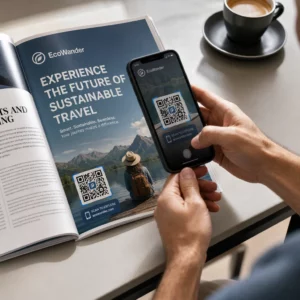
Tiskani materijali poput brošura, letaka i izravne pošte imaju ograničen prostor i još ograničenije strpljenje čitatelja. QR kod vam omogućuje premošćivanje jaza između uvjerljive poruke i dovršene donacije bez da podržavatelji moraju upisivati URL ili otvarati laptop.
Postavite QR kod na bilo koji tiskani materijal – programe događaja, omotnice za donacije, stolne šatore ili pisma za apel – i povežite ga izravno s vašom stranicom za donacije. Kada ga podržavatelj skenira, odmah slijeće na mobilno optimizirani obrazac za darivanje. To uklanja trenje koje uzrokuje odustajanje između interesa i akcije.
Za kampanje gdje se odredište može promijeniti – kao što je sezonski apel ili kampanja usklađenih darova – koristite dinamički QR kod umjesto statičnog. Dinamički kodovi omogućuju vam ažuriranje povezanog URL-a u bilo kojem trenutku bez ponovnog tiskanja materijala. Više o razlici možete saznati na stranici za usporedbu statičnih i dinamičnih QR kodova.
Nekoliko savjeta za postavljanje koje vrijedi slijediti:
- Uključite kratak poziv na akciju pored koda, kao što je “Skenirajte za donaciju sada”
- Ispišite odredišni URL kao tekst ispod koda kako bi podržavatelji koji ne mogu skenirati i dalje imali put za doniranje
- Održavajte minimalnu veličinu koda od 0,8 × 0,8 inča na standardnim tiskanim materijalima za pouzdano skeniranje
Jeste li spremni stvoriti svoj QR kod za donacije? Koristiti Pageloot alati za QR kodove za neprofitne organizacije za generiranje brendiranog QR koda za donacije koji se može pratiti i izravno ga povezati s vašom stranicom za darivanje ili portalom za plaćanje.
Za detaljniji pregled procesa, vodič za QR kodove za dobrotvorne akcije prikupljanja sredstava detaljno pokriva dizajn, zahtjeve kontrasta i optimizaciju za mobilne uređaje.
Prihvaćanje donacija putem QR kodova za plaćanje
Umjesto da usmjeravate podržavatelje na generičku stranicu za donacije, možete generirati QR kod koji vodi do specifičnog portala za plaćanje – kao što je PayPal.me poveznica ili druga platforma za doniranje. Podržavatelji skeniraju, otvara se stranica za plaćanje, a transakcija se dovršava s njihovog telefona u nekoliko sekundi.
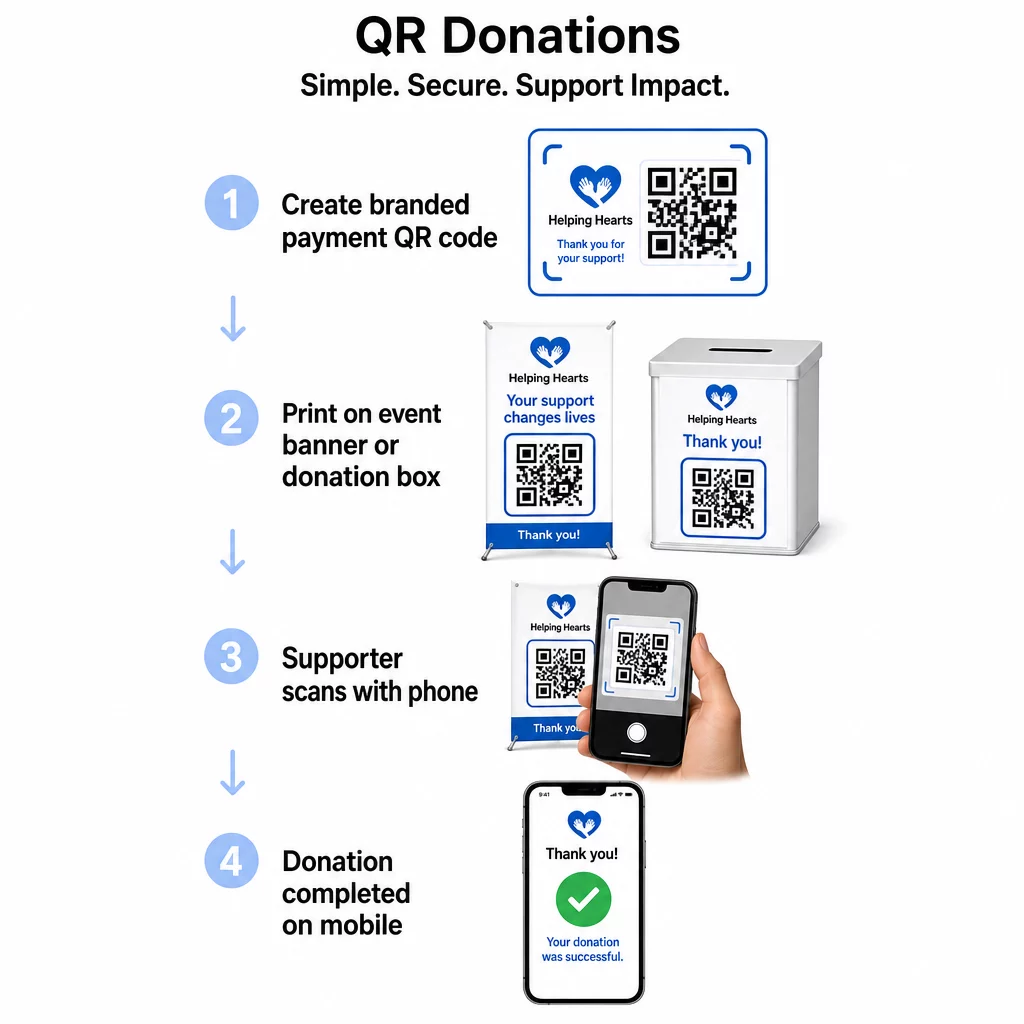
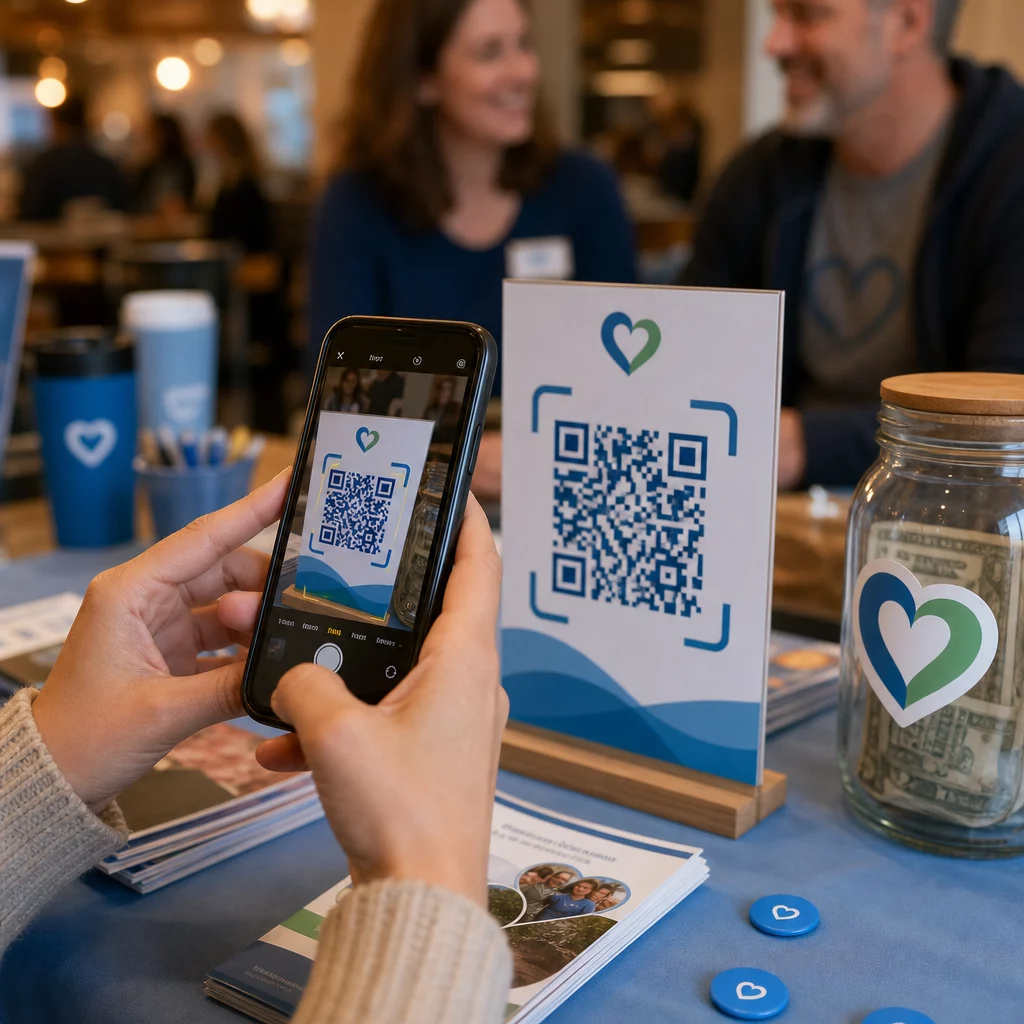
Ovaj pristup posebno dobro funkcionira za osobne postavke: dobrotvorne gala večere, ulično prikupljanje sredstava, crkvene zbirke ili privremene donacijske stanice. Postavljanje brendiranog koda na kutiju za donacije ili transparent na ulazu u vaš događaj omogućuje spontane doprinose posjetitelja koji možda nisu donijeli gotovinu ili čekovnu knjižicu.
The Kako napraviti QR kod za plaćanje s PayPalom olakšava izradu skenabilnog koda povezanog s vašom vezom za plaćanje, koji zatim možete prilagoditi brendiranjem vaše organizacije.
Poticanje registracija za događaje i potvrda dolaska (RSVP)
Neprofitne organizacije stalno organiziraju događaje – gala večere, volonterske dane, šetnje za podizanje svijesti, zajedničke večere. Navesti podržavatelje da se stvarno registriraju, umjesto da samo izraze interes, trajan je izazov. QR kodovi na tiskanim promotivnim materijalima mogu nekoga prevesti od “Želio bih prisustvovati” do “Registriran sam” u manje od minute.
Povežite QR kod na vašem letku za događaj izravno s obrascem za registraciju ili odredišnom stranicom događaja. Također možete kodirati pozivnicu za kalendar tako da skeniranje koda automatski dodaje događaj u kalendar telefona podržavatelja – jednostavan, ali učinkovit način za smanjenje nedolazaka.
The QR kod generator za događaje podržava oba pristupa: povezivanje na stranicu za registraciju ili generiranje pozivnice spremne za kalendar. Za složenije događaje koji zahtijevaju sigurno izdavanje ulaznica i upravljanje prijavama, vodič o izradi sigurnih QR kod ulaznica za događaje vrijedi pregledati.
Za konferencije ili organizacije temeljene na podružnicama, postavljanje QR kodova na stolne stalke, bedževe s imenima i transparente omogućuje sudionicima trenutačan pristup rasporedima uživo, portalima za donacije ili obrascima za prijavu volontera bez distribucije papirnatih materijala.
Zamjena papirnatih listova za ponude na tihim aukcijama
Listovi za ponude na tihim aukcijama stvaraju nepotrebnu papirologiju, uvode pogreške i otežavaju praćenje ponuda u stvarnom vremenu. Neprofitne organizacije ih sve više zamjenjuju QR kodovima postavljenim pored svakog predmeta aukcije. Sudionici skeniraju kod, pregledavaju detalje predmeta i daju svoje ponude izravno sa svojih telefona.
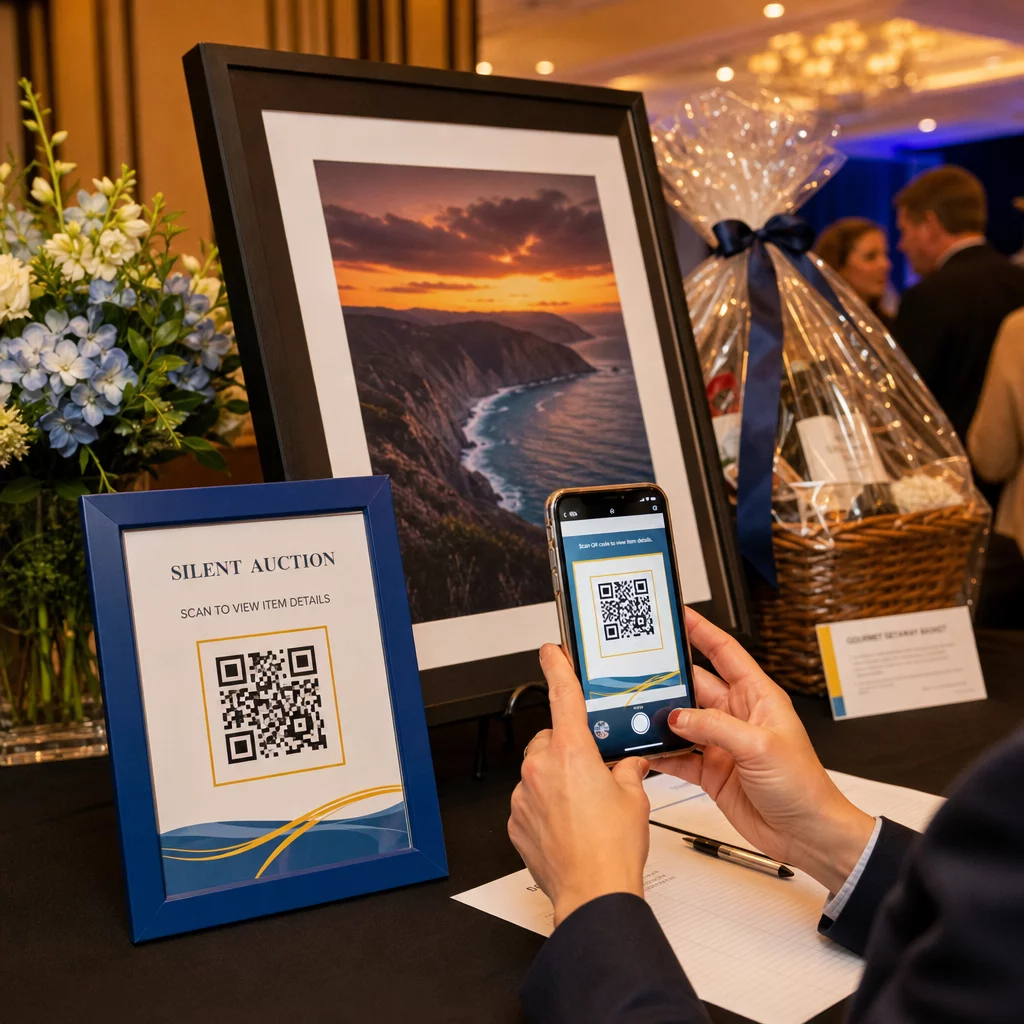
Ovaj pristup smanjuje administrativni posao, eliminira probleme s nečitkim rukopisom i omogućuje organizatorima praćenje aktivnosti licitiranja u stvarnom vremenu. Također drži sudionike više angažiranima u aukciji tijekom cijelog događaja umjesto da se okupljaju oko papirnatih listova blizu roka.
A dinamički QR kod je pravi izbor ovdje, budući da vam omogućuje ažuriranje povezanog sadržaja – na primjer, prebacivanje s detalja o predmetu na stranicu “licitiranje zatvoreno” – bez zamjene fizičkog koda pored svakog predmeta.
Prikupljanje prijava volontera i odgovora na ankete
Neprofitne organizacije ovise o volonterima, a što jednostavnije učinite prijavu, to ćete više odgovora dobiti. QR kod povezan s Google obrascem ili stranicom za prijavu može se ispisati na bilo kojem promotivnom materijalu – letcima na događaju u zajednici, plakatima u knjižnici, transparentima na skupu – i omogućiti ljudima da se odmah registriraju putem svojih telefona.
Isti pristup funkcionira za ankete nakon događaja, prijave za članstvo i obrasce za povratne informacije. The Google obrazac QR kod generator omogućuje vam generiranje skenabilnog koda iz bilo koje veze Google obrasca u sekundama.
Za organizacije koje žele pratiti koji materijali i plasmani donose najviše prijava, uparivanje QR kodova obrazaca s praćenjem daje vam jasniju sliku o tome što zapravo funkcionira. The vodiču za praćenje QR kodova objašnjava kako pratiti volumen skeniranja, lokaciju i vrstu uređaja u vašim kampanjama.
Povećanje broja pratitelja na društvenim mrežama
Plaćeno oglašavanje na društvenim mrežama može biti skupo, a pratitelji koje generira nisu uvijek istinski zainteresirani za vašu svrhu. QR kod na vašim fizičkim materijalima nudi jeftiniju alternativu koja cilja ljude koji su već pokazali interes – jer su uzeli vaš letak ili prisustvovali vašem događaju.
Povežite QR kod s odredišnom stranicom koja uključuje veze na sve vaše društvene profile, tako da podržavatelji mogu odabrati svoju preferiranu platformu. Alternativno, povežite se izravno na određenu stranicu kampanje ili objavu koju želite pojačati. U svakom slučaju, konverzija je trenutna, a publika je toplija od one koju donose većina plaćenih kampanja.
Za smjernice o tome kako najbolje iskoristiti mjesto postavljanja ovih kodova, the Vodič za postavljanje QR koda pokriva pozicioniranje, veličinu i kontekst za različite vrste tiskanih materijala.
Praćenje učinkovitosti kampanje
Jedna od najpodcijenjenijih prednosti QR kodova za neprofitne organizacije je analitika. S dinamičkim QR kodovima možete pratiti koliko je ljudi skeniralo određeni kod, kada su ga skenirali, koji su uređaj koristili i gdje su se nalazili. To vam govori koji tiskani materijali zapravo potiču angažman, a koji se ignoriraju.
Na primjer, za organizaciju s više lokacija koja provodi kampanju izravne pošte, mogli biste koristiti različite QR kodove za različite regije i usporediti stope skeniranja kako biste razumjeli gdje je vaša poruka najučinkovitija. Podaci mogu informirati o tome gdje ćete ulagati u buduće tiskane naklade i koje kampanje zaslužuju veći proračun.
Pratite svako skeniranje kroz vaše kampanje The Dinamični QR kod generator daje vam potpunu analitičku nadzornu ploču koja prikazuje volumen skeniranja, vrijeme, geografiju i vrstu uređaja – tako da možete mjeriti stvarni utjecaj svakog komada tiskanog materijala.
Najbolje prakse prije ispisa
Prije finaliziranja bilo kojeg QR koda za ispis, nekoliko tehničkih provjera spasit će vas od izrade materijala koji frustriraju podržavatelje:
- Testirajte na više uređaja – skenirajte kod na iOS-u i Androidu u različitim uvjetima osvjetljenja prije nego što se obvežete na ispis
- Koristite visok kontrast – tamni moduli na svijetloj pozadini; izbjegavajte inverziju boja
- Odgovarajuće dimenzionirajte – najmanje 0,8 × 0,8 inča za standardne letke; veće za plakate i bannere gledane s udaljenosti
- Optimizirajte odredišnu stranicu za mobilne uređaje – većina skeniranja događa se na pametnim telefonima, tako da se stranica na koju kod vodi mora brzo učitati i biti jednostavna za navigaciju na malom zaslonu
- Uključite tekstualnu alternativu – ispišite URL ili kratak opis ispod koda kako bi odredište bilo dostupno svima koji ne mogu ili ne žele skenirati
Za detaljne preporuke o dimenzioniranju za različite tiskane materijale, vodič za dimenzioniranje QR koda pruža specifične mjere za primjenu na papiru, kartonu i tkanini.
QR kodovi najbolje funkcioniraju za neprofitne organizacije kada eliminiraju korake umjesto da ih dodaju. Svaki kod koji postavite trebao bi podržavatelja odvesti od interesa do akcije – doniranja, registracije, prijave ili povezivanja – s što manje dodira. Započnite s vašom najvišom prioritetnom dodirnom točkom, bilo da je to stranica za donacije ili obrazac za registraciju događaja, i koristite Pageloot generator QR kodova za stvaranje brendiranog koda koji se može pratiti i koji možete koristiti na svim svojim tiskanim materijalima.
Često postavljana pitanja
Dinamički QR kodovi su bolji izbor za prikupljanje sredstava. Omogućuju vam ažuriranje odredišnog URL-a nakon ispisa – korisno ako se vaša stranica za donacije promijeni ili vodite sezonske kampanje – i uključuju analitiku tako da možete pratiti koliko je ljudi skeniralo, kada i odakle. Statički QR kodovi su besplatni, ali se ne mogu uređivati niti pratiti.
Mjesta s visokim učinkom uključuju apelna pisma izravne pošte, oznake za događaje i stolne kartice, kutije za donacije, letke za regrutaciju volontera i akreditacije za konferencije. U svakom slučaju, postavite kod u razini očiju, uključite jasan poziv na akciju poput “Skenirajte za donaciju” ili “Skenirajte za registraciju” i pobrinite se da je povezana stranica optimizirana za mobilne uređaje.
Za standardne letke i tiskane materijale preporučuje se minimalna veličina od 0,8 × 0,8 inča (2 × 2 cm) za pouzdano skeniranje s udaljenosti ruke. Za plakate i bannere koji se gledaju s veće udaljenosti, proporcionalno povećajte kod – opće pravilo je da kod treba biti najmanje jedna desetina širine očekivane udaljenosti skeniranja.