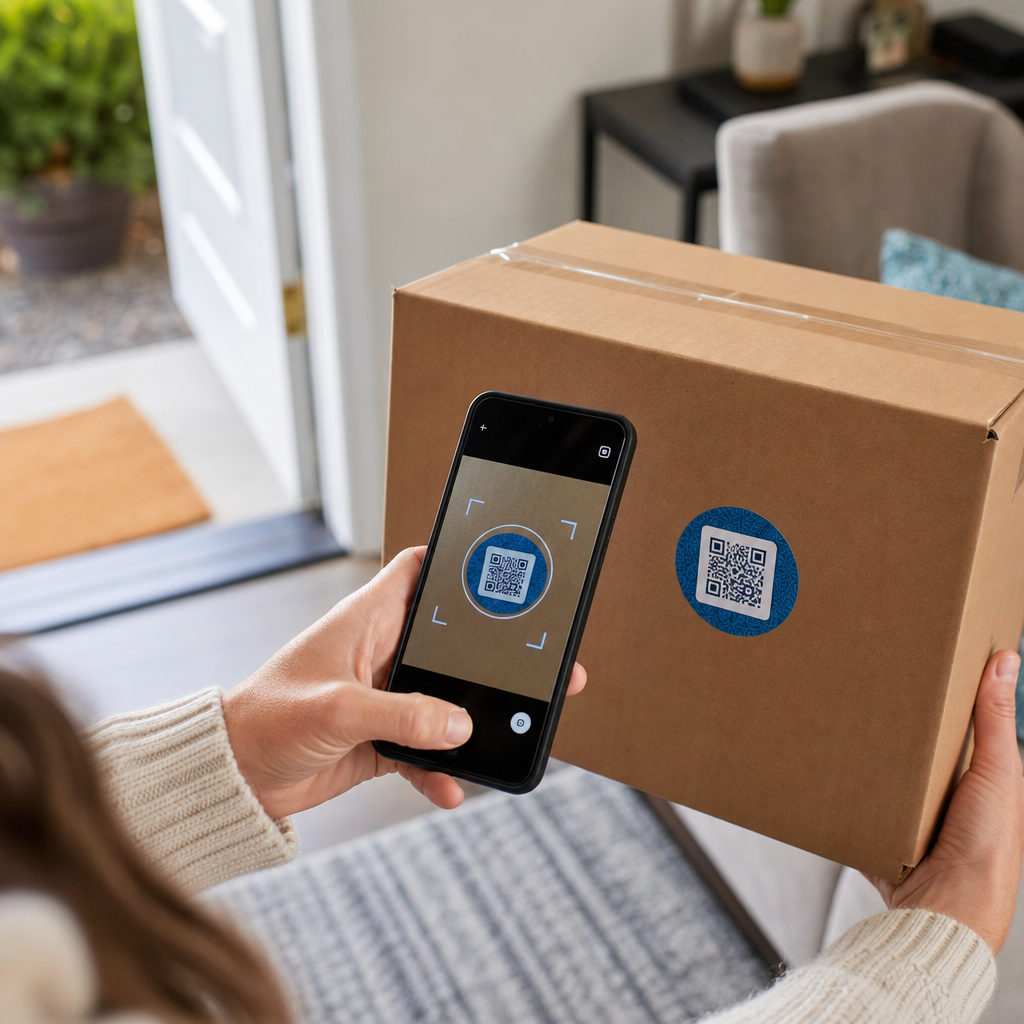

Вы когда-нибудь сканировали QR-код на транспортной коробке и задавались вопросом, что он на самом деле делает? В зависимости от того, кто его туда поместил и зачем, ответ значительно варьируется. Это руководство объясняет каждый основной вариант использования – от маршрутизации перевозчиком до управления складом и возвратов, ориентированных на клиента – чтобы вы точно знали, на что смотрите и как реализовать свой собственный.
Почему транспортные коробки содержат QR-коды
Транспортная коробка может пройти через десятки рук, прежде чем достигнет своего пункта назначения. На каждом этапе – центр выполнения заказов, транспортный узел, транспортное средство доставки, порог клиента – кто-то или что-то должно быстро и точно прочитать информацию об этой посылке.
QR-коды решают эту проблему путем упаковки нескольких точек данных в одно сканируемое изображение. В отличие от стандартного одномерного штрих-кода, который обычно содержит 20–85 символов, QR-код может кодировать более 7000 символов. Это означает, что один код на коробке может содержать номер заказа, адрес доставки, идентификаторы продукта, номера партий и URL-адрес – все это читается за одно сканирование. Для более глубокого изучения того, как сравниваются форматы одномерных и двухмерных этикеток, см. этот обзор штрихкодами транспортных этикеток.
Причина появления QR-кода на вашей транспортной коробке зависит от того, какой уровень цепочки поставок его туда поместил.
QR-коды перевозчика и транспортной этикетки
Наиболее распространенные QR-коды на транспортных коробках исходят от перевозчика и появляются непосредственно на транспортной этикетке или как сопутствующий элемент рядом с ней.
Отслеживание и маршрутизация
Перевозчики используют QR-коды для маршрутизации посылок через свою сеть. Когда сканер на сортировочном объекте считывает код, местоположение посылки обновляется в режиме реального времени. Это то же самое событие сканирования, которое запускает уведомление об отслеживании, которое вы видите, когда проверяете статус отправления онлайн. Для клиентов сканирование QR-кода на входящей посылке немедленно выводит данные отслеживания в реальном времени – нет необходимости искать номер отслеживания или вручную переходить на веб-сайт перевозчика.
Доставка этикеток без принтера
Одно из все более распространенных применений — это Брокер этикеток модель. Вместо того чтобы требовать от клиентов распечатывать этикетку для возврата или исходящей отправки дома, продавец отправляет QR-код по электронной почте или в текстовом сообщении. Клиент приносит посылку в участвующее отделение перевозчика – почтовое отделение USPS, магазин UPS или отделение FedEx – и сотрудник сканирует QR-код, чтобы распечатать этикетку на стойке.
Например, USPS Label Broker позволяет продавцам хранить этикетки в цифровом репозитории и распространять их среди клиентов в виде уникальных QR-кодированных идентификаторов. Продавцы также могут обновлять, удалять или проверять статус отслеживания этих этикеток в любое время. Перевозчики, включая USPS и FedEx, поддерживают QR-коды для внутренних возвратных отправлений, а UPS расширяет эту возможность на всю свою розничную сеть магазинов.
Этот рабочий процесс практичен для предприятий электронной коммерции, поскольку он устраняет трудности, связанные с необходимостью принтера – что является значительным барьером для многих клиентов, инициирующих возврат.
Добавьте QR-коды в свой рабочий процесс доставки Нужно сгенерировать сканируемые QR-коды, связанные со страницами отслеживания, порталами возврата или деталями заказа? Используйте Генератор QR-кодов для создания и управления кодами для ваших транспортных коробок за считанные минуты.
Возвраты и обратная логистика
Возвраты — это серьезная операционная проблема. Розничные продавцы США ожидали, что 15,8% всех продаж будут возвращены в 2025 году, на общую сумму примерно $849,9 миллиарда, а уровень возвратов в электронной коммерции составляет примерно 19,3% – что означает, что почти каждый пятый онлайн-заказ возвращается. Обработка одного возврата стоит в среднем от $20 до $30, при этом в некоторых категориях эта сумма достигает $65.
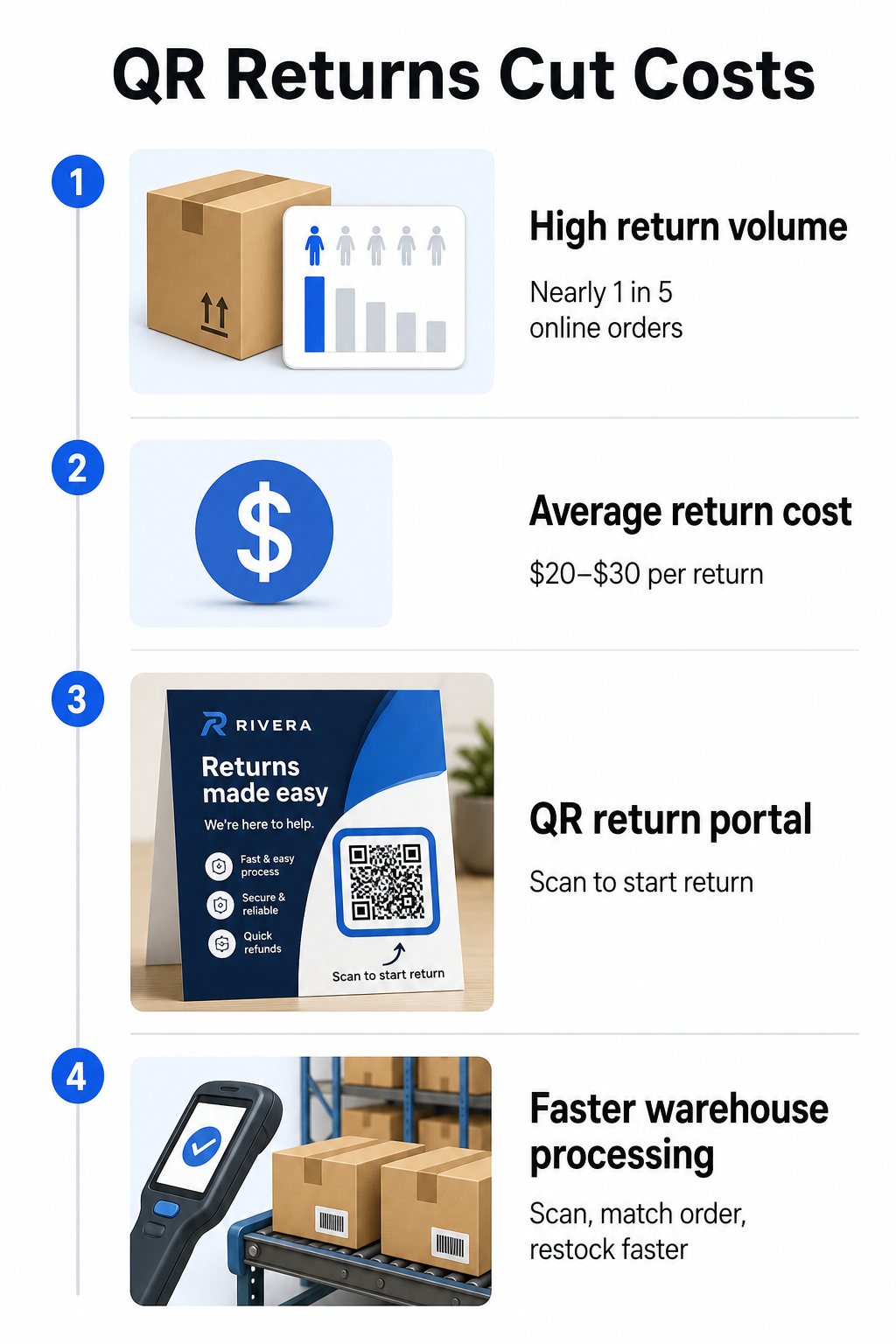
QR-коды снижают эти затраты, делая процесс возврата быстрее и менее подверженным ошибкам. Вместо того чтобы требовать от клиентов заполнять бумажные формы или искать адреса для возврата, QR-код, напечатанный на коробке или включенный в упаковочный лист, может напрямую ссылаться на портал возврата, где они инициируют процесс в цифровом виде.
Преимущества возвратов на основе QR-кодов включают:
- Меньше обращений в службу поддержки – клиенты обслуживают себя сами, а не отправляют электронные письма или звонят
- Снижение мошенничества с возвратами – QR-коды, привязанные к конкретным заказам, предотвращают подделку данных этикетки
- Более быстрая обработка – сотрудники склада сканируют QR-код возврата, чтобы мгновенно получить исходный заказ, вместо ручного ввода данных
- Варианты без принтера – поддерживается USPS и FedEx внутри страны, при этом продавцы могут предлагать покупателям QR-код, печатную этикетку или и то, и другое
Для практического обзора подключения QR-кодов возврата к автоматизированным рабочим процессам, руководство по QR-коды для доставок в электронной коммерции подробно описывает полную настройку.
Использование на складе и во внутренней логистике
QR-коды на транспортных коробках предназначены не только для перевозчиков и клиентов. Внутри фулфилмент-центров и складов они являются основным инструментом для отслеживания движения запасов без ручного ввода данных.
Приемка и размещение
Когда коробка прибывает на склад, сканирование ее QR-кода мгновенно извлекает запись о поставке – данные поставщика, количество товаров, идентификаторы SKU и ожидаемое место хранения. Сотрудникам не нужно ничего вводить или сверять с документами. Сканирование обновляет систему управления складом (WMS) в реальном времени, уменьшая расхождения, которые обычно возникают при ручном вводе.
Комплектация, упаковка и проверка отгрузки
Во время выполнения заказа QR-коды на коробках и контейнерах направляют персонал к нужным товарам и количествам. На этапе упаковки сканирование кода коробки служит окончательной проверкой – подтверждая, что правильные товары включены до запечатывания коробки. В рабочих процессах фулфилмента, таких как Amazon FBA, включение 2D-штрихкодов на системном уровне позволяет WMS генерировать код, представляющий содержимое коробки во время упаковки, так что тот же код обрабатывает отслеживание отгрузки без необходимости кому-либо открывать коробку позже.
Отслеживание местоположения и запасов
QR-коды могут быть присвоены не только продуктам, но и местам хранения – полкам, зонам, комнатам или контейнерам. Сканирование кода местоположения вместе с кодом продукта точно регистрирует, где находится инвентарь в любой момент времени, предоставляя вашей команде актуальную информацию по всему складу. Руководство по созданию QR-кодов для инвентаризации продуктов охватывает, как это настроить на практике.
Отслеживайте каждое сканирование, везде Хотите получать данные в реальном времени о том, когда и где сканируются QR-коды ваших транспортных коробок? Панель управления Pageloot Аналитика QR кодов автоматически фиксирует время сканирования, местоположение и данные устройства.
QR-коды на транспортных коробках, ориентированные на клиента
Помимо логистики, некоторые компании используют саму транспортную коробку в качестве маркетинговой точки контакта. QR-код снаружи или внутри коробки может ссылаться на:
- Страницу отслеживания текущей отгрузки
- Целевую страницу после покупки с обучающими материалами по продукту или видеороликами по настройке
- Регистрацию в программе лояльности или предложение скидки
- Запрос на отзыв или форму обратной связи
- Цифровую документацию или руководства по продукту
Это превращает момент распаковки в взаимодействие с брендом. Для предприятий электронной коммерции это одна из немногих физических точек контакта, которые вы полностью контролируете после оформления заказа. Страница Pageloot о QR-кодах для электронной коммерции описывает предлагаемые места размещения – внешняя сторона транспортной коробки, упаковочные вкладыши и руководства по продукту – каждое из которых предназначено для вызова различного типа взаимодействия.
Одно практическое замечание по размещению: основываясь на отзывах сотрудников USPS, USPS, вероятно, не разрешает размещать пользовательские QR-коды на самой транспортной этикетке. Однако размещение наклейки с QR-кодом непосредственно на коробке – не на этикетке – разрешено и не должно вызывать проблем с почтовой обработкой или доставкой.
Динамические QR-коды: Практическое преимущество для доставки
Если вы добавляете QR-коды на свои транспортные коробки, динамические QR-коды являются правильным выбором по сравнению со статическими. Статический QR-код кодирует фиксированную строку данных навсегда. Динамический QR-код указывает на URL-адрес перенаправления, который вы можете обновить в любое время, не меняя напечатанный код.
Для приложений доставки это важно по нескольким причинам:
- URL-адрес отслеживания может изменить формат или переместиться на новый домен без необходимости нового тиража печати
- Сезонные акции, связанные с коробкой, могут быть заменены без новой упаковки
- Если портал возврата меняет свой адрес, QR-код на уже напечатанных коробках продолжает работать
Динамические коды также позволяют отслеживать сканирования. Вы можете видеть, сколько клиентов отсканировали код на своей коробке, из какого города и на каком типе устройства. Эти данные, доступные через аналитику Pageloot, показывают, взаимодействуют ли клиенты с опытом после покупки и какие продукты или регионы генерируют наибольшую активность. Для более широкого взгляда на то, что отслеживание QR-кодов может раскрыть о поведении клиентов, руководстве по отслеживанию QR-кодов охватывает ключевые метрики, за которыми стоит следить.
GS1 Digital Link: Развивающийся отраслевой стандарт в логистике
Если вы работаете в розничной или оптовой торговле, вы можете столкнуться с GS1 Digital Link – стандартизированным методом встраивания идентификаторов продукта, таких как GTIN (глобальные номера товарных позиций), номера партий и сроки годности, в единый 2D-штрихкод или QR-код.
GS1 Digital Link позволяет одному коду выполнять несколько функций одновременно. Его можно сканировать в точке продажи для оформления заказа, на складе для отслеживания запасов или потребителем для получения информации о продукте – все это с одного и того же напечатанного кода. Поставщики также могут обновлять контент, предоставляемый при сканировании (рекламные сообщения, инструкции по отзыву, обновления по аллергенам), без перепечатки упаковки, потому что код указывает на веб-преобразователь, а не кодирует все данные напрямую.
Для предприятий, готовящихся к требованиям соответствия GS1 Sunrise 2027, понимание этого стандарта становится все более актуальным. Руководство по QR-коды в отслеживании цепочки поставок охватывает, как 2D-штрихкоды, подобные этим, вписываются в более широкие рабочие процессы отслеживаемости.
Как добавить QR-коды на ваши транспортные коробки
Если вы хотите внедрить QR-коды на свои собственные транспортные коробки, следующие шаги помогут вам надежно перейти от концепции к развертыванию.
Сначала определите пункт назначения. Решите, на что будет ссылаться QR-код – на страницу отслеживания, портал возврата, страницу продукта или предложение после покупки. Используйте короткий URL-адрес вместо длинной строки отслеживания; более короткие закодированные данные создают менее плотный шаблон кода, который сканируется быстрее и надежнее, особенно при меньших размерах печати.
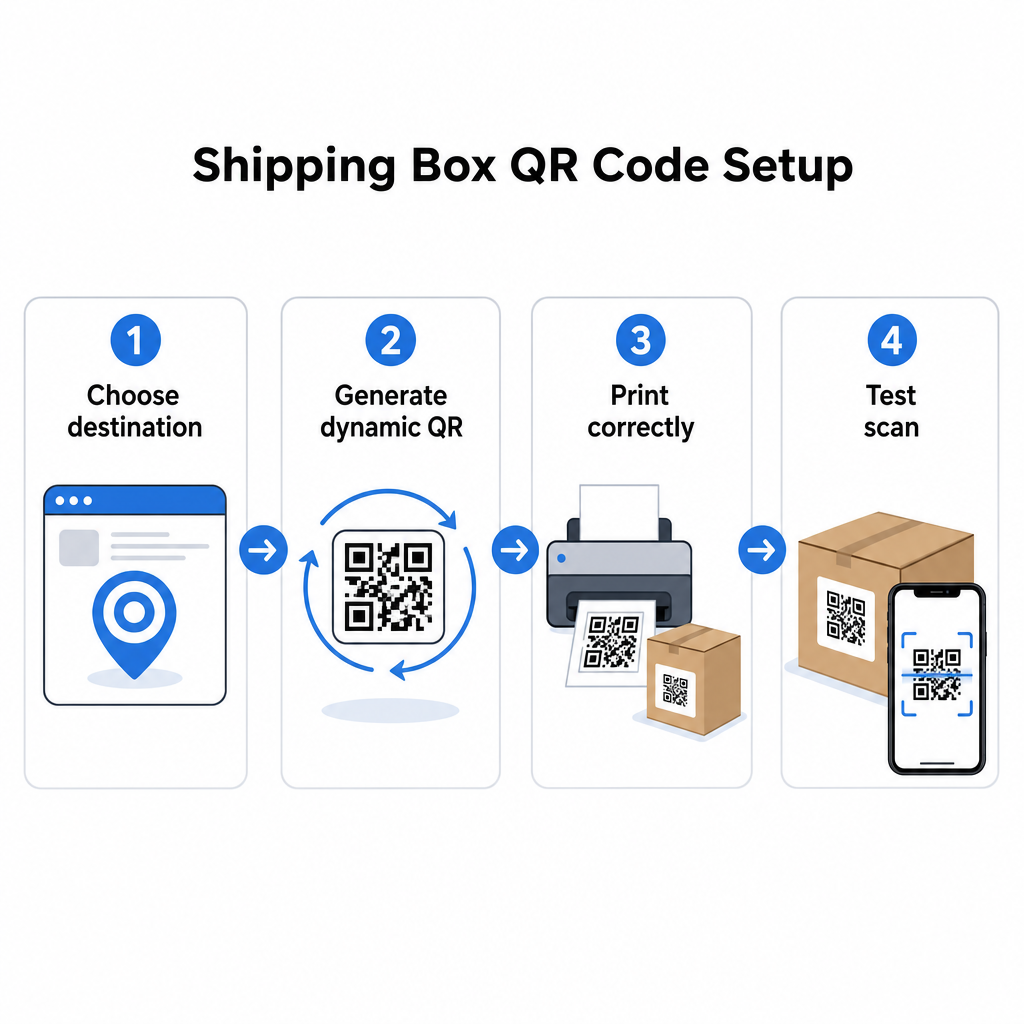
Сгенерируйте динамический QR-код. Используйте генератор QR-кодов ссылок чтобы создать динамический код, привязанный к вашему целевому URL-адресу. Это дает вам возможность обновлять пункт назначения позже, не затрагивая напечатанную упаковку.
Соблюдайте спецификации печати. Печатайте код размером не менее 2 × 2 см (0,8 × 0,8 дюйма), при этом 3 × 3 см предпочтительнее для надежности в реальных условиях. Используйте темные модули на белом или светлом фоне – черный на белом идеален. Экспортируйте в виде векторного файла (SVG или PDF) или с разрешением 300–600 DPI для обеспечения четкости при конечном размере. Поддерживайте тихую зону не менее четырех пустых модулей со всех четырех сторон кода, без текста, логотипов или границ, вторгающихся в этот отступ.
Разместите его правильно. Расположите код на плоской, неразвернутой панели вдали от швов, углов, путей для скотча и областей, подверженных износу во время транспортировки. Избегайте глянцевых покрытий вокруг области кода, так как блики мешают распознаванию камерой. Передняя или верхняя панель лучше всего подходит для кодов, ориентированных на клиента. Для подробных рекомендаций по размещению, специфичных для коробок и этикеток, QR-коды на упаковке продукта страница охватывает ключевые соображения.
Протестируйте перед массовой печатью. Сканируйте код на реальных образцах коробок, используя несколько смартфонов, в различных условиях освещения и с расстояний, с которых ваши клиенты или сотрудники склада будут реально сканировать. Выявление проблемы с контрастом или размером до полного производственного цикла обходится гораздо дешевле, чем обнаружение ее после.
Готовы создать свою систему QR-кодов для доставки? Независимо от того, нужны ли вам коды для страниц отслеживания, порталов возврата или взаимодействия после покупки, Генератор QR-кодов предоставляет вам динамические, отслеживаемые коды с полной аналитической панелью. Начните бесплатно – кредитная карта не требуется.
Часто задаваемые вопросы
USPS, вероятно, не разрешает пользовательские QR-коды на самой транспортной этикетке. Однако размещение наклейки с QR-кодом непосредственно на коробке – не на этикетке – разрешено и не должно вызывать проблем с почтовой обработкой или доставкой.
QR-коды перевозчика генерируются транспортным перевозчиком (USPS, UPS, FedEx) и привязаны к их системам отслеживания и маршрутизации. Пользовательские QR-коды добавляются продавцом и могут ссылаться на что угодно – страницы отслеживания, порталы возврата, информацию о продукте или акции. Оба могут появляться на одной и той же коробке, но они служат разным аудиториям и целям.
Не если вы используете динамический QR-код. Динамические коды указывают на перенаправление, которое вы можете обновить в любое время на вашей платформе QR-кодов, так что напечатанный код продолжает работать даже после изменения целевого URL-адреса. Это одна из основных причин, по которой компании выбирают динамические коды для упаковочных решений.