
Czy kiedykolwiek skanowałeś kod QR na pudełku wysyłkowym i zastanawiałeś się, co on właściwie robi? W zależności od tego, kto go tam umieścił i dlaczego, odpowiedź znacznie się różni. Ten przewodnik wyjaśnia każdy główny przypadek użycia – od routingu przewoźnika, przez zarządzanie magazynem, po zwroty dla klientów – abyś dokładnie wiedział, na co patrzysz i jak wdrożyć własne rozwiązanie.
Dlaczego pudełka wysyłkowe zawierają kody QR
Pudełko wysyłkowe może przejść przez dziesiątki rąk, zanim dotrze do miejsca przeznaczenia. Na każdym etapie – centrum realizacji zamówień, centrum przewoźnika, pojazd dostawczy, próg klienta – ktoś lub coś musi szybko i dokładnie odczytać informacje o tej paczce.
Kody QR rozwiązują ten problem, pakując wiele punktów danych w jeden skanowalny obraz. W przeciwieństwie do standardowego kodu kreskowego 1D, który zazwyczaj zawiera 20–85 znaków, kod QR może zakodować ponad 7000 znaków. Oznacza to, że pojedynczy kod na pudełku może zawierać numer zamówienia, adres wysyłki, identyfikatory produktów, numery partii i adres URL – wszystko czytelne w jednym skanowaniu. Aby uzyskać głębsze spojrzenie na porównanie formatów etykiet 1D i 2D, zobacz ten przegląd kodami kreskowymi etykiet wysyłkowych.
Powód, dla którego kod QR pojawia się na Twoim pudełku wysyłkowym, zależy od tego, która warstwa łańcucha dostaw go tam umieściła.
Kody QR przewoźnika i etykiety wysyłkowej
Najczęstsze kody QR na pudełkach wysyłkowych pochodzą od przewoźnika i pojawiają się bezpośrednio na etykiecie wysyłkowej lub jako element towarzyszący obok niej.
Śledzenie i routing
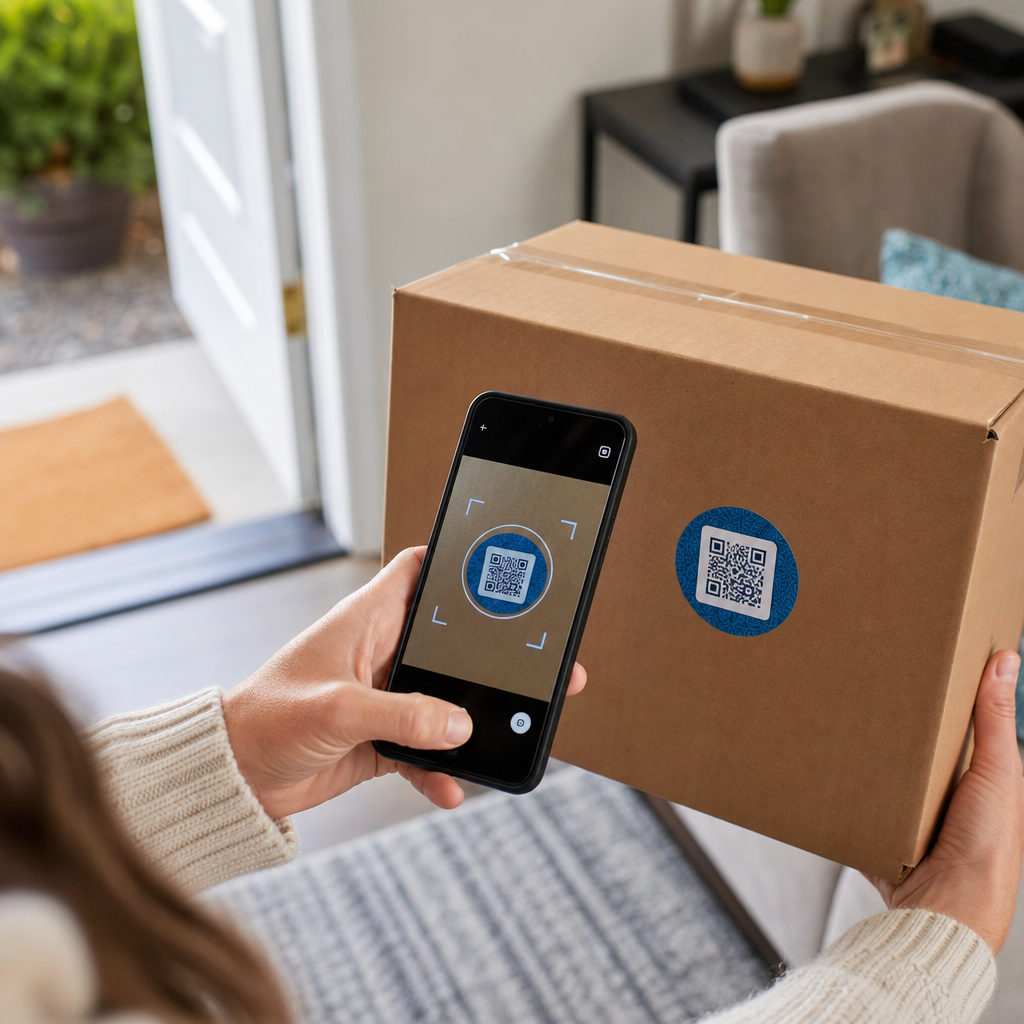
Przewoźnicy używają kodów QR do routingu paczek w swojej sieci. Gdy skaner w sortowni odczyta kod, lokalizacja paczki aktualizuje się w czasie rzeczywistym. Jest to to samo zdarzenie skanowania, które wyzwala powiadomienie o śledzeniu, które widzisz, sprawdzając status przesyłki online. Dla klientów zeskanowanie kodu QR na przychodzącej paczce natychmiast wyświetla dane śledzenia na żywo – nie ma potrzeby szukania numeru śledzenia ani ręcznego przechodzenia do witryny przewoźnika.
Dostawa etykiet bez drukarki
Jednym z coraz częstszych zastosowań jest Broker etykiet model. Zamiast wymagać od klientów drukowania etykiety zwrotnej lub wychodzącej w domu, sprzedawca wysyła kod QR e-mailem lub SMS-em. Klient przynosi paczkę do uczestniczącej lokalizacji przewoźnika – placówki USPS, sklepu UPS lub placówki FedEx – a urzędnik skanuje kod QR, aby wydrukować etykietę przy ladzie.
USPS Label Broker, na przykład, pozwala sprzedawcom przechowywać etykiety w cyfrowym repozytorium i dystrybuować je do klientów jako unikalne identyfikatory z kodami QR. Sprzedawcy mogą również aktualizować, usuwać lub sprawdzać status śledzenia tych etykiet w dowolnym momencie. Przewoźnicy, w tym USPS i FedEx, obsługują kody QR dla krajowych przesyłek zwrotnych, a UPS rozszerza tę możliwość na swoją sieć sklepów detalicznych.
Ten przepływ pracy jest praktyczny dla firm e-commerce, ponieważ eliminuje problem konieczności posiadania drukarki – co jest znaczącą barierą dla wielu klientów inicjujących zwrot.
Dodaj kody QR do swojego przepływu pracy wysyłkowej Potrzebujesz wygenerować skanowalne kody QR połączone ze stronami śledzenia, portalami zwrotów lub szczegółami zamówienia? Użyj Pageloot Generator kodów QR aby w ciągu kilku minut tworzyć i zarządzać kodami dla swoich pudełek wysyłkowych.
Zwroty i logistyka zwrotna
Zwroty to poważne wyzwanie operacyjne. Amerykańscy sprzedawcy detaliczni spodziewali się, że w 2025 roku zostanie zwróconych 15.8% wszystkich sprzedaży, co wyniesie około $849.9 miliarda, a wskaźnik zwrotów w e-commerce wynosi około 19.3% – co oznacza, że prawie jedno na pięć zamówień online wraca. Przetwarzanie pojedynczego zwrotu kosztuje średnio od $20 do $30, przy czym niektóre kategorie osiągają nawet $65.
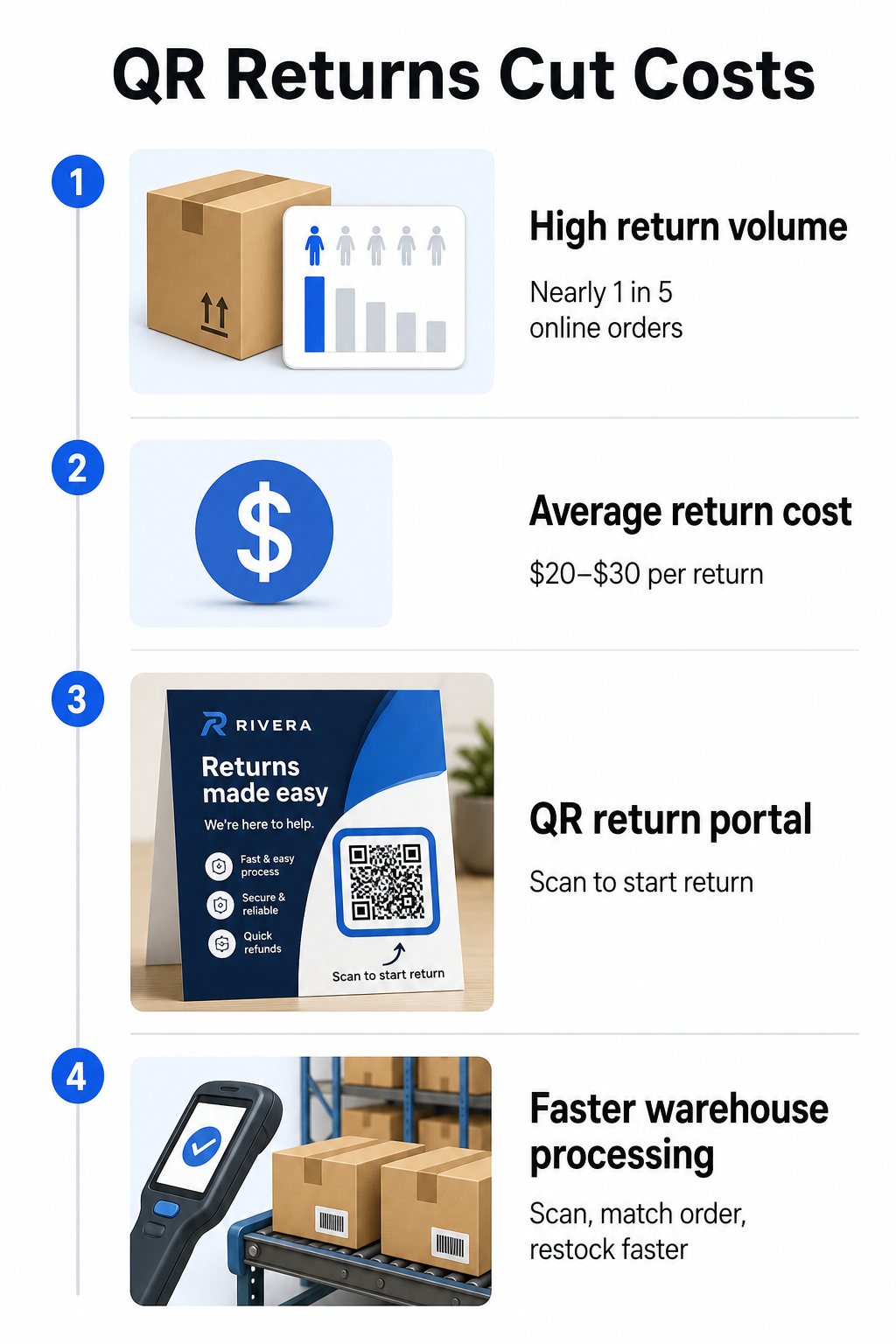
Kody QR zmniejszają ten koszt, czyniąc proces zwrotu szybszym i mniej podatnym na błędy. Zamiast wymagać od klientów wypełniania papierowych formularzy lub wyszukiwania adresów zwrotnych, kod QR wydrukowany na pudełku lub dołączony do listu przewozowego może prowadzić bezpośrednio do portalu zwrotów, gdzie klienci inicjują proces cyfrowo.
Korzyści ze zwrotów opartych na kodach QR to:
- Mniej kontaktów z obsługą klienta – klienci obsługują się samodzielnie, zamiast wysyłać e-maile lub dzwonić
- Zmniejszone oszustwa związane ze zwrotami – kody QR powiązane z konkretnymi zamówieniami zapobiegają manipulowaniu danymi etykiety
- Szybsze przetwarzanie – personel magazynu skanuje kod QR zwrotu, aby natychmiast pobrać oryginalne zamówienie, zamiast ręcznie wprowadzać dane
- Opcje bez drukarki – obsługiwane przez USPS i FedEx w kraju, z możliwością oferowania klientom kodu QR, etykiety do wydrukowania lub obu
Aby praktycznie przyjrzeć się łączeniu kodów QR zwrotów z automatycznymi przepływami pracy, przewodnik na temat Kodów QR dla dostaw e-commerce przedstawia pełną konfigurację.
Zastosowania w magazynie i logistyce wewnętrznej
Kody QR na pudełkach wysyłkowych są nie tylko dla przewoźników i klientów. W centrach realizacji zamówień i magazynach są podstawowym narzędziem do śledzenia ruchu zapasów bez ręcznego wprowadzania danych.
Przyjmowanie i odkładanie na miejsce
Kiedy pudełko dociera do magazynu, zeskanowanie jego kodu QR natychmiast pobiera zapis przesyłki – szczegóły dostawcy, liczbę pozycji, identyfikatory SKU i oczekiwaną lokalizację przechowywania. Personel nie musi nic wpisywać ani porównywać dokumentacji. Skanowanie aktualizuje system zarządzania magazynem (WMS) w czasie rzeczywistym, zmniejszając rozbieżności, które zazwyczaj wprowadza ręczne wprowadzanie danych.
Kompletowanie, pakowanie i weryfikacja wysyłki
Podczas realizacji zamówienia kody QR na pudełkach i pojemnikach kierują personel do właściwych pozycji i ilości. Na etapie pakowania zeskanowanie kodu pudełka służy jako ostateczny punkt kontrolny – potwierdzając, że prawidłowe pozycje są włączone, zanim pudełko zostanie zapieczętowane. W procesach realizacji zamówień, takich jak Amazon FBA, włączenie kodów kreskowych 2D na poziomie systemu pozwala WMS generować kod reprezentujący zawartość pudełka podczas pakowania, dzięki czemu ten sam kod obsługuje śledzenie przesyłki bez konieczności otwierania pudełka przez nikogo później.
Śledzenie lokalizacji i zapasów
Kody QR mogą być przypisywane nie tylko do produktów, ale także do lokalizacji przechowywania – półek, stref, pomieszczeń lub pojemników. Skanowanie kodu lokalizacji wraz z kodem produktu rejestruje dokładnie, gdzie znajdują się zapasy w danym momencie, zapewniając Twojemu zespołowi bieżącą widoczność w całym magazynie. Przewodnik na temat tworzenia kodów QR dla inwentarza produktów omawia, jak to skonfigurować w praktyce.
Śledź każde skanowanie, wszędzie Chcesz mieć dane w czasie rzeczywistym o tym, kiedy i gdzie skanowane są kody QR Twoich pudełek wysyłkowych? Pageloot Statystyki kodów QR pulpit nawigacyjny automatycznie rejestruje czas skanowania, lokalizację i szczegóły urządzenia.
Kody QR na pudełkach wysyłkowych skierowane do klienta
Poza logistyką, niektóre firmy wykorzystują samo pudełko wysyłkowe jako punkt kontaktu marketingowego. Kod QR na zewnątrz lub wewnątrz pudełka może prowadzić do:
- Strony śledzenia bieżącej przesyłki
- Strony docelowej po zakupie z samouczkami produktów lub filmami instruktażowymi
- Zapisów do programu lojalnościowego lub oferty rabatowej
- Prośby o recenzję lub formularza opinii
- Cyfrowej dokumentacji produktu lub instrukcji
To zamienia moment rozpakowywania w interakcję z marką. Dla firm e-commerce jest to jeden z niewielu fizycznych punktów kontaktu, które w pełni kontrolujesz po dokonaniu zakupu. Strona Pageloot dotycząca kodów QR dla e-commerce przedstawia sugerowane miejsca umieszczenia – zewnętrzna strona pudełka wysyłkowego, wkładki do pakowania i instrukcje produktów – każdy zaprojektowany tak, aby wywołać inny rodzaj zaangażowania.
Jedna praktyczna uwaga dotycząca umieszczenia: na podstawie opinii pracowników USPS, USPS prawdopodobnie nie zezwala na niestandardowe kody QR na samej etykiecie wysyłkowej. Jednak umieszczenie naklejki z kodem QR bezpośrednio na pudełku – nie na etykiecie – jest dozwolone i nie powinno powodować żadnych problemów z obsługą pocztową ani dostawą.
Dynamiczne kody QR: Praktyczna przewaga w wysyłce
Jeśli dodajesz kody QR do swoich pudełek wysyłkowych, dynamiczne kody QR są właściwym wyborem w porównaniu ze statycznymi. Statyczny kod QR trwale koduje stały ciąg danych. Dynamiczny kod QR wskazuje na adres URL przekierowania, który możesz zaktualizować w dowolnym momencie bez zmiany wydrukowanego kodu.
W przypadku zastosowań wysyłkowych ma to znaczenie na kilka sposobów:
- Adres URL śledzenia może zmienić format lub przenieść się do nowej domeny bez konieczności ponownego drukowania
- Promocje sezonowe powiązane z pudełkiem mogą być zmieniane bez konieczności tworzenia nowego opakowania
- Jeśli portal zwrotów zmieni swój adres, kod QR na już wydrukowanych pudełkach nadal działa
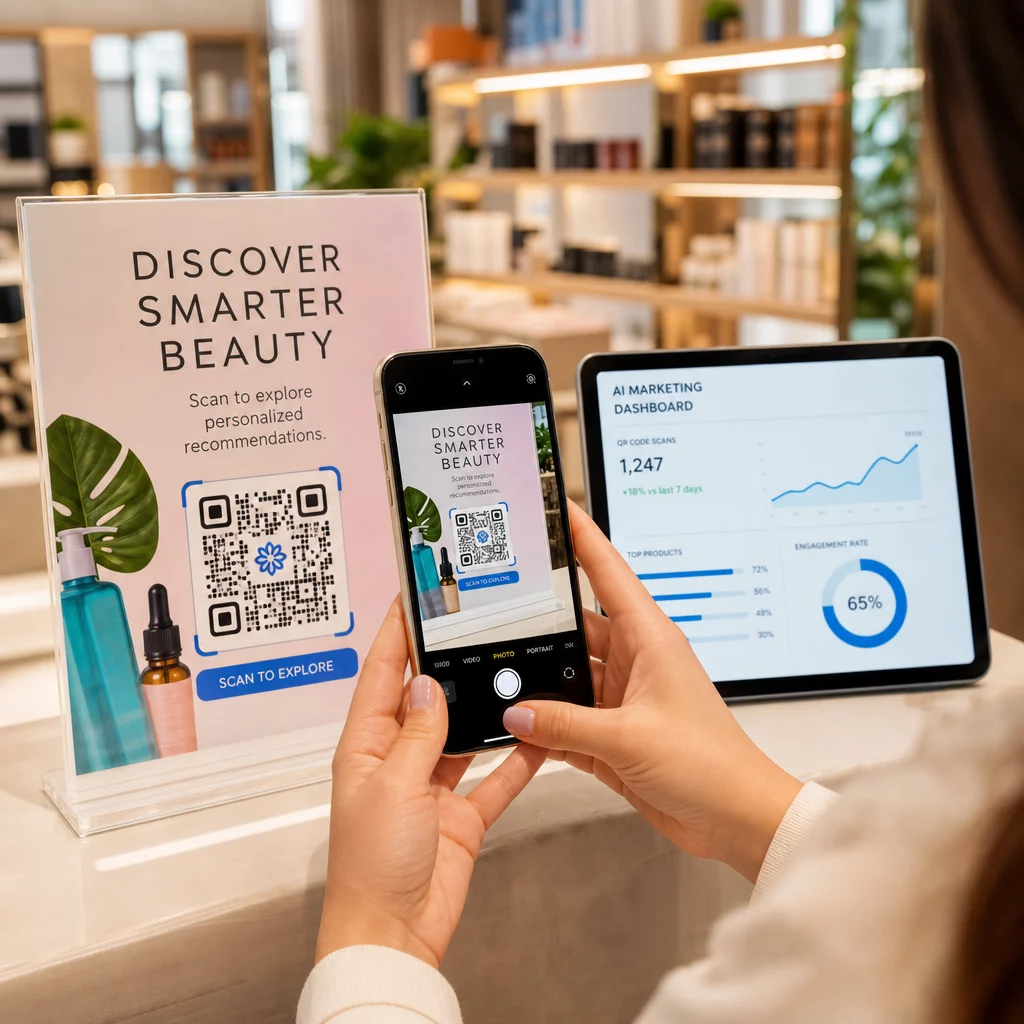
Dynamiczne kody umożliwiają również śledzenie skanowań. Możesz zobaczyć, ilu klientów zeskanowało kod na swoim pudełku, z jakiego miasta i na jakim typie urządzenia. Te dane, dostępne za pośrednictwem analityki Pageloot, informują, czy klienci angażują się w doświadczenie po zakupie oraz które produkty lub regiony generują największą aktywność. Aby uzyskać szerszy obraz tego, co kody QR do śledzenia mogą ujawnić na temat zachowań klientów, przewodniku śledzenia kodów QR omawia kluczowe wskaźniki warte monitorowania.
GS1 Digital Link: Standard branżowy pojawiający się w logistyce
Jeśli pracujesz w realizacji zamówień detalicznych lub hurtowych, możesz napotkać GS1 Digital Link – ustandaryzowaną metodę osadzania identyfikatorów produktów, takich jak GTIN (Globalne Numery Jednostek Handlowych), numery partii i daty ważności, w jednym kodzie kreskowym 2D lub kodzie QR.
GS1 Digital Link pozwala jednemu kodowi pełnić wiele funkcji jednocześnie. Może być skanowany w punkcie sprzedaży do kasy, w magazynie do śledzenia zapasów lub przez konsumenta w celu uzyskania informacji o produkcie – wszystko z tego samego wydrukowanego kodu. Dostawcy mogą również aktualizować zawartość dostarczaną po zeskanowaniu (wiadomości promocyjne, instrukcje wycofania, aktualizacje alergenów) bez ponownego drukowania opakowania, ponieważ kod wskazuje na resolver internetowy, a nie koduje wszystkie dane bezpośrednio.
Dla firm przygotowujących się do wymagań zgodności GS1 Sunrise 2027, zrozumienie tego standardu jest coraz bardziej istotne. Przewodnik na temat kodów QR w śledzeniu łańcucha dostaw obejmuje, jak kody kreskowe 2D, takie jak te, pasują do szerszych przepływów pracy w zakresie identyfikowalności.
Jak dodać kody QR do swoich pudełek wysyłkowych
Jeśli chcesz wdrożyć kody QR na swoich własnych pudełkach wysyłkowych, poniższe kroki niezawodnie przeprowadzą Cię od koncepcji do wdrożenia.
Najpierw zdefiniuj miejsce docelowe. Zdecyduj, do czego będzie prowadził kod QR – do strony śledzenia, portalu zwrotów, strony produktu lub oferty po zakupie. Użyj krótkiego adresu URL zamiast długiego ciągu śledzącego; krótsze zakodowane dane tworzą mniej gęsty wzór kodu, który skanuje się szybciej i bardziej niezawodnie, zwłaszcza przy mniejszych rozmiarach wydruku.
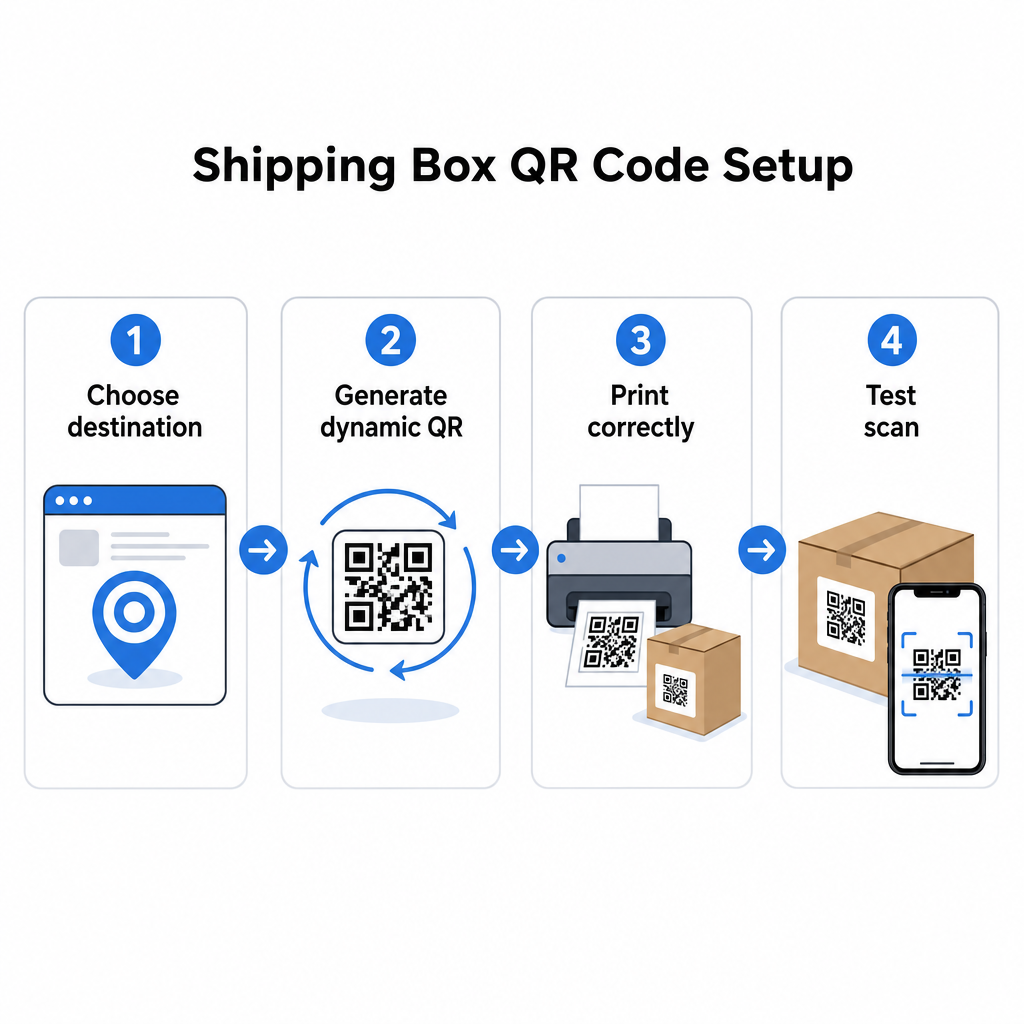
Wygeneruj dynamiczny kod QR. Użyj generator kodów QR z linkiem aby stworzyć dynamiczny kod powiązany z Twoim docelowym adresem URL. Daje to możliwość późniejszej aktualizacji miejsca docelowego bez dotykania wydrukowanego opakowania.
Przestrzegaj specyfikacji druku. Wydrukuj kod o minimalnym rozmiarze 2 × 2 cm (0,8 × 0,8 cala), przy czym 3 × 3 cm jest preferowane dla niezawodności w rzeczywistych warunkach. Użyj ciemnych modułów na białym lub jasnym tle – czarny na białym jest idealny. Eksportuj jako plik wektorowy (SVG lub PDF) lub w rozdzielczości 300–600 DPI, aby zapewnić ostrość w końcowym rozmiarze. Zachowaj strefę ciszy o szerokości co najmniej czterech pustych modułów ze wszystkich czterech stron kodu, bez tekstu, logo ani obramowań wkraczających w ten margines.
Umieść go prawidłowo. Umieść kod na płaskim, nierozłożonym panelu, z dala od szwów, naro kody QR na opakowaniach produktów Strona omawia kluczowe kwestie.
Przetestuj przed drukowaniem na dużą skalę. Zeskanuj kod na rzeczywistych próbkach pudełek, używając wielu smartfonów, w różnych warunkach oświetleniowych i z odległości, z jakich Twoi klienci lub personel magazynu będą realistycznie skanować. Wykrycie problemu z kontrastem lub rozmiarem przed pełną serią produkcyjną jest znacznie mniej kosztowne niż odkrycie go później.
Gotowy, aby zbudować swój system kodów QR do wysyłki? Niezależnie od tego, czy potrzebujesz kodów do stron śledzenia, portali zwrotów, czy zaangażowania po zakupie, Pageloot Generator kodów QR zapewnia dynamiczne, śledzalne kody z pełnym panelem analitycznym. Zacznij za darmo – karta kredytowa nie jest wymagana.
Najczęściej zadawane pytania
USPS prawdopodobnie nie zezwala na niestandardowe kody QR na samej etykiecie wysyłkowej. Jednak umieszczenie naklejki z kodem QR bezpośrednio na pudełku – nie na etykiecie – jest dozwolone i nie powinno powodować problemów z obsługą pocztową ani dostawą.
Kody QR przewoźnika są generowane przez przewoźnika wysyłkowego (USPS, UPS, FedEx) i są powiązane z ich systemami śledzenia i kierowania. Niestandardowe kody QR są dodawane przez sprzedawcę i mogą prowadzić do czegokolwiek – stron śledzenia, portali zwrotów, treści produktów lub promocji. Oba mogą pojawić się na tym samym pudełku, ale służą różnym odbiorcom i celom.
Nie, jeśli używasz dynamicznego kodu QR. Dynamiczne kody wskazują na przekierowanie, które możesz zaktualizować w dowolnym momencie na swojej platformie kodów QR, więc wydrukowany kod nadal działa, nawet po zmianie docelowego adresu URL. Jest to jeden z głównych powodów, dla których firmy wybierają dynamiczne kody do zastosowań w opakowaniach.