
Har du noen gang skannet en QR-kode på en forsendelsesboks og lurt på hva den faktisk gjør? Avhengig av hvem som plasserte den der og hvorfor, varierer svaret betydelig. Denne guiden forklarer alle store bruksområder – fra transportørruting til lagerstyring til kundeorienterte returer – slik at du vet nøyaktig hva du ser på og hvordan du implementerer din egen.
Hvorfor forsendelsesbokser har QR-koder
En forsendelsesboks kan passere gjennom dusinvis av hender før den når sin destinasjon. På hvert trinn – distribusjonssenter, transportørknutepunkt, leveringskjøretøy, kundens dørstokk – må noen eller noe lese informasjon om den pakken raskt og nøyaktig.
QR-koder løser dette ved å pakke flere datapunkter inn i et enkelt skannbart bilde. I motsetning til en standard 1D strekkode, som vanligvis inneholder 20–85 tegn, kan en QR-kode kode over 7000 tegn. Det betyr at en enkelt kode på en boks kan inneholde et ordrenummer, leveringsadresse, produktidentifikatorer, batchnumre og en URL – alt lesbart i ett skann. For en dypere titt på hvordan 1D- og 2D-etikettformater sammenlignes, se denne oversikten over strekkoder for fraktetiketter.
Årsaken til at en QR-kode vises på forsendelsesboksen din avhenger av hvilket lag i forsyningskjeden som plasserte den der.
Transportør- og fraktetikett-QR-koder
De vanligste QR-kodene på forsendelsesbokser kommer fra transportøren og vises direkte på fraktetiketten eller som et ledsagende element ved siden av den.
Sporing og ruting
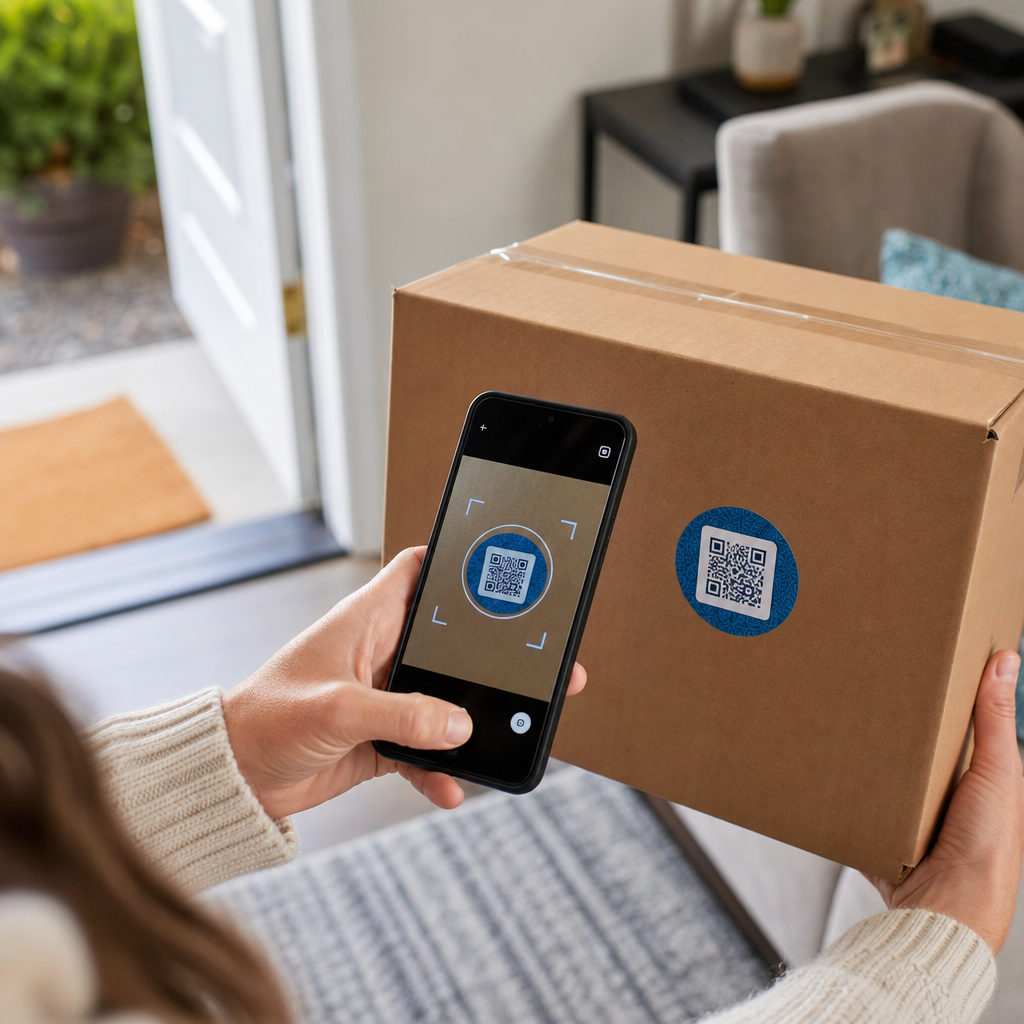
Transportører bruker QR-koder for å rute pakker gjennom nettverket sitt. Når en skanner på et sorteringsanlegg leser koden, oppdateres pakkens plassering i sanntid. Dette er den samme skannehendelsen som utløser sporingsvarslingen du ser når du sjekker en forsendelsesstatus på nettet. For kunder trekker skanning av QR-koden på en innkommende pakke umiddelbart opp live sporingsdata – ingen grunn til å lete etter et sporingsnummer eller navigere til en transportørnettside manuelt.
Utskriftsfri etikettlevering
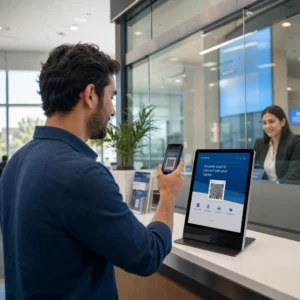
En stadig mer vanlig bruk er Etikettmegler modell. I stedet for å kreve at kunder skriver ut en retur- eller utgående etikett hjemme, sender selgeren en QR-kode via e-post eller tekstmelding. Kunden tar med pakken til et deltakende transportørsted – et USPS postkontor, UPS Store eller FedEx-sted – og ekspeditøren skanner QR-koden for å skrive ut etiketten ved disken.
USPS Label Broker, for eksempel, lar selgere lagre etiketter i et digitalt arkiv og distribuere dem til kunder som unike QR-kodede ID-er. Selgere kan også oppdatere, slette eller sjekke sporingsstatus for disse etikettene når som helst. Transportører inkludert USPS og FedEx støtter QR-koder for innenlandske returforsendelser, og UPS utvider denne funksjonaliteten på tvers av sitt butikknettverk.
Denne arbeidsflyten er praktisk for e-handelsbedrifter fordi den fjerner friksjonen ved å kreve en skriver – en betydelig barriere for mange kunder som initierer en retur.
Legg til QR-koder i din forsendelsesarbeidsflyt Trenger du å generere skannbare QR-koder knyttet til sporingssider, returportaler eller ordredetaljer? Bruk Pageloot QR-kodegenerator for å opprette og administrere koder for forsendelsesboksene dine på minutter.
Returer og omvendt logistikk
Returer er en stor operasjonell utfordring. Amerikanske forhandlere forventet at 15.8% av alt salg ville bli returnert i 2025, totalt omtrent $849.9 milliarder, og e-handelsreturraten ligger på omtrent 19.3% – noe som betyr at nesten én av fem nettbestillinger kommer tilbake. Behandling av en enkelt retur koster mellom $20 og $30 i gjennomsnitt, med noen kategorier som går så høyt som $65.
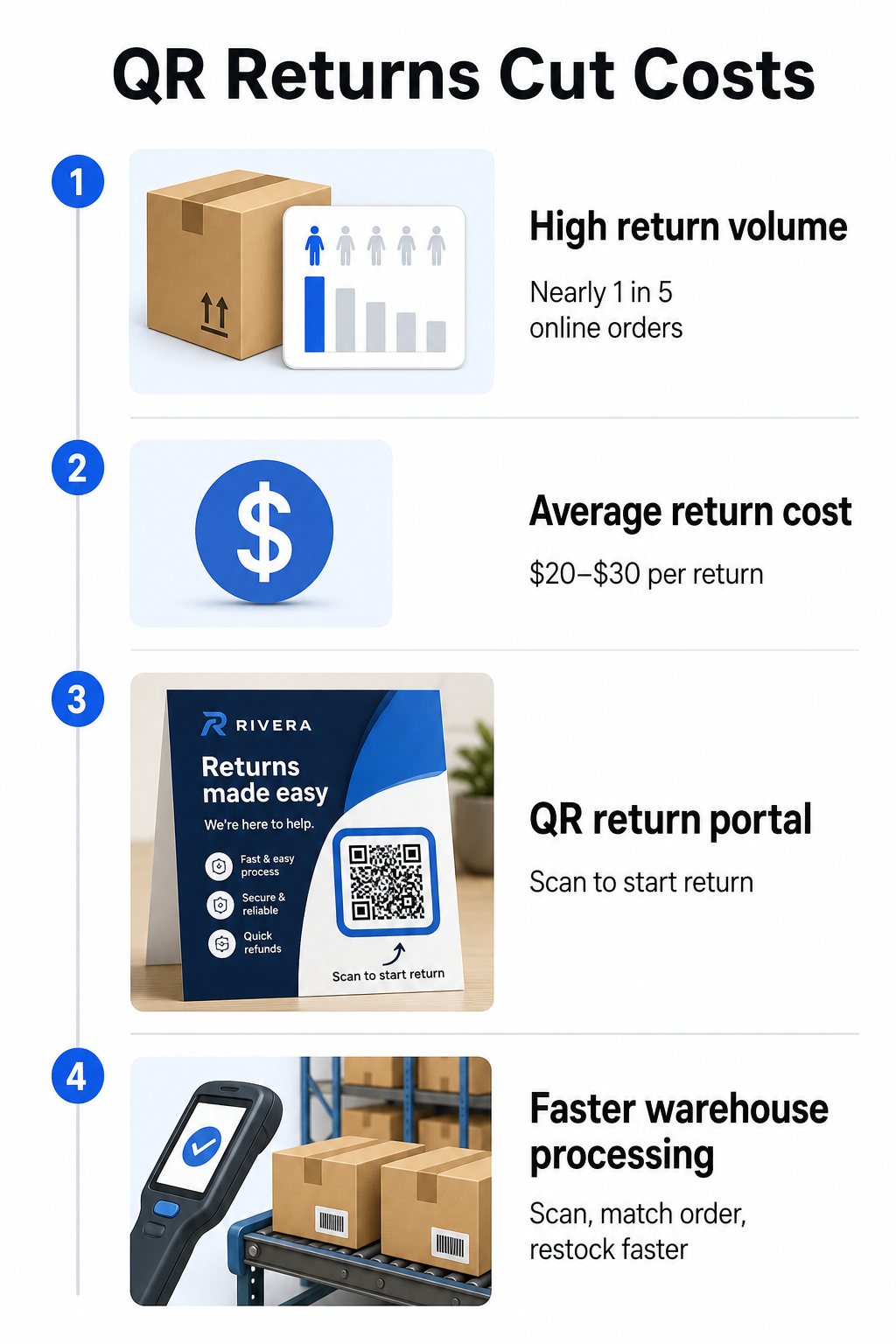
QR-koder reduserer denne kostnaden ved å gjøre returprosessen raskere og mindre feilutsatt. I stedet for å kreve at kunder fyller ut papirskjemaer eller slår opp returadresser, kan en QR-kode trykt på esken eller inkludert på en pakkseddel lenke direkte til en returportal der de starter prosessen digitalt.
Fordeler med QR-kodebaserte returer inkluderer:
- Færre støttekontakter – kunder selvbetjener i stedet for å sende e-post eller ringe
- Redusert retursvindel – QR-koder knyttet til spesifikke bestillinger forhindrer tukling med etikettinformasjon
- Raskere behandling – lagerpersonell skanner retur-QR-koden for umiddelbart å hente den opprinnelige bestillingen i stedet for å legge inn data manuelt
- Utskriftsfrie alternativer – støttet av USPS og FedEx innenlands, med selgere som kan tilby kunder en QR-kode, en utskrivbar etikett eller begge deler
For en praktisk titt på å koble retur-QR-koder til automatiserte arbeidsflyter, guiden om QR-koder for e-handelsleveranser går gjennom hele oppsettet.
Lager- og internlogistikkbruk
QR-koder på fraktbokser er ikke bare for transportører og kunder. Inne i distribusjonssentre og varehus er de et primært verktøy for sporing av varelagerbevegelse uten manuell dataregistrering.
Mottak og plassering
Når en boks ankommer et varehus, trekker skanning av QR-koden umiddelbart opp forsendelsesposten – leverandørdetaljer, antall varer, SKU-identifikatorer og forventet lagringssted. Ansatte trenger ikke å skrive noe eller kryssreferere papirarbeid. Skanningen oppdaterer lagerstyringssystemet (WMS) i sanntid, noe som reduserer avvikene som manuell inntasting vanligvis introduserer.
Plukking, pakking og forsendelsesverifisering
Under ordreoppfyllelse veileder QR-koder på bokser og beholdere ansatte til de riktige varene og mengdene. På pakkestadiet fungerer skanning av boksens kode som en siste kontroll – som bekrefter at de riktige varene er inkludert før boksen forsegles. I distribusjonsarbeidsflyter som Amazon FBA, lar aktivering av 2D-strekkoder på systemnivå WMS generere en kode som representerer boksens innhold under pakking, slik at den samme koden håndterer forsendelsessporing uten at noen trenger å åpne boksen senere.
Sted- og varelager sporing
QR-koder kan tildeles ikke bare produkter, men også lagringssteder – hyller, soner, rom eller beholdere. Skanning av en stedskode sammen med en produktkode logger nøyaktig hvor varelageret befinner seg til enhver tid, noe som gir teamet ditt sanntids synlighet over hele varehuset. Guiden om oppretting av QR-koder for produktlager dekker hvordan du setter dette opp i praksis.
Spor hver skanning, overalt Vil du ha sanntidsdata om når og hvor QR-kodene på fraktboksen din blir skannet? Pageloot’s QR-kode statistikk dashbord fanger automatisk opp skanningstid, sted og enhetsdetaljer.
Kundefokuserte QR-koder på fraktbokser
Utover logistikk bruker noen bedrifter selve fraktboksen som et markedsføringskontaktpunkt. En QR-kode på utsiden eller innsiden av en boks kan lenke til:
- En sporingsside for den nåværende forsendelsen
- En landingsside etter kjøp med produktopplæringer eller oppsettvideoer
- En påmelding til lojalitetsprogram eller rabatttilbud
- En anmeldelsesforespørsel eller tilbakemeldingsskjema
- Digital produktdokumentasjon eller manualer
Dette gjør utpakkingøyeblikket til en merkevareinteraksjon. For e-handelsbedrifter er det et av de få fysiske kontaktpunktene du fullt ut kontrollerer etter kassen. Den Pageloot e-handel QR-kode side skisserer foreslåtte plasseringer – fraktboksens utside, pakkeinnlegg og produktmanualer – hver designet for å utløse en annen type engasjement.
En praktisk merknad om plassering: basert på tilbakemeldinger fra USPS-ansatte, tillater USPS sannsynligvis ikke tilpassede QR-koder på selve fraktetiketten. Imidlertid er det tillatt å plassere et QR-kodemerke direkte på boksen – ikke på etiketten – og bør ikke forårsake problemer med posthåndtering eller levering.
Dynamiske QR-koder: Den praktiske fordelen for frakt
Hvis du legger til QR-koder på fraktboksene dine, dynamiske QR-koder er det riktige valget fremfor statiske. En statisk QR-kode koder en fast datastreng permanent. En dynamisk QR-kode peker til en omdirigerings-URL som du kan oppdatere når som helst uten å endre den trykte koden.
For fraktapplikasjoner betyr dette noe på flere måter:
- En sporings-URL kan endre format eller flytte til et nytt domene uten å kreve en ny utskrift
- Sesongbaserte kampanjer lenket fra boksen kan byttes ut uten ny emballasje
- Hvis en returportal endrer adresse, fortsetter QR-koden på allerede trykte bokser å fungere
Dynamiske koder muliggjør også skanningssporing. Du kan se hvor mange kunder som skannet koden på boksen sin, fra hvilken by, og på hvilken type enhet. Disse dataene, tilgjengelige gjennom Pageloot’s analyser, forteller deg om kunder engasjerer seg i etterkjøpsopplevelsen og hvilke produkter eller regioner som genererer mest aktivitet. For et bredere blikk på hva sporings-QR-koder kan avsløre om kundeatferd, den QR-kode sporingsguide dekker de viktigste målingene verdt å overvåke.
GS1 Digital Link: Industristandarden som vokser frem innen logistikk
Hvis du jobber med detalj- eller engrosdistribusjon, kan du støte på GS1 Digital Link – en standardisert metode for å bygge inn produktidentifikatorer som GTIN (Global Trade Item Numbers), batchnumre og utløpsdatoer i en enkelt 2D-strekkode eller QR-kode.
GS1 Digital Link lar én kode tjene flere funksjoner samtidig. Den kan skannes ved salgsstedet for kasse, på et lager for varesporing, eller av en forbruker for produktinformasjon – alt fra den samme trykte koden. Leverandører kan også oppdatere innholdet som leveres ved skanning (kampanjemeldinger, tilbakekallingsinstruksjoner, allergenoppdateringer) uten å gjentrykke emballasje, fordi koden peker til en nettbasert løser i stedet for å kode all data direkte.
For bedrifter som forbereder seg på GS1 Sunrise 2027-samsvarskrav, er forståelsen av denne standarden stadig mer relevant. Guiden om QR-koder i forsyningskjedesporing dekker hvordan 2D-strekkoder som disse passer inn i bredere sporbarhetsarbeidsflyter.
Hvordan legge til QR-koder på frakteskene dine
Hvis du vil implementere QR-koder på dine egne frakteskener, vil følgende trinn ta deg fra konsept til pålitelig distribusjon.
Definer destinasjonen først. Bestem hva QR-koden skal lenke til – en sporingsside, returportal, produktside eller etterkjøpstilbud. Bruk en kort URL i stedet for en lang sporingsstreng; kortere kodet data produserer et mindre tett kodemønster som skanner raskere og mer pålitelig, spesielt ved mindre utskriftsstørrelser.
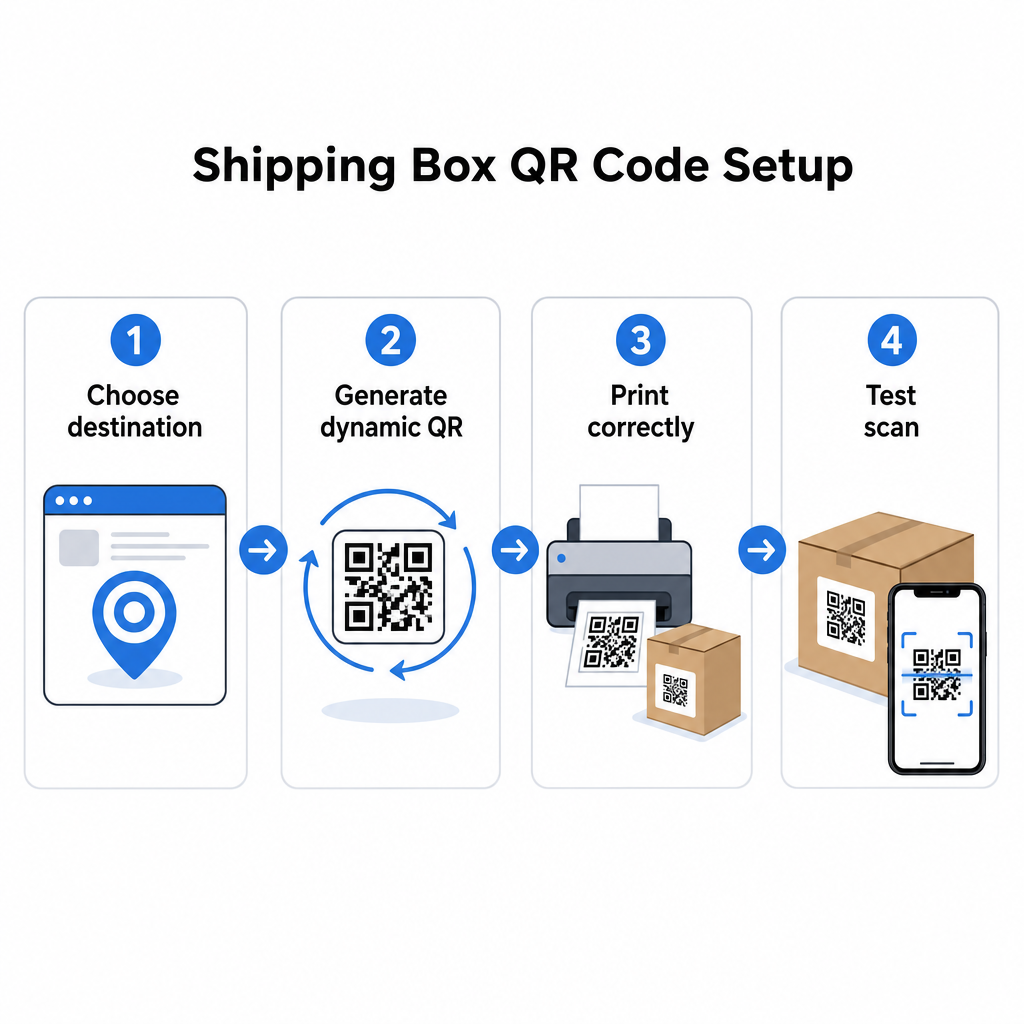
Generer en dynamisk QR-kode. Bruk en lenke QR-kodegenerator for å lage en dynamisk kode knyttet til destinasjons-URL-en din. Dette gir deg muligheten til å oppdatere destinasjonen senere uten å røre den trykte emballasjen.
Følg utskriftsspesifikasjonene. Skriv ut koden med et minimum på 2 × 2 cm (0,8 × 0,8 tommer), med 3 × 3 cm foretrukket for pålitelighet i den virkelige verden. Bruk mørke moduler på en hvit eller lys bakgrunn – svart på hvitt er ideelt. Eksporter som en vektorfil (SVG eller PDF) eller med 300–600 DPI for å sikre skarphet i endelig størrelse. Oppretthold en stille sone på minst fire tomme moduler på alle fire sider av koden, uten tekst, logoer eller rammer som trenger inn i den margen.
Plasser den riktig. Plasser koden på et flatt, utfoldet panel vekk fra sømmer, hjørner, teipbaner og områder som er utsatt for slitasje under frakt. Unngå blanke overflater rundt kodeområdet, da gjenskinn forstyrrer kameragjenkjenning. Front- eller toppanelet fungerer best for kundevendte koder. For detaljert plasseringsveiledning spesifikt for esker og etiketter, dekker QR-koder på produktemballasje siden de viktigste hensynene.
Test før utskrift i stor skala. Skann koden på faktiske eskeeksempler ved hjelp av flere smarttelefoner, under varierte lysforhold, og fra avstandene dine kunder eller lagerpersonale realistisk vil skanne fra. Å fange en kontrast- eller størrelsesproblem før en full produksjonskjøring er langt mindre kostbart enn å oppdage det etterpå.
Klar til å bygge ditt frakt-QR-kodesystem? Enten du trenger koder for sporingssider, returportaler eller etterkjøpsengasjement, gir Pageloot QR-kodegenerator deg dynamiske, sporbare koder med et komplett analysedashbord. Start gratis – ingen kredittkort kreves.
Ofte stilte spørsmål
USPS tillater sannsynligvis ikke egendefinerte QR-koder på selve fraktetiketten. Imidlertid er det tillatt å plassere et QR-kode-klistremerke direkte på esken – ikke på etiketten – og bør ikke forårsake problemer med posthåndtering eller levering.
Transportør-QR-koder genereres av fraktleverandøren (USPS, UPS, FedEx) og er knyttet til deres sporings- og rutesystemer. Tilpassede QR-koder legges til av forhandleren og kan lenke til hva som helst – sporingssider, returportaler, produktinnhold eller kampanjer. Begge kan vises på samme eske, men de tjener forskjellige målgrupper og formål.
Ikke hvis du bruker en dynamisk QR-kode. Dynamiske koder peker til en omdirigering som du kan oppdatere når som helst i din QR-kodeplattform, slik at den trykte koden fortsetter å fungere selv etter at destinasjons-URL-en endres. Dette er en av hovedgrunnene til at bedrifter velger dynamiske koder for emballasjeapplikasjoner.