
ホーム > ユースケース > QR Codes on Shipping Boxes: Purpose, Uses, and Setup
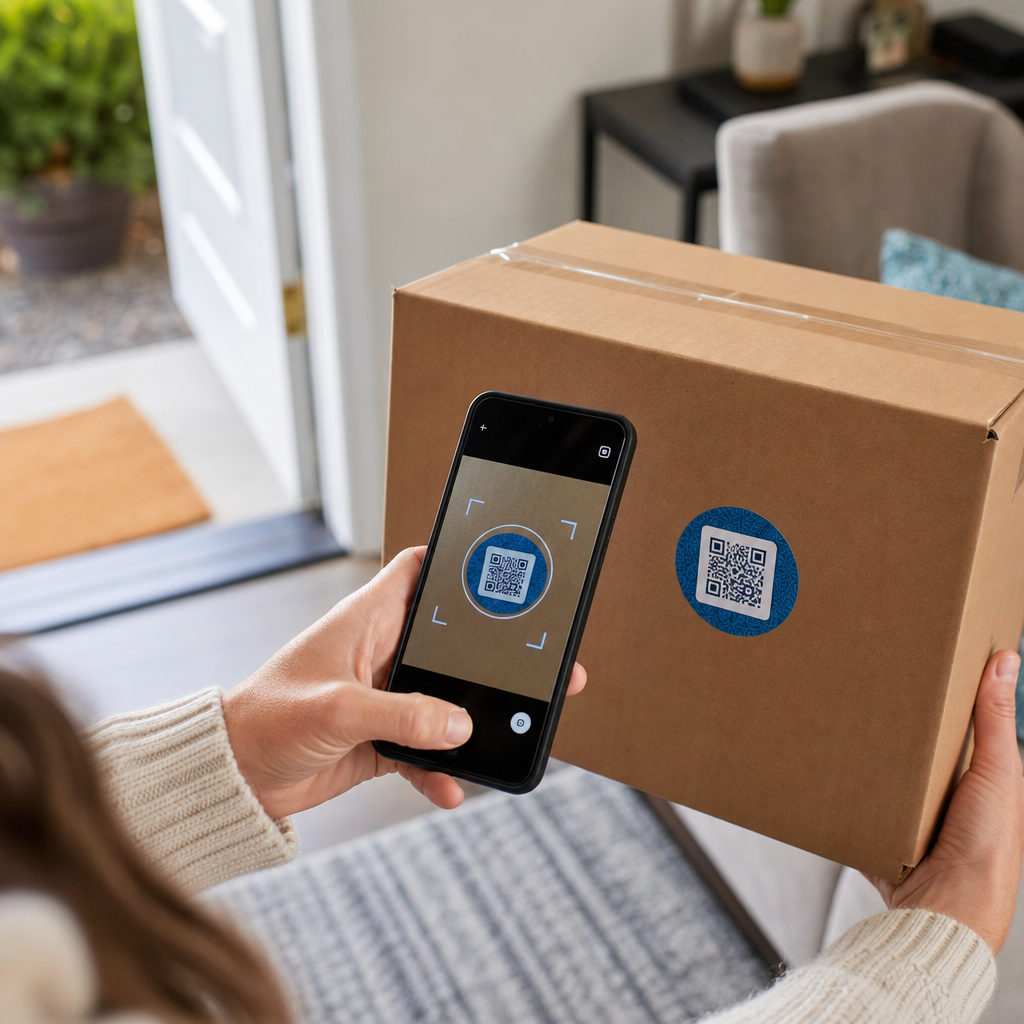
Scanning shipping box QR

QR Codes on Shipping Boxes: Purpose, Uses, and Setup

Discover how QR codes on shipping boxes streamline routing, warehouse tracking, and returns. Learn to implement dynamic codes for more efficient logistics.
Updated on 7月 2, 2026
目次

Ever scan a QR code on a shipping box and wonder what it actually does? Depending on who put it there and why, the answer varies significantly. This guide explains every major use case – from carrier routing to warehouse management to customer-facing returns – so you know exactly what you’re looking at and how to implement your own.

Why Shipping Boxes Carry QR Codes

A shipping box can pass through dozens of hands before it reaches its destination. At each stage – fulfillment center, carrier hub, delivery vehicle, customer doorstep – someone or something needs to read information about that package quickly and accurately.

QR codes solve this by packing multiple data points into a single scannable image. Unlike a standard 1D barcode, which typically holds 20–85 characters, a QR code can encode over 7,000 characters. That means a single code on a box can carry an order number, shipping address, product identifiers, batch numbers, and a URL – all readable in one scan. For a deeper look at how 1D and 2D label formats compare, see this overview of 配送ラベルのバーコード.

The reason a QR code appears on your shipping box depends on which layer of the supply chain placed it there.

Carrier and Shipping Label QR Codes

The most common QR codes on shipping boxes come from the carrier and appear directly on the shipping label or as a companion element alongside it.

Tracking and Routing

Carriers use QR codes to route packages through their network. When a scanner at a sorting facility reads the code, the package’s location updates in real time. This is the same scan event that triggers the tracking notification you see when you check a shipment status online. For customers, scanning the QR code on an incoming package immediately pulls up live tracking data – no need to hunt for a tracking number or navigate to a carrier website manually.

Printerless Label Delivery

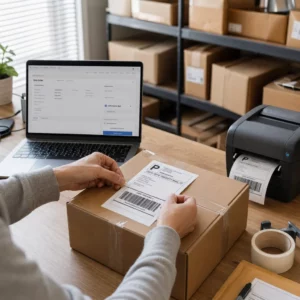
One increasingly common use is the Label Broker model. Rather than requiring customers to print a return or outbound label at home, the merchant sends a QR code via email or text. The customer brings the package to a participating carrier location – a USPS Post Office, UPS Store, or FedEx location – and the clerk scans the QR code to print the label at the counter.

USPS Label Broker, for example, lets merchants store labels in a digital repository and distribute them to customers as unique QR-coded IDs. Merchants can also update, delete, or check tracking status for those labels at any time. Carriers including USPS and FedEx support QR codes for domestic return shipments, and UPS extends this capability across its retail store network.

This workflow is practical for e-commerce businesses because it removes the friction of requiring a printer – a significant barrier for many customers initiating a return.

Add QR Codes to Your Shipping Workflow Need to generate scannable QR codes linked to tracking pages, return portals, or order details? Use the Pageloot QRコードジェネレータ to create and manage codes for your shipping boxes in minutes.

Returns and Reverse Logistics

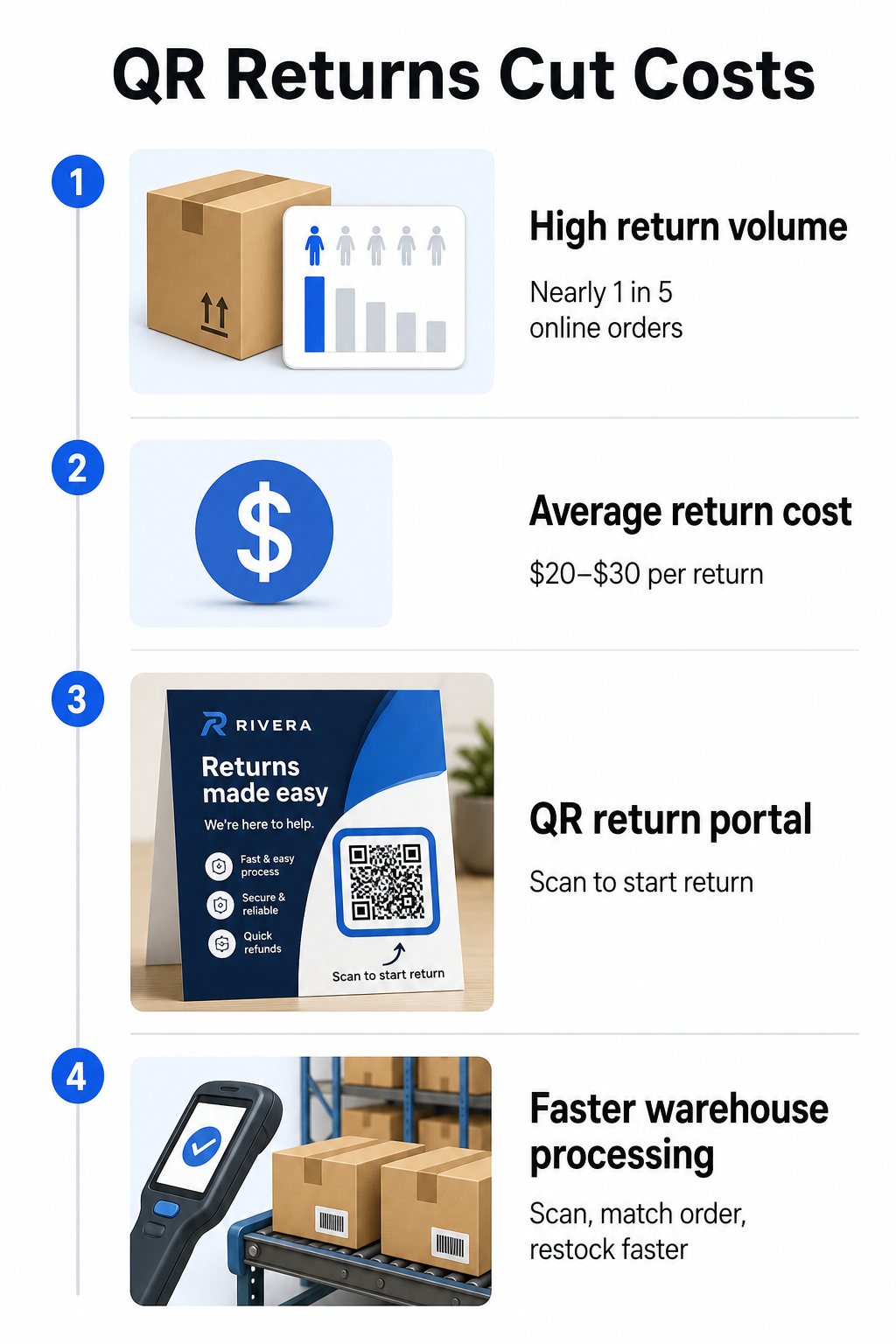
Returns are a major operational challenge. U.S. retailers expected 15.8% of all sales to be returned in 2025, totaling roughly $849.9 billion, and the e-commerce return rate sits at approximately 19.3% – meaning nearly one in five online orders comes back. Processing a single return costs between $20 and $30 on average, with some categories running as high as $65.

QR returns infographic

QR codes reduce that cost by making the return process faster and less error-prone. Instead of requiring customers to fill out paper forms or look up return addresses, a QR code printed on the box or included on a packing slip can link directly to a return portal where they initiate the process digitally.

Benefits of QR-code-based returns include:

  • Fewer support contacts – customers self-serve rather than emailing or calling
  • Reduced return fraud – QR codes tied to specific orders prevent tampering with label details
  • Faster processing – warehouse staff scan the return QR code to instantly retrieve the original order rather than entering data manually
  • Printerless options – supported by USPS and FedEx domestically, with merchants able to offer shoppers a QR code, a printable label, or both

For a practical look at connecting return QR codes to automated workflows, the guide on QR codes for e-commerce deliveries walks through the full setup.

Warehouse and Internal Logistics Uses

QR codes on shipping boxes are not only for carriers and customers. Inside fulfillment centers and warehouses, they are a primary tool for tracking inventory movement without manual data entry.

Receiving and Put-Away

When a box arrives at a warehouse, scanning its QR code instantly pulls the shipment record – supplier details, item count, SKU identifiers, and expected storage location. Staff don’t need to type anything or cross-reference paperwork. The scan updates the warehouse management system (WMS) in real time, reducing the discrepancies that manual entry typically introduces.

Picking, Packing, and Shipment Verification

During order fulfillment, QR codes on boxes and bins guide staff to the right items and quantities. At the packing stage, scanning the box’s code serves as a final checkpoint – confirming the correct items are included before the box is sealed. In fulfillment workflows like Amazon FBA, enabling 2D barcodes at the system level lets the WMS generate a code representing box contents during packing, so that same code handles shipment tracking without anyone needing to open the box later.

Location and Inventory Tracking

QR codes can be assigned not just to products but to storage locations – shelves, zones, rooms, or bins. Scanning a location code alongside a product code logs exactly where inventory is sitting at any given moment, giving your team live visibility across the entire warehouse. The guide on creating QR codes for product inventory covers how to set this up in practice.

Track Every Scan, Everywhere Want real-time data on when and where your shipping box QR codes are being scanned? Pageloot’s QRコード分析 dashboard captures scan time, location, and device details automatically.

Customer-Facing QR Codes on Shipping Boxes

Beyond logistics, some businesses use the shipping box itself as a marketing touchpoint. A QR code on the outside or inside of a box can link to:

  • A tracking page for the current shipment
  • A post-purchase landing page with product tutorials or setup videos
  • A loyalty program enrollment or discount offer
  • A review request or feedback form
  • Digital product documentation or manuals

This turns the unboxing moment into a brand interaction. For e-commerce businesses, it is one of the few physical touchpoints you fully control after checkout. The Pageloot e-commerce QR code page outlines suggested placements – shipping box exterior, packing inserts, and product manuals – each designed to trigger a different type of engagement.

One practical note on placement: based on feedback from USPS employees, USPS likely does not permit custom QR codes on the shipping label itself. However, placing a QR code sticker directly on the box – not on the label – is allowed and should not cause any issues with postal handling or delivery.

Dynamic QR Codes: The Practical Advantage for Shipping

If you are adding QR codes to your shipping boxes, ダイナミックQRコード are the right choice over static ones. A static QR code encodes a fixed string of data permanently. A dynamic QR code points to a redirect URL that you can update at any time without changing the printed code.

For shipping applications, this matters in several ways:

  • A tracking URL can change format or move to a new domain without requiring a new print run
  • Seasonal promotions linked from the box can be swapped out without new packaging
  • If a return portal changes its address, the QR code on already-printed boxes continues to work

Dynamic codes also enable scan tracking. You can see how many customers scanned the code on their box, from which city, and on which type of device. That data, available through Pageloot’s analytics, tells you whether customers are engaging with the post-purchase experience and which products or regions generate the most activity. For a broader look at what tracking QR codes can reveal about customer behavior, the QR code tracking guide covers the key metrics worth monitoring.

GS1 Digital Link: The Industry Standard Emerging in Logistics

If you work in retail or wholesale fulfillment, you may encounter GS1デジタルリンク – a standardized method for embedding product identifiers such as GTINs (Global Trade Item Numbers), batch numbers, and expiry dates into a single 2D barcode or QR code.

GS1 Digital Link allows one code to serve multiple functions simultaneously. It can be scanned at point-of-sale for checkout, at a warehouse for inventory tracking, or by a consumer for product information – all from the same printed code. Suppliers can also update the content delivered on scan (promotional messaging, recall instructions, allergen updates) without reprinting packaging, because the code points to a web-based resolver rather than encoding all data directly.

For businesses preparing for GS1 Sunrise 2027 compliance requirements, understanding this standard is increasingly relevant. The guide on QR codes in supply chain tracking covers how 2D barcodes like these fit into broader traceability workflows.

How to Add QR Codes to Your Shipping Boxes

If you want to implement QR codes on your own shipping boxes, the following steps will get you from concept to deployment reliably.

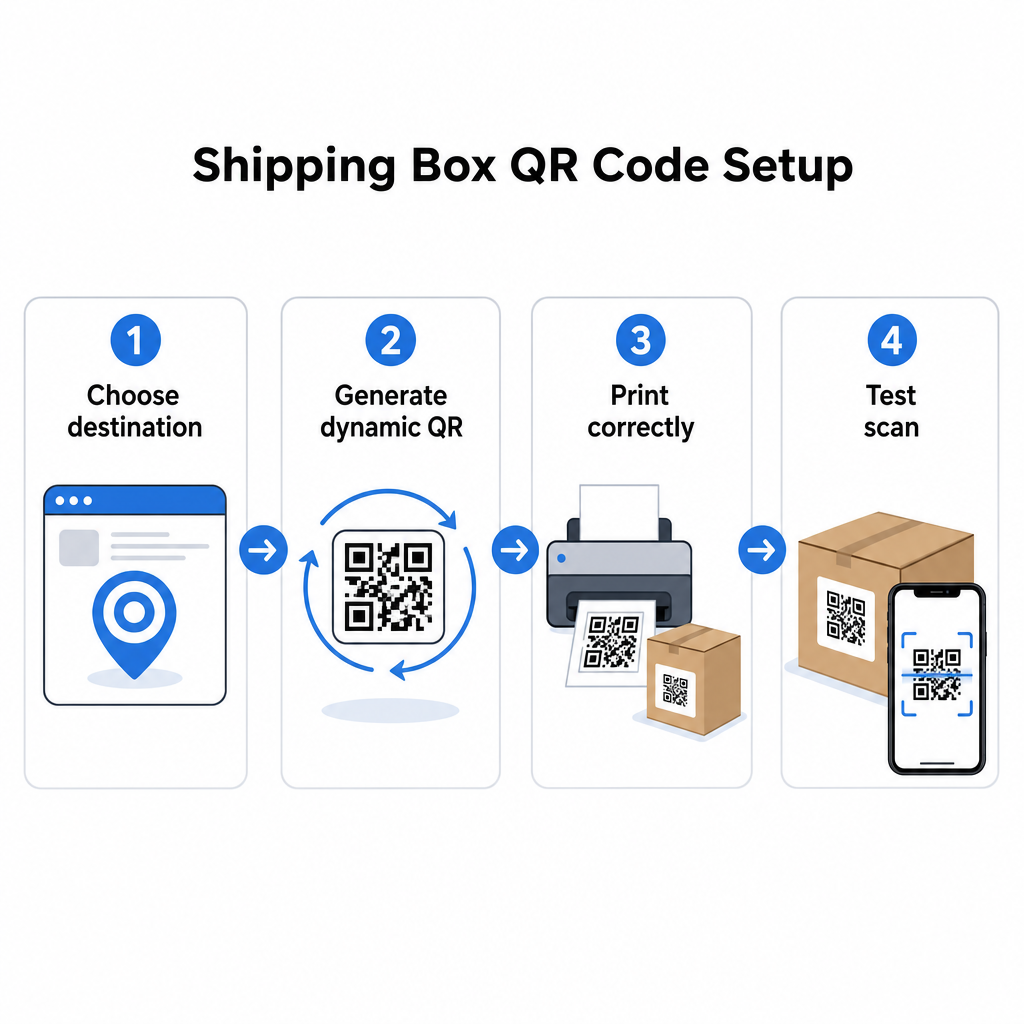
Define the destination first. Decide what the QR code will link to – a tracking page, return portal, product page, or post-purchase offer. Use a short URL rather than a long tracking string; shorter encoded data produces a less dense code pattern that scans faster and more reliably, especially at smaller print sizes.

Shipping QR setup

Generate a dynamic QR code. を使います。 リンクQRコードジェネレーター to create a dynamic code tied to your destination URL. This gives you the ability to update the destination later without touching the printed packaging.

Follow print specifications. Print the code at a minimum of 2 × 2 cm (0.8 × 0.8 in), with 3 × 3 cm preferred for real-world reliability. Use dark modules on a white or light background – black on white is ideal. Export as a vector file (SVG or PDF) or at 300–600 DPI to ensure sharpness at final size. Maintain a quiet zone of at least four empty modules on all four sides of the code, with no text, logos, or borders intruding into that margin.

Place it correctly. Position the code on a flat, unfolded panel away from seams, corners, tape paths, and areas subject to wear during shipping. Avoid glossy finishes around the code area, since glare interferes with camera recognition. The front or top panel works best for customer-facing codes. For detailed placement guidance specific to boxes and labels, the 製品パッケージのQRコード page covers the key considerations.

Test before printing at scale. Scan the code on actual box samples using multiple smartphones, in varied lighting conditions, and from the distances your customers or warehouse staff will realistically scan from. Catching a contrast or sizing issue before a full production run is far less costly than discovering it after.

Ready to Build Your Shipping QR Code System? Whether you need codes for tracking pages, return portals, or post-purchase engagement, the Pageloot QRコードジェネレータ gives you dynamic, trackable codes with a full analytics dashboard. Start for free – no credit card required.

よくある質問

Can I put a QR code on a USPS shipping label?

USPS likely does not allow custom QR codes on the shipping label itself. However, placing a QR code sticker directly on the box – not on the label – is permitted and should not cause issues with postal handling or delivery.

What is the difference between a carrier QR code and a custom QR code on a shipping box?

Carrier QR codes are generated by the shipping carrier (USPS, UPS, FedEx) and are tied to their tracking and routing systems. Custom QR codes are added by the merchant and can link to anything – tracking pages, return portals, product content, or promotions. Both can appear on the same box, but they serve different audiences and purposes.

Do I need to reprint my boxes if the URL behind my QR code changes?

Not if you use a dynamic QR code. Dynamic codes point to a redirect that you can update at any time in your QR code platform, so the printed code continues to work even after the destination URL changes. This is one of the primary reasons businesses choose dynamic codes for packaging applications.

著者について

Siim KostabiはPagelootのコンテンツリードです。Pagelootの革新的なQRコード生成サービスについて執筆しています。5年以上にわたるQRコードに関する深い専門知識を持つSiimは、この分野の専門家です。QRテクノロジーを活用してデジタルインタラクションを簡素化・拡張する上で、大きな進歩を遂げています。.

カテゴリー
について詳しくはこちら
✅ QRコードの#1ソリューション

オンラインでQRコードを作成する必要がある場合は QRコードを作る ここで無料で
ページルートは #1のGo-Toソリューション でQRコードを作成してスキャンすることができます。

BL-0302

ブログジェネ

売上、レビュー、フォロワーを増やすために 20,000 を超えるブランドから信頼されています。

クライアントのロゴ
トップブランドから信頼される
5 のうち 4.8 と評価しました

4.86 / 5つ星評価

ユーゴ・ローラン
ユーゴ・ローラン
レストランオーナー
最も簡単で信頼性の高いQRコードジェネレータです。PDFファイルを即座にアップロードできます。レストランのメニューがデジタル化されました。
ルーカス・ジャンセン
ルーカス・ジャンセン
不動産開発業者
これは優れたツールで、QRコードでちょうど欲しいところに連れて行ってくれます。私たちは位置情報のQRコードしか使っていませんが、とても便利な機能がたくさんあります。
エマ・モレッティ
エマ・モレッティ
小売製品
使いやすいし、早い。素晴らしい機能で、完璧な画像を作成してくれるので、社員は私のvCardをダウンロードすることができます。
ユーゴ・ローラン
ユーゴ・ローラン
レストランオーナー
最も簡単で信頼性の高いQRコードジェネレータです。PDFファイルを即座にアップロードできます。レストランのメニューがデジタル化されました。
ルーカス・ジャンセン
ルーカス・ジャンセン
不動産開発業者
これは優れたツールで、QRコードでちょうど欲しいところに連れて行ってくれます。私たちは位置情報のQRコードしか使っていませんが、とても便利な機能がたくさんあります。
エマ・モレッティ
エマ・モレッティ
小売製品
使いやすいし、早い。素晴らしい機能で、完璧な画像を作成してくれるので、社員は私のvCardをダウンロードすることができます。
QRコードをもっと見る
グループQRコードのスキャン
のQRコード フェイスブック・グループ
あらゆるものをデジタル体験に変えよう 3分以内に。

14日間の無料トライアル。

クレジットカードは必要ありません。

初回購入で30%オフ

次のコードを使用してください:

MP3ファイルを共有

PDF QRコードを作成するにはサインアップしてください

必要なものをすべてアップロードして表示する。

  • オーディオファイル
  • ポッドキャスト
  • 音楽

サインアップで14日間無料トライアル。.
トライアル終了後、QRコードは期限切れになります。.

オーディオmp3 QRコードを作成するにはサインアップしてください

フレームでより多くのスキャンを獲得

QRコードにフレームを追加するにはサインアップしてください

コールトゥアクションフレームは、お客様が簡単にQRコードと対話できるようにします。ぜひお試しください。

サインアップで14日間無料トライアル。.
トライアル終了後、QRコードは期限切れになります。.

QRコードにフレームを追加するにはサインアップしてください

シェイプでスタイルを追加

より多くの図形を作成するにはサインアップしてください

QRコードは四角いものである必要はありません。あなたのブランドのイメージに合わせて変えてみてください。

サインアップで14日間無料トライアル。.
トライアル終了後、QRコードは期限切れになります。.

より多くの図形を作成するにはサインアップしてください

QRコードにロゴを追加

QRコードにロゴを追加するにはサインアップしてください

QRコードにロゴやブランドを入れることで、目立たせることができます。

サインアップで14日間無料トライアル。.
トライアル終了後、QRコードは期限切れになります。.

QRコードにロゴを追加するにはサインアップしてください

スマートなApp Storeリダイレクト

アプリストアのQRコードを作成するにはサインアップしてください

スマートなApp StoreのQRコードに、あなたのアプリのリンクを追加します。ユーザーは、デバイスに応じてリダイレクトされます。

サインアップで14日間無料トライアル。.
トライアル終了後、QRコードは期限切れになります。.

アプリストアのQRコードを作成するにはサインアップしてください

QRコードに画像をアップロード

画像QRコードを作成するにはサインアップしてください

画像を簡単に共有できます。どんな画像も、数秒でダイナミックに変化します。

サインアップで14日間無料トライアル。.
トライアル終了後、QRコードは期限切れになります。.

画像QRコードを作成するにはサインアップしてください

PDFファイルを共有

PDF QRコードを作成するにはサインアップしてください

必要なものをすべてアップロードして表示する。

  • メニュー&プライスリスト
  • 指示
  • 任意の書類

サインアップで14日間無料トライアル。.
トライアル終了後、QRコードは期限切れになります。.

PDF QRコードを作成するにはサインアップしてください

印刷せずに後で編集

再度印刷せずにQRコードを編集するにはサインアップしてください

ダイナミックQRコードは、新たにQRコードを印刷することなく、QRコードの内容を変更することができます。

サインアップで14日間無料トライアル。.
トライアル終了後、QRコードは期限切れになります。.

再度印刷せずにQRコードを編集するにはサインアップしてください

いつ?どこで?QRコードのスキャンを追跡

QRコードを追跡するにはサインアップしてください

どのQRコードが最も多くスキャンされ、何が最も顧客を喜ばせているのかを知ることができます。

サインアップで14日間無料トライアル。.
トライアル終了後、QRコードは期限切れになります。.

QRコードを追跡するにはサインアップしてください

印刷可能なファイルが利用可能

PDFやSVGのようなベクターQRコードを作成するにはサインアップしてください

.eps、.pdf、.svg

QRコードをHD解像度でダウンロードしたいですか?すぐに印刷できるベクターまたはピクセル形式を入手しましょう。

サインアップで14日間無料トライアル。.
トライアル終了後、QRコードは期限切れになります。.

PDFやSVGのようなベクターQRコードを作成するにはサインアップしてください

しばらくお待ちください。あなたのQRコードは ロード... ロード...

あなただけのものに

サインアップしてQRコードを後で保存してください

異なる色、ロゴ、コールトゥアクションフレームで素晴らしいQRコードを作成することで、より多くのスキャンを得ることができます。

サインアップで14日間無料トライアル。.
トライアル終了後、QRコードは期限切れになります。.

サインアップしてQRコードを後で保存してください