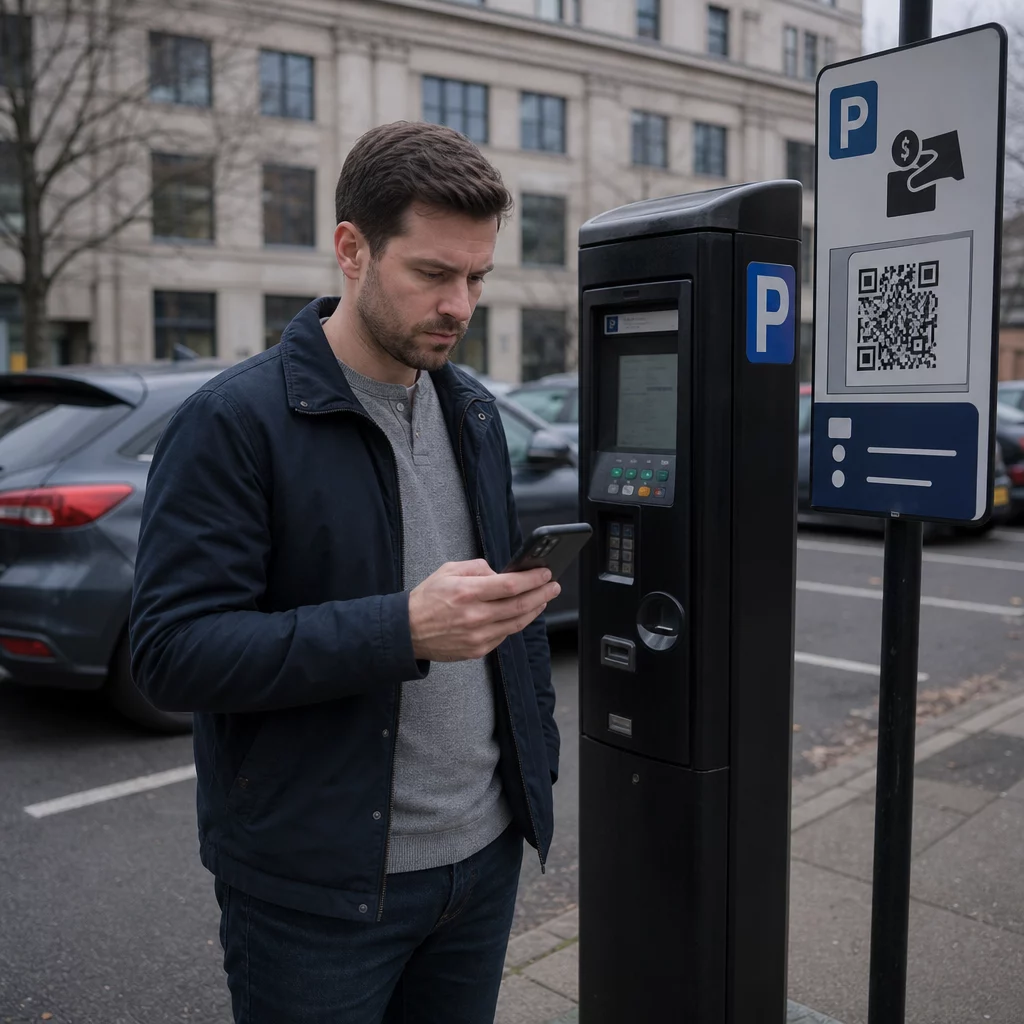
Er du sikker på, at QR-koden på parkeringsautomaten er legitim? Falske QR-kode-klistermærker placeret på parkeringsautomater og skiltning stjæler kortoplysninger fra tusindvis af britiske bilister – og svindelnumrene spreder sig hurtigt. Denne guide forklarer præcis, hvordan disse svindelnumre fungerer, hvilke advarselstegn du skal kigge efter, og hvilke praktiske skridt du kan tage for at beskytte dig selv.
Hvordan den britiske parkerings-QR-kode-svindel fungerer
Svindelteknikken er kendt som “quishing” – en sammentrækning af QR-kode og phishing. Kriminelle printer falske QR-kode-klistermærker og placerer dem direkte over, eller ved siden af, legitim skiltning på parkeringsautomater, parkeringspladsbomme og betalingsskilte. Ifølge en Freedom of Information-undersøgelse rapporterede 123 ud af 373 britiske lokale myndigheder, at deres parkeringspladser var blevet målrettet inden for et enkelt år, hvor Sheffield Council alene rapporterede, at alle 370 af deres parkeringsautomater var blevet ramt.
Når en bilist scanner den falske kode, omdirigeres de til en overbevisende, men svigagtig hjemmeside, der efterligner en ægte parkeringsbetalingsplatform. Siden viser typisk velkendt branding – logoer, farver og layouts kopieret fra legitime tjenester som PayByPhone – for at skabe en illusion af ægthed. Når ofrene har indtastet deres betalingskortoplysninger, opsnapper kriminelle disse oplysninger og bruger dem til at foretage uautoriserede hævninger.
Svindlen stopper ikke ved en enkelt stjålet betaling. Rapporter beskriver et tilbagevendende mønster, hvor en indledende lille “parkerings”-afgift efterfølges af større tilbagevendende hævninger, der faktureres som falske online-abonnementer. Action Fraud modtog næsten 800 QR-svindelrapporter i de 12 måneder frem til april 2025, med et samlet tab på cirka 3,5 millioner pund.
Bilister står over for en dobbelt risiko: ikke alene overdrages deres finansielle oplysninger direkte til svindlere, men fordi de ikke har betalt via officielle kanaler, kan de også modtage en legitim bøde for manglende betaling.
Hvilke områder og steder er blevet målrettet
Parkerings-QR-kode-svindel er blevet rapporteret i byer og landsbyer over hele Storbritannien, herunder York, Londons Royal Borough of Kensington and Chelsea, Dorsets West Bay-område og mange flere. Byrådet i York bekræftede, at flere parkeringspladser var berørt – heriblandt Castle, Nunnery Lane, St George’s Field, Bootham Row, Monk Bar, Marygate, Union Terrace og Bishopthorpe Road, hvor nogle ofre rapporterede individuelle tab på op til 400 pund.
Ud over kommunale parkeringspladser har svindlere også målrettet over 20 britiske hospitalsparkeringspladser. Ethvert sted, hvor bilister oplever tidspres og er afhængige af hurtige betalingsmetoder, betragtes som et potentielt mål.
Advarselstegn på en falsk parkerings-QR-kode
At vide, hvad du skal kigge efter, er dit første forsvar. Hold øje med disse advarselstegn, før du scanner noget:
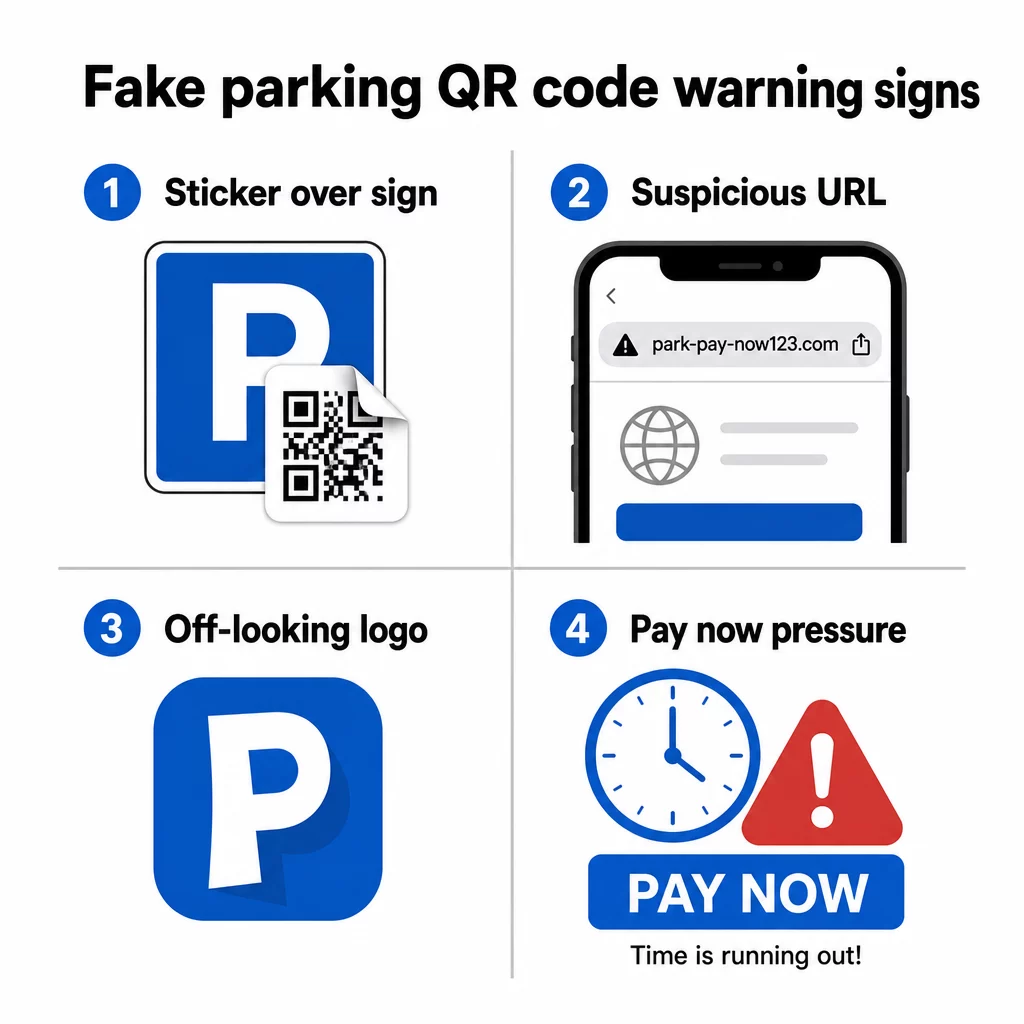
- Et QR-kode-klistermærke placeret over eksisterende skiltning – legitime parkeringsoperatører installerer skiltning professionelt; et overlappende klistermærke er en stærk indikator for manipulation
- QR-koder hos kommuner eller operatører, der ikke bruger dem – Kensington and Chelsea Council, Dorset Council og mange andre har udtrykkeligt udtalt, at deres parkeringssystemer slet ikke bruger QR-koder; enhver QR-kode på disse steder fører til svindlere
- Logoer, der ser lidt forkerte ud – svigagtige klistermærker kopierer ofte branding fra tjenester som PayByPhone, men udskriftskvaliteten eller logoets proportioner kan være inkonsekvente
- En URL, der ikke matcher den officielle tjeneste – før du åbner et link, skal du forhåndsvise destinationsadressen; legitime parkeringstjenester bruger genkendelige, officielle domæner (og officielle kommunale sider indeholder altid “gov.uk”)
- Anmodninger om betaling via en ukendt hjemmeside – hvis det websted, du lander på, beder om kortoplysninger, men URL'en ikke matcher den app eller tjeneste, du forventede, skal du lukke det med det samme
John Wilmot, administrerende direktør for biludlejningssammenligningswebstedet LeaseLoco, sagde det ligeud: “Mange af disse svindelnumre vil opfordre dig til hurtigt at betale et gebyr for at undgå større bøder. Når vi ser noget lignende, skynder vi os ofte at få betalingen klaret i stedet for at stoppe op og kontrollere ægtheden af beskeden eller brevet.”
Den hast er fabrikeret. Det er nok at bruge 30 sekunder på at tjekke, før du scanner, for at undgå de fleste af disse angreb.
Sådan betaler du sikkert for parkering
Den sikreste fremgangsmåde er helt at undgå at scanne QR-koder ved parkeringsautomater, og flere britiske kommuner og forbrugerorganisationer anbefaler nu netop det.
- Download den officielle parkeringsapp, før du får brug for den – apps som RingGo og PayByPhone er den tilsigtede betalingsmetode for de fleste britiske parkeringspladser; sæt dem op derhjemme, så du ikke er presset ved automaten
- Betal via telefon, SMS eller PayPoint – de fleste kommuner tilbyder flere betalingsmuligheder; brug en officiel metode, der ikke kræver scanning af en kode på stedet
- Indtast URL'en direkte – hvis et betalingswebsted er trykt på skiltet som tekst, skal du indtaste det manuelt i din browser i stedet for at stole på en QR-kode til at omdirigere dig
- Tjek for fysisk manipulation – kør din finger over skiltet; en hævet klistermærkekant er et tegn på, at noget er blevet placeret over den originale overflade
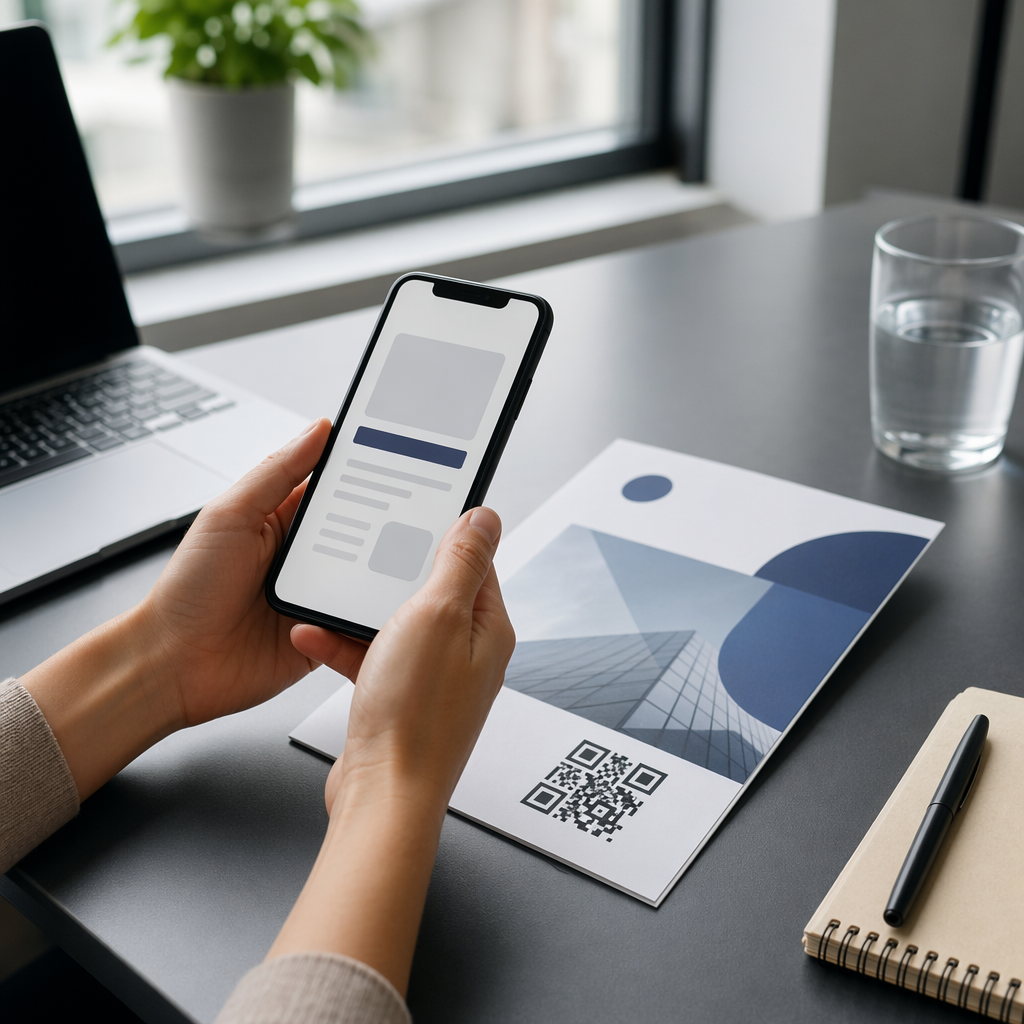
- Forhåndsvis URL'en, før du følger den – din telefons indbyggede kamera-app viser dig destinationsadressen, før du åbner den; hvis noget ser mistænkeligt ud, skal du ikke fortsætte
- Brug telefonens indbyggede kamera i stedet for en tredjeparts scanningsapp – separate QR-kodescanner-apps kan øge risikoen for malware eller vildledende omdirigeringer
Scan QR-koder mere sikkert Usikker på, om en QR-kode er legitim, før du scanner den? Brug gratis online QR-kodescanner til at afkode en kode fra et uploadet billede og inspicere destinations-URL'en, før du besøger den.
Hvad skal du gøre, hvis du allerede har scannet en falsk kode
Hvis du har indtastet kortoplysninger på et websted, der er nået via en mistænkelig QR-kode, skal du handle hurtigt:
- Kontakt din bank med det samme – anmeld transaktionen som svindel og anmod om et nyt kort; de fleste britiske banker refunderer uautoriserede betalinger, når de anmeldes hurtigt
- Anmeld til Action Fraud – Storbritanniens nationale svindelrapporteringstjeneste (actionfraud.police.uk) håndterer QR-kode- og onlinebetalingssvindel
- Rapportér til Nationalt Center for Cybersikkerhed – mistænkelige svindelwebsteder kan rapporteres på report.ncsc.gov.uk
- Fortæl kommunen eller parkeringsoperatøren – informer din lokale kommune, så de kan fjerne falske klistermærker og advare andre bilister; du bør også rapportere det til politiet
- Tjek dine kontoudtog – overvåg din konto i de følgende uger for eventuelle tilbagevendende gebyrer fra ukendte abonnementstjenester
Svindel med falske parkeringsbøder via SMS
En relateret svindel involverer tekstbeskeder eller e-mails, der hævder, at bilister har modtaget en ubetalt parkeringsbøde, med et link eller en QR-kode, der fører til et falsk betalingssted. Rugby Borough Council har advaret beboere om beskeder af denne art, som efterligner officiel regeringskommunikation, men er hostet på urelaterede domæner.
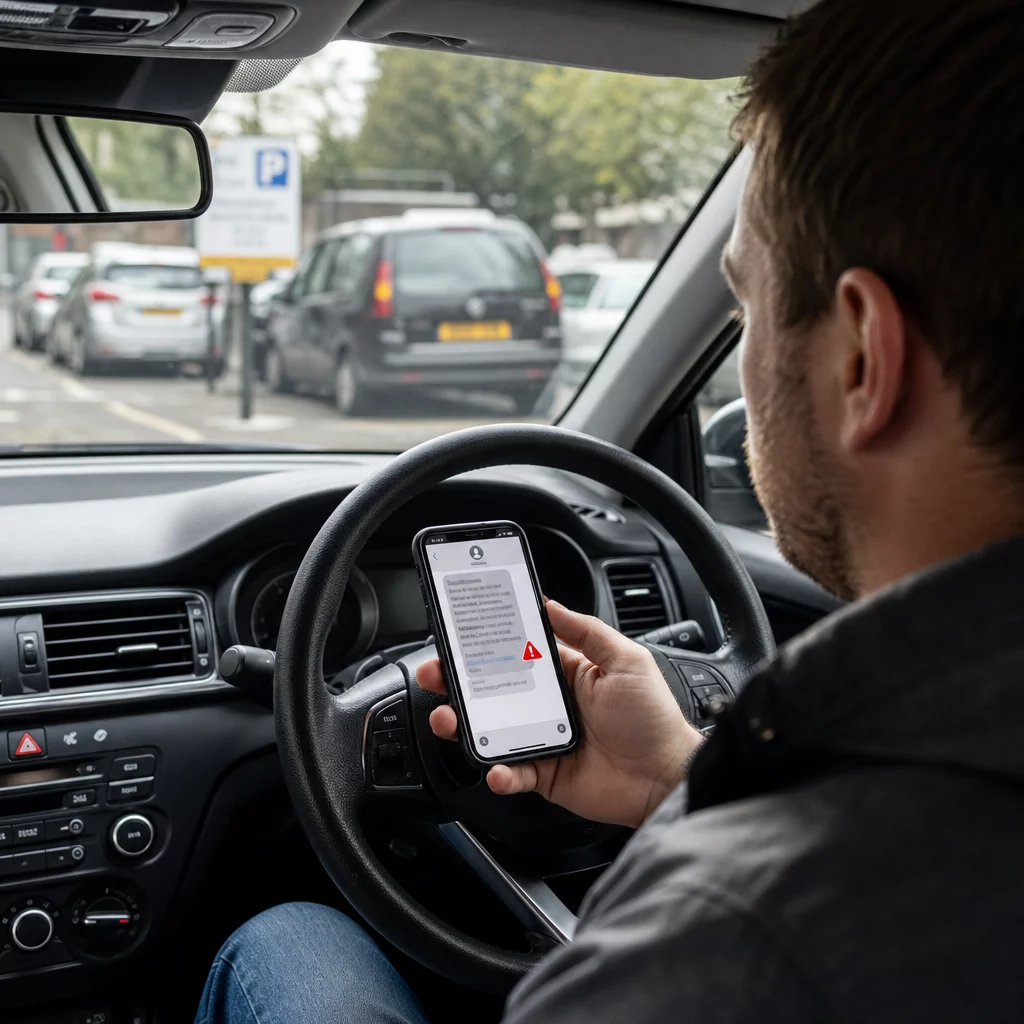
Byrådet i York og andre myndigheder har bekræftet, at legitime bøder (Penalty Charge Notices) er aldrig udstedt via tekstbesked. Officielle PCN'er er enten fastgjort til køretøjet, overrakt til føreren personligt eller sendt med post til den registrerede køretøjsejer. Enhver tekst, der kræver øjeblikkelig betaling af en parkeringsbøde, bør behandles som svindel, indtil den er verificeret via officielle kanaler. Hvis du er i tvivl, kontakt da din lokale kommunes parkeringsafdeling direkte ved at bruge nummeret, der er angivet på deres officielle hjemmeside.
Hvorfor disse svindelnumre er svære at opdage
En del af det, der gør svindel med parkerings-QR-koder så effektivt, er, at risici ved QR-kodebetaling ikke er åbenlyse ved første øjekast. I modsætning til en mistænkelig e-mail, hvor du kan holde musen over et link, giver en QR-kode dig ingen synlig information om dens destination, før du har scannet den. Forskning citeret af Pageloot viser, at næsten 21% af alle scannede QR-koder er ondsindede, og quishing udgjorde 51% af alle phishing-angreb i 2023.
Svindlere udnytter bevidst denne uigennemsigtighed. De klonede websteder, de bygger, er ofte visuelt identiske med legitime tjenester, hvor den eneste forskel er domænenavnet – noget de fleste mennesker ikke tjekker omhyggeligt, når de har travlt med at betale for parkering, før deres tid løber ud.
Forståelse QR-kode privatlivsrisici mere bredt kan hjælpe dig med at udvikle bedre scanningsvaner i hverdagssituationer, ikke kun ved parkeringsautomater.
Hvad legitime virksomheder gør anderledes
Det er værd at forstå, hvordan troværdige QR-kodeimplementeringer ser ud, så du kan se kontrasten, når noget er galt. Legitime virksomheder og kommuner, der bruger QR-koder til betalinger eller information:
- Bruger professionelt trykte skilte, ikke håndpåførte klistermærker
- Linker til domæner, der matcher deres officielle hjemmeside eller en velkendt, navngiven betalingsudbyder
- Presser dig ikke til at scanne en QR-kode som den eneste betalingsmulighed
- Tilbyder tydeligt synlige alternative betalingsmetoder sammen med enhver QR-kode
Organisationer, der implementerer QR-koder ansvarligt, bruger også dynamiske QR-koder i stedet for statiske. Dynamiske koder kan opdateres, overvåges for usædvanlig aktivitet og deaktiveres øjeblikkeligt, hvis manipulation opdages – noget statiske klistermærkekoder ikke kan gøre. Hvis du er en virksomhed, der implementerer QR-koder i offentlige rum, er forståelse af bedste praksis for QR-kodesikkerhed afgørende for at beskytte dine kunder.
Beskyt dine virksomhedskunder mod QR-svindel Hvis din virksomhed bruger QR-koder på skilte, menuer eller betalingssteder, giver dynamiske koder dig mulighed for at overvåge scanningsaktivitet og deaktivere kompromitterede koder øjeblikkeligt. Lær mere om Sådan beskytter du din virksomhed mod QR-kodesvindel og udforsk Pageloot QR-kodegenerator at skabe sikre, sporbare koder, dine kunder kan stole på.
Vær sikker ved parkeringsautomaten
Hovedreglen er ligetil: scan ikke QR-koder ved parkeringsautomater. Brug den officielle app, ring til nummeret på skiltet, eller betal ved et PayPoint. Hvis du scanner en kode et sted offentligt, skal du altid forhåndsvise destinations-URL'en i din telefons kamera, før du trykker dig videre, tjekke for fysisk manipulation, og stole på dine instinkter, hvis noget ser forkert ud.
At tage et øjeblik til at verificere, før du betaler, kan forhindre tab, der i nogle tilfælde har nået hundredvis af pund – og beskytte dine kortoplysninger mod at blive brugt til gentagne svigagtige transaktioner lang tid efter den oprindelige hændelse.
Ofte stillede spørgsmål
Se efter klistermærker, der ser ud til at være påsat over eksisterende skiltning, skæve eller lavkvalitets printede logoer, og enhver kode, der vises på udstyr tilhørende et råd eller en operatør, der ikke officielt bruger QR-koder til betaling. Før du scanner noget, skal du bruge din telefons indbyggede kamera til at forhåndsvise destinations-URL'en – hvis adressen ikke matcher den officielle parkeringstjeneste, skal du ikke fortsætte.
Kontakt din bank med det samme for at anmelde svindel og anmode om et nyt kort. Indgiv en anmeldelse til Action Fraud (actionfraud.police.uk) og anmeld svindelwebstedet til National Cyber Security Centre på report.ncsc.gov.uk. Giv også besked til din lokale kommune, så det falske klistermærke kan fjernes. Overvåg dine kontoudtog nøje i de følgende uger for uventede abonnementsgebyrer.
Den sikreste fremgangsmåde, anbefalet af flere britiske kommuner og forbrugerorganisationer, er helt at undgå at bruge QR-koder ved parkeringsautomater og i stedet betale via den officielle parkeringsapp, telefon eller SMS-betalingstjeneste. Hvis du bruger en QR-kode, skal du altid verificere destinations-URL'en, før du gennemfører en betaling, og tjekke skiltningen omhyggeligt for tegn på manipulation.