Vos efforts marketing génèrent-ils du trafic mais ne le convertissent pas en ventes ? L'écart entre la découverte de votre produit par un client et la finalisation d'un achat est l'endroit où la plupart des revenus du commerce électronique sont perdus. Les codes QR comblent cet écart en connectant les points de contact physiques directement aux expériences d'achat numériques – et ils sont mesurables à chaque étape.
Pourquoi les codes QR ont leur place dans votre stratégie e-commerce
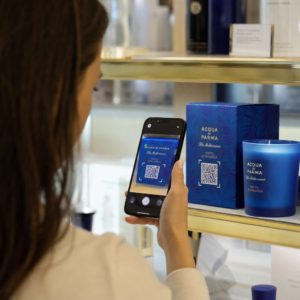
L'adoption des codes QR par les consommateurs a atteint un point où la friction au scan est minimale. Selon les données de l'industrie, 64 % des acheteurs ont scanné un code QR sur un produit lors de leurs achats en magasin, et 42 % ont déclaré que les codes QR avaient considérablement amélioré leur expérience d'achat en personne. Ce changement de comportement crée une réelle opportunité pour les marques de commerce électronique de rencontrer les clients là où ils se trouvent déjà.
Pour les vendeurs en ligne, les codes QR ont un double objectif : ils accélèrent le chemin vers l'achat en supprimant les étapes supplémentaires, et ils génèrent des données de scan qui vous aident à comprendre exactement comment vos campagnes fonctionnent. Un code QR dynamique va plus loin – il vous permet de mettre à jour l'URL de destination à tout moment sans réimpression, ce qui signifie qu'un code sur l'emballage du produit peut pointer vers une promotion saisonnière aujourd'hui et un tutoriel produit le mois prochain.
Les principaux avantages pour les entreprises de commerce électronique incluent :
- Friction d'achat réduite – Les clients scannent et atterrissent directement sur une page produit ou un flux de paiement, contournant entièrement la recherche
- Continuité cross-canal – Les emballages physiques, les publicités imprimées et les supports d'e-mail se connectent tous de manière transparente à votre boutique numérique
- Engagement mesurable – Les analyses de scan révèlent quels emplacements génèrent le plus de trafic et lesquels convertissent
- Contenu flexible – Les codes dynamiques vous permettent de modifier les destinations sans rééditer les supports imprimés
- Engagement post-achat – Les encarts d'emballage et les matériaux d'expédition deviennent des canaux marketing actifs
Cas d'utilisation clés pour les codes QR de commerce électronique
Comprendre où les codes QR apportent le plus de valeur vous aide à prioriser par où commencer. Chaque cas d'utilisation ci-dessous aborde un point de friction spécifique dans le parcours client.
Lier les produits physiques aux boutiques en ligne
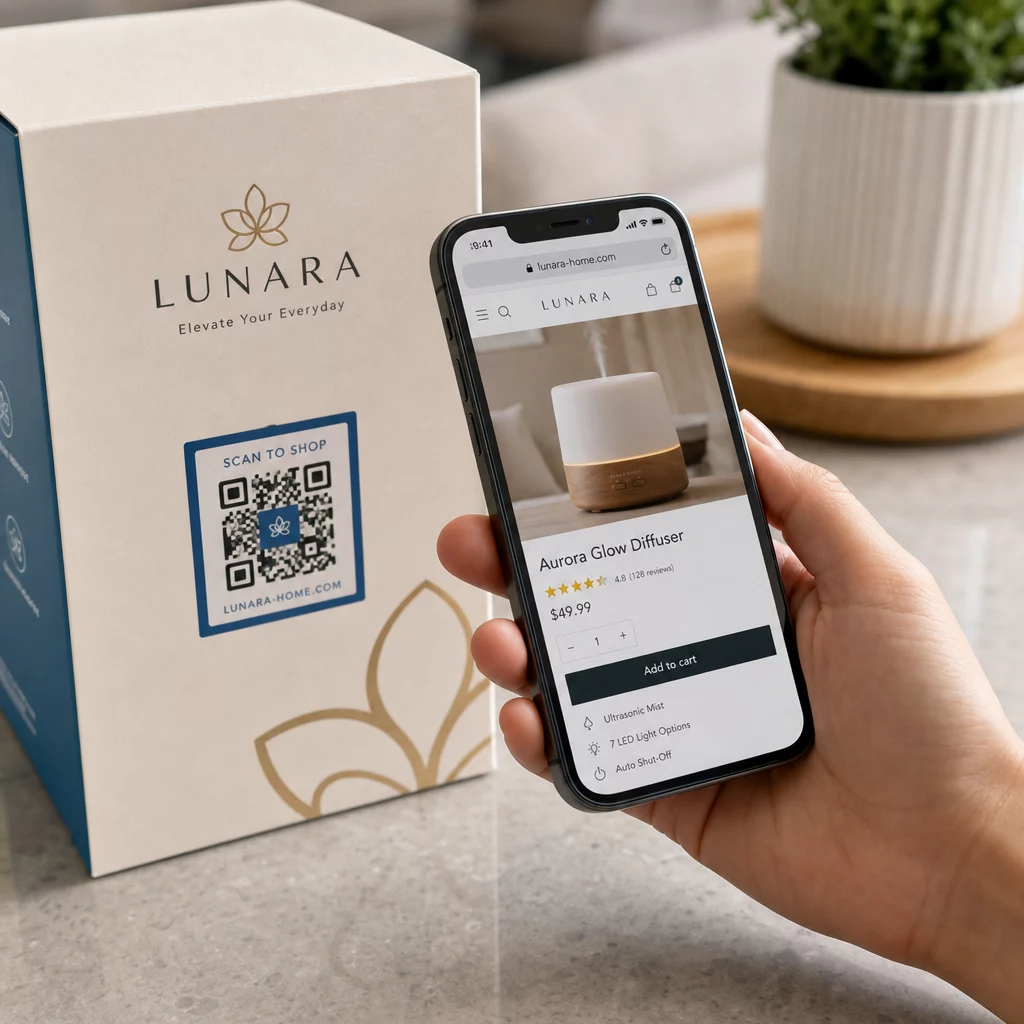
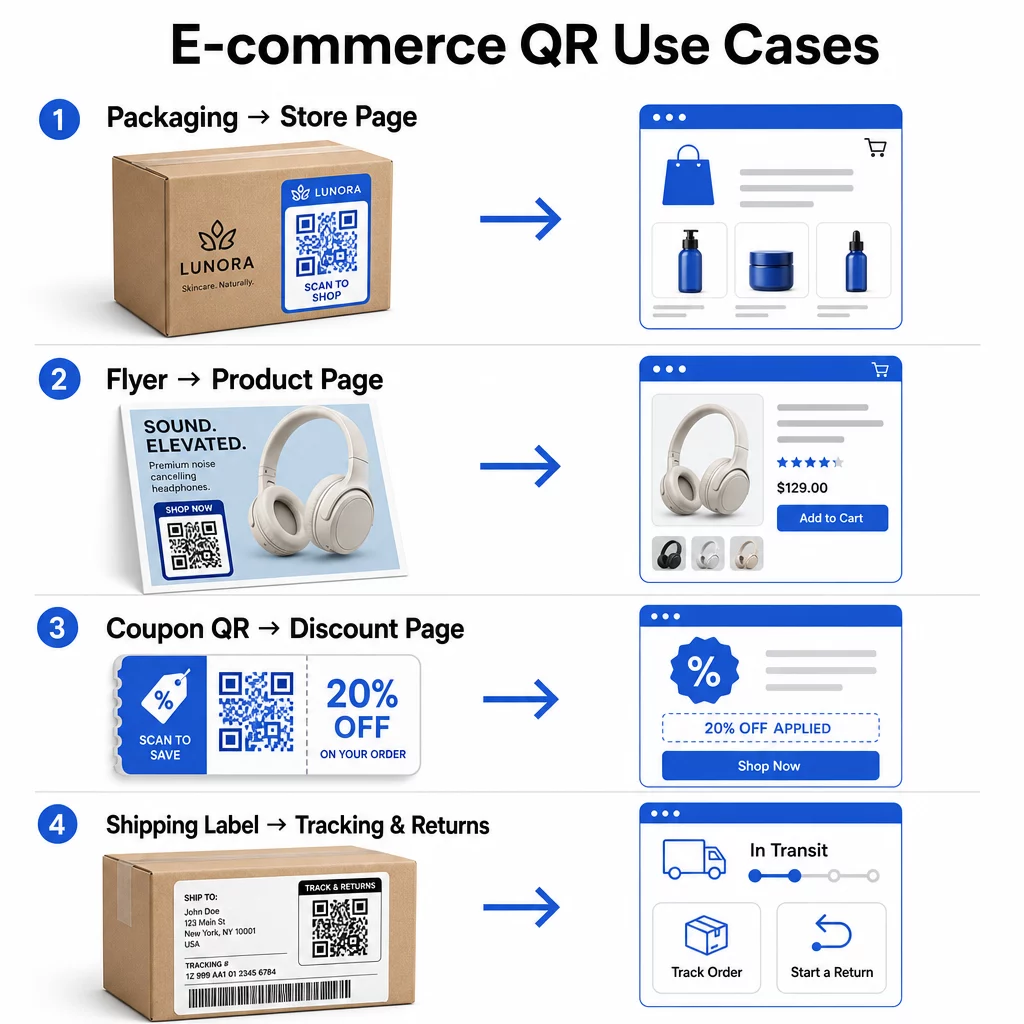
L'emballage du produit est le pont le plus direct entre un article physique et votre vitrine numérique. Un code QR sur la boîte ou l'étiquette peut envoyer les clients vers la page complète du produit, les accessoires connexes, les vidéos d'instructions ou un lien de réapprovisionnement. Un client de Pageloot a placé des codes QR à l'intérieur de son emballage et a signalé une augmentation de 27% des visites répétées sur sa boutique Shopify en deux semaines.
Cette approche est particulièrement précieuse pour les produits avec plus de détails que ce qui tient sur une étiquette – les ingrédients, les certifications, les tutoriels et les informations de garantie peuvent tous se trouver derrière un seul code scannable. En savoir plus sur les codes QR sur les emballages et comment ils bénéficient au commerce de détail.
Stimuler les ventes avec des codes QR achetables
Lorsqu'un client voit votre produit dans une publicité imprimée, un catalogue ou un présentoir en magasin, un code QR élimine les étapes entre l'intérêt et l'achat. Plutôt que de rechercher votre produit ou de taper une URL, il scanne et atterrit directement sur la page du produit ou une collection organisée.
Utilisez un générateur de code QR de lien pour pointer chaque code vers une URL spécifique. Avec les codes dynamiques, vous pouvez mettre à jour cette destination pour refléter la disponibilité des stocks, les prix saisonniers ou un ensemble à durée limitée sans réimprimer aucun matériel.
Offrir des coupons et des promotions à durée limitée
Les codes QR sont particulièrement efficaces pour distribuer des codes de réduction et des offres promotionnelles car l'expérience est instantanée et sans friction. Un client scanne, voit une page de destination de coupon et peut échanger l'offre immédiatement plutôt que de chercher un code promo dans sa boîte de réception.
Placez les codes promotionnels sur les emballages de produits, les reçus imprimés, le publipostage et la signalisation physique pour encourager les premiers achats et les commandes répétées. Le Générateur de QR code coupon vous permet de créer une page de destination dédiée avec plusieurs offres et un appel à l'action clair.
Créer des codes QR de coupon pour votre magasin Affichez des offres à durée limitée, des codes promo et des offres exclusives sur une page de destination de marque que vos clients atteignent en un seul scan. Utilisez le Générateur de QR code coupon pour commencer.
Activer les paiements par code QR
Le paiement sans contact est une attente croissante, en particulier dans les environnements de commerce de détail et hybrides où les clients veulent payer sans faire la queue à une caisse ou saisir manuellement les détails de leur carte. Les paiements par code QR fonctionnent en dirigeant le client vers une page de paiement hébergée – il scanne, confirme le montant et paie en utilisant une carte enregistrée ou un portefeuille mobile comme Apple Pay ou Google Pay.
Codes QR statiques lien vers une page de paiement générique où les clients saisissent eux-mêmes le montant. Codes QR dynamiques peuvent être générés avec des données spécifiques à la transaction afin que le client n'ait qu'à confirmer et autoriser. Pour les entreprises gérant des paiements récurrents ou des montants variables, les codes de paiement dynamiques réduisent les erreurs de saisie et accélèrent le passage en caisse.
La sécurité est une considération essentielle ici. Chaque code QR de paiement doit utiliser une destination vérifiée et sécurisée par HTTPS. Utilisez des codes dynamiques lorsque cela est possible, car ils peuvent être désactivés ou mis à jour en cas de falsification. Le Générateur de QR code PayPal offre un moyen simple de créer des codes de paiement qui dirigent les clients vers votre flux de paiement. Vous pouvez également consulter Paiement par QR code accessible : bonnes pratiques pour vous assurer que votre implémentation est à la fois sécurisée et inclusive.
Recueillir des avis Google et des commentaires clients
La preuve sociale est l'un des atouts les plus importants d'une entreprise de commerce électronique. Le défi est que la plupart des clients satisfaits ne laissent pas d'avis à moins que le processus ne soit sans friction. Un code QR sur un insert d'emballage, une boîte d'expédition ou un reçu réduit cette friction à un simple scan.
Dirigez le code directement vers votre page de soumission d'avis Google afin que les clients arrivent exactement là où vous le souhaitez. Le Générateur de QR code pour avis Google vous permet de créer et de personnaliser des codes d'avis que vous pouvez intégrer à vos supports physiques. Pour une collecte de commentaires plus large, les codes QR peuvent également renvoyer à des enquêtes post-achat, vous permettant de recueillir des informations structurées sur l'expérience d'achat. En savoir plus sur la façon dont les codes QR soutiennent le service client du commerce électronique.
Améliorer la logistique de livraison et de retours
Les étiquettes d'expédition et les e-mails de confirmation de commande sont des canaux de marketing et de service sous-utilisés. Un code QR sur l'étiquette d'expédition peut donner aux clients un accès instantané aux mises à jour de suivi en temps réel sans qu'ils aient besoin de trouver un numéro de suivi et de le saisir manuellement.
Pour les retours, un code QR renvoyant directement à un formulaire de demande de retour supprime la partie la plus frustrante de l'expérience post-achat. Des marques comme IKEA ont adopté ce modèle – en envoyant des codes QR par e-mail ou SMS après qu'un client a enregistré un retour – pour rationaliser la logistique inverse et réduire les contacts avec le support. Découvrez comment les codes QR améliorent les expériences de livraison du commerce électronique plus en détail.
Développer les audiences des médias sociaux
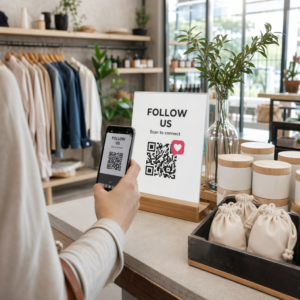
Chaque emballage physique est un canal potentiel pour développer votre audience sociale. Un code QR qui renvoie directement à votre profil Instagram, TikTok ou YouTube peut transformer un acheteur pour la première fois en un abonné à long terme sans dépense publicitaire supplémentaire.
Cela fonctionne particulièrement bien lors des moments de déballage, où l'attention du client est élevée et l'enthousiasme pour le produit est à son apogée.
Comment suivre les performances d'une campagne de codes QR
Générer un code QR n'est que la moitié du travail – comprendre ses performances est ce qui distingue une expérience tactique d'une stratégie évolutive.
Codes QR dynamiques et analyses intégrées
Codes QR dynamiques offrent le suivi le plus complet car ils acheminent les scans via une redirection gérée qui enregistre les métriques en temps réel. Une plateforme de gestion de codes QR comme Pageloot capture :
- Scans totaux et scans uniques
- Heure et date de chaque scan
- Localisation géographique du scan
- Type d'appareil et système d'exploitation
Ces données vous indiquent quels emplacements génèrent le plus d'engagement, quand les clients sont les plus susceptibles de scanner, et où la demande géographique est concentrée. Pour un aperçu plus approfondi du fonctionnement du suivi, consultez le guide de suivi des scans de codes QR et des analyses.
Surveillez Votre Campagne en Temps Réel Vous voulez savoir exactement où et quand vos clients scannent vos supports ? Utilisez le Générateur de QR code dynamique pour créer des codes traçables et accéder dès aujourd'hui à un tableau de bord de performance complet.
Paramètres UTM pour l'attribution dans Google Analytics
Pour les campagnes où vous avez besoin que les performances du code QR apparaissent aux côtés d'autres données de canal dans Google Analytics, ajoutez des paramètres UTM à l'URL de destination avant de générer le code. Les paramètres UTM sont de courts extraits ajoutés à une URL qui indiquent à votre plateforme d'analyse la source, le support et le nom de la campagne associés à une visite.
Une URL de base balisée UTM pour un code QR sur un emballage de produit pourrait ressembler à :
“`
https://yourstore.com/product?utmsource=packaging&utmmoyen=qrcode&utmcampaign=spring_launch
“`
Les cinq paramètres UTM standard sont :
- utm_source – D'où provient le trafic (par exemple, `emballage`, `flyer`, `reçu`)
- utmmedium – Le canal marketing (par exemple, `qrcode`)
- utmcampaign – Le nom spécifique de la campagne (par exemple, `printempslancement`)
- utm_term – Mots-clés, généralement pour les campagnes de recherche payantes
- utm_content – Pour différencier des liens similaires ou des variantes créatives
Une fois balisé, raccourcissez l'URL et générez votre code QR à partir du lien raccourci. Les scans apparaîtront alors comme une source de trafic distincte dans vos rapports d'analyse, vous permettant de mesurer les taux de conversion, les revenus et le comportement spécifiques au trafic généré par les codes QR.
Meilleures pratiques de conception de codes QR pour le commerce électronique
Un code QR que les clients ne peuvent ou ne veulent pas scanner n'apporte aucune valeur. Ces principes de conception garantissent que vos codes fonctionnent de manière fiable sur tous les emplacements :
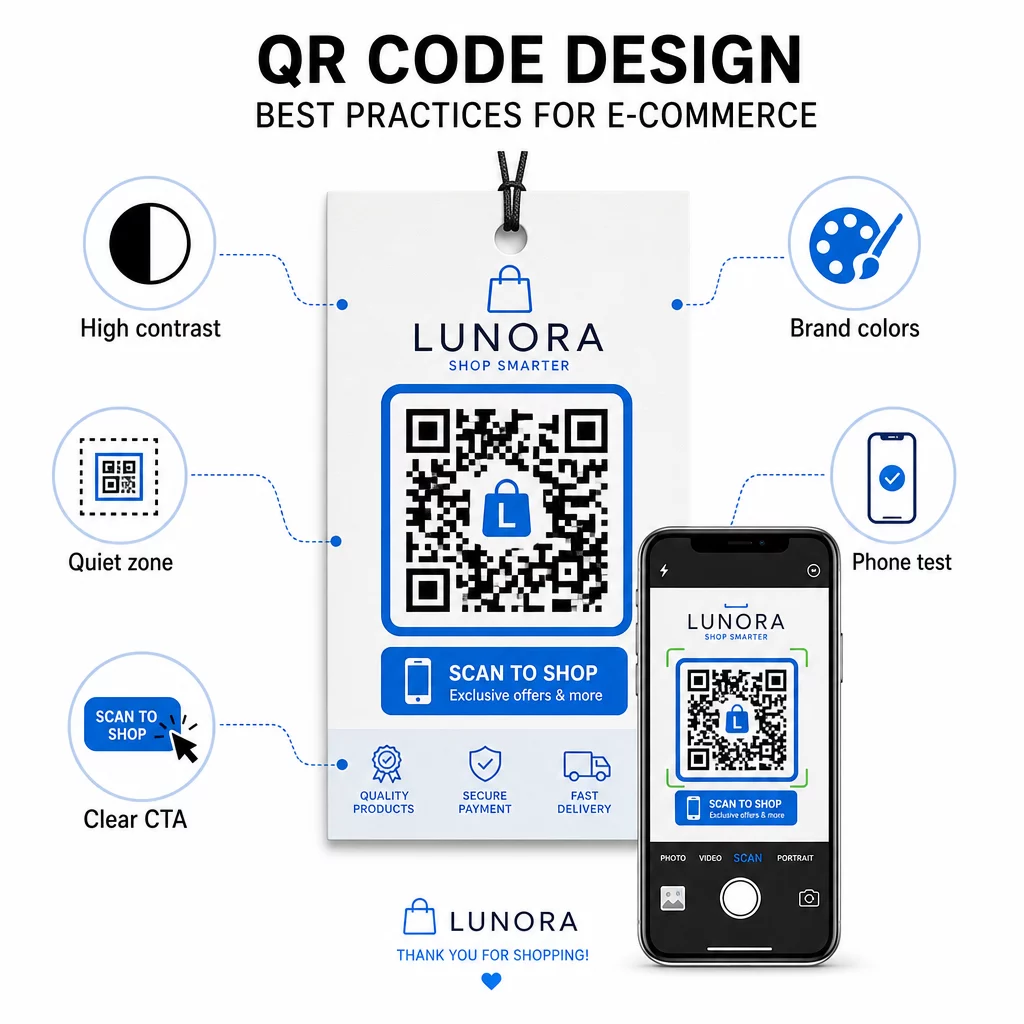
- Utilisez des modules sombres sur un fond clair – Le noir sur blanc offre le contraste le plus fort pour la reconnaissance par caméra et est plus accessible pour les utilisateurs dans des conditions de faible luminosité
- Maintenez une zone de silence – Gardez au moins quatre modules d'espace vide autour du code afin que les graphiques environnants n'interfèrent pas avec le scan
- Respectez les directives de taille minimale – Au moins 1 pouce × 1 pouce pour les matériaux imprimés ; plus grand pour la signalisation, où la règle générale est que la distance de scan maximale doit être environ dix fois la largeur du code
- Incluez un appel à l'action clair – Étiquetez le code avec une brève instruction telle que “ Scannez pour 10% de réduction ” ou “ Scannez pour suivre votre commande ” afin de réduire l'hésitation et d'augmenter les taux de scan
- Testez avant d'imprimer – Vérifiez que le code scanne correctement à la taille imprimée finale, à partir des distances prévues, dans un éclairage réaliste et sur plusieurs modèles de téléphone
Pour les pages de destination mobiles liées à vos codes QR, la vitesse de chargement et la mise en page mobile-first sont essentielles. Les pages doivent se charger en moins de trois secondes, et les boutons doivent être suffisamment grands pour être facilement tapés. Voir meilleures pratiques pour les pages de destination de codes QR mobiles pour une liste de contrôle détaillée.
Comment créer un code QR pour votre boutique e-commerce
Pour commencer avec les codes QR pour votre boutique, il y a trois étapes :
- Générez le code – Utilisez le Générateur de code QR Pageloot pour créer un code QR dynamique lié à une page produit, un flux de paiement, un formulaire d'avis ou toute autre destination. Choisissez dynamique plutôt que statique si vous souhaitez mettre à jour la destination ultérieurement ou suivre les performances.
- Personnalisez-le et marquez-le – Ajoutez votre logo, harmonisez les couleurs de votre marque et incluez un cadre avec une étiquette d'appel à l'action. Les codes de marque renforcent la reconnaissance et ont tendance à générer plus de scans que les codes noirs et blancs ordinaires.
- Déployez et surveillez – Placez le code sur les emballages, les e-mails, les supports imprimés ou la signalisation en magasin. Utilisez le tableau de bord analytique pour examiner les performances de scan et ajuster les campagnes en fonction de ce qui fonctionne.
Pour des idées de mise en œuvre spécifiques à l'industrie, la page des solutions de codes QR pour le commerce électronique couvre les cas d'utilisation sur Shopify, WooCommerce et d'autres plateformes. Vous pouvez également parcourir les solutions de codes QR par secteur d'activité pour comprendre comment d'autres secteurs abordent des défis similaires.
Les résultats concrets démontrent l'ampleur de ce qui est possible : des études de cas de grandes marques de commerce électronique montrent des résultats tels qu'une augmentation de 130 % des ventes en ligne et une augmentation de 239 % de l'engagement des applications grâce à des déploiements ciblés de codes QR. La page des études de cas de codes QR pour le commerce électronique couvre ces exemples en détail.
Les codes QR fonctionnent mieux lorsqu'ils résolvent un problème spécifique pour le client – obtenir des informations plus rapidement, payer plus facilement ou effectuer un retour sans tracas. Commencez par un ou deux points de contact à forte valeur ajoutée, mesurez les résultats et développez à partir de là.
Questions fréquentes
Un code QR statique encode l'URL de destination directement dans le motif et ne peut pas être modifié après sa création. Un code QR dynamique pointe vers un lien de redirection court qui peut être mis à jour à tout moment, même après que le code a été imprimé. Pour le commerce électronique, les codes dynamiques sont généralement préférables car ils prennent en charge l'analyse en temps réel, permettent des mises à jour de destination lorsque les promotions changent, et produisent un motif visuel plus propre qui se scanne plus rapidement. Apprenez-en davantage sur la page des codes QR statiques vs. dynamiques.
La méthode la plus fiable combine deux approches. Premièrement, utilisez des codes QR dynamiques via une plateforme de gestion comme Pageloot, qui enregistre automatiquement le nombre de scans, les horodatages, les types d'appareils et les emplacements géographiques. Deuxièmement, ajoutez des paramètres UTM à vos URL de destination afin que les scans apparaissent comme une source de trafic distincte dans Google Analytics, où vous pouvez mesurer les taux de conversion et les revenus attribués à chaque code. Consultez le guide de suivi des codes QR pour des instructions étape par étape.
Les emplacements avec le plus fort engagement dans le commerce électronique sont l'emballage des produits, les boîtes d'expédition, les encarts d'emballage et les e-mails de confirmation de commande. Ces points de contact atteignent les clients à des moments de forte intention – juste après l'achat ou pendant l'expérience de déballage – ce qui les rend idéaux pour générer des avis, des achats répétés et des abonnements sociaux. Les documents post-achat comme les reçus et les instructions de retour sont également efficaces car les clients sont activement engagés avec votre marque à ce moment-là.