
Pitävätkö pitkät jättöjonot ja manuaaliset sisäänkirjautumislomakkeet hidastamassa päiväkotisi toimintaa joka aamu? Paperilokit luovat sisäänkäynnin pullonkauloja, riskinä ovat väärin sijoitetut tiedostot ja pakolliset lisenssitarkastukset. QR-koodien käyttöönotto antaa vanhemmille mahdollisuuden kirjautua sisään sekunneissa älypuhelimillaan samalla kun digitaaliset läsnäolotiedot päivittyvät automaattisesti.
Päivittäisen vanhempien sisäänkirjautumisen ja läsnäolon virtaviivaistaminen
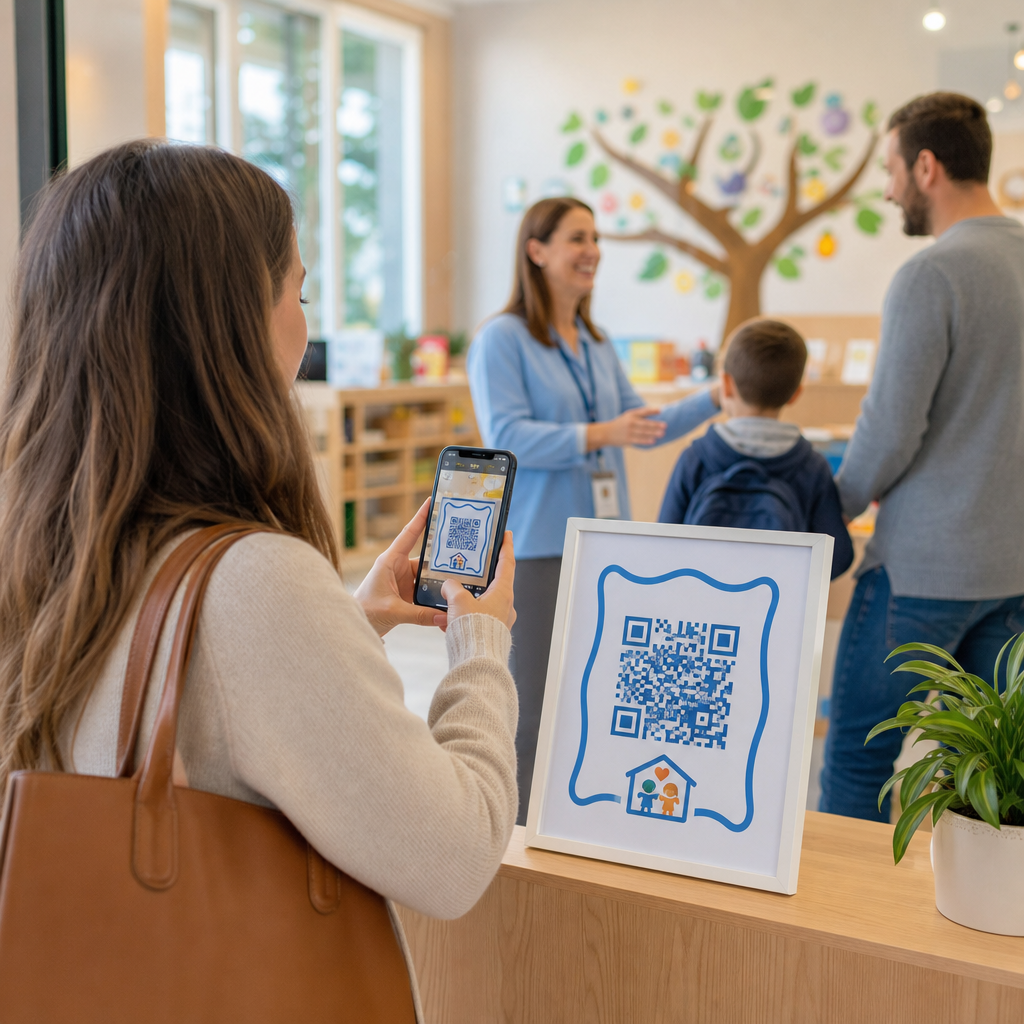
Digitaalisiin sisäänkirjautumisiin siirtyminen poistaa fyysiset paperilokit ja vähentää aamun sisäänkirjautumisen viiveitä. Vanhemmat voivat käyttää omia mobiililaitteitaan skannatakseen näytetyn koodin, täyttääkseen lyhyen sisäänkirjautumislomakkeen ja siirtyäkseen lapsensa luokkaan koskematta jaettuihin kyniä tai lehtiöihin.
Digitaalisen läsnäolojärjestelmän perustaminen sisältää yksinkertaisen kolmivaiheisen työnkulun:
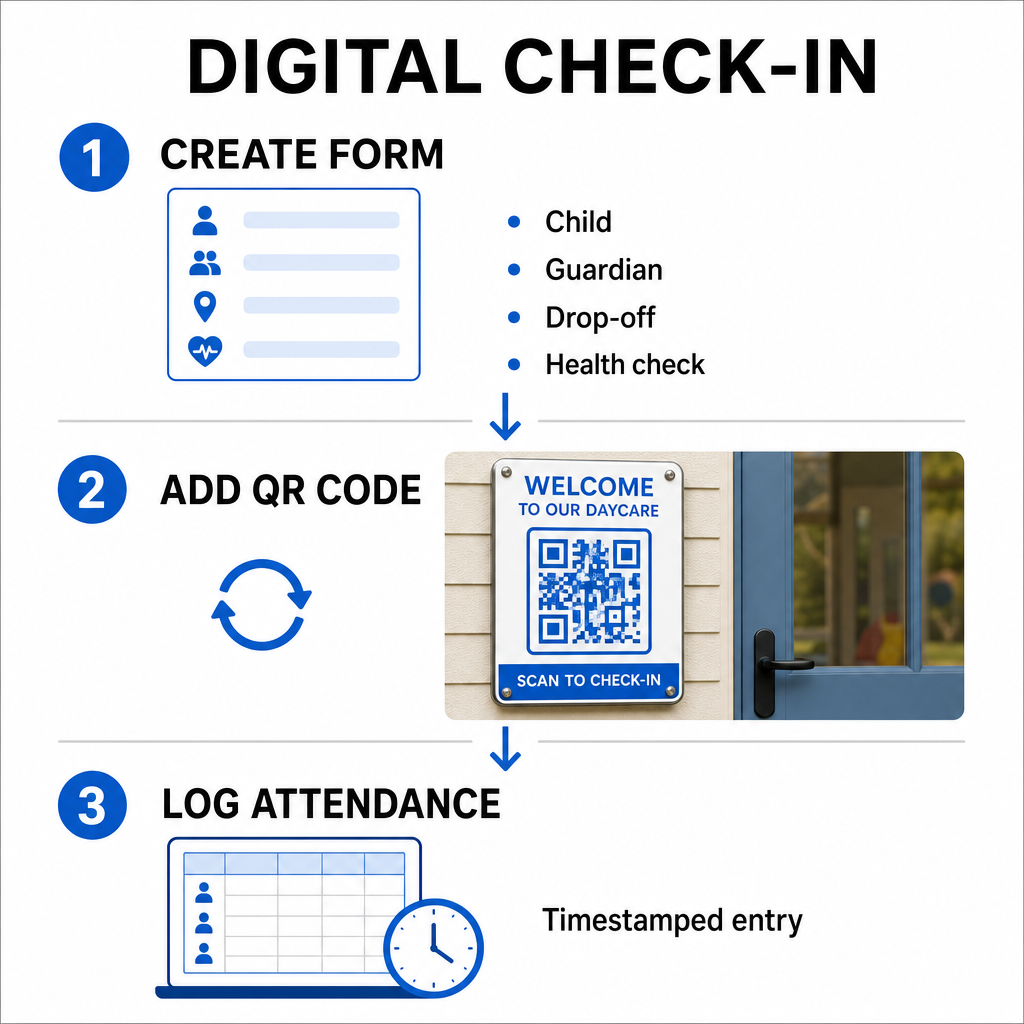
- Luo sisäänkirjautumislomakkeesi: Rakenna online-sisäänkirjautumislomake käyttämällä työkaluja, kuten Google Forms tai Typeform. Sisällytä kentät lapsen nimeä, vanhemman tai huoltajan nimeä, jättöaikaa ja päivittäisiä terveystarkastuskysymyksiä varten.
- Generoi dynaaminen QR-koodi: Linkitä lomakkeesi URL käyttämällä Läsnäolon QR-koodi generaattori tai a Google Forms QR-koodi generaattori. Dynaamisten QR-koodien valitseminen antaa sinun päivittää kohdelinkkejä tai muokata lomakkeita tulevaisuudessa ilman fyysisten julisteiden uudelleenpainamista.
- Automatisoi tietojen kerääminen: Määritä online-lomakkeesi kirjaamaan merkinnät automaattisesti keskitettyyn taulukkolaskentaan, kuten Google Sheets. Jokainen skannaus luo aikaleimatun merkinnän, jonka henkilökunta voi tarkistaa reaaliajassa.
Hallinnollista noutovahvistusta varten keskuksesi voi myös myöntää yksittäisiä QR-merkkejä valtuutetuille noutajille. Henkilökunta voi käyttää verkkopohjaista QR-koodin lukija tabletilla tai älypuhelimella skannatakseen vanhempien merkkejä, varmistaen nopean henkilöllisyyden vahvistuksen iltapäivän ruuhka-aikoina. Voit myös tutkia toimialakohtaisia työnkulkuja eri QR-koodialan ratkaisujen parissa nähdäksesi, miten digitaaliset kosketuspisteet parantavat toimintaa.
Automatisoi lastenhoitosi läsnäolon seuranta Tarvitsetko nopeamman, kontaktittoman tavan kirjata opiskelijoiden saapumiset ja pysyä tarkastusvalmiina? Käytä Läsnäolon QR-koodi generaattori luodaksesi jäljitettäviä sisäänkirjautumispisteitä keskukseesi tänään.
Valtion ja liittovaltion läsnäolosäännösten noudattaminen
Lastenhoitopalvelujen on noudatettava tiukkoja tietojenkeräysstandardeja säilyttääkseen lisenssinsä ja säilyttääkseen liittovaltion rahoituksen. Paperiset sisäänkirjautumislomakkeet ovat alttiita puuttuvista allekirjoituksista, lukukelvottomasta käsialasta ja väärin sijoitetuista kansioista. Digitaaliset sisäänkirjautumistyönkulut ratkaisevat nämä ongelmat luomalla välittömiä, muuttumattomia digitaalisia tarkastuspolkuja.
Digitaaliset QR-järjestelmät auttavat useissa keskeisissä vaatimustenmukaisuuskehyksissä:
- Lastenhoito- ja kehitysrahasto (CCDF): Liittovaltion CCDF-rahoitussäännöt edellyttävät lastenhoitopalvelujen tarjoajia ylläpitämään yksityiskohtaisia, dokumentoituja läsnäolotietoja vähintään kolmen vuoden ajan saadakseen tukikorvauksia.
- Lasten ja aikuisten hoitoruokailuohjelma (CACFP): Liittovaltion säännösten (7 CFR 226.15(e)) mukaan CACFP-ohjelmaan osallistuvien keskusten on ylläpidettävä tarkkoja päivittäisiä läsnäolotietoja erillään aterialaskuista. Automatisoidut lokit varmistavat, että nämä tiedot pysyvät tarkkoina taloudellisissa tarkastuksissa.
- Osavaltion lisenssimääräykset: Osavaltiot, kuten Texas, Washington ja Florida, vaativat lastenhoitokeskuksia ylläpitämään päivittäisiä seurantajärjestelmiä, jotka tallentavat saapumisajat, lähtöajat ja yksilölliset tunnisteet tai valtuutetut allekirjoitukset. Automatisoidut aikaleimat täyttävät osavaltion lisenssivaatimukset tarkalle aikaseurannalle.
Digitaaliset tiedot voidaan myös varmuuskopioida pilvipalvelimiin, mikä auttaa keskustasi ylläpitämään vahvaa liiketoiminnan jatkuvuutta ja katastrofipalautussuunnitelmia elintärkeille hallinnollisille tiedostoille.
Kontaktittomien työnkulkujen luominen lomakkeille ja käsikirjoille
Päivittäisten sisäänkirjautumisten lisäksi QR-koodit virtaviivaistavat viestintää laitoksessasi yhdistämällä vanhemmat välittömästi tärkeisiin digitaalisiin asiakirjoihin.
Voit käyttää a PDF QR-koodi generaattori julkaistaksesi skannattavia koodeja luokkahuoneiden oviin, vastaanottotiskeille tai ilmoitustauluille. Tämä antaa vanhemmille mahdollisuuden avata ja tarkastella tärkeitä materiaaleja henkilökohtaisilla puhelimillaan, kuten:
- Vanhempien käsikirjat ja keskuksen käytännöt
- Kuukausittaiset ateria- ja välipalavalikot
- Hätäyhteyslomakkeet ja lääketieteelliset suostumukset
- Kausiluonteiset aktiviteettien ilmoittautumiset ja lupalaput
Lisäksi käyttämällä Linkki QR-koodigeneraattori voit ohjata vanhemmat suoraan online-lukukausimaksuportaaleihin, ilmoittautumisportaaleihin tai henkilökunnan palautelomakkeisiin. Muuttamalla fyysisen paperityön saavutettaviksi digitaalisiksi linkeiksi, keskuksesi leikkaa tulostuskustannuksia pitäen samalla perheet ajan tasalla. Tutustu kaikkiin saatavilla oleviin QR-koodialustan ominaisuuksiin laajentaaksesi laitoksesi digitaalista strategiaa.
Parhaat käytännöt päiväkodin QR-koodien tulostamiseen ja sijoittamiseen
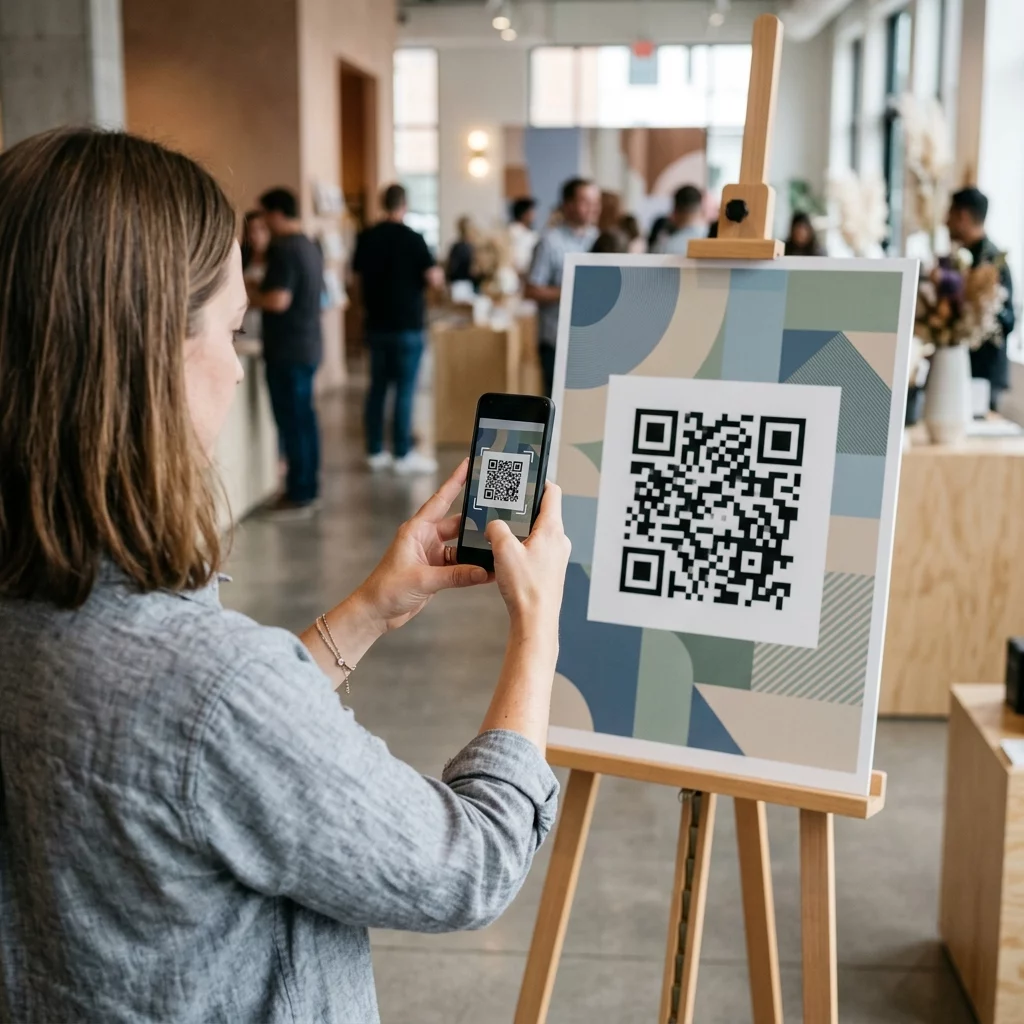
Korkeiden skannausnopeuksien ylläpitämiseksi ja sisäänkirjautumisen viiveiden välttämiseksi tulostettujen QR-koodien on noudatettava vakiintuneita luettavuusstandardeja. Huono valaistus, alikokoiset tulosteet tai heijastavat pinnat voivat haitata kameran antureita aamun ruuhka-aikoina.
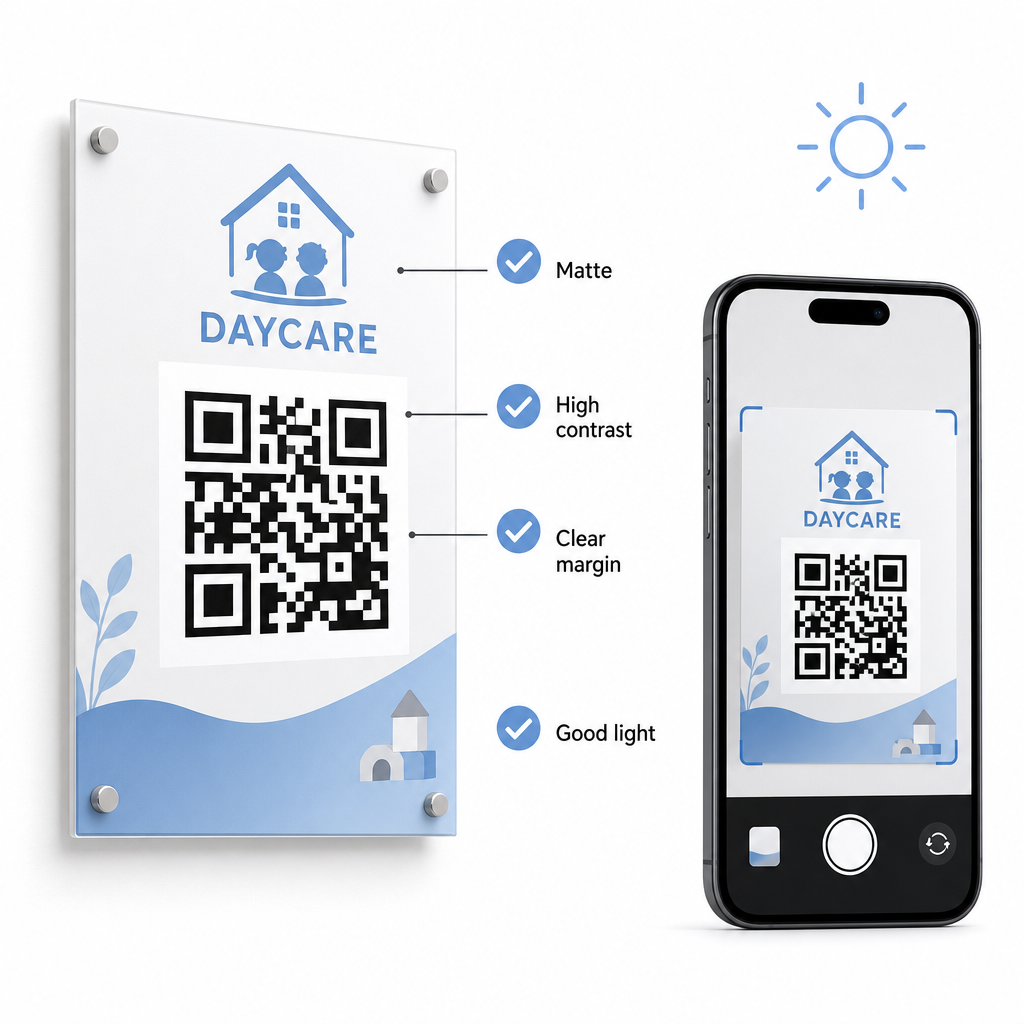
Noudata näitä teknisiä ohjeita näyttäessäsi koodeja laitoksessasi:
- Säilytä asianmukaiset kokosuhteet: Noudata 10:1 suhdetta skannausetäisyyden ja koodin leveyden välillä, säilyttäen vähintään 2x2 cm koon lähiskannausta varten.
- Varmista korkea värikontrasti: Käytä tummia kuvioita vaaleilla taustoilla saavuttaaksesi 21:1 kontrastisuhteen, varmistaen vähintään 4,5:1 suhteen pienemmille tulosteille.
- Säilytä hiljaisen vyöhykkeen marginaalit: Pidä selkeä valkoinen reunus koodin kaikilla neljällä sivulla estääksesi lähellä olevan tekstin tai visuaalisten elementtien häiritsemästä skannereita.
- Valitse heijastamattomat materiaalit: Tulosta kyltit mattapaperille tai pahville kiiltävän laminoidun tai lasin sijaan estääksesi valon heijastumisen.
- Vie vektorigraafiset tiedostomuodot: Lataa tulostettavat tiedostot korkearesoluutioisina vektorimuotoina, kuten SVG tai EPS, jotta kuvat pysyvät terävinä skaalattaessa.
- Testaa todellisissa olosuhteissa: Skannaa testitulosteita useilla mobiililaitteilla erilaisissa valaistusolosuhteissa ennen pysyvien opasteiden asentamista. Tutustu yksityiskohtaiseen oppaaseemme parhaita käytäntöjä QR-koodin luettavuudelle saadaksesi lisäohjeita.
Tietoturva, yksityisyys ja vanhempien turvallisuus
Lasten ja perheiden tietojen käsittely vaatii tarkkaa huomiota tietoturvaan. Verkossa henkilötietoja keräävien lastenhoitopalveluiden on noudatettava liittovaltion standardeja, mukaan lukien Children’s Online Privacy Protection Act (COPPA) silloin, kun kyseessä ovat lapsille suunnatut digitaaliset palvelut, ja ylläpidettävä selkeitä ilmoituksia siitä, miten vanhempien tietoja tallennetaan ja hallinnoidaan.
Tarkista nämä keskeiset turvatoimet käyttöönotettaessa QR-koodeja tiloissasi:
- Näytä selkeät tietosuojailmoitukset: Varmista, että linkitetyt lomakkeet tai laskeutumissivut sisältävät suoran linkin keskuksesi tietosuojakäytäntöön ennen perhetietojen keräämistä.
- Tarkasta fyysiset opasteet säännöllisesti: Varmista, että alkuperäisten sisäänkirjautumistaulujen päälle ei ole asetettu luvattomia tarroja tai muutettuja koodeja, sillä fyysinen peukalointi voi ohjata käyttäjät haitallisille sivustoille.
- Suojaa hallinnollinen tietojen käyttöoikeus: Salaa verkossa olevat sisäänkirjautumislomakkeet HTTPS-protokollilla ja rajoita hallinnollisten taulukkolaskentataulukoiden käyttöoikeus vain valtuutetuille henkilöille.
Soveltamalla asianmukaisia turvallisuuskäytäntöjä ja valitsemalla luotettavia työkaluja suojaat perheen yksityisyyttä samalla kun optimoit päivittäistä keskuksen hallintaa. Laajemman katsauksen sääntelykehyksiin saat tutustumalla yleiskatsaukseemme QR-koodien tietosuojalait ja keskeiset säännökset.
Päiväkodin sisäänkirjautumisprosessin modernisointi vähentää sisääntuloruuhkaa, parantaa tietojen tarkkuutta ja yksinkertaistaa auditointivaatimusten noudattamista. Fyysisten paperilokien korvaaminen dynaamisilla QR-koodeilla tarjoaa vanhemmille nopean ja hygieenisen luovutuskokemuksen samalla kun hallinnolliset tiedot pysyvät järjestettyinä reaaliajassa. Aloita mukautetun sisäänkirjautumistyönkulkusi suunnittelu tänään luomalla dynaamisia koodeja ja mukautettuja lomakkeita, jotka on räätälöity keskuksesi päivittäisiin toiminnallisiin tarpeisiin.
Usein kysytyt kysymykset
Dynaamiset QR-koodit ovat ihanteellisia päiväkodin sisäänkirjautumisiin, koska ne antavat ylläpitäjien päivittää linkitettyjä lomakkeita tai kohde-URL-osoitteita tulostamatta uudelleen fyysisiä ovikylttejä.
Ei, vanhemmat eivät tarvitse erityistä sovellusta. Useimmat modernit älypuhelimet skannaavat QR-koodeja suoraan natiivien kamerasovellustensa kautta.
Liittovaltion tukiohjelmat, kuten CCDF ja CACFP, edellyttävät, että keskukset säilyttävät läsnäolotiedot vähintään kolmen vuoden ajan, vaikka osavaltion säännökset tai erityiset rahoitussopimukset saattavat edellyttää pidempiä säilytysaikoja.