
Kas pikad üleandmisjärjekorrad ja käsitsi sisseregistreerimise lehed aeglustavad teie lastehoiu tegevust igal hommikul? Paberlogid loovad sissepääsu ummikuid, riskivad valesti paigutatud failidega ja keerustavad kohustuslikke litsentsiaudituid. QR-koodide rakendamine võimaldab vanematel sekunditega oma nutitelefonidesse sisse logida, samal ajal automaatselt digitaalseid kohalolekuandmeid värskendades.
Igapäevase vanemate sisseregistreerimise ja kohaloleku sujuvamaks muutmine
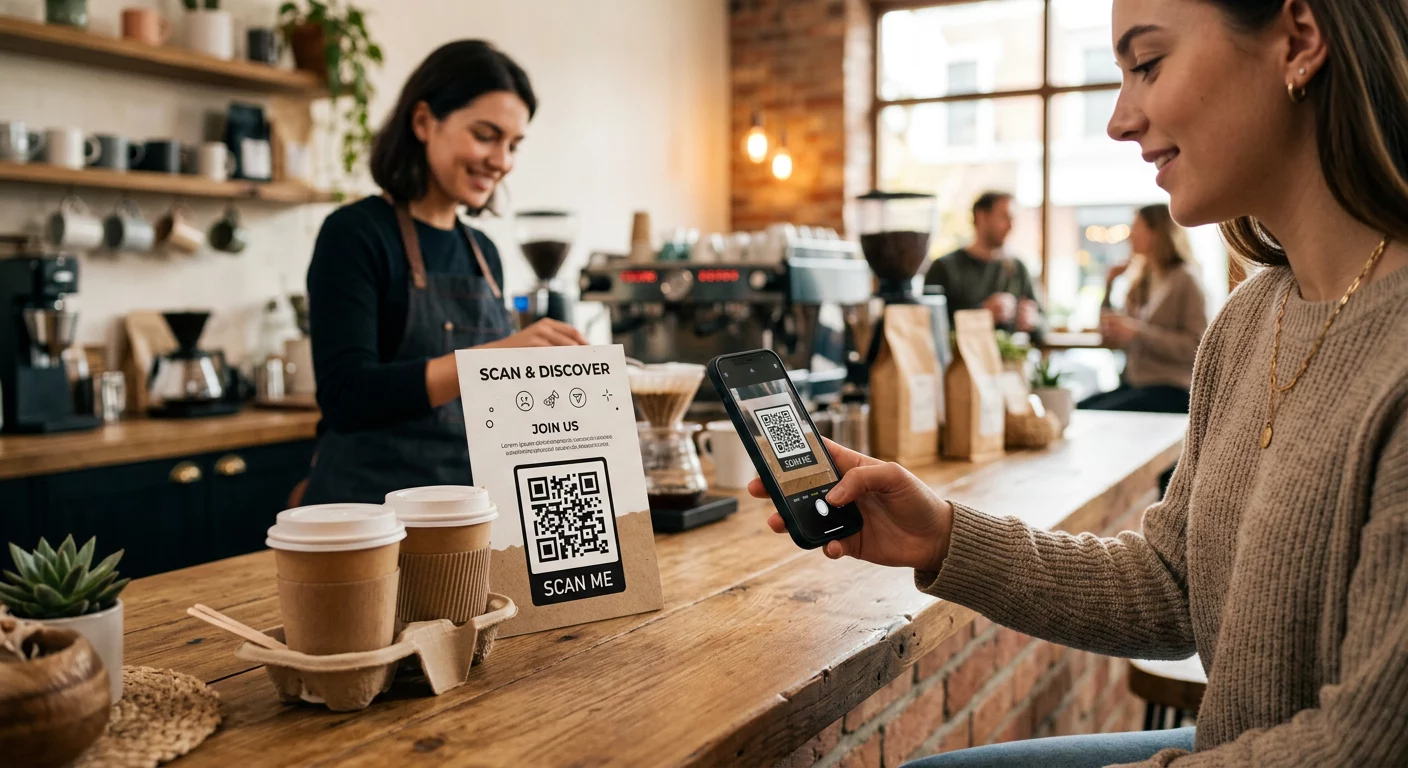
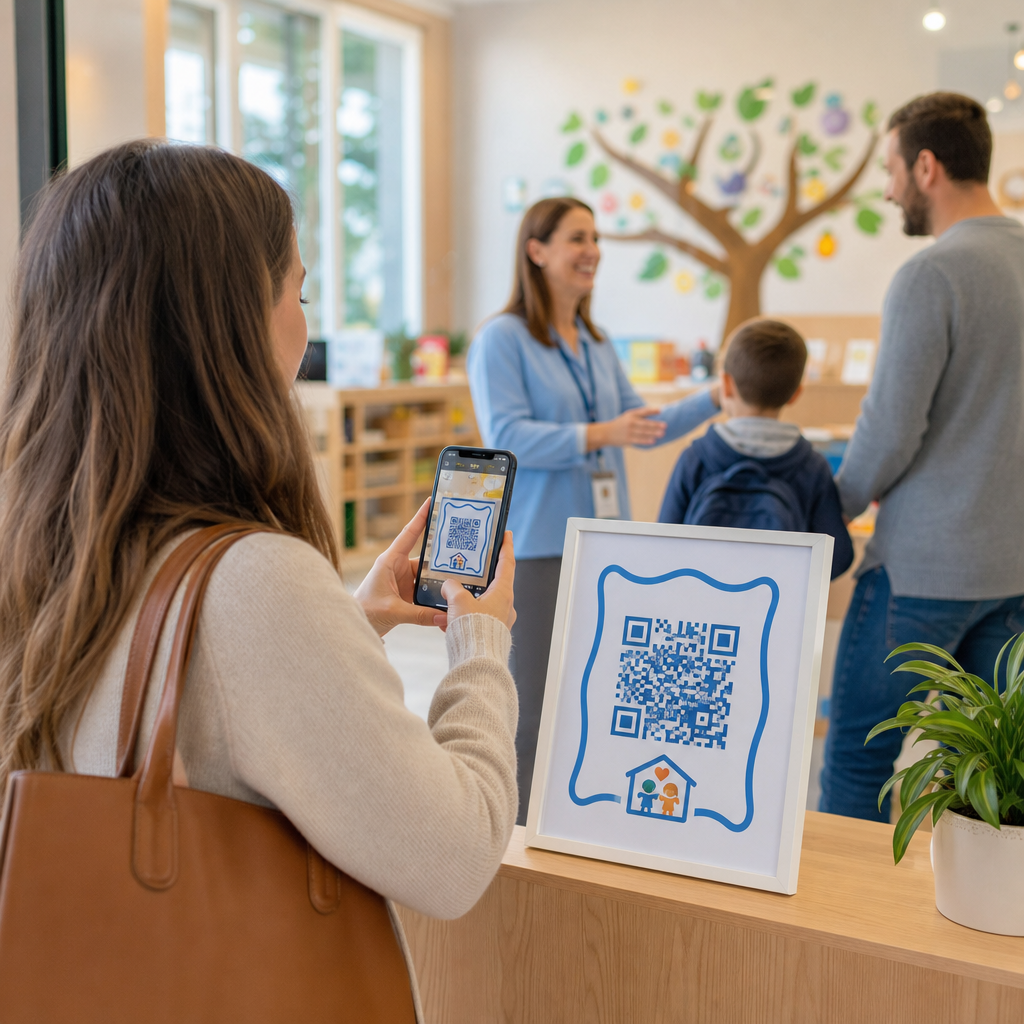
Digitaalsetele sisseregistreerimistele üleminek kõrvaldab füüsilised paberlogid ja vähendab hommikuseid sisseregistreerimise viivitusi. Vanemad saavad kasutada oma mobiilseadmeid, et skannida kuvatavat koodi, täita lühike sisseregistreerimise vorm ja jätkata oma lapse klassiruumi ilma jagatud pliiatseid või klammerduslaudu puudutamata.
Digitaalse kohalolekusüsteemi seadistamine hõlmab lihtsat kolmeastmelist töövoogu:
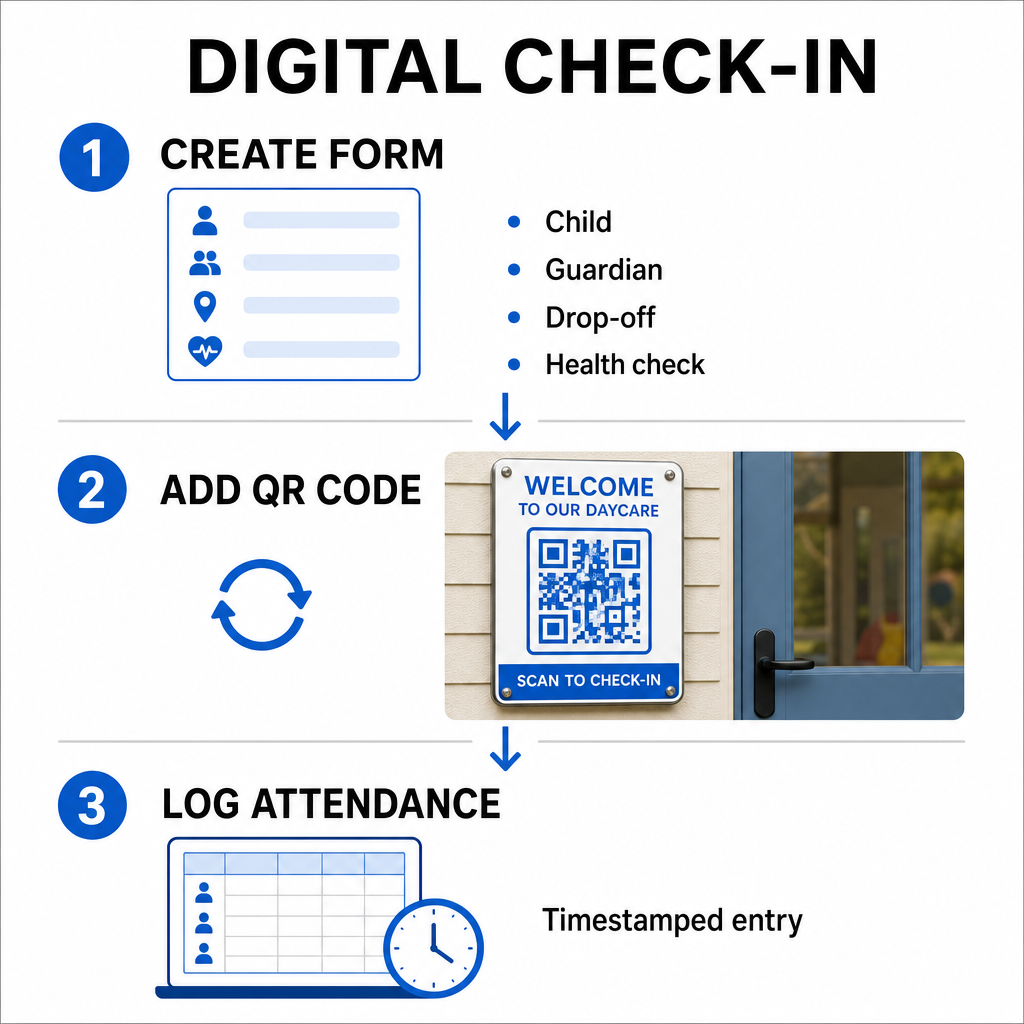
- Looge oma sisseregistreerimise vorm: Ehitage veebipõhine sisseregistreerimise vorm, kasutades tööriistu nagu Google Forms või Typeform. Lisage väljad lapse nime, vanema või eestkostja nime, üleandmise aja ja igapäevaste tervisekontrolli küsimuste jaoks.
- Genereerige dünaamiline QR-kood: Lingige oma vormi URL kasutades Kohaloleku QR-koodi generaator või a Google vorm: QR-koodi generaator. Dünaamiliste QR-koodide valimine võimaldab teil tulevikus sihtlinke värskendada või vorme muuta ilma füüsilisi plakateid uuesti printimata.
- Automatiseerige andmete kogumine: Konfigureerige oma veebivorm automaatselt kirjeid kesksesse tabelisse, näiteks Google Sheets, logima. Iga skannimine loob ajatempliga kirje, mida personal saab reaalajas üle vaadata.
Haldusliku väljavõtmise kontrollimiseks võib teie keskus väljastada ka individuaalseid QR-märke volitatud väljavõtja isikutele. Personal saab kasutada veebipõhist QR-koodi lugeja tahvelarvutil või nutitelefonil, et skannida vanemate märke, tagades kiire identiteedi kontrollimise tipptundidel pärastlõunal. Võite uurida ka sektoripõhiseid töövooge kogu erinevad QR-koodi tööstuslahendused , et näha, kuidas digitaalsed puutepunktid tegevust parandavad.
Automatiseerige oma lastehoiu kohaloleku jälgimine Vajate kiiremat, kontaktivaba viisi õpilaste saabumiste logimiseks ja auditi valmisolekuks? Kasutage Kohaloleku QR-koodi generaator , et luua oma keskuse jaoks jälgitavad sisseregistreerimise punktid juba täna.
Osariigi ja föderaalsete kohalolekunõuete täitmine
Lastehoiuasutused peavad litsentsi säilitamiseks ja föderaalsete vahendite saamiseks järgima rangeid andmete säilitamise standardeid. Paberil sisseregistreerimise lehed on altid puuduvatele allkirjadele, loetamatule käekirjale ja valesti paigutatud sideainetele. Digitaalsed sisseregistreerimise töövoogud lahendavad need probleemid, luues koheseid, muutumatuid digitaalseid auditi jälgi.
Digitaalsed QR-süsteemid aitavad mitmete peamiste vastavusraamistike puhul:
- Lastehoid ja arengufond (CCDF): Föderaalsed CCDF-fondi reeglid nõuavad lastehoiu pakkujatelt üksikasjalike, dokumenteeritud kohalolekuandmete säilitamist vähemalt kolme aasta jooksul, et saada toetuse tagasimakseid.
- Laste ja täiskasvanute hooldamise toiduprogramm (CACFP): Föderaalse määruse (7 CFR 226.15 (e)) kohaselt peavad CACFP-s osalevad keskused säilitama täpseid igapäevaseid kohalolekuandmeid eraldi toidu kogustest. Automatiseeritud logid tagavad nende andmete täpsuse fiskaalsete ülevaadete jaoks.
- Osariigi litsentsinõuded: Osariigid nagu Texas, Washington ja Florida nõuavad lastehoiu keskustelt igapäevaste jälgimissüsteemide säilitamist, mis salvestavad saabumisajad, väljumisajad ja unikaalsed identifikaatorid või volitatud allkirjad. Automatiseeritud ajatemplid rahuldavad osariigi litsentsinõuded täpse aja jälgimise osas.
Digitaalseid andmeid saab varundada ka pilveserveritesse, aidates teie keskuse äritegevuse järjepidevust ja katastroofi taastamise plaane elutähtsate haldusfailide jaoks.
Kontaktivabade töövoogude loomine vormide ja käsiraamatute jaoks
Lisaks igapäevastele sisseregistreerimistele sujuvamaks muudavad QR-koodid suhtlust teie asutuses, ühendades vanemad koheselt oluliste digitaalsete dokumentidega.
Võite kasutada a PDF QR-koodi generaator , et postitada skannitavad koodid klassiruumi ustele, vastuvõtulaua lettidele või teadetetahvlitele. See võimaldab vanematel avada ja vaadata oma isiklikel telefonidel olulisi materjale, näiteks:
- Vanemate käsiraamatud ja keskuse poliitikad
- Igakuised toidu- ja suupistemenüüd
- Hädaabikontakti vormid ja meditsiinilised nõusolekud
- Hooajalised tegevuste registreerumised ja lubade lehed
Lisaks, kasutades Lingi QR-koodi generaator võimaldab teil suunata vanemad otse veebipõhistesse õppemaksu makseportaalidesse, registreerimisportaalidesse või personali tagasiside vormidesse. Füüsilise paberimajanduse muutes kättesaadavateks digitaalseteks linkideks, vähendab teie keskus trükikulusid, hoides samal ajal peresid kursis. Avastage kõik saadaolevad QR-koodi platvormi funktsioonid , et laiendada oma asutuse digitaalset strateegiat.
Parimad tavad lastehoiu QR-koodide printimiseks ja paigutamiseks
Kõrgete skannimissageduste säilitamiseks ja sisseregistreerimise viivituste vältimiseks peavad teie prinditud QR-koodid vastama kehtestatud loetavuse standarditele. Halb valgustus, alamaõõdulised väljatrükid või peegeldavad pinnad võivad kaameraandureid hommikuste tipptundide ajal takistada.
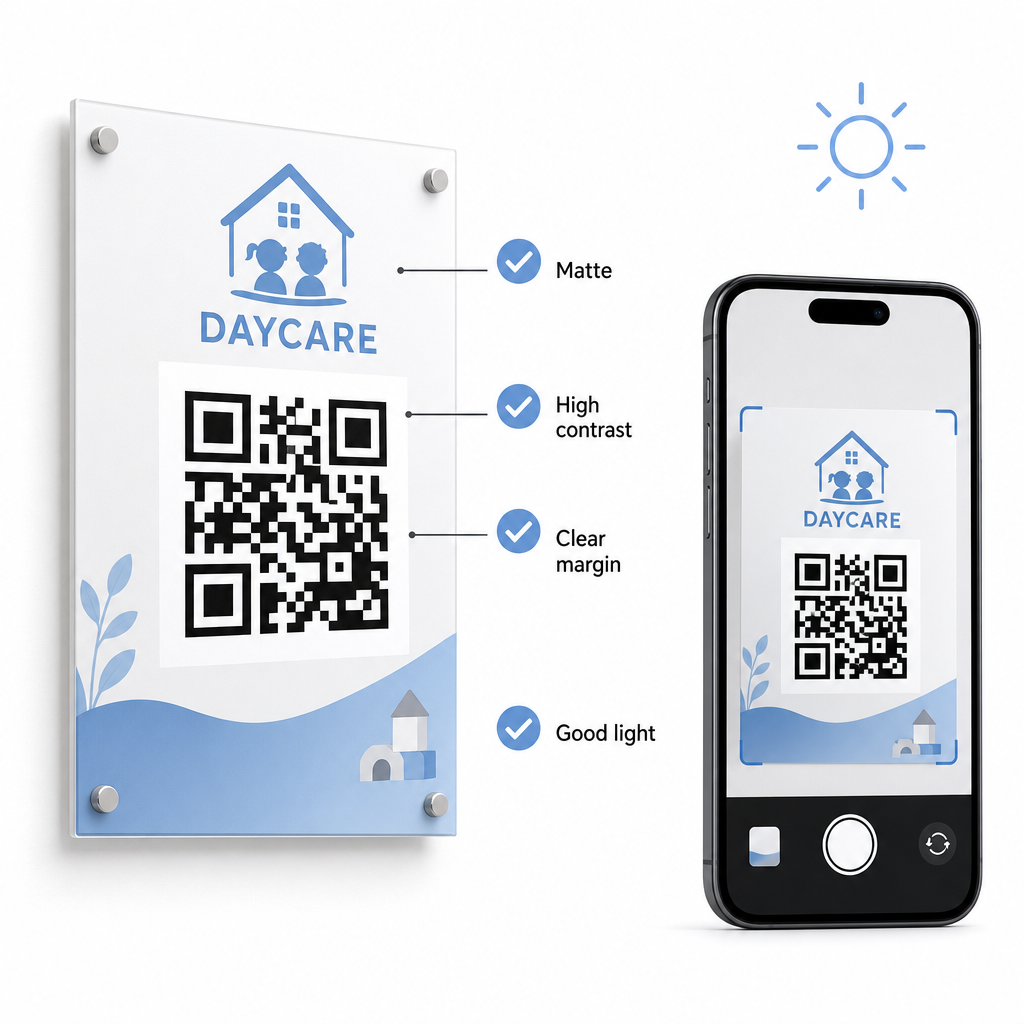
Järgige neid tehnilisi juhiseid, kui kuvate oma asutuses koode:
- Säilitage sobivad suurussuhted: Järgige 10:1 suhet skannimiskauguse ja koodi laiuse vahel, säilitades lähikauguse skannimiseks minimaalse suuruse 2x2 cm.
- Tagage kõrge värvikontrast: Kasutage tumedaid mustreid heledal taustal, et saavutada 21:1 kontrastsuse suhe, tagades väiksemate väljatrükkide puhul vähemalt 4,5:1 suhte.
- Säilitage vaikse tsooni veerised: Hoidke koodi kõigi nelja külje ümber selge valge äär, et vältida läheduses oleva teksti või visuaalide skanneritega segamist.
- Valige mittepeegeldavad materjalid: Printige märke mattpaberile või -plaadile, mitte läikivale laminaadile või klaasile, et vältida valgustuse peegeldumist.
- Eksportige vektorfailivormingud: Laad prindifailid alla kõrge resolutsiooniga vektormallides, nagu SVG või EPS, et pildid jääksid skaleerimisel teravaks.
- Testige reaalsetes tingimustes: Skannige testprindid erinevates valgustingimustes mitmes mobiilseadmes enne püsivate siltide paigaldamist. Vaadake meie üksikasjalikku juhendit QR-koodi loetavuse parimaid tavasid täiendava tehnilise juhendamise saamiseks.
Andmeturve, privaatsus ja vanemate turvalisus
Lapse ja pereandmete käitlemine nõuab ranget tähelepanu andmeturbele. Lapsehoiuasutused, kes koguvad veebis isikuandmeid, peavad järgima föderaalstandardeid, sealhulgas laste veebipõhise privaatsuse kaitse seadust (COPPA), kui tegemist on lastele suunatud digiteenustega, ning esitama selged avalikustamised selle kohta, kuidas vanemate andmeid säilitatakse ja hallatakse.
Vaadake neid peamisi turvameetmeid oma asutuses QR-koodide kasutamisel:
- Kuvage selged privaatsusteated: Enne pereandmete kogumist veenduge, et lingitud vormid või sihtlehed sisaldavad otsest linki teie keskuse privaatsuspoliitikale.
- Kontrollige füüsilisi silte regulaarselt: Kontrollige, et originaalidele ei oleks paigaldatud volitamata kleebiseid ega muudetud koode sisselogimis tahvlitele, kuna füüsiline rikkumine võib suunata kasutajad pahatahtlikele saitidele.
- Turvake administratiivset andmetele juurdepääsu: Krüpteerige veebipõhised sisselogimisvormid HTTPS-protokollidega ja piirake administratiivsete arvutustabelite juurdepääsu ainult volitatud personalile.
Nõuetekohaste turvatavade rakendamise ja usaldusväärsete tööriistade valimisega kaitsete pere privaatsust, optimeerides samal ajal igapäevast keskuse haldamist. Reguleerivate raamistike laiemaks ülevaateks tutvuge meie ülevaatega QR-koodi privaatsusseadused ja peamised regulatsioonid.
Päevahoiu sisselogimise protsessi moderniseerimine vähendab sissepääsu ummikuid, parandab andmete täpsust ja lihtsustab auditite vastavust. Füüsiliste paberlogide asendamine dünaamiliste QR-koodidega pakub vanematele kiiret ja hügieenilist äraandmise kogemust, hoides samal ajal administratiivsed andmed reaalajas korras. Alustage oma kohandatud sisselogimise töövoo kujundamist juba täna, luues dünaamilisi koode ja kohandatud vorme, mis on kohandatud teie keskuse igapäevastele töövajadustele.
Korduma kippuvad küsimused
Dünaamilised QR-koodid sobivad ideaalselt lastehoiu sisseregistreerimiseks, kuna need võimaldavad administraatoritel linkitud vorme või siht URL-e värskendada ilma füüsilisi uksemärke uuesti printimata.
Ei, vanemad ei vaja spetsiaalset rakendust. Enamik kaasaegseid nutitelefone skannib QR-koode otse oma tavaliste kaamerarakenduste kaudu.
Föderaalsed toetuskavad, nagu CCDF ja CACFP, nõuavad keskustelt osavõtu dokumentatsiooni säilitamist vähemalt kolme aasta jooksul, kuigi osariigi määrused või konkreetsed rahastamislepingud võivad nõuda pikemat säilitamisaega.