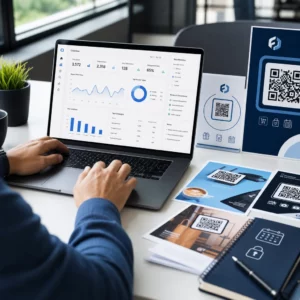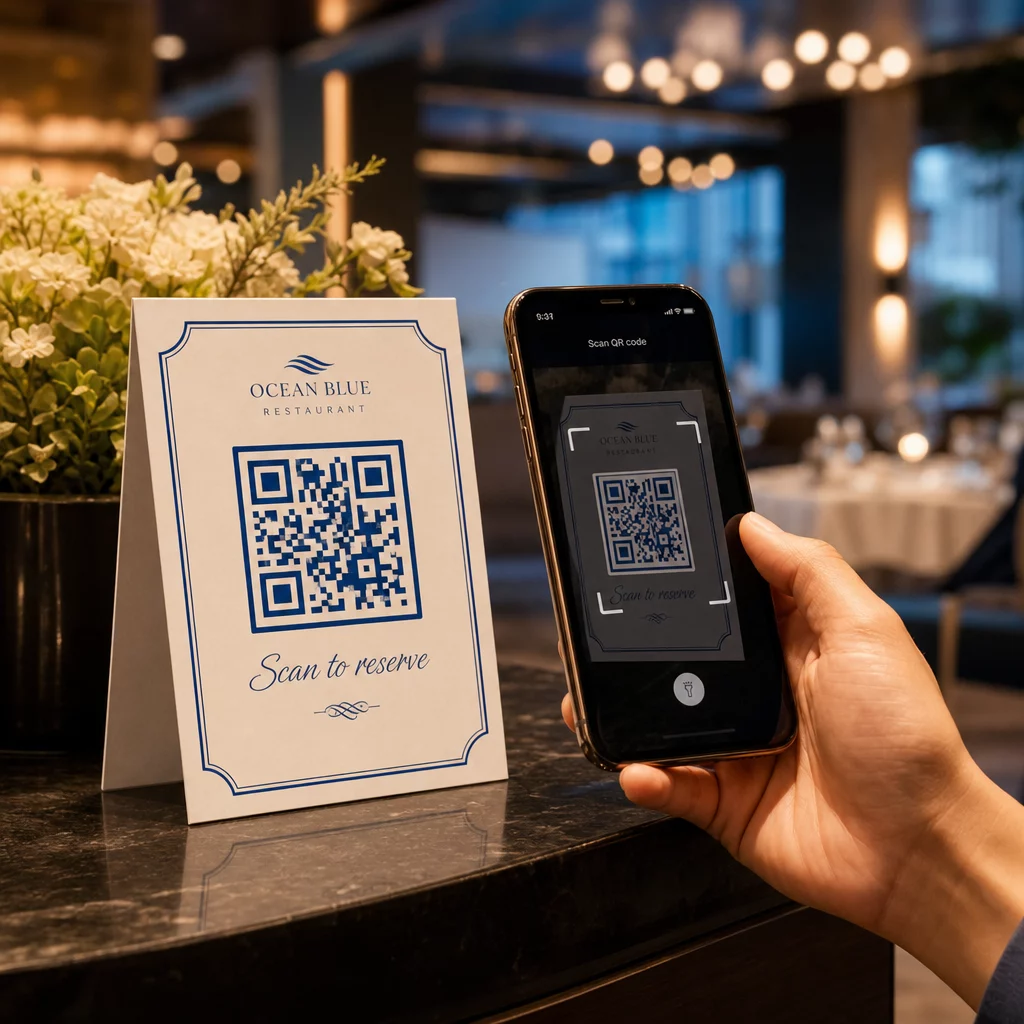
Sú vaše telefónne linky neustále obsadené hovormi o rezerváciách počas špičky? Tento nápor vás stojí stoly, prepitné a sústredenie personálu. Tento sprievodca vám ukáže, ako implementovať QR kódy pre rezervácie stolov, čakacie listiny a digitálne objednávanie – aby váš tím mohol tráviť menej času na telefóne a viac času poskytovaním skvelých služieb.
Prečo QR kódy fungujú pre rezervácie v reštauráciách
Posun smerom k digitálnym rezerváciám je v plnom prúde. Takmer polovica všetkých hostí teraz uprednostňuje rezerváciu online alebo prostredníctvom sociálnych médií namiesto telefonovania vopred. QR kódy spĺňajú túto preferenciu priamo tým, že premenia akýkoľvek tlačený povrch – stolový stojan, nálepku na okno, tašku na jedlo so sebou – na priamy vstupný bod pre váš rezervačný systém.
Keď hosť naskenuje kód, okamžite sa dostane na vašu rezervačnú stránku, skontroluje dostupnosť v reálnom čase a potvrdí stôl za menej ako minútu. Žiadna čakacia hudba. Žiadne nedorozumenia v hlučnej jedálni. Žiadne dvojité rezervácie z ručne písaného záznamu.
Pre reštaurácie s vysokým objemom prevádzky sa táto jednoduchosť priamo premieta do prevádzkových ziskov. Reštaurácie implementujúce nástroje na rezervácie a čakacie listiny založené na QR kódoch hlásia menej preplnených rezervácií, presnejšie údaje o obsadenosti a personál oslobodený od opakovaného vybavovania telefonátov. QR kódy môžu tiež pomôcť hosťom pripojiť sa k čakacej listine na diaľku, vidieť aktualizácie stavu v reálnom čase a prísť v správnom okamihu – čím sa znižuje preplnenosť pri hostiteľskom pulte a skracuje sa vnímaná čakacia doba.
Okrem rezervácií, rovnaká infraštruktúra podporuje digitálne menu, bezkontaktné objednávanie a platby – čím sa QR kódy stávajú všestranným základom pre celú cestu vášho hosťa.
Nastavenie rezervácií pomocou QR kódu: Sprievodca krok za krokom
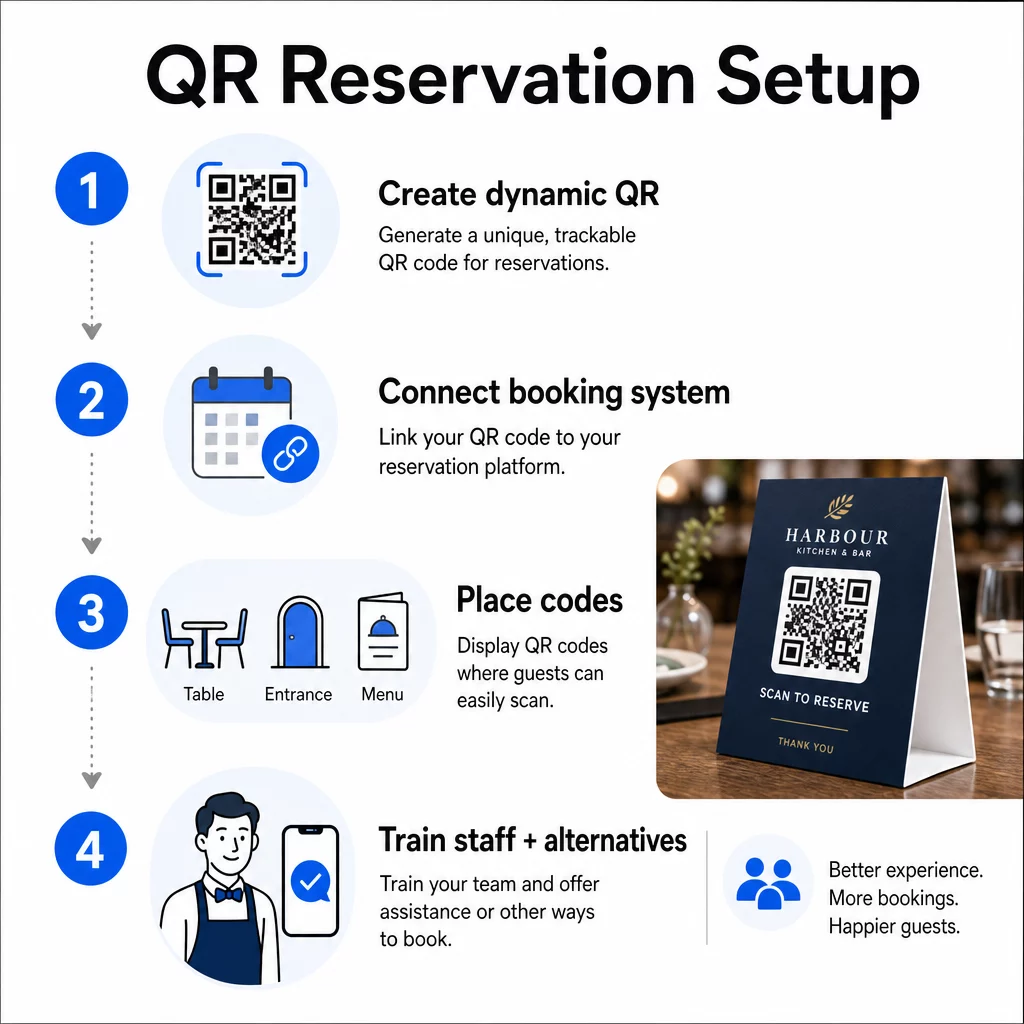
Krok 1: Vytvorte si svoj QR kód
Začnite výberom platformy, ktorá podporuje dynamické QR kódy. Na rozdiel od statických kódov, ktoré sú trvalo viazané na jednu URL adresu, dynamické QR kódy používajú vrstvu presmerovania – čo znamená, že môžete kedykoľvek aktualizovať cieľový odkaz bez opätovnej tlače čohokoľvek. Ak zmeníte rezervačné platformy, upravíte svoju rezervačnú stránku alebo spustíte sezónnu akciu, zmeníte odkaz na svojom paneli a každý vytlačený kód sa automaticky aktualizuje.
Použite Pageloot’s generátor QR kódov na vytvorenie QR kódu s odkazom, ktorý smeruje na vašu rezervačnú platformu – či už je to OpenTable, Resy alebo vlastná rezervačná stránka. Odtiaľ si ho prispôsobte svojim logom, farbami značky a rámom, ktorý zodpovedá estetike vašej reštaurácie. Značkové kódy vyzerajú dôveryhodnejšie a je pravdepodobnejšie, že ich naskenujú hostia, ktorí prichádzajú prvýkrát.
Predtým, ako čokoľvek vytlačíte, otestujte kód na viacerých zariadeniach a operačných systémoch, aby ste potvrdili, že správne smeruje a rýchlo sa načíta na mobilných zariadeniach.
Ste pripravení vytvoriť si svoj QR kód pre rezervácie? Vytvorte dynamický, značkový QR kód za pár minút s Pageloot’s Generátor QR kódov – nevyžaduje sa žiadna skúsenosť s dizajnom a nie je potrebná žiadna pretlač, keď sa zmenia vaše odkazy.
Krok 2: Pripojte sa k vášmu rezervačnému systému
Prepojte svoj QR kód s rezervačnou stránkou, ktorá zobrazuje aktuálnu dostupnosť a posiela okamžité potvrdenie hosťovi. Tým sa cyklus čisto uzatvára: hosť skenuje, vyberie si čas a dostane potvrdenie – bez akejkoľvek účasti personálu.
Synchronizujte svoj rezervačný systém s vaším POS, aby rezervácie prúdili priamo do vášho manažmentu stolov bez manuálneho zadávania. Tým sa eliminujú duplicitné záznamy a vášmu tímu v prednej časti podniku poskytuje presné údaje o obsadenosti v reálnom čase počas celej zmeny.
Keď je systém správne integrovaný, získate aj dátovú vrstvu. Každé skenovanie obsahuje informácie o tom, kedy a kde rezervácia vznikla, aké zariadenie bolo použité a ako sa hostia pohybujú vaším lievikom od skenovania po potvrdenú rezerváciu. Tieto údaje sú užitočné pre rozhodnutia o personálnom obsadení, načasovanie propagačných akcií a identifikáciu vašich najrušnejších období.
Krok 3: Umiestnite kódy tam, kde ich hostia uvidia
Umiestnenie ovplyvňuje mieru skenovania. Umiestnite svoje QR kódy tam, kde sa hostia prirodzene zastavia alebo pozrú – na stoly, pri vchode, na hosteskom pulte, na tlačených menu a vo výkladoch. Výskum používania QR kódov v reštauráciách ukazuje, že 60% všetkých skenov v reštauráciách sa uskutoční, keď sú kódy umiestnené priamo na stole, napríklad na nálepkách alebo stolových stojanoch.
Dodržujte tieto pokyny pre veľkosť na základe toho, kde sa každý kód objaví:
| UMIESTNENIE | Odporúčaná veľkosť | Typická skenovacia vzdialenosť |
|---|---|---|
| Stolové stany | 1,2 × 1,2 palca (3 × 3 cm) | 6–12 palcov |
| Vložky do menu | 0,8 × 0,8 palca (2 × 2 cm) | 8–16 palcov |
| Plagáty / reklamné tabule | 1,2–1,6 palca (3–4 cm) | 2–4 stopy |
| Výklady | 1,6+ palca (4+ cm) | 3–6 stôp |
| Príjmy | 0,8 × 0,8 palca (2 × 2 cm) | 6–12 palcov |
Používajte vysokokontrastné farby – tmavé moduly na svetlom pozadí – a zachovajte jasnú tichú zónu (biely priestor) okolo kódu. Pre vonkajšie alebo vysoko namáhané povrchy chránia kód pred poškodením laminované stolové stojany alebo nálepky odolné voči poveternostným vplyvom. V slabo osvetlených prostrediach pomáhajú udržiavať viditeľnosť fluorescenčné alebo v tme svietiace pozadia.
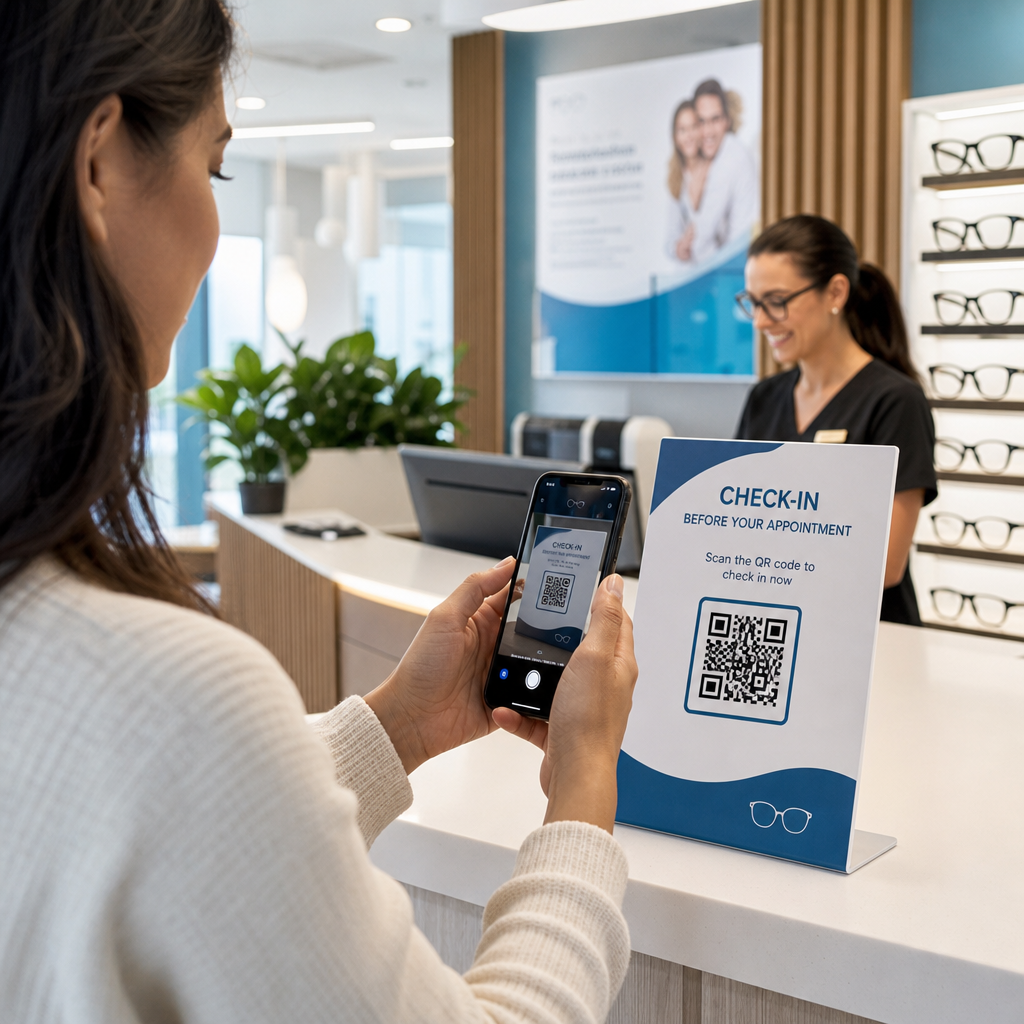
Vždy priložte ku kódu krátky návod, napríklad “Naskenujte pre rezerváciu stola.” Jasné pokyny odstraňujú váhanie, najmä u hostí, ktorí predtým QR kódy nepoužívali. Dodržiavanie osvedčené postupy použiteľnosti QR kódov od začiatku predchádza najčastejším zlyhaniam skenovania.
Krok 4: Informujte svoj tím
Technológia funguje len vtedy, ak ju podporuje váš personál. Vyškolte zamestnancov obsluhy, aby pomáhali hosťom, ktorí majú problémy so skenovaním – či už ide o staršie zariadenie, fotoaparát, ktorý štandardne nepodporuje QR kódy, alebo jednoduchú neznalosť procesu.
Tu záleží na prístupnosti. Nie každý hosť môže alebo chce použiť QR kód. Hlava III zákona o Američanoch so zdravotným postihnutím vyžaduje, aby reštaurácie vykonali primerané úpravy pri obsluhe hostí so zdravotným postihnutím, čo sa týka aj toho, ako pristupujú k menu a rezervačným systémom. Vždy majte k dispozícii tradičnú možnosť rezervácie – telefónne číslo, hostiteľa, ktorý môže prijímať rezervácie priamo, alebo vytlačenú URL adresu, ktorú si hostia môžu zadať ručne. QR kódy by mali byť efektívnou možnosťou, nie jedinou možnosťou.
Kľúčové výhody pre hostí a personál
Čo získajú hostia
Rezervácie pomocou QR kódu ponúkajú 24/7 prístup k rezervácii. Hostia si môžu zabezpečiť stôl počas obednej prestávky, neskoro v noci alebo pri prehliadaní sociálnych médií – nielen počas vašich prevádzkových hodín. Proces je rýchly: naskenovať, skontrolovať dostupnosť, potvrdiť, hotovo. Táto rýchlosť je dôležitá, keďže takmer dve tretiny hostí tvrdia, že by radšej objednávali alebo interagovali digitálne, než čakali na člena personálu.
Bezkontaktná interakcia tiež odstraňuje hygienické obavy, ktoré si mnohí hostia stále nesú z posledných rokov. Žiadne zdieľané fyzické menu na manipuláciu vo fáze rezervácie, žiadne dotýkanie sa tabletu hostiteľa. A keďže hosť zadáva svoje vlastné údaje, chyby pri rezervácii spôsobené nedorozumením výrazne klesajú.
QR kódy dokážu viac než len uchovávať odkaz na rezerváciu. Použite ich na zdieľanie vášho digitálneho menu pred príchodom hostí, zvýraznenie denných špecialít alebo vyzvanie hostí, aby sa pripojili k vášmu vernostnému programu. Pageloot's Generátor QR menu vám umožňuje vytvoriť značkovú vstupnú stránku menu s fotografiami, popismi, kategóriami a dokonca aj informáciami o alergénoch – všetko dostupné z rovnakého skenovania.
Čo získa vaša prevádzka
Zníženie prichádzajúcich rezervačných hovorov oslobodzuje váš tím obsluhy, aby sa mohol sústrediť na hostí, ktorí sú skutočne v miestnosti. Menej telefonických prerušení znamená lepšiu kvalitu služieb počas obsluhy, nielen rýchlejšie rezervácie.
Finančný prípad je tiež jasný. Reštaurácie, ktoré prijímajú digitálne objednávanie a samoobslužné nástroje, dôsledne hlásia vyššie priemerné účty – jedna štúdia zistila 9% nárast výdavkov, keď hostia používajú digitálne objednávanie pri stole. Obrat stolov sa zlepšuje, keď sa skráti celkový cyklus stolovania. A prechod na digitálne menu môže eliminovať tisíce dolárov ročných nákladov na pretlač.
Systémy QR kódov tiež generujú dáta prvej strany, ktoré telefonické rezervácie nemôžu dosiahnuť. Môžete sledovať vzorce rezervácií podľa dennej doby, dňa v týždni a segmentu hostí. Tieto informácie vedú k lepším rozpisom personálu, cielenejším akciám a inteligentnejšiemu plánovaniu zásob. Pre prehľad celého rozsahu digitálnych nástrojov dostupných pre reštaurácie, pozrite si Riešenia QR kódov pre pohostinstvo.
Používanie dynamických QR kódov na udržanie aktuálnosti
Dynamické QR kódy vám poskytujú prevádzkovú flexibilitu, ktorú statické kódy nemôžu poskytnúť. Keďže samotný kód ukladá iba krátku presmerovaciu URL adresu, môžete kedykoľvek zmeniť, kam smeruje, z vášho ovládacieho panela – žiadna pretlač, žiadna výmena stolových stojanov počas obsluhy.
To je dôležité v praxi. Ak prejdete na novú rezervačnú platformu, otestujete nový tok rezervácií alebo dočasne presmerujete kód na oznámenie “plne obsadené” počas vypredanej noci, urobíte jednu zmenu centrálne a každý vytlačený kód okamžite reaguje.
Dynamické kódy tiež podporujú propagačnú flexibilitu. Šesťdesiatosem percent hostí je pravdepodobnejšie, že si rezervuje, keď reštaurácia inzeruje časovo obmedzenú ponuku. S dynamickými kódmi môžete presmerovať na vstupnú stránku s bleskovou ponukou počas pomalého utorkového popoludnia a prepnúť späť na vašu štandardnú rezervačnú stránku do večere – bez toho, aby ste sa dotkli jediného tlačeného materiálu.
Tie isté kódy, ktoré riadia rezervácie, môžu tiež odkazovať na váš systém digitálneho objednávania, formuláre spätnej väzby alebo žiadosti o recenzie. Pageloot's Formulár Google ako QR kód: generátor umožňuje jednoducho prepojiť QR kód s prieskumom po jedle alebo formulárom spätnej väzby, čím zachytáva pocity hostí, kým je zážitok ešte čerstvý.
Používanie analýz na zlepšenie výkonu
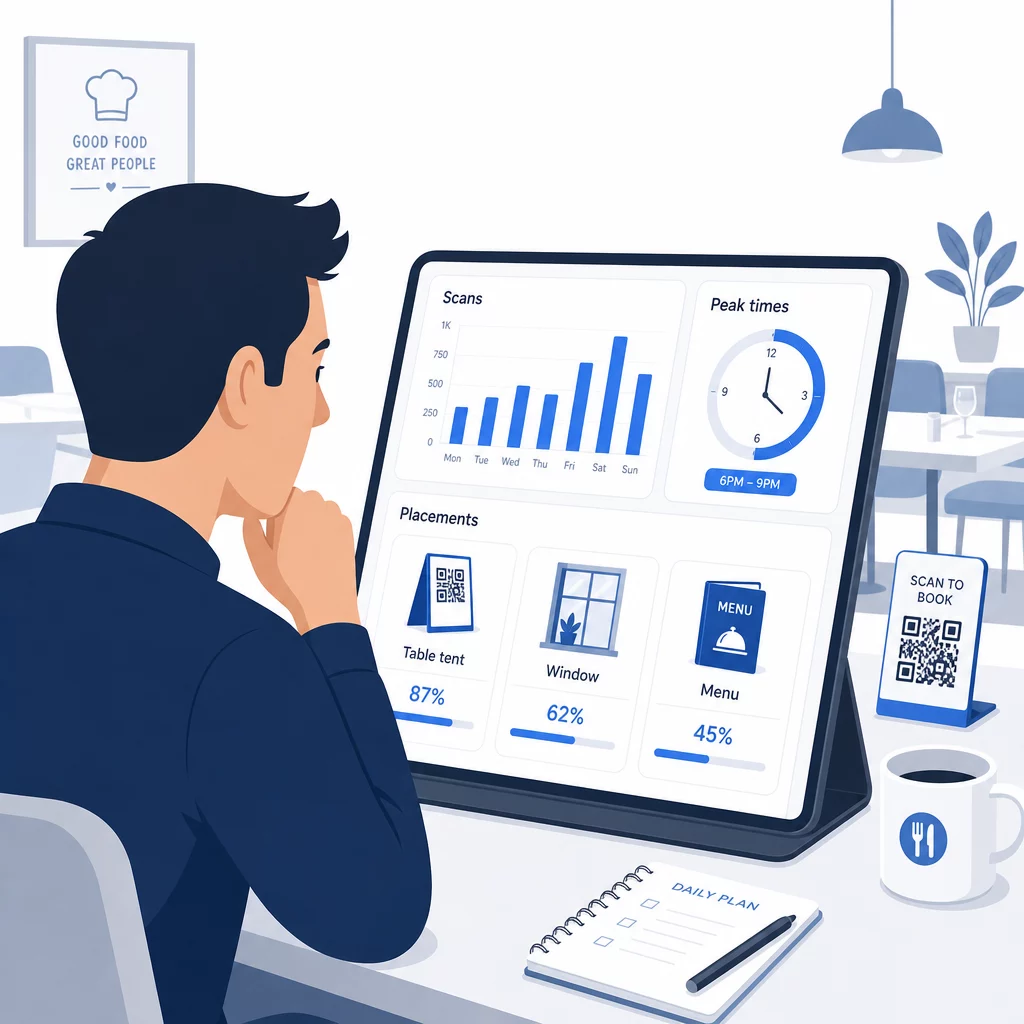
Každé skenovanie dynamického QR kódu generuje dáta. Ovládací panel Pageloot zobrazuje metriky vrátane celkového počtu skenov, časových značiek skenov, typov zariadení, operačných systémov a geografickej polohy. Postupom času tieto dáta odhaľujú, ktoré umiestnenia generujú najviac rezervácií, kedy si hostia najpravdepodobnejšie rezervujú a či kampaň funguje predtým, ako sa zaviažete k plnej tlači.
Praktické spôsoby, ako aplikovať tieto dáta:
- Personálne obsadenie: Ak aktivita skenovania prudko stúpne v piatok popoludní, je to hlavný ukazovateľ dopytu v piatok večer. Podľa toho upravte personál na prevádzke.
- Časovanie menu: Ak hostia intenzívne skenujú QR kódy menu medzi 16:00 a 18:00, je to vaše okno na propagáciu špeciálov happy hour alebo ponúk pre skorých vtákov.
- Optimalizácia umiestnenia: Porovnajte miery skenovania naprieč stolovými stojanmi, nálepkami na oknách a tlačenými menu, aby ste identifikovali, ktoré miesta získavajú najväčšiu angažovanosť – a potom tam sústreďte budúce investície.
- Testovanie kampaní: Experimentujte s rôznymi frázami výzvy na akciu alebo návrhmi kódov a merajte vplyv na miery preklikov v porovnaní s priemyselným benchmarkom CTR približne 12.8%.
Reštaurácie v priemere zaznamenávajú 45% mieru preklikov s dobre umiestnenými QR kódmi. Týždenné prezeranie vašich analýz a konanie na základe zistení udržuje túto mieru stúpajúcu.
Pre hlbší pohľad na to, ako rôzne formáty QR kódov slúžia rôznym potrebám reštaurácií – od integrácie platieb po vernostné programy – pozrite si sprievodcu 7 typov QR kódov pre menu reštaurácií.
Riešenie bežných problémov s QR kódmi
Aj dobre implementované QR kódy sa občas stretnú s problémami. Tu sú najčastejšie problémy a ako ich riešiť:
- Zlyhanie skenovania: Zvyčajne spôsobené nízkym kontrastom, rozmazanou tlačou alebo nedostatočnou tichou zónou. Pre tlač použite vektorový súbor (SVG, EPS alebo PDF) a potvrďte, že kontrastný pomer je minimálne 55% medzi modulmi kódu a pozadím.
- Nefunkčné odkazy: Otestujte každý kód po vytlačení a nastavte si plán mesačného opätovného testovania. Dynamické kódy umožňujú okamžité opravy odkazov – nie je potrebná opätovná tlač.
- Slabé osvetlenie: V tmavých jedálenských prostrediach zvážte podsvietené displeje alebo pozadia svietiace v tme. Odporučte hosťom, aby držali telefón 6–8 palcov od kódu.
- Staršie zariadenia: Niektoré telefóny vyžadujú aplikáciu na skenovanie QR kódov od tretej strany. Poučte svoj personál, ako pomôcť, a vždy ponúknite alternatívny spôsob rezervácie.
- Váhanie hostí: Značkové QR kódy s vaším logom a jasným označením ako “Naskenujte pre rezerváciu” znižujú nedôveru, ktorá pramení z anonymne vyzerajúcich kódov.
Podrobné požiadavky na veľkosť, kontrast a dizajn nájdete v úplných pokynoch pre použiteľnosť QR kódov.
Rozšírenie QR kódov za hranice rezervácií
Keď vaše QR kódy pre rezervácie fungujú hladko, rovnaká infraštruktúra sa prirodzene rozširuje aj na iné časti zážitku hostí:
- Digitálne menu: Okamžite aktualizujte ceny, pridajte sezónne položky alebo odstráňte vypredané jedlá – bez potreby pretlače. Pozrite sa, ako vytvoriť QR kód menu krok za krokom.
- Bezkontaktné objednávanie: Hostia si prezerajú, prispôsobujú a odosielajú objednávky priamo zo svojich telefónov. Výskum ukazuje, že 64 % hostí by radšej objednávalo digitálne pri stolovaní, než aby komunikovali s obsluhou pri prijímaní objednávok.
- Platby: Platba pomocou QR kódu urýchľuje obrat stolov a znižuje problémy s rozdeľovaním účtov. Zistite viac o výhodách platby QR kódom pre reštaurácie.
- Zber spätnej väzby: QR kód po jedle prepojený s krátkym prieskumom alebo výzvou na recenziu zachytáva odpovede, kým je zážitok ešte čerstvý v pamäti.
- Akcie a vernosť: Presmerujte kódy na časovo obmedzené ponuky, registrácie na podujatia alebo zápis do vernostného programu bez predtlače jediného propagačného materiálu.
Preskúmajte celý rozsah aplikácií QR kódov podľa odvetvia aby ste videli, ako iní prevádzkovatelia v pohostinstve rozširujú túto technológiu.
Vybudujte si systém QR kódov pre vašu reštauráciu Od rezervácií po digitálne menu, Pageloot vám poskytuje nástroje na vytváranie, správu a sledovanie každého QR kódu na jednom mieste. Začnite s Generátorom QR kódov pre reštaurácie a zistite, prečo sa na Pageloot spolieha viac ako 220 reštaurácií v 54 krajinách.
Často kladené otázky
Statický QR kód trvalo kóduje jednu URL adresu do svojho pixelového vzoru – po vytlačení sa cieľ nedá zmeniť. Dynamický QR kód ukladá krátku presmerovaciu URL adresu, takže cieľový odkaz môžete kedykoľvek aktualizovať z vášho ovládacieho panela bez opätovnej tlače kódu. Pre rezervácie sú dynamické kódy výrazne preferované: ak zmeníte rezervačné platformy, aktualizujete svoju rezervačnú stránku alebo dočasne presmerujete hostí na oznámenie “plne obsadené”, vykonáte jednu zmenu centrálne a každý vytlačený kód okamžite reaguje. Dynamické kódy tiež umožňujú analýzu skenovania, ktorú statické kódy nemôžu poskytnúť.
Veľkosť závisí od vzdialenosti skenovania. Pre stolové stojany skenované zo vzdialenosti 6–12 palcov dobre funguje minimálne 1,2 × 1,2 palca. Pre vložky do menu je praktické minimum 0,8 × 0,8 palca. Okenné displeje viditeľné z 3–6 stôp potrebujú kódy s minimálnou veľkosťou 1,6 palca. Umiestnite kódy na dobre viditeľné, nepreplnené miesta – stolové dosky, vchod a recepcia sú najvýkonnejšie miesta. Vždy používajte vysokokontrastné farby, zachovajte dostatočný biely priestor okolo kódu, zahrňte krátky pokyn ako “Naskenujte pre rezerváciu vášho stola” a pred spustením otestujte na viacerých zariadeniach.
Áno. Hlava III zákona o Američanoch so zdravotným postihnutím vyžaduje od reštaurácií, aby vykonali primerané úpravy pre hostí so zdravotným postihnutím, čo zahŕňa spôsob, akým pristupujú k rezervačným a menu systémom. Niektorí hostia – vrátane tých, ktorí sú nevidiaci alebo majú obmedzenú pohyblivosť – nemusia byť schopní použiť QR kód. Vždy poskytnite ekvivalentnú alternatívu: telefónne číslo, hostiteľa, ktorý môže prijať rezervácie priamo, alebo vytlačenú URL adresu, ktorú si hostia môžu zadať ručne. QR kódy by mali zlepšiť prístup, nie ho úplne nahradiť.