Le tue linee telefoniche sono costantemente occupate da chiamate per prenotazioni durante le ore di punta? Quel sovraccarico ti costa tavoli, mance e la concentrazione del personale. Questa guida ti mostra come implementare i codici QR per le prenotazioni dei tavoli, le liste d'attesa e gli ordini digitali – così il tuo team potrà dedicare meno tempo al telefono e più tempo a offrire un ottimo servizio.
Perché i codici QR funzionano per le prenotazioni nei ristoranti
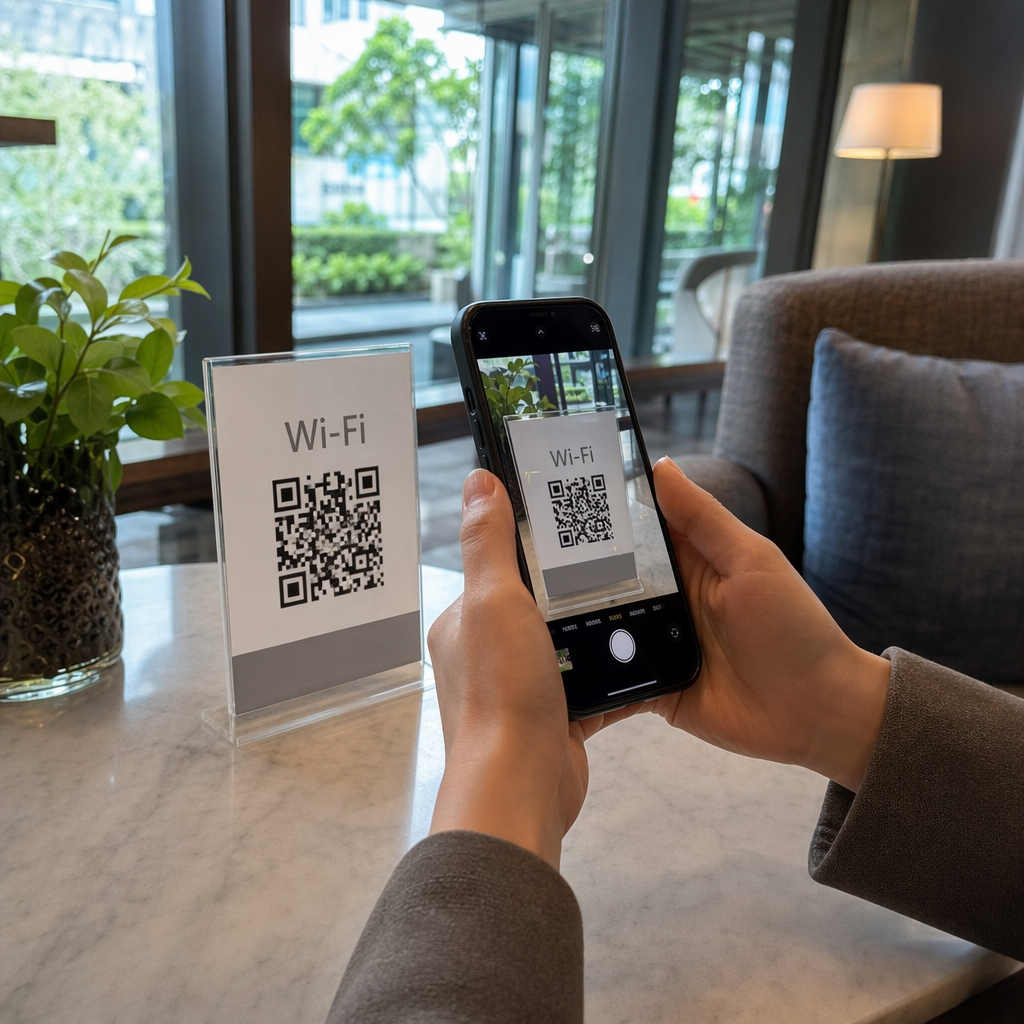
Il passaggio alla prenotazione digitale è ben avviato. Quasi la metà di tutti i clienti ora preferisce prenotare online o tramite i social media piuttosto che chiamare in anticipo. I codici QR soddisfano questa preferenza trasformando qualsiasi superficie stampata – un segnaposto da tavolo, un adesivo per finestra, una borsa da asporto – in un punto di accesso diretto per il tuo sistema di prenotazione.
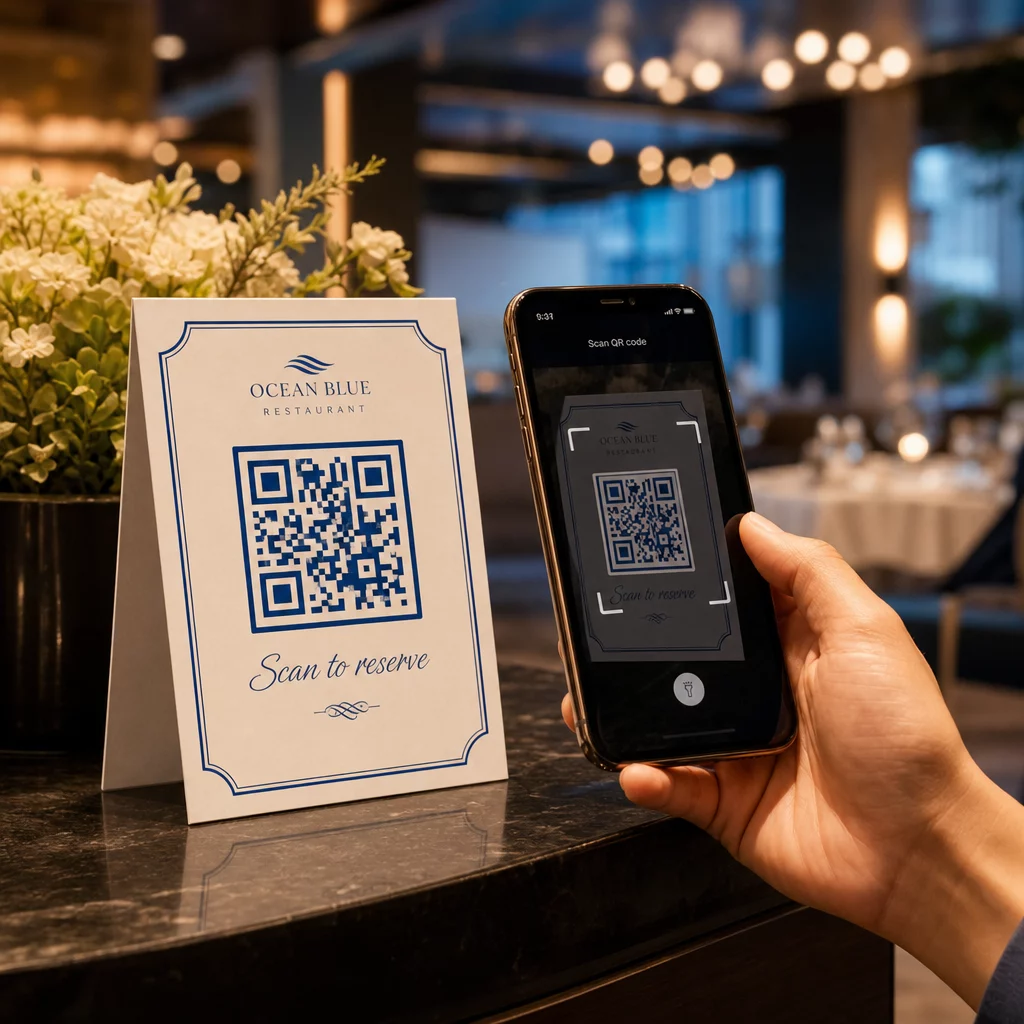
Quando un ospite scansiona il codice, atterra immediatamente sulla tua pagina di prenotazione, controlla la disponibilità in tempo reale e conferma un tavolo in meno di un minuto. Nessuna musica d'attesa. Nessuna incomprensione in una sala da pranzo rumorosa. Nessuna doppia prenotazione da un registro scritto a mano.
Per i ristoranti che gestiscono grandi volumi, questa semplicità si traduce direttamente in guadagni operativi. I ristoranti che implementano strumenti di prenotazione e lista d'attesa basati su QR segnalano meno overbooking, dati di posti a sedere più accurati e personale liberato dalla gestione ripetitiva delle telefonate. I codici QR possono anche aiutare gli ospiti a unirsi a una lista d'attesa da remoto, vedere aggiornamenti di stato in tempo reale e arrivare al momento giusto – riducendo l'affollamento al banco dell'host e tagliando i tempi di attesa percepiti.
Oltre alle prenotazioni, la stessa infrastruttura supporta menu digitali, ordini senza contatto e pagamenti – rendendo i codici QR una base versatile per l'intero percorso del tuo ospite.
Configurazione delle prenotazioni con codice QR: una guida passo-passo
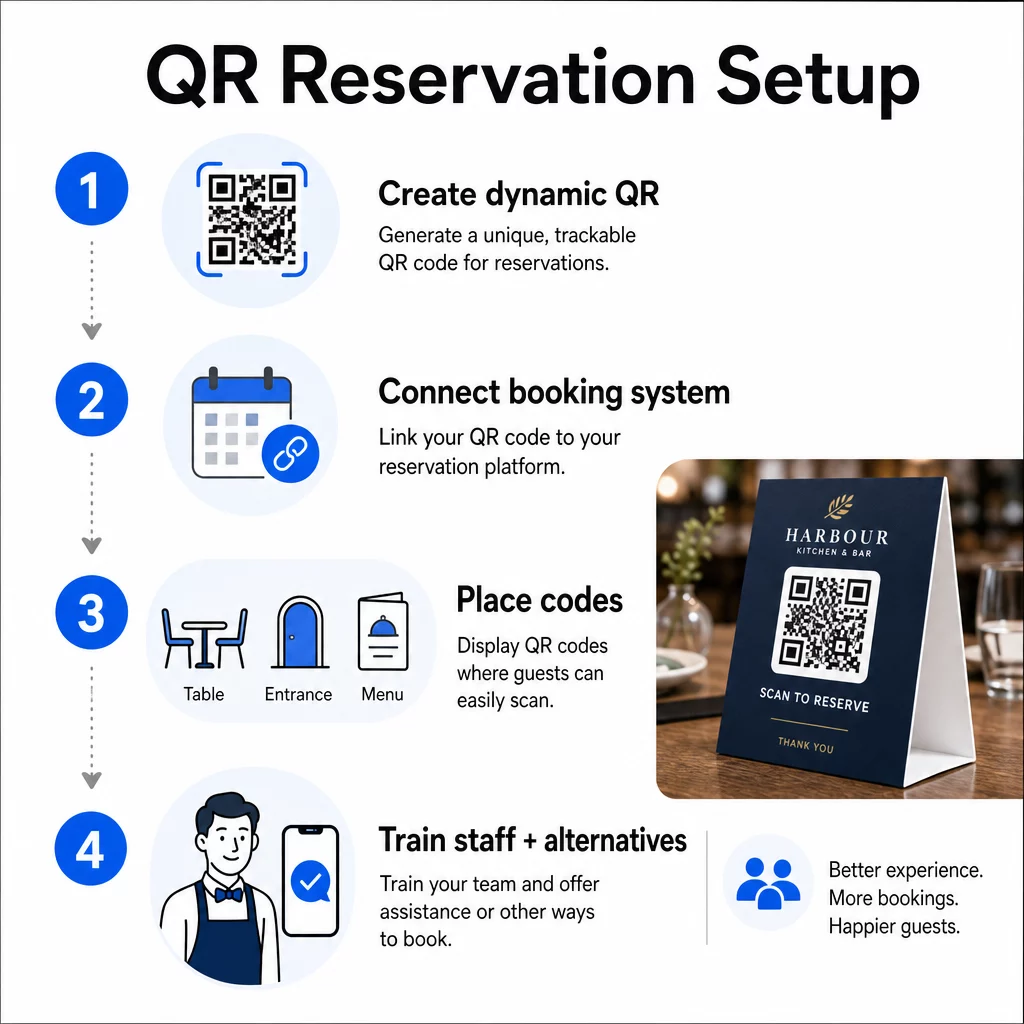
Passo 1: Crea il tuo codice QR
Inizia scegliendo una piattaforma che supporti i codici QR dinamici. A differenza dei codici statici, che sono permanentemente legati a un singolo URL, i codici QR dinamici utilizzano un livello di reindirizzamento – il che significa che puoi aggiornare il link di destinazione in qualsiasi momento senza ristampare nulla. Se cambi piattaforma di prenotazione, modifichi la tua pagina di prenotazione o lanci una promozione stagionale, cambi il link nella tua dashboard e ogni codice stampato si aggiorna automaticamente.
Usa di Pageloot generatore di codici QR per creare un codice QR di collegamento che punti alla tua piattaforma di prenotazione – che sia OpenTable, Resy o una pagina di prenotazione personalizzata. Da lì, personalizzalo con il tuo logo, i colori del tuo brand e una cornice che si abbini all'estetica del tuo ristorante. I codici brandizzati sembrano più affidabili e hanno maggiori probabilità di essere scansionati dai nuovi ospiti.
Prima di stampare qualsiasi cosa, testa il codice su più dispositivi e sistemi operativi per confermare che reindirizzi correttamente e si carichi rapidamente su mobile.
Pronto a creare il tuo codice QR per le prenotazioni? Crea un codice QR dinamico e brandizzato in pochi minuti con Pageloot Generatore di codici QR – nessuna esperienza di design richiesta e nessuna ristampa necessaria quando i tuoi link cambiano.
Passaggio 2: Connettiti al tuo sistema di prenotazione
Collega il tuo codice QR a una pagina di prenotazione che mostra disponibilità in tempo reale e invia una conferma istantanea all'ospite. Questo chiude il ciclo in modo pulito: l'ospite scansiona, seleziona un orario e riceve una conferma – senza alcun coinvolgimento del personale.
Sincronizza il tuo sistema di prenotazione con il tuo POS in modo che le prenotazioni fluiscano direttamente nella gestione dei tuoi tavoli senza inserimento manuale. Questo elimina i record duplicati e fornisce al tuo team di sala dati accurati e in tempo reale sulla disposizione dei posti durante tutto il turno.
Quando il sistema è integrato correttamente, ottieni anche un livello di dati. Ogni scansione porta informazioni su quando e dove ha avuto origine la prenotazione, quale dispositivo è stato utilizzato e come gli ospiti si muovono attraverso il tuo funnel dalla scansione alla prenotazione confermata. Questi dati diventano utili per le decisioni sul personale, la tempistica delle promozioni e l'identificazione dei periodi di maggiore affluenza.
Passaggio 3: Posiziona i codici dove gli ospiti li vedranno
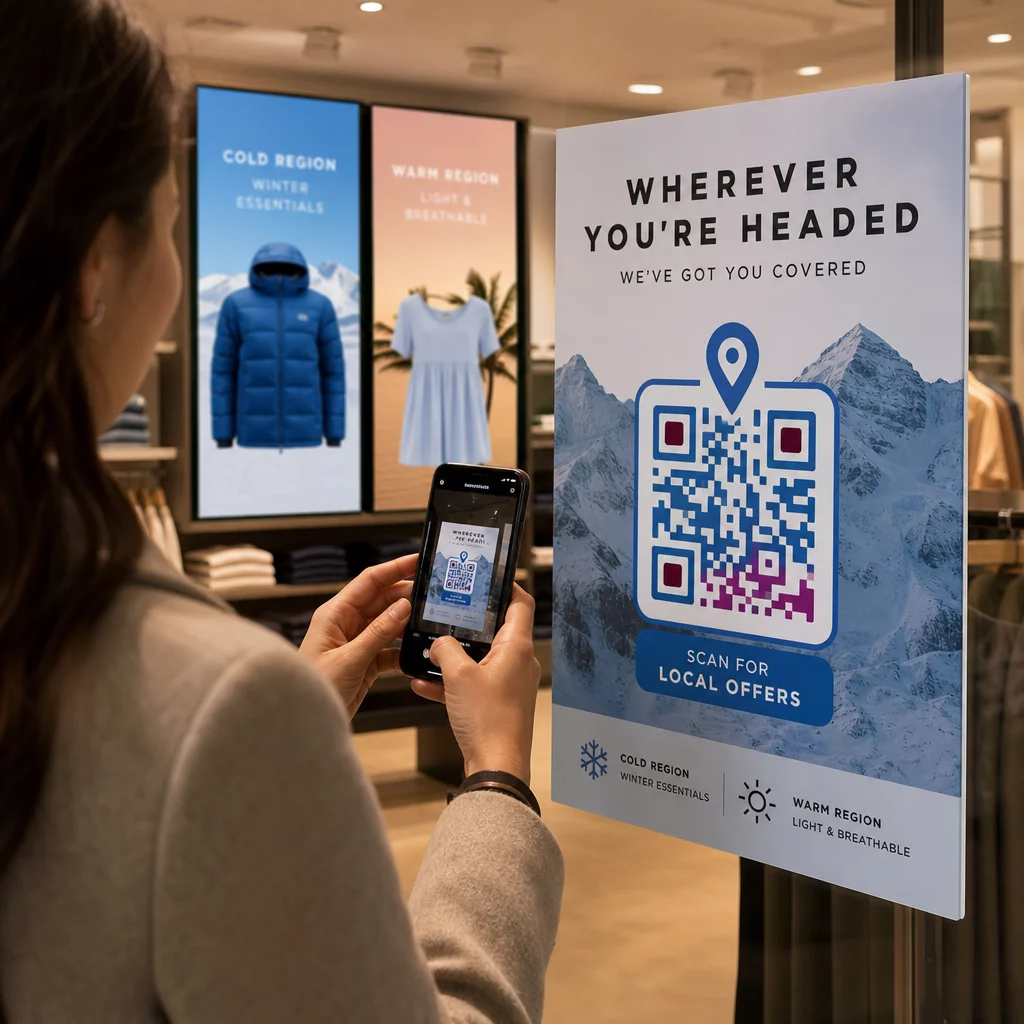
Il posizionamento determina i tassi di scansione. Posiziona i tuoi codici QR dove gli ospiti si fermano o guardano naturalmente – sui tavoli, all'ingresso, al banco dell'host, sui menu stampati e nelle vetrine. La ricerca sull'uso dei codici QR nei ristoranti mostra che il 60% di tutte le scansioni nei ristoranti avviene quando i codici sono posizionati direttamente sul tavolo, come su adesivi o segnatavoli.
Segui queste linee guida sulle dimensioni in base a dove appare ogni codice:
| posizionamento | Dimensione consigliata | Distanza di Scansione Tipica |
|---|---|---|
| Tende da tavolo | 1,2 × 1,2 pollici (3 × 3 cm) | 6–12 pollici |
| Inserti per menu | 0,8 × 0,8 pollici (2 × 2 cm) | 8–16 pollici |
| Poster / lavagne a cavalletto | 1,2–1,6 pollici (3–4 cm) | 2–4 piedi |
| Vetrine | 1.6+ pollici (4+ cm) | 3–6 piedi |
| Ricevute | 0,8 × 0,8 pollici (2 × 2 cm) | 6–12 pollici |
Utilizza colori ad alto contrasto – moduli scuri su uno sfondo chiaro – e preserva una chiara zona di silenzio (spazio bianco) attorno al codice. Per superfici esterne o soggette a forte usura, i segnaposto laminati o gli adesivi resistenti alle intemperie proteggono il codice dai danni. In ambienti scarsamente illuminati, gli sfondi fluorescenti o fosforescenti aiutano a mantenere la visibilità.
Includi sempre una breve istruzione accanto al codice, come “Scansiona per prenotare il tuo tavolo.” Le indicazioni chiare eliminano l'esitazione, specialmente per gli ospiti che non hanno mai usato i codici QR prima. Seguire le migliori pratiche di usabilità dei codici QR fin dall'inizio previene i più comuni fallimenti di scansione.
Passaggio 4: Informa il tuo team
La tecnologia funziona solo se il tuo personale la supporta. Addestra i dipendenti di sala ad aiutare gli ospiti che incontrano difficoltà nella scansione – che si tratti di un dispositivo più vecchio, di una fotocamera non abilitata ai QR per impostazione predefinita o di semplice non familiarità con il processo.
L'accessibilità è importante qui. Non tutti gli ospiti possono o vogliono usare un codice QR. Il Titolo III dell'Americans with Disabilities Act richiede ai ristoranti di apportare modifiche ragionevoli quando servono ospiti con disabilità, il che si estende a come accedono ai menu e ai sistemi di prenotazione. Mantieni sempre disponibile un'opzione di prenotazione tradizionale – un numero di telefono, un host che può prendere prenotazioni direttamente o un URL stampato che gli ospiti possono digitare manualmente. I codici QR dovrebbero essere un'opzione efficiente, non l'unica opzione.
Vantaggi chiave per ospiti e personale
Cosa guadagnano gli ospiti
Le prenotazioni con codice QR offrono accesso alle prenotazioni 24 ore su 24, 7 giorni su 7. Gli ospiti possono assicurarsi un tavolo durante la pausa pranzo, a tarda notte o mentre navigano sui social media – non solo durante le vostre ore di apertura. Il processo è veloce: scansiona, controlla la disponibilità, conferma, fatto. Questa velocità è importante quando quasi due terzi degli ospiti affermano di preferire ordinare o interagire digitalmente piuttosto che aspettare un membro del personale.
L'interazione senza contatto elimina anche una preoccupazione igienica che molti commensali portano ancora dagli ultimi anni. Nessun menu fisico condiviso da maneggiare nella fase di prenotazione, nessun contatto con il tablet di un host. E poiché l'ospite inserisce i propri dettagli, gli errori di prenotazione causati da problemi di comunicazione diminuiscono significativamente.
I codici QR possono fare più che contenere un semplice link di prenotazione. Usali per condividere il tuo menu digitale prima che gli ospiti arrivino, evidenziare le specialità del giorno o invitare gli ospiti a unirsi al tuo programma fedeltà. Pageloot’s Generatore di QR code per menu ti permette di costruire una landing page del menu personalizzata con foto, descrizioni, categorie e persino informazioni sugli allergeni – tutto accessibile dalla stessa scansione.
Cosa guadagna la tua attività
Ridurre le chiamate di prenotazione in entrata libera il tuo team di sala per concentrarsi sugli ospiti che sono effettivamente nel locale. Meno interruzioni telefoniche significano una migliore qualità del servizio durante il servizio, non solo prenotazioni più veloci.
Anche il caso finanziario è chiaro. I ristoranti che adottano strumenti di ordinazione digitale e self-service riportano costantemente scontrini medi più alti – uno studio ha rilevato un aumento del 91% della spesa quando gli ospiti utilizzano l'ordinazione digitale al tavolo. Il ricambio dei tavoli migliora quando il ciclo complessivo della cena si accorcia. E il passaggio ai menu digitali può eliminare migliaia di dollari in costi annuali di ristampa.
I sistemi di codici QR generano anche dati di prima parte che le prenotazioni telefoniche non possono eguagliare. Puoi tracciare i modelli di prenotazione per ora del giorno, giorno della settimana e segmento di ospiti. Questa intelligenza alimenta migliori orari del personale, promozioni più mirate e una pianificazione dell'inventario più intelligente. Per una panoramica della gamma completa di strumenti digitali disponibili per i ristoranti, vedi Soluzioni con codice QR per l'ospitalità.
Utilizzare i codici QR dinamici per rimanere aggiornati
I codici QR dinamici ti offrono una flessibilità operativa che i codici statici non possono fornire. Poiché il codice stesso memorizza solo un breve URL di reindirizzamento, puoi cambiare dove punta in qualsiasi momento dalla tua dashboard – nessuna ristampa, nessuna sostituzione di segnaposto a metà servizio.
Questo è importante nella pratica. Se migri a una nuova piattaforma di prenotazione, testi un nuovo flusso di prenotazione o reindirizzi temporaneamente il codice a un avviso di “tutto esaurito” in una serata sold-out, apporti una modifica centralmente e ogni codice stampato risponde immediatamente.
I codici dinamici supportano anche l'agilità promozionale. Il sessantotto percento dei commensali è più propenso a prenotare quando un ristorante pubblicizza un'offerta a tempo limitato. Con i codici dinamici, puoi reindirizzare a una landing page di un'offerta lampo durante un lento martedì pomeriggio e tornare alla tua pagina di prenotazione standard per il servizio serale – senza toccare un singolo materiale stampato.
Gli stessi codici che guidano le prenotazioni possono anche collegarsi al tuo sistema di ordinazione digitale, moduli di feedback o richieste di recensioni. Pageloot Generatore di QR code per Google Form rende semplice collegare un codice QR a un sondaggio post-pasto o a un modulo di feedback, catturando il sentimento degli ospiti mentre l'esperienza è ancora fresca.
Utilizzare l'analisi per migliorare le prestazioni
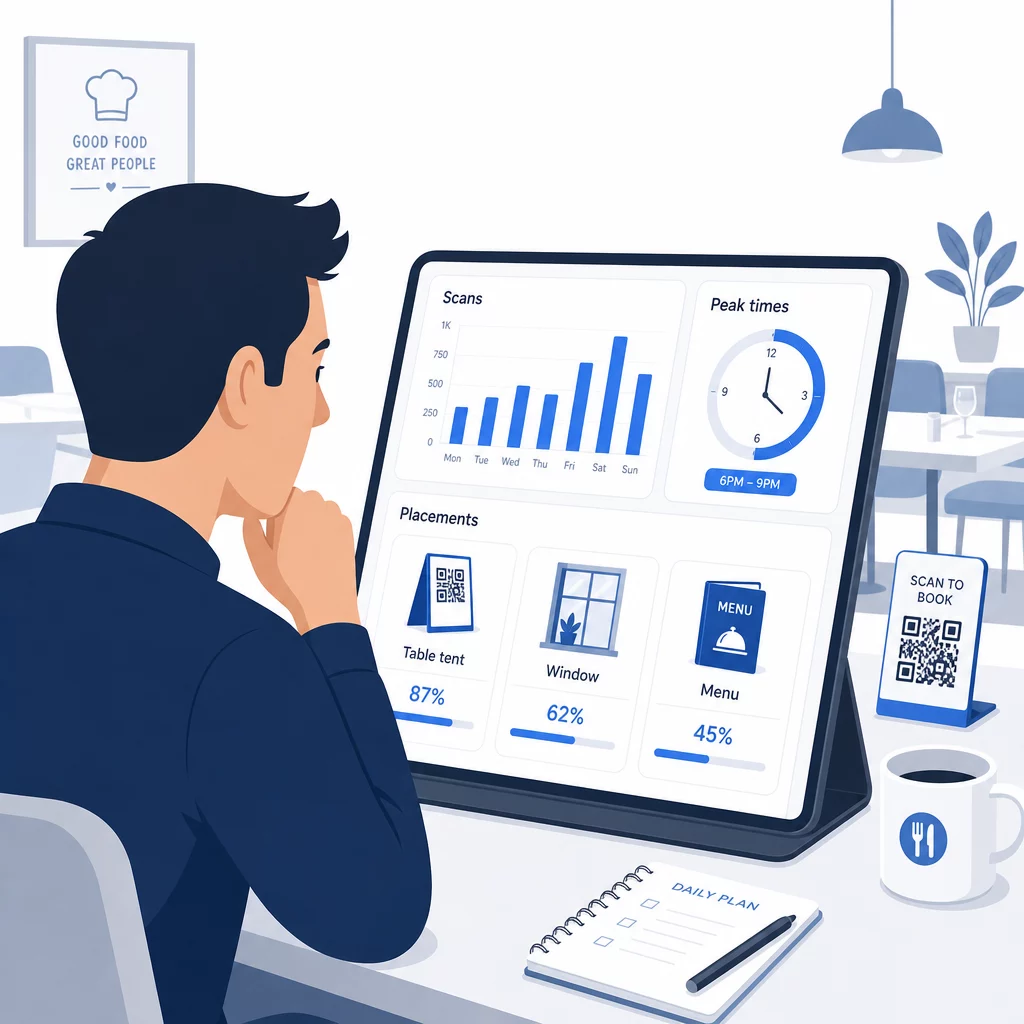
Ogni scansione su un codice QR dinamico genera dati. La dashboard di Pageloot mostra metriche tra cui scansioni totali, timestamp delle scansioni, tipi di dispositivo, sistemi operativi e posizione geografica. Nel tempo, questi dati rivelano quali posizionamenti stanno generando il maggior numero di prenotazioni, quando gli ospiti sono più propensi a prenotare e se una campagna sta funzionando prima di aver impegnato una stampa completa.
Modi pratici per applicare questi dati:
- Personale: Se l'attività di scansione aumenta il venerdì pomeriggio, è un indicatore anticipatore della domanda del venerdì sera. Regola il personale di sala di conseguenza.
- Tempistica del menu: Se gli ospiti scansionano frequentemente i codici QR del menu tra le 16:00 e le 18:00, quella è la tua finestra per promuovere offerte speciali per l'happy hour o offerte per i primi clienti.
- Ottimizzazione del posizionamento: Confronta i tassi di scansione tra segnaposto da tavolo, adesivi per finestre e menu stampati per identificare quali posizioni generano il maggior coinvolgimento – quindi concentra lì gli investimenti futuri.
- Test delle campagne: Sperimenta diverse frasi di invito all'azione o design dei codici e misura l'effetto sui tassi di scansione rispetto al benchmark del settore CTR di circa il 12,8%.
I ristoranti in media registrano un tasso di scansione del 45% con codici QR ben posizionati. Rivedere le tue analisi settimanalmente e agire in base a ciò che trovi mantiene quel tasso in crescita.
Per uno sguardo più approfondito su come i diversi formati di codice QR soddisfano le diverse esigenze dei ristoranti – dall'integrazione dei pagamenti ai programmi fedeltà – consulta la guida a 7 tipi di codici QR per i menu dei ristoranti.
Risoluzione dei problemi comuni dei codici QR
Anche i codici QR ben eseguiti occasionalmente incontrano problemi. Ecco i problemi più comuni e come risolverli:
- Scansione fallita: Solitamente causato da basso contrasto, stampa sfocata o zona di silenzio insufficiente. Ristampa utilizzando un file vettoriale (SVG, EPS o PDF) e conferma che il rapporto di contrasto sia almeno del 55% tra i moduli del codice e lo sfondo.
- Link interrotti: Testa ogni codice dopo la stampa e imposta un programma per i test mensili. I codici dinamici rendono le correzioni dei link istantanee – nessuna ristampa necessaria.
- Illuminazione scarsa: In ambienti con scarsa illuminazione, considera display retroilluminati o sfondi fosforescenti. Consiglia agli ospiti di tenere il telefono a 6-8 pollici dal codice.
- Dispositivi più vecchi: Alcuni telefoni richiedono un'app di scansione QR di terze parti. Istruisci il tuo personale su come assistere e offri sempre un metodo di prenotazione alternativo.
- Esitazione degli ospiti: I codici QR brandizzati con il tuo logo e un'etichetta chiara come “Scansiona per prenotare” riducono la sfiducia che deriva dai codici dall'aspetto anonimo.
Per requisiti dettagliati di dimensionamento, contrasto e design, consulta le complete linee guida sull'usabilità dei codici QR.
Espandere i codici QR oltre le prenotazioni
Una volta che i tuoi codici QR per le prenotazioni funzionano senza problemi, la stessa infrastruttura si estende naturalmente ad altre parti dell'esperienza dell'ospite:
- Menù digitali: Aggiorna i prezzi, aggiungi articoli stagionali o rimuovi piatti esauriti istantaneamente – nessuna ristampa richiesta. Scopri come creare un menu con codice QR passo dopo passo.
- Ordinazione senza contatto: Gli ospiti sfogliano, personalizzano e inviano ordini direttamente dai loro telefoni. La ricerca mostra che il 64% dei commensali preferirebbe ordinare digitalmente quando mangia al ristorante piuttosto che interagire con il personale di sala per prendere l'ordine.
- Pagamenti: Il checkout basato su QR accelera il ricambio dei tavoli e riduce l'attrito legato alla divisione dei conti. Scopri di più sui vantaggi del pagamento con codice QR per i ristoranti.
- Raccolta di feedback: Un codice QR post-pasto collegato a un breve sondaggio o a una richiesta di recensione cattura le risposte mentre l'esperienza è ancora fresca nella mente.
- Promozioni e fedeltà: Reindirizza i codici a offerte a tempo limitato, iscrizioni a eventi o iscrizioni a programmi fedeltà senza ristampare un singolo pezzo di materiale promozionale.
Esplora l'intera gamma di applicazioni di codici QR per settore per vedere come altri operatori del settore dell'ospitalità stanno estendendo questa tecnologia.
Costruisci il sistema di codici QR del tuo ristorante Dalle prenotazioni ai menu digitali, Pageloot ti offre gli strumenti per creare, gestire e tracciare ogni codice QR in un unico posto. Inizia con il Generatore di codici QR per ristoranti e scopri perché oltre 220 ristoranti in 54 paesi si affidano a Pageloot.
Domande frequenti
Un codice QR statico codifica permanentemente un singolo URL nel suo schema di pixel – una volta stampato, la destinazione non può essere modificata. Un codice QR dinamico memorizza un breve URL di reindirizzamento, in modo da poter aggiornare il link di destinazione in qualsiasi momento dalla tua dashboard senza ristampare il codice. Per le prenotazioni, i codici dinamici sono fortemente preferiti: se cambi piattaforma di prenotazione, aggiorni la tua pagina di prenotazione o reindirizzi temporaneamente gli ospiti a un avviso di “tutto esaurito”, apporti una modifica centralmente e ogni codice stampato risponde immediatamente. I codici dinamici consentono anche l'analisi delle scansioni, cosa che i codici statici non possono fornire.
La dimensione dipende dalla distanza di scansione. Per i segnaposto da tavolo scansionati da 6–12 pollici, un minimo di 1,2 × 1,2 pollici funziona bene. Per gli inserti del menu, 0,8 × 0,8 pollici è il minimo pratico. I display per vetrine visibili da 3–6 piedi necessitano di codici di almeno 1,6 pollici. Posiziona i codici in punti ad alta visibilità e sgombri – i tavoli, l'ingresso e la postazione dell'host sono le posizioni con le migliori prestazioni. Utilizza sempre colori ad alto contrasto, preserva uno spazio bianco adeguato intorno al codice, includi una breve istruzione come “Scansiona per prenotare il tuo tavolo” e testa su più dispositivi prima di andare online.
Sì. Il Titolo III dell'Americans with Disabilities Act richiede ai ristoranti di apportare modifiche ragionevoli per gli ospiti con disabilità, il che include il modo in cui accedono ai sistemi di prenotazione e ai menu. Alcuni ospiti – inclusi quelli non vedenti o con limitazioni di mobilità – potrebbero non essere in grado di utilizzare un codice QR. Fornire sempre un'alternativa equivalente: un numero di telefono, un addetto che possa prendere prenotazioni direttamente, o un URL stampato che gli ospiti possano digitare manualmente. I codici QR dovrebbero migliorare l'accesso, non sostituirlo interamente.