Apakah saluran telepon Anda terus-menerus sibuk dengan panggilan reservasi selama jam sibuk? Tumpukan pekerjaan itu merugikan Anda meja, tip, dan fokus staf. Panduan ini menunjukkan cara menerapkan kode QR untuk reservasi meja, daftar tunggu, dan pemesanan digital – sehingga tim Anda dapat menghabiskan lebih sedikit waktu di telepon dan lebih banyak waktu memberikan layanan terbaik.
Mengapa Kode QR Berfungsi untuk Reservasi Restoran
Pergeseran menuju pemesanan digital sedang berlangsung. Hampir separuh dari semua pengunjung kini lebih memilih untuk memesan secara online atau melalui media sosial daripada menelepon terlebih dahulu. Kode QR memenuhi preferensi tersebut secara langsung dengan mengubah permukaan cetak apa pun – tenda meja, stiker jendela, tas bawa pulang – menjadi titik masuk langsung untuk sistem reservasi Anda.
Ketika tamu memindai kode, mereka langsung mendarat di halaman pemesanan Anda, memeriksa ketersediaan waktu nyata, dan mengonfirmasi meja dalam waktu kurang dari satu menit. Tanpa musik tunggu. Tanpa salah komunikasi di ruang makan yang bising. Tanpa pemesanan ganda dari catatan tulisan tangan.
Bagi restoran yang mengelola volume tinggi, kesederhanaan itu secara langsung diterjemahkan menjadi keuntungan operasional. Restoran yang menerapkan alat reservasi dan daftar tunggu berbasis QR melaporkan lebih sedikit pemesanan berlebih, data tempat duduk yang lebih akurat, dan staf yang terbebas dari penanganan telepon yang berulang. Kode QR juga dapat membantu tamu bergabung dengan daftar tunggu dari jarak jauh, melihat pembaruan status waktu nyata, dan tiba pada saat yang tepat – mengurangi kerumunan di meja host dan memangkas waktu tunggu yang dirasakan.
Selain reservasi, infrastruktur yang sama mendukung menu digital, pemesanan tanpa kontak, dan pembayaran – menjadikan kode QR fondasi serbaguna untuk seluruh perjalanan tamu Anda.
Menyiapkan Reservasi Kode QR: Panduan Langkah demi Langkah
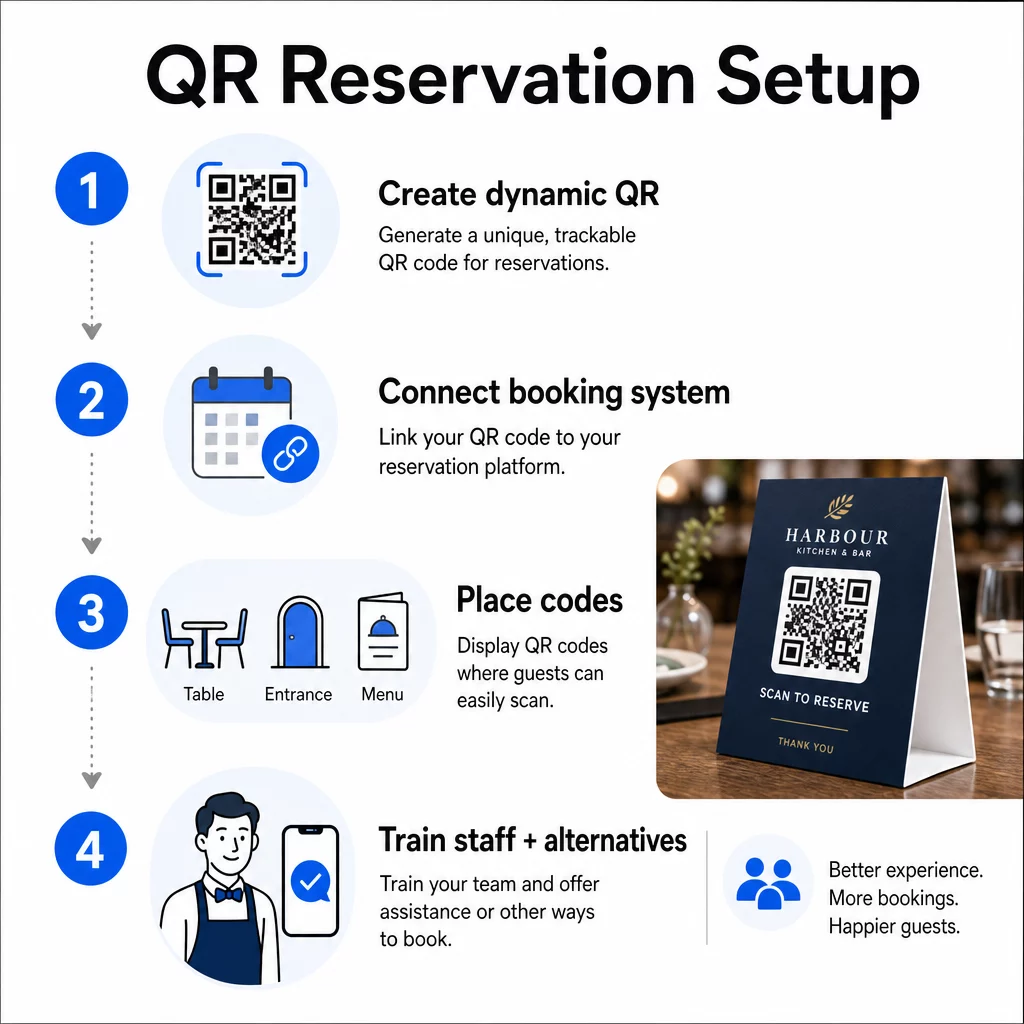
Langkah 1: Buat Kode QR Anda
Mulailah dengan memilih platform yang mendukung kode QR dinamis. Tidak seperti kode statis, yang secara permanen terikat pada satu URL, kode QR dinamis menggunakan lapisan pengalihan – artinya Anda dapat memperbarui tautan tujuan kapan saja tanpa mencetak ulang apa pun. Jika Anda beralih platform reservasi, menyesuaikan halaman pemesanan Anda, atau menjalankan promosi musiman, Anda mengubah tautan di dasbor Anda dan setiap kode yang dicetak akan diperbarui secara otomatis.
Gunakan Pageloot generator kode QR untuk membuat kode QR tautan yang mengarah ke platform reservasi Anda – baik itu OpenTable, Resy, atau halaman pemesanan khusus. Dari sana, sesuaikan dengan logo Anda, warna merek, dan bingkai yang sesuai dengan estetika restoran Anda. Kode bermerek terlihat lebih dapat dipercaya dan lebih mungkin dipindai oleh tamu pertama kali.
Sebelum Anda mencetak apa pun, uji kode tersebut di beberapa perangkat dan sistem operasi untuk memastikan kode tersebut mengarah dengan benar dan memuat dengan cepat di perangkat seluler.
Siap Membuat Kode QR Reservasi Anda? Buat kode QR dinamis dan bermerek dalam hitungan menit dengan Pageloot's Generator Kode QR – tidak memerlukan pengalaman desain, dan tidak perlu mencetak ulang saat tautan Anda berubah.
Langkah 2: Hubungkan ke Sistem Reservasi Anda
Tautkan kode QR Anda ke halaman pemesanan yang menampilkan ketersediaan langsung dan mengirimkan konfirmasi instan kepada tamu. Ini menutup siklus dengan rapi: tamu memindai, memilih waktu, dan menerima konfirmasi – tanpa keterlibatan staf.
Sinkronkan sistem reservasi Anda dengan POS Anda sehingga pemesanan mengalir langsung ke manajemen meja Anda tanpa entri manual. Ini menghilangkan catatan duplikat dan memberikan tim front-of-house Anda data tempat duduk yang akurat dan real-time sepanjang shift.
Ketika sistem terintegrasi dengan benar, Anda juga mendapatkan lapisan data. Setiap pemindaian membawa informasi tentang kapan dan di mana pemesanan berasal, perangkat apa yang digunakan, dan bagaimana tamu bergerak melalui corong Anda dari pemindaian hingga reservasi yang dikonfirmasi. Data tersebut menjadi berguna untuk keputusan penempatan staf, waktu promosi, dan mengidentifikasi periode tersibuk Anda.
Langkah 3: Tempatkan Kode di Mana Tamu Akan Melihatnya
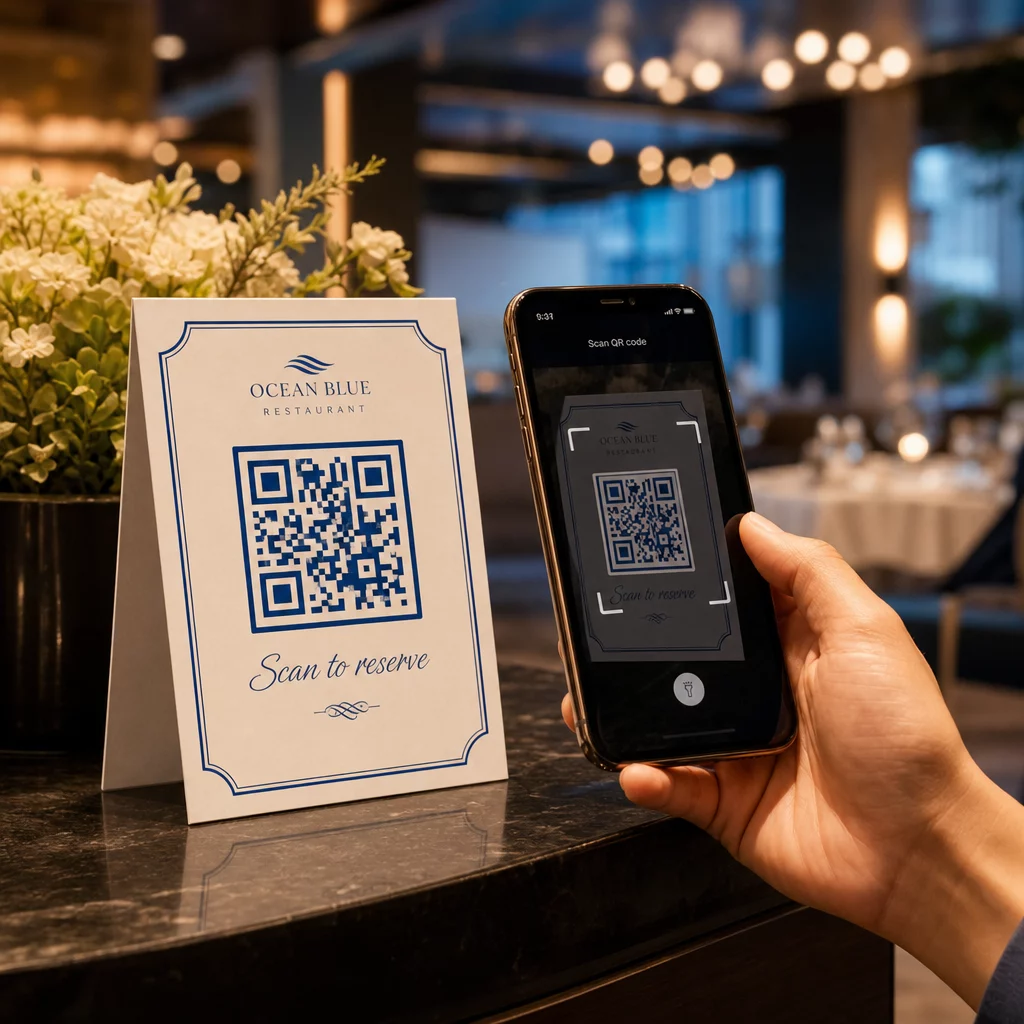
Penempatan mendorong tingkat pemindaian. Letakkan kode QR Anda di tempat tamu secara alami berhenti atau melihat – di atas meja, pintu masuk, meja host, menu cetak, dan pajangan jendela. Penelitian tentang penggunaan kode QR restoran menunjukkan bahwa 60% dari semua pemindaian restoran terjadi ketika kode ditempatkan langsung di meja, seperti pada stiker atau tenda meja.
Ikuti panduan ukuran ini berdasarkan tempat setiap kode muncul:
| PENEMPATAN | Ukuran yang disarankan | Jarak Pemindaian Khas |
|---|---|---|
| Tenda meja | 1,2 × 1,2 inci (3 × 3 cm) | 6–12 inci |
| Sisipan menu | 0,8 × 0,8 inci (2 × 2 cm) | 8–16 inci |
| Poster / papan sandwich | 1,2–1,6 inci (3–4 cm) | 2–4 kaki |
| Pajangan jendela | 1,6+ inci (4+ cm) | 3–6 kaki |
| Tanda terima | 0,8 × 0,8 inci (2 × 2 cm) | 6–12 inci |
Gunakan warna kontras tinggi – modul gelap pada latar belakang terang – dan pertahankan zona tenang yang jelas (ruang putih) di sekitar kode. Untuk permukaan luar ruangan atau yang sering aus, tenda meja berlaminasi atau stiker tahan cuaca melindungi kode dari kerusakan. Di lingkungan yang remang-remang, latar belakang berpendar atau menyala dalam gelap membantu menjaga visibilitas.
Selalu sertakan instruksi singkat di samping kode, seperti “Pindai untuk memesan meja Anda.” Petunjuk yang jelas menghilangkan keraguan, terutama bagi tamu yang belum pernah menggunakan kode QR sebelumnya. Mengikuti praktik terbaik kegunaan kode QR dari awal mencegah kegagalan pemindaian yang paling umum.
Langkah 4: Beri Pengarahan Tim Anda
Teknologi hanya berfungsi jika staf Anda mendukungnya. Latih karyawan bagian depan untuk membantu tamu yang mengalami kesulitan memindai – baik itu perangkat lama, kamera yang tidak mendukung QR secara default, atau ketidakbiasaan sederhana dengan proses tersebut.
Aksesibilitas penting di sini. Tidak setiap tamu dapat atau ingin menggunakan kode QR. Judul III dari Americans with Disabilities Act mengharuskan restoran untuk membuat modifikasi yang wajar saat melayani tamu dengan disabilitas, yang meluas ke cara mereka mengakses menu dan sistem pemesanan. Selalu sediakan opsi reservasi tradisional – nomor telepon, tuan rumah yang dapat menerima pemesanan secara langsung, atau URL tercetak yang dapat diketik tamu secara manual. Kode QR harus menjadi pilihan yang efisien, bukan satu-satunya pilihan.
Manfaat Utama bagi Tamu dan Staf
Apa yang Didapatkan Tamu
Reservasi kode QR menawarkan akses pemesanan 24/7. Tamu dapat mengamankan meja saat istirahat makan siang, larut malam, atau saat menjelajahi media sosial – tidak hanya selama jam operasional Anda. Prosesnya cepat: pindai, periksa ketersediaan, konfirmasi, selesai. Kecepatan itu penting ketika hampir dua pertiga tamu mengatakan mereka lebih suka memesan atau berinteraksi secara digital daripada menunggu anggota staf.
Interaksi tanpa kontak juga menghilangkan kekhawatiran kebersihan yang masih dibawa banyak pengunjung dari tahun-tahun terakhir. Tidak ada menu fisik bersama yang harus dipegang pada tahap pemesanan, tidak menyentuh tablet tuan rumah. Dan karena tamu memasukkan detail mereka sendiri, kesalahan pemesanan yang disebabkan oleh miskomunikasi berkurang secara signifikan.
Kode QR dapat melakukan lebih dari sekadar menampung tautan reservasi. Gunakan untuk membagikan menu digital Anda sebelum tamu tiba, menyoroti spesial harian, atau mendorong tamu untuk bergabung dengan program loyalitas Anda. Pageloot Generator kode QR menu memungkinkan Anda membangun halaman arahan menu bermerek dengan foto, deskripsi, kategori, dan bahkan informasi alergen – semuanya dapat diakses dari pemindaian yang sama.
Apa yang Diperoleh Operasi Anda
Mengurangi panggilan reservasi masuk membebaskan tim front-of-house Anda untuk fokus pada tamu yang benar-benar berada di ruangan. Lebih sedikit gangguan telepon berarti kualitas layanan yang lebih baik selama layanan, bukan hanya pemesanan yang lebih cepat.
Kasus finansialnya juga jelas. Restoran yang mengadopsi pemesanan digital dan alat swalayan secara konsisten melaporkan rata-rata tagihan yang lebih tinggi – satu studi menemukan peningkatan pengeluaran sebesar 91% ketika tamu menggunakan pemesanan digital di meja. Perputaran meja meningkat ketika siklus makan secara keseluruhan memendek. Dan beralih ke menu digital dapat menghilangkan ribuan dolar dalam biaya pencetakan ulang tahunan.
Sistem kode QR juga menghasilkan data pihak pertama yang tidak dapat ditandingi oleh reservasi telepon. Anda dapat melacak pola pemesanan berdasarkan waktu, hari dalam seminggu, dan segmen tamu. Informasi tersebut mendukung jadwal staf yang lebih baik, promosi yang lebih bertarget, dan perencanaan inventaris yang lebih cerdas. Untuk gambaran umum lengkap tentang berbagai alat digital yang tersedia untuk restoran, lihat Solusi kode QR untuk perhotelan.
Menggunakan Kode QR Dinamis untuk Tetap Terkini
Kode QR dinamis memberi Anda fleksibilitas operasional yang tidak dapat diberikan oleh kode statis. Karena kode itu sendiri hanya menyimpan URL pengalihan singkat, Anda dapat mengubah arahnya kapan saja dari dasbor Anda – tanpa pencetakan ulang, tanpa mengganti tenda meja di tengah layanan.
Ini penting dalam praktiknya. Jika Anda bermigrasi ke platform reservasi baru, menguji alur pemesanan baru, atau sementara mengalihkan kode ke pemberitahuan “penuh” pada malam yang terjual habis, Anda membuat satu perubahan secara terpusat dan setiap kode yang dicetak segera merespons.
Kode dinamis juga mendukung kelincahan promosi. Enam puluh delapan persen pengunjung lebih mungkin untuk memesan ketika sebuah restoran mengiklankan penawaran yang sensitif waktu. Dengan kode dinamis, Anda dapat mengalihkan ke halaman arahan penawaran kilat selama sore Selasa yang sepi dan beralih kembali ke halaman reservasi standar Anda pada layanan makan malam – tanpa menyentuh satu pun materi cetak.
Kode yang sama yang mendorong reservasi juga dapat terhubung ke sistem pemesanan digital, formulir umpan balik, atau permintaan ulasan. Pageloot Ubah Link Google Form ke QR Code membuatnya mudah untuk menghubungkan kode QR ke survei pasca-makan atau formulir umpan balik, menangkap sentimen tamu saat pengalaman masih segar.
Menggunakan Analitik untuk Meningkatkan Kinerja
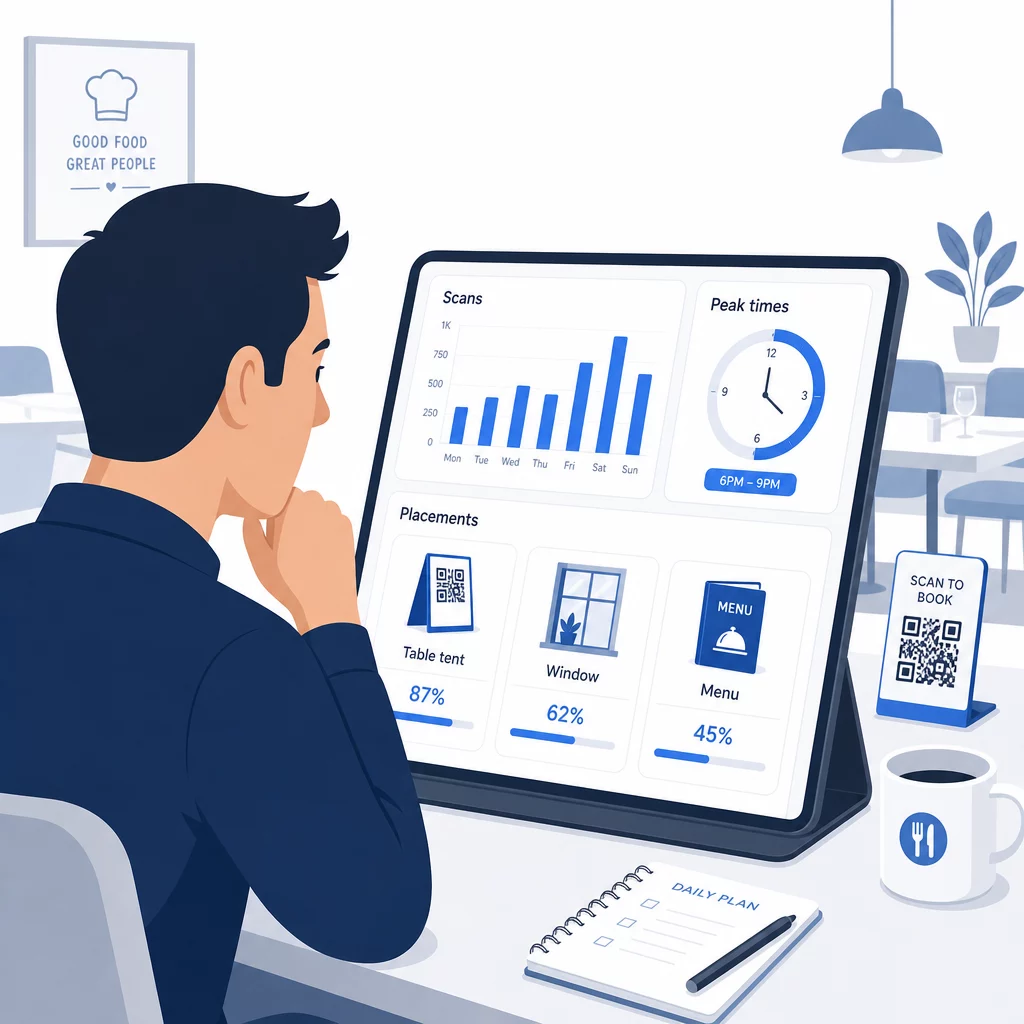
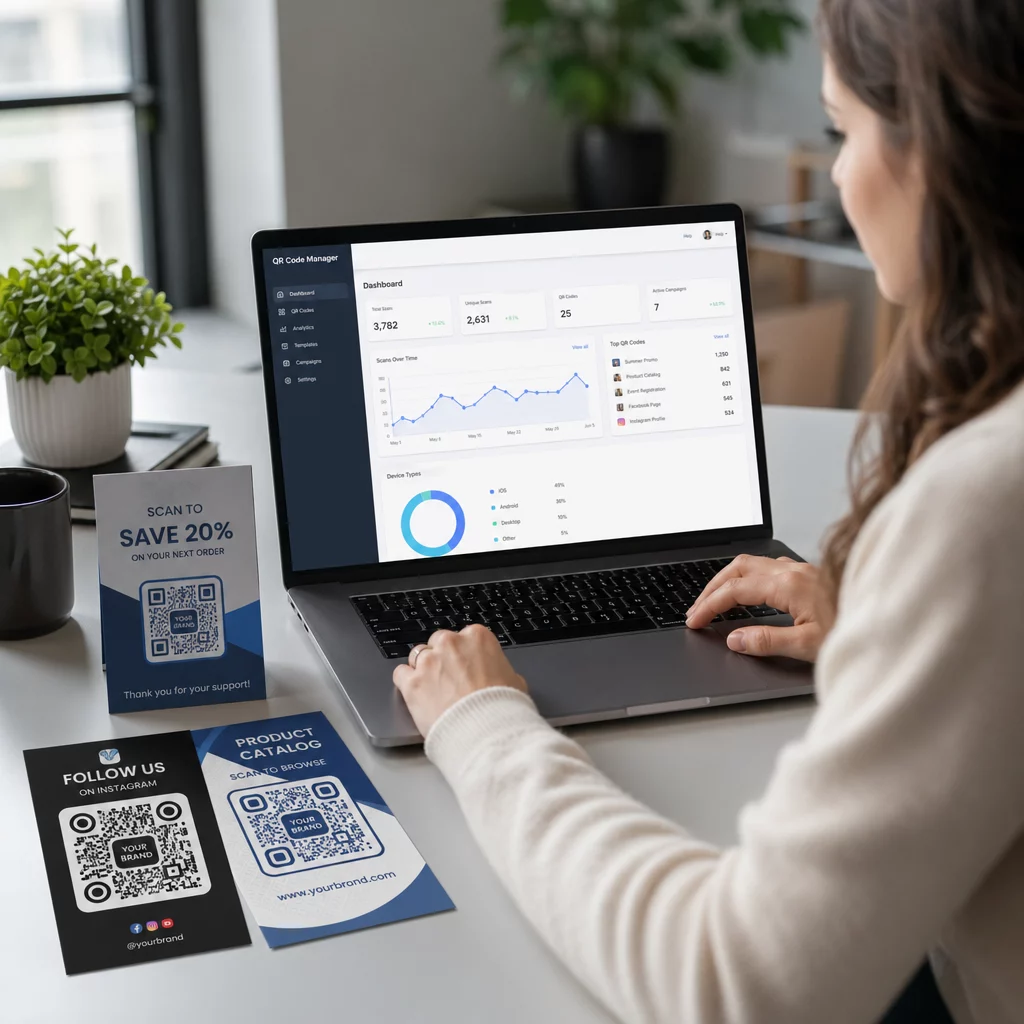
Setiap pemindaian pada kode QR dinamis menghasilkan data. Dasbor Pageloot menampilkan metrik termasuk total pemindaian, stempel waktu pemindaian, jenis perangkat, sistem operasi, dan lokasi geografis. Seiring waktu, data ini mengungkapkan penempatan mana yang mendorong reservasi terbanyak, kapan tamu paling mungkin memesan, dan apakah kampanye berhasil sebelum Anda berkomitmen untuk pencetakan penuh.
Cara praktis untuk menerapkan data tersebut:
- Penempatan Staf: Jika aktivitas pemindaian melonjak pada Jumat sore, itu adalah indikator utama permintaan Jumat malam. Sesuaikan staf lantai sesuai kebutuhan.
- Waktu menu: Jika tamu banyak memindai kode QR menu antara pukul 4–6 sore, itulah waktu Anda untuk mempromosikan penawaran happy hour atau penawaran early-bird.
- Optimalisasi penempatan: Bandingkan tingkat pemindaian di antara tenda meja, stiker jendela, dan menu cetak untuk mengidentifikasi lokasi mana yang paling banyak menarik perhatian – lalu konsentrasikan investasi masa depan di sana.
- Pengujian kampanye: Bereksperimenlah dengan frasa ajakan bertindak atau desain kode yang berbeda dan ukur efeknya pada tingkat pemindaian terhadap tolok ukur CTR industri sekitar 12,8%.
Restoran rata-rata melihat tingkat pemindaian 45% dengan kode QR yang ditempatkan dengan baik. Meninjau analitik Anda setiap minggu dan menindaklanjuti apa yang Anda temukan akan menjaga tingkat tersebut terus meningkat.
Untuk melihat lebih dalam bagaimana berbagai format kode QR melayani kebutuhan restoran yang berbeda – mulai dari integrasi pembayaran hingga program loyalitas – lihat panduan untuk 7 jenis kode QR untuk menu restoran.
Pemecahan Masalah Umum Kode QR
Bahkan kode QR yang dieksekusi dengan baik terkadang mengalami masalah. Berikut adalah masalah paling umum dan cara mengatasinya:
- Pemindaian gagal: Biasanya disebabkan oleh kontras rendah, cetakan buram, atau zona tenang yang tidak memadai. Cetak ulang menggunakan file vektor (SVG, EPS, atau PDF) dan pastikan rasio kontras setidaknya 55% antara modul kode dan latar belakang.
- Tautan rusak: Uji setiap kode setelah dicetak dan atur jadwal untuk pengujian ulang bulanan. Kode dinamis membuat koreksi tautan instan – tidak perlu mencetak ulang.
- Pencahayaan buruk: Di lingkungan makan yang gelap, pertimbangkan tampilan berlampu latar atau latar belakang yang menyala dalam gelap. Sarankan tamu untuk memegang ponsel mereka 6–8 inci dari kode.
- Perangkat lama: Beberapa ponsel memerlukan aplikasi pemindai QR pihak ketiga. Beri tahu staf Anda cara membantu, dan selalu tawarkan metode pemesanan alternatif.
- Keraguan tamu: Kode QR bermerek dengan logo Anda dan label yang jelas seperti “Pindai untuk memesan” mengurangi ketidakpercayaan yang muncul dari kode yang terlihat anonim.
Untuk persyaratan ukuran, kontras, dan desain yang terperinci, lihat panduan kegunaan kode QR.
Memperluas Kode QR di Luar Reservasi
Setelah kode QR reservasi Anda berjalan lancar, infrastruktur yang sama secara alami meluas ke bagian lain dari pengalaman tamu:
- Menu digital: Perbarui harga, tambahkan item musiman, atau hapus hidangan yang terjual habis secara instan – tidak perlu cetak ulang. Lihat cara membuat menu kode QR langkah demi langkah.
- Pemesanan tanpa kontak: Tamu menelusuri, menyesuaikan, dan mengirimkan pesanan langsung dari ponsel mereka. Penelitian menunjukkan bahwa 64% pengunjung lebih suka memesan secara digital saat makan di tempat daripada berinteraksi dengan pelayan untuk mengambil pesanan.
- Pembayaran: Pembayaran berbasis QR mempercepat perputaran meja dan mengurangi gesekan seputar pembagian tagihan. Pelajari lebih lanjut tentang manfaat pembayaran kode QR untuk restoran.
- Pengumpulan umpan balik: Kode QR pasca-makan yang terhubung ke survei singkat atau permintaan ulasan menangkap tanggapan saat pengalaman masih segar dalam ingatan.
- Promosi dan loyalitas: Kode pengalihan ke penawaran terbatas waktu, pendaftaran acara, atau pendaftaran program loyalitas tanpa mencetak ulang satu pun materi promosi.
Jelajahi berbagai macam aplikasi kode QR berdasarkan industri untuk melihat bagaimana operator perhotelan lainnya memperluas teknologi ini.
Bangun Sistem Kode QR Restoran Anda Dari reservasi hingga menu digital, Pageloot memberi Anda alat untuk membuat, mengelola, dan melacak setiap kode QR di satu tempat. Mulailah dengan Generator Kode QR Restoran dan lihat mengapa lebih dari 220 restoran di 54 negara mengandalkan Pageloot.
Pertanyaan yang sering diajukan
Kode QR statis secara permanen mengkodekan satu URL ke dalam pola pikselnya – setelah dicetak, tujuan tidak dapat diubah. Kode QR dinamis menyimpan URL pengalihan singkat, sehingga Anda dapat memperbarui tautan tujuan kapan saja dari dasbor Anda tanpa mencetak ulang kode. Untuk reservasi, kode dinamis sangat disukai: jika Anda beralih platform pemesanan, memperbarui halaman reservasi Anda, atau sementara mengalihkan tamu ke pemberitahuan “penuh”, Anda membuat satu perubahan secara terpusat dan setiap kode yang dicetak segera merespons. Kode dinamis juga memungkinkan analitik pemindaian, yang tidak dapat disediakan oleh kode statis.
Ukuran tergantung pada jarak pemindaian. Untuk tenda meja yang dipindai dari jarak 6–12 inci, minimal 1,2 × 1,2 inci berfungsi dengan baik. Untuk sisipan menu, 0,8 × 0,8 inci adalah minimum praktis. Tampilan jendela yang terlihat dari jarak 3–6 kaki membutuhkan kode setidaknya 1,6 inci. Tempatkan kode di tempat yang sangat terlihat dan tidak berantakan – meja, pintu masuk, dan meja host adalah lokasi dengan kinerja tertinggi. Selalu gunakan warna kontras tinggi, pertahankan ruang putih yang cukup di sekitar kode, sertakan instruksi singkat seperti “Pindai untuk memesan meja Anda,” dan uji di berbagai perangkat sebelum ditayangkan.
Ya. Judul III Undang-Undang Disabilitas Amerika mewajibkan restoran untuk membuat modifikasi yang wajar bagi tamu penyandang disabilitas, yang mencakup cara mereka mengakses sistem pemesanan dan menu. Beberapa tamu – termasuk mereka yang tunanetra atau memiliki keterbatasan mobilitas – mungkin tidak dapat menggunakan kode QR. Selalu sediakan alternatif yang setara: nomor telepon, seorang pelayan yang dapat menerima reservasi secara langsung, atau URL tercetak yang dapat diketik tamu secara manual. Kode QR seharusnya meningkatkan akses, bukan menggantikannya sepenuhnya.