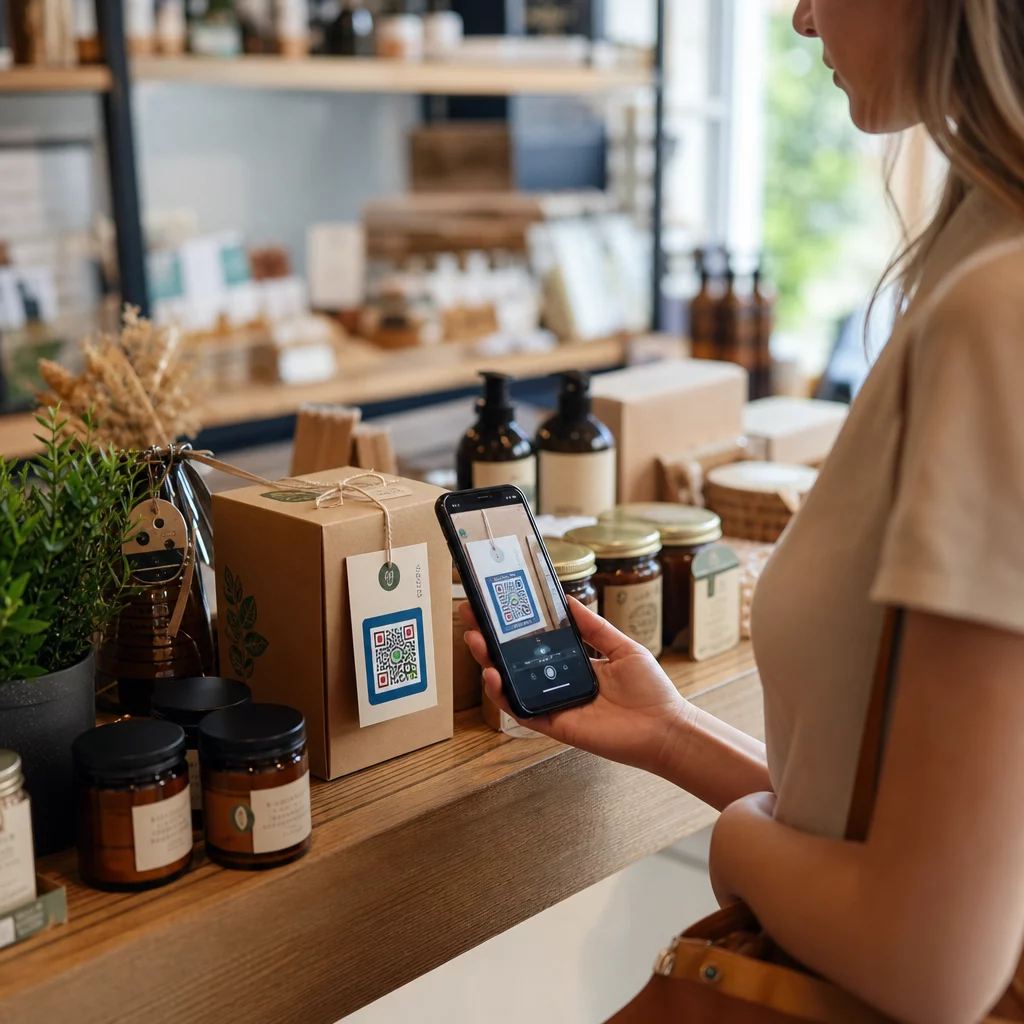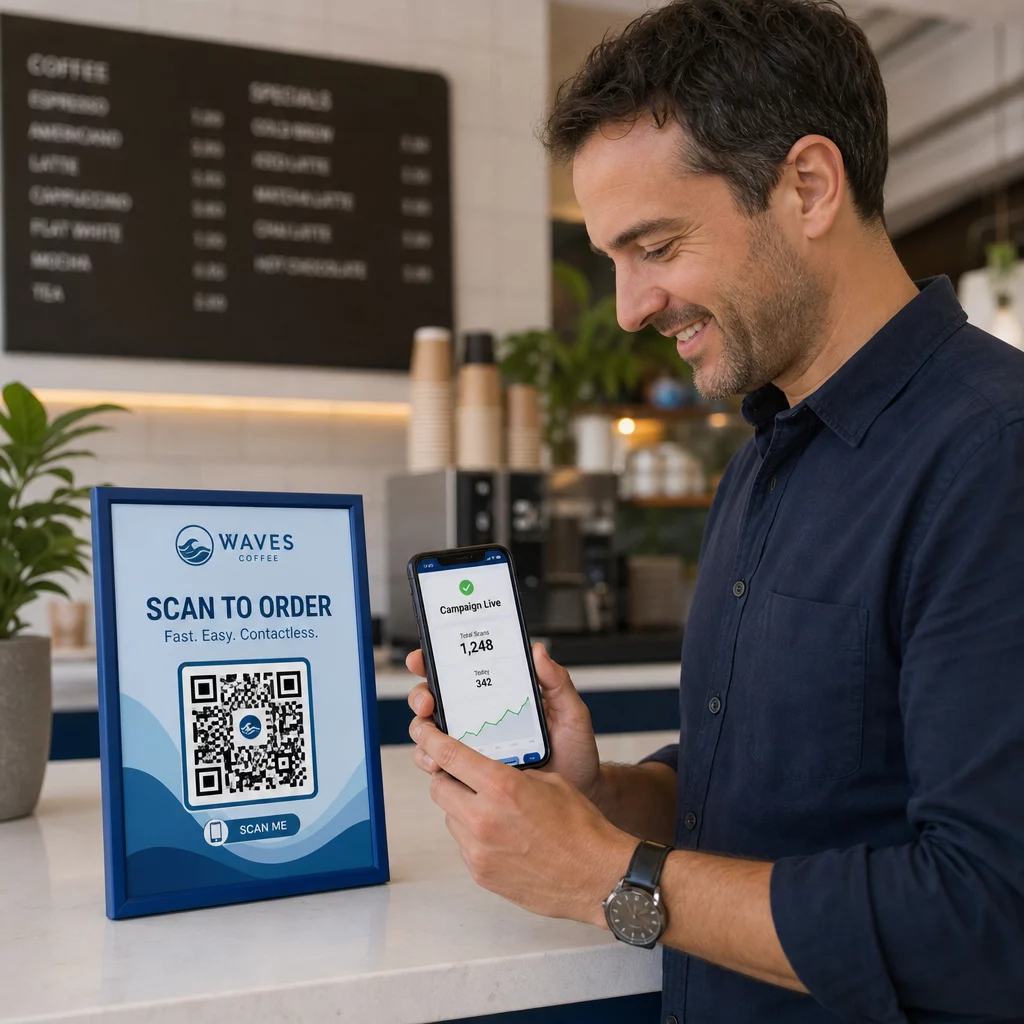
Чи ваші телефонні лінії постійно зайняті дзвінками для бронювання в години пік? Цей завал коштує вам столиків, чайових та зосередженості персоналу. Цей посібник показує, як впровадити QR-коди для бронювання столиків, списків очікування та цифрового замовлення – щоб ваша команда могла витрачати менше часу на телефонні розмови та більше часу на надання чудового сервісу.
Чому QR-коди працюють для бронювання столиків у ресторанах
Перехід до цифрового бронювання вже активно триває. Майже половина всіх відвідувачів тепер вважають за краще бронювати онлайн або через соціальні мережі, а не дзвонити заздалегідь. QR-коди відповідають цим перевагам, перетворюючи будь-яку друковану поверхню – настільну підставку, наклейку на вікні, пакет для їжі на винос – на пряму точку входу до вашої системи бронювання.
Коли гість сканує код, він одразу потрапляє на вашу сторінку бронювання, перевіряє доступність у реальному часі та підтверджує столик менш ніж за хвилину. Жодної музики під час очікування. Жодних непорозумінь через галасливий обідній зал. Жодних подвійних бронювань із рукописного журналу.
Для ресторанів, що керують великими обсягами, ця простота безпосередньо перетворюється на операційні переваги. Ресторани, що впроваджують інструменти бронювання та списків очікування на основі QR-кодів, повідомляють про меншу кількість надлишкових бронювань, точніші дані про розміщення та звільнення персоналу від повторюваних телефонних розмов. QR-коди також можуть допомогти гостям приєднатися до списку очікування віддалено, бачити оновлення статусу в реальному часі та прибувати в потрібний момент – зменшуючи скупчення біля стійки адміністратора та скорочуючи сприйнятий час очікування.
Окрім бронювання, та сама інфраструктура підтримує цифрові меню, безконтактне замовлення та платежі – роблячи QR-коди універсальною основою для всього шляху вашого гостя.
Налаштування бронювання за допомогою QR-кодів: Покроковий посібник
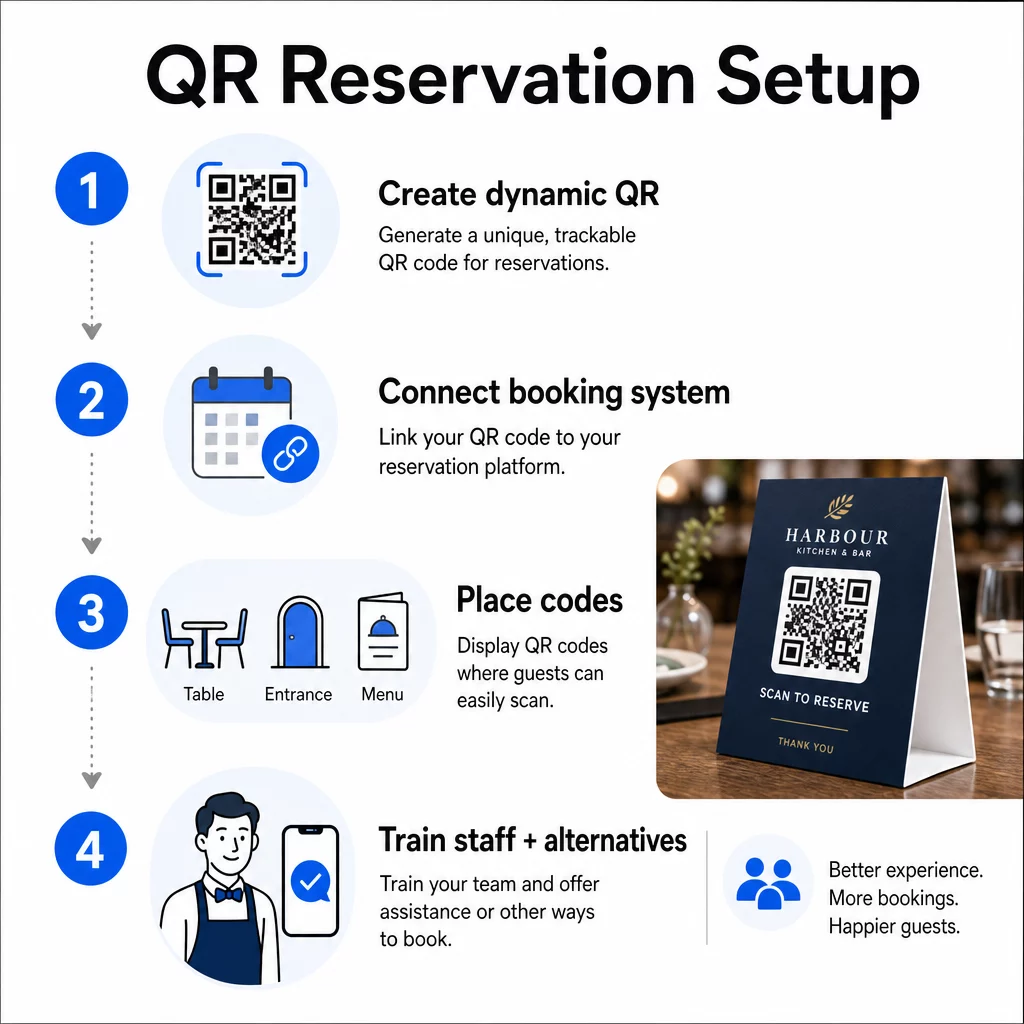
Крок 1: Створіть свій QR-код
Почніть з вибору платформи, яка підтримує динамічні QR-коди. На відміну від статичних кодів, які постійно прив'язані до однієї URL-адреси, динамічні QR-коди використовують шар перенаправлення – це означає, що ви можете оновлювати цільове посилання в будь-який час, не передруковуючи нічого. Якщо ви змінюєте платформи бронювання, коригуєте сторінку бронювання або проводите сезонну акцію, ви змінюєте посилання на своїй панелі керування, і кожен надрукований код оновлюється автоматично.
Використовуйте Pageloot’s генератор QR-кодів для створення QR-коду посилання, який вказує на вашу платформу бронювання – будь то OpenTable, Resy або спеціальна сторінка бронювання. Звідти налаштуйте його за допомогою свого логотипу, фірмових кольорів та рамки, що відповідає естетиці вашого ресторану. Брендовані коди виглядають більш надійними та з більшою ймовірністю будуть відскановані гостями, які відвідують вас вперше.
Перш ніж щось друкувати, протестуйте код на кількох пристроях та операційних системах, щоб переконатися, що він правильно перенаправляє та швидко завантажується на мобільних пристроях.
Готові створити свій QR-код для бронювання? Створіть динамічний, брендований QR-код за лічені хвилини за допомогою Pageloot's Генератор QR-кодів – не потрібен досвід дизайну, і не потрібно передруковувати, коли ваші посилання змінюються.
Крок 2: Підключіться до вашої системи бронювання
Прив'яжіть ваш QR-код до сторінки бронювання, яка показує актуальну наявність і надсилає миттєве підтвердження гостю. Це чисто замикає цикл: гість сканує, обирає час і отримує підтвердження – без участі персоналу.
Синхронізуйте вашу систему бронювання з вашою POS-системою, щоб бронювання надходили безпосередньо до вашого управління столами без ручного введення. Це усуває дублювання записів і надає вашій команді фронт-офісу точні дані про розміщення в реальному часі протягом усієї зміни.
Коли система інтегрована належним чином, ви також отримуєте шар даних. Кожне сканування містить інформацію про те, коли і де було зроблено бронювання, який пристрій використовувався та як гості проходять через вашу воронку від сканування до підтвердженого бронювання. Ці дані стають корисними для прийняття рішень щодо персоналу, планування акцій та визначення ваших найзавантаженіших періодів.
Крок 3: Розмістіть коди там, де їх побачать гості
Розміщення впливає на кількість сканувань. Розміщуйте ваші QR-коди там, де гості природно зупиняються або дивляться – на столах, біля входу, на стійці адміністратора, у друкованих меню та на вітринах. Дослідження використання QR-кодів у ресторанах показують, що 60% усіх сканувань у ресторанах відбуваються, коли коди розміщені безпосередньо на столі, наприклад, на наклейках або настільних підставках.
Дотримуйтесь цих рекомендацій щодо розміру залежно від того, де з'являється кожен код:
| РОЗМІЩЕННЯ | Рекомендований розмір | Типова відстань сканування |
|---|---|---|
| Настільні намети | 1.2 × 1.2 дюйма (3 × 3 см) | 6–12 дюймів |
| Вкладки в меню | 0.8 × 0.8 дюйма (2 × 2 см) | 8–16 дюймів |
| Плакати / штендери | 1.2–1.6 дюйма (3–4 см) | 2–4 фути |
| Вітрини | 1,6+ дюйма (4+ см) | 3–6 футів |
| Квитанції | 0.8 × 0.8 дюйма (2 × 2 см) | 6–12 дюймів |
Використовуйте висококонтрастні кольори – темні модулі на світлому фоні – і зберігайте чітку тиху зону (білий простір) навколо коду. Для зовнішніх або сильно зношуваних поверхонь ламіновані настільні таблички або водонепроникні наклейки захищають код від пошкоджень. У слабо освітлених приміщеннях флуоресцентні або світловідбиваючі фони допомагають підтримувати видимість.
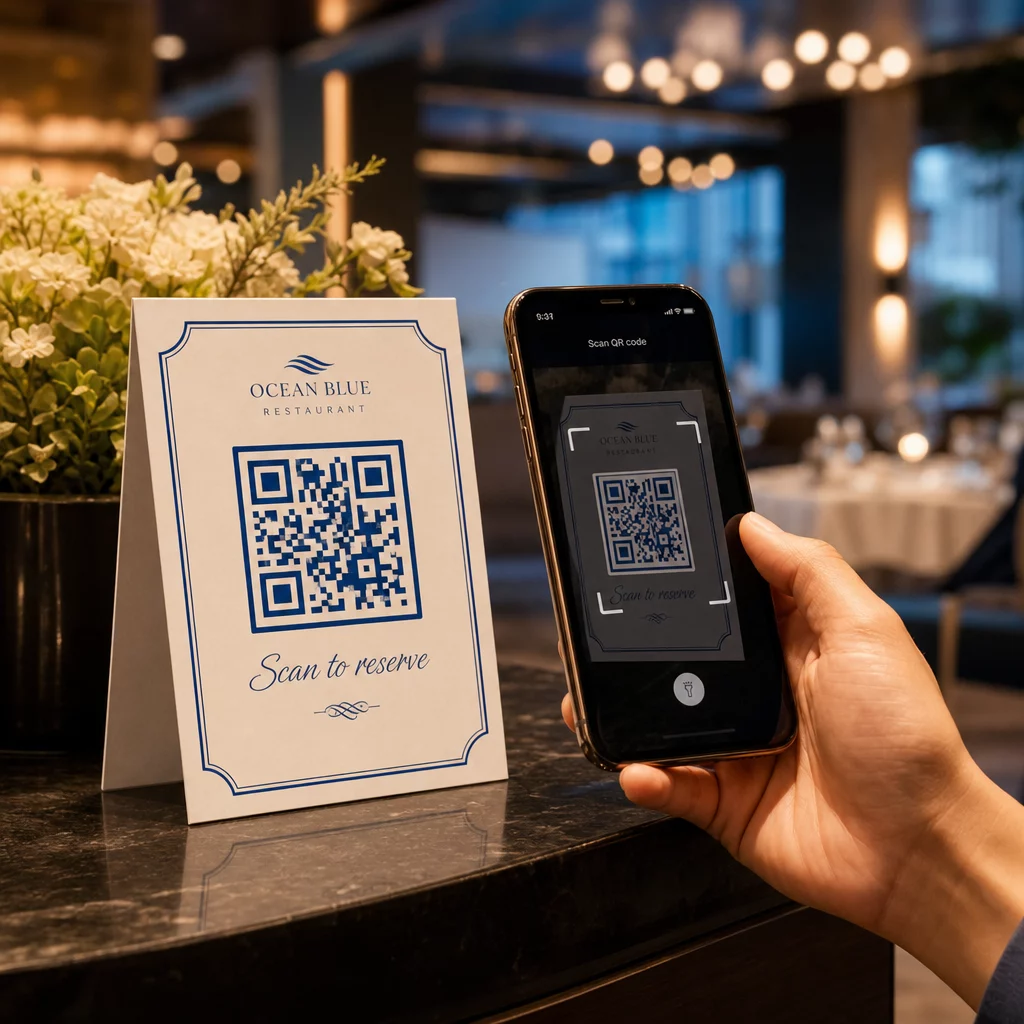
Завжди додавайте коротку інструкцію поруч із кодом, наприклад: “Скануйте, щоб забронювати столик”. Чіткі підказки усувають вагання, особливо для гостей, які раніше не користувалися QR-кодами. Дотримання найкращих практик використання QR-кодів з самого початку запобігає найпоширенішим помилкам сканування.
Крок 4: Проінструктуйте свою команду
Технологія працює лише за підтримки вашого персоналу. Навчіть працівників фронт-офісу допомагати гостям, які стикаються з проблемами сканування – чи то старий пристрій, камера, яка за замовчуванням не підтримує QR-коди, чи просто незнання процесу.
Доступність тут має значення. Не кожен гість може або хоче використовувати QR-код. Розділ III Закону про американців з інвалідністю вимагає від ресторанів вносити розумні зміни при обслуговуванні гостей з інвалідністю, що поширюється на те, як вони отримують доступ до меню та систем бронювання. Завжди тримайте доступним традиційний варіант бронювання – номер телефону, адміністратора, який може приймати бронювання безпосередньо, або роздруковану URL-адресу, яку гості можуть ввести вручну. QR-коди мають бути ефективним варіантом, а не єдиним.
Ключові переваги для гостей та персоналу
Що отримують гості
Бронювання за QR-кодом пропонує цілодобовий доступ до бронювання. Гості можуть забронювати столик під час обідньої перерви, пізно вночі або під час перегляду соціальних мереж – не лише у ваші робочі години. Процес швидкий: сканування, перевірка наявності, підтвердження, готово. Ця швидкість має значення, коли майже дві третини гостей кажуть, що вони воліли б замовляти або взаємодіяти цифровим способом, ніж чекати на співробітника.
Безконтактна взаємодія також усуває гігієнічні побоювання, які багато відвідувачів все ще мають з останніх років. Жодних спільних фізичних меню для обробки на етапі бронювання, жодного дотику до планшета адміністратора. А оскільки гість вводить свої дані самостійно, помилки бронювання, спричинені неправильним спілкуванням, значно зменшуються.
QR-коди можуть робити більше, ніж просто містити посилання на бронювання. Використовуйте їх, щоб поділитися своїм цифровим меню до прибуття гостей, виділити щоденні спеціальні пропозиції або спонукати гостей приєднатися до вашої програми лояльності. Pageloot Як зробити QR меню дозволяє створити брендовану цільову сторінку меню з фотографіями, описами, категоріями та навіть інформацією про алергени – все це доступно з одного сканування.
Що отримує ваш заклад
Зменшення вхідних дзвінків для бронювання дозволяє вашій команді фронт-офісу зосередитися на гостях, які вже перебувають у закладі. Менша кількість телефонних переривань означає кращу якість обслуговування під час роботи, а не лише швидше бронювання.
Фінансовий аспект також очевидний. Ресторани, які впроваджують цифрові інструменти замовлення та самообслуговування, постійно повідомляють про вищі середні чеки – одне дослідження виявило збільшення витрат на 9% при використанні гостями цифрового замовлення за столом. Оборот столів покращується, коли скорочується загальний цикл обслуговування. А перехід на цифрові меню може усунути тисячі доларів щорічних витрат на передрук.
Системи QR-кодів також генерують власні дані, які не можуть забезпечити телефонні бронювання. Ви можете відстежувати моделі бронювання за часом доби, днем тижня та сегментом гостей. Ця інформація сприяє кращому плануванню графіків персоналу, більш цільовим акціям та розумнішому плануванню запасів. Для огляду повного спектру цифрових інструментів, доступних для ресторанів, дивіться Рішення з QR-кодами для гостинності.
Використання динамічних QR-кодів для актуальності
Динамічні QR-коди надають вам операційну гнучкість, яку не можуть забезпечити статичні коди. Оскільки сам код зберігає лише коротку URL-адресу перенаправлення, ви можете будь-коли змінити, куди він веде, зі своєї панелі керування – без передруку, без заміни настільних табличок під час обслуговування.
Це важливо на практиці. Якщо ви переходите на нову платформу бронювання, тестуєте новий потік бронювання або тимчасово перенаправляєте код на повідомлення “повністю заброньовано” у вечір повного завантаження, ви робите одну зміну централізовано, і кожен надрукований код реагує негайно.
Динамічні коди також підтримують гнучкість у просуванні. Шістдесят вісім відсотків відвідувачів частіше бронюють, коли ресторан рекламує обмежену за часом пропозицію. За допомогою динамічних кодів ви можете перенаправити на цільову сторінку миттєвої пропозиції під час повільного вівторкового дня та повернутися до стандартної сторінки бронювання до вечірнього обслуговування – не торкаючись жодного друкованого матеріалу.
Ті самі коди, що керують бронюваннями, також можуть посилатися на вашу цифрову систему замовлення, форми зворотного зв'язку або запити на відгуки. Pageloot's Google Form QR: генератор для Google Форм спрощує підключення QR-коду до опитування після їжі або форми зворотного зв'язку, фіксуючи настрій гостей, поки враження ще свіжі.
Використання аналітики для покращення продуктивності
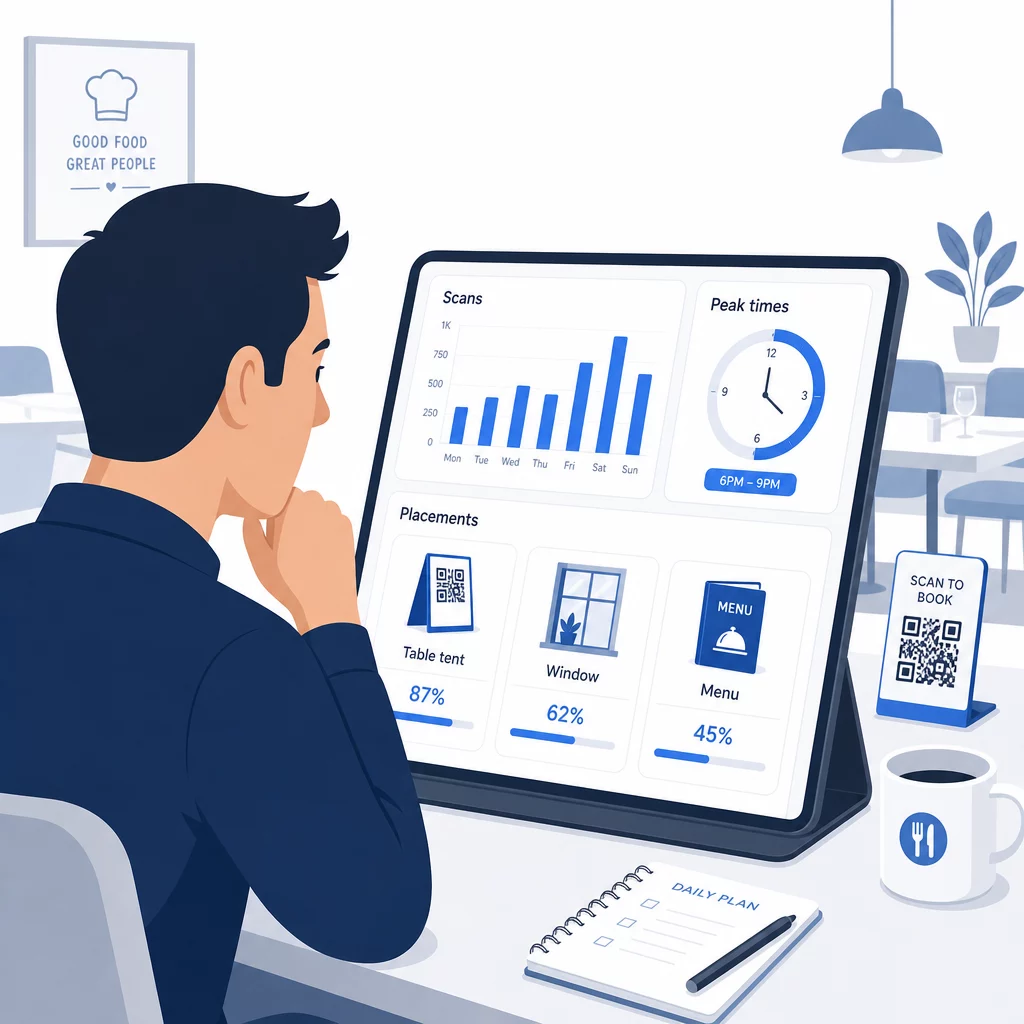
Кожне сканування динамічного QR-коду генерує дані. Панель керування Pageloot відображає метрики, включаючи загальну кількість сканувань, часові мітки сканувань, типи пристроїв, операційні системи та географічне розташування. З часом ці дані показують, які розміщення приносять найбільше бронювань, коли гості найімовірніше бронюють, і чи працює кампанія, перш ніж ви замовите повний тираж.
Практичні способи застосування цих даних:
- Персонал: Якщо активність сканування зростає в п'ятницю вдень, це провідний індикатор попиту в п'ятницю ввечері. Відповідно відкоригуйте персонал на поверсі.
- Час меню: Якщо гості активно сканують QR-коди меню між 16:00 та 18:00, це ваш час для просування акцій "щасливої години" або пропозицій для ранніх відвідувачів.
- Оптимізація розміщення: Порівняйте показники сканування на настільних підставках, віконних наклейках та друкованих меню, щоб визначити, які місця приносять найбільшу залученість – потім зосередьте майбутні інвестиції там.
- Тестування кампаній: Експериментуйте з різними фразами заклику до дії або дизайнами кодів і вимірюйте вплив на показники сканування порівняно з галузевим еталонним CTR близько 12,8%.
Ресторани в середньому бачать показник сканування 45% при добре розміщених QR-кодах. Щотижневий перегляд аналітики та дії на основі знайденого підтримують зростання цього показника.
Для глибшого розуміння того, як різні формати QR-кодів відповідають різним потребам ресторанів – від інтеграції платежів до програм лояльності – дивіться посібник з 7 типів QR-кодів для меню ресторанів.
Усунення поширених проблем з QR-кодами
Навіть добре реалізовані QR-коди іноді стикаються з проблемами. Ось найпоширеніші проблеми та способи їх вирішення:
- Помилки сканування: Зазвичай спричинені низьким контрастом, розмитим друком або недостатньою тихою зоною. Передрукуйте, використовуючи векторний файл (SVG, EPS або PDF), і переконайтеся, що коефіцієнт контрастності становить щонайменше 55% між модулями коду та фоном.
- Недійсні посилання: Тестуйте кожен код після друку та встановіть графік щомісячного повторного тестування. Динамічні коди дозволяють миттєво виправляти посилання – передрук не потрібен.
- Погане освітлення: У темних обідніх приміщеннях розгляньте дисплеї з підсвічуванням або фони, що світяться в темряві. Порадьте гостям тримати телефон на відстані 6–8 дюймів від коду.
- Старіші пристрої: Деякі телефони вимагають стороннього додатка для сканування QR-кодів. Проінструктуйте свій персонал, як допомогти, і завжди пропонуйте альтернативний метод бронювання.
- Вагання гостей: Брендовані QR-коди з вашим логотипом і чітким написом, як-от “Скануйте для бронювання”, зменшують недовіру, що виникає через анонімні на вигляд коди.
Щоб дізнатися детальні вимоги до розміру, контрастності та дизайну, зверніться до повних рекомендацій щодо зручності використання QR-кодів.
Розширення використання QR-кодів за межі бронювання
Щойно ваші QR-коди для бронювання працюватимуть безперебійно, та сама інфраструктура природно поширюється на інші аспекти досвіду гостей:
- Цифрові меню: Миттєво оновлюйте ціни, додавайте сезонні страви або видаляйте розпродані страви – без необхідності повторного друку. Дивіться, як створити QR-код меню крок за кроком.
- Безконтактне замовлення: Гості переглядають, налаштовують і надсилають замовлення безпосередньо зі своїх телефонів. Дослідження показують, що 64% відвідувачів воліють замовляти в цифровому форматі під час обіду, ніж взаємодіяти з офіціантами для прийому замовлень.
- Платежі: Оплата за допомогою QR-коду прискорює оборот столів і зменшує тертя навколо розділення рахунків. Дізнайтеся більше про переваги оплати QR-кодом для ресторанів.
- Збір відгуків: QR-код після їжі, пов'язаний з коротким опитуванням або запитом на відгук, фіксує відповіді, поки враження ще свіжі.
- Акції та лояльність: Перенаправляйте коди на обмежені за часом пропозиції, реєстрацію на події або участь у програмі лояльності без передруку жодного рекламного матеріалу.
Дослідіть повний спектр застосувань QR-кодів за галузями щоб побачити, як інші оператори гостинності розширюють використання цієї технології.
Створіть систему QR-кодів для свого ресторану Від бронювання до цифрових меню, Pageloot надає вам інструменти для створення, керування та відстеження кожного QR-коду в одному місці. Почніть з Генератора QR-кодів для ресторанів і дізнайтеся, чому понад 220 ресторанів у 54 країнах покладаються на Pageloot.
Поширені запитання
Статичний QR-код назавжди кодує одну URL-адресу у свій піксельний шаблон – після друку призначення не може бути змінено. Динамічний QR-код зберігає коротку URL-адресу перенаправлення, тому ви можете оновлювати посилання призначення в будь-який час зі своєї панелі керування без передруку коду. Для бронювання динамічні коди є набагато кращими: якщо ви змінюєте платформи бронювання, оновлюєте сторінку бронювання або тимчасово перенаправляєте гостей на повідомлення “повністю заброньовано”, ви робите одну зміну централізовано, і кожен надрукований код реагує негайно. Динамічні коди також дозволяють аналізувати сканування, чого статичні коди не можуть забезпечити.
Розмір залежить від відстані сканування. Для настільних табличок, що скануються з відстані 6–12 дюймів, мінімум 1.2 × 1.2 дюйма працює добре. Для вкладишів у меню практичний мінімум становить 0.8 × 0.8 дюйма. Для вітрин, видимих з відстані 3–6 футів, потрібні коди розміром щонайменше 1.6 дюйма. Розміщуйте коди у добре видимих, незахаращених місцях – стільниці, вхід та стійка адміністратора є найефективнішими місцями. Завжди використовуйте висококонтрастні кольори, зберігайте достатній білий простір навколо коду, додайте коротку інструкцію, наприклад, “Скануйте, щоб зарезервувати свій столик”, і протестуйте на кількох пристроях перед запуском.
Так. Розділ III Закону про американців з інвалідністю вимагає від ресторанів вносити розумні зміни для гостей з інвалідністю, що включає спосіб доступу до систем бронювання та меню. Деякі гості – зокрема ті, хто є незрячими або мають обмеження рухливості – можуть бути не в змозі використовувати QR-код. Завжди надавайте еквівалентну альтернативу: номер телефону, адміністратора, який може приймати бронювання безпосередньо, або надруковану URL-адресу, яку гості можуть ввести вручну. QR-коди повинні покращувати доступ, а не повністю замінювати його.