Kas teie telefoniliinid on tipptundidel pidevalt broneerimiskõnedega hõivatud? See ummik maksab teile laudu, jootraha ja personali keskendumist. See juhend näitab teile, kuidas rakendada QR-koode lauabroneeringute, ootejärjekordade ja digitaalse tellimise jaoks – nii saab teie meeskond veeta vähem aega telefonis ja rohkem aega suurepärase teenuse pakkumisel.
Miks QR-koodid restorani broneeringute jaoks töötavad
Üleminek digitaalsele broneerimisele on täies hoos. Peaaegu pooled kõikidest sööjatest eelistavad nüüd broneerida veebis või sotsiaalmeedia kaudu, mitte ette helistada. QR-koodid vastavad sellele eelistusele otse, muutes mis tahes trükitud pinna – lauatelgi, aknakleebise, kaasavõetava koti – teie broneerimissüsteemi otsepunktiks.
Kui külaline koodi skannib, jõuab ta kohe teie broneerimislehele, kontrollib reaalajas saadavust ja kinnitab laua vähem kui minutiga. Ei mingit ootemuusikat. Ei mingit arusaamatust lärmakas söögisaalis. Ei mingeid topeltbroneeringuid käsitsi kirjutatud logist.
Suure mahuga restoranide puhul tähendab see lihtsus otseselt operatiivset kasu. QR-põhiseid broneerimis- ja ootejärjekorra tööriistu rakendavad restoranid teatavad vähemast ülebroneerimisest, täpsematest istekohtade andmetest ja personalist, kes on vabastatud korduvast telefonikõnede käsitlemisest. QR-koodid saavad aidata külalistel ka kaugelt ootejärjekorda liituda, näha reaalajas olekuvärskendusi ja saabuda õigel hetkel – vähendades rahvahulka vastuvõtulauas ja lühendades tajutavaid ooteaegu.
Lisaks broneeringutele toetab sama infrastruktuur digitaalseid menüüsid, kontaktivaba tellimist ja makseid – muutes QR-koodid mitmekülgseks aluseks kogu teie külaliste teekonnale.
QR-koodi broneeringute seadistamine: samm-sammult juhend
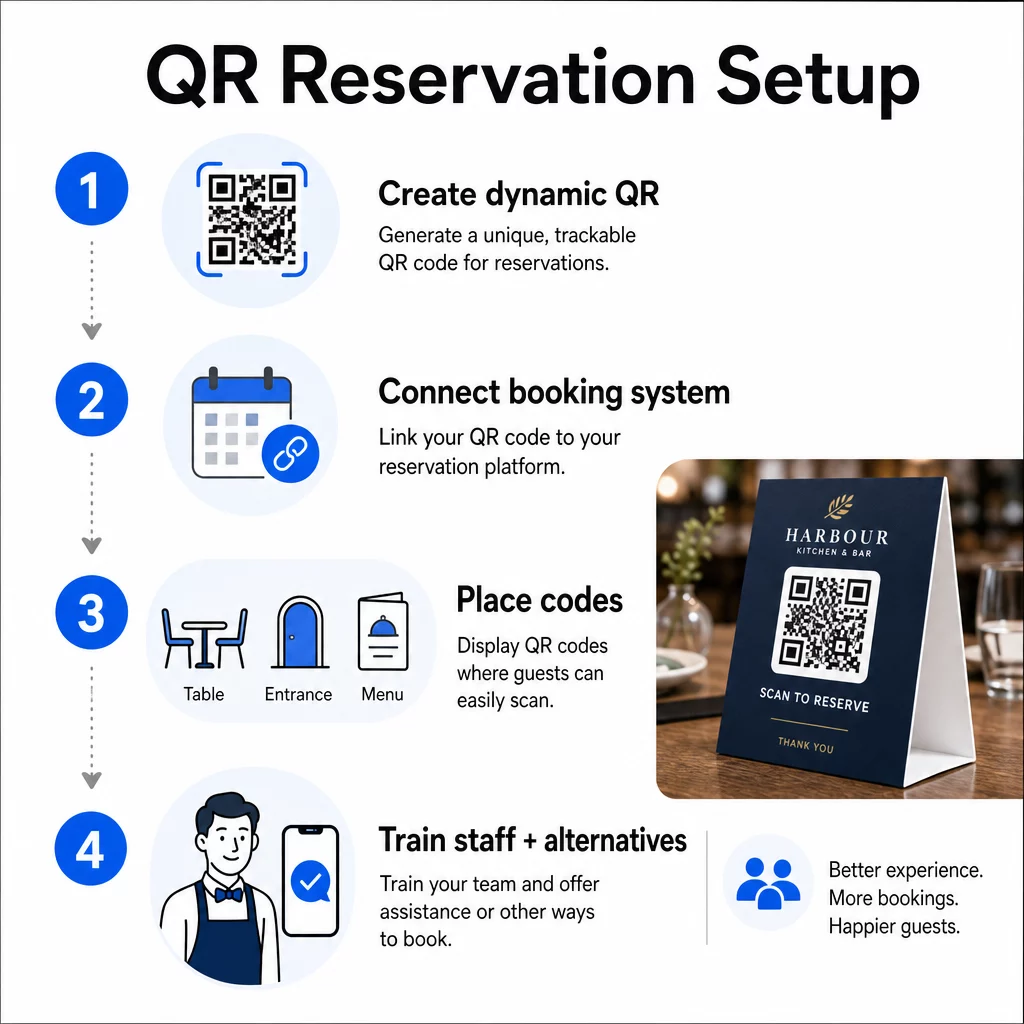
1. samm: looge oma QR-kood
Alustage platvormi valimisest, mis toetab dünaamilised QR-koodid. Erinevalt staatilistest koodidest, mis on püsivalt seotud ühe URL-iga, kasutavad dünaamilised QR-koodid ümbersuunamiskihti – mis tähendab, et saate sihtlinki igal ajal värskendada ilma midagi uuesti printimata. Kui vahetate broneerimisplatvorme, kohandate oma broneerimislehte või korraldate hooajalist kampaaniat, muudate linki oma juhtpaneelil ja iga prinditud kood värskendub automaatselt.
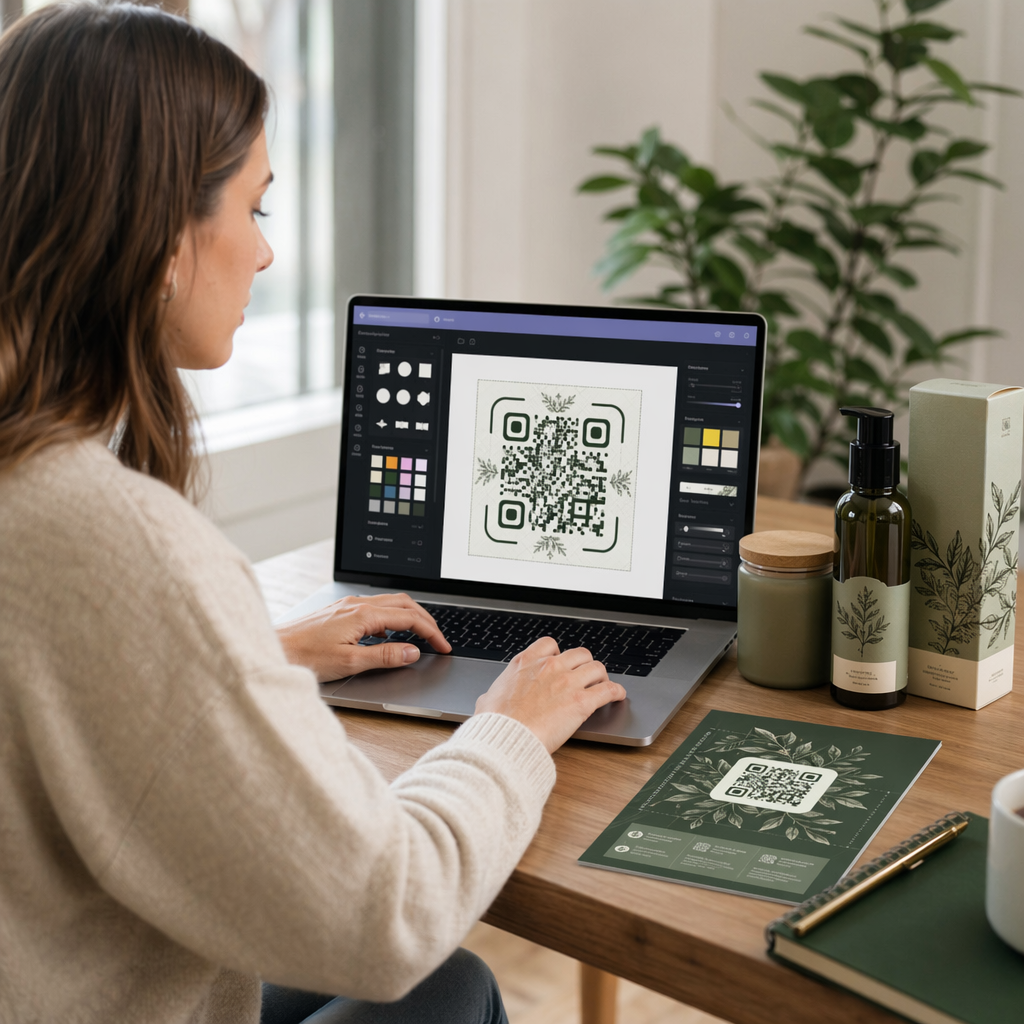
Kasutage Pagelooti QR-koodi generaator lingi QR-koodi loomiseks, mis viitab teie broneerimisplatvormile – olgu selleks OpenTable, Resy või kohandatud broneerimisleht. Sealt edasi kohandage seda oma logo, brändivärvide ja raamiga, mis sobib teie restorani esteetikaga. Bränditud koodid näevad usaldusväärsemad välja ja esmakordsed külalised skannivad neid tõenäolisemalt.
Enne printimist testige koodi mitmel seadmel ja operatsioonisüsteemil, et veenduda selle õiges suunamises ja kiirel laadimisel mobiilis.
Kas olete valmis looma oma broneerimise QR-koodi? Looge Pagelooti abil dünaamiline, bränditud QR-kood minutitega QR-koodi generaator – disainikogemust pole vaja ja linkide muutumisel pole vaja uuesti printida.
2. samm: Ühendage oma broneerimissüsteemiga
Linkige oma QR-kood broneerimislehele, mis näitab reaalajas saadavust ja saadab külalisele kohese kinnituse. See sulgeb ahela puhtalt: külaline skannib, valib aja ja saab kinnituse – ilma personali sekkumiseta.
Sünkroonige oma broneerimissüsteem oma POS-iga, et broneeringud voolaksid otse teie lauahaldussüsteemi ilma käsitsi sisestamiseta. See välistab dubleeritud kirjed ja annab teie saalimeeskonnale täpsed, reaalajas istumiskohad kogu vahetuse vältel.
Kui süsteem on korralikult integreeritud, saate ka andmekihi. Iga skaneering sisaldab teavet selle kohta, millal ja kus broneering alguse sai, millist seadet kasutati ja kuidas külalised liiguvad teie müügilehtris skaneerimisest kinnitatud broneeringuni. Need andmed on kasulikud personaliotsuste, kampaaniate ajastamise ja kõige tihedamate perioodide tuvastamiseks.
3. samm: Asetage koodid sinna, kus külalised neid näevad
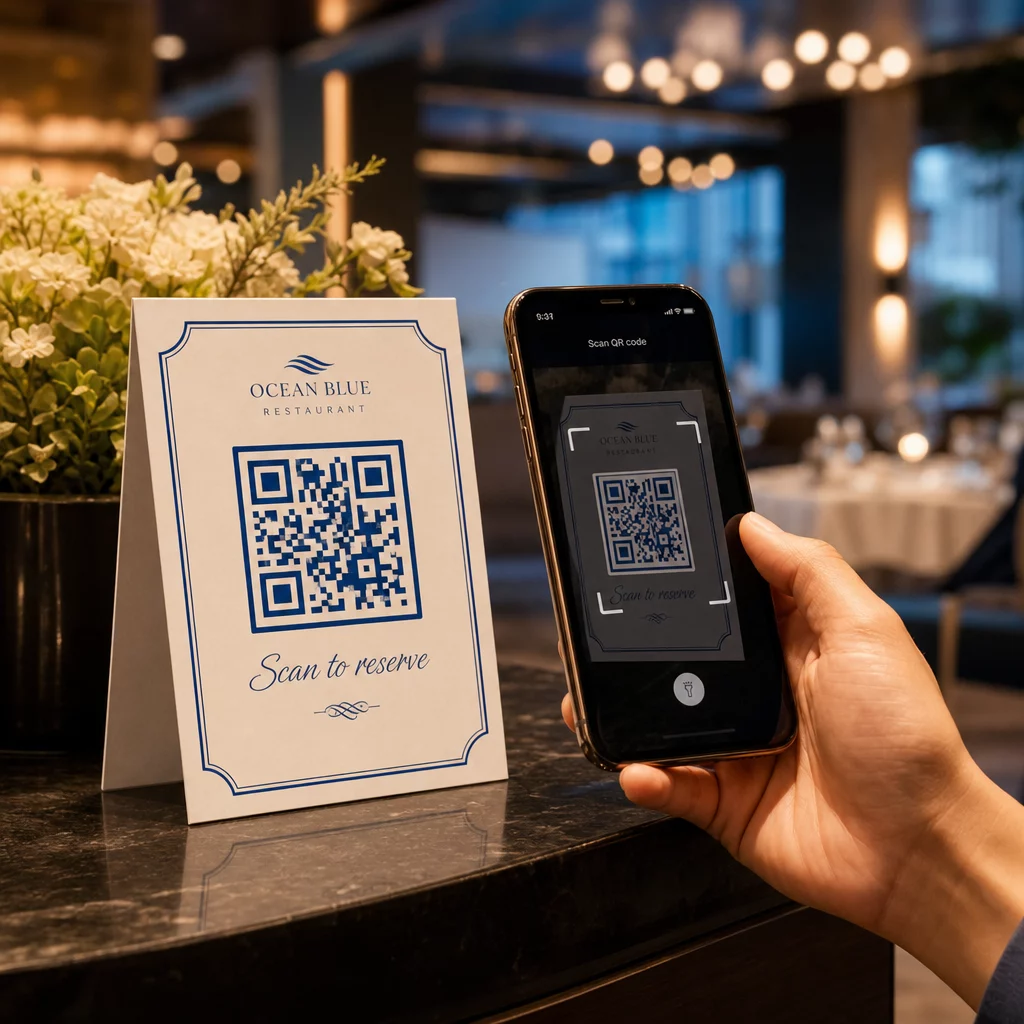
Paigutus mõjutab skaneerimismäärasid. Asetage oma QR-koodid sinna, kus külalised loomulikult peatuvad või vaatavad – lauaplaadid, sissepääs, vastuvõtulaud, trükitud menüüd ja aknakuvarid. Restoranide QR-koodide kasutamise uuringud näitavad, et 60% kõigist restoranide skaneeringutest toimub siis, kui koodid on paigutatud otse lauale, näiteks kleebistele või lauatelkidele.
Järgige neid suuruse juhiseid vastavalt sellele, kus iga kood ilmub:
| paigutus | Soovitatav suurus | Tüüpiline skannimiskaugus |
|---|---|---|
| Lauatelgid | 1.2 × 1.2 in (3 × 3 cm) | 6–12 tolli |
| Menüü sisestused | 0.8 × 0.8 in (2 × 2 cm) | 8–16 tolli |
| Plakatid / reklaamtahvlid | 1,2–1,6 tolli (3–4 cm) | 2–4 jalga |
| Aknakuvarid | 1.6+ tolli (4+ cm) | 3–6 jalga |
| Kviitungid | 0.8 × 0.8 in (2 × 2 cm) | 6–12 tolli |
Kasutage suure kontrastsusega värve – tumedaid mooduleid heledal taustal – ja säilitage koodi ümber selge vaikne tsoon (tühimik). Välitingimustes või suure kulumisega pindadel kaitsevad lamineeritud lauatelgid või ilmastikukindlad kleebised koodi kahjustuste eest. Hämaralt valgustatud keskkondades aitavad nähtavust säilitada fluorestseeruvad või pimedas helendavad taustad.
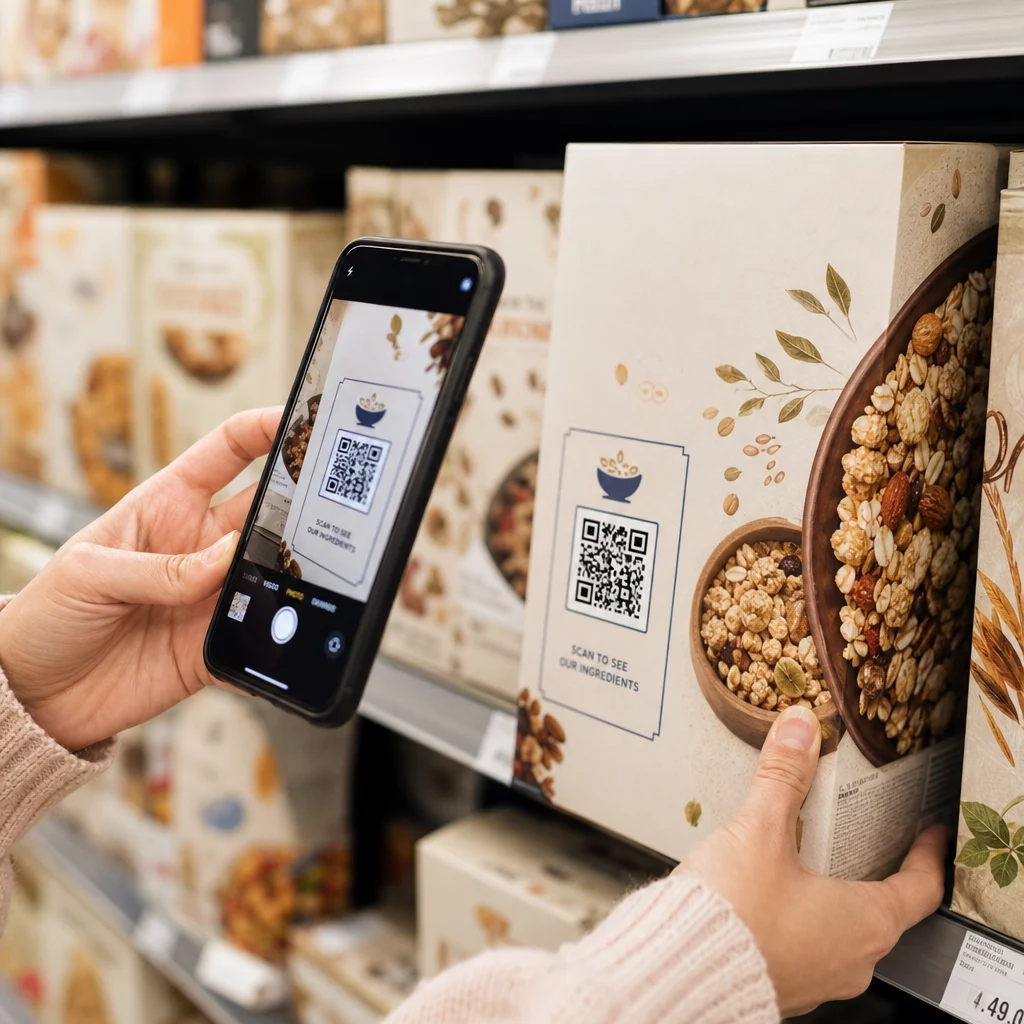
Lisage koodi kõrvale alati lühike juhis, näiteks “Skaneeri oma laua broneerimiseks.” Selged vihjed eemaldavad kõhklused, eriti külalistel, kes pole varem QR-koode kasutanud. Järgides QR-koodi kasutatavuse parimaid tavasid algusest peale välditakse kõige levinumaid skaneerimisvigu.
4. samm: Juhendage oma meeskonda
Tehnoloogia töötab ainult siis, kui teie personal seda toetab. Koolitage saaliteenindajaid aitama külalisi, kellel on skaneerimisega probleeme – olgu selleks siis vanem seade, kaamera, mis pole vaikimisi QR-koodi toega, või lihtsalt protsessi tundmatus.
Siin on oluline ligipääsetavus. Mitte iga külaline ei saa ega taha QR-koodi kasutada. Ameeriklaste puuetega inimeste seaduse (Americans with Disabilities Act) III jaotis nõuab restoranidelt mõistlike muudatuste tegemist puuetega külaliste teenindamisel, mis laieneb ka sellele, kuidas nad menüüdele ja broneerimissüsteemidele ligi pääsevad. Hoidke alati saadaval traditsiooniline broneerimisvõimalus – telefoninumber, vastuvõtja, kes saab broneeringuid otse vastu võtta, või prinditud URL, mille külalised saavad käsitsi sisestada. QR-koodid peaksid olema tõhus valik, mitte ainus valik.
Peamised eelised külalistele ja personalile
Mida külalised võidavad
QR-koodi broneeringud pakuvad 24/7 broneerimisvõimalust. Külalised saavad laua broneerida lõunapausi ajal, hilisõhtul või sotsiaalmeediat sirvides – mitte ainult teie lahtiolekuaegadel. Protsess on kiire: skaneeri, kontrolli saadavust, kinnita, valmis. See kiirus on oluline, kui ligi kaks kolmandikku külalistest ütleb, et nad eelistaksid tellida või suhelda digitaalselt, mitte oodata personali liiget.
Kontaktivaba suhtlus eemaldab ka hügieenimure, mida paljud sööjad viimastest aastatest endiselt kannavad. Broneerimisetapis ei ole vaja jagatud füüsilisi menüüsid käsitseda, ei puudutata vastuvõtja tahvelarvutit. Ja kuna külaline sisestab oma andmed, vähenevad oluliselt valest suhtlusest tingitud broneerimisvead.
QR-koodid suudavad teha enamat kui lihtsalt broneerimislingi hoidmine. Kasutage neid oma digitaalse menüü jagamiseks enne külaliste saabumist, päevapakkumiste esiletõstmiseks või külaliste lojaalsusprogrammiga liitumise julgustamiseks. Pagelooti QR menu: menüü QR-koodi generaator võimaldab teil luua bränditud menüü maandumislehe fotode, kirjelduste, kategooriate ja isegi allergeeniteabega – kõik on ligipääsetav sama skaneeringuga.
Mida teie tegevus võidab
Sissetulevate broneerimiskõnede vähendamine vabastab teie saalimeeskonna keskenduma külalistele, kes on tegelikult ruumis. Vähem telefonikatkestusi tähendab paremat teeninduskvaliteeti teeninduse ajal, mitte ainult kiiremaid broneeringuid.
Finantsiline põhjendus on samuti selge. Restoranid, mis võtavad kasutusele digitaalse tellimise ja iseteeninduse tööriistad, teatavad järjepidevalt kõrgematest keskmistest arvetest – üks uuring leidis 9% kulutuste kasvu, kui külalised kasutavad lauaäärset digitaalset tellimist. Laudade käive paraneb, kui üldine söögitsükkel lüheneb. Ja digitaalsetele menüüdele üleminek võib kõrvaldada tuhandeid dollareid iga-aastastest ümbertrükkimiskuludest.
QR-koodisüsteemid genereerivad ka esimese osapoole andmeid, mida telefonibroneeringud ei suuda pakkuda. Saate jälgida broneerimismustreid kellaaja, nädalapäeva ja külaliste segmendi järgi. See teave toetab paremaid personaliplaane, sihipärasemaid kampaaniaid ja nutikamat varude planeerimist. Restoranidele saadaolevate digitaalsete tööriistade täieliku valiku ülevaate saamiseks vaadake QR-koodilahendused hotellindusele.
Dünaamiliste QR-koodide kasutamine ajakohasena püsimiseks
Dünaamilised QR-koodid annavad teile operatiivse paindlikkuse, mida staatilised koodid pakkuda ei suuda. Kuna kood ise salvestab ainult lühikese ümbersuunamise URL-i, saate oma juhtpaneelilt igal ajal muuta, kuhu see suunab – ei mingit ümbertrükkimist ega lauatelkide vahetamist teeninduse ajal.
See on praktikas oluline. Kui migreerite uuele broneerimisplatvormile, testite uut broneerimisvoogu või suunate koodi ajutiselt täielikult välja müüdud õhtul teatele “täielikult broneeritud”, teete ühe muudatuse tsentraalselt ja iga prinditud kood reageerib koheselt.
Dünaamilised koodid toetavad ka reklaami paindlikkust. Kuuskümmend kaheksa protsenti sööjatest broneerib tõenäolisemalt, kui restoran reklaamib ajatundlikku pakkumist. Dünaamiliste koodidega saate suunata kiirpakkumise sihtlehele aeglasel teisipäeva pärastlõunal ja lülituda tagasi oma tavalisele broneerimislehele õhtusöögi ajaks – puudutamata ühtegi trükitud materjali.
Samad koodid, mis juhivad broneeringuid, võivad linkida ka teie digitaalsele tellimissüsteemile, tagasisidevormidele või arvustuste taotlustele. Pageloot'i Google vorm: QR-koodi generaator muudab lihtsaks QR-koodi ühendamise söögijärgse küsitluse või tagasisidevormiga, jäädvustades külaliste meeleolu, kui kogemus on veel värske.
Analüütika kasutamine jõudluse parandamiseks
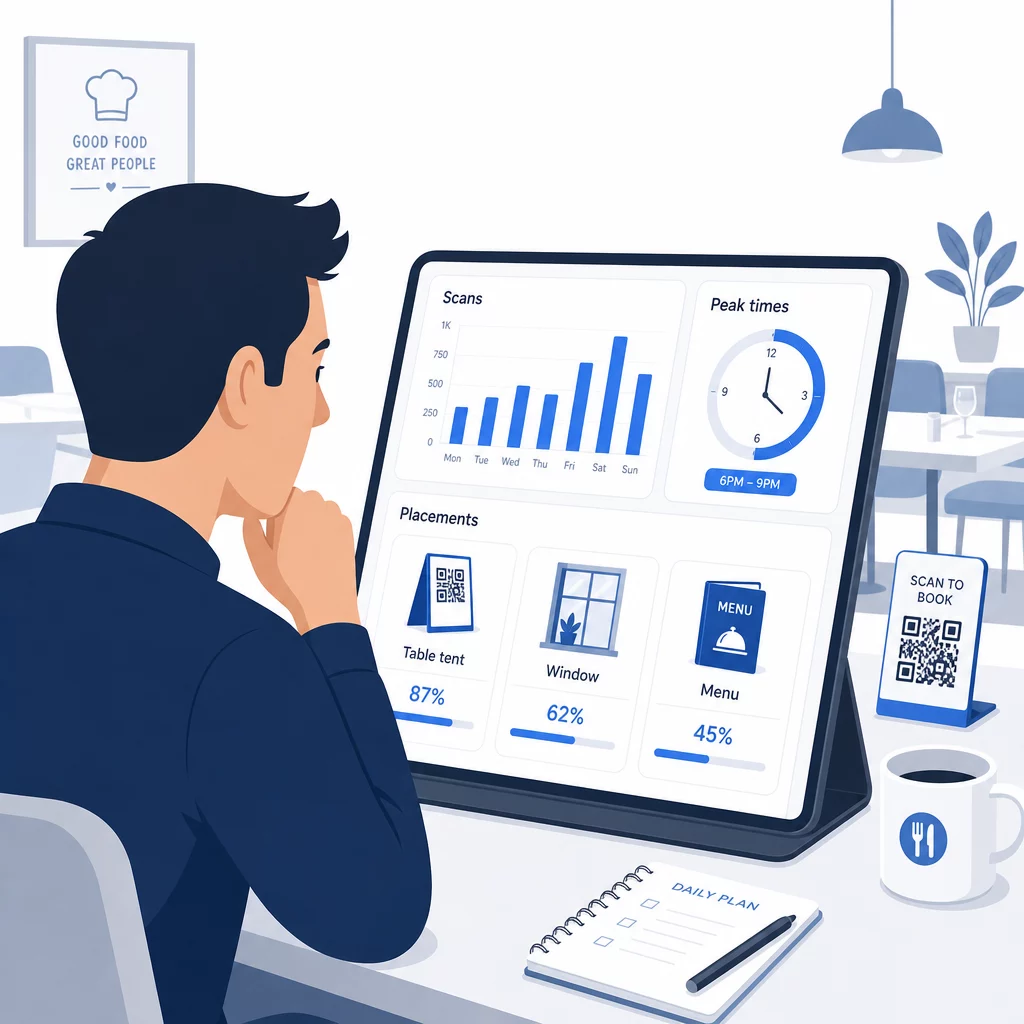
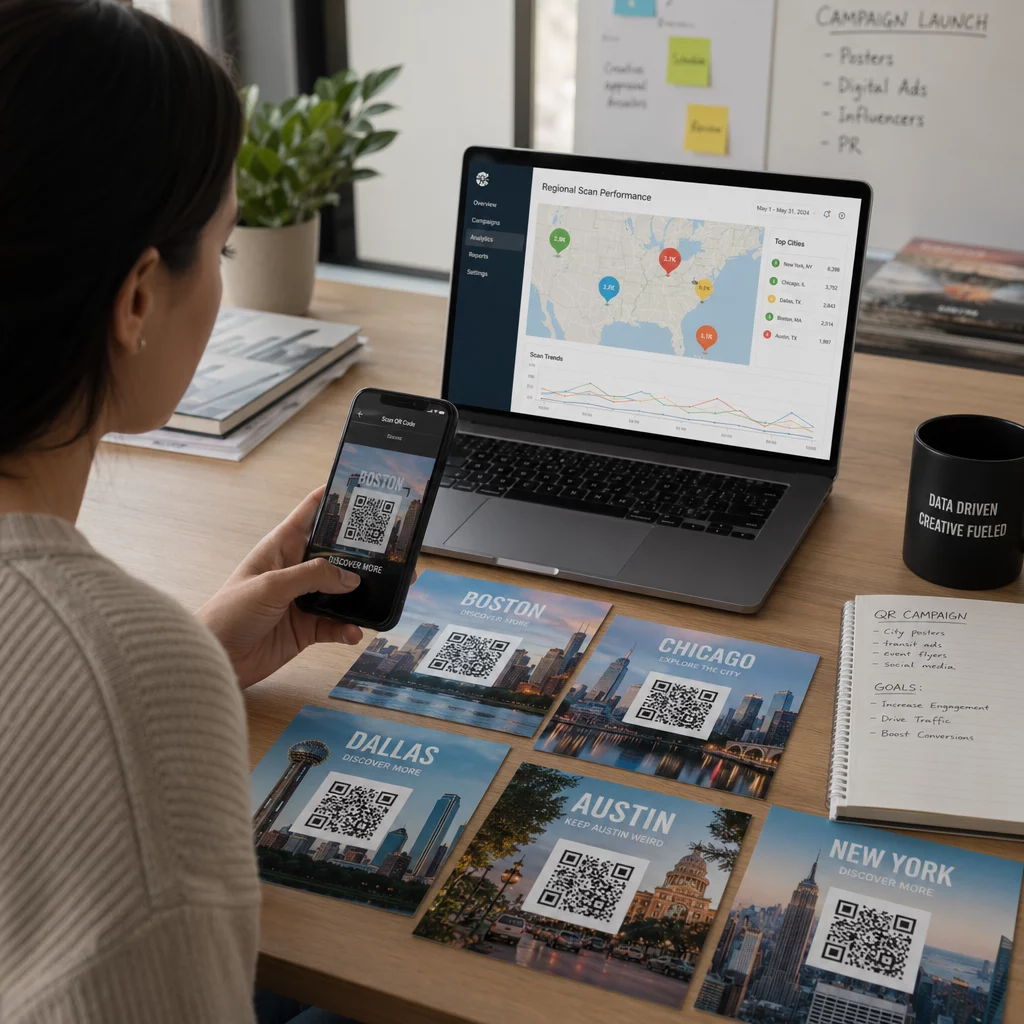
Iga dünaamilise QR-koodi skaneerimine genereerib andmeid. Pageloot'i juhtpaneel kuvab mõõdikuid, sealhulgas skaneeringute koguarvu, skaneerimise ajatempleid, seadmetüüpe, operatsioonisüsteeme ja geograafilist asukohta. Aja jooksul näitavad need andmed, millised paigutused toovad kõige rohkem broneeringuid, millal külalised kõige tõenäolisemalt broneerivad ja kas kampaania töötab, enne kui olete pühendunud täielikule trükkimisele.
Praktilised viisid nende andmete rakendamiseks:
- Personalitöö: Kui skannimistegevus reedel pärastlõunal hüppeliselt tõuseb, on see reedese õhtuse nõudluse juhtiv indikaator. Kohandage saali personali vastavalt.
- Menüü ajastus: Kui külalised skannivad menüü QR-koode intensiivselt kella 16–18 vahel, on see teie võimalus reklaamida happy hour'i eripakkumisi või varajase tellija pakkumisi.
- Paigutuse optimeerimine: Võrrelge skannimismäärasid lauatelkidel, aknakleebistel ja trükitud menüüdel, et tuvastada, millised asukohad teenivad kõige rohkem kaasatust – seejärel koondage tulevased investeeringud sinna.
- Kampaania testimine: Katsetage erinevate üleskutsete või koodikujundustega ja mõõtke nende mõju skannimismääradele võrreldes tööstusharu võrdlusaluse CTR-iga, mis on umbes 12.8%.
Restoranid näevad keskmiselt 45% skannimismäära hästi paigutatud QR-koodidega. Analüütika iganädalane ülevaatamine ja leitud teabe põhjal tegutsemine hoiab selle määra tõusmas.
Sügavama ülevaate saamiseks sellest, kuidas erinevad QR-koodi vormingud teenivad erinevaid restorani vajadusi – alates maksete integreerimisest kuni lojaalsusprogrammideni – vaadake juhendit: 7 QR-koodi tüüpi restoranimenüüde jaoks.
Levinud QR-koodi probleemide tõrkeotsing
Isegi hästi teostatud QR-koodid puutuvad aeg-ajalt kokku probleemidega. Siin on kõige levinumad probleemid ja kuidas neid lahendada:
- Skannimine ebaõnnestub: Tavaliselt põhjustatud madalast kontrastist, udusest trükist või ebapiisavast vaikse tsoonist. Printige uuesti vektorfaili (SVG, EPS või PDF) abil ja veenduge, et kontrastsussuhe koodimoodulite ja tausta vahel on vähemalt 55%.
- Katkised lingid: Testige iga koodi pärast printimist ja koostage igakuise kordustestimise ajakava. Dünaamilised koodid muudavad lingiparandused koheseks – uuesti printimine pole vajalik.
- Kehv valgustus: Pimedas söögikeskkonnas kaaluge taustvalgustusega ekraane või pimedas helendavaid taustu. Soovitage külalistel hoida oma telefoni koodist 6–8 tolli kaugusel.
- Vanemad seadmed: Mõned telefonid vajavad kolmanda osapoole QR-skannimise rakendust. Juhendage oma personali, kuidas abistada, ja pakkuge alati alternatiivset broneerimismeetodit.
- Külaliste kõhklus: Teie logoga ja selge sildiga, näiteks “Skanni broneerimiseks”, kaubamärgiga QR-koodid vähendavad umbusaldust, mis tuleneb anonüümse välimusega koodidest.
Üksikasjalike suuruse, kontrasti ja disaininõuete kohta vaadake täielikke QR-koodi kasutatavuse juhiseid.
QR-koodide laiendamine broneeringutest kaugemale
Kui teie broneerimise QR-koodid töötavad sujuvalt, laieneb sama infrastruktuur loomulikult külaliskogemuse teistele osadele:
- Digitaalsed menüüd: Uuendage hindu, lisage hooajalisi tooteid või eemaldage väljamüüdud roogasid koheselt – kordustrükki pole vaja. Vaadake, kuidas luua QR-koodi menüü samm-sammult.
- Kontaktivaba tellimine: Külalised sirvivad, kohandavad ja esitavad tellimusi otse oma telefonist. Uuringud näitavad, et 64% sööjatest eelistaks digitaalselt tellida kohapeal süües, mitte suhelda ettekandjatega tellimuste vastuvõtmiseks.
- Maksed: QR-põhine maksmine kiirendab laudade käivet ja vähendab arve jagamisega seotud hõõrdumist. Lisateave QR-koodi makse eeliste kohta restoranidele.
- Tagasiside kogumine: Söögijärgne QR-kood, mis on lingitud lühikese küsitluse või arvustuse viipaga, kogub vastuseid, kui kogemus on veel värskelt meeles.
- Pakkumised ja lojaalsus: Suunake koodid ajaliselt piiratud pakkumistele, üritustele registreerumistele või lojaalsusprogrammi liitumisele, ilma et peaksite ühtegi reklaammaterjali uuesti trükkima.
Avastage kogu valik QR-koodi rakendusi tööstusharude kaupa et näha, kuidas teised toitlustusettevõtjad seda tehnoloogiat laiendavad.
Looge oma restorani QR-koodi süsteem Alates broneeringutest kuni digitaalsete menüüdeni annab Pageloot teile tööriistad iga QR-koodi loomiseks, haldamiseks ja jälgimiseks ühes kohas. Alustage Restorani QR-koodi generaatoriga ja vaadake, miks üle 220 restorani 54 riigis Pagelootile toetuvad.
Korduma kippuvad küsimused
Staatiline QR-kood kodeerib püsivalt ühe URL-i oma pikslite mustrisse – pärast printimist ei saa sihtkohta muuta. Dünaamiline QR-kood salvestab lühikese ümbersuunamise URL-i, nii et saate sihtkoha linki igal ajal oma juhtpaneelilt värskendada, ilma et peaksite koodi uuesti printima. Broneeringute puhul on dünaamilised koodid tugevalt eelistatud: kui vahetate broneerimisplatvorme, värskendate oma broneerimislehte või suunate külalised ajutiselt “täielikult broneeritud” teatele, teete ühe muudatuse tsentraalselt ja iga prinditud kood reageerib koheselt. Dünaamilised koodid võimaldavad ka skaneerimisanalüüsi, mida staatilised koodid pakkuda ei saa.
Suurus sõltub skaneerimiskaugusest. Lauatelkide puhul, mida skaneeritakse 6–12 tolli kauguselt, töötab hästi minimaalselt 1,2 × 1,2 tolli. Menüü sisestuste puhul on praktiline miinimum 0,8 × 0,8 tolli. Aknaekraanid, mis on nähtavad 3–6 jala kauguselt, vajavad vähemalt 1,6 tolli suuruseid koode. Asetage koodid hästi nähtavatesse, segamatutesse kohtadesse – lauaplaadid, sissepääs ja vastuvõtulaud on kõige paremini toimivad asukohad. Kasutage alati kõrge kontrastsusega värve, säilitage koodi ümber piisavalt valget ruumi, lisage lühike juhis, näiteks “Skaneeri oma laua broneerimiseks”, ja testige mitme seadmega enne avaldamist.
Jah. Ameeriklaste puuetega inimeste seaduse (Americans with Disabilities Act) III jaotis nõuab restoranidelt mõistlike kohanduste tegemist puuetega külalistele, mis hõlmab seda, kuidas nad pääsevad ligi broneerimis- ja menüüsüsteemidele. Mõned külalised – sealhulgas need, kes on pimedad või kellel on liikumispiirangud – ei pruugi QR-koodi kasutada. Pakkuge alati samaväärset alternatiivi: telefoninumber, vastuvõtja, kes saab broneeringuid otse vastu võtta, või prinditud URL, mille külalised saavad käsitsi sisestada. QR-koodid peaksid ligipääsu parandama, mitte seda täielikult asendama.