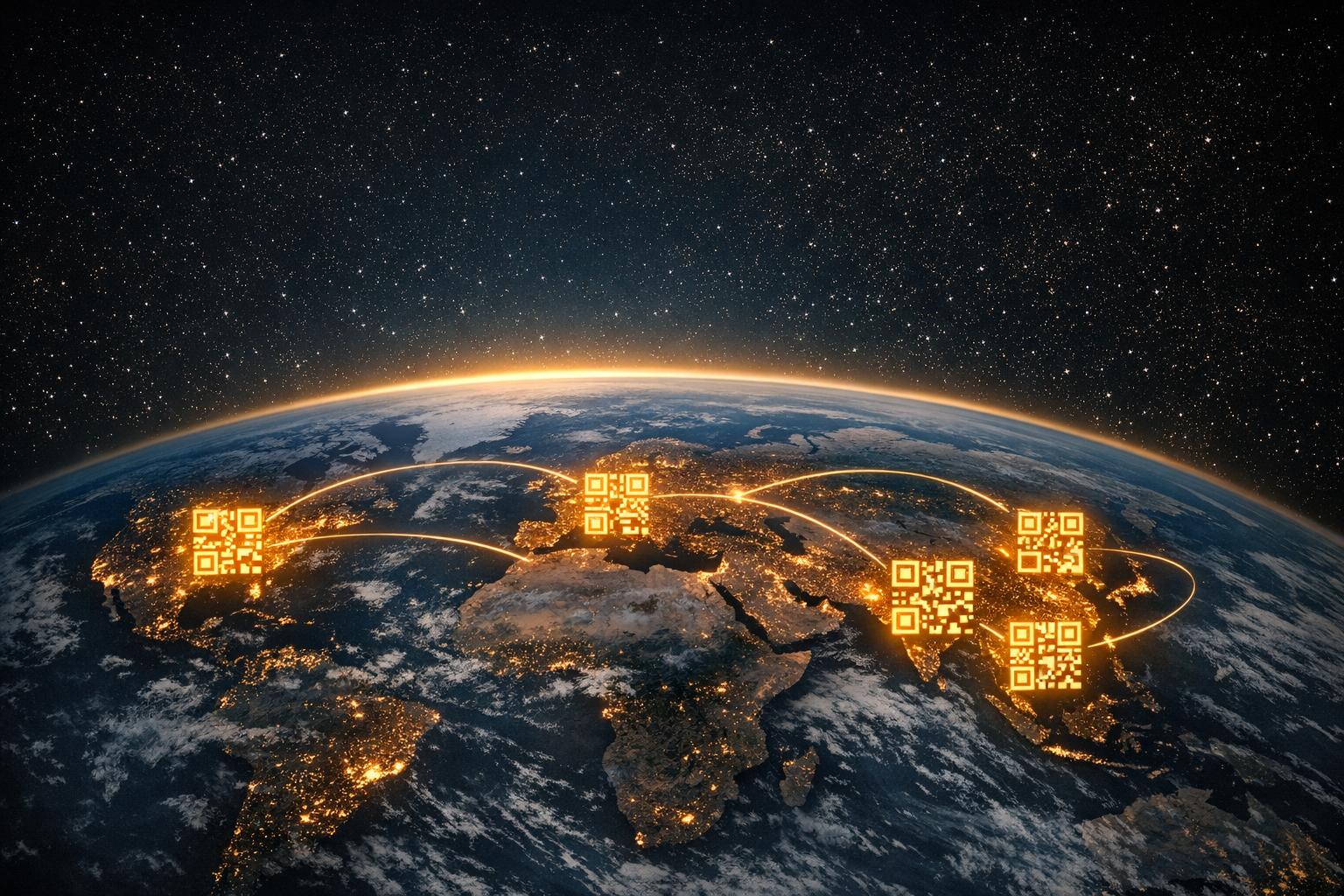
Ovatko markkinointimateriaalisi asiakkaiden edessä antamatta heille selkeää seuraavaa askelta? Painetut ja fyysiset kosketuspisteet tavoittavat yleisön edelleen tehokkaasti, mutta ne kamppailevat yhdistääkseen tämän huomion mitattavaan digitaaliseen toimintaan. QR-koodit ratkaisevat tämän ongelman muuttamalla minkä tahansa fyysisen pinnan interaktiiviseksi portiksi – ja ne tekevät sen tavalla, joka on jäljitettävissä, joustava ja helppo toteuttaa.
Miksi QR-koodit ovat edelleen tärkeitä markkinoinnissa
QR-koodeilla oli jonkin aikaa kivinen maine. Varhaiset käyttäjät sijoittivat niitä hankaliin paikkoihin, linkittivät ne ei-mobiiliystävällisille sivuille eivätkä antaneet asiakkaille syytä skannata. Ongelma ei ollut teknologiassa – vaan toteutuksessa.
Nykyään tilanne on muuttunut. Kuluttajien tuntemus QR-koodeista on kasvanut merkittävästi. Yli kaksi kolmasosaa yhdysvaltalaisista kuluttajista käytti QR-koodia vähintään kerran viime vuoden aikana, ja noin puolet Z-sukupolvesta ja milleniaaleista skannaa niitä vähintään kerran viikossa. Vähittäiskaupan ympäristöissä 64 % yhdysvaltalaisista ostajista ilmoitti skannanneensa tuotteen QR-koodin myymälässä ostoksilla ollessaan.
Yleisimpiä käyttötapauksia ovat ravintolamenut (48 %), mobiilisovellukset (47 %), tuotetiedot (43 %), Wi-Fi-yhteys (32 %) ja tapahtumaliput (31 %). Nämä eivät ole kapeita käyttäytymismalleja – ne ovat valtavirran tapoja, joiden ympärille markkinoijat voivat rakentaa kampanjoita.
Varhaisten epäonnistumisten ydinoppi on edelleen voimassa: QR-koodit toimivat, kun ne toteutetaan harkitusti. Kun sijoitus, kohde ja kannustin ovat oikein, sinulla on tehokas työkalu. Jos ne ovat väärin, sinut ohitetaan. Lue lisää aiheesta miten QR-koodeja käytetään tehokkaasti ennen seuraavan kampanjasi käynnistämistä.
Monipuolisuus kaikilla markkinointikanavilla
Yksi QR-koodien käytännöllisimmistä eduista on, että ne voivat ilmestyä lähes minne tahansa. Käyntikortit, tuotepakkaukset, julisteet, mainostaulut, lehtimainokset, suoramainonta, ravintolapöydät, tapahtumakyltit, sähköpostiallekirjoitukset – kaikki näistä muuttuvat interaktiivisiksi, kun lisäät QR-koodin.
Silti sijoittelun kontekstilla on merkitystä. Liikkuvassa bussissa olevaa QR-koodia on vaikea skannata. Televisioruudulla näkyvän koodin on pysyttävä näkyvissä vähintään 15 sekuntia, jotta katsojilla on riittävästi aikaa hakea puhelimensa ja skannata. Messuilta noudetussa esitteessä oleva koodi voidaan skannata rauhassa.
Fyysisen ympäristön ymmärtäminen, jossa koodisi ilmestyy, auttaa sinua suunnittelemaan sen asianmukaisesti – mitoittamaan sen oikein, sijoittamaan sen silmien tasolle (tyypillisesti 3,5–5,5 jalkaa) ja antamaan sille riittävästi kontrastia ja valkoista tilaa luotettavaa skannausta varten. ohjeista QR-koodien sijoittamisesta markkinointimateriaaleihin käy läpi eri formaattien erityisvaatimukset.
Koska ne toimivat niin monilla pinnoilla, QR-koodit mahdollistavat yhtenäisten kampanjoiden toteuttamisen, jotka välittävät saman viestin lehtimainoksesta tuotepakkaukseen ja myymälänäyttöön – jokainen koodi voi osoittaa eri kohteeseen samalla kun se vahvistaa yhtenäistä kampanjaa.
Yhdistämällä offline- ja online-kokemukset
QR-koodin selkein strateginen arvo on sen kyky yhdistää fyysiset kosketuspisteet digitaalisiin kohteisiin. Kun joku skannaa koodin esitteestä, hänet voidaan ohjata suoraan laskeutumissivulle, promootiovideoon, tuotearvosteluun, palautelomakkeeseen tai sovelluksen lataukseen – ilman manuaalista kirjoittamista.
Tämä on erityisen hyödyllistä painotuotteisiin perustuvissa kampanjoissa. Julistekampanja voi ohjata liikennettä aikaherkkään tarjoukseen. Käyntikortti voi linkittää täydelliseen digitaaliseen portfolioon. Tuotepakkaukset voivat yhdistää ostajat asennusohjeisiin, takuurekisteröintiin tai täydentäviin tuotesuosituksiin.
Yhteys toimii molempiin suuntiin: voit käyttää offline-kampanjoita digitaalisten tuotteiden mainostamiseen tai digitaalisia materiaaleja vahvistamaan sitä, mitä asiakkaat kokevat henkilökohtaisesti. Keskeinen vaatimus on, että mihin tahansa QR-koodi linkittääkin, sen on oltava mobiilioptimoitu. Jonkun lähettäminen puhtaasta fyysisestä suunnittelusta hitaalle, työpöytämuotoiselle sivulle rikkoo kokemuksen välittömästi.
Tutustu siihen, miten QR-koodit yhdistävät painetun ja digitaalisen markkinoinnin syvempää katsausta käytännön esimerkkeihin ja kampanjarakenteisiin eri toimialoilla.
Seurattavat tulokset, joihin perinteiset mainokset eivät pysty
Tässä QR-koodit todella päihittävät monet perinteiset mainosmuodot. Radio- tai TV-mainos saattaa tuottaa enemmän liikennettä tai puheluita, mutta on harvoin mahdollista eristää tarkalleen, kuinka moni ihminen reagoi juuri kyseisen sijoittelun vuoksi.
QR-koodeilla jokaisesta skannauksesta tulee mitattava datapiste. Kun käytät dynaamisia QR-koodeja sisäänrakennetulla seurannalla, voit seurata:
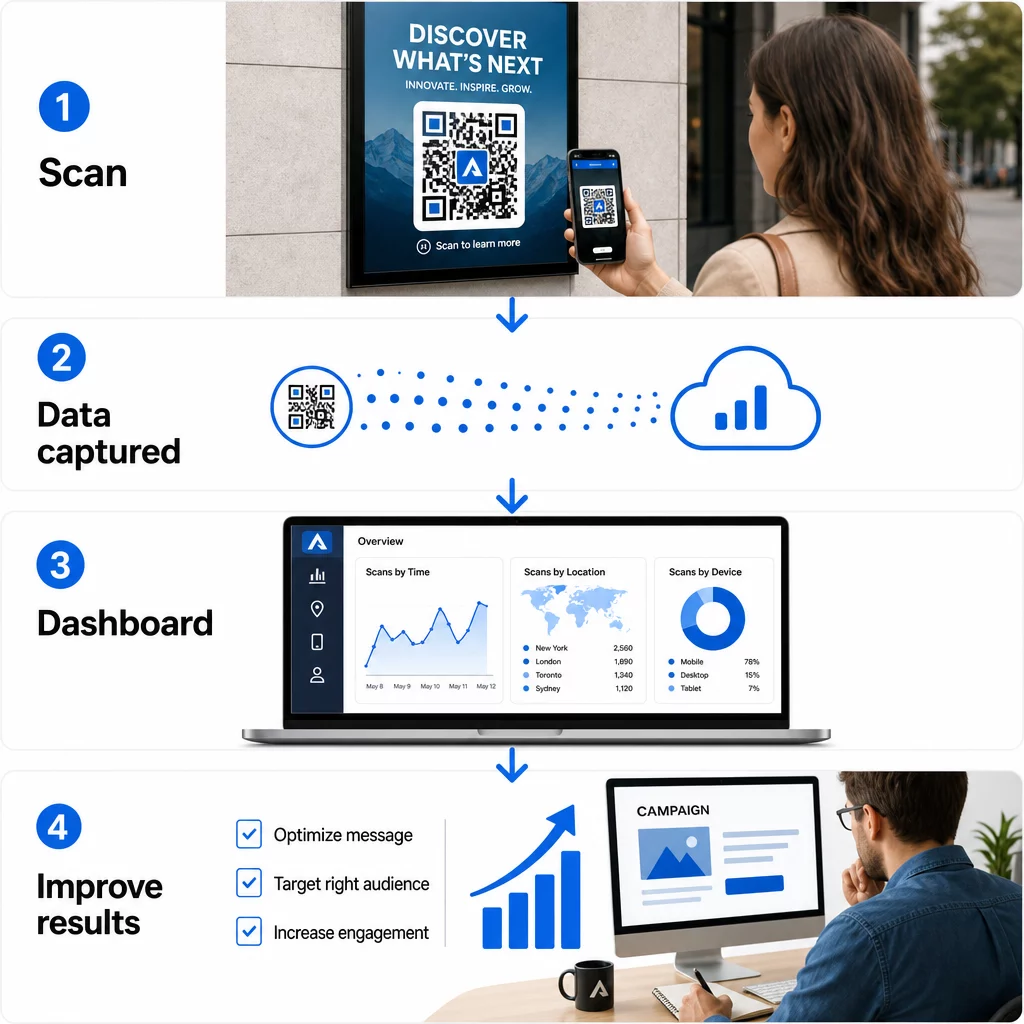
- Skannausten kokonaismäärä ja yksilölliset skannaukset
- Jokaisen skannauksen päivämäärä ja aika
- Skannausten maantieteellinen sijainti
- Laitetyyppi ja käyttöjärjestelmä
- Skannaustrendit kampanjan keston aikana
Kun annat yksilöllisiä QR-koodeja eri sijoitteluille – yhden lehtimainokselle, toisen suoramainokselle, kolmannen myymälänäytölle – voit verrata skannausmääriä näiden kanavien välillä ja tunnistaa, mikä luova ratkaisu tai sijainti tuottaa eniten sitoutumista. Tällaista offline-attribuutiota useimmat perinteiset mainokset eivät yksinkertaisesti voi tarjota.
Kampanjoissa, jotka vaativat syvempää integrointia markkinointianalytiikkaan, voit käyttää UTM-parametreja QR-koodiesi rinnalla seurataksesi tuloksia suoraan Google Analytics 4:ssä. Tämä antaa sinun verrata QR-koodien ohjaamaa liikennettä muihin kanaviin ja arvioida konversioiden suorituskykyä. UTM-parametrien opas QR-koodeille kattaa, miten tämä asetetaan oikein.
Seuraa jokaista skannausta jokaisessa sijoittelussa Haluatko tietää tarkalleen, mitkä materiaalit tuottavat tuloksia ja missä asiakkaasi sitoutuvat eniten? Käytä Pageloot QR-koodigeneraattori luodaksesi dynaamisia, seurattavia koodeja, joilla on pääsy täyteen analytiikan hallintapaneeliin.
Dynaamisten QR-koodien edut
Kaikki QR-koodit eivät tarjoa samaa joustavuutta. Staattiset QR-koodit koodaavat kiinteän kohteen suoraan kuvioon – kun koodi on painettu, kohdetta ei voi muuttaa, eivätkä ne tuota seurantatietoja.
Dynaamiset QR-koodit, sen sijaan, koodaavat lyhyen uudelleenohjaus-URL-osoitteen. Kun joku skannaa sen, hänet ohjataan uudelleenohjauksen kautta todelliseen kohteeseen – jonka voit päivittää milloin tahansa muuttamatta tai uudelleenpainamatta fyysistä koodia. Tämä tarkoittaa:
- Kausiluonteinen kampanja voidaan päivittää kampanjan päätyttyä
- Ravintolan ruokalistaa voidaan muuttaa vaihtamatta pöytäkylttejä
- Alisuoriutuva kampanja voidaan ohjata uudelleen paremmin konvertoivalle sivulle
Se staattisten ja dynaamisten QR-koodien vertailu selittää, milloin kumpikin tyyppi on oikea valinta. Kaikissa kampanjoissa, joissa haluat joustavuutta, seurantaa tai kyvyn optimoida julkaisun jälkeen, dynaamiset koodit ovat käytännöllinen valinta.
Se viisi dynaamisten QR-koodien keskeistä etua markkinoinnissa laajentaa tätä edelleen, mukaan lukien miten reaaliaikainen seuranta, brändätty muotoilu ja sisällön muokattavuus yhdistyvät tehden dynaamisista koodeista huomattavasti tehokkaamman markkinointityökalun kuin niiden staattisista vastineista.
Brändäys ja luova räätälöinti
Varhaiset QR-koodit olivat mustavalkoisia neliöitä ilman visuaalista identiteettiä. Se ei ole enää oletusarvo. Nykyään voit sisällyttää brändisi värit, logon ja mukautetut suunnitteluelementit suoraan QR-koodiin – tehden siitä brändätyn omaisuuden geneerisen kuvion sijaan.
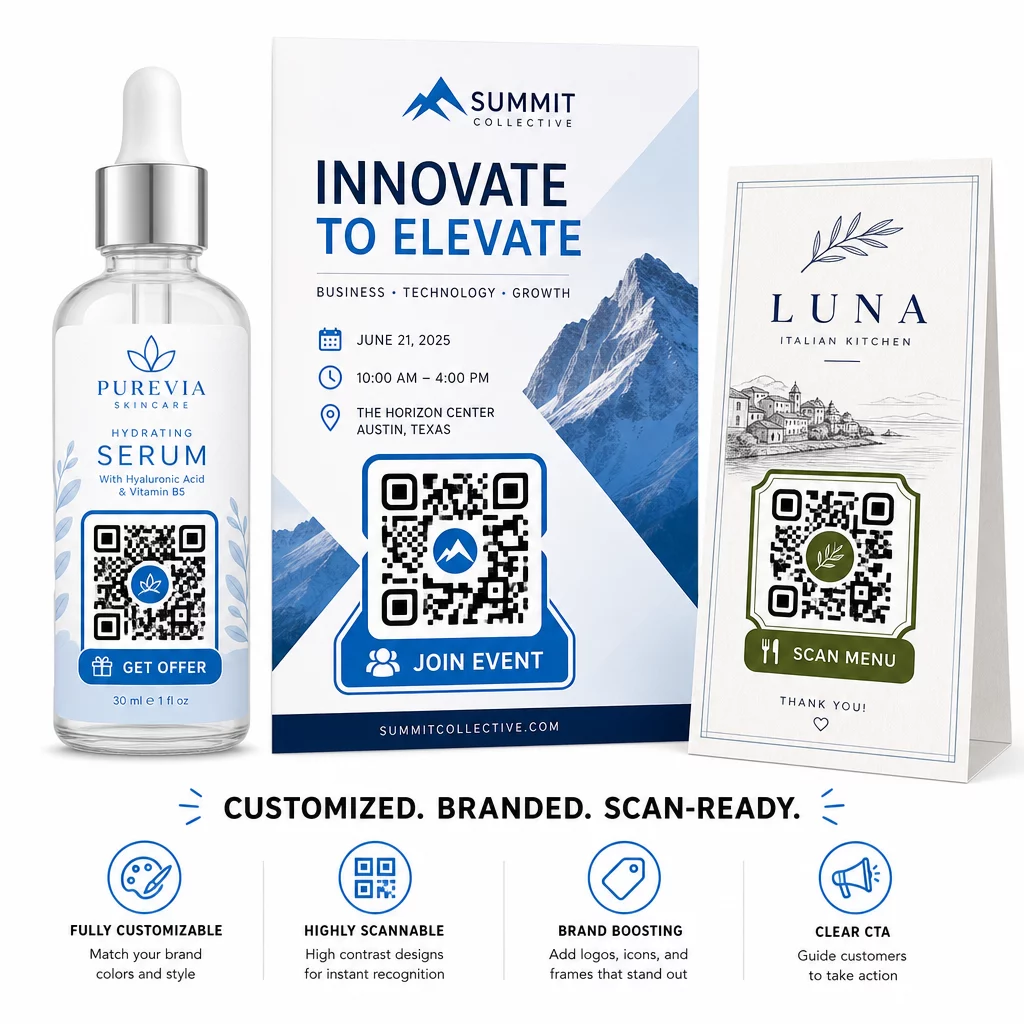
Hyvin suunniteltu QR-koodi voi herättää huomiota ja viestiä luottamusta ennen kuin kukaan skannaa sen. Brändätyt koodit, joissa on logo keskellä ja toimintakehote – kuten “Skannaa alennuksesi” tai “Katso ruokalistamme” – antavat asiakkaille selkeän kannustimen ja vahvistavat brändin tunnistettavuutta.
Keskeinen tekninen rajoitus on skannattavuus. Logon ei tulisi peittää enempää kuin noin 30 % koodin alueesta, koodikuvion ja taustan välisen kontrastin on pysyttävä riittävän korkeana kameratunnistusta varten, ja koodi tulisi testata useilla laitteilla ennen jakelua. QR-koodi generaattori logolla Pagelootista hoitaa suunnitteluprosessin pitäen nämä rajoitukset hallinnassa.
Räätälöinti edistää myös kampanjan suorituskykyä. QR-koodit, jotka näyttävät tunnistettavalta osalta brändiäsi, saavat todennäköisemmin skannauksen kuin geneerinen mustavalkoinen kuvio, joka ei anna visuaalisia vihjeitä siitä, minne se johtaa.
Käytännön sovelluksia, jotka kannattaa tietää
QR-koodit toimivat hyvin useissa tietyissä markkinoinnin käyttötapauksissa:
- Käyntikortit: A käyntikortin QR-koodi voi linkittää täydelliseen digitaaliseen yhteystietoprofiiliin, LinkedIn-sivulle tai portfolioon, tehden verkostoitumisen jatkotoimista helpompia ja informatiivisempia kuin pelkkä tavallinen kortti.
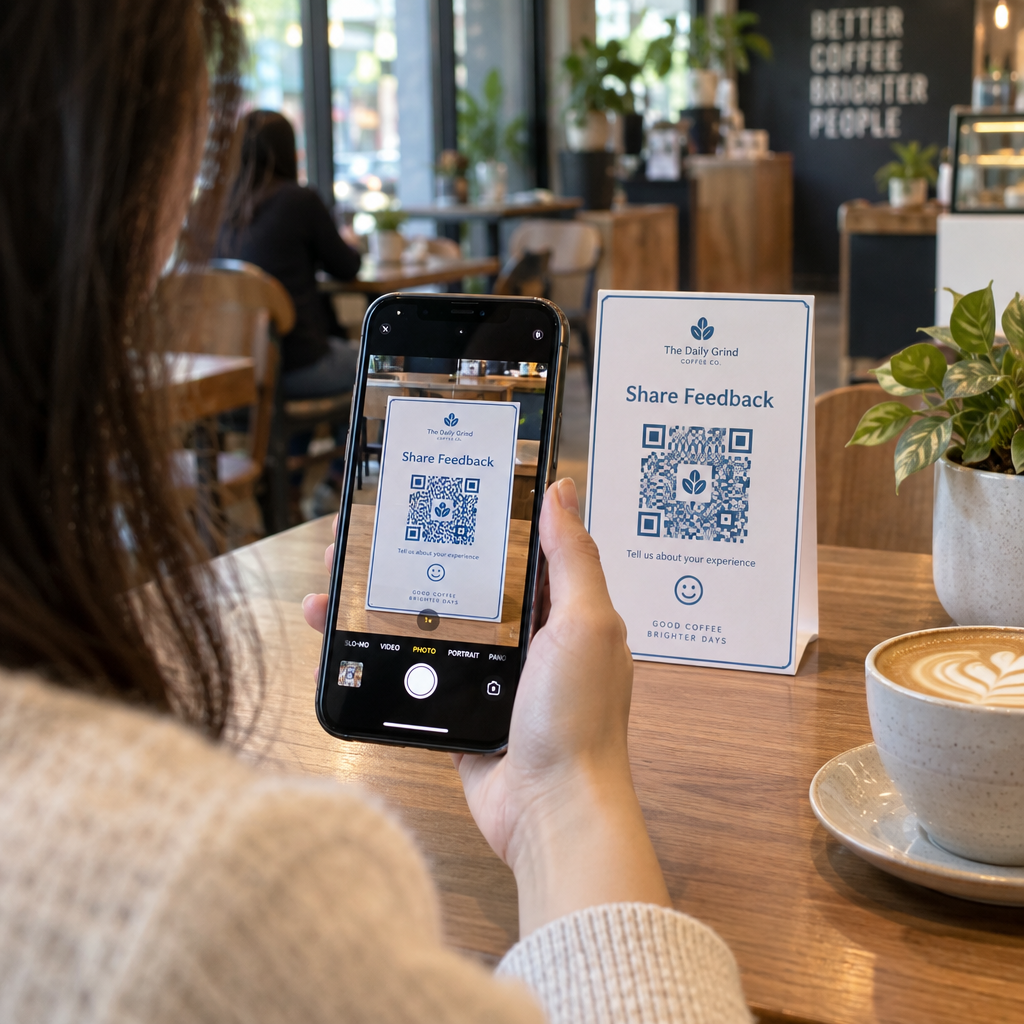
- Palaute ja lomakkeet: A Google Form QR-koodi sijoitettuna kuitteihin, pakkauksiin tai myymälän opasteisiin antaa asiakkaille välittömän, kitkattoman tavan antaa palautetta ilman URL-osoitteen kirjoittamista.
- Suoramainonta ja painetut mainokset: Ainutlaatuiset koodit jokaisessa postilähetyksessä mahdollistavat mittaamisen, mitkä postinumerot tai luovat versiot tuottavat eniten sitoutumista.
- Tapahtumamarkkinointi: QR-koodit opasteissa, nimikylteissä tai painetuissa materiaaleissa antavat osallistujille välittömän pääsyn aikatauluihin, istuntomateriaaleihin tai ilmoittautumisvahvistuksiin.
- Tuotepakkaukset: Pakkauksissa olevat koodit voivat ohjata ostajia opetusmateriaaliin, kanta-asiakasohjelmiin tai tuoterekisteröintiin – laajentaen asiakassuhdetta myyntipisteen yli.
Pienyrityksille QR-koodimarkkinoinnin tarkistuslista on käytännöllinen lähtökohta tavoitteiden asettamiselle, oikeiden QR-koodityyppien valitsemiselle ja niiden käyttöönotolle painetuissa ja digitaalisissa materiaaleissa koordinoidusti.
Kustannustehokkuus ja Aloittaminen
Perus-QR-koodin luominen ei vaadi merkittäviä investointeja. Ilmaisia työkaluja on olemassa, ja ensisijainen kustannus on aika suunnitella ja ottaa ne käyttöön harkitusti. Kampanjoissa, jotka vaativat seurantaa, dynaamisia linkkejä, brändättyä räätälöintiä ja analytiikan hallintapaneeleja, maksullinen tilaus QR-koodien hallintajärjestelmään lisää mitattavaa arvoa – erityisesti siksi, että se poistaa uudelleenpainatuskustannukset, jotka muuten syntyisivät minkä tahansa kohdemuutoksen yhteydessä.
Tärkeämpi investointi on strateginen: määritellen, mitä kunkin QR-koodin tulisi saavuttaa, missä se näkyy, mihin se linkittää ja miten menestystä mitataan. Ilman näitä päätöksiä ensin edes hyvin suunniteltu koodi ei tuota tuloksia.
Jos olet valmis näkemään, mitkä sijoituksistasi todella tuottavat sitoutumista, aloita linkin QR-koodi Seuraavaa kampanjaasi varten lisää UTM-parametrit kohde-URL-osoitteeseesi ja tarkastele skannaustietoja kahden kolmen viikon kuluttua. Nämä tiedot kertovat sinulle enemmän siitä, mihin asiakkaasi kiinnittävät huomiota, kuin useimmat muut käytettävissäsi olevat markkinointisignaalit.
Usein kysytyt kysymykset
Staattinen QR-koodi koodaa kiinteän kohteen, eikä sitä voi muuttaa luomisen jälkeen. Se ei myöskään tarjoa seurantatietoja. Dynaaminen QR-koodi käyttää lyhyttä uudelleenohjaus-URL-osoitetta, mikä tarkoittaa, että voit päivittää kohteen milloin tahansa tulostamatta koodia uudelleen, ja se tallentaa skannaustietoja, kuten sijainnin, laitetyypin ja ajoituksen. Useimmissa markkinointikampanjoissa dynaamiset QR-koodit ovat parempi valinta, koska ne tarjoavat sekä joustavuutta että mitattavuutta.
Kun joku skannaa QR-koodin, skannaus luo aikaleimatun datatapahtuman, joka sisältää tietoja, kuten likimääräisen sijainnin, laitteen tyypin ja kellonajan. Antamalla yksilöllisiä QR-koodeja eri sijoitteluihin – aikakauslehden mainokseen, esitteeseen, mainostauluun – voit verrata skannausmääriä näiden kanavien välillä ja tunnistaa, mitkä materiaalit lisäävät sitoutumista. Lisäämällä UTM-parametrit kohde-URL-osoitteeseesi voit siirtää tiedot Google Analytics 4:ään ja arvioida konversioita muun digitaalisen liikenteesi rinnalla.
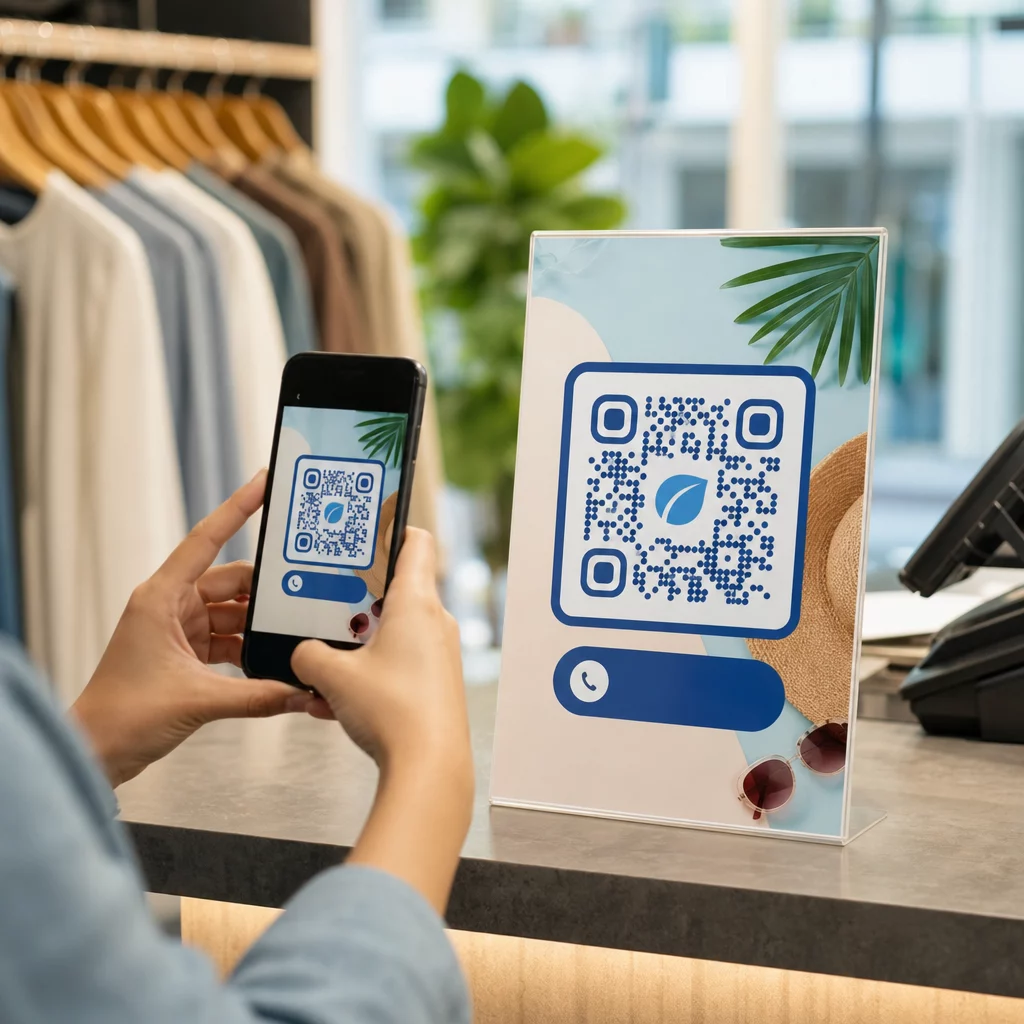
Sijoittelu riippuu muodosta ja kontekstista. Yleensä koodien tulisi olla silmien korkeudella, hyvässä valaistuksessa, tasaisella pinnalla riittävällä kontrastilla ja valkoisella tilalla niiden ympärillä. Painotuotteissa esitteen oikea alakulma tai käyntikortin takaosa ovat todistettuja paikkoja. Myymäläkäytössä päätöksentekopisteiden lähellä olevat näytöt – kuten kassat tai tuotehyllyt – toimivat yleensä hyvin. Sisällytä aina toimintakehote koodin lähelle, jotta asiakkaat ymmärtävät, mitä he saavat skannaamalla.