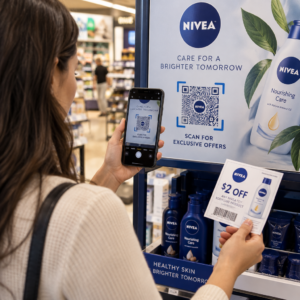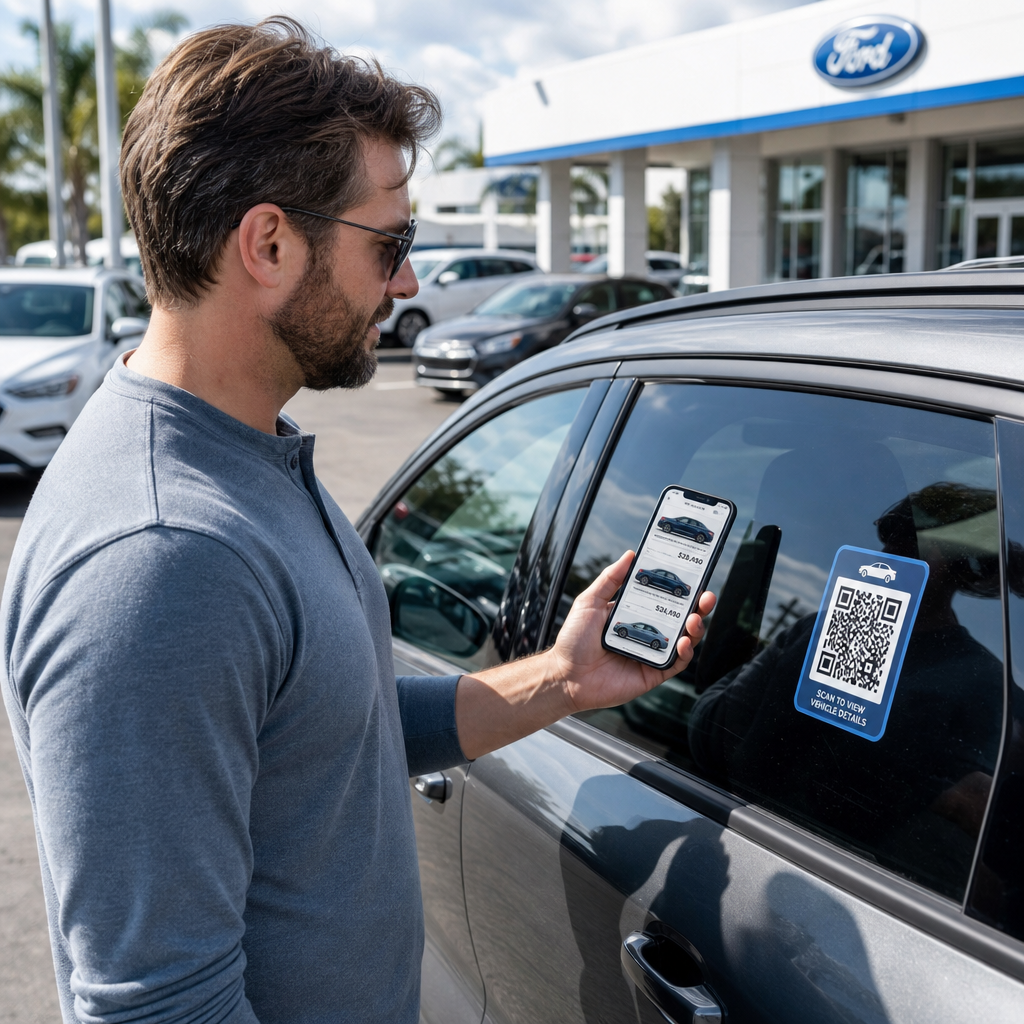
Vertrekken uw bezoekers van het terrein zonder interactie met uw voorraad of zonder hun contactgegevens te delen? Autokopers zijn steeds meer mobiel-eerst, en QR-codes bieden u een directe brug tussen uw fysieke terrein en uw digitale tools. Deze gids behandelt praktische manieren om QR-codes te implementeren in de verkoop- en marketingactiviteiten van uw dealerbedrijf, van raamstickers voor voertuigen tot serviceplanning.
Waarom QR-codes nu zinvol zijn voor dealerbedrijven
Volgens het Amerikaanse consumentenonderzoek van CarGurus uit 2025 gebruikt 54% van de autokopers hun telefoon meer dan desktops bij het onderzoeken van voertuigen, waarbij nog eens 31% beide evenveel gebruikt. Tegelijkertijd geeft 83% van de consumenten er de voorkeur aan om een groter deel van het koopproces vanuit huis af te ronden voordat ze persoonlijk langskomen. Die combinatie betekent dat uw klanten al op hun telefoon zitten – op het terrein, in uw showroom, en voordat ze überhaupt arriveren.
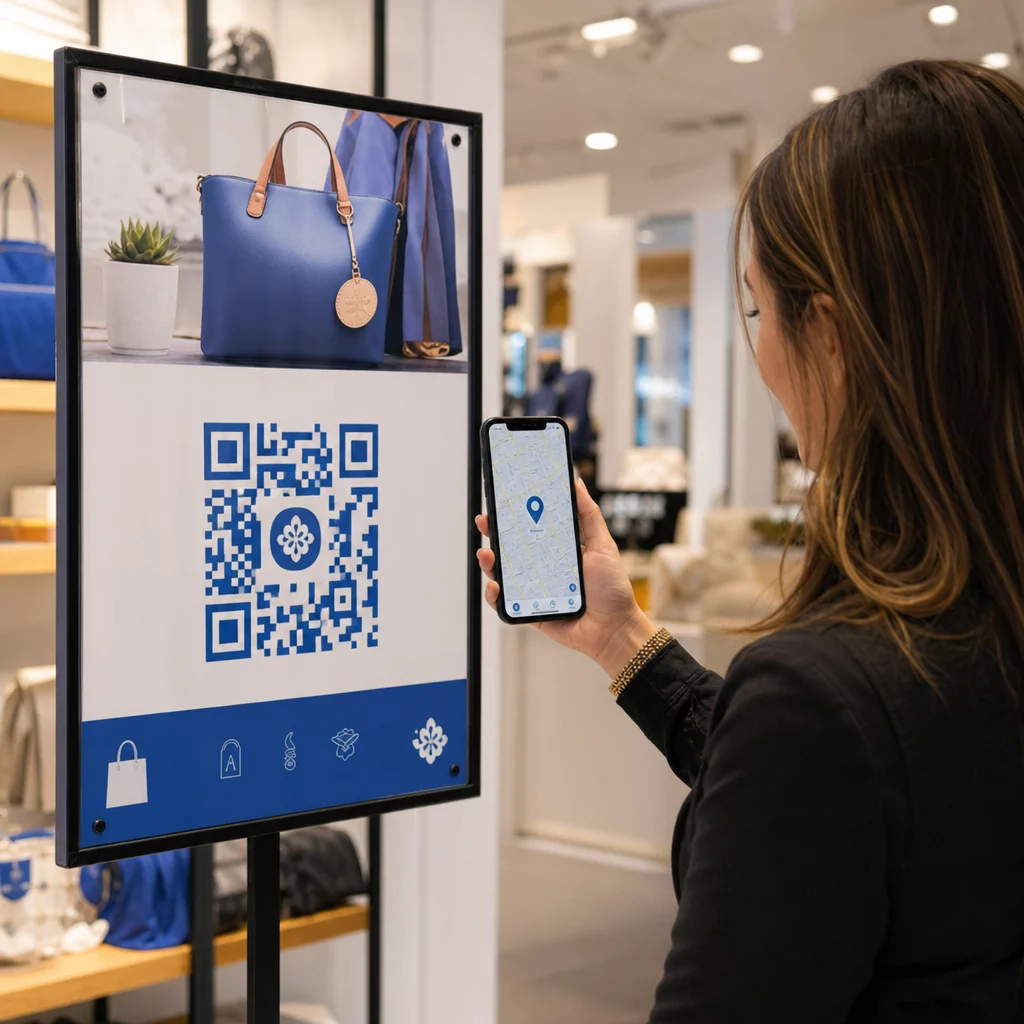
Een QR-code op een raamsticker, een bord in de servicebaai of een direct mail-stuk geeft die telefoon-eerst kopers een directe verbinding met de informatie die ze willen, zonder dat er op dat exacte moment een verkoper beschikbaar hoeft te zijn.
Dynamische QR codes – codes waarvan de bestemmings-URL kan worden bijgewerkt zonder de fysieke code opnieuw af te drukken – zijn bijzonder geschikt voor dealeromgevingen waar de voorraad frequent verandert, promoties rouleren en prijzen regelmatig worden bijgewerkt.
Begin met het maken van QR-codes voor dealerbedrijven Klaar om uw terrein te verbinden met uw digitale inhoud? Gebruik de QR-codegenerator om uw eerste code in enkele minuten te maken, zonder technische kennis vereist.
Raamstickers voor voertuigen en voorraadpagina's
De meest directe toepassing voor een dealerbedrijf is het plaatsen van een QR-code op de raamsticker van elk voertuig. Wanneer een koper na sluitingstijd over het terrein loopt, of terwijl uw verkoopteam bezet is, kan een scan onmiddellijk een speciale voertuigpagina oproepen met specificaties, uitrustingsdetails, actuele prijzen, financieringsopties, foto's en een leadgeneratieformulier.
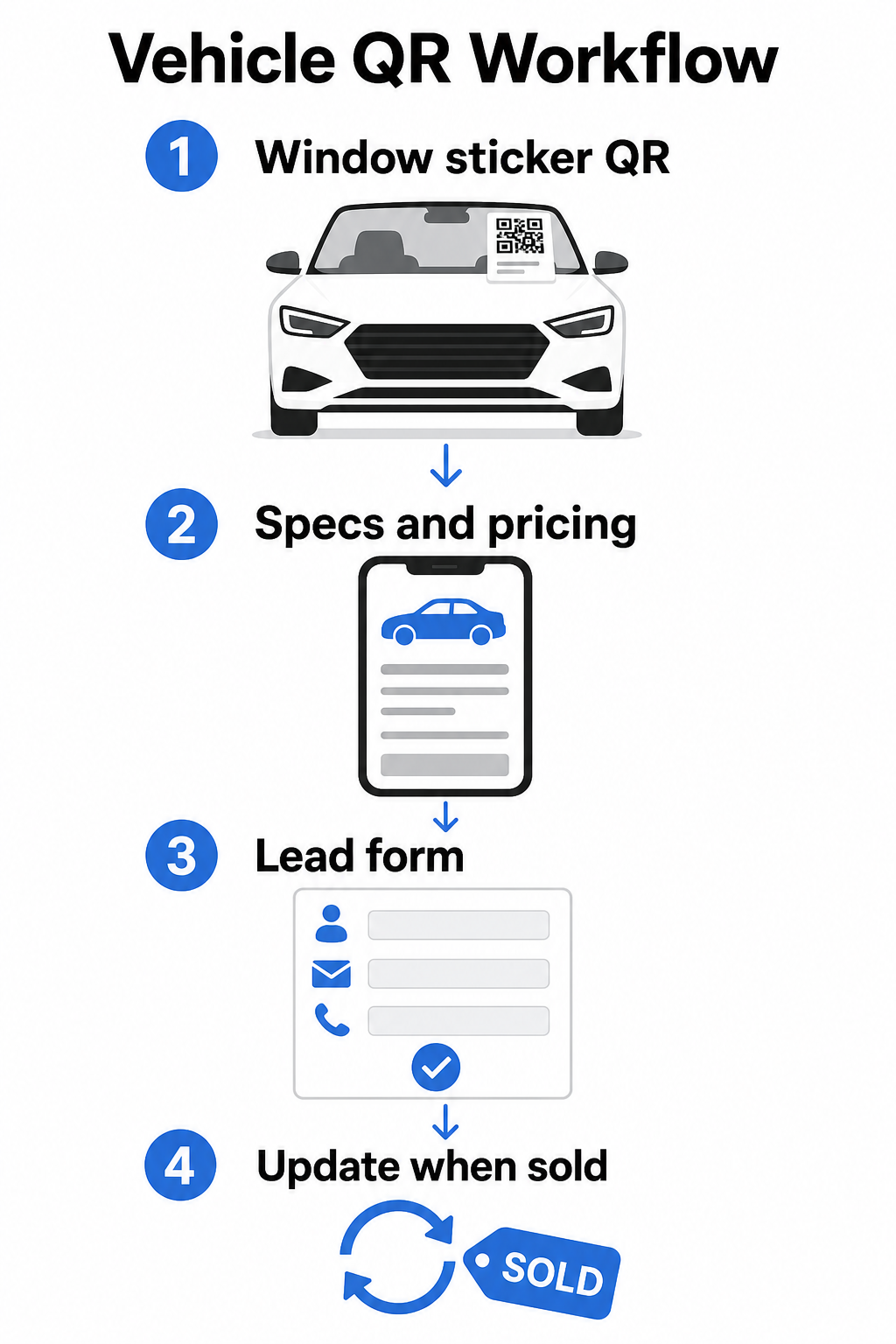
Omdat de voorraad snel beweegt, zijn dynamische QR-codes hier de praktische keuze. Wanneer een voertuig wordt verkocht, kunt u die code omleiden naar een vergelijkbaar model of een algemene voorraadpagina zonder de fysieke sticker aan te raken. Zoals de gids voor voertuig-QR-codes opmerkt, zijn dynamische codes ideaal voor dealerapplicaties waar campagnes en voorraad voortdurend veranderen.
Voor plaatsing bieden de achterruit en zijpanelen de beste zichtbaarheid voor klanten die over het terrein lopen. Zorg ervoor dat de code groot genoeg is om comfortabel te scannen vanuit een staande positie – minimaal 1,2 inch is een betrouwbaar startpunt voor gedrukt materiaal op korte afstand, hoewel groter beter is wanneer de code concurreert met andere elementen op een sticker. Volg altijd de ontwerpprincipes van hoog contrast, gebruik een donkere code op een lichte achtergrond, zodat de code betrouwbaar scant onder variërende buitenlichtomstandigheden. De gids van Pageloot over best practices voor kleurcontrast van QR-codes behandelt dit in detail.
Houd voorraadlinks actueel zonder opnieuw af te drukken Gebruik de Dynamische QR code generator om codes te maken voor raamstickers die u kunt omleiden wanneer een voertuig wordt verkocht of een promotie verandert.
Showroombewegwijzering en betrokkenheid op de verkoopvloer
Binnen de showroom kunnen QR-codes de informatieve lading aan die verkopers niet altijd direct kunnen leveren. Plaats codes bij displayvoertuigen, financieringsbalies of inruilwaardebepalingsgebieden om klanten te linken naar relevante inhoud – gedetailleerde specificatiebladen of vergelijkingspagina's, actuele financieringsaanbiedingen en betalingscalculators, inruilwaardebepalingstools, video-rondleidingen, of klantgetuigenissen en reviewpagina's.
EEN QR-code voor landingspagina werkt hier bijzonder goed omdat u meerdere links kunt tonen met één enkele scan. Een voertuiglandingspagina kan bijvoorbeeld een video, een specificatie-PDF, een financieringsaanvraagformulier en een contactoptie bevatten – alles in één mobielvriendelijke lay-out die consistent is met uw merk.
Voor klanten die dieper in het overwegingsproces zitten, kan een QR-code die direct linkt naar een leadformulier hun naam, contactgegevens en voertuiginteresse vastleggen terwijl ze nog op de vloer betrokken zijn. De Google Forms QR code maken maakt het eenvoudig om aanvraagcodes te maken en weer te geven op bewegwijzering, toonbankkaarten of bureau displays, met de toegevoegde mogelijkheid om reacties direct te volgen.
Planning van de serviceafdeling
Serviceklanten verwachten steeds vaker zelfbedieningsboekingsopties. Online planning groeit gestaag elk jaar naarmate klanten het gemak zoeken van het kiezen van hun eigen afspraaktijden zonder een telefoontje. QR-codes in uw servicebaan, wachtruimte en op herinneringsmailings voor achterstallige service geven klanten een één-scan pad naar uw online boekingstool.
Praktische plaatsingspunten zijn onder andere:
- Ingang servicebaan: Een bord of sticker bij de inrijstrook met een scan-om-te-plannen code voor klanten die terugkomen voor herhaalde services
- Bewegwijzering wachtruimte: Een code die linkt naar uw servicemenu, servicestatuspagina of planningstool
- Serviceherinneringskaarten: Een geprinte code op direct mail waarmee klanten een olieverversing, bandenrotatie of terugroepactie kunnen boeken zonder te bellen
- Op leenauto's of wagenparkvoertuigen: Een QR-code magneet of sticker kan bestuurders linken naar servicecontactinformatie of planningsopties
Aangezien servicepromoties rouleren – seizoensgebonden bandenaanbiedingen, gratis meerpuntsinspecties en vergelijkbare aanbiedingen – kunt u met dynamische QR-codes in de serviceafdeling de bestemming aanpassen aan de huidige promotie zonder de bewegwijzering te vervangen.
Direct Mail en Print Advertentiecampagnes
Direct mail campagnes van dealers – acquisitiemailings, servicebehoudstukken, lease-einde meldingen – vragen klanten doorgaans om te bellen of een URL te bezoeken. Een QR-code op hetzelfde stuk geeft ontvangers een sneller pad naar de relevante landingspagina, en nog belangrijker, geeft u een manier om precies te meten hoeveel mensen met die mailing hebben geëngageerd.
Met dynamische QR-codes en scananalyses, kunt u het totale aantal scans, unieke scans, scantijden, geografische locaties en apparaattypen zien – allemaal gekoppeld aan dat specifieke campagnestuk. Dit meetniveau is aanzienlijk bruikbaarder dan het volgen van een telefoonnummer of een generieke URL.
Voor A/B-testen kunt u twee versies van een mailing maken met verschillende QR-codebestemmingen – de ene linkt bijvoorbeeld naar een specifieke aanbiedingspagina en de andere naar een algemene inventarispagina – en scan- en conversiepercentages vergelijken om toekomstige campagnes te informeren. Het toevoegen van UTM-parameters aan uw bestemmings-URL's breidt deze tracking uit naar uw bredere webanalyse, waarbij QR-scangegevens worden gekoppeld aan formulierinvullingen, tijd op de site en andere downstream-acties.
Volg welke campagnes betrokkenheid stimuleren Maak traceerbare QR-codes voor elke printcampagne met de Link QR-codegenerator en bewaak de scanprestaties vanuit één dashboard.
Verzamelen van recensies en klantfeedback
Cox Automotive's 2025 Car Buyer Journey Study wees uit dat kopers die meer stappen digitaal voltooien een hogere tevredenheid melden – wat betekent dat de opvolging na aankoop net zo belangrijk is als de verkoop zelf. QR-codes geplaatst bij de levering, op bedankkaarten of in service wachtruimtes kunnen tevreden klanten direct naar uw Google Bedrijfspagina voor recensies leiden.
EEN Google review QR-code verwijdert alle frictie uit het beoordelingsproces: één scan brengt de klant direct naar het beoordelingsscherm, zonder dat ze uw dealer hoeven te zoeken of door Google Maps hoeven te navigeren. Effectieve plaatsing omvat:
- De leveringsbalie of F&I-kantoor
- Servicekassa's
- In een bedankkaart met merknaam, meegeleverd met nieuwe voertuigleveringen
- Service-opvolgmailings verzonden na een voltooide afspraak
Ontwerp- en plaatsingsprincipes voor QR-codes van dealers
Een paar praktische standaarden zijn van toepassing op alle QR-code toepassingen van dealers:
- Contrast: Gebruik een donkere modulekleur op een lichte achtergrond. Zwart op wit is de meest betrouwbare combinatie. Vermijd omgekeerde codes (licht op donker), aangezien sommige scanner-apps hier moeite mee hebben.
- Grootte: Voor raamstickers en terreinbewegwijzering, kies liever groter dan kleiner. Op een scanafstand van één tot twee voet werkt een code van 1,5 inch betrouwbaar op gladde oppervlakken. Voor grotere bewegwijzering, schaal proportioneel op – de QR-code maatvoeringgids voor printmaterialen behandelt deze verhoudingen in detail.
- Stille zone: Laat vrije ruimte rond de code, vrij van tekst of ontwerpelementen, zodat scanners de codegrenzen nauwkeurig kunnen lokaliseren.
- CTA-tekst: Koppel de code altijd aan een korte call-to-action – “Scan voor prijzen,” “Boek service online,” “Bekijk volledige specificaties” – zodat klanten weten wat ze krijgen voordat ze scannen.
- Testen: Test elke code onder werkelijke omstandigheden voordat u deze implementeert – buiten op het terrein, onder showroomverlichting, in direct zonlicht – op zowel iOS- als Android-apparaten. De gids voor best practices voor de leesbaarheid van QR-codes biedt een volledige checklist.
Volgen en meten van QR-codeprestaties
Een van de sterkste redenen om dynamische QR-codes te gebruiken boven statische, is de ingebouwde scananalyse. Voor een dealer met actieve codes verspreid over het terrein, de showroom, de servicedrive en printcampagnes, kunt u met een gecentraliseerd dashboard vergelijken welke plaatsingen en campagnes de meeste betrokkenheid genereren.
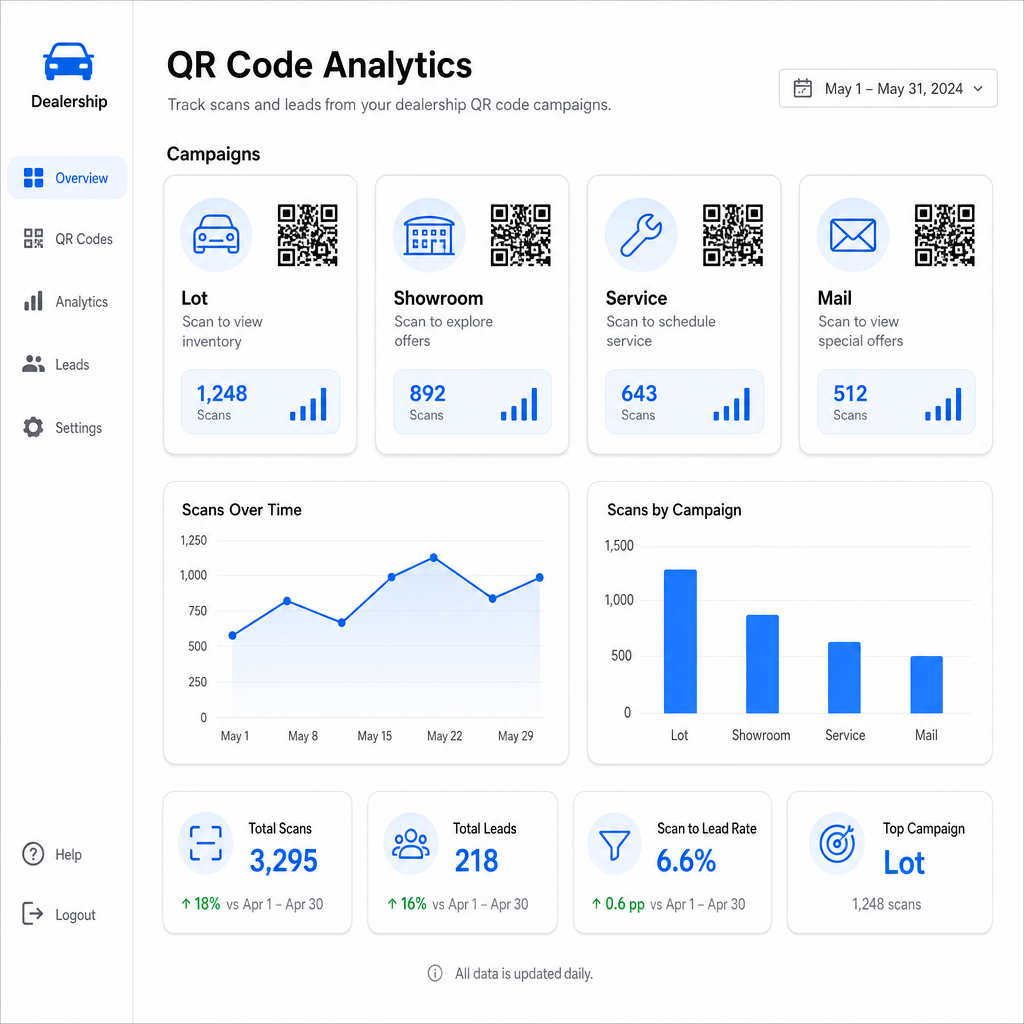
Belangrijke statistieken beschikbaar via de tracking van Pageloot zijn onder andere:
- Totaal aantal en unieke scans per code
- Scantijden en -datums, nuttig voor het begrijpen van verkeerspatronen op het terrein
- Geografische locatiegegevens, relevant voor direct mail campagnes over verschillende postcodes
- Apparaattypen en besturingssystemen
- Scantrends over tijd
Deze gegevens vloeien direct terug in beslissingen over waar codes te plaatsen, welke aanbiedingen te promoten, en welke voertuigen uit te lichten. Pageloot's QR-code trackinggids legt uit hoe scan data te verbinden met UTM-parameters en externe analysetools voor volledige funnelzichtbaarheid.
Het platform van Pageloot dekt ook QR-codeoplossingen in verschillende sectoren, dus als uw dealerbedrijf opereert over meerdere bedrijfstypes of locaties, zijn dezelfde tools en trackinginfrastructuur consistent van toepassing.
Monitor al uw codes vanaf één dashboard Beheer elke QR-code van uw dealerbedrijf – terrein, service, mailings, showroom – met de Dynamische QR code generator en krijg toegang tot real-time scangegevens voor al uw campagnes.
QR-codes bieden uw dealerbedrijf een meetbare, flexibele manier om uw fysieke locaties te verbinden met digitale betrokkenheid – of een klant nu om middernacht over uw terrein loopt of in uw servicewachtruimte zit. Begin met uw drukste contactpunten, gebruik dynamische codes zodat u bestemmingen kunt bijwerken zonder opnieuw te printen, en laat scananalyses u leiden waar u vandaaruit uitbreidt.
Veelgestelde vragen
Ja, als u een dynamische QR-code gebruikt. Dynamische codes verwijzen naar een korte omleidingslink die u op elk moment vanuit uw dashboard kunt bijwerken, zodat de fysieke sticker hetzelfde blijft terwijl de bestemming de huidige prijzen of beschikbaarheid weerspiegelt. Als een voertuig verkoopt, kunt u die code omleiden naar een vergelijkbaar model zonder iets opnieuw af te drukken.
Dynamische QR-codes omvatten scananalyses die je laten zien hoeveel mensen elke code hebben gescand, wanneer, vanaf welke locatie en op welk apparaat. Door QR-codebestemmingen te koppelen met UTM-parameters, kun je volgen welke scans hebben geresulteerd in het invullen van formulieren, afspraakboekingen of weergaven van inventarispagina's binnen je bredere webanalyseplatform.
Voor een raamsticker gescand op armlengte – ongeveer één tot twee voet – is minimaal 1,2 inch een redelijk startpunt op een glad, contrastrijk oppervlak. Grotere codes scannen betrouwbaarder, vooral buiten bij wisselend licht. Als de sticker uw dealerlogo in de code bevat, vergroot de maat dan met 20–30% om de scanbaarheid te behouden. Test altijd de definitieve geprinte versie in reële omstandigheden vóór volledige implementatie.