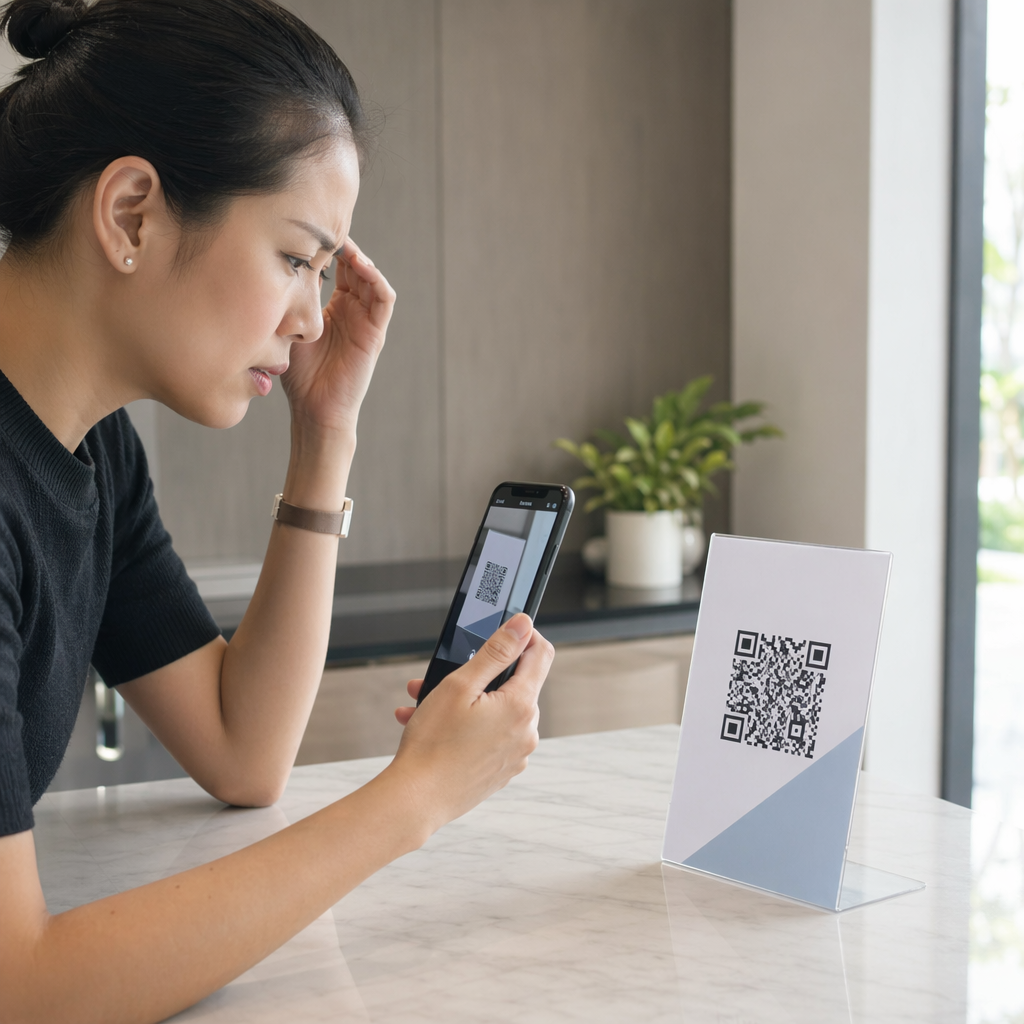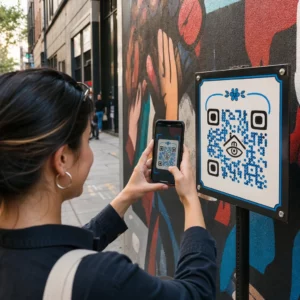
Vizitatorii parcării dumneavoastră pleacă fără să interacționeze cu inventarul dumneavoastră sau să-și partajeze informațiile de contact? Cumpărătorii de mașini sunt din ce în ce mai orientați spre mobil, iar codurile QR vă oferă o punte directă între parcarea fizică și instrumentele digitale. Acest ghid acoperă modalități practice de implementare a codurilor QR în cadrul operațiunilor de vânzări și marketing ale reprezentanței dumneavoastră, de la autocolantele de pe geamurile vehiculelor până la programarea service-ului.
De ce codurile QR au sens pentru reprezentanțe chiar acum
Conform studiului CarGurus din 2025 privind consumatorii din S.U.A., 54% dintre cumpărătorii de mașini își folosesc telefoanele mai mult decât desktop-urile atunci când cercetează vehicule, cu alți 31% folosind ambele în mod egal. În același timp, 83% dintre consumatori preferă să finalizeze o parte mai mare a procesului de cumpărare de acasă înainte de a vizita personal. Această combinație înseamnă că clienții dumneavoastră sunt deja pe telefoanele lor – în parcare, în showroom-ul dumneavoastră și înainte de a ajunge vreodată.
Un cod QR pe un autocolant de geam, un semn de service, sau o piesă de corespondență directă oferă acelor cumpărători orientați spre telefon o conexiune instantanee la informațiile pe care le doresc, fără a necesita ca un vânzător să fie disponibil în acel moment exact.
Coduri QR dinamice – coduri a căror URL de destinație poate fi actualizată fără a retipări codul fizic – sunt deosebit de potrivite pentru mediile de reprezentanță unde inventarul se schimbă frecvent, promoțiile se rotesc, și prețurile se actualizează regulat.
Începeți să creați coduri QR pentru reprezentanțe Sunteți gata să conectați parcarea dumneavoastră la conținutul digital? Utilizați Generator de coduri QR pentru a crea primul dumneavoastră cod în câteva minute, fără a fi necesare cunoștințe tehnice.
Autocolante de geam pentru vehicule și pagini de inventar
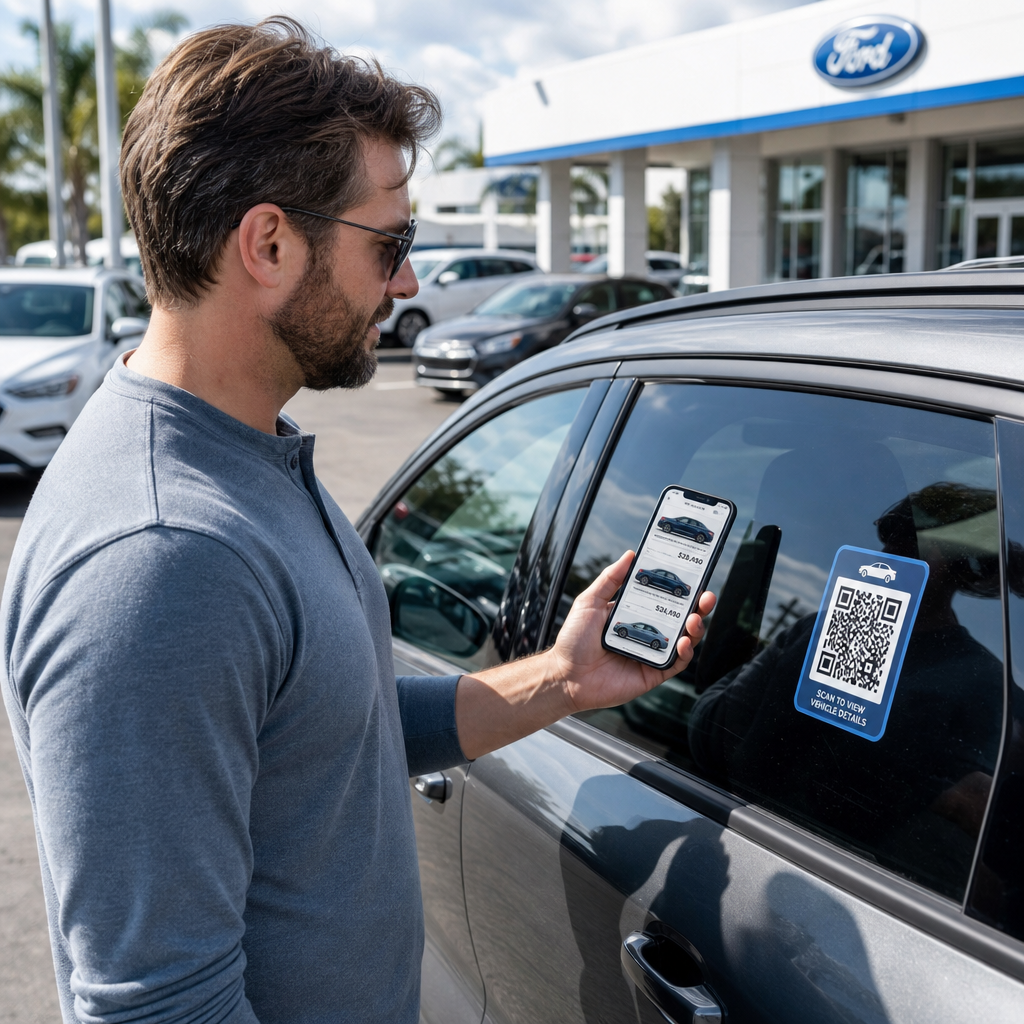
Cea mai directă aplicație pentru o reprezentanță este plasarea unui cod QR pe autocolantul de geam al fiecărui vehicul. Când un cumpărător se plimbă prin parcare după orele de program, sau în timp ce echipa dumneavoastră de vânzări este ocupată, o scanare poate afișa imediat o pagină dedicată vehiculului care prezintă specificații, detalii de echipare, prețuri curente, opțiuni de finanțare, fotografii și un formular de captură de lead-uri.
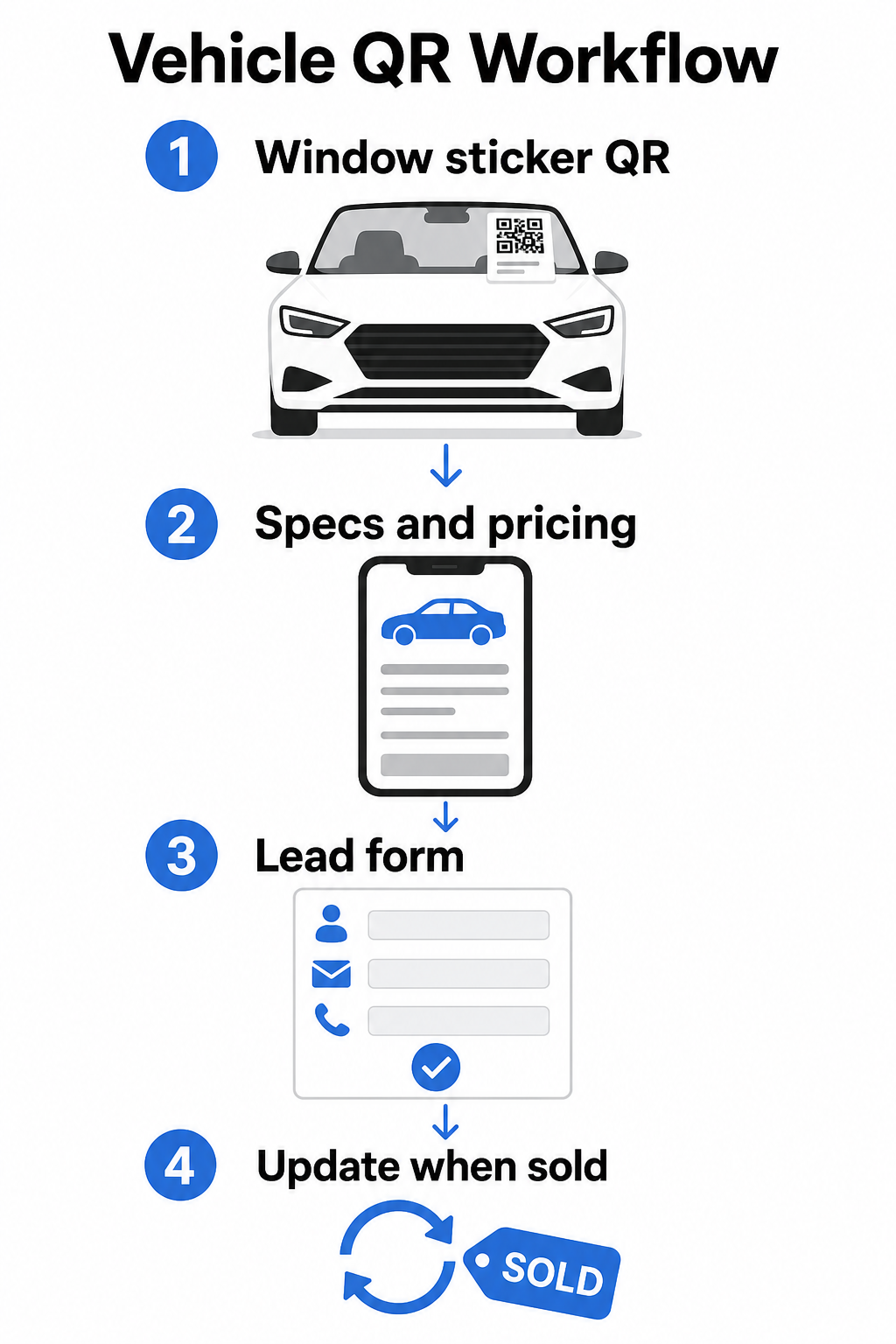
Deoarece inventarul se mișcă rapid, codurile QR dinamice sunt alegerea practică aici. Când un vehicul se vinde, puteți redirecționa acel cod către un model similar sau o pagină generală de inventar fără a atinge autocolantul fizic. Așa cum ghidul codurilor QR pentru vehicule menționează, codurile dinamice sunt ideale pentru aplicațiile de reprezentanță unde campaniile și inventarul se schimbă constant.
Pentru plasare, luneta și panourile laterale oferă cea mai bună vizibilitate clienților care se plimbă prin parcare. Asigurați-vă că codul este suficient de mare pentru a fi scanat confortabil dintr-o poziție în picioare – un minim de 1,2 inci este un punct de plecare fiabil pentru materialele tipărite la distanță mică, deși mai mare este mai bine atunci când codul concurează cu alte elemente de pe un autocolant. Urmați întotdeauna principiile de design cu contrast ridicat, folosind un cod întunecat pe un fundal deschis, astfel încât codul să scaneze fiabil în condiții variate de iluminare exterioară. Ghidul Pageloot despre cele mai bune practici de contrast de culoare pentru codurile QR acoperă acest aspect în detaliu.
Mențineți linkurile de inventar actuale fără a retipări Folosește Generator cod QR dinamic pentru a crea coduri pentru autocolantele de geam pe care le puteți redirecționa oricând se vinde un vehicul sau se schimbă o promoție.
Semnalizare showroom și angajament în zona de vânzări
În interiorul showroom-ului, codurile QR pot gestiona volumul de informații pe care vânzătorii nu le pot oferi întotdeauna instantaneu. Plasați coduri lângă vehiculele expuse, birourile de finanțare sau zonele de evaluare a mașinilor la schimb pentru a conecta clienții la conținut relevant – fișe detaliate de specificații sau pagini de comparație, oferte curente de finanțare și calculatoare de plată, instrumente de evaluare a mașinilor la schimb, prezentări video, sau mărturii ale clienților și pagini de recenzii.
A codul QR al paginii de destinație funcționează deosebit de bine aici deoarece puteți afișa mai multe linkuri dintr-o singură scanare. De exemplu, o pagină de destinație a vehiculului poate include un videoclip, un PDF cu specificații, un formular de solicitare de finanțare și o opțiune de contact – toate într-un singur layout optimizat pentru mobil, care arată consistent cu brandul dumneavoastră.
Pentru clienții care sunt mai avansați în procesul de considerare, un cod QR care leagă direct la un formular de lead poate capta numele, informațiile de contact și interesul pentru vehicul în timp ce sunt încă angajați în zona de vânzări. Generator cod QR Google Forms face simplă crearea și afișarea codurilor de solicitare pe semnalizare, carduri de tejghea sau display-uri de birou, cu abilitatea adăugată de a urmări răspunsurile direct.
Programare departamentul service
Clienții de service se așteaptă din ce în ce mai mult la opțiuni de rezervare self-service. Programarea online crește constant în fiecare an pe măsură ce clienții caută comoditatea de a-și alege propriile ore de programare fără un apel telefonic. Codurile QR în zona de service, zona de așteptare și pe notificările de reamintire a service-ului restante oferă clienților o cale de acces printr-o singură scanare la instrumentul dumneavoastră de rezervare online.
Punctele practice de plasare includ:
- Intrare zonă service: Un semn sau un autocolant pe banda de intrare cu un cod de scanare pentru programare pentru clienții care revin pentru servicii repetate
- Semnalizare în sala de așteptare: Un cod care face legătura cu meniul dvs. de servicii, pagina de stare a serviciilor sau instrumentul de programare
- Cărți poștale de reamintire a serviciilor: Un cod imprimat pe corespondența directă care permite clienților să rezerve un schimb de ulei, o rotație a anvelopelor sau un serviciu de rechemare fără a suna
- Pe mașini de înlocuire sau vehicule de flotă: O Magnet sau autocolant cu cod QR poate conecta șoferii la informații de contact pentru service sau opțiuni de programare
Deoarece promoțiile de service se rotesc – oferte sezoniere de anvelope, inspecții multipunct gratuite și oferte similare – codurile QR dinamice din departamentul de service vă permit să actualizați destinația pentru a se potrivi cu promoția curentă fără a înlocui semnalizarea.
Campanii de Corespondență Directă și Publicitate Tipărită
Campaniile de corespondență directă ale reprezentanțelor – corespondențe de cucerire, materiale de retenție a serviciilor, notificări de încheiere a leasingului – solicită de obicei clienților să sune sau să viziteze o adresă URL. Un cod QR pe aceeași piesă oferă destinatarilor o cale mai rapidă către pagina de destinație relevantă și, mai important, vă oferă o modalitate de a măsura exact câți oameni au interacționat cu acea corespondență.
Cu coduri QR dinamice și analize de scanare, puteți vedea numărul total de scanări, scanări unice, timpi de scanare, locații geografice și tipuri de dispozitive – toate legate de acea piesă specifică a campaniei. Acest nivel de măsurare este semnificativ mai acționabil decât urmărirea unui număr de telefon sau a unei adrese URL generice.
Pentru testarea A/B, puteți crea două versiuni ale unei corespondențe cu destinații diferite ale codurilor QR – una care face legătura cu o pagină de ofertă specifică și una cu o pagină generală de inventar, de exemplu – și puteți compara ratele de scanare și conversie pentru a informa campaniile viitoare. Adăugarea parametrilor UTM la adresele URL de destinație extinde această urmărire în analizele dvs. web mai ample, conectând datele de scanare QR la completările de formulare, timpul petrecut pe site și alte acțiuni ulterioare.
Urmăriți Ce Campanii Generează Angajament Creați coduri QR urmăribile pentru fiecare campanie tipărită cu Generator de coduri QR pentru linkuri și monitorizați performanța scanărilor dintr-un singur tablou de bord.
Colectarea Recenziilor și Feedback-ului Clienților
Studiul Cox Automotive „Car Buyer Journey 2025” a constatat că cumpărătorii care finalizează mai mulți pași digital raportează o satisfacție mai mare – ceea ce înseamnă că urmărirea post-cumpărare contează la fel de mult ca și vânzarea în sine. Codurile QR plasate la predarea livrării, pe cărțile de mulțumire sau în zonele de așteptare ale service-ului pot direcționa clienții mulțumiți direct către pagina dvs. de recenzii Google Business.
A cod QR pentru recenzii Google elimină orice fricțiune din procesul de recenzie: o singură scanare duce clientul direct la ecranul de trimitere a recenziei, fără a-i cere să caute reprezentanța dvs. sau să navigheze pe Google Maps. Plasarea eficientă include:
- Biroul de livrare sau biroul F&I
- Ghișeele de casă ale service-ului
- Într-o carte de mulțumire personalizată inclusă la livrările de vehicule noi
- Corespondențe de urmărire a serviciilor trimise după o programare finalizată
Principii de Design și Plasare pentru Codurile QR ale Reprezentanțelor Auto
Câteva standarde practice se aplică tuturor aplicațiilor de coduri QR ale reprezentanțelor auto:
- Contrast: Utilizați o culoare închisă a modulului pe un fundal deschis. Negru pe alb este cea mai fiabilă combinație. Evitați codurile inversate (deschis pe închis), deoarece unele aplicații de scanare au dificultăți cu acestea.
- mărimea: Pentru autocolantele de fereastră și semnalizarea din parcare, greșiți mai degrabă prin a fi mai mare decât mai mic. La o distanță de scanare de unul până la doi picioare, un cod de 1,5 inci funcționează fiabil pe suprafețe netede. Pentru semnalizarea de format mai mare, scalați proporțional – ghidul de dimensionare a codurilor QR pentru materiale tipărite acoperă aceste rapoarte în detaliu.
- Zonă liniștită: Lăsați spațiu liber în jurul codului, fără text sau elemente de design, astfel încât scanerele să poată localiza cu precizie limitele codului.
- Text CTA: Asociați întotdeauna codul cu un scurt apel la acțiune – “Scanați pentru Prețuri”, “Rezervați Service Online”, “Vedeți Specificațiile Complete” – astfel încât clienții să știe ce vor obține înainte de a scana.
- Testare: Testați fiecare cod în condiții reale înainte de a-l implementa – în aer liber în parcare, sub iluminatul showroom-ului, în lumina directă a soarelui – atât pe dispozitive iOS, cât și Android. de bune practici pentru lizibilitatea codurilor QR oferă o listă completă de verificare.
Urmărirea și Măsurarea Performanței Codurilor QR
Unul dintre cele mai puternice motive pentru a utiliza coduri QR dinamice în detrimentul celor statice este analiza de scanare încorporată. Pentru o reprezentanță cu coduri active în parcare, showroom, zona de service și campanii tipărite, un tablou de bord centralizat vă permite să comparați ce plasări și campanii generează cel mai mare angajament.
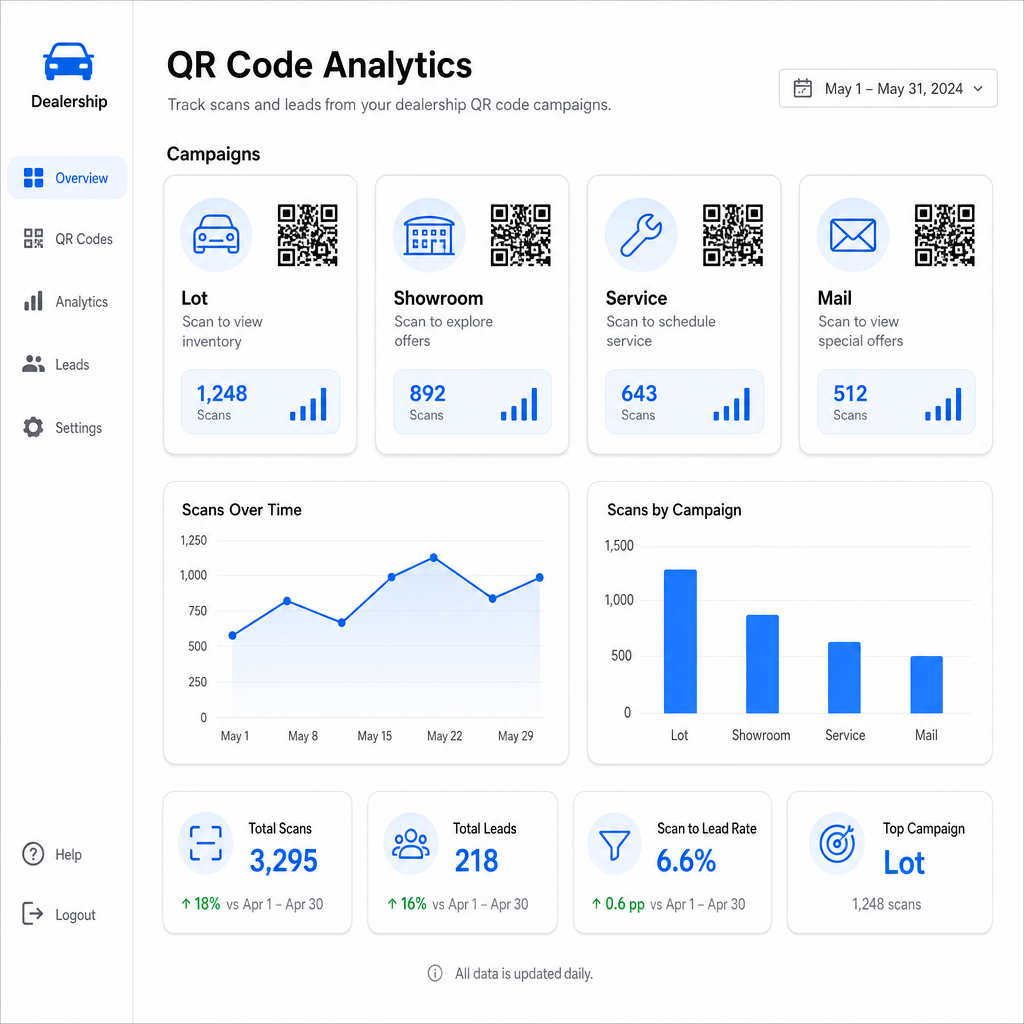
Metricile cheie disponibile prin urmărirea Pageloot includ:
- Numărul total și unic de scanări per cod
- Orele și datele scanărilor, utile pentru înțelegerea modelelor de trafic din parcare
- Date de locație geografică, relevante pentru campaniile de corespondență directă în diferite coduri poștale
- Tipuri de dispozitive și sisteme de operare
- Tendințe de scanare în timp
Aceste date se reîntorc direct în decizii despre unde să plasezi coduri, ce oferte să promovezi și ce vehicule să prezinți. Pageloot ghidul de urmărire a codurilor QR explică cum să conectezi datele de scanare cu parametrii UTM și instrumente de analiză externe pentru vizibilitate completă a pâlniei.
Platforma Pageloot acoperă și soluții de coduri QR în diverse industrii, deci dacă grupul tău de dealeri operează în mai multe tipuri de afaceri sau locații, aceleași instrumente și infrastructura de urmărire se aplică în mod consecvent.
Monitorizează Toate Codurile Tale dintr-un Singur Tablou de Bord Gestionează fiecare cod QR de dealer – lot, service, pliante, showroom – cu Generator cod QR dinamic și accesează date de scanare în timp real pentru toate campaniile tale.
Codurile QR oferă dealerului tău o modalitate măsurabilă, flexibilă de a conecta locațiile tale fizice cu angajamentul digital – fie că un client se plimbă prin lotul tău la miezul nopții sau stă în sala de așteptare a service-ului tău. Începe cu punctele tale de contact cu cel mai mare trafic, utilizează coduri dinamice astfel încât să poți actualiza destinațiile fără a retipări și lasă analizele de scanare să te ghideze unde să te extinzi de acolo.
Întrebări frecvente
Da, dacă folosiți un cod QR dinamic. Codurile dinamice indică un link scurt de redirecționare pe care îl puteți actualiza oricând din tabloul de bord, astfel încât autocolantul fizic să rămână același în timp ce destinația reflectă prețurile sau disponibilitatea curente. Dacă un vehicul se vinde, puteți redirecționa acel cod către un model similar fără a retipări nimic.
Codurile QR dinamice includ analize de scanare care îți arată câte persoane au scanat fiecare cod, când, de la ce locație și pe ce dispozitiv. Prin asocierea destinațiilor codurilor QR cu parametri UTM, poți urmări ce scanări au dus la completări de formulare, rezervări de programări sau vizualizări de pagini de inventar în cadrul platformei tale mai largi de analiză web.
Pentru un autocolant de geam scanat de la lungimea brațului – aproximativ unul până la doi picioare – un minim de 1,2 inci este un punct de plecare rezonabil pe o suprafață netedă, cu contrast ridicat. Codurile mai mari scanează mai fiabil, mai ales în aer liber, în lumină variabilă. Dacă autocolantul include logo-ul dealerului tău în interiorul codului, mărește dimensiunea cu 20–30% pentru a menține scanabilitatea. Testează întotdeauna versiunea finală tipărită în condiții reale înainte de implementarea completă.