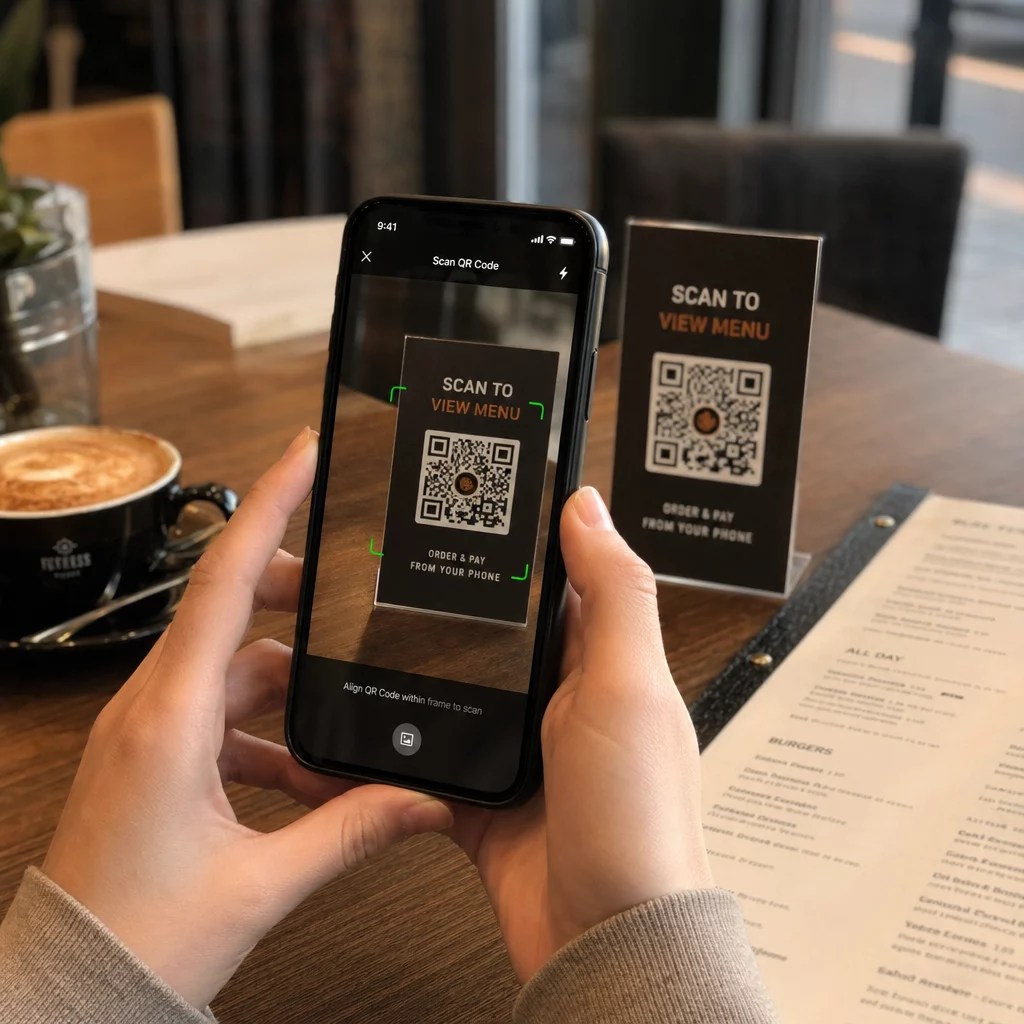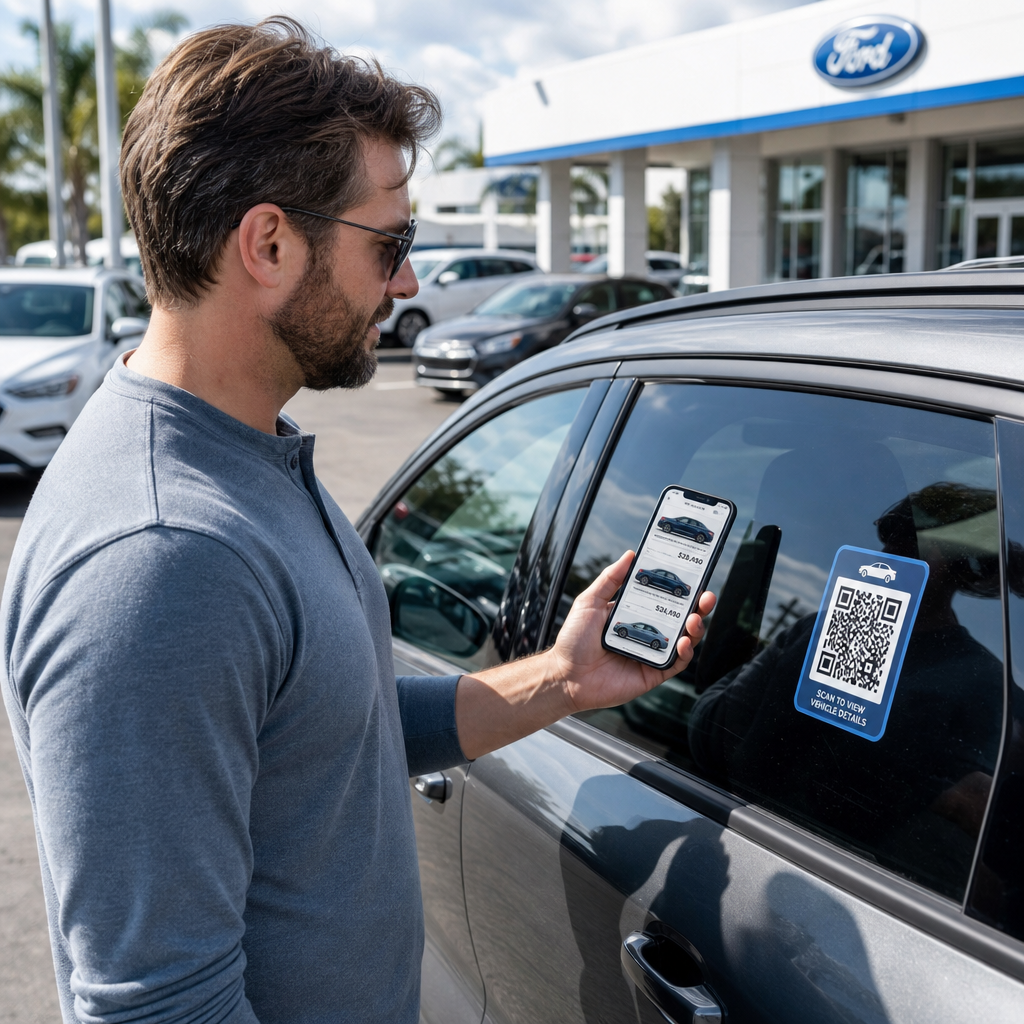
Forlater besøkende på tomten din uten å engasjere seg med varelageret ditt eller dele kontaktinformasjonen sin? Bilkjøpere er i økende grad mobil-først, og QR-koder gir deg en direkte bro mellom din fysiske tomt og dine digitale verktøy. Denne guiden dekker praktiske måter å implementere QR-koder på tvers av bilforhandlerens salgs- og markedsføringsoperasjoner, fra bilvindusklistremerker til serviceplanlegging.
Hvorfor QR-koder gir mening for bilforhandlere akkurat nå
Ifølge CarGurus’ amerikanske forbrukerstudie fra 2025 bruker 54 % av bilkjøperne telefonene sine mer enn stasjonære datamaskiner når de undersøker kjøretøy, med ytterligere 31 % som bruker begge like mye. Samtidig foretrekker 83 % av forbrukerne å fullføre mer av kjøpsprosessen hjemmefra før de besøker personlig. Den kombinasjonen betyr at kundene dine allerede er på telefonene sine – på tomten, i utstillingslokalet ditt, og før de i det hele tatt ankommer.
En QR-kode på et vindusklistremerke, et serviceskilt eller et direkte poststykke gir disse telefon-først-kjøperne en umiddelbar forbindelse til informasjonen de ønsker, uten å kreve at en selger er tilgjengelig akkurat i det øyeblikket.
Dynamiske QR-koder – koder hvis destinasjons-URL kan oppdateres uten å trykke den fysiske koden på nytt – er spesielt godt egnet for bilforhandlermiljøer der varelageret endres ofte, kampanjer roterer, og priser oppdateres regelmessig.
Begynn å lage QR-koder for bilforhandlere Klar til å koble tomten din til ditt digitale innhold? Bruk QR-kodegenerator for å lage din første kode på minutter, uten behov for teknisk kunnskap.
Bilvindusklistremerker og varelager-sider
Den mest direkte anvendelsen for en bilforhandler er å plassere en QR-kode på hvert kjøretøys vindusklistremerke. Når en kjøper går rundt på tomten etter stengetid, eller mens salgsteamet ditt er opptatt, kan en skanning umiddelbart hente opp en dedikert kjøretøyside som viser spesifikasjoner, utstyrsdetaljer, gjeldende priser, finansieringsalternativer, bilder og et skjema for kundeemner.
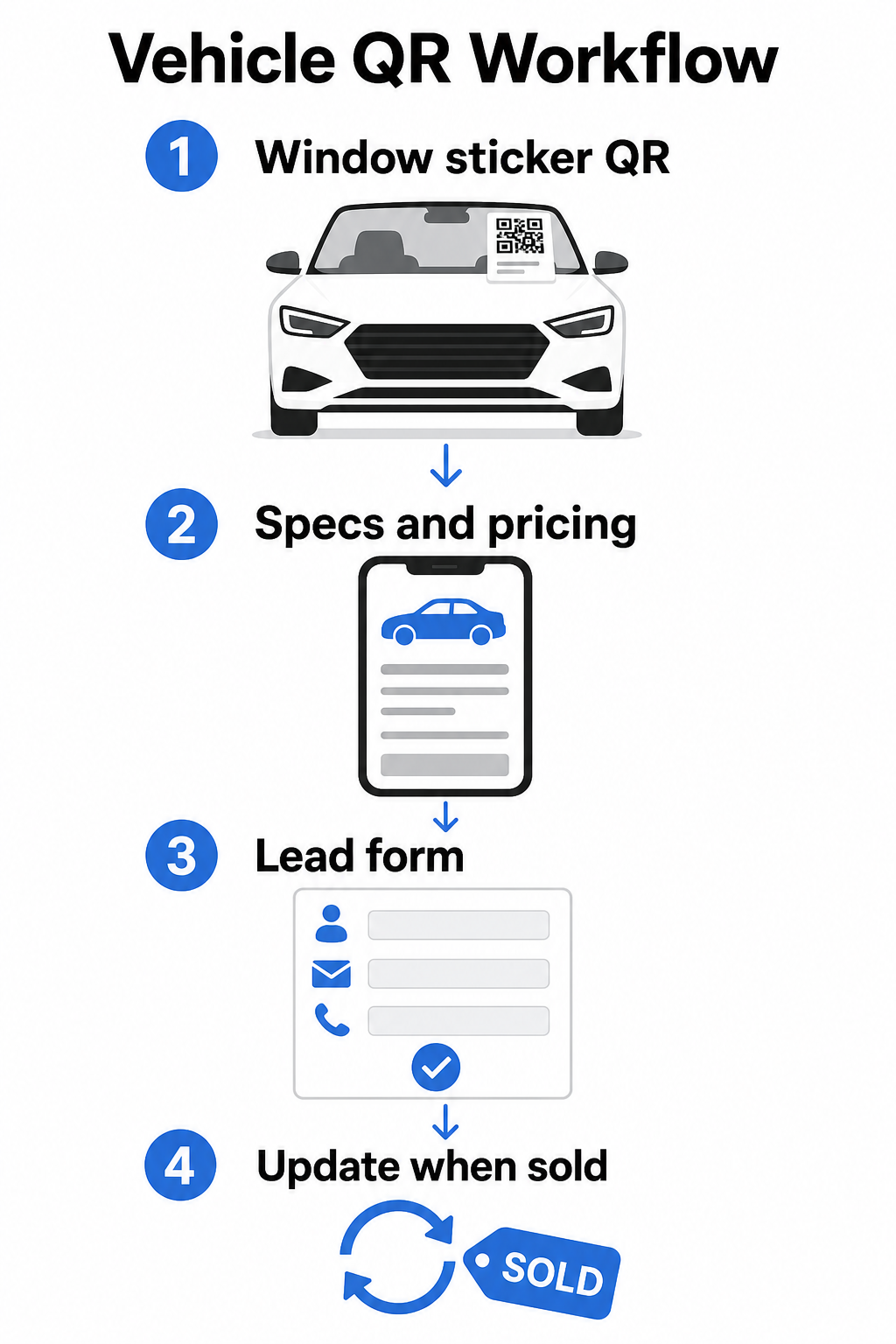
Fordi varelageret beveger seg raskt, er dynamiske QR-koder det praktiske valget her. Når et kjøretøy selges, kan du omdirigere den koden til en lignende modell eller en generell varelager-side uten å røre det fysiske klistremerket. Som guide for QR-koder for kjøretøy bemerker, er dynamiske koder ideelle for bilforhandlerapplikasjoner der kampanjer og varelager stadig endres.
For plassering gir bakruten og sidepanelene best synlighet for kunder som går rundt på tomten. Sørg for at koden er stor nok til å skanne komfortabelt fra stående posisjon – minimum 1,2 tommer er et pålitelig utgangspunkt for trykt materiale på nært hold, selv om større er bedre når koden konkurrerer med andre elementer på et klistremerke. Følg alltid designprinsipper med høy kontrast, bruk en mørk kode på en lys bakgrunn, slik at koden skanner pålitelig under varierende utendørs lysforhold. Pageloots guide om beste praksis for fargekontrast i QR-koder dekker dette i detalj.
Hold varelagerlenker oppdatert uten å trykke på nytt Bruke Dynamisk QR-kode generator for å lage koder for vindusklistremerker som du kan omdirigere når som helst et kjøretøy selges eller en kampanje endres.
Utstillingslokale-skilt og engasjement på salgsgulvet
Inne i utstillingslokalet kan QR-koder håndtere informasjonsmengden som selgere ikke alltid kan levere umiddelbart. Plasser koder nær utstillingskjøretøy, finansieringsskranker eller innbyttevurderingsområder for å koble kunder til relevant innhold – detaljerte spesifikasjonsark eller sammenligningssider, gjeldende finansieringstilbud og betalingskalkulatorer, innbyttevurderingsverktøy, video-gjennomganger, eller kundeuttalelser og anmeldelsessider.
EN QR-kode for landingssiden fungerer spesielt godt her fordi du kan vise flere lenker fra en enkelt skanning. For eksempel kan en kjøretøy-landingsside inkludere en video, en spesifikasjons-PDF, et finansieringsforespørselsskjema og et kontaktalternativ – alt i ett mobilvennlig oppsett som ser konsistent ut med merkevaren din.
For kunder som er dypere i vurderingsprosessen, kan en QR-kode som lenker direkte til et skjema for kundeemner fange opp navn, kontaktinformasjon og kjøretøyinteresse mens de fortsatt er engasjert på gulvet. Den Google Form QR-kode generator gjør det enkelt å lage og vise forespørselskoder på skilt, diskkort eller skrivebordsdisplayer, med den ekstra muligheten til å spore svar direkte.
Serviceavdelingens planlegging
Servicekunder forventer i økende grad selvbetjente bookingalternativer. Online planlegging vokser jevnt hvert år ettersom kunder søker bekvemmeligheten av å velge sine egne avtaletider uten en telefonsamtale. QR-koder i serviceområdet ditt, venteområdet og på purringer for forfalt service gir kundene en ett-skanns-bane til ditt online bookingverktøy.
Praktiske plasseringspunkter inkluderer:
- Inngang til serviceområdet: Et skilt eller dekal i innkjøringsfeltet med en skann-for-å-bestille-kode for kunder som kommer tilbake for gjentatte tjenester
- Skilting i venterommet: En kode som lenker til din servicemeny, servicestatusside eller planleggingsverktøy
- Påminnelseskort for service: En trykt kode på direktereklame som lar kunder bestille et oljeskift, dekkrotasjon eller tilbakekallingsservice uten å ringe inn
- På lånebiler eller flåtekjøretøy: En QR-kode magnet eller dekal kan lenke sjåfører til servicekontaktinformasjon eller planleggingsalternativer
Siden servicekampanjer roterer – sesongbaserte dekktilbud, gratis flerpunktsinspeksjoner og lignende tilbud – lar dynamiske QR-koder i serviceavdelingen deg oppdatere destinasjonen for å matche den nåværende kampanjen uten å erstatte skilting.
Direktereklame og trykte annonsekampanjer
Forhandlerens direktereklamekampanjer – erobringsutsendelser, serviceretensjonsstykker, varsler om leieavtaleutløp – ber vanligvis kunder om å ringe eller besøke en URL. En QR-kode på samme stykke gir mottakerne en raskere vei til den relevante landingssiden, og viktigere, gir deg en måte å måle nøyaktig hvor mange mennesker som engasjerte seg med den utsendelsen.
Med dynamiske QR-koder og skanneanalyser, kan du se totale skanninger, unike skanninger, skannetider, geografiske steder og enhetstyper – alt knyttet til det spesifikke kampanjestykket. Dette målenivået er betydelig mer handlingsrettet enn å spore et telefonnummer eller en generell URL.
For A/B-testing kan du lage to versjoner av en utsendelse med forskjellige QR-kodedestinasjoner – en som lenker til en spesifikk tilbudsside og en til en generell varelager side, for eksempel – og sammenligne skanne- og konverteringsrater for å informere fremtidige kampanjer. Å legge til UTM-parametere til destinasjons-URL-ene dine utvider denne sporingen til din bredere webanalyse, og kobler QR-skannedata til skjema fullføringer, tid på nettstedet og andre nedstrøms handlinger.
Spor hvilke kampanjer som driver engasjement Opprett sporbare QR-koder for hver trykte kampanje med Lenke QR-kodegenerator og overvåk skanneytelse fra et enkelt dashbord.
Samle anmeldelser og kundetilbakemeldinger
Cox Automotives 2025 Car Buyer Journey Study fant at kjøpere som fullfører flere trinn digitalt rapporterer høyere tilfredshet – noe som betyr at oppfølging etter kjøp betyr like mye som selve salget. QR-koder plassert ved levering, på takkekort eller i serviceventerom kan lede fornøyde kunder direkte til din Google Business anmeldelsesside.
EN Google Anmeldelse QR-kode fjerner all friksjon fra anmeldelsesprosessen: ett skann tar kunden direkte til skjermen for anmeldelsesinnlevering, uten å kreve at de søker etter forhandleren din eller navigerer i Google Maps. Effektiv plassering inkluderer:
- Leveringsskranken eller F&I-kontoret
- Servicekasser
- Inne i et merket takkekort inkludert med nye kjøretøy leveranser
- Serviceoppfølgingsutsendelser sendt etter en fullført avtale
Design- og plasseringsprinsipper for forhandlerens QR-koder
Noen praktiske standarder gjelder for alle forhandlerens QR-kodeapplikasjoner:
- Kontrast: Bruk en mørk modulfarge på en lys bakgrunn. Svart på hvitt er den mest pålitelige kombinasjonen. Unngå omvendte koder (lys på mørk), da noen skannerapper sliter med dem.
- Størrelse: For vindusklistremerker og skilting på tomten, velg større fremfor mindre. Ved en skanneavstand på en til to fot fungerer en 1,5-tommers kode pålitelig på glatte overflater. For større formatskilting, skaler opp proporsjonalt – størrelsesguide for QR-koder for trykt materiale dekker disse forholdene i detalj.
- Stille sone: La det være klar plass rundt koden, fri for tekst eller designelementer, slik at skannere nøyaktig kan finne kodegrensene.
- CTA-tekst: Par alltid koden med en kort oppfordring til handling – “Skann for priser”, “Bestill service online”, “Se fulle spesifikasjoner” – slik at kundene vet hva de får før de skanner.
- Testing: Test hver kode under faktiske forhold før utplassering – utendørs på tomten, under utstillingsromsbelysning, i direkte sollys – på både iOS- og Android-enheter. veiledningen for beste praksis for lesbarhet av QR-koder gir en fullstendig sjekkliste.
Sporing og måling av QR-kodeytelse
En av de sterkeste grunnene til å bruke dynamiske QR-koder fremfor statiske er innebygd skanneanalyse. For en forhandler med aktive koder over hele tomten, utstillingsrommet, serviceinnkjøringen og trykte kampanjer, lar et sentralisert dashbord deg sammenligne hvilke plasseringer og kampanjer som genererer mest engasjement.
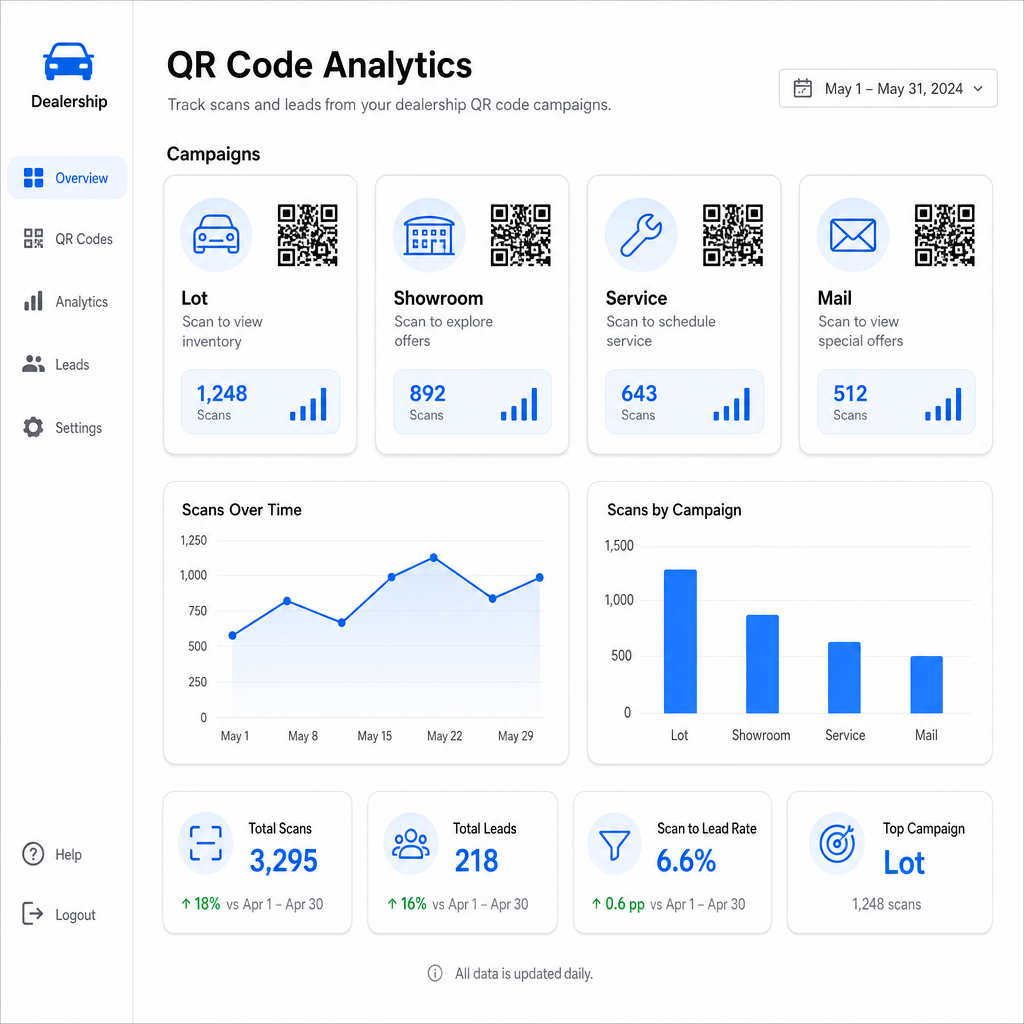
Nøkkelmålinger tilgjengelig gjennom Pageloots sporing inkluderer:
- Totalt antall og unike skanninger per kode
- Skannetider og datoer, nyttig for å forstå trafikkstrømmer på tomten
- Geografiske stedsdata, relevant for direktereklamekampanjer på tvers av postnumre
- Enhetstyper og operativsystemer
- Skannetrender over tid
Disse dataene mates direkte tilbake i beslutninger om hvor koder skal plasseres, hvilke tilbud som skal promoteres, og hvilke kjøretøy som skal fremheves. Pageloot’s QR-kode sporingsguide forklarer hvordan man kobler skannedata med UTM-parametere og eksterne analyseverktøy for full synlighet i trakten.
Pageloot’s plattform dekker også QR-kodeløsninger på tvers av bransjer, så hvis forhandlergruppen din opererer på tvers av flere forretningstyper eller steder, gjelder de samme verktøyene og sporingsinfrastrukturen konsekvent.
Overvåk alle kodene dine fra ett dashbord Administrer hver forhandler-QR-kode – tomt, service, utsendelser, utstillingslokale – med Dynamisk QR-kode generator og få tilgang til sanntids skannedata på tvers av alle kampanjene dine.
QR-koder gir forhandleren din en målbar, fleksibel måte å bygge bro mellom dine fysiske steder og digitalt engasjement – enten en kunde går på tomten din ved midnatt eller sitter i serviceventerommet ditt. Start med dine mest trafikkerte berøringspunkter, bruk dynamiske koder slik at du kan oppdatere destinasjoner uten å skrive ut på nytt, og la skanneanalyser veilede hvor du utvider derfra.
Ofte stilte spørsmål
Ja, hvis du bruker en dynamisk QR-kode. Dynamiske koder peker til en kort omdirigeringslenke som du kan oppdatere når som helst fra dashbordet ditt, slik at det fysiske klistremerket forblir det samme mens destinasjonen gjenspeiler gjeldende priser eller tilgjengelighet. Hvis et kjøretøy selges, kan du omdirigere den koden til en lignende modell uten å skrive ut noe på nytt.
Dynamiske QR-koder inkluderer skanneanalyser som viser deg hvor mange personer som skannet hver kode, når, fra hvilket sted, og på hvilken enhet. Ved å pare QR-kodedestinasjoner med UTM-parametere, kan du spore hvilke skanninger som resulterte i skjemautfyllinger, avtalebestillinger, eller visninger av lagersider inne i din bredere nettanalytikkplattform.
For et vindusklistremerke skannet på armlengdes avstand – omtrent en til to fot – er et minimum på 1,2 tommer et rimelig utgangspunkt på en glatt overflate med høy kontrast. Større koder skanner mer pålitelig, spesielt utendørs i varierende lys. Hvis klistremerket inkluderer forhandlerlogoen din inne i koden, øk størrelsen med 20–30% for å opprettholde skannbarheten. Test alltid den endelige utskrevne versjonen under reelle forhold før full utrulling.