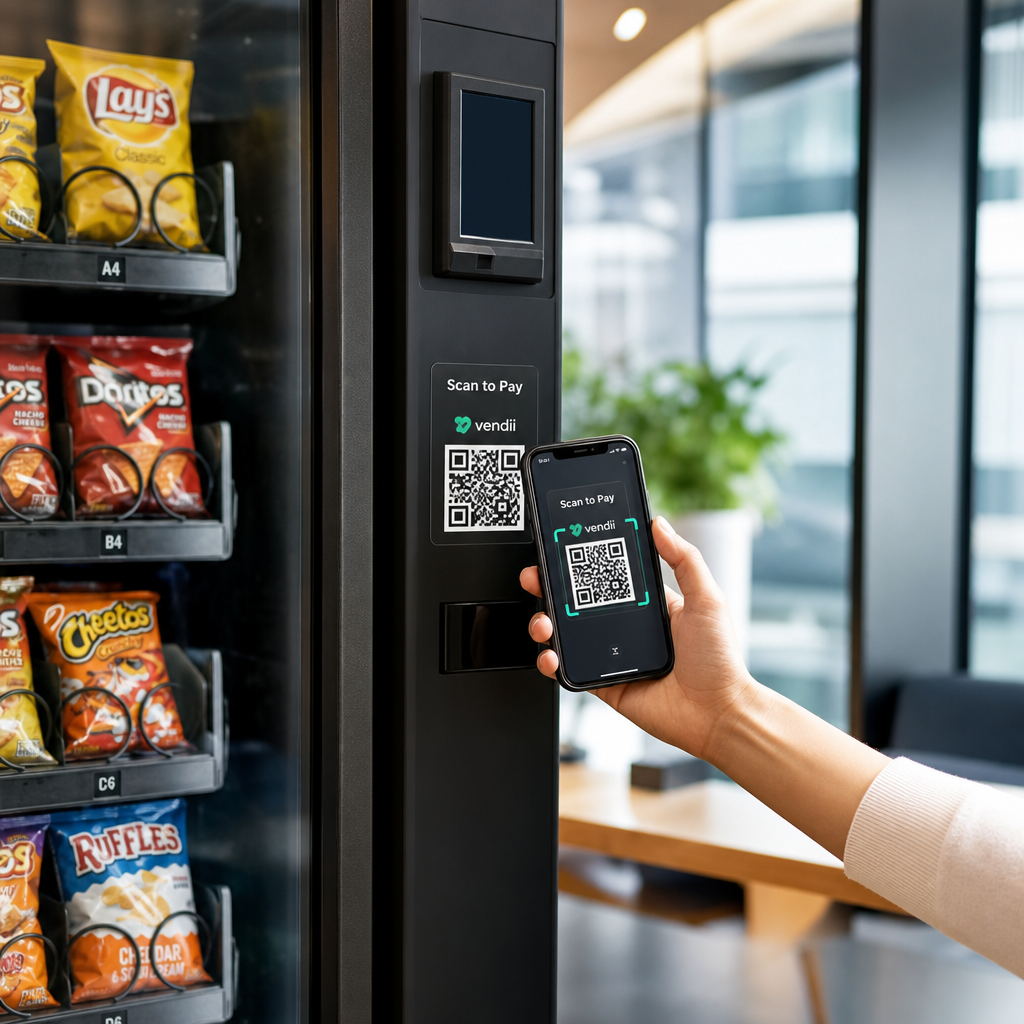
Vai jūsu tirdzniecības automāti atgrūž klientus, kuriem nav skaidras naudas? Tā kā bezskaidras naudas tirdzniecības automāti 2024. gadā veido 75% no ASV tirdzniecības ieņēmumiem, operatori, kuri paļaujas tikai uz monētām un banknotēm, zaudē reālu naudu. Šajā rokasgrāmatā ir paskaidrots, kā QR kodi darbojas tirdzniecības automātos, ko tie var darīt ārpus maksājumiem un kā tos efektīvi ieviest.
Kā QR kodu maksājumi darbojas t
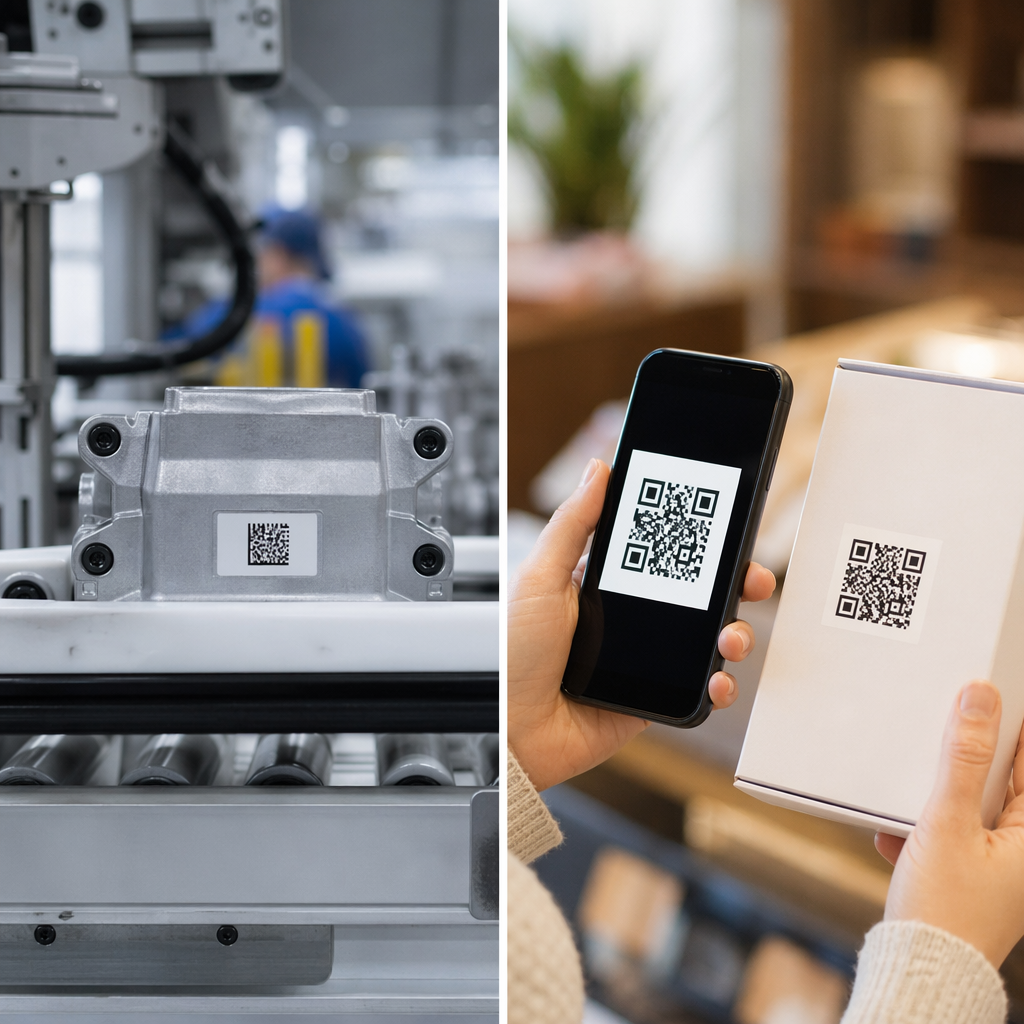
The core concept is straightforward: instead of inserting a card or cash, a customer scans a QR code displayed on the machine, completes payment on their phone, and the machine receives a confirmation signal before dispensing the product.
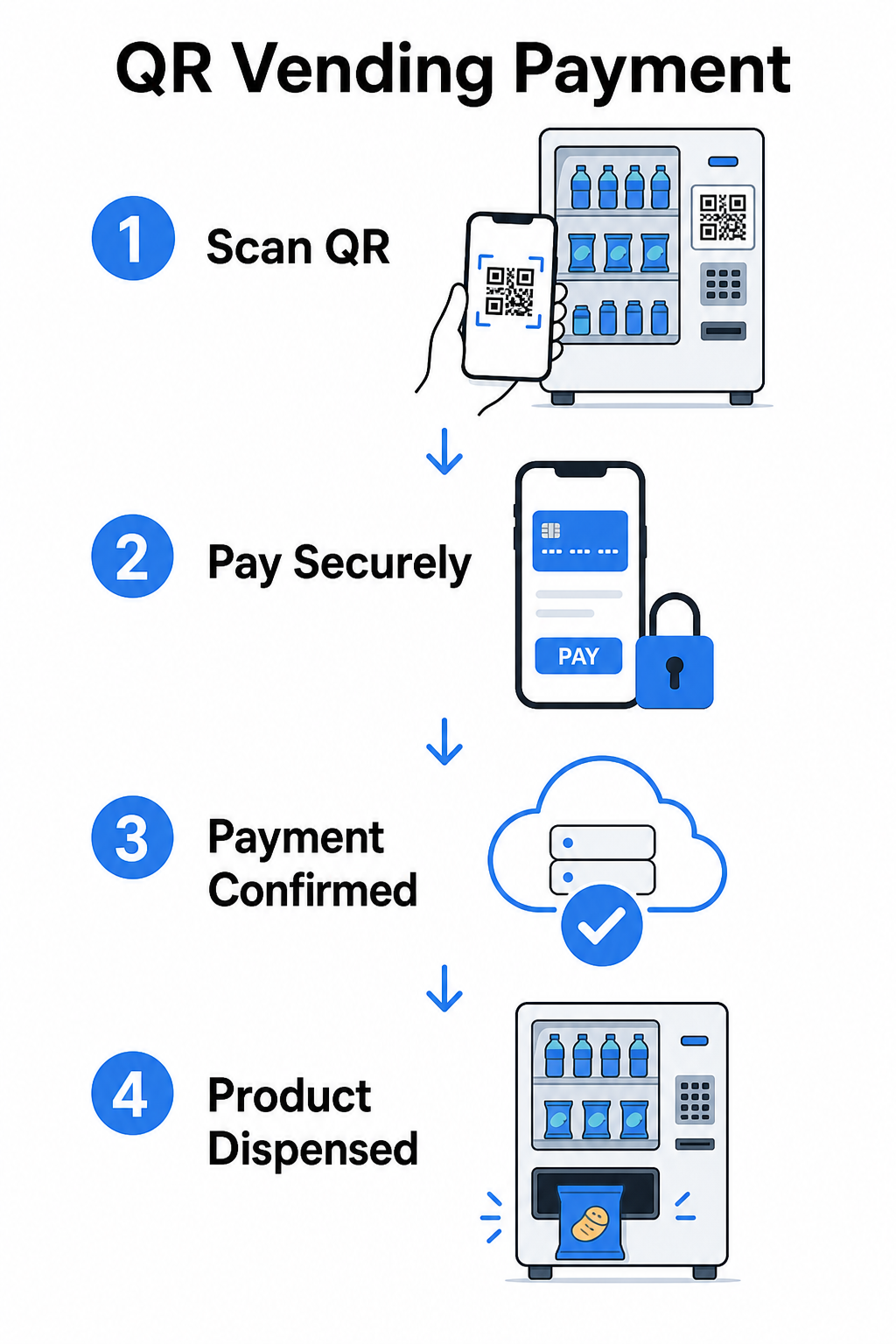
There are two main approaches to this flow.
Consumer scans machine QR – The machine displays a static or dynamic QR code. The customer opens their camera app, scans the code, and lands on a hosted payment page that supports cards, PayPal, Apple Pay, Google Pay, or other mobile wallets. Once the payment gateway authorizes the transaction, it sends a confirmation back to the machine via an API, triggering the vend.
Machine scans consumer QR – The customer’s app generates a QR code representing stored value or account credits. The machine’s scanner reads it, the system deducts the appropriate amount, and the machine activates. This model is common in closed-loop systems like campus or corporate accounts.
Both architectures rely on backend APIs to confirm transactions, synchronize inventory, and log item-level data. The practical difference is who does the scanning and where the payment credentials live.
Accept Payments Without a Card Reader Need a simple way to turn a URL into a scannable payment touchpoint? The PayPal QR kodu ģenerators lets you create a branded payment QR in minutes – no hardware required.
Static vs. Dynamic QR Codes for Vending
Not all QR codes behave the same way, and the distinction matters for vending operators.
| FUNKCIJA | Statiskais QR kods | Dinamiskais QR kods |
|---|---|---|
| Galamērķis rediģējams pēc drukāšanas | Nē | Jā |
| Skenēšanas izsekošana un analītika | Nē | Jā |
| Deactivate if compromised | Nē | Jā |
| Requires reprinting to update | Jā | Nē |
| Suitable for permanent machine decals | Ierobežots | Ieteicams |
A statisks QR kods tieši kodē fiksētu URL rakstā. Ja jūsu maksājumu pakalpojumu sniedzējs mainās, jūsu norēķinu URL atjauninās vai vēlaties novirzīt uz akciju, jums ir jāizdrukā jauns kods un fiziski jānomaina tas katrā iekārtā.
A dinamiskais QR kods norāda uz īsu novirzīšanas saiti, ko jūs kontrolējat. Jūs varat atjaunināt galamērķi jebkurā laikā, nepieskaroties fiziskajam kodam uz iekārtas. Tirdzniecības automātu operatoram, kas pārvalda desmitiem vai simtiem iekārtu vairākās vietās, šī elastība novērš atkārtotas drukāšanas izmaksas un samazina apkopes apmeklējumus.
Dinamiskie kodi arī fiksē skenēšanas analītiku – kopējo skenējumu skaitu, unikālos skenējumus, skenēšanas laikus un ģeogrāfiskos datus – sniedzot jums pārskatu par to, kuras iekārtas ģenerē maksājumu aktivitāti un kad.
Papildus maksājumiem: Citi veidi, kā QR kodi piešķir vērtību tirdzniecības automātiem
Bezkašu maksājumi ir visredzamākais lietošanas gadījums, bet QR kodi paver vairākas citas operatīvās un mārketinga iespējas.
Klientu iesaiste un lojalitāte
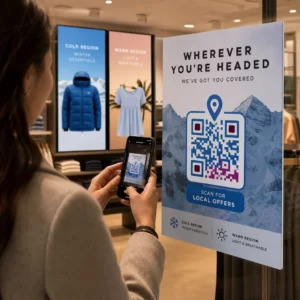
QR kods uz tirdzniecības automāta var novirzīt ne tikai uz norēķinu lapu. Jūs varat novirzīt klientus uz lojalitātes programmu, kur viņi skenē, lai nopelnītu punktus, piekļūtu balvām un nekavējoties izmantotu priekšrocības – aizstājot fizisko lojalitātes karšu radītās grūtības ar viedtālrunī balstītu pieredzi. Šīs programmas atbalsta tūlītēju reģistrāciju, reāllaika balvas un personalizētus piedāvājumus, pamatojoties uz pirkumu uzvedību.
Jūs varat arī piegādāt digitālos kuponus vai ierobežota laika atlaides klientiem, kuri skenē, radot stimulu, kas veicina atkārtotus apmeklējumus pie konkrētām iekārtām. Saistot QR kodu ar maksājumu vai digitālo caurlaidi saderīgs ar Apple Wallet vai Google Wallet, sper soli tālāk, ļaujot klientiem saglabāt savus lojalitātes akreditācijas datus tieši savā tālrunī.
Attālināta iekārtu pārvaldības atbalsts
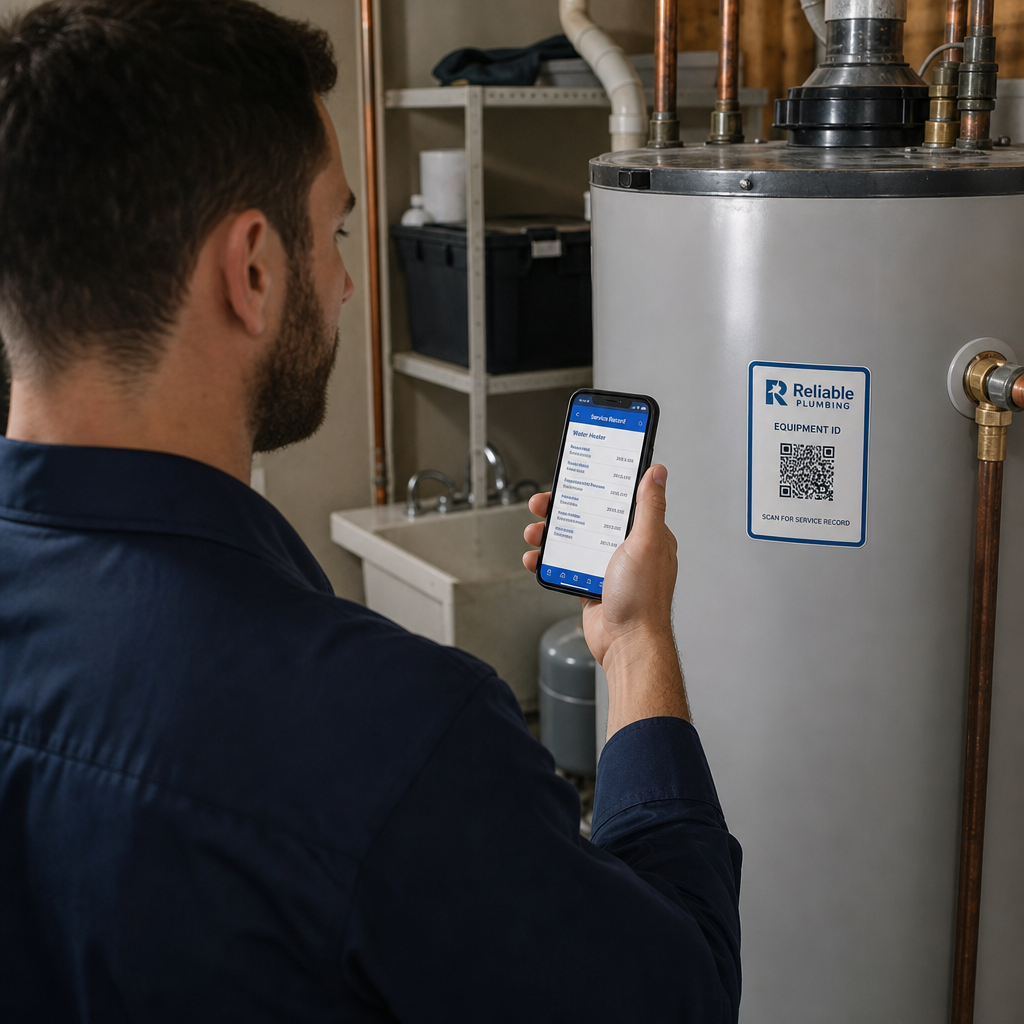
QR kodi var pildīt operatīvu funkciju, kas nav saistīta ar klientu. Novietojot unikālu QR kodu uz katras iekārtas – saistītu ar šīs iekārtas pārvaldības lapu vai servisa portālu – tehniķiem un maršruta vadītājiem tiek nodrošināta tūlītēja piekļuve pareizajam iekārtas ierakstam, kad viņi ierodas uz vietas, bez meklēšanas izklājlapās vai zvanīšanas birojam, lai identificētu vienību.
Apvienojumā ar telemetrijas sistēmu, šī pieeja nozīmē, ka persona, kas stāv pie iekārtas, var nekavējoties apskatīt tās darījumu vēsturi, krājumu statusu vai kļūdu žurnālu, skenējot kodu.
Apkopes un pārskatu īsceļi
QR kods, kas saistīts ar ziņošanas veidlapu, ļauj klientiem ziņot par iestrēgušu produktu, bojātu maksājumu lasītāju vai mašīnu, kurā beigušies krājumi – neprasot tālruņa numuru vai e-pasta adresi. Iesniegums ir saistīts ar konkrēto mašīnu, sniedzot jūsu operāciju komandai rīcībspējīgu informāciju bez apmeklējuma uz vietas, lai diagnosticētu problēmu.
Saglabājiet savus QR kodus elastīgus Ja vēlaties vienu kodu, kas laika gaitā var kalpot vairākiem mērķiem – maksājumi šodien, lojalitātes programma nākamajā ceturksnī – izmantojiet Dinamisks QR kodu ģenerators lai atjauninātu galamērķus bez atkārtotas drukāšanas.
Ko QR kodu analīze stāsta par jūsu mašīnām
Viena nenovērtēta dinamisko QR kodu priekšrocība ir dati, ko tie ģenerē. Katrs skenējums tiek reģistrēts ar laika zīmogu, atrašanās vietu un ierīces veidu. Tirdzniecības automātu operatoriem tas rada vieglu uzvedības datu slāni, kas papildina jūsu telemetriju.
Skenēšanas apjoms konkrētā mašīnā var jums pateikt:
- Kad klienti ir visaktīvākie tajā vietā, palīdzot jums optimizēt krājumu papildināšanas grafikus
- Vai mašīna tiek ignorēta, kas varētu norādīt uz izvietojuma problēmu vai produktu sortimenta problēmu
- Kā veicas reklāmas izmaiņām, jo varat salīdzināt skenēšanas rādītājus pirms un pēc saistītā galamērķa atjaunināšanas
Lai dziļāk izpētītu, kā iestatīt un interpretēt šos datus, skatiet ceļvedi par QR kodu izsekošana.
Drošības un atbilstības apsvērumi
QR kodu maksājumi nepieskatītās mašīnās ievieš īpašas drošības atbildības, kas operatoriem jāizprot pirms ieviešanas.
PCI DSS attiecas uz jums
Ja jūsu tirdzniecības automāti pieņem kredītkaršu vai debetkaršu maksājumus, izmantojot QR kodu darbplūsmu, jums ir jāievēro PCI DSS – Maksājumu karšu nozares datu drošības standarts. Tas attiecas neatkarīgi no tā, vai maksājumu apstrādā trešās puses vārteja. Šis QR kodu maksājumu PCI DSS atbilstības ceļvedis aptver to detalizēti, bet galvenās prasības ietver:
- Kartes īpašnieka datu šifrēšana pārraides laikā, izmantojot tādus protokolus kā TLS
- Nekad neuzglabājiet sensitīvus autentifikācijas datus piemēram, CVV kodus, PIN kodus vai magnētiskās joslas datus pēc autorizācijas
- Jūsu atbilstības līmeņa validēšana izmantojot pašnovērtējuma anketas vai trešo pušu auditus, atkarībā no jūsu darījumu apjoma
Operatori, kas novirza klientus uz mitinātu maksājumu lapu, ko pārvalda PCI saderīga vārteja, ievērojami samazina savu atbilstības apjomu, jo kartes īpašnieka dati nekad nesaskaras ar viņu pašu sistēmām.
Fiziska iejaukšanās ir reāls risks
Nepieskatītas mašīnas ir neaizsargātas pret specifisku krāpšanas veidu: kāds uzlīmē krāpniecisku QR koda uzlīmi virs jūsu likumīgās. Klients skenē to, kas šķiet jūsu maksājumu kods, bet tiek novirzīts uz pikšķerēšanas lapu, kas iegūst viņu maksājumu datus. Mazinošie pasākumi ietver:
- Izmantojot pret viltošanu izturīgus materiālus QR kodu apzīmējumiem
- Lietojot zīmolotus QR kodus, kas ietver jūsu logotipu un krāsas, padarot neatļautas nomaiņas vizuāli acīmredzamas
- Instruējot maršruta vadītājus pārbaudīt QR kodus regulāru apmeklējumu laikā
- Iespējojot reāllaika skenēšanas analīzi, lai neparasti ģeogrāfiskie skenēšanas modeļi – piemēram, skenējumi, kas nāk no tālu no mašīnas zināmās atrašanās vietas – izraisītu brīdinājumu
Lai iegūtu pilnīgu QR maksājumu risku analīzi un kā tos risināt, skatiet ceļvedi par QR kodu riskiem maksājumos un to mazināšanu.
Dizaina vadlīnijas tirdzniecības automātu QR kodiem
QR kods, kas neskenējas uzticami, rada klientu vilšanos tieši tajā brīdī, kad viņi vēlas ātru darījumu. Ievērojiet šīs praktiskās vadlīnijas, lai to izdarītu pareizi.
Izmērs un skenēšanas attālums – Izmantojiet 10:1 attiecību kā pamatu: kods, kas skenēts no 20 collu attāluma, jābūt vismaz 2 collas platam. Lielākā daļa tirdzniecības automātu mijiedarbību notiek rokas stiepiena attālumā, tāpēc kods, kura izmērs ir no 2 līdz 3 collām kvadrātā, ir piemērots novietošanai sejas līmenī. Šis QR kodu izmēru ceļvedī aptver šo formulu detalizēti dažādos kontekstos.
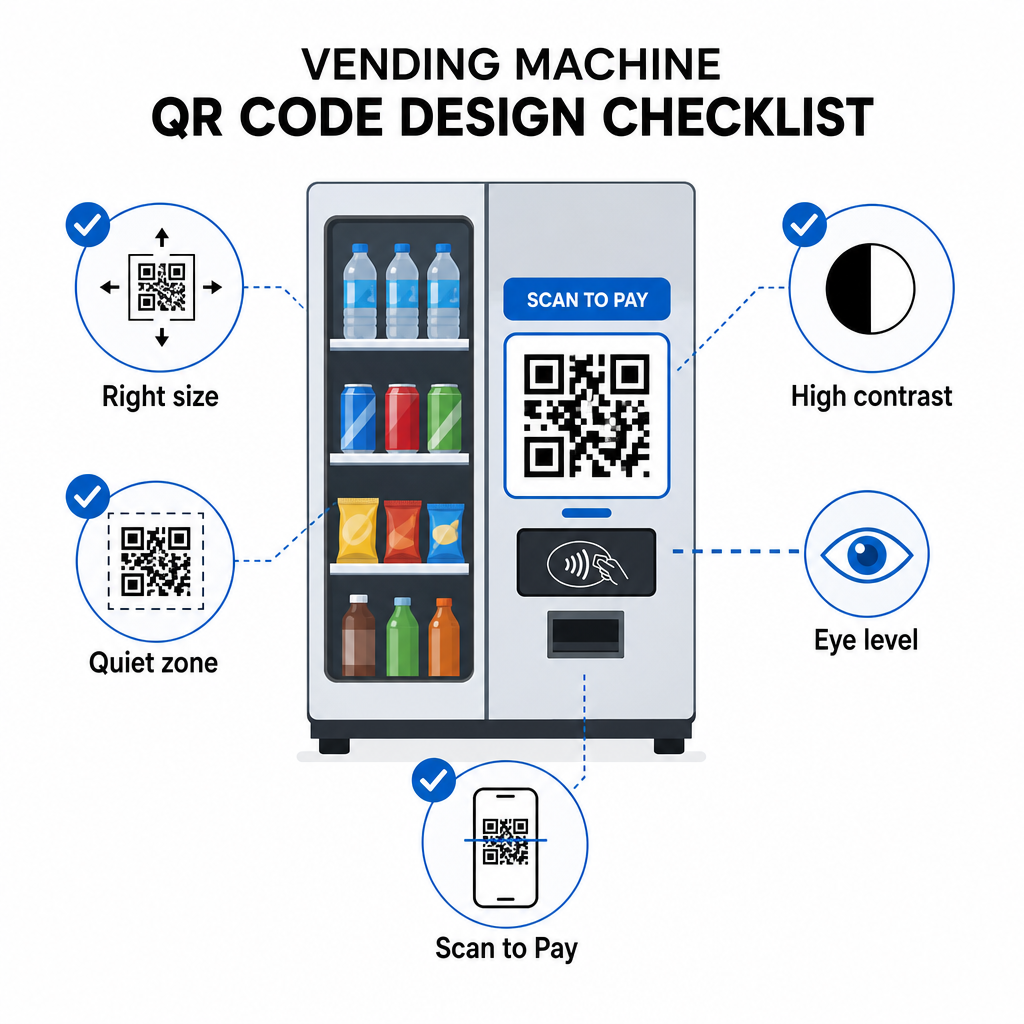
Krāsa un kontrasts – Tumši raksti uz gaiša fona skenējas visuzticamāk. Melns uz balta ir viskonsekventākā kombinācija. Ja izmantojat zīmolotas krāsas, tiecieties uz vismaz 4:1 kontrasta attiecību starp QR moduļa krāsu un fonu, ar 4.5:1 priekšroku. Vadlīnijas par QR koda lasāmība skaidro, kāpēc kontrasts tieši ietekmē, vai skeneris var noteikt koda rakstu dažādos apgaismojuma apstākļos.
Klusā zona – Saglabājiet skaidru tukšu malu ap QR kodu. Dizaina elementu, teksta vai zīmola izvietošana šīs apmales iekšpusē var neļaut skeneriem pareizi identificēt koda robežas.
Drukas formāts – Fiziskai lietošanai uz mašīnām eksportējiet QR kodus vektoru formātos, piemēram, SVG, EPS vai PDF, lai nodrošinātu, ka tie paliek asi jebkurā izmērā un nezaudē skenējamību pikseļu dēļ.
Nedeformējiet – QR kodiem jāpaliek kvadrātveida. Koda izstiepšana vai saspiešana, lai tas atbilstu veidnei, izjauks iekšējo moduļu izlīdzinājumu un padarīs to neskenējamu.
Nodrošiniet skaidru aicinājumu uz darbību – Skaidri marķējiet kodu: “Skenēt, lai maksātu,” “Skenēt bezskaidras naudas maksājumam” vai “Skenēt, lai nopelnītu punktus.” Klienti pie tirdzniecības automāta nepārlūko – viņi vēlas ātri veikt uzdevumu, un tieša etiķete novērš vilcināšanos.
Darba sākšana: Ieviešanas soļi
Ja pievienojat QR kodu maksājumus esošajiem automātiem, tipiskais ceļš izskatās šādi:
- Izvēlieties maksājumu vārteju kas atbalsta uz QR balstītu norēķinu un ir PCI DSS sertificēta. V.
- Ģenerējiet dinamisku QR kodu katrai mašīnai, kas ved uz šīs mašīnas unikālo norēķinu URL. Izmantojot dinamiskie QR kodi nozīmē, ka vēlāk varat atjaunināt maksājumu galamērķus vai pievienot funkcijas, nenomainot fiziskās izkārtnes.
- Zīmolojiet kodu ar jūsu logotipu un krāsu shēmu, lai padarītu to atpazīstamu un grūtāk sabojājamu.
- Uzklājiet kodu katrai mašīnai acu līmenī, izmantojot viltošanas pazīmes uzrādošus materiālus.
- Pārbaudiet vairākās ierīcēs pirms pilnīgas ieviešanas – skenējiet kodu gan ar iOS, gan Android ierīcēm apgaismojuma apstākļos, kas ir katrā mašīnas atrašanās vietā.
- Uzraugiet skenēšanas analītiku pēc ieviešanas, lai identificētu mašīnas ar zemu iesaisti, izsekotu maksājumu aktivitātei un atklātu jebkādus anomālus skenēšanas modeļus.
Operatoriem, kas pieņem starptautiskas maksājumu metodes, piemēram, Alipay vai WeChat Pay, ir papildu integrācijas soļi, kas aprakstīti ceļvedī par Alipay un WeChat Pay QR koda integrācija.
QR kodi nodrošina tirdzniecības automātu operatoriem zemu šķēršļu ceļu uz bezskaidras naudas maksājumiem, klientu iesaistes rīkus un labāku darbības pārredzamību – viss, neaizstājot esošo aparatūru. Visizturīgākās implementācijas izmanto dinamiskos kodus, lai fiziskā uzlīme uz mašīnas laika gaitā varētu kalpot mainīgiem mērķiem bez tehniķa apmeklējuma. Sāciet ar vienu atrašanās vietu, novērtējiet veiktspēju, izmantojot skenēšanas analītiku, un paplašiniet, pamatojoties uz datiem.
Izveidojiet savu pirmo tirdzniecības automāta QR kodu Izmantojiet QR kodu ģenerators lai izveidotu zīmolotu, izsekojamu kodu savām mašīnām – vai izpētiet pilnu klāstu nozares specifiski QR risinājumi lai atrastu pareizo pieeju jūsu darbībai.
Biežāk uzdotie jautājumi
Lielākajā daļā implementāciju – nē. Kad mašīna parāda QR kodu, kas saistīts ar mitinātu maksājumu lapu, klienti var to skenēt, izmantojot sava tālruņa iebūvēto kameras lietotni, un pabeigt darījumu savā pārlūkprogrammā, izmantojot saglabātu karti vai mobilo maku. Dažas slēgtas sistēmas – piemēram, universitātes pilsētiņas kontu lietotnes – prasa specifisku lietotni, bet atvērtās maksājumu plūsmas ir paredzētas darbam bez tās.
Jā. Statisku vai dinamisku QR kodu, kas saistīts ar mitinātu norēķinu lapu, var uzklāt kā uzlīmi vai iespiestu ieliktni lielākajai daļai esošo mašīnu. Maksājuma autorizāciju apstrādā vārtejas aizmugursistēma, kas sazinās ar mašīnas bezskaidras naudas interfeisu, lai iedarbinātu pārdošanu. Tas padara QR par salīdzinoši zemu izmaksu uzlabojumu salīdzinājumā ar jauna karšu lasītāja uzstādīšanu.
Klients, kurš skenē krāpniecisko kodu, tiks novirzīts uz citu lapu, nevis uz jūsu norēķinu lapu. Jūs varat samazināt šo risku, izmantojot zīmolotus QR kodus, kas ietver jūsu logotipu – padarot viltošanu vizuāli acīmredzamu – un uzklājot viltošanas pazīmes uzrādošus materiālus, kas parāda bojājumus, ja uzlīme tiek noņemta. Dinamiskā QR koda analītika var arī palīdzēt: ja skenējumu skaits pēkšņi nokrītas līdz nullei vai nāk no negaidītām vietām, tas ir signāls, lai izpētītu fizisko kodu pie šīs mašīnas.