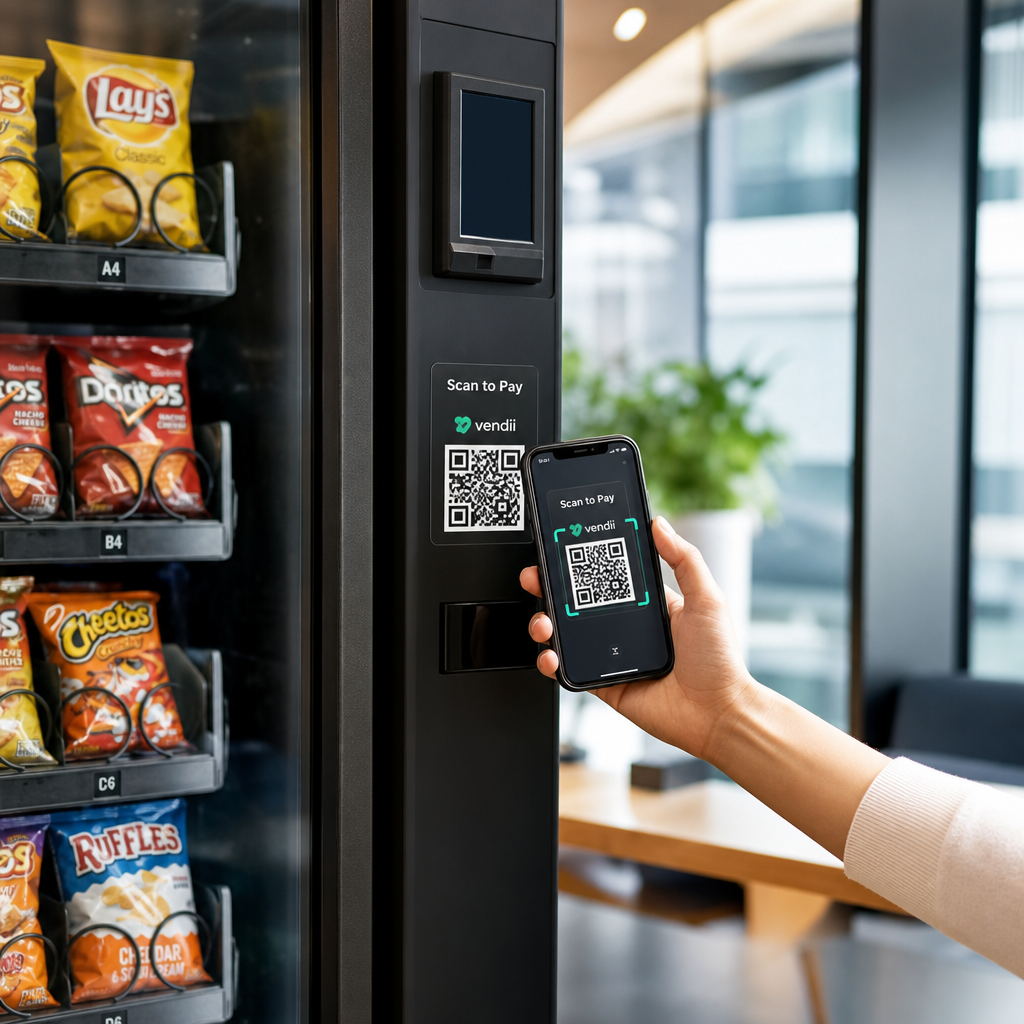
Afviser dine salgsautomater kunder, der ikke har kontanter på sig? Med kontantløse salgsautomater, der tegner sig for 75% af den amerikanske salgsautomatomsætning i 2024, lader operatører, der udelukkende er afhængige af mønter og sedler, reelle penge ligge. Denne guide forklarer, hvordan QR-koder fungerer i salgsautomater, hvad de kan gøre ud over betalinger, og hvordan man implementerer dem effektivt.
Hvordan QR-kodebetalinger fungerer ved en salgsautomat
Kernekonceptet er ligetil: i stedet for at indsætte et kort eller kontanter scanner en kunde en QR-kode, der vises på maskinen, gennemfører betalingen på sin telefon, og maskinen modtager et bekræftelsessignal, før produktet udleveres.
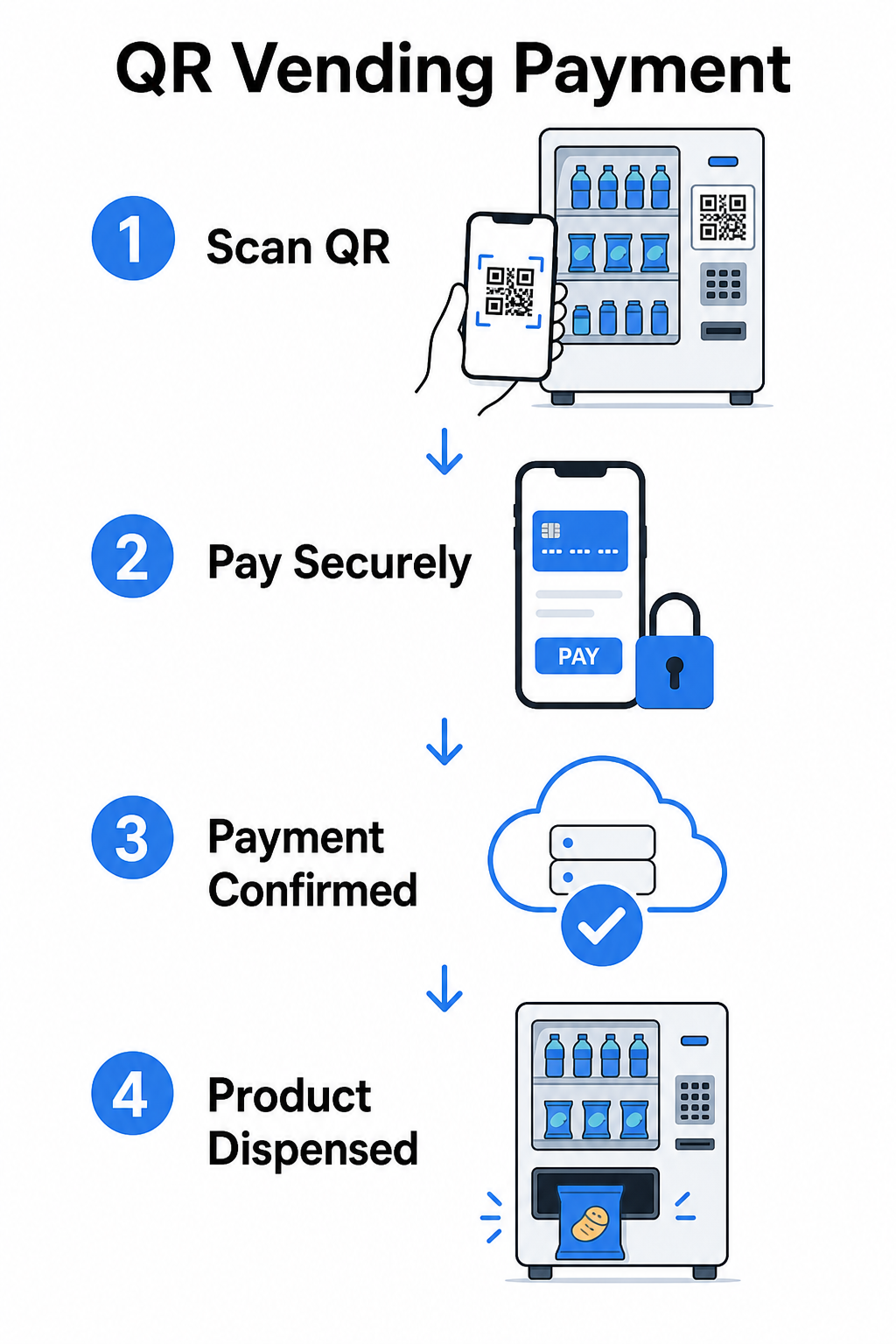
Der er to hovedtilgange til dette flow.
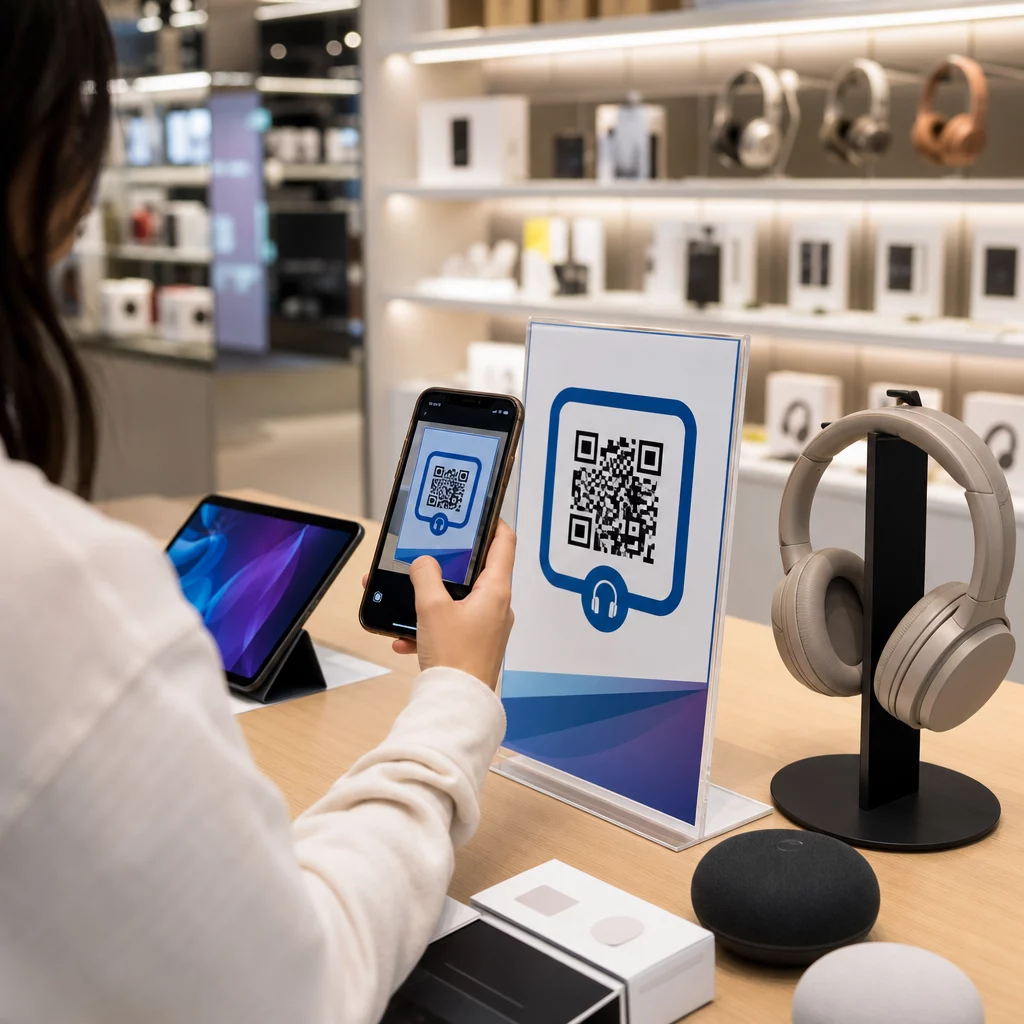
Forbruger scanner maskinens QR – Maskinen viser en statisk eller dynamisk QR-kode. Kunden åbner sin kamera-app, scanner koden og lander på en hostet betalingsside, der understøtter kort, PayPal, Apple Pay, Google Pay eller andre mobile tegnebøger. Når betalingsgatewayen godkender transaktionen, sender den en bekræftelse tilbage til maskinen via en API, hvilket udløser salget.
Maskine scanner forbrugerens QR – Kundens app genererer en QR-kode, der repræsenterer lagret værdi eller kontokreditter. Maskinens scanner læser den, systemet trækker det passende beløb, og maskinen aktiveres. Denne model er almindelig i lukkede systemer som campus- eller virksomhedskonti.
Begge arkitekturer er afhængige af backend-API'er til at bekræfte transaktioner, synkronisere lagerbeholdning og logge data på vareniveau. Den praktiske forskel er, hvem der scanner, og hvor betalingsoplysningerne befinder sig.
Accepter betalinger uden en kortlæser Har du brug for en enkel måde at omdanne en URL til et scanbart betalingspunkt? Den PayPal QR-kode generator lader dig oprette en brandet betalings-QR på få minutter – ingen hardware påkrævet.
Statiske vs. dynamiske QR-koder til salgsautomater
Ikke alle QR-koder opfører sig ens, og forskellen er vigtig for salgsautomatoperatører.
| FUNKTION | Statisk QR-kode | Dynamisk QR-kode |
|---|---|---|
| Destination kan redigeres efter udskrivning | Nej, det er det ikke | Ja |
| Scanningssporing og -analyse | Nej, det er det ikke | Ja |
| Deaktiveres, hvis kompromitteret | Nej, det er det ikke | Ja |
| Kræver genudskrivning for at opdatere | Ja | Nej, det er det ikke |
| Velegnet til permanente maskindekaler | Begrænset | Anbefalet |
EN statisk QR-kode koder en fast URL direkte ind i mønsteret. Hvis din betalingsudbyder ændrer sig, din checkout-URL opdateres, eller du ønsker at omdirigere til en kampagne, skal du udskrive en ny kode og fysisk udskifte den på hver maskine.
EN dynamisk QR-kode peger på et kort omdirigeringslink, som du kontrollerer. Du kan opdatere destinationen når som helst uden at røre den fysiske kode på maskinen. For en salgsautomatoperatør, der administrerer snesevis eller hundredvis af maskiner på tværs af flere lokationer, eliminerer denne fleksibilitet genudskrivningsomkostninger og reducerer vedligeholdelsesbesøg.
Dynamiske koder indfanger også scanningsanalyser – samlede scanninger, unikke scanninger, scanningstider og geografiske data – hvilket giver dig indsigt i, hvilke maskiner der genererer betalingsaktivitet, og hvornår.
Ud over betalinger: Andre måder QR-koder tilføjer værdi til salgsautomater
Kontantløs betaling er det mest oplagte anvendelsestilfælde, men QR-koder åbner op for flere andre operationelle og marketingmæssige muligheder.
Kundeengagement og loyalitet
En QR-kode på en salgsautomat kan linke til mere end en betalingsside. Du kan dirigere kunder til et loyalitetsprogram, hvor de scanner for at optjene point, få adgang til belønninger og indløse fordele øjeblikkeligt – hvilket erstatter besværet med fysiske loyalitetskort med en smartphone-baseret oplevelse. Disse programmer understøtter øjeblikkelig tilmelding, belønninger i realtid og personaliserede tilbud baseret på købsadfærd.
Du kan også levere digitale kuponer eller tidsbegrænsede rabatter til kunder, der scanner, hvilket skaber et incitament, der driver gentagne besøg til specifikke maskiner. Ved at linke en QR-kode til en betaling eller digitalt pas kompatibel med Apple Wallet eller Google Wallet tager dette et skridt videre, idet kunder kan gemme deres loyalitetsoplysninger direkte på deres telefon.
Fjernsupport til maskinstyring
QR-koder kan tjene en operationel funktion, der intet har at gøre med kunden. Ved at placere en unik QR-kode på hver maskine – linket til den pågældende maskines administrationsside eller serviceportal – får teknikere og rutechauffører øjeblikkelig adgang til den korrekte maskinregistrering, når de ankommer på stedet, uden at skulle søge gennem regneark eller ringe til kontoret for at identificere en enhed.
Når det kombineres med et telemetrisystem, betyder denne tilgang, at personen, der står foran en maskine, øjeblikkeligt kan trække dens transaktionshistorik, lagerstatus eller fejlrapport frem ved at scanne koden.
Genveje til vedligeholdelse og rapportering
En QR-kode knyttet til en rapporteringsformular lader kunder rapportere et fastklemt produkt, en defekt betalingslæser eller en maskine, der er løbet tør for varer – uden at kræve et telefonnummer eller en e-mailadresse. Indsendelsen er knyttet til den specifikke maskine, hvilket giver dit driftsteam handlingsorienteret information uden et besøg på stedet for at diagnosticere problemet.
Hold dine QR-koder fleksible Hvis du ønsker én kode, der kan tjene flere formål over tid – betalinger i dag, et loyalitetsprogram næste kvartal – brug Dynamisk QR-kode generator til at opdatere destinationer uden at genudskrive.
Hvad QR-kodeanalyse fortæller dig om dine maskiner
En undervurderet fordel ved dynamiske QR-koder er de data, de genererer. Hver scanning logges med et tidsstempel, placering og enhedstype. For automatsoperatører skaber dette et letvægtslag af adfærdsdata, der supplerer din telemetri.
Scanningsvolumen ved en specifik maskine kan fortælle dig:
- Hvornår kunder er mest aktive på den placering, hvilket hjælper dig med at optimere genopfyldningsplaner
- Om en maskine bliver ignoreret, hvilket kan indikere et placeringsproblem eller et problem med produktsortimentet
- Hvordan salgsfremmende ændringer performer, da du kan sammenligne scanningsrater før og efter opdatering af den linkede destination
For et dybere kig på, hvordan man opsætter og fortolker disse data, se guiden til sporing af QR-koder.
Sikkerheds- og complianceovervejelser
QR-kodebetalinger ved ubemandede maskiner introducerer specifikke sikkerhedsansvar, som operatører skal forstå før implementering.
PCI DSS gælder for dig
Hvis dine salgsautomater accepterer kredit- eller debetkortbetalinger via en QR-kode workflow, er du forpligtet til at overholde PCI DSS – Payment Card Industry Data Security Standard. Dette gælder uanset om betalingen behandles af en tredjeparts gateway. Den vejledning til PCI DSS-overholdelse for QR-kodebetalinger dækker dette i detaljer, men de vigtigste krav inkluderer:
- Kryptering af kortholderdata under transmission ved hjælp af protokoller som TLS
- Aldrig opbevaring af følsomme autentificeringsdata såsom CVV-koder, PIN-koder eller magnetstribedata efter godkendelse
- Validering af dit compliance-niveau gennem selvvurderingsspørgeskemaer eller tredjepartsrevisioner, afhængigt af din transaktionsvolumen
Operatører, der omdirigerer kunder til en hostet betalingsside administreret af en PCI-kompatibel gateway, reducerer deres compliance-omfang betydeligt, da kortholderdata aldrig rører deres egne systemer.
Fysisk manipulation er en reel risiko
Ubemandede maskiner er sårbare over for en specifik svindelmetode: nogen placerer et svigagtigt QR-kodeklistermærke over dit legitime. Kunden scanner, hvad der ser ud til at være din betalingskode, men omdirigeres til en phishing-side, der fanger deres betalingsoplysninger. Afbødende foranstaltninger inkluderer:
- Brug af manipulationssikre materialer til QR-kode skiltning
- Anvendelse af brandede QR-koder, der inkluderer dit logo og farver, hvilket gør uautoriserede udskiftninger visuelt tydelige
- Instruktion af rutechauffører til at inspicere QR-koder under regelmæssige besøg
- Aktivering af realtids scanningsanalyse, så usædvanlige geografiske scanningsmønstre – for eksempel scanninger, der stammer langt fra maskinens kendte placering – udløser en alarm
For en fuld gennemgang af QR-betalingsrisici og hvordan man håndterer dem, se guiden om QR-koderisici i betalinger og hvordan man mindsker dem.
Designretningslinjer for QR-koder til salgsautomater
En QR-kode, der ikke scanner pålideligt, skaber kundefustration præcis i det øjeblik, de ønsker en hurtig transaktion. Følg disse praktiske retningslinjer for at gøre det rigtigt.
Størrelse og scanningsafstand – Brug forholdet 10:1 som din baseline: en kode scannet fra 20 tommer væk bør være mindst 2 tommer bred. De fleste interaktioner med salgsautomater sker i armslængde, så en kode på mellem 2 og 3 tommer i kvadrat er passende til placering i ansigtshøjde. Den guide til QR-kodestørrelse dækker denne formel i detaljer for forskellige sammenhænge.
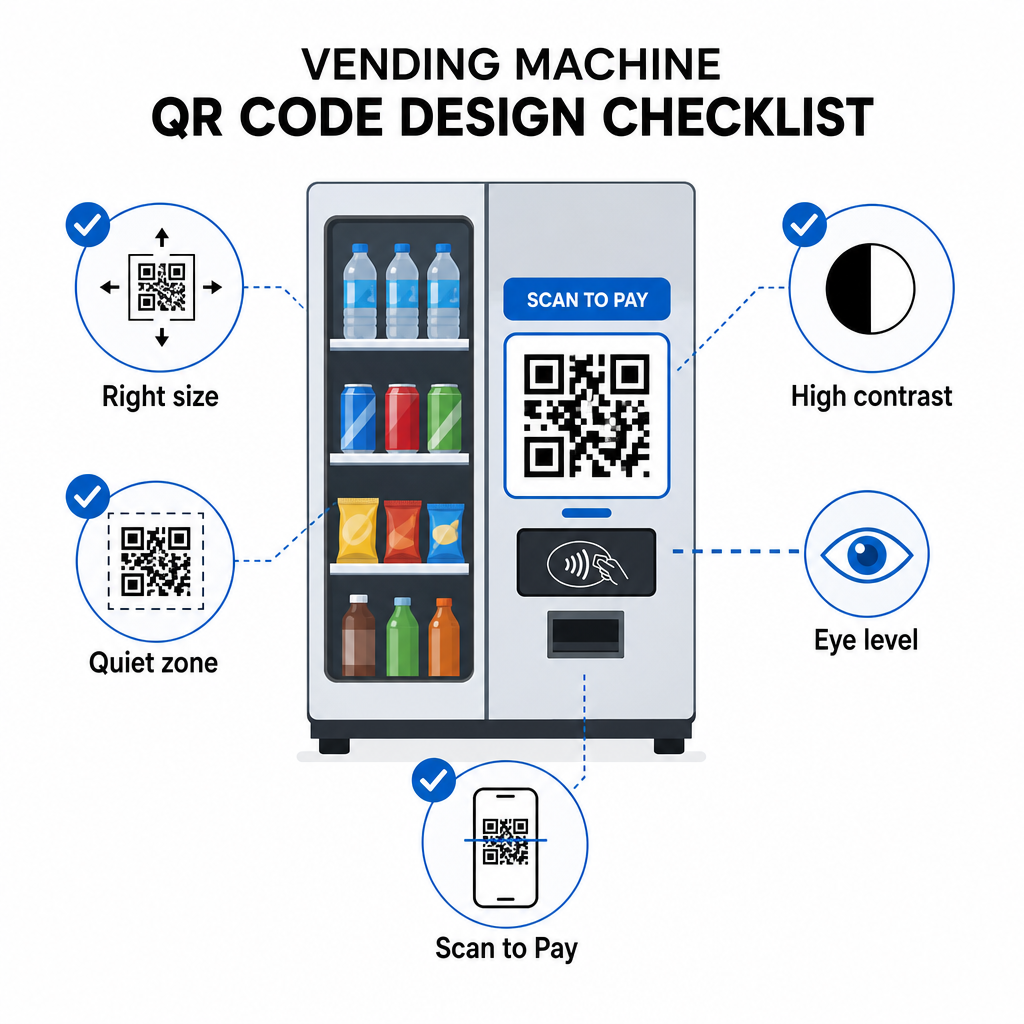
Farve og kontrast – Mørke mønstre på en lys baggrund scanner mest pålideligt. Sort på hvid er den mest konsistente kombination. Hvis du bruger brandede farver, skal du sigte efter et kontrastforhold på mindst 4:1 mellem QR-modulfarven og baggrunden, med 4,5:1 foretrukket. Retningslinjerne for QR-kodelæsbarhed forklarer, hvorfor kontrast direkte påvirker, om en scanner kan detektere kodemønsteret under forskellige lysforhold.
Stillezone – Oprethold en klar tom margen omkring QR-koden. Placering af designelementer, tekst eller branding inden for denne kant kan forhindre scannere i korrekt at identificere kodens grænser.
Printformat – Til fysisk anvendelse på maskiner, eksporter QR-koder i vektorformater som SVG, EPS eller PDF for at sikre, at de forbliver skarpe i enhver størrelse og ikke mister scanningsmulighed på grund af pixelering.
Må ikke forvrænges – QR-koder skal forblive kvadratiske. At strække eller komprimere koden for at passe til en skabelon vil fejljustere de interne moduler og gøre den ulæselig.
Giv en klar opfordring til handling – Mærk koden tydeligt: “Scan for at betale,” “Scan for kontantløs betaling,” eller “Scan for at optjene point.” Kunder ved en salgsautomat browser ikke – de ønsker at udføre en opgave hurtigt, og en direkte mærkning fjerner tøven.
Kom godt i gang: Implementeringstrin
Hvis du tilføjer QR-kodebetalinger til eksisterende maskiner, ser den typiske vej sådan ud:
- Vælg en betalingsgateway der understøtter QR-baseret checkout og er PCI DSS-certificeret. Gatewayen leverer den hostede betalingsside, din QR-kode vil linke til.
- Generer en dynamisk QR-kode for hver maskine, der linker til den maskines unikke checkout-URL. Brug af dynamiske QR-koder betyder, at du kan opdatere betalingsdestinationer eller tilføje funktioner senere uden at udskifte fysisk skiltning.
- Brand koden med dit logo og farveskema for at gøre den genkendelig og sværere at manipulere med.
- Anvend koden på hver maskine i øjenhøjde ved hjælp af manipulationssikre materialer.
- Test på tværs af flere enheder før fuld implementering – scan koden med både iOS- og Android-enheder under de lysforhold, der er til stede på hver maskinplacering.
- Overvåg scanningsanalyser efter lancering for at identificere maskiner med lavt engagement, spore betalingsaktivitet og opdage eventuelle unormale scanningsmønstre.
For operatører, der accepterer internationale betalingsmetoder som Alipay eller WeChat Pay, er der yderligere integrationstrin beskrevet i guiden til Alipay og WeChat Pay QR-kodeintegration.
QR-koder giver salgsautomatoperatører en lavbarrierevej til kontantløse betalinger, kundefastholdelsesværktøjer og bedre operationel synlighed – alt sammen uden at udskifte eksisterende hardware. De mest holdbare implementeringer bruger dynamiske koder, så det fysiske klistermærke på maskinen kan tjene skiftende formål over tid uden et teknikerbesøg. Start med en enkelt placering, mål ydeevne gennem scanningsanalyse, og udvid baseret på, hvad dataene viser.
Opret din første salgsautomat QR-kode Brug QR-kodegenerator for at bygge en brandet, sporbar kode til dine maskiner – eller udforsk hele udvalget af branchespecifikke QR-løsninger for at finde den rigtige tilgang til din drift.
Ofte stillede spørgsmål
I de fleste implementeringer, nej. Når en maskine viser en QR-kode, der er linket til en hostet betalingsside, kan kunder scanne den ved hjælp af deres telefons indbyggede kamera-app og gennemføre transaktionen i deres browser ved hjælp af et gemt kort eller en mobilpung. Nogle lukkede systemer – som campus-kontoapps – kræver en specifik app, men åbne betalingsflows er designet til at fungere uden en.
Ja. En statisk eller dynamisk QR-kode, der er linket til en hostet checkout-side, kan anvendes som et klistermærke eller trykt indlæg på de fleste eksisterende maskiner. Betalingsautorisationen håndteres af gatewayens backend, som kommunikerer med maskinens kontantløse interface for at udløse salget. Dette gør QR til en relativt billig opgradering sammenlignet med installation af en ny kortlæser.
En kunde, der scanner den svigagtige kode, vil blive omdirigeret til en anden side i stedet for din checkout. Du kan reducere denne risiko ved at bruge brandede QR-koder, der inkluderer dit logo – hvilket gør manipulation visuelt tydelig – og anvende manipulationssikre materialer, der viser skade, når klistermærket fjernes. Dynamisk QR-kodeanalyse kan også hjælpe: hvis scanninger pludselig falder til nul eller stammer fra uventede steder, er det et signal til at undersøge den fysiske kode på den maskine.