Elriasztják az automatái azokat a vásárlókat, akik nem hordanak készpénzt? Mivel a készpénzmentes automaták az USA automatás bevételének 75%-át teszik ki 2024-ben, azok az üzemeltetők, akik kizárólag érmékre és bankjegyekre támaszkodnak, valódi pénzt hagynak az asztalon. Ez az útmutató elmagyarázza, hogyan működnek a QR-kódok az automatákban, mit tehetnek a fizetéseken túl, és hogyan lehet őket hatékonyan bevezetni.
Hogyan működnek a QR-kódos fizetések egy automatánál
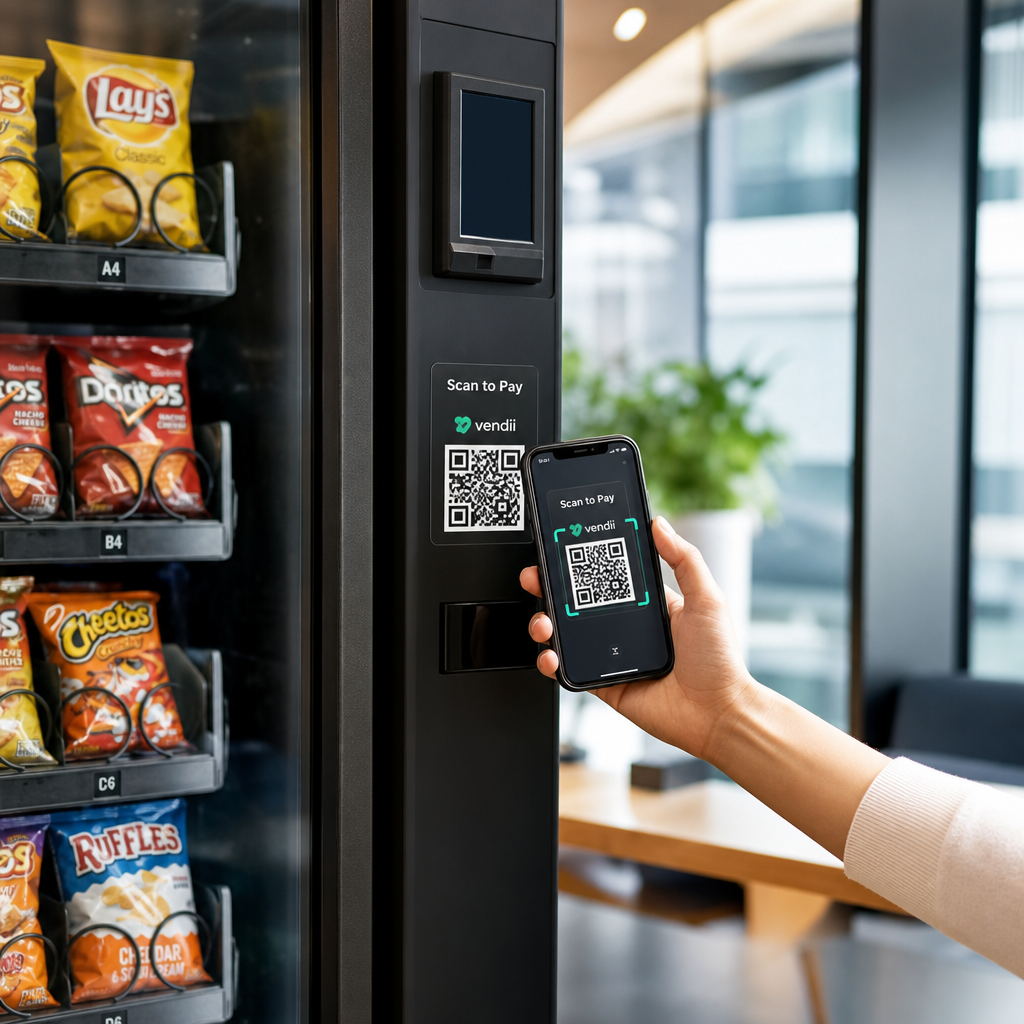
Az alapkoncepció egyszerű: ahelyett, hogy kártyát vagy készpénzt helyezne be, a vásárló beolvas egy, az automatán megjelenített QR-kódot, befejezi a fizetést a telefonján, és az automata megerősítő jelet kap, mielőtt kiadja a terméket.
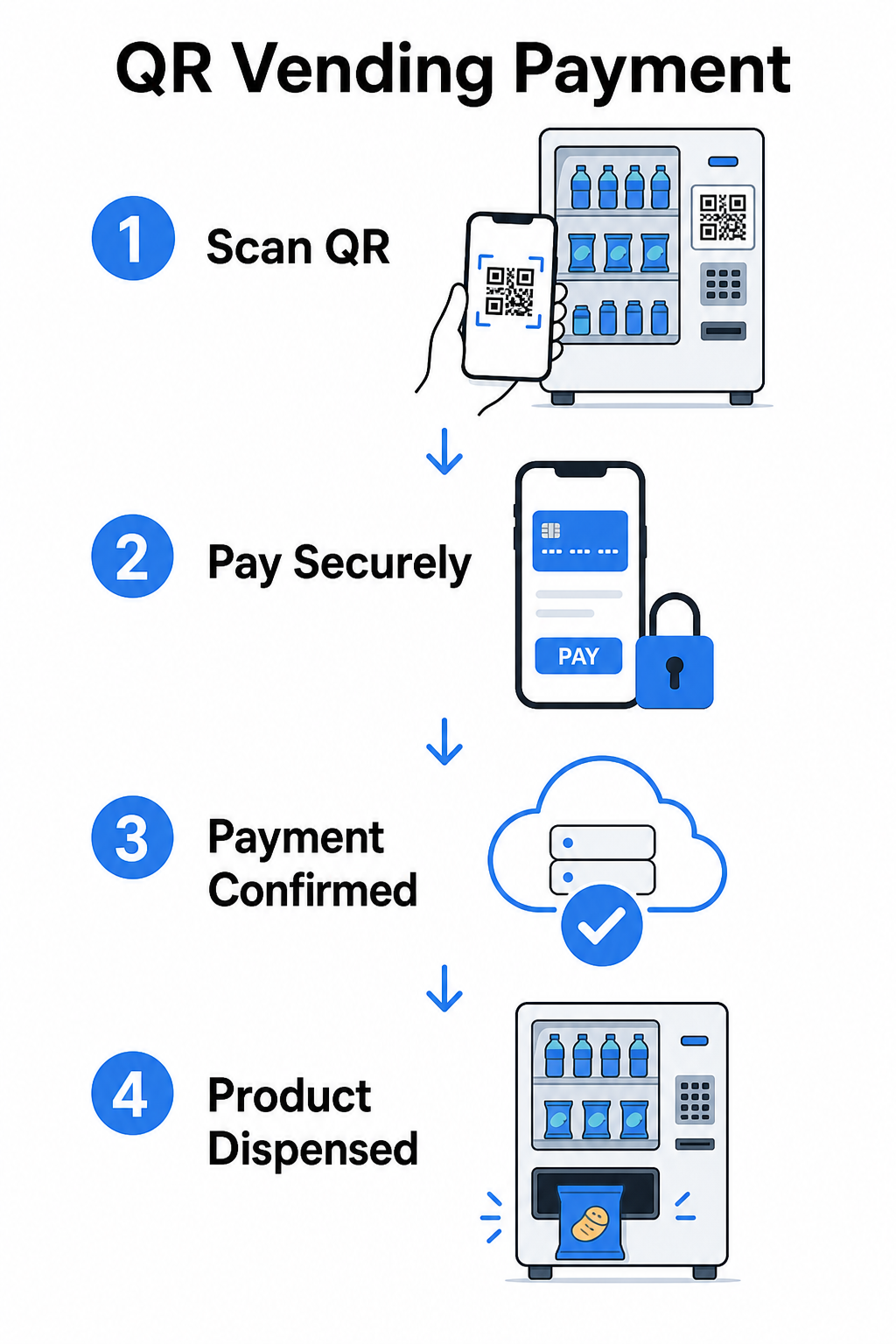
Ennek a folyamatnak két fő megközelítése van.
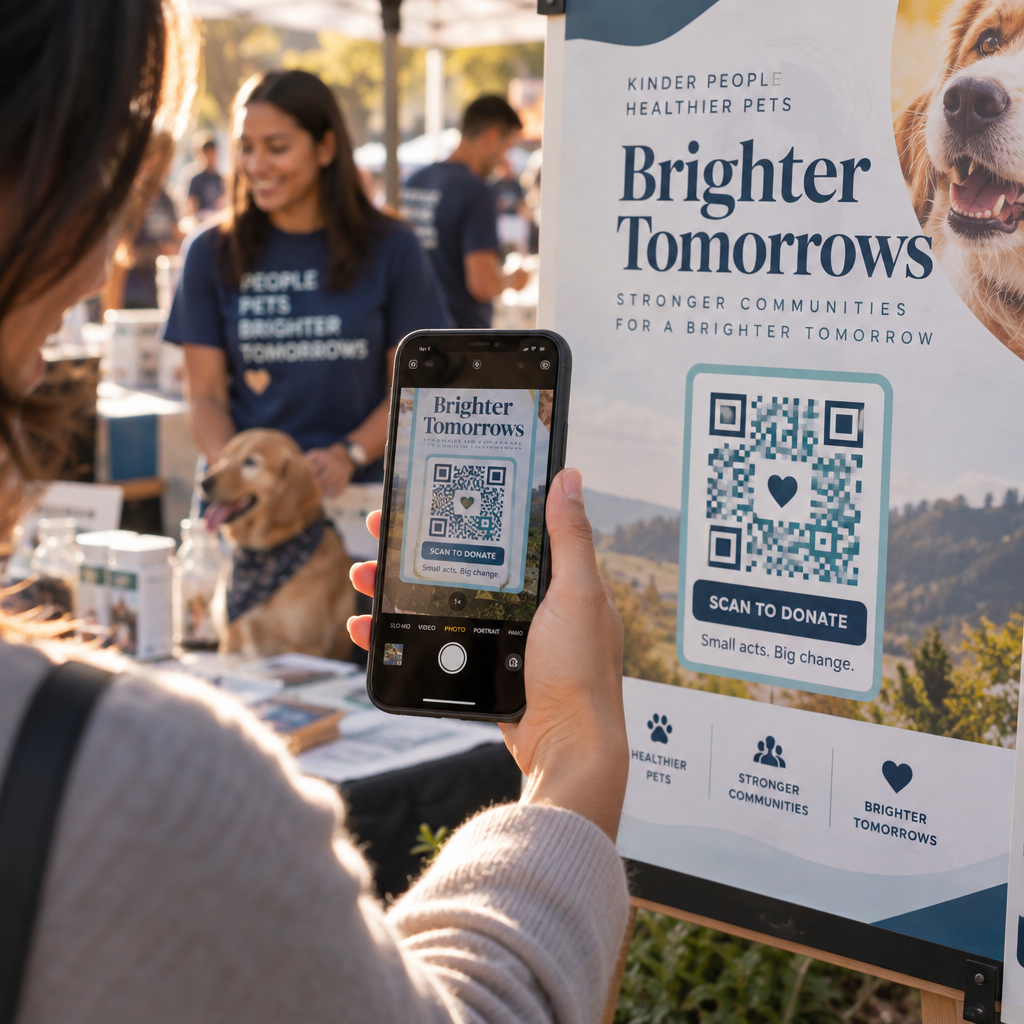
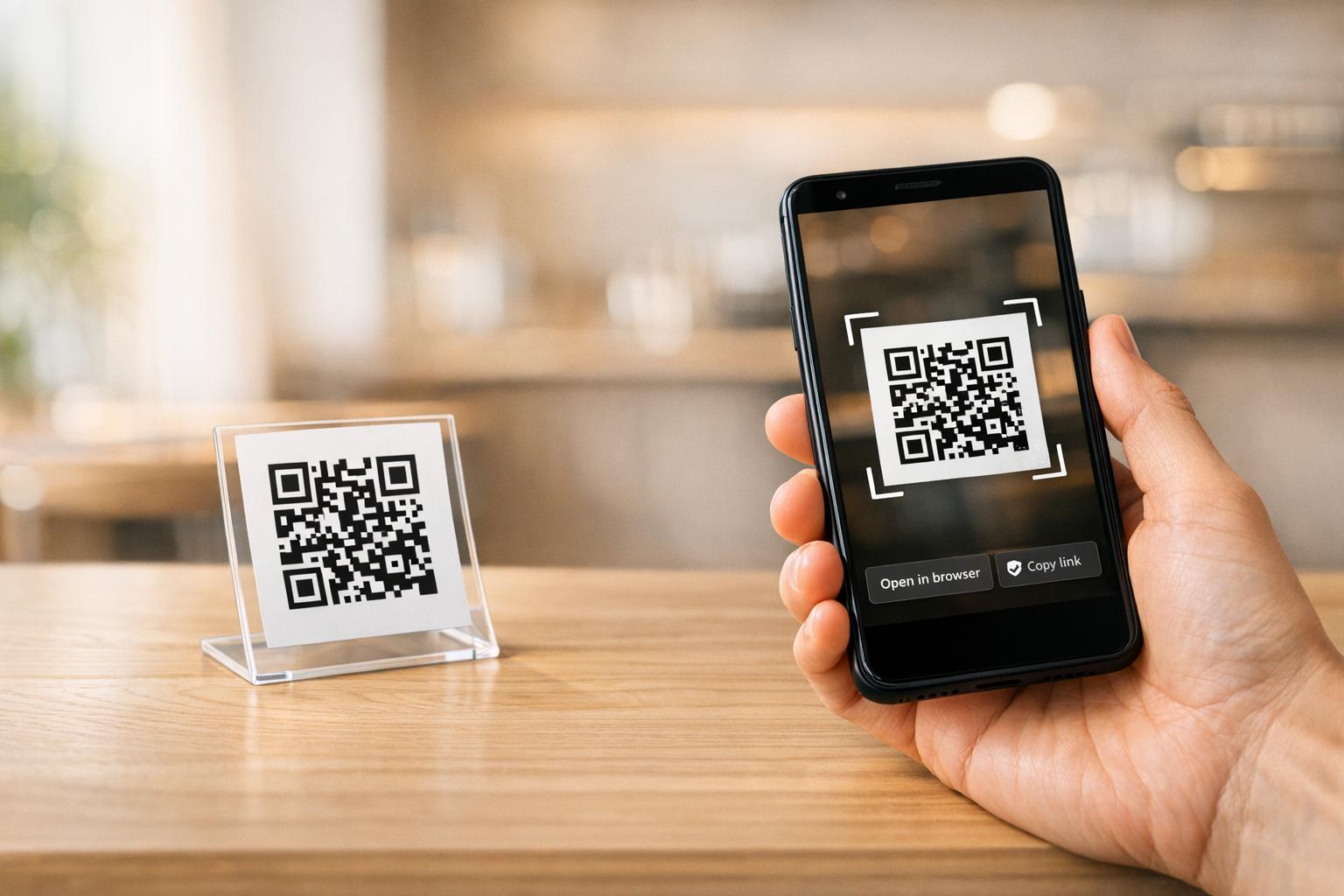
Fogyasztó beolvassa az automata QR-kódját – Az automata statikus vagy dinamikus QR-kódot jelenít meg. A vásárló megnyitja a kamera alkalmazását, beolvassa a kódot, és egy hosztolt fizetési oldalra jut, amely támogatja a kártyákat, a PayPal-t, az Apple Pay-t, a Google Pay-t vagy más mobil pénztárcákat. Amint a fizetési átjáró engedélyezi a tranzakciót, API-n keresztül visszaküld egy megerősítést az automatának, elindítva az árukiadást.
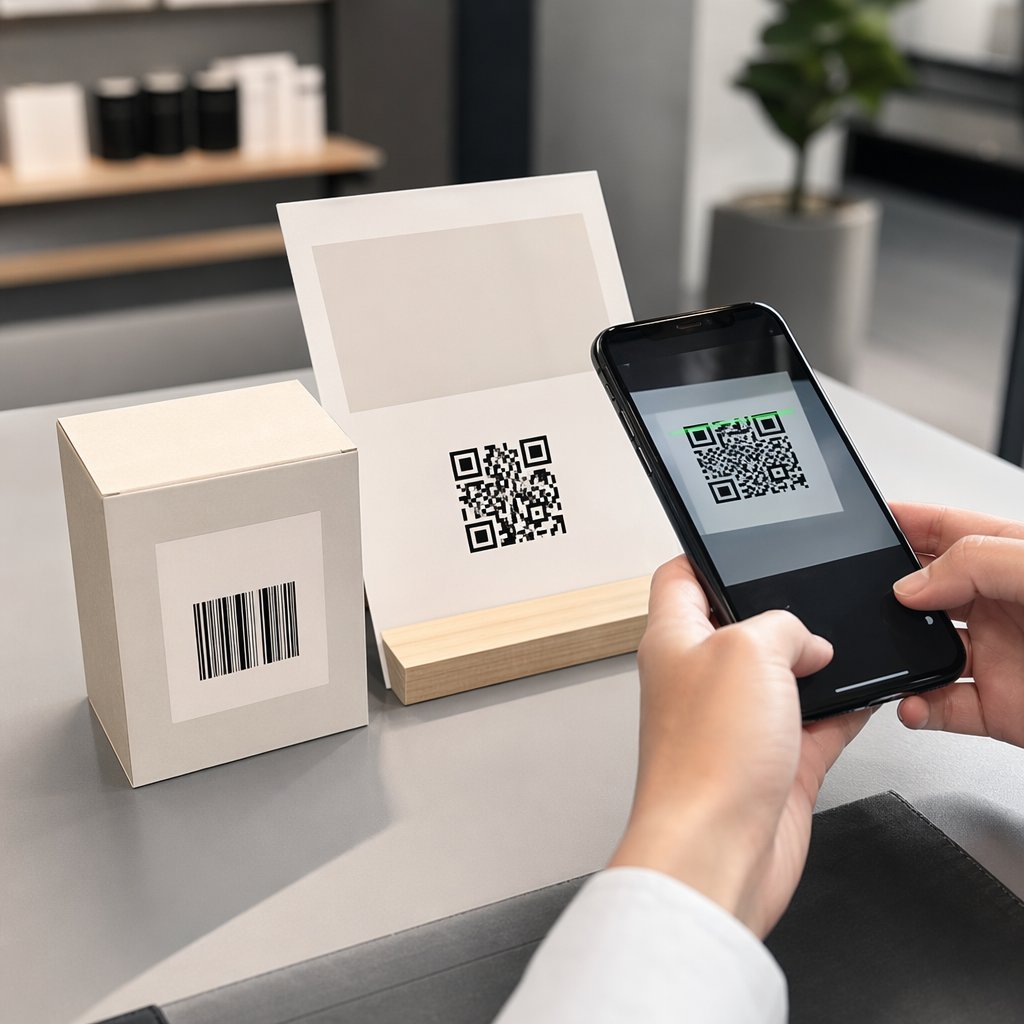
Automata beolvassa a fogyasztó QR-kódját – A vásárló alkalmazása egy QR-kódot generál, amely tárolt értéket vagy számlaegyenleget képvisel. Az automata szkennere beolvassa, a rendszer levonja a megfelelő összeget, és az automata aktiválódik. Ez a modell gyakori zárt rendszerekben, mint például egyetemi vagy vállalati számláknál.
Mindkét architektúra backend API-kra támaszkodik a tranzakciók megerősítéséhez, a készlet szinkronizálásához és az elem szintű adatok naplózásához. A gyakorlati különbség az, hogy ki végzi a beolvasást, és hol találhatók a fizetési adatok.
Fizetések elfogadása kártyaolvasó nélkül Szüksége van egy egyszerű módra, hogy egy URL-t beolvasható fizetési ponttá alakítson? A PayPal pénzfogadás QR kóddal lehetővé teszi, hogy percek alatt márkás fizetési QR-kódot hozzon létre – nincs szükség hardverre.
Statikus vs. Dinamikus QR-kódok automatákhoz
Nem minden QR-kód viselkedik ugyanúgy, és a különbség számít az automata üzemeltetők számára.
| FUNKCIÓ | Statikus QR-kód | Dinamikus QR-kód |
|---|---|---|
| Cél szerkeszthető nyomtatás után | Nem | Igen |
| Szkenneléskövetés és elemzés | Nem | Igen |
| Kikapcsolás kompromittálás esetén | Nem | Igen |
| Újra nyomtatást igényel a frissítéshez | Igen | Nem |
| Alkalmas állandó automata matricákhoz | Korlátozott | Ajánlott |
A statikus QR-kód egy rögzített URL-t kódol közvetlenül a mintába. Ha a fizetési szolgáltatója megváltozik, a fizetési URL-je frissül, vagy egy promócióra szeretne átirányítani, új kódot kell nyomtatnia és fizikailag ki kell cserélnie minden gépen.
A dinamikus QR-kód egy rövid átirányítási linkre mutat, amelyet Ön irányít. Bármikor frissítheti a célállomást anélkül, hogy megérintené az automata fizikai kódját. Egy automata üzemeltető számára, aki több tucat vagy több száz gépet kezel több helyszínen, ez a rugalmasság kiküszöböli az újranyomtatási költségeket és csökkenti a karbantartási látogatásokat.
A dinamikus kódok beolvasási analitikát is rögzítenek – összes beolvasás, egyedi beolvasások, beolvasási idők és földrajzi adatok – betekintést nyújtva abba, hogy mely gépek generálnak fizetési tevékenységet és mikor.
A fizetéseken túl: Más módok, ahogyan a QR-kódok értéket adnak az automatáknak
A készpénzmentes fizetés a legnyilvánvalóbb felhasználási eset, de a QR-kódok számos más működési és marketing lehetőséget is megnyitnak.
Ügyfélkapcsolat és hűség
Egy automata QR-kódja többre is mutathat, mint egy fizetési oldalra. Irányíthatja az ügyfeleket egy hűségprogramba, ahol beolvasással pontokat szerezhetnek, jutalmakhoz férhetnek hozzá és azonnal beválthatják az előnyöket – felváltva a fizikai hűségkártyák súrlódását egy okostelefon-alapú élménnyel. Ezek a programok támogatják az azonnali regisztrációt, a valós idejű jutalmakat és a vásárlási viselkedésen alapuló személyre szabott ajánlatokat.
Digitális kuponokat vagy korlátozott idejű kedvezményeket is kínálhat a beolvasó ügyfeleknek, ösztönzőt teremtve, amely ismételt látogatásokat generál bizonyos gépekhez. Egy QR-kód összekapcsolása egy fizetési vagy digitális bérlettel amely kompatibilis az Apple Wallet vagy Google Wallet alkalmazással, egy lépéssel tovább viszi ezt, lehetővé téve az ügyfelek számára, hogy hűségadataikat közvetlenül a telefonjukra mentsék.
Távoli gépkezelési támogatás
A QR-kódok olyan működési funkciót is elláthatnak, amelynek semmi köze az ügyfélhez. Egyedi QR-kód elhelyezése minden gépen – amely az adott gép kezelési oldalára vagy szolgáltatási portáljára mutat – azonnali hozzáférést biztosít a technikusoknak és útvonalvezetőknek a megfelelő gépnyilvántartáshoz, amikor a helyszínre érkeznek, anélkül, hogy táblázatokban kellene keresgélniük vagy fel kellene hívniuk az irodát egy egység azonosításához.
Telemetriai rendszerrel kombinálva ez a megközelítés azt jelenti, hogy a gép előtt álló személy azonnal lekérheti annak tranzakciós előzményeit, készletállapotát vagy hibajelentését a kód beolvasásával.
Karbantartási és jelentési parancsikonok
Egy jelentési űrlaphoz kapcsolt QR-kód lehetővé teszi az ügyfeleknek, hogy jelezzenek egy elakadt terméket, egy hibás fizetési olvasót vagy egy kifogyott automatát – telefonszám vagy e-mail cím megadása nélkül. A beküldés az adott géphez van kötve, akcióképes információt adva az üzemeltetési csapatnak helyszíni látogatás nélkül a probléma diagnosztizálásához.
Tartsa rugalmasan QR-kódjait Ha egy olyan kódot szeretne, amely idővel több célt is szolgálhat – fizetések ma, hűségprogram a következő negyedévben – használja a Dinamikus QR-kód generátor a célok frissítéséhez újra nyomtatás nélkül.
Mit árulnak el a QR-kód elemzések az Ön gépeiről
A dinamikus QR-kódok egyik alulértékelt előnye az általuk generált adatok. Minden szkennelés naplózásra kerül időbélyeggel, helyszínnel és eszköz típussal. Az automata üzemeltetők számára ez egy könnyű viselkedési adatréteget hoz létre, amely kiegészíti a telemetriáját.
Egy adott gép szkennelési volumene elárulhatja Önnek:
- Mikor a legaktívabbak az ügyfelek azon a helyszínen, segítve az újratöltési ütemtervek optimalizálását
- Hogy egy gépet figyelmen kívül hagynak-e, ami elhelyezési problémát vagy termékválaszték-problémát jelezhet
- Hogyan teljesítenek a promóciós változások, mivel összehasonlíthatja a szkennelési arányokat a kapcsolt cél frissítése előtt és után
Az adatok beállításának és értelmezésének mélyebb megismeréséhez lásd a útmutatót a QR-kódok követése.
Biztonsági és megfelelőségi szempontok
A felügyelet nélküli gépeknél történő QR-kódos fizetések specifikus biztonsági felelősségeket vezetnek be, amelyeket az üzemeltetőknek meg kell érteniük a telepítés előtt.
A PCI DSS Önre is vonatkozik
Ha az Ön automatái elfogadnak hitel- vagy bankkártyás fizetéseket QR-kódos munkafolyamaton keresztül, Önnek meg kell felelnie a PCI DSS-nek – a Fizetési Kártyaipar Adatbiztonsági Szabványának. Ez akkor is érvényes, ha a fizetést harmadik fél átjárója dolgozza fel. A QR-kódos fizetések PCI DSS megfelelőségi útmutatója részletesen tárgyalja ezt, de a kulcsfontosságú követelmények a következők:
- Kártyabirtokos adatok titkosítása átvitel során olyan protokollok használatával, mint a TLS
- Soha ne tároljon érzékeny hitelesítési adatokat például CVV kódokat, PIN-eket vagy mágnescsík adatokat az engedélyezés után
- Megfelelőségi szintjének érvényesítése Önértékelési Kérdőívekkel vagy harmadik fél által végzett auditokkal, az Ön tranzakciós volumenétől függően
Azok az üzemeltetők, akik az ügyfeleket egy hosztolt fizetési oldalra irányítják át, amelyet egy PCI-kompatibilis átjáró kezel, jelentősen csökkentik megfelelőségi hatókörüket, mivel a kártyabirtokos adatok soha nem érintik saját rendszereiket.
A fizikai manipuláció valós kockázat
A felügyelet nélküli gépek sebezhetőek egy specifikus csalási vektorral szemben: valaki egy csaló QR-kód matricát helyez el az Ön legális kódja fölé. Az ügyfél beolvassa azt, ami az Ön fizetési kódjának tűnik, de egy adathalász oldalra irányítódik át, amely rögzíti a fizetési adatait. A mérséklési lépések a következők:
- Manipulációt jelző anyagok használata a QR-kód jelzésekhez
- Márkás QR-kódok alkalmazása, amelyek tartalmazzák az Ön logóját és színeit, így a jogosulatlan cserék vizuálisan nyilvánvalóvá válnak
- Az útvonalon dolgozó sofőrök utasítása a QR-kódok ellenőrzésére a rendszeres látogatások során
- Valós idejű szkennelési elemzések engedélyezése, hogy a szokatlan földrajzi szkennelési minták – például a gép ismert helyétől távolról származó szkennelések – riasztást váltsanak ki
A QR-fizetési kockázatok teljes áttekintéséhez és azok kezeléséhez lásd a útmutatót a QR-kód kockázatai a fizetésekben és azok enyhítése.
Tervezési irányelvek az automata QR-kódokhoz
Egy megbízhatatlanul szkennelhető QR-kód ügyfélfrusztrációt okoz pontosan abban a pillanatban, amikor gyors tranzakciót szeretnének. Kövesse ezeket a gyakorlati irányelveket, hogy jól csinálja.
Méret és szkennelési távolság – Használja a 10:1 arányt alapként: egy 20 hüvelyk távolságból szkennelt kódnak legalább 2 hüvelyk szélesnek kell lennie. A legtöbb automata interakció karnyújtásnyira történik, így egy 2 és 3 hüvelyk közötti négyzet alakú kód megfelelő az arc szintjén történő elhelyezéshez. A QR-kód méretezési útmutatónkban részletesen tárgyalja ezt a képletet különböző kontextusokban.
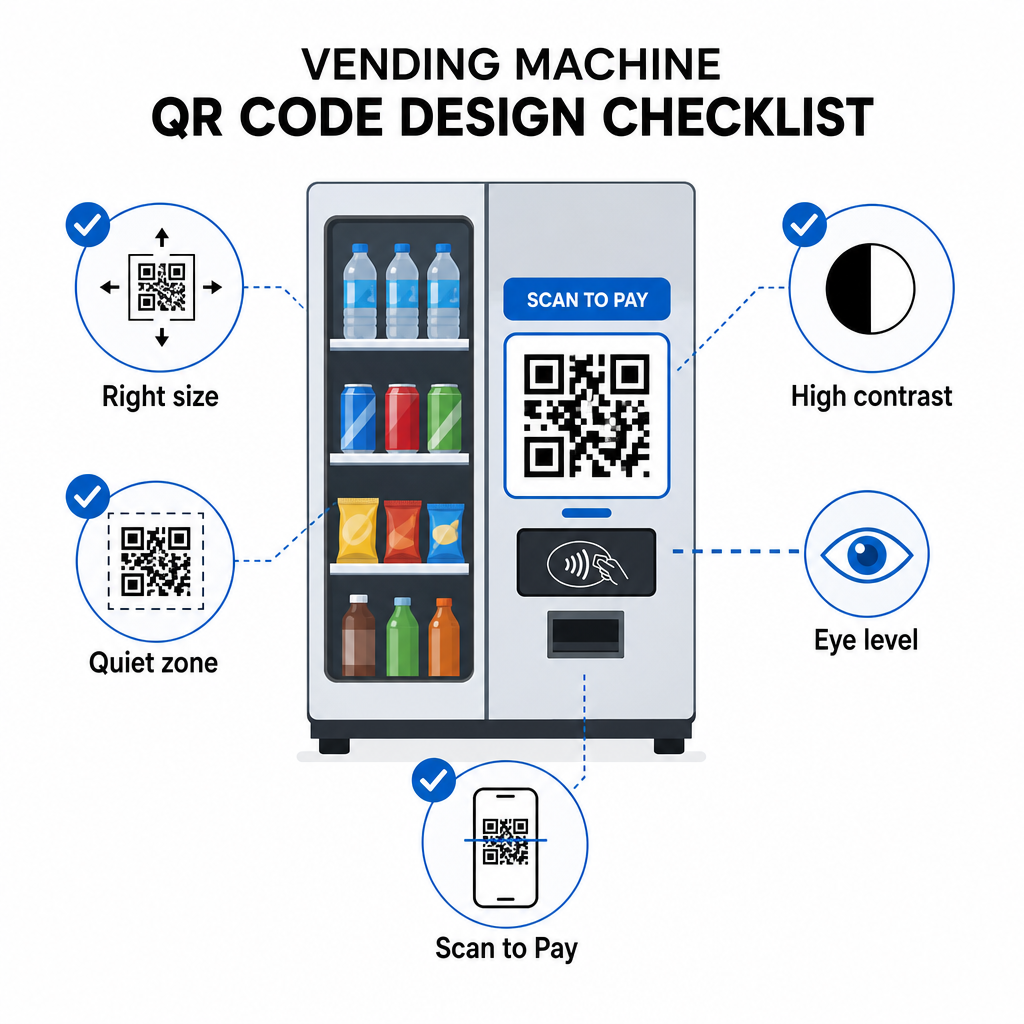
Szín és kontraszt – A világos háttéren lévő sötét minták szkennelhetők a legmegbízhatóbban. A fekete fehéren a legkonzisztensebb kombináció. Ha márkás színeket használ, törekedjen legalább 4:1 kontrasztarányra a QR modul színe és a háttér között, 4.5:1 előnyben részesítve. Az irányelvek a QR-kód olvashatóságát magyarázzák, miért befolyásolja közvetlenül a kontraszt, hogy egy szkenner képes-e észlelni a kódmintát különböző fényviszonyok között.
Csendes zóna – Tartson tiszta, üres margót a QR-kód körül. Tervezési elemek, szöveg vagy márkajelzés elhelyezése ezen a határon belül megakadályozhatja a szkennereket a kódhatárok helyes azonosításában.
Nyomtatási formátum – Gépeken történő fizikai alkalmazáshoz exportálja a QR-kódokat vektoros formátumokban, mint például SVG, EPS vagy PDF, hogy bármilyen méretben élesek maradjanak, és ne veszítsék el szkennelhetőségüket a pixeláció miatt.
Ne torzítsa – A QR-kódoknak négyzet alakúaknak kell maradniuk. A kód nyújtása vagy tömörítése egy sablonhoz való illesztéshez eltolja a belső modulokat, és olvashatatlanná teszi azt.
Adjon meg egy világos cselekvésre ösztönzést – Címkézze fel egyértelműen a kódot: “Fizetéshez szkenneljen”, “Készpénzmentes fizetéshez szkenneljen” vagy “Pontgyűjtéshez szkenneljen”. Az automatánál lévő vásárlók nem böngésznek – gyorsan el akarnak végezni egy feladatot, és egy közvetlen címke megszünteti a habozást.
Első lépések: Megvalósítási lépések
Ha QR-kódos fizetéseket ad hozzá meglévő gépekhez, a tipikus út így néz ki:
- Válasszon egy fizetési átjárót amely támogatja a QR-alapú fizetést és PCI DSS tanúsítvánnyal rendelkezik. Az átjáró biztosítja a hosztolt fizetési oldalt, amelyre a QR-kódja hivatkozni fog.
- Generáljon egy dinamikus QR-kódot minden géphez, amely az adott gép egyedi fizetési URL-jére hivatkozik. Használata dinamikus QR kódok azt jelenti, hogy később frissítheti a fizetési célokat vagy funkciókat adhat hozzá anélkül, hogy lecserélné a fizikai jelzéseket.
- Márkázza a kódot logójával és színsémájával, hogy felismerhetővé és nehezebben manipulálhatóvá tegye.
- Alkalmazza a kódot minden géphez szemmagasságban, manipulációt jelző anyagok használatával.
- Tesztelje több eszközön a teljes telepítés előtt – szkennelje be a kódot iOS és Android eszközökkel egyaránt, az adott gép helyszínén uralkodó fényviszonyok között.
- Figyelje a szkennelési analitikát indítás után az alacsony elkötelezettségű gépek azonosítására, a fizetési tevékenység nyomon követésére és az esetleges rendellenes szkennelési minták észlelésére.
A nemzetközi fizetési módokat, mint az Alipay vagy a WeChat Pay, elfogadó üzemeltetők számára további integrációs lépések vannak, amelyek a útmutatóban tárgyalva vannak az Alipay és WeChat Pay QR-kód integrációja.
A QR-kódok alacsony akadályú utat biztosítanak az automata üzemeltetőknek a készpénzmentes fizetésekhez, ügyfélkapcsolati eszközökhöz és jobb működési átláthatósághoz – mindezt a meglévő hardver cseréje nélkül. A legtartósabb megvalósítások dinamikus kódokat használnak, így a gépen lévő fizikai matrica idővel változó célokat szolgálhat technikus látogatása nélkül. Kezdje egyetlen helyszínnel, mérje a teljesítményt a szkennelési analitika segítségével, és bővítse az adatok alapján.
Hozza létre első automatás QR-kódját Használja a QR Kód Generátor hogy márkás, nyomon követhető kódot építsen gépeihez – vagy fedezze fel a teljes kínálatot ágazatspecifikus QR-megoldások hogy megtalálja a megfelelő megközelítést az Ön működéséhez.
Gyakori kérdések
A legtöbb megvalósításban nem. Amikor egy gép QR-kódot jelenít meg, amely egy hosztolt fizetési oldalra hivatkozik, a vásárlók beolvashatják azt telefonjuk natív kamera alkalmazásával, és befejezhetik a tranzakciót böngészőjükben mentett kártya vagy mobil pénztárca használatával. Néhány zárt rendszer – mint például az egyetemi számlaalkalmazások – igényelnek egy specifikus alkalmazást, de a nyílt fizetési folyamatokat úgy tervezték, hogy anélkül is működjenek.
Igen. Egy statikus vagy dinamikus QR-kód, amely egy hosztolt fizetési oldalra hivatkozik, matricaként vagy nyomtatott betétként alkalmazható a legtöbb meglévő géphez. A fizetési engedélyezést az átjáró backendje kezeli, amely kommunikál a gép készpénzmentes felületével az eladás indításához. Ez viszonylag alacsony költségű frissítéssé teszi a QR-t egy új kártyaolvasó telepítéséhez képest.
Egy vásárló, aki beolvassa a csaló kódot, egy másik oldalra lesz átirányítva a fizetési oldala helyett. Ezt a kockázatot csökkentheti márkás QR-kódok használatával, amelyek tartalmazzák az Ön logóját – vizuálisan nyilvánvalóvá téve a manipulációt –, és manipulációt jelző anyagok alkalmazásával, amelyek sérülést mutatnak, ha a matricát eltávolítják. A dinamikus QR-kód analitika is segíthet: ha a szkennelések hirtelen nullára esnek, vagy váratlan helyekről származnak, az egy jelzés, hogy vizsgálja meg az adott gép fizikai kódját.