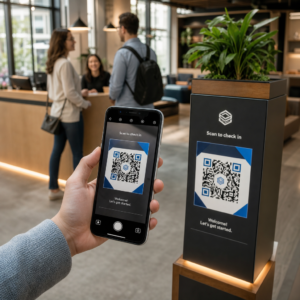
Apakah kampanye kode QR Anda memberikan konten generik yang sama kepada setiap pelanggan, terlepas dari lokasi mereka? Ketidaksesuaian itu merugikan Anda dalam konversi. Panduan ini menjelaskan cara kerja kode QR yang ditargetkan secara geografis, mengapa konten spesifik lokasi mendorong penjualan yang lebih tinggi, dan strategi praktis yang dapat Anda gunakan untuk membangun kampanye yang merespons lokasi pelanggan Anda sebenarnya.
Apa Itu Kode QR Bertarget Geografis dan Cara Kerjanya
Kode QR bertarget geografis adalah kode QR dinamis yang memberikan konten berbeda tergantung pada lokasi pemindaiannya. Tidak seperti kode QR statis, yang selalu mengarah ke tujuan tetap yang sama, kode QR dinamis mengarahkan pemindaian melalui server platform terlebih dahulu. Server tersebut dapat menerapkan aturan berbasis lokasi sebelum mengarahkan pengguna ke halaman arahan, penawaran, atau konten yang sesuai.
Misalnya, kode QR pada selebaran restoran mungkin menampilkan promo makan siang kepada seseorang yang memindai di pusat kota Chicago, sementara kode fisik yang sama mempromosikan penawaran makanan keluarga kepada seseorang yang memindai di lingkungan pinggiran kota. Satu aset cetak, berbagai pengalaman terlokalisasi.
Ini bekerja melalui dua metode deteksi lokasi utama:
- Pelacakan berbasis IP – Mengidentifikasi perkiraan lokasi pengguna secara otomatis dari alamat IP perangkat mereka. Tidak diperlukan persetujuan pengguna, dan memberikan akurasi tingkat kota sekitar 50–70%. Ini adalah pendekatan paling umum untuk penargetan kampanye regional.
- Pelacakan berbasis GPS – Mengidentifikasi lokasi pemindaian yang tepat dalam beberapa meter. Metode ini memerlukan persetujuan pengguna secara eksplisit dan lebih cocok untuk kampanye geofencing di mana akurasi hiper-lokal sangat penting.
Untuk melihat lebih dalam perbandingan kedua metode ini, lihat Analitik Geolocation untuk Kode QR: Cara Kerjanya.
Mulai Membangun Kode QR yang Sadar Lokasi Siap membuat kode QR dinamis yang menyesuaikan konten berdasarkan lokasi? Gunakan Generator QR Code Dinamis untuk memulai dengan uji coba gratis selama 14 hari.
Mengapa Konten Berbasis Lokasi Mendorong Konversi yang Lebih Tinggi
Geotargeting berfungsi karena menyelaraskan apa yang dilihat pelanggan dengan lokasi mereka dan apa yang kemungkinan besar mereka butuhkan saat itu. Pemasaran generik meminta pelanggan untuk menyaring relevansi sendiri. Pemasaran spesifik lokasi melakukan penyaringan itu untuk mereka.
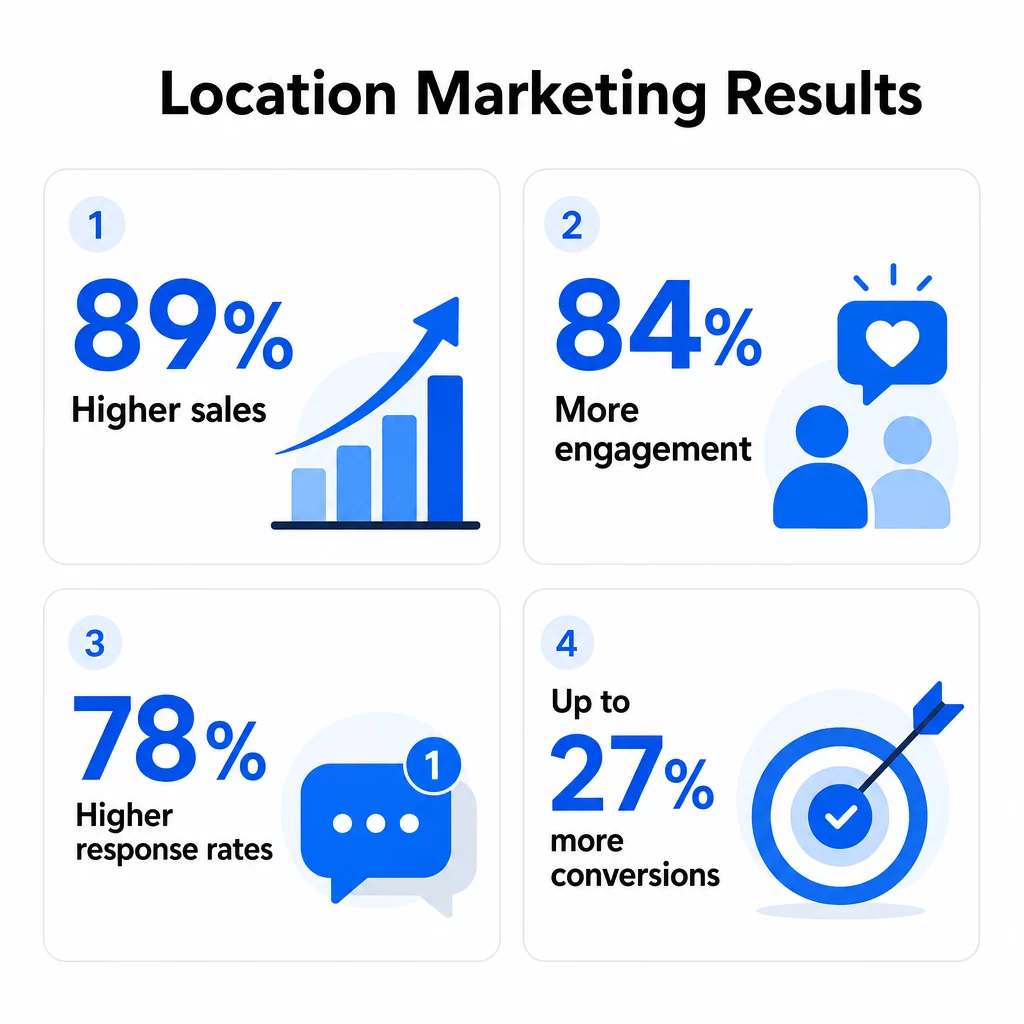
Angka-angka mendukung hal ini. Penelitian menunjukkan bahwa 89% pemasar melaporkan penjualan yang lebih tinggi setelah mengadopsi taktik pemasaran berbasis lokasi, 84% melihat peningkatan keterlibatan pelanggan, dan 78% mengalami peningkatan tingkat respons. Secara terpisah, kampanye berbasis lokasi telah terbukti meningkatkan konversi hingga 27% dibandingkan dengan pesan yang tidak dipersonalisasi berdasarkan lokasi.
Tiga faktor menjelaskan mengapa hal ini terjadi:
Personalisasi meningkatkan relevansi yang dirasakan. Ketika seseorang memindai kode QR dan segera melihat konten yang terkait dengan area mereka – inventaris lokal, promosi lingkungan, atau harga khusus wilayah – pengalaman tersebut terasa disesuaikan daripada disiarkan secara umum. Konsumen secara signifikan lebih mungkin untuk bertindak berdasarkan konten yang mereka anggap relevan langsung dengan mereka.
Waktu dan konteks menciptakan urgensi. Kode QR di jendela toko yang menampilkan promosi saat ini selama jam kerja, kemudian beralih ke detail kontak dan jam operasional setelah tutup, berguna di kedua waktu tersebut. Memasangkan lokasi dengan konteks waktu nyata – seperti kondisi cuaca, acara lokal, atau waktu dalam sehari – mengubah pemindaian pasif menjadi momen yang dapat ditindaklanjuti.
Mengurangi gesekan meningkatkan konversi. Mengirim pengguna ke beranda generik setelah mereka memindai kode di dalam toko menyia-nyiakan niat mereka. Mengirim mereka ke halaman yang menunjukkan ketersediaan stok lokal, peta toko terdekat, atau penawaran khusus lokasi menghilangkan langkah-langkah antara minat dan pembelian.
Peran Kode QR Dinamis dalam Kampanye Geotargeting
Kode QR dinamis adalah fondasi teknis dari setiap strategi geotargeting. Tanpa mereka, personalisasi berbasis lokasi tidak mungkin dilakukan dalam skala besar.
Berikut adalah perbandingan kode QR statis dan dinamis untuk penggunaan kampanye:
| FITUR | Kode QR Statis | Kode QR Dinamis |
|---|---|---|
| Pelacakan pemindaian | Tidak Ada | Data real-time, terperinci |
| Analitik lokasi | Tidak tersedia | Pelacakan geografis berdasarkan kota atau wilayah |
| Pembaruan konten | Tetap setelah dicetak | Pembaruan instan tanpa mencetak ulang |
| Pengujian A/B | Membutuhkan banyak kode | Satu kode dengan variasi konten |
| Pengukuran ROI | Sulit | Pelacakan konversi terperinci |
| Optimasi kampanye | Buku petunjuk | Berbasis data |
Karena kode QR dinamis mengarah ke URL pengalihan singkat daripada langsung mengkodekan tujuan akhir, Anda dapat memperbarui konten yang mereka layani kapan saja – tanpa mencetak ulang satu pun materi. Ini membuat mereka penting untuk:
- Memutar promosi musiman di berbagai lokasi
- Menjalankan tes A/B untuk membandingkan kinerja penawaran berdasarkan wilayah
- Mengoreksi atau memperbarui konten spesifik lokasi setelah peluncuran
- Mengadaptasi kampanye dengan acara lokal, cuaca, atau perubahan inventaris
Anda bisa pelajari cara mengalihkan pemindaian kode QR berdasarkan lokasi untuk memahami pengaturan teknis di balik aturan pengalihan berbasis lokasi.
Buat Kode QR yang Dapat Diedit dan Sadar Lokasi Itu Generator QR Code Dinamis memungkinkan Anda memperbarui tujuan dan konten kapan saja, melacak pemindaian berdasarkan wilayah, dan mengelola semua kode Anda dari satu dasbor.
Strategi Menggunakan Kode QR Bertarget Geografis untuk Meningkatkan Penjualan
Promosi Khusus Lingkungan
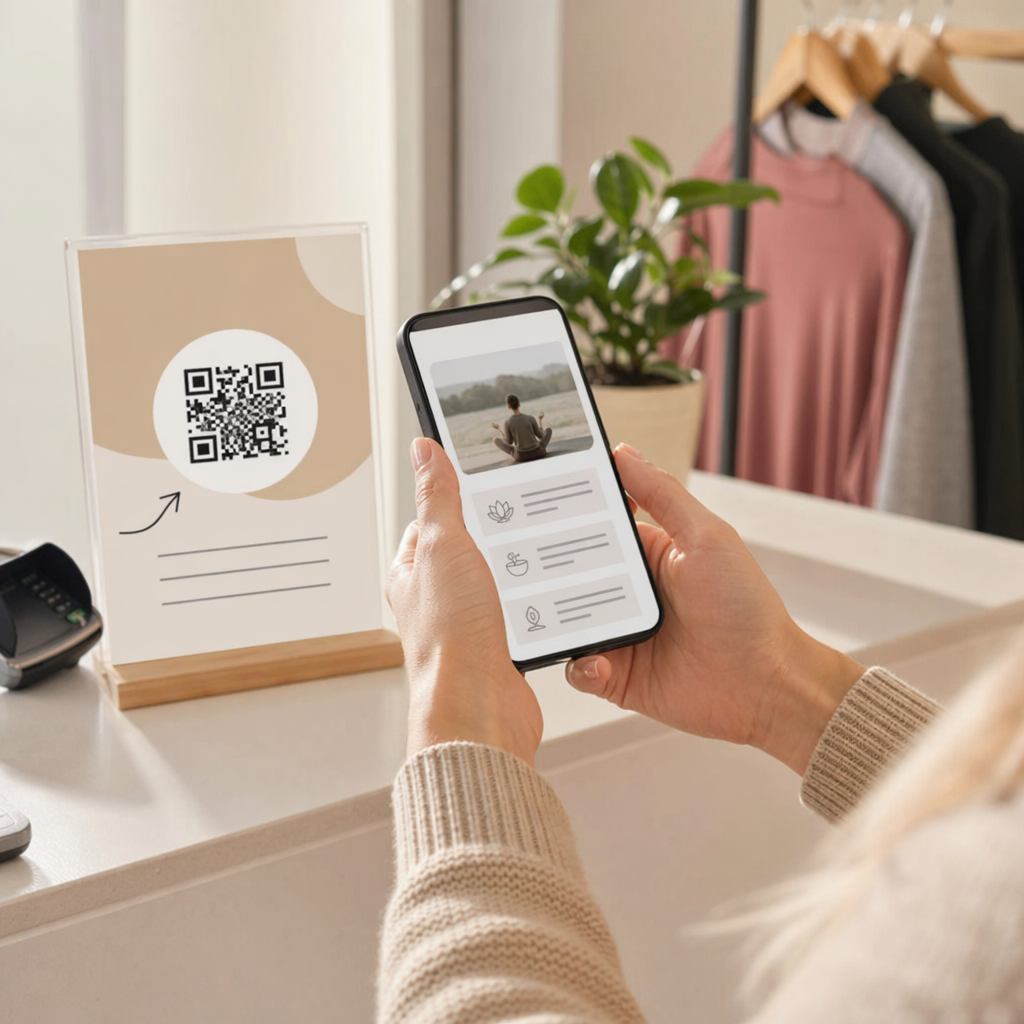
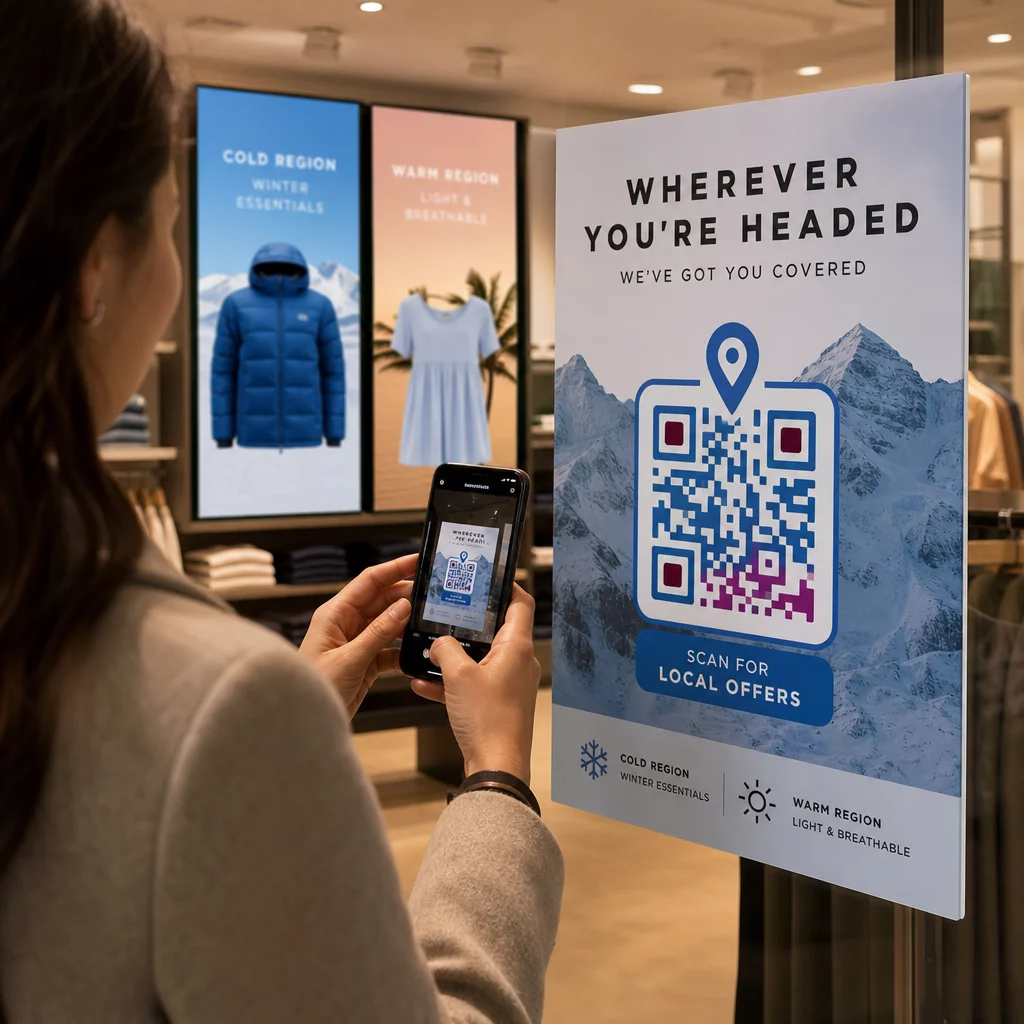
Kode QR yang ditempatkan pada pamflet, tanda jendela, atau pajangan produk dapat menyajikan konten promosi yang berbeda berdasarkan lokasi pemindaian. Peritel pakaian dapat menampilkan mantel musim dingin kepada pelanggan di daerah yang lebih dingin sementara menampilkan pakaian yang lebih ringan kepada mereka di daerah yang lebih hangat – menggunakan satu desain kode QR di semua pasar.
Kedai kopi dan kafe telah menggunakan pendekatan ini untuk menawarkan diskon lingkungan kelas atas untuk minuman premium sambil mempromosikan kombo ramah keluarga di area perumahan. Materi cetak yang sama mendorong konversi yang berbeda tergantung pada preferensi pelanggan lokal.
Praktik terbaik geofencing dapat memperluas ini lebih jauh dengan mendefinisikan batas virtual di sekitar lokasi tertentu – seperti toko atau situs pesaing – dan memicu konten yang sangat relevan untuk pengguna di dalam batas tersebut.
Halaman Arahan Khusus Lokasi
Daripada mengirim semua lalu lintas pemindaian ke beranda yang sama, kode QR bertarget geografis dapat mengarahkan pengguna ke halaman arahan yang dibangun berdasarkan konteks fisik mereka. Agen real estat menggunakan kode QR pada tanda properti untuk memuat halaman yang menampilkan data lingkungan, peringkat sekolah lokal, dan fasilitas terdekat yang spesifik untuk area daftar tersebut.
Peritel dapat membuat halaman yang menampilkan inventaris toko terdekat, ketersediaan stok real-time, atau opsi klik-dan-ambil berdasarkan lokasi yang terdeteksi oleh pengguna. Pendekatan ini menyelaraskan pengalaman pasca-pemindaian dengan titik sentuh fisik yang memicu pemindaian, mengurangi tingkat keluar dan meningkatkan konversi. Untuk lebih lanjut tentang ini, lihat Kode QR geotarget untuk menjangkau audiens lokal.
Konten yang Sadar Waktu dan Konteks
Kode QR dinamis mendukung aturan konten yang melampaui geografi. Satu kode dapat menampilkan konten yang berbeda berdasarkan waktu dalam sehari, hari dalam seminggu, atau kondisi lokal. Kode QR restoran dapat menampilkan menu saat ini dengan waktu tunggu selama jam layanan, kemudian beralih ke tautan reservasi dan detail kontak di luar jam tersebut.
Peritel yang menjalankan kampanye musiman dapat memprogram kode mereka untuk diperbarui secara otomatis ketika promosi berubah, memastikan pelanggan selalu melihat penawaran yang akurat dan tepat waktu terlepas dari kapan mereka memindai.
Interaksi Tanpa Kontak dan Check-In Acara
Penyelenggara acara menggunakan kode QR yang sadar lokasi pada tiket dan materi promosi untuk menyederhanakan check-in. Saat dipindai, kode mendeteksi lokasi peserta dan mengarahkan mereka ke gerbang masuk, ruang sesi, atau halaman informasi yang relevan – memangkas waktu tunggu dan mengumpulkan data kehadiran secara bersamaan.
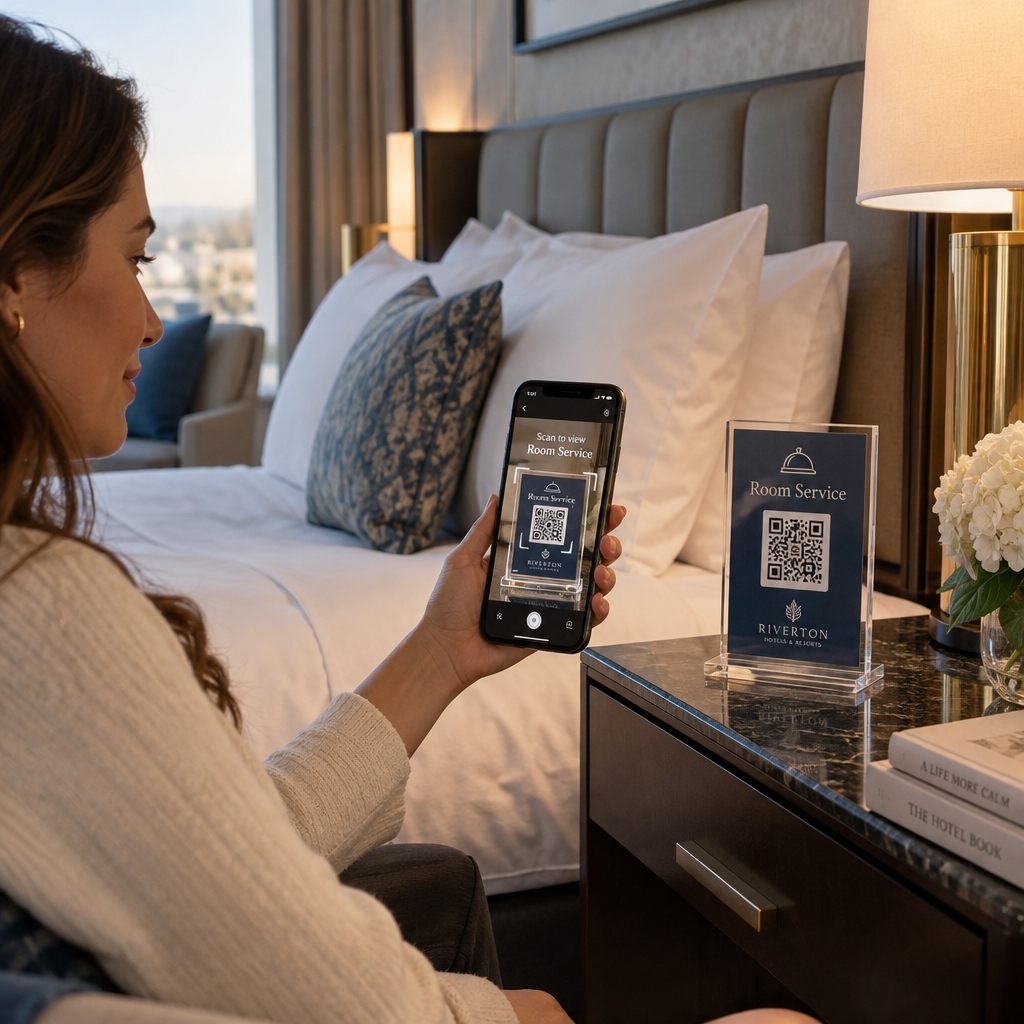
Dalam ritel dan perhotelan, kode QR bertarget geografis memungkinkan pelanggan untuk memesan untuk pengambilan di toko atau pengiriman lokal berdasarkan kedekatan mereka dengan cabang tertentu, tanpa perlu memilih lokasi secara manual.
SEBUAH Kode QR Google Maps adalah pelengkap praktis di sini – membantu pelanggan menemukan lokasi fisik Anda dengan sekali pindai dan membuka alamat langsung di aplikasi navigasi mereka.
Analitik: Mengukur dan Mengoptimalkan Kinerja Kampanye
Kampanye QR yang ditargetkan secara geografis menghasilkan data di setiap pemindaian. Menggunakan data tersebut untuk menyempurnakan pendekatan Anda adalah yang membedakan kampanye yang berkinerja baik sekali dari kampanye yang terus meningkat.
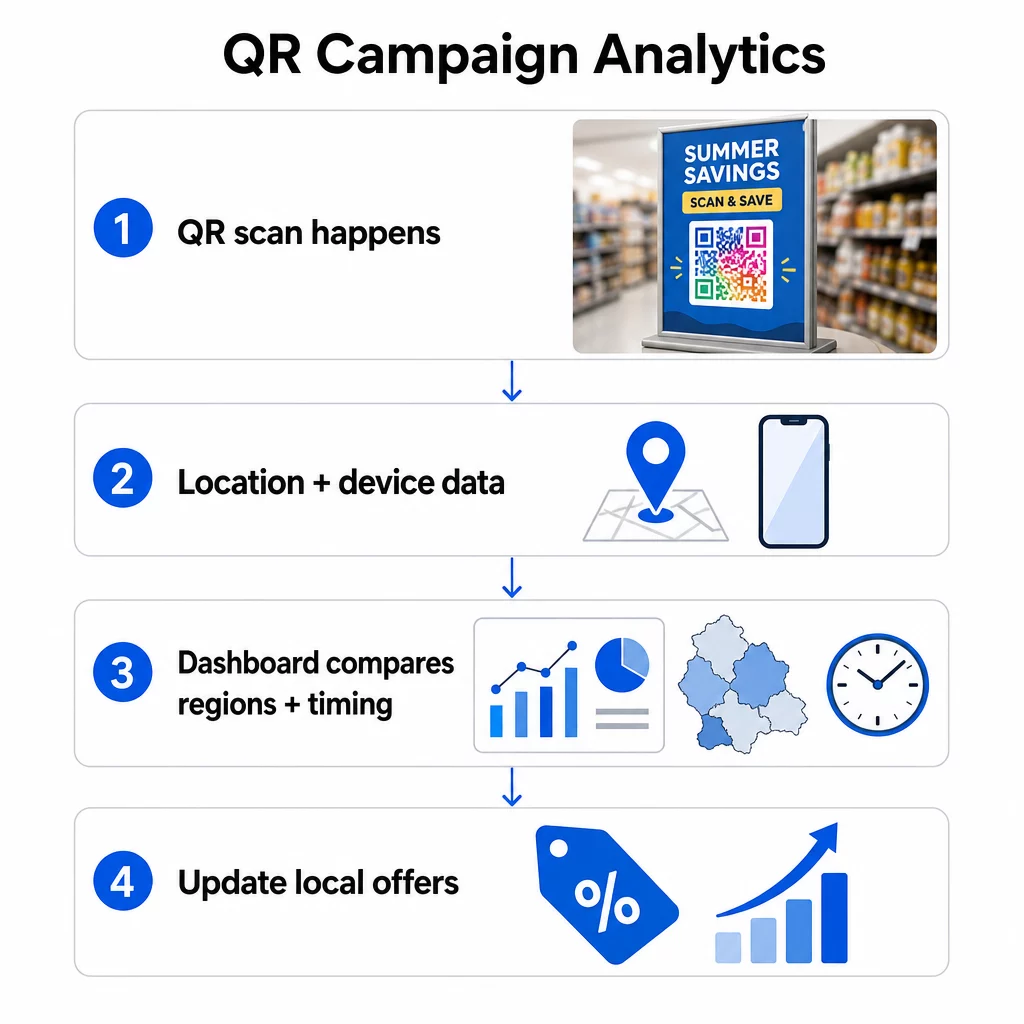
Metrik utama yang perlu dilacak meliputi:
- Total vs. pemindaian unik – Total pemindaian menunjukkan aktivitas keseluruhan; pemindaian unik mengungkapkan berapa banyak pengguna berbeda yang terlibat, memberi Anda gambaran yang lebih jelas tentang jangkauan sebenarnya.
- Lokasi pemindaian – Mengidentifikasi area geografis mana yang menghasilkan keterlibatan terbanyak, membantu Anda memfokuskan distribusi dan menyempurnakan penempatan.
- Waktu pemindaian – Mengungkap kapan pelanggan paling mungkin memindai, memungkinkan Anda menyelaraskan promosi dengan jendela keterlibatan puncak.
- Jenis perangkat – Mengetahui apakah pengguna menggunakan iOS atau Android membantu Anda mengoptimalkan desain halaman arahan untuk sebagian besar audiens Anda.
- Tingkat konversi – Melacak wilayah mana yang benar-benar mengambil tindakan setelah memindai, bukan hanya menjelajah. Di sinilah wawasan lokasi diterjemahkan menjadi data pendapatan.
- Tingkat pemindaian berulang – Mengukur seberapa sering pengguna kembali untuk memindai kode yang sama, menunjukkan keterlibatan berkelanjutan atau konten yang menghargai interaksi berulang.
Membuat kode QR yang ditargetkan secara geografis terpisah untuk setiap wilayah atau kampanye memudahkan perbandingan kinerja di seluruh pasar. Dikombinasikan dengan parameter UTM, ini memungkinkan Anda untuk mengelompokkan data pemindaian secara tepat di platform analitik Anda dan mengidentifikasi lokasi mana yang paling merespons penawaran tertentu.
Untuk rincian komprehensif, lihat metrik teratas untuk kampanye kode QR berbasis lokasi dan panduan tentang melacak kampanye kode QR berdasarkan wilayah.
Menggunakan Data untuk Peningkatan Berkelanjutan
Analitik hanya berguna jika mendorong tindakan. Cara praktis untuk menutup lingkaran itu meliputi:
- Pengujian A/B – Jalankan dua penawaran berbeda di lingkungan serupa dan gunakan data pemindaian serta konversi untuk mengidentifikasi mana yang berkinerja lebih baik, lalu terapkan pendekatan yang menang ke pasar yang sebanding.
- Penyesuaian musiman – Data pemindaian historis mengungkapkan kapan puncak keterlibatan berdasarkan lokasi, memungkinkan Anda mengantisipasi periode lalu lintas tinggi dan mempersiapkan kampanye terlebih dahulu.
- Pembelajaran lintas kampanye – Jika jenis konten atau strategi waktu tertentu berhasil di satu kota, ujilah di pasar serupa sebelum meluncurkannya secara luas.
Untuk panduan lebih lanjut tentang penggunaan data pemindaian untuk mempersonalisasi kampanye, lihat Kode QR untuk personalisasi berbasis data.
Lacak Setiap Pemindaian, Berdasarkan Lokasi Gunakan Pageloot Alat pelacak kode QR untuk memantau lokasi pemindaian, jenis perangkat, dan tingkat konversi di semua kampanye bertarget geografis Anda dalam satu dasbor.
Aplikasi Industri: Di Mana Kode QR Bertarget Geografis Memberikan Hasil
Eceran – Jaringan yang menggunakan kode QR bertarget geografis pada selebaran toko dapat mengarahkan pelanggan ke inventaris dan promosi khusus lokasi daripada katalog produk generik. Pendekatan ini meningkatkan tingkat pembelian di toko dan mendorong pendaftaran program loyalitas dengan membuat penawaran terasa relevan dengan toko spesifik yang dikunjungi pelanggan.
Restoran – Menyoroti penawaran khusus lokasi pada kode QR menu – daripada menu nasional standar – meningkatkan nilai pesanan rata-rata. Lokasi di area padat turis dapat mempromosikan item yang berbeda dari lokasi di lingkungan perumahan, berdasarkan apa yang mendorong konversi terbanyak di setiap situs.
Acara – Kode QR pada tiket acara yang beradaptasi berdasarkan lokasi pemindaian mengurangi gesekan di titik masuk dan dapat menyajikan informasi spesifik lokasi seperti petunjuk parkir, tempat makan terdekat, atau pembaruan sesi – yang semuanya meningkatkan pengalaman peserta dan berkontribusi pada penjualan tiket di muka yang lebih kuat.
Real estat – Agen yang menggunakan kode QR pada papan properti dapat menyajikan data spesifik lingkungan kepada calon pembeli saat mereka memindai, meningkatkan kualitas prospek dan mengurangi waktu pengambilan keputusan.
Kesehatan – Penyedia yang menggunakan kode QR berbasis lokasi untuk penjadwalan janji temu dan check-in mengurangi gesekan administratif dengan menampilkan informasi fasilitas yang relevan berdasarkan tempat pasien memindai.
Pertimbangan Privasi dan Kepatuhan
Pengumpulan data lokasi melalui kode QR membawa kewajiban hukum yang bervariasi menurut yurisdiksi. Di Amerika Serikat, undang-undang seperti California Consumer Privacy Act (CCPA) dan Virginia Consumer Data Protection Act mewajibkan bisnis untuk memberikan pengungkapan yang jelas tentang data apa yang dikumpulkan, bagaimana data tersebut akan digunakan, dan apakah data tersebut akan dibagikan kepada pihak ketiga.
Karena platform kode QR dapat secara otomatis mengumpulkan data – termasuk alamat IP, pengidentifikasi perangkat, stempel waktu, dan data lokasi yang tepat – sebelum pengguna sepenuhnya memahami apa yang terjadi, ada risiko transparansi yang melekat pada media itu sendiri.
Langkah-langkah praktis untuk tetap patuh:
- Tampilkan pemberitahuan yang jelas di dekat kode QR yang menjelaskan bahwa pemindaian dapat mengumpulkan data lokasi
- Sediakan mekanisme ikut serta (opt-in) sebelum mengaktifkan pelacakan berbasis GPS
- Batasi pengumpulan data hanya pada apa yang diperlukan untuk tujuan kampanye yang disebutkan
- Gunakan platform QR tepercaya yang mendukung kepatuhan terhadap persyaratan GDPR dan CCPA
- Tinjau praktik data Anda terhadap undang-undang privasi negara bagian yang berlaku, bahkan di mana tidak ada peraturan khusus QR
Untuk rincian lebih lanjut tentang peraturan yang berlaku, lihat panduan Pageloot tentang undang-undang privasi dan kepatuhan kode QR.
Poin-Poin Penting
Kode QR yang ditargetkan secara geografis meningkatkan penjualan dengan mengganti konten generik dengan pengalaman spesifik lokasi yang sesuai dengan apa yang dibutuhkan pelanggan pada saat pemindaian. Kombinasi kode QR dinamis, pembaruan konten waktu nyata, dan optimasi berbasis analitik menciptakan lingkaran umpan balik di mana setiap kampanye berkinerja lebih baik daripada yang sebelumnya.
Dasar-dasarnya mudah: gunakan kode dinamis sehingga Anda dapat memperbarui konten tanpa mencetak ulang, segmentasikan kampanye Anda berdasarkan wilayah untuk mengukur apa yang berhasil di mana, personalisasikan halaman arahan agar sesuai dengan konteks fisik pemindaian, dan gunakan data pemindaian untuk terus menyempurnakan waktu, penempatan, dan penawaran.
Bangun Kampanye Bertarget Geografis Pertama Anda Buat kode QR dinamis dengan aturan konten berbasis lokasi, analitik waktu nyata, dan manajemen kampanye penuh menggunakan Pembuat Kode QR Pageloot. Uji coba gratis 14 hari, tidak perlu kartu kredit.
Pertanyaan yang sering diajukan
Kode QR yang ditargetkan secara geografis menggunakan salah satu dari dua metode untuk mendeteksi lokasi pemindaian. Pelacakan berbasis IP mengidentifikasi perkiraan lokasi pengguna dari alamat IP perangkat mereka secara otomatis dan tanpa memerlukan persetujuan – ini memberikan akurasi kira-kira setingkat kota. Pelacakan berbasis GPS lebih tepat, mengidentifikasi lokasi dalam beberapa meter, tetapi memerlukan pengguna untuk secara eksplisit memberikan izin lokasi. Sebagian besar kampanye pemasaran mengandalkan pelacakan berbasis IP untuk penargetan regional, sementara pelacakan berbasis GPS digunakan untuk aplikasi geofencing di mana lokasi yang tepat penting.
Kode QR Dinamis diperlukan karena mereka mengarahkan pemindaian melalui server platform sebelum mengarahkan pengguna, yang memungkinkan aturan berbasis lokasi. Kode QR Statis mengkodekan tujuan akhir secara langsung, sehingga mereka selalu mengarah ke URL yang sama terlepas dari di mana atau kapan mereka dipindai. Kode dinamis juga memungkinkan Anda memperbarui konten, penawaran, atau aturan pengalihan setelah dicetak, yang berarti Anda dapat menyesuaikan kampanye Anda tanpa mencetak ulang materi fisik.
Di Amerika Serikat, undang-undang seperti California Consumer Privacy Act (CCPA) mewajibkan bisnis untuk mengungkapkan data apa yang dikumpulkan, mengapa dikumpulkan, dan apakah akan dibagikan. Karena platform kode QR dapat mengumpulkan alamat IP, pengidentifikasi perangkat, dan data lokasi secara otomatis pada saat pemindaian, bisnis harus memberikan pemberitahuan yang jelas di dekat kode QR dan menawarkan mekanisme penolakan (opt-out). Untuk pelacakan berbasis GPS, persetujuan pengguna secara eksplisit diperlukan. Saat ini tidak ada regulasi federal khusus QR di A.S., sehingga kepatuhan bergantung pada undang-undang privasi negara bagian yang berlaku dan standar perlindungan konsumen umum.