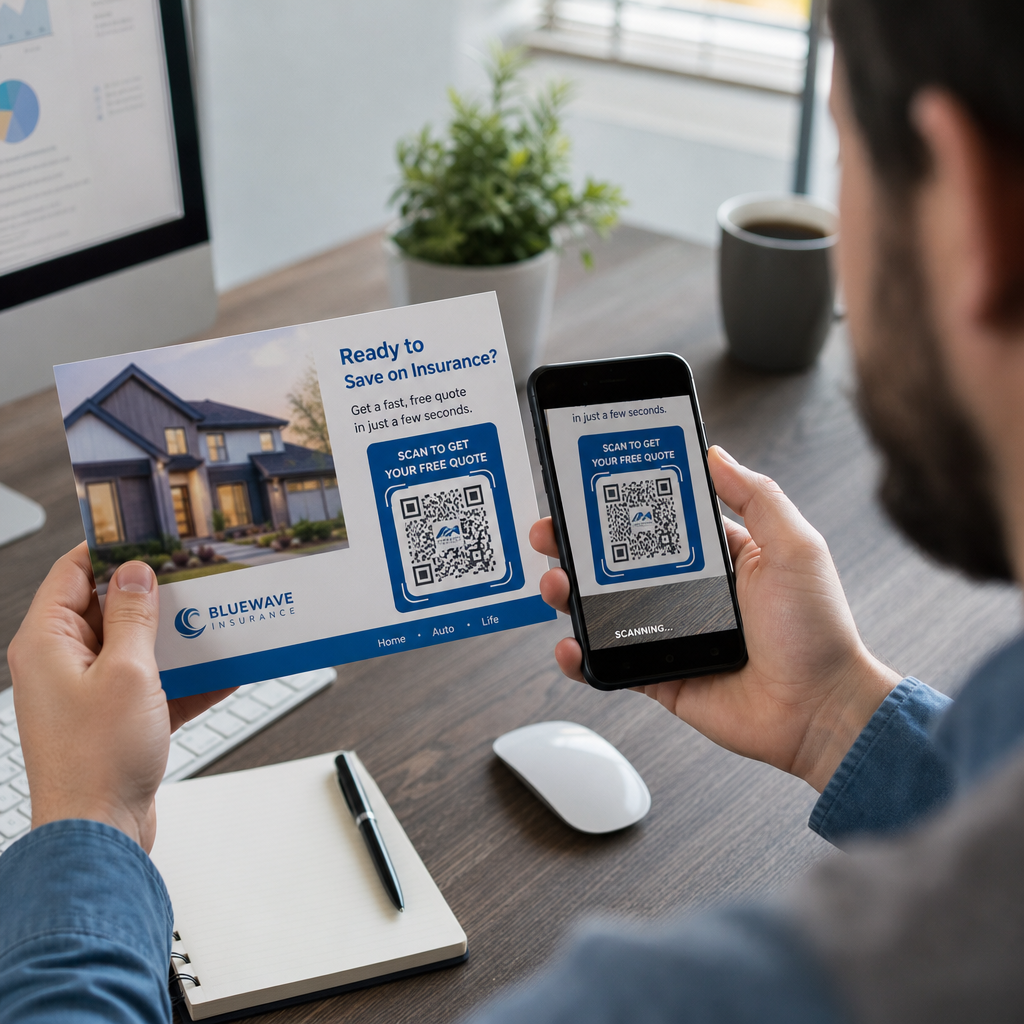

A direkt marketing levelei a kukában landolnak egyetlen válasz nélkül? A nyomtatott kampányok mérhetővé válnak abban a pillanatban, amikor egyértelmű digitális következő lépést ad a címzetteknek. Ez az útmutató végigvezeti Önt azon, hogyan adhat hozzá hatékonyan QR-kódokat a direkt marketing levelekhez, hogyan méretezheti és helyezheti el őket helyesen, és hogyan követheti nyomon minden szkennelést az ROI bizonyításához.
Miért van helye a QR-kódoknak a direkt marketing leveleken
A direkt marketing levelek már most is felülmúlják a legtöbb digitális csatornát az elkötelezettség terén. A direkt marketing 91%-os válaszadási arányt ér el, szemben az e-mail, a fizetett keresés és a közösségi média együttesen nagyjából 1%-ával – és a marketingesek 74%-a számol be arról, hogy ez a csatorna biztosítja a legmagasabb ROI-t az összes általuk használt csatorna közül. A kihívás mindig is az volt, hogy ezt a fizikai elkötelezettséget egy mérhető digitális eredménnyel összekapcsoljuk. A QR-kódok közvetlenül megoldják ezt a problémát.
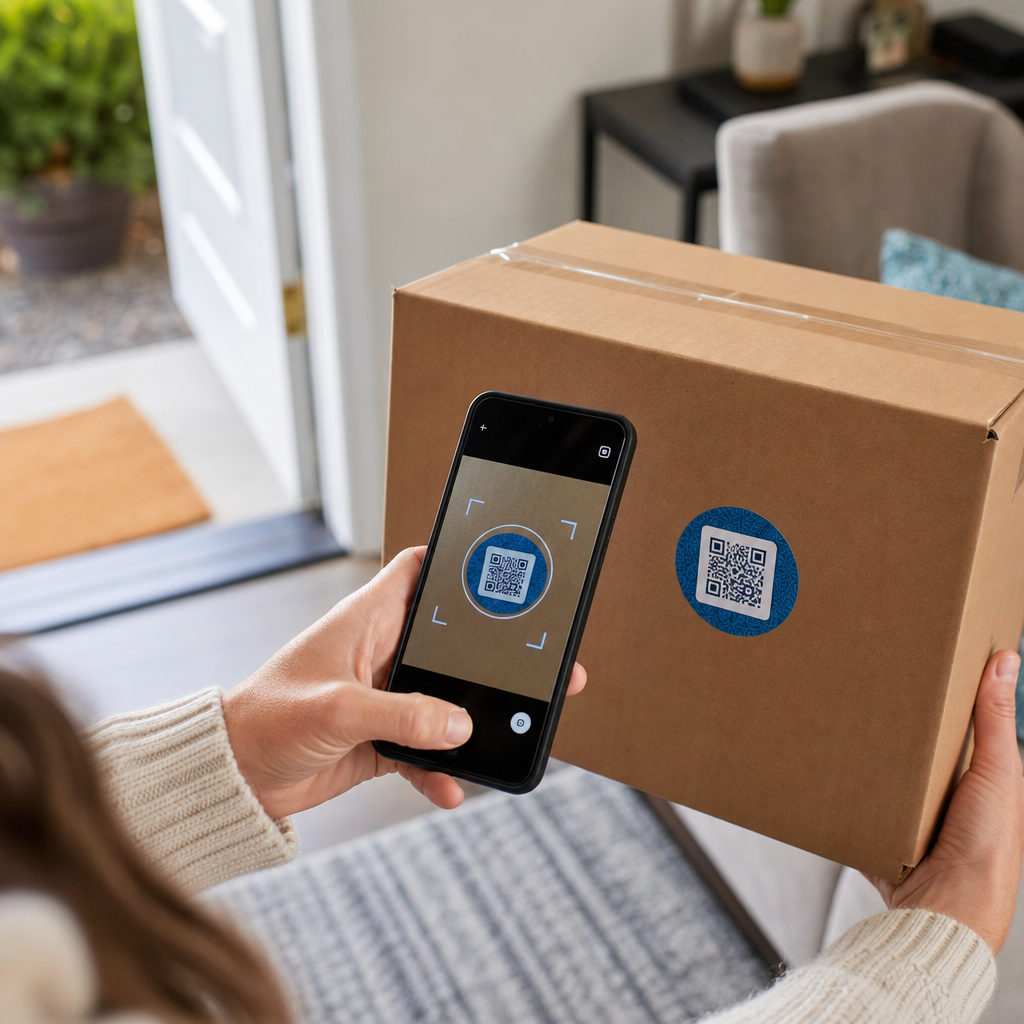
Amikor egy címzett beolvas egy kódot a küldeményén, rögzít egy időbélyeggel és helyszínnel ellátott szkennelési eseményt, amely egy adott kampányhoz kapcsolódik. Tudja, melyik darab váltotta ki a műveletet, mikor történt a szkennelés, milyen eszközt használtak, és hogy a céloldal konverzióhoz vezetett-e. Az ilyen típusú attribúciót történelmileg nehéz volt elérni nyomtatott anyagokkal.
A nyomon követésen túl a QR-kódok megszüntetik a súrlódást. Ahelyett, hogy arra kérné a címzettet, hogy írjon be egy URL-t vagy keressen rá az ajánlatára, egyetlen szkennelés közvetlenül egy céloldalra, kuponra, űrlapra vagy termékoldalra viszi őket. A megértés hogyan kapcsolják össze a QR-kódok a nyomtatott és digitális marketinget az alapja annak, hogy jól használjuk őket.
Statikus vs. dinamikus QR-kódok: Melyiket használjuk?
Ez az egyik legfontosabb döntés, amelyet egyetlen darab kinyomtatása előtt meg kell hoznia.
A statikus QR-kód egy rögzített URL-t kódol közvetlenül a mintába. Kinyomtatás után nem módosíthatja, hová mutat, és nem gyűjt szkennelési adatokat. A statikus kódok alkalmasak olyan állandó információkhoz, amelyek soha nem igényelnek frissítést.
A dinamikus QR-kód egy rövid átirányítási URL-t kódol. A tényleges cél bármikor frissíthető egy irányítópultról – még azután is, hogy több tízezer darabot már elküldtek. Emellett automatikusan rögzít minden szkennelést, beleértve az időt, a helyet és az eszköz típusát.
A direkt marketing kampányokhoz a dinamikus QR-kódok szinte mindig a helyes választás, mert:
- Kijavíthatja a céloldal URL-jét anélkül, hogy az egész futamot újra kellene nyomtatnia
- Kicserélheti a célt egy promóció befejezése után, hogy a kód aktív maradjon
- Minden szkennelés naplózásra kerül, így valós időben mérheti a kampány teljesítményét
- A/B teszteket futtathat úgy, hogy különböző kódkötegeket különböző céloldalakra irányít
A részletes statikus és dinamikus QR-kódok összehasonlítása teljes körűen bemutatja, mikor van értelme az egyes típusoknak.
Nyomon követhető direkt marketing QR-kódok létrehozása Használja a Dinamikus QR-kód generátor kódok létrehozásához, amelyeket bármikor frissíthet és nyomon követhet egyetlen irányítópultról – nincs szükség újranyomtatásra.
Hogyan állítsuk be a nyomon követést direkt marketing QR-kódokhoz
Egy QR-kód kampány nyomon követése három rétegből áll: beépített szkennelési analitika, UTM paraméterek a Google Analyticshez, és opcionális remarketing a Facebook Pixel segítségével.
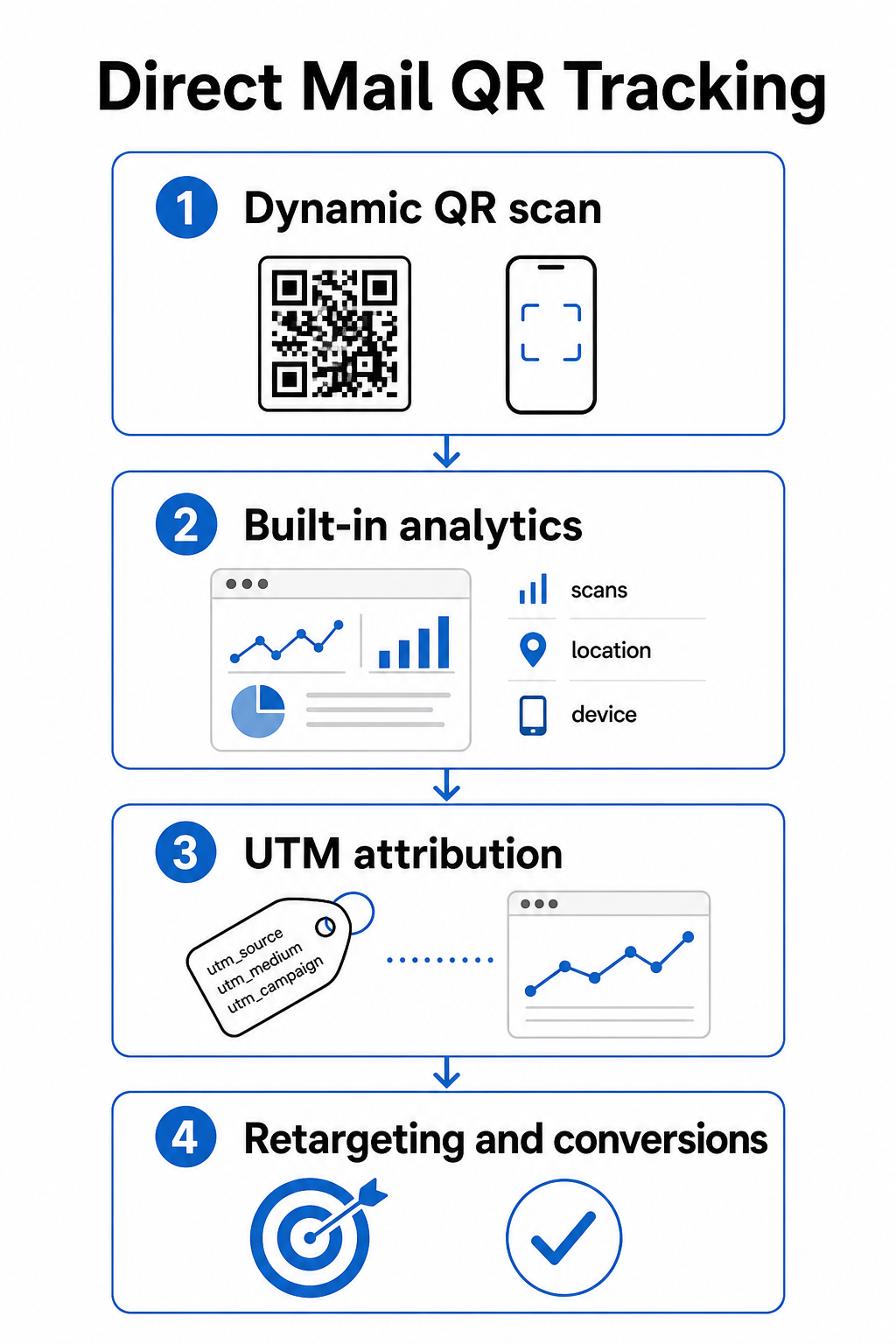
Beépített szkennelési analitika automatikusan elérhető, amikor dinamikus QR-kódot hoz létre a Pageloot segítségével. Az irányítópultja rögzíti az összes szkennelést, az egyedi szkenneléseket, a szkennelési helyeket, az eszköz típusait és a szkennelési időket. Ezek az adatok megmondják, mely piacok és demográfiai csoportok voltak a leginkább elkötelezettek.
UTM paraméterek viszik át ezt az attribúciót a Google Analyticsbe, így nyomon követheti a felhasználói utat a szkennelésen túl. Egy jól strukturált UTM URL egy direkt marketing kampányhoz így nézhet ki:
`https://yoursite.com/offer?utm`source=directlevél&utmközeg=QRkód&utmkampány=tavasz2025képeslap`
Az `utm_content` paraméter hozzáadása lehetővé teszi, hogy megkülönböztesse a különböző küldeményverziókat, beillesztési méreteket vagy közönségszegmenseket ugyanazon kampányon belül. A útmutató az UTM paraméterekhez QR-kódokhoz végigvezeti a nevezéktanon és azon, hogyan olvassa le az eredményül kapott adatokat a GA4-ben.
Facebook Pixel integráció lehetővé teszi, hogy remarketinget végezzen azoknak az embereknek, akik beolvasták a küldeményét és meglátogatták az oldalát, de nem konvertáltak – ez egy hatékony utókövetési réteg az e-kereskedelmi és leadgenerálási kampányokhoz.
Mindhárom nyomon követési módszer elérhető a Pageloot dinamikus QR-kód beállításaiban. Lásd a teljes QR-kód követési útmutatóban lépésről lépésre történő beállítási útmutatóért.
QR-kódok méretezése direkt marketing küldeményekhez
A rossz méret kiválasztása az egyik leggyorsabb módja annak, hogy aláássa egy egyébként jól megtervezett küldemény hatékonyságát. Egy túl kicsi kód nem fog megbízhatóan beolvasódni, és egy rossz helyre helyezett kód zavarhatja a postai automatizálást.
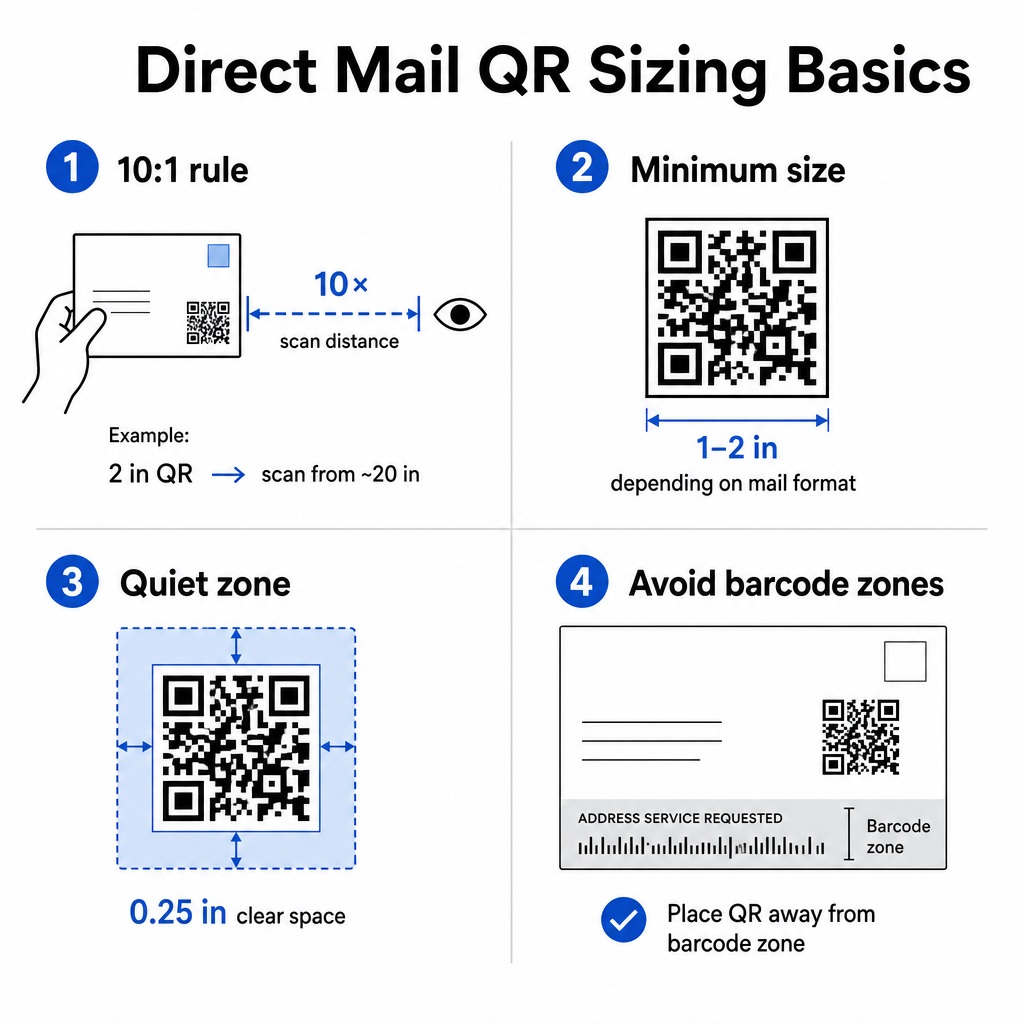
Használja a 10:1 távolság-méret szabály: a kódnak legalább egy hüvelyk szélesnek kell lennie minden tíz hüvelyk várható szkennelési távolságra. Egy karnyújtásnyira tartott képeslap esetén – nagyjából 20 hüvelyk távolságra – a kódnak legalább 2 hüvelyk szélesnek kell lennie. Mindig tartson fenn egy csendes zónát, legalább 0,25 hüvelyk (6 mm) tiszta teret a kód mind a négy oldala körül, hogy a szkennerek meg tudják különböztetni a QR-mintát a környező designelemektől.
Gyakorlati minimumok formátum szerint:
| Levélformátum | Ajánlott minimális méret |
|---|---|
| Képeslap | 1,2 × 1,2 hüvelyk (30 × 30 mm) |
| Standard levél / #10 borítékbetét | 1,0 × 1,0 hüvelyk (25 × 25 mm) |
| Önkiszolgáló levél vagy katalógus | 1,2 × 1,6 hüvelyk (30 × 40 mm) |
| Nagy formátumú / túlméretezett lapos küldemény | 1,6 × 1,6 hüvelyk (40 × 40 mm) vagy nagyobb |
A QR-kód méretezési útmutatónkban és a útmutató a különböző nyomtatott anyagok méretezéséhez további forgatókönyveket fed le, beleértve a bevonatos papírt és a vastagabb kartont.
Elhelyezési szabályok direkt marketing QR-kódokhoz
A kód elhelyezése a darabon befolyásolja a beolvasási arányt és a USPS megfelelőséget is, ezért az elhelyezés megfontolt tervezést igényel.
Mert postai megfelelőség, helyezze a QR-kódot a címblokkon és a vonalkód tiszta zónáján kívülre. A USPS egy Intelligens Levél vonalkódot (IMb) használ a válogatáshoz, és ez a küldemény alján fut végig. A QR-kódja nem fedheti át vagy zsúfolhatja be ezt a területet. Az iparági útmutató azt javasolja, hogy a QR-kódokat a küldemény előlapjára vagy felső hátsó részére helyezzék, hogy elkerüljék a postai automatizálási berendezésekkel való ütközést.
Mert beolvasási arányok, kövesse ezeket az elhelyezési elveket:
- Az előlapi elhelyezés a felbontás pillanatában megragadja a figyelmet – hasznos, ha az ajánlatát azonnal látni kell
- A hátlapra vagy hátsó panelre történő elhelyezés jól működik hosszabb formátumú küldeményeknél, ahol a címzettek elolvassák a darabot, mielőtt cselekednének
- Helyezze a kódot a természetes olvasási áramlás egy pihenőpontjára, ne egy olyan sarokba, amelyet a címzettek valószínűleg nem vesznek észre
- Mindig párosítsa a kódot egy rövid cselekvésre ösztönző felhívással, például “Szkennelje be exkluzív kedvezményéért” vagy “Szkennelje be ingyenes konzultáció időpontjának egyeztetéséhez”
A QR-kód elhelyezési útmutató marketinganyagokhoz lefedi az elhelyezési stratégiákat minden nyomtatási formátumban, beleértve a direkt marketinget, plakátokat és termékcsomagolást.
Megbízhatóan szkennelhető QR-kódok tervezése
Egy direkt marketing küldemény kezelésen, halmozáson és változó fényviszonyokon megy keresztül, mielőtt a címzett valaha is beolvasná. A kódjának mindezt túl kell élnie, és továbbra is tisztán beolvashatónak kell lennie.
A kontraszt a legfontosabb tervezési változó. Tartson legalább 4:1 kontrasztarányt a sötét modulok és a világos háttér között. Sötétkék vagy fekete fehér vagy nagyon világos pasztell színen a legbiztonságosabb kombináció. Kerülje a színek invertálását (világos minta sötét háttéren), és kerülje a kód elhelyezését texturált kép vagy színes színátmenet fölé.
Használjon nagy felbontású fájlformátumokat amikor fájlokat küld a nyomtatójának. Az SVG vagy EPS formátumok vektor alapúak, és bármilyen nyomtatási méretben sem fognak pixelesedni. Egy JPEG vagy PNG alacsony felbontású exportálása, majd felnagyítása az egyik leggyakoribb oka a beolvashatatlan nyomtatott kódoknak.
Ha beilleszti logóját a QR-kódon belül, használjon Q vagy H hibajavítási szintet, és ügyeljen arra, hogy a logó ne fedje le a teljes kódterület több mint 30%-ét. A QR kód generálás logóval ezt automatikusan kezeli a hibajavítás beállításával, amikor feltölt egy logót.
Adjon hozzá cselekvésre ösztönző keretet a kód köré. Egy feliratozott keret – például “Szkennelje be ajánlatáért” – megszünteti a kód funkciójával kapcsolatos kétértelműséget, és okot ad a habozó címzetteknek a cselekvésre. Az explicit CTA-val ellátott keretes kódok következetesen felülmúlják a csupasz kódokat, mert kontextust biztosítanak. Tudjon meg többet a QR-kód keretekről és azok hatékony használatáról.
Tesztelje, mielőtt kinyomtatja a teljes példányszámot. Olvassa be a próbanyomatot több eszközön, különböző fényviszonyok között, és azon a távolságon, ahogyan egy tipikus címzett tartaná a darabot. Egy képernyőn helyesnek tűnő kód nyomtatásban mégis hibás lehet, ha a kontrasztbeállítások eltolódtak a fájlexportálás során. A útmutató a QR-kódok nyomtatott médiában való használatához gyakorlati ellenőrzőlistát biztosít, amelyet végig kell dolgozni a próbanyomat jóváhagyása előtt.
Készítsen márkás QR-kódot következő küldeményéhez Adja hozzá logóját, válassza ki színeit, és állítson be egy CTA keretet a QR kód generálás logóval – majd töltse le a nyomtatásra kész SVG vagy EPS fájlt.
QR-kódok összekapcsolása mobilra optimalizált célhelyekkel
A sikeres beolvasás csak a kezdet. Ha a céloldal mobiltelefonon nem működik, elveszíti a konverziót, függetlenül attól, hogy a kampány többi része mennyire jól teljesített.
Minden direkt marketing kampányhoz tartozó QR-kód célhelynek a következőnek kell lennie:
- Mobilra optimalizált, hüvelykujj-navigációra méretezett szöveggel és gombokkal
- Gyorsan betöltődő, ideális esetben 3 másodperc alatt – a lassú oldalak elhagyást okoznak, mielőtt az ajánlatot egyáltalán elolvasnák
- Cselekvésközpontú, egyetlen elsődleges CTA-val az oldal tetején elhelyezve
- Vizuálisan konzisztens a küldemény designjával, hogy a címzettek tudják, jó helyre érkeztek
Ha promóciós kampányt futtat, a Kuponkód generátor QR kóddal lehetővé teszi, hogy közvetlenül megjelenítse ajánlatát egy céloldalon – nincs szükség külön oldalépítésre. Kampány-specifikus URL-ekhez a Link QR-kód generátor másodpercek alatt nyomon követhető, márkás kóddá alakít bármilyen URL-t.
A beolvasás után konvertáló oldalak építésére vonatkozó részletes útmutatóért lásd a legjobb gyakorlatok mobil QR-kód céloldalakhoz.
USPS promóciók, amelyek jutalmazzák a QR-kód használatát
Az USPS évente futtat promóciókat, amelyek postai kedvezményeket kínálnak azoknak a feladóknak, akik specifikus technológiákat integrálnak. Kettő közvetlenül releváns a QR-kód kampányokhoz.
A Integrált Technológiai Promóció 3% postai kedvezményt kínál, amikor a küldeményen lévő QR-kódok megfelelnek az USPS követelményeinek egy releváns digitális élmény nyújtásához. A jogosultsághoz a kódnak megfelelő méretűnek, jól láthatóan elhelyezettnek kell lennie, és egy mobilra optimalizált célhelyre kell mutatnia, amely érdemben kapcsolódik a küldemény tartalmához.
A Tájékoztatott Kézbesítés program lehetővé teszi az üzleti feladóknak, hogy egy fizikai küldeményt digitális tartalommal – egy színes képpel és egy kattintható URL-lel – párosítsanak, amely megjelenik az e-mailben vagy az alkalmazás értesítésben, amelyet az USPS küld az előfizetőknek, mielőtt a levelük megérkezik. Ez egy második benyomást kelt a kampányáról, mielőtt a fizikai darab még a címzett kezébe kerülne. Az alapvető Informed Delivery kampányfunkcionalitás további USPS díj nélkül elérhető a standard postai díjon felül, és más promóciókkal is kombinálható a minősített küldeményekre vonatkozó összesített megtakarítás érdekében.
Egy Informed Delivery kampány beállításához regisztrál az USPS Business Customer Gateway-en keresztül, létrehozza kampányát egy postázási dátumablakkal, és feltölti a kísérő tartalmát, mielőtt a küldeményét beviszik a Business Mail Entry Unit-ba. Az jogosult levéltípusok közé tartoznak az első osztályú levelek, az USPS Marketing Mail levelek és a nonprofit USPS Marketing Mail levelek, amelyek intelligens postai vonalkódot tartalmaznak.
Ha az Informed Delivery-t egy QR-kóddal együtt használja, amely jogosult az Integrált Technológiai Promócióra, akkor mindkét kedvezményt igénybe veheti ugyanazon a küldeményen – jelentős költségcsökkentés nagyobb futamok esetén.
Hogyan mérjük a direkt marketing QR-kód kampány teljesítményét
Miután a kampánya éles, ezek azok a mérőszámok, amelyeket érdemes nyomon követni:
- ÖSSZES BEOLVASÁS – nyers mennyiség, hogy hányszor szkennelték be a kódot a küldeményen keresztül
- Egyedi szkennelések – különálló eszközök száma, amely megközelíti az egyedi, elkötelezett címzetteket
- Szkennelés-konverziós arány – a szkennelések százalékos aránya, amelyek teljesítették a célzott műveletet, például vásárlás, űrlapkitöltés vagy telefonhívás
- Szkennelés helye – földrajzi adatok, amelyek megmutatják, mely irányítószámok vagy régiók reagáltak a legjobban
- Szkennelési időzítés – mikor a nap folyamán és a hét mely napjain voltak aktívak a címzettek
- Eszköztípus – iOS vs. Android megoszlás, amely tájékoztathatja a céloldal optimalizálási döntéseit
A Pageloot irányítópultja automatikusan megjeleníti mindezeket a dinamikus QR-kódokhoz. A mélyebb tölcsérelemzéshez csatlakoztassa UTM-címkével ellátott URL-jeit a GA4-hez, és kövesse nyomon, mi történik a szkennelés után – mely oldalakat látogatták meg a címzettek, mennyi ideig maradtak, és konvertáltak-e.
Használja ezeket az adatokat a következő küldeményének finomításához. Ha a szkennelések egy régióban csoportosultak, de a konverziók alacsonyak voltak, a céloldal vagy az ajánlat lokalizációra szorulhat. Ha a szkennelések a kézbesítés utáni második napon tetőztek, az jelzi, hogy mikor nyitja meg a közönsége a leveleket, és iránymutatást adhat a jövőbeli küldési időzítési döntésekhez.
Részletes nyomon követési beállítási útmutatók találhatók a QR-kód követési útmutatóban és a UTM paraméterek útmutatója a Google Analyticshez.
Mindent egybevetve
Egy működő direkt marketing QR-kód kampány így néz ki: egy dinamikus kód, legalább 1 hüvelyk szélesre méretezve, az előlapon elhelyezve, távol a postai vonalkód zónától, nagy kontraszttal nyomtatva tiszta háttéren, egy gyors mobil céloldalhoz kapcsolva, és nyomon követve mind a Pageloot beépített analitikáján, mind a GA4-ben lévő UTM-címkével ellátott URL-eken keresztül. Minden szkennelés egy adatponttá válik, amelyre építhet a következő kampányban.
Kezdje azzal, hogy létrehozza első dinamikus QR-kódját, és csatolja egy specifikus kampány URL-hez. Használja a QR Kód Generátor hogy ma ingyenes kódot építsen, vagy lépjen közvetlenül a Dinamikus QR-kód generátor hogy a kezdetektől teljes nyomon követési és szerkesztési képességeket kapjon.
Gyakori kérdések
Technikailag igen, de nem ajánlott. Különálló dinamikus QR-kódok használata minden kampányhoz lehetővé teszi Önnek, hogy függetlenül kövesse nyomon a teljesítményt. Ha újra felhasznál egy kódot, nem tudja megkülönböztetni, melyik küldemény melyik beolvasást eredményezte. Egy dinamikus QR-kóddal frissítheti a cél URL-t a kampányok között, de egy új kód létrehozása – egy új UTM-címkével ellátott URL-lel együtt – minden egyes különálló küldeményhez tisztán tartja az analitikáját és pontossá teszi a jelentéseit.
Ha dinamikus QR kódot használt, bármikor frissítheti a cél URL-t a Pageloot irányítópultjáról anélkül, hogy hozzáérne a nyomtatott kódhoz. Maga a kód soha nem változik – csak az átirányítási cél. Ez az egyik fő oka annak, hogy a dinamikus QR kódok a standard választás nyomtatott kampányokhoz. Ha statikus QR kódot használt, az URL véglegesen be van kódolva a mintába, és nem módosítható nyomtatás után.
Az USPS Integrált Technológiai Promóciója specifikus éves követelményekkel rendelkezik, amelyek a minimális QR-kód méretre, a küldeményen való elhelyezésre és a kód által nyújtott mobilélmény típusára vonatkoznak. A promóció jellemzően megköveteli, hogy a kód egy mobilra optimalizált célhelyre mutasson, amely közvetlenül kapcsolódik a küldemény tartalmához. A követelményeket minden évben frissítik, ezért tekintse át az aktuális promóciós irányelveket az USPS Business Customer Gateway-en keresztül a küldemény tervezése előtt. Az Ön postai szolgáltatója vagy levélgyártója szintén megerősítheti a jogosultságot a tervezési fázisban.