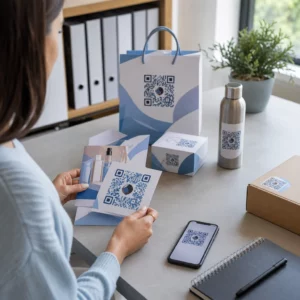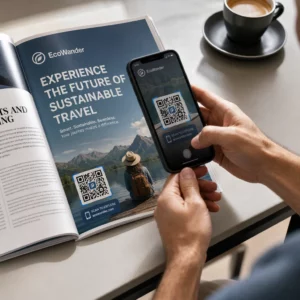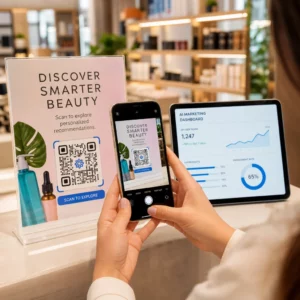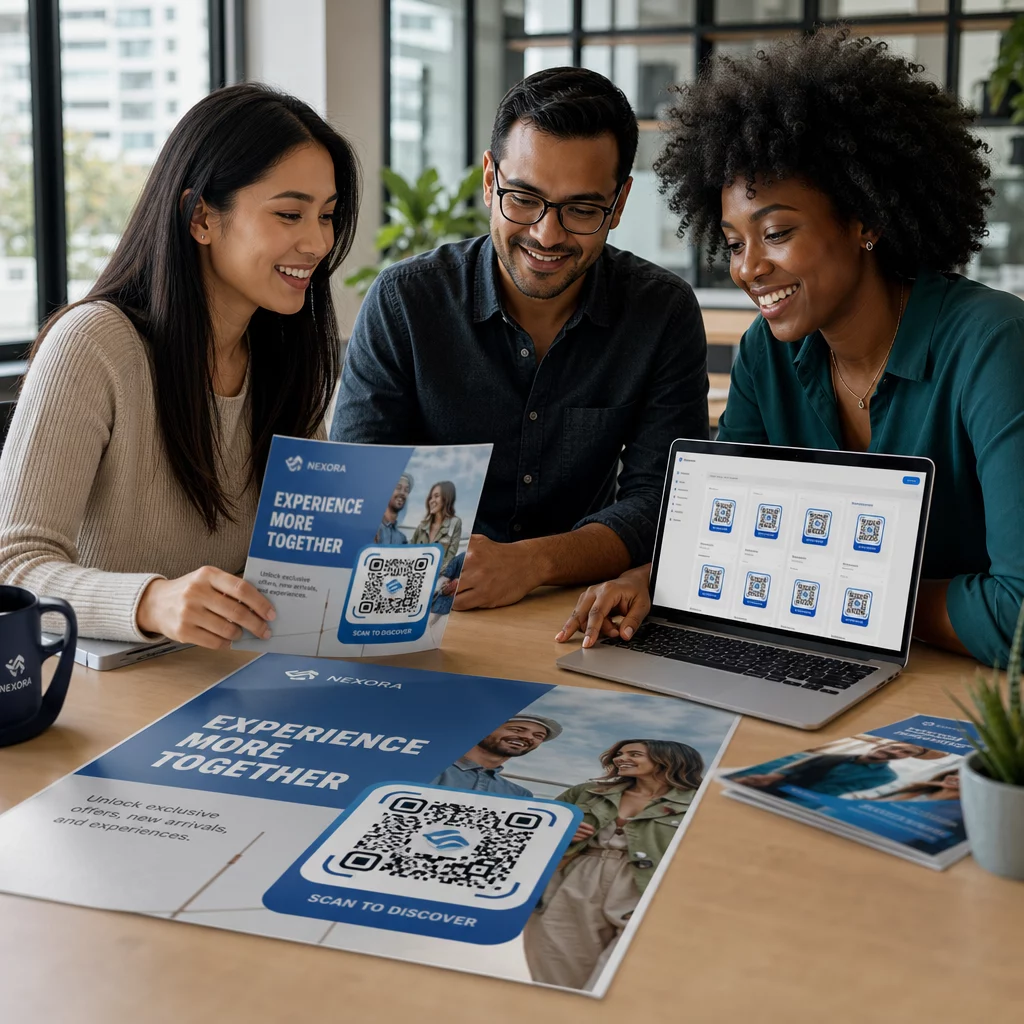
Concevoir manuellement chaque code QR dans une campagne n'est pas seulement lent – cela crée des incohérences qui sapent votre marque et rendent le suivi presque impossible. Si vous utilisez des codes QR à une échelle significative, l'automatisation est le moyen de maintenir une qualité constante tout en réduisant le temps de lancement.
Ce guide vous présente cinq étapes pratiques pour automatiser la personnalisation des codes QR : de la cartographie de vos sources de données et du choix de la bonne plateforme à la création de flux de travail basés sur des événements, au suivi des performances et au renforcement de la sécurité à mesure que vous évoluez.
Étape 1 : Cartographiez vos exigences d'automatisation
Avant de construire quoi que ce soit, définissez clairement ce que vous devez réellement automatiser. Sauter cette étape conduit à des flux de travail qui se brisent sous la charge ou nécessitent des corrections manuelles constantes.
Commencez par identifier vos sources de données. D'où proviennent les informations qui devraient alimenter chaque code QR ? Les sources courantes incluent :
- Systèmes CRM pour les codes spécifiques aux clients liés aux programmes de fidélité ou à l'intégration
- Catalogues de produits ou bases de données d'inventaire pour l'étiquetage de détail et de commerce électronique
- Plateformes de gestion d'événements pour les codes QR spécifiques aux participants lors de conférences ou de salons professionnels
- Fichiers CSV ou Excel pour les campagnes par lots comme le publipostage ou l'étiquetage de produits
Une fois que vous connaissez vos sources, décidez comment les connecter à un outil de génération de codes QR. Les API permettent la récupération programmatique des données et sont l'option la plus flexible. Les webhooks permettent des déclencheurs en temps réel – par exemple, le déclenchement d'un code QR dès qu'un nouveau client s'inscrit. Si vos outils n'ont pas d'intégrations directes, les plateformes d'automatisation sans code comme Zapier, Make ou n8n peuvent combler le fossé en utilisant des flux de travail basés sur des webhooks.
Enfin, réfléchissez au volume et à la fréquence des mises à jour. Un lot unique de 500 codes pour un lancement de produit est un problème différent de la génération de codes personnalisés pour chaque nouveau contact CRM en temps réel. Vos décisions en matière d'outils doivent refléter à la fois votre échelle actuelle et celle où vous prévoyez d'être dans six mois.
Explorer toutes les fonctionnalités des codes QR Vous ne savez pas quels types de codes QR correspondent à votre cas d'utilisation ? Parcourez la liste complète Vue d'ensemble des fonctionnalités de Pageloot pour voir ce qui est disponible pour vos campagnes.
Étape 2 : Choisir et configurer votre plateforme de codes QR
Une fois vos exigences définies, l'étape suivante consiste à sélectionner une plateforme capable de prendre en charge la génération automatisée et personnalisée de codes QR à votre volume cible.
Ce qu'il faut rechercher dans une plateforme
Codes QR dynamiques sont essentiels pour tout flux de travail automatisé. Contrairement aux codes statiques, les codes dynamiques vous permettent de mettre à jour l'URL de destination ou le contenu lié après l'impression – sans générer un nouveau code ni réimprimer les matériaux. C'est important lorsque les campagnes changent, les liens se rompent, ou que vous souhaitez rediriger les codes en fonction du moment ou de l'audience. Le Générateur de codes QR dynamiques Pageloot vous permet de modifier le contenu lié à tout moment, même après la distribution d'un code.
Contrôles de marque et de personnalisation déterminent dans quelle mesure vous pouvez automatiser l'aspect visuel. Recherchez une plateforme qui vous permet de définir les couleurs de votre marque, de télécharger un logo, de choisir les styles de corps et de bordure, et d'enregistrer ces choix comme modèles réutilisables. Le Générateur de QR code avec logo vous donne le contrôle sur le style, le cadre, la couleur d'arrière-plan, le motif du corps, le type de bordure et les préréglages de conception – tous ces éléments pouvant être verrouillés une fois et réutilisés de manière cohérente.
Génération en masse est non négociable si vous travaillez à grande échelle. Une plateforme doit être capable de traiter des centaines ou des milliers de codes en un seul lot, que ce soit à partir d'un téléchargement CSV ou via une API, tout en appliquant une image de marque et des paramètres de suivi cohérents à chaque code.
STATISTIQUES bouclent la boucle. Vous devez savoir quels codes sont scannés, quand, où et sur quels appareils. Les plateformes qui affichent ces données en temps réel vous permettent d'agir sur la performance, et pas seulement de la rapporter.
Configuration de la plateforme
Une fois que vous avez choisi une plateforme, configurez-la avant de créer des flux de travail :
- Définir les rôles et les autorisations des utilisateurs. Attribuez des niveaux d'accès afin que les administrateurs gèrent les intégrations, les responsables de campagne s'occupent de la création de codes et les analystes accèdent aux rapports sans pouvoir modifier les campagnes en direct.
- Générez les identifiants API et configurez vos points de terminaison si vous utilisez une intégration API directe.
- Configurez des modèles de marque. Téléchargez votre logo, définissez les couleurs de votre marque et enregistrez ces paramètres comme un modèle réutilisable. Les fonctionnalités de Pageloot Modèles de QR code vous permettent de créer plusieurs modèles pour différents cas d'utilisation – un pour l'emballage, un pour les supports événementiels, un pour les campagnes numériques – afin que chaque code ait un aspect cohérent sans avoir à le styliser manuellement à chaque fois.
- Activez les paramètres de sécurité. Activez l'authentification à deux facteurs pour les comptes administrateur, définissez des politiques de rétention des données et configurez des contrôles d'accès adaptés à votre secteur d'activité.
Créez des codes QR de marque à grande échelle Vous voulez appliquer automatiquement votre logo et les couleurs de votre marque à chaque code ? Utilisez le Générateur de QR code avec logo pour définir votre identité visuelle une seule fois et maintenir chaque code conforme à votre marque.
Étape 3 : Créez des flux de travail automatisés pour la création et le déploiement
C'est ici que votre configuration devient un système fonctionnel. L'objectif est de définir les événements spécifiques qui déclenchent la génération de codes QR, puis de connecter ces codes directement à vos canaux marketing afin qu'ils soient prêts à être utilisés immédiatement.
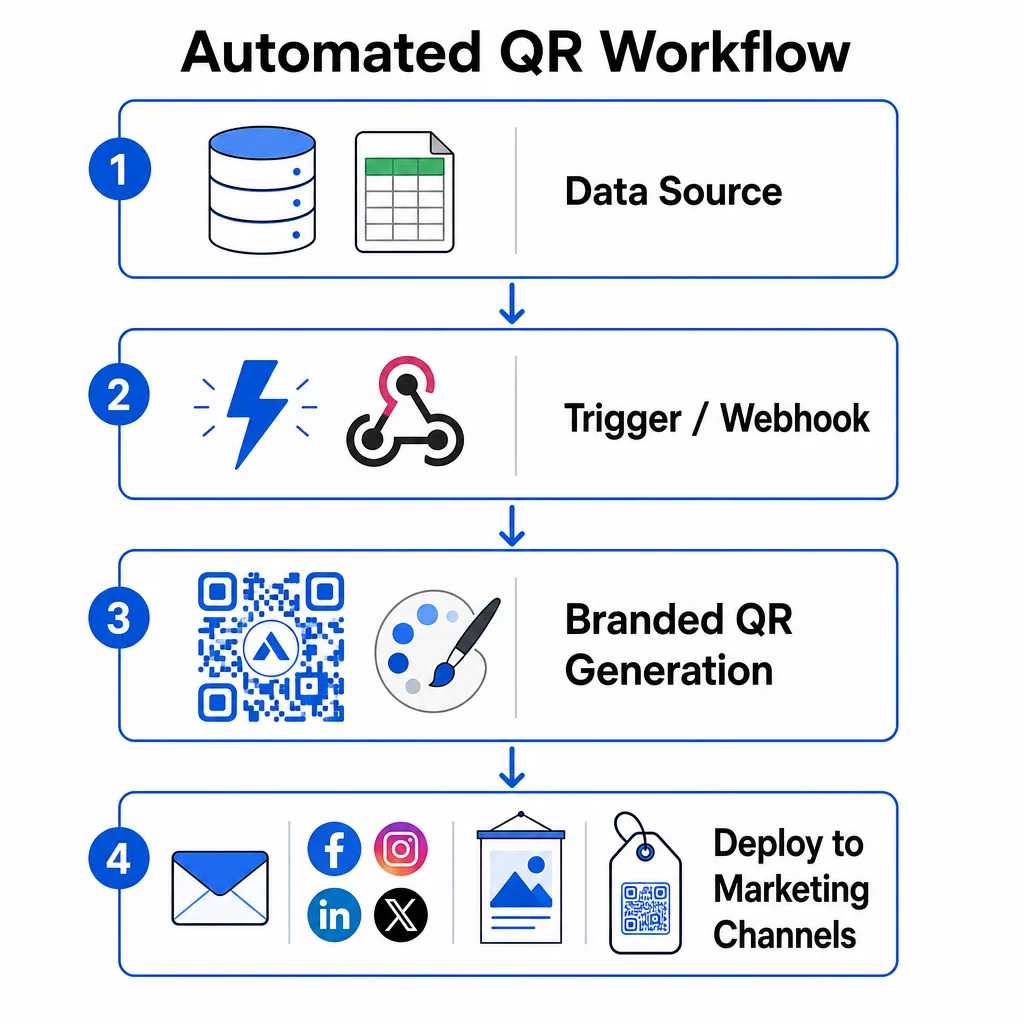
Déclencheurs basés sur les événements
Les déclencheurs sont ce qui rend l'automatisation autonome. Au lieu de générer des codes manuellement, votre système répond automatiquement aux événements commerciaux.
Les types de déclencheurs courants incluent :
- Mises à jour du catalogue de produits : Lorsqu'un nouveau produit est ajouté à votre système d'inventaire, un flux de travail génère un code QR de marque lié à la page de ce produit – prêt pour l'emballage ou les supports marketing avant que quiconque n'ait à le demander.
- Inscriptions des clients : Lorsqu'un nouveau client s'inscrit, le système crée un code QR personnalisé pour l'accès au compte, un kit de bienvenue ou l'inscription à un programme de fidélité.
- Réservations d'événements : Lorsqu'un participant s'inscrit à une conférence ou à un salon professionnel, un code QR unique est généré pour l'enregistrement ou l'accès au stand.
- Campagnes planifiées : Des déclencheurs basés sur le temps peuvent générer des codes chaque semaine pour les événements à venir ou chaque mois pour les promotions saisonnières, maintenant les campagnes à jour sans mises à jour manuelles.
Pour les flux de travail basés sur des API, la génération de codes QR se fait généralement via une requête HTTP POST qui transmet à la fois le contenu (URL ou charge utile de données) et les paramètres de style (couleurs, URL du logo, taille, format) dans un seul corps JSON. Les champs de style sont généralement facultatifs – votre modèle de marque enregistré les gère automatiquement – tandis que le champ de contenu est requis pour chaque code unique.
Pour les configurations sans code, le déclencheur “ Webhooks by Zapier ” de Zapier vous permet de créer une URL qui déclenche un Zap à partir de toute requête HTTP entrante. Make et n8n offrent des déclencheurs similaires basés sur des webhooks avec une logique plus avancée pour les équipes qui ont besoin de branchements conditionnels ou de transformations en plusieurs étapes.
Pour un examen plus approfondi de la façon dont les API permettent la génération en masse et les mises à jour dynamiques, voir Intégration API pour la gestion des codes QR.
Intégration avec les canaux marketing
Une fois qu'un déclencheur se déclenche et qu'un code est généré, le flux de travail doit pousser ce code directement dans le canal où il sera utilisé. Cela supprime l'étape manuelle de téléchargement, de reformatage et de téléchargement des codes vers chaque plateforme.
- Outils de marketing par e-mail comme Mailchimp ou Constant Contact peuvent intégrer des codes QR directement dans les modèles de newsletter ou les e-mails promotionnels au moment de l'envoi.
- Planificateurs de médias sociaux comme Hootsuite ou Buffer peuvent recevoir des codes dans le cadre d'une charge utile de publication programmée, vous permettant d'associer du contenu à un code unique par plateforme.
- Plateformes d'automatisation du marketing comme HubSpot ou Marketo peuvent déclencher la génération de codes QR en fonction des scores de leads ou de l'appartenance à un segment, en intégrant automatiquement le code résultant dans une séquence d'e-mails ciblée.
Pour les agences gérant des campagnes pour plusieurs clients, l'automatisation devient encore plus critique. Les flux de travail peuvent appliquer l'image de marque spécifique au client, générer des codes et les acheminer via une étape d'approbation avant que tout code ne soit mis en ligne. Découvrez comment Pageloot prend en charge les flux de travail des agences avec des fonctionnalités en marque blanche, des permissions basées sur les rôles et des rapports clients partageables.
Gestion des codes QR dynamiques et en masse
La génération en masse gère le volume ; les codes dynamiques gèrent le changement. Ensemble, ils couvrent la plupart des besoins en codes QR à l'échelle de l'entreprise.
Avec la génération en masse, vous transmettez une liste de valeurs de contenu uniques – URL de produits, identifiants de participants, identifiants de localisation – ainsi qu'un ensemble partagé de paramètres de marque. La plateforme génère chaque code en une seule passe, applique un style cohérent et les renvoie dans un format prêt pour l'emballage ou l'impression. Pour en savoir plus sur les outils de masse de qualité entreprise, voir des outils automatisés de codes QR en masse pour les entreprises.
Les codes dynamiques ajoutent de la flexibilité après la distribution. Si une destination de campagne change, une promotion se termine ou un lien est rompu, vous mettez à jour la destination dans votre tableau de bord – et non le code physique. Cela permet également une automatisation basée sur la performance : les flux de travail peuvent surveiller les taux de scan et mettre à jour automatiquement la destination d'un code si l'engagement tombe en dessous d'un seuil, ou rediriger les codes vers des pages saisonnières selon un calendrier défini.
Étape 4 : Suivre et optimiser les performances de la campagne
L'automatisation ne signifie pas "configurer et oublier". Les véritables gains de performance proviennent du suivi de ce qui fonctionne et de l'ajustement pendant que les campagnes sont encore en cours.
Statistiques en temps réel
Le suivi des scans vous donne une visibilité immédiate sur la performance des codes sur tous les canaux. Un bon tableau de bord analytique affiche la fréquence des scans, la distribution géographique, les types d'appareils et les schémas horaires. Si vous constatez une baisse des scans pendant certaines heures, vous pouvez ajuster le calendrier promotionnel. Si certains emplacements surpassent constamment d'autres, vous pouvez redistribuer les matériaux en conséquence.
Le tableau de bord de Pageloot capture non seulement quand et où les scans se produisent, mais aussi ce que les utilisateurs font après avoir scanné – vous donnant une image plus complète des performances de la campagne que le seul volume de scans.
Rapports automatisés
Gérer manuellement plusieurs campagnes de codes QR signifie basculer entre les tableaux de bord et compiler les données à la main. Le reporting automatisé supprime cette surcharge en livrant des résumés planifiés directement dans votre boîte de réception ou sur votre plateforme intégrée.
Les cadences de reporting utiles incluent :
- Rapports hebdomadaires qui mettent en évidence les codes les plus performants, signalent les modèles de scan inhabituels et identifient les campagnes qui pourraient nécessiter une attention
- Rapports mensuels qui capturent les tendances à plus long terme, les changements saisonniers et les comparaisons entre campagnes
Connecter vos analyses QR à des plateformes comme Google Analytics, HubSpot ou Salesforce crée une vue unifiée de vos données marketing. Les systèmes d'alerte ajoutent une autre couche – vous informant immédiatement lorsqu'une campagne de codes QR connaît une baisse soudaine d'activité, afin que vous puissiez enquêter avant que la campagne ne souffre.
Appliquer les données aux campagnes physiques
Les analyses QR sont particulièrement utiles pour mesurer l'engagement avec les supports imprimés, qui sont autrement difficiles à suivre. En attribuant des codes uniques à des emplacements, des événements ou des tirages spécifiques, vous pouvez attribuer les scans avec précision.
Une chaîne de magasins, par exemple, peut attribuer un code unique à chaque emplacement de magasin et voir quels emplacements génèrent le plus d'engagement numérique. Lors d'un salon professionnel, les codes QR sur les supports de stand connectent les interactions physiques aux analyses numériques, donnant aux équipes marketing des données pour justifier les dépenses événementielles.
Lorsqu'un code fonctionne exceptionnellement bien, vous pouvez le faire évoluer – en augmentant les dépenses publicitaires, en élargissant la distribution ou en dupliquant le format de la campagne sur d'autres canaux.
Surveillez Votre Campagne en Temps Réel Vous voulez savoir exactement où et quand vos clients scannent vos supports ? Utilisez le Générateur de codes QR pour créer des codes dynamiques traçables et accéder à un tableau de bord de performance complet.
Étape 5 : Concevoir pour la scannabilité et sécuriser à grande échelle
L'automatisation gère le volume, mais les codes qu'elle produit doivent toujours être scannables de manière fiable et provenir d'un système qui ne divulguera pas vos données ou ne tombera pas en panne sous la charge.
Image de marque dans les limites techniques
La personnalisation étend ce qu'un code QR peut faire pour votre marque – mais elle opère dans des contraintes techniques qui, si elles sont ignorées, produisent des codes qui ne scannent pas.
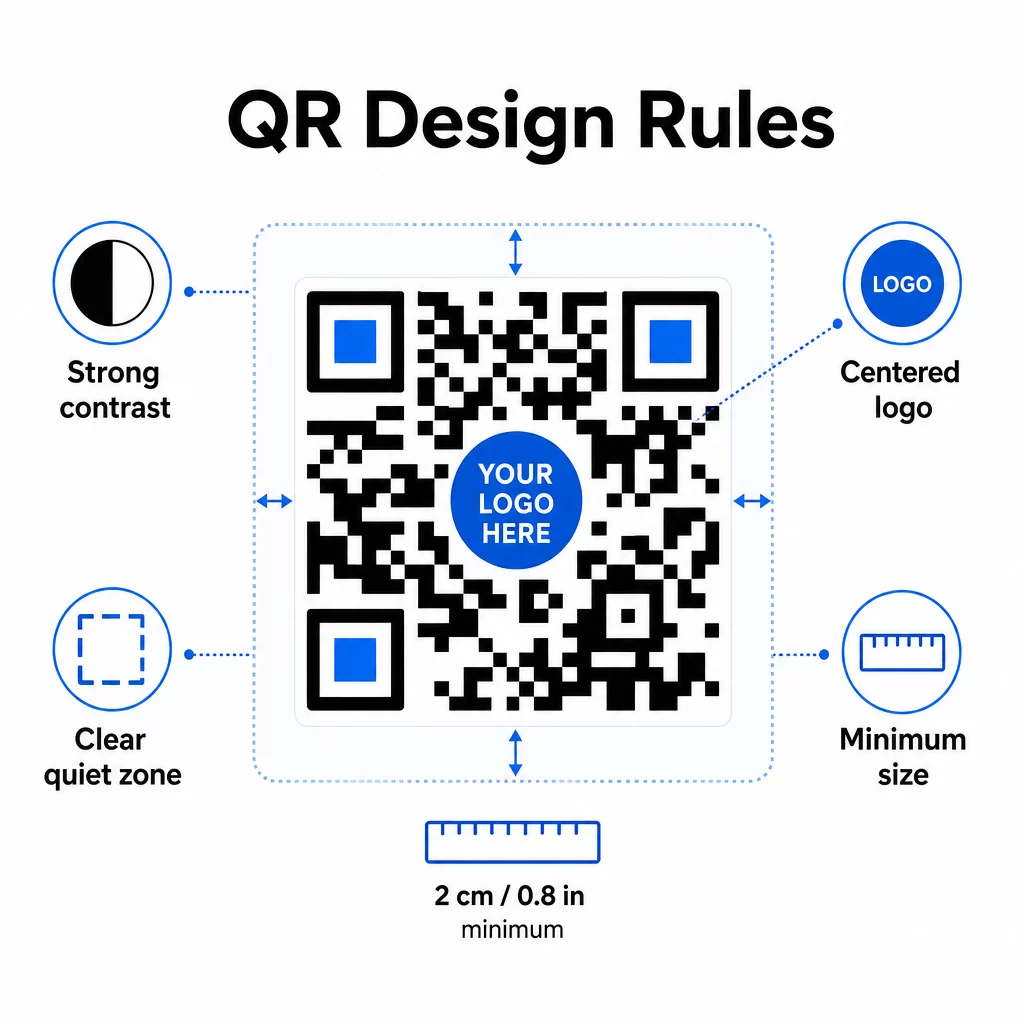
Contraste des couleurs est le point de défaillance le plus courant. Les scanners de codes QR lisent la différence entre les modules sombres et clairs, de sorte que le premier plan doit toujours être plus foncé que l'arrière-plan. N'inversez jamais cette relation. Un rapport de contraste minimum de 4:1 entre le code et son arrière-plan est le seuil pratique pour une lecture fiable ; un rapport plus élevé est préférable. Pour une analyse détaillée des combinaisons de couleurs et des rapports de contraste, voir meilleures pratiques de contraste des couleurs des codes QR.
Couverture du logo doit rester à ou en dessous de 30 % de la surface totale du code. Des logos plus grands masquent trop de modules de données pour être récupérés. Placez les logos uniquement au centre, sur un fond clair uni, et utilisez des formes simples. Si vous intégrez des logos, utilisez le niveau de correction d'erreur Q ou H pour donner au scanner plus de redondance à exploiter.
Zones de silence sont la marge claire autour du code. La spécification du code QR exige au moins quatre modules d'espace vide sur tous les côtés. Dans les flux de travail automatisés, il est facile de rogner accidentellement cette marge – intégrez l'application des zones de silence dans les paramètres de votre modèle afin qu'elle ne puisse pas être outrepassée.
Taille minimale pour la lecture à courte portée est d'environ 0,8 × 0,8 pouces (environ 2 × 2 cm). Pour la signalisation ou les affiches vues à distance, appliquez la règle du 10:1 : la distance de lecture ne doit pas dépasser dix fois la largeur du code. Un code sur une affiche vue à 10 pieds doit avoir une largeur d'au moins 12 pouces.
Toute personnalisation que vous appliquez – nouvelles combinaisons de couleurs, emplacements de logos, styles de cadres – doit être testée avant d'être intégrée à un flux de travail en masse. Testez sur plusieurs appareils, applications de scanner et conditions d'éclairage. Pour des directives complètes sur la lisibilité, voir les meilleures pratiques pour la lisibilité des codes QR.
Mesures de sécurité
À mesure que votre système automatisé gère plus de codes et plus de données, la sécurité doit suivre le rythme.
- Contrôle d'accès basé sur les rôles limite ce que chaque membre de l'équipe peut faire. Les coordinateurs marketing peuvent créer et prévisualiser des campagnes ; seuls les administrateurs informatiques doivent gérer les intégrations et les paramètres de sécurité.
- Chiffrement des données protège les informations sensibles en transit et au repos. Les codes QR qui renvoient à des pages de paiement, des comptes clients ou des documents confidentiels doivent toujours utiliser des destinations HTTPS chiffrées avec des certificats TLS valides.
- Conformité avec le RGPD, le CCPA ou l'HIPAA (selon votre secteur) signifie intégrer des mécanismes de consentement, des politiques de conservation des données et des options de désabonnement dans vos flux de travail automatisés dès le départ – et non après coup.
- Audits de sécurité réguliers détectez les vulnérabilités avant qu'elles ne deviennent des incidents. Documentez votre calendrier de révision et testez vos contrôles d'accès chaque fois qu'un membre de l'équipe change de rôle.
Stratégies d'évolutivité
Une conception de flux de travail modulaire est l'approche la plus pratique en matière d'évolutivité. Au lieu d'un grand flux de travail unique qui gère la création, le style, la distribution et l'analyse, divisez-les en modules interconnectés distincts. Vous pouvez ensuite mettre à jour un composant – par exemple, la logique de marque – sans toucher au pipeline de distribution.
Intégrez une gestion automatisée des erreurs avec des mécanismes de secours. Si le point de terminaison principal de génération de codes QR est indisponible, le flux de travail doit basculer vers une sauvegarde, enregistrer l'échec et alerter un administrateur – et non pas abandonner silencieusement la requête. La logique de réessai gère les problèmes de connectivité temporaires sans intervention manuelle.
Pour les opérations à volume élevé, la limitation du débit des API et les systèmes de file d'attente vous empêchent de submerger les plateformes connectées. Répartissez les requêtes uniformément plutôt que d'envoyer tout en une seule rafale, et utilisez le traitement par lots pendant les heures creuses lorsque cela est possible.
Conservez un historique des versions des configurations de flux de travail et surveillez les temps d'exécution, les taux de réponse des API et l'utilisation des ressources. Si les temps de génération ou de déploiement commencent à augmenter, c'est un signal pour vérifier si la capacité doit être augmentée avant que cela n'affecte les campagnes en direct.
Mise en pratique
Les cinq étapes ci-dessus forment un système complet : des exigences qui guident les choix de plateforme, des choix de plateforme qui permettent des modèles de marque, des modèles qui alimentent des flux de travail automatisés, des flux de travail qui produisent des codes traçables, et des données de suivi qui vous aident à vous améliorer au fil du temps.
L'adoption des codes QR continue de croître – une enquête de 2025 a révélé que 82 % des consommateurs se sentent à l'aise de scanner des codes provenant d'entreprises qu'ils reconnaissent, contre 53 % en 2021. L'automatisation est ce qui rend pratique de toucher ce public à grande échelle, avec des codes qui sont constamment conformes à la marque, fiablement scannables et liés à des résultats mesurables.
Commencez par le Générateur de code QR Pageloot pour configurer votre premier modèle de marque, puis construisez votre couche d'automatisation sur cette base.
Questions fréquentes
Les codes QR dynamiques vous permettent de mettre à jour l'URL de destination ou le contenu lié après qu'un code a été imprimé et distribué. Dans un flux de travail automatisé, cela signifie que vous pouvez rediriger les codes vers de nouvelles offres, corriger les liens brisés ou faire pivoter le contenu saisonnier sans générer de nouveaux codes ni réimprimer de supports. Ils fournissent également des analyses de scan – heure, lieu, type d'appareil – qui alimentent vos flux de travail d'optimisation.
Les trois règles les plus importantes sont le contraste, la couverture du logo et les zones de silence. Utilisez toujours un premier plan sombre sur un arrière-plan clair avec un rapport de contraste d'au moins 4:1. Maintenez tout logo intégré à 30% ou moins de la zone du code, centré sur un fond uni. Maintenez au moins quatre modules de marge claire autour de l'ensemble du code. Utilisez le niveau de correction d'erreur Q ou H lors de l'ajout de logos. Intégrez ces contraintes dans vos modèles afin que chaque code produit par votre automatisation les respecte automatiquement – puis testez les nouvelles configurations de conception sur plusieurs appareils avant de les exécuter via un flux de travail en masse.
Les plateformes sans code comme Zapier et Make sont bien adaptées aux équipes sans développeurs dédiés. Toutes deux utilisent des webhooks pour déclencher la génération de codes QR à partir d'événements dans d'autres outils – un nouveau contact CRM, une mise à jour de catalogue de produits ou une inscription à un événement. Vous configurez le déclencheur, mappez les champs de données (URL, paramètres de marque) et dirigez l'action vers le point de terminaison API de votre plateforme de codes QR. Pour les équipes qui ont besoin de plus de logique conditionnelle ou de transformations de données personnalisées, n8n offre un constructeur de flux de travail basé sur des webhooks plus flexible. L'intégration API reste l'option la plus puissante pour les équipes techniques gérant des flux de travail complexes ou à volume élevé.