> 가이드 > How to Create a Custom QR Code for SMS Messages
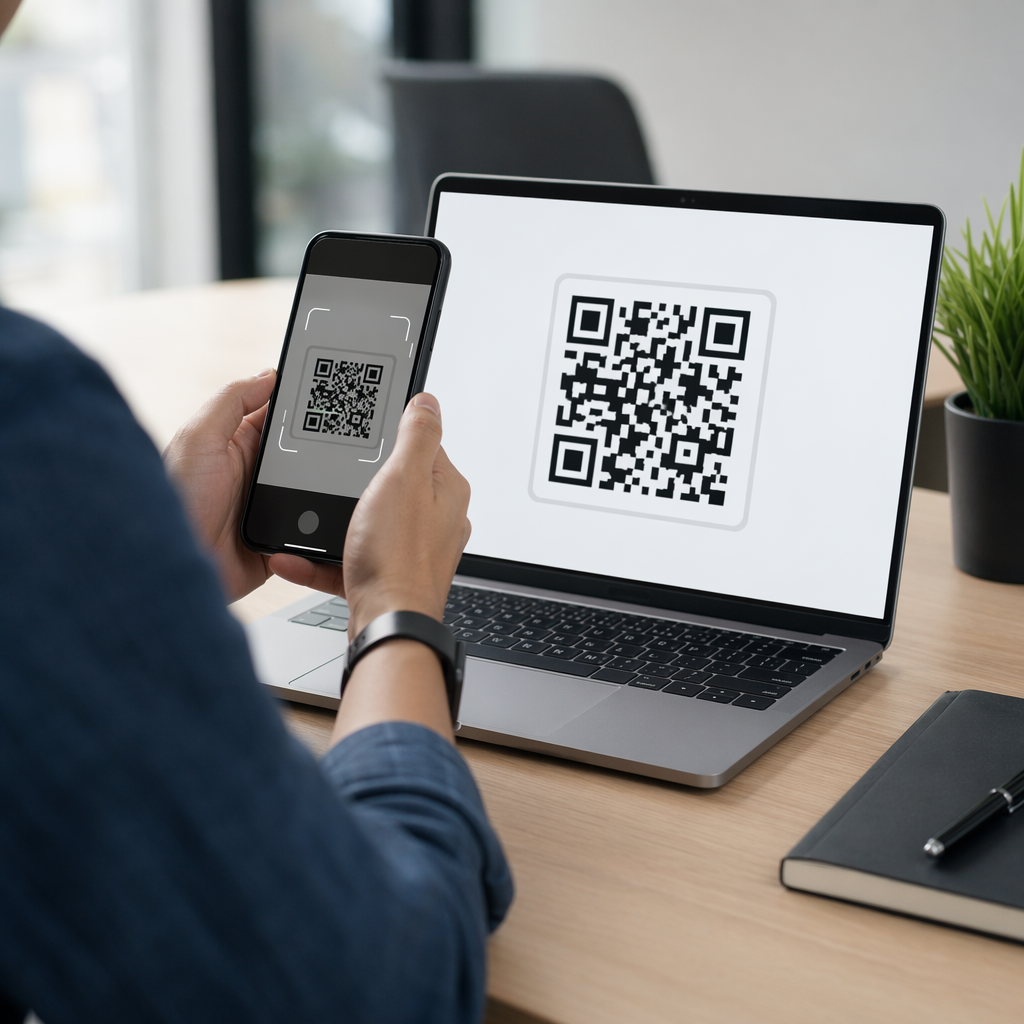
Scanning an SMS code

How to Create a Custom QR Code for SMS Messages

Learn how to create custom SMS QR codes that open prefilled text messages on mobile devices. Follow our step-by-step guide and design best practices.
Updated on 7월 27, 2026
목차

Are you losing mobile leads because manually typing a phone number and keyword creates friction for your customers? Forcing users to copy down contact details lowers conversion rates across print signage, packaging, and digital displays. Generating a custom SMS QR code instantly opens a prefilled text message on a smartphone so your audience can connect in seconds.

How SMS QR Codes Work on Mobile Devices

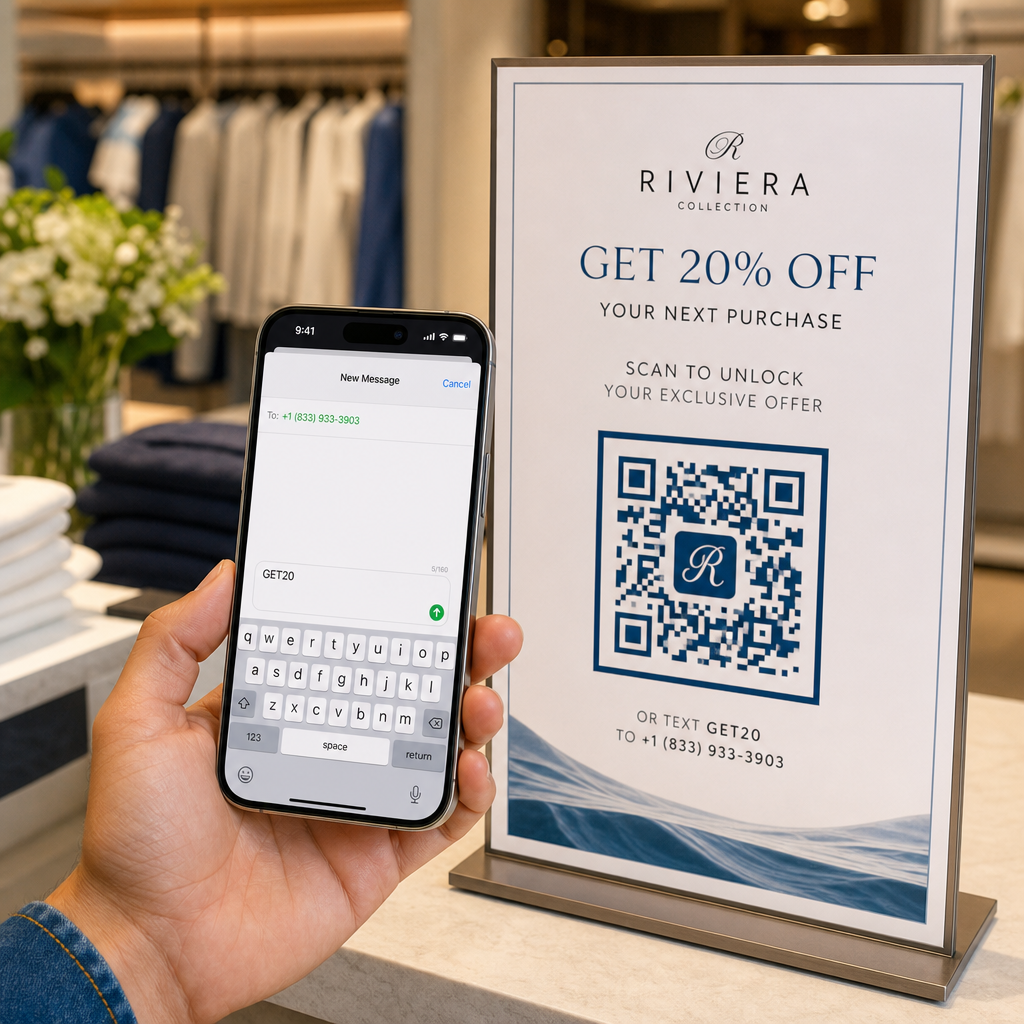
SMS QR codes rely on the standard `sms:` Uniform Resource Identifier (URI) protocol. When a customer scans your code using their smartphone camera or a web-based QR 코드 스캐너, the phone’s operating system recognizes the protocol and immediately opens the native messaging app.

The scan populates two specific fields automatically:

  • Recipient phone number: The designated destination number, formatted with international country codes.
  • Prefilled message body: A preset text string (such as “START” or “SEND INFO”) ready in the draft window.

For user security and privacy, scanning the code does not automatically dispatch the text message. The user must manually tap the send button inside their messaging application to transmit the SMS. This extra step ensures transparency while removing the hassle of manually typing phone numbers or message keywords.

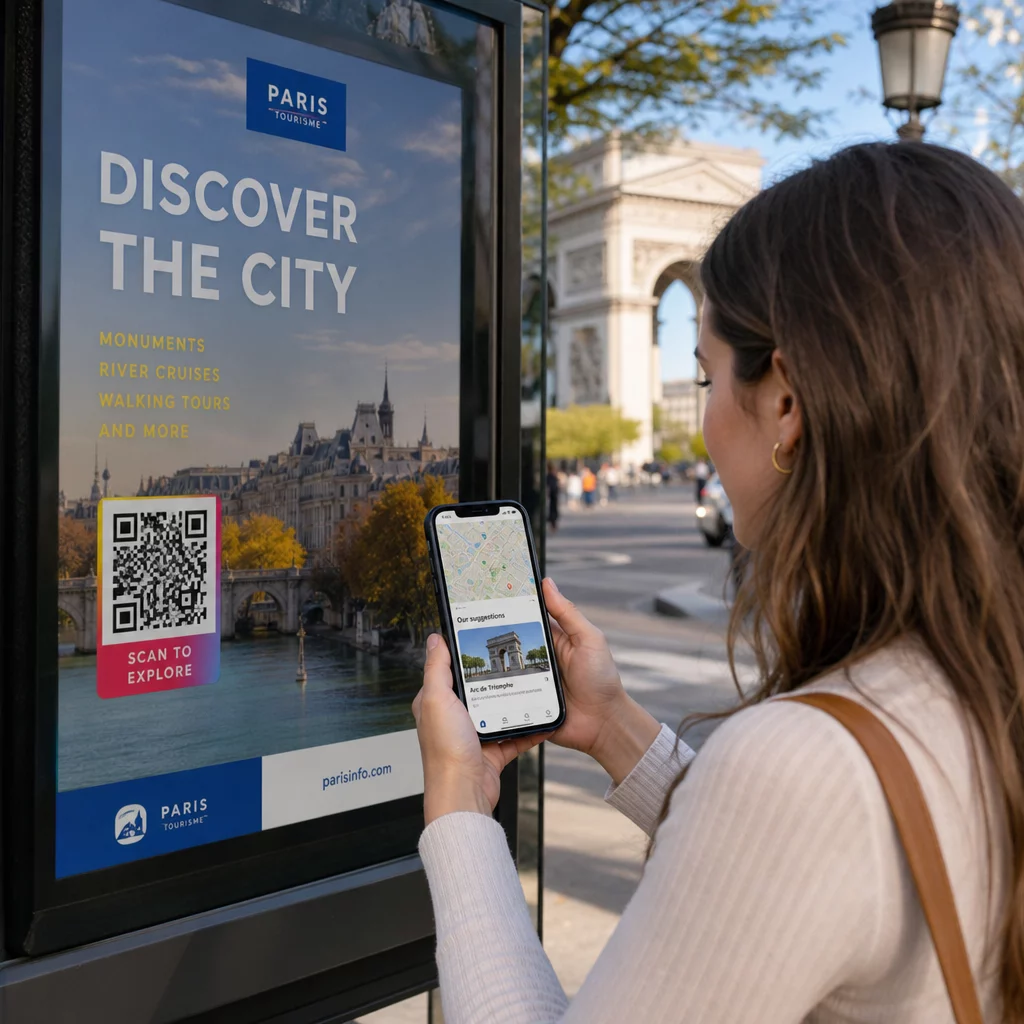
Businesses frequently deploy prefilled text QR codes for lead generation, customer support requests, contest entries, and post-call follow-ups in multi-channel telemarketing campaigns.

Steps to Create a Prefilled SMS QR Code

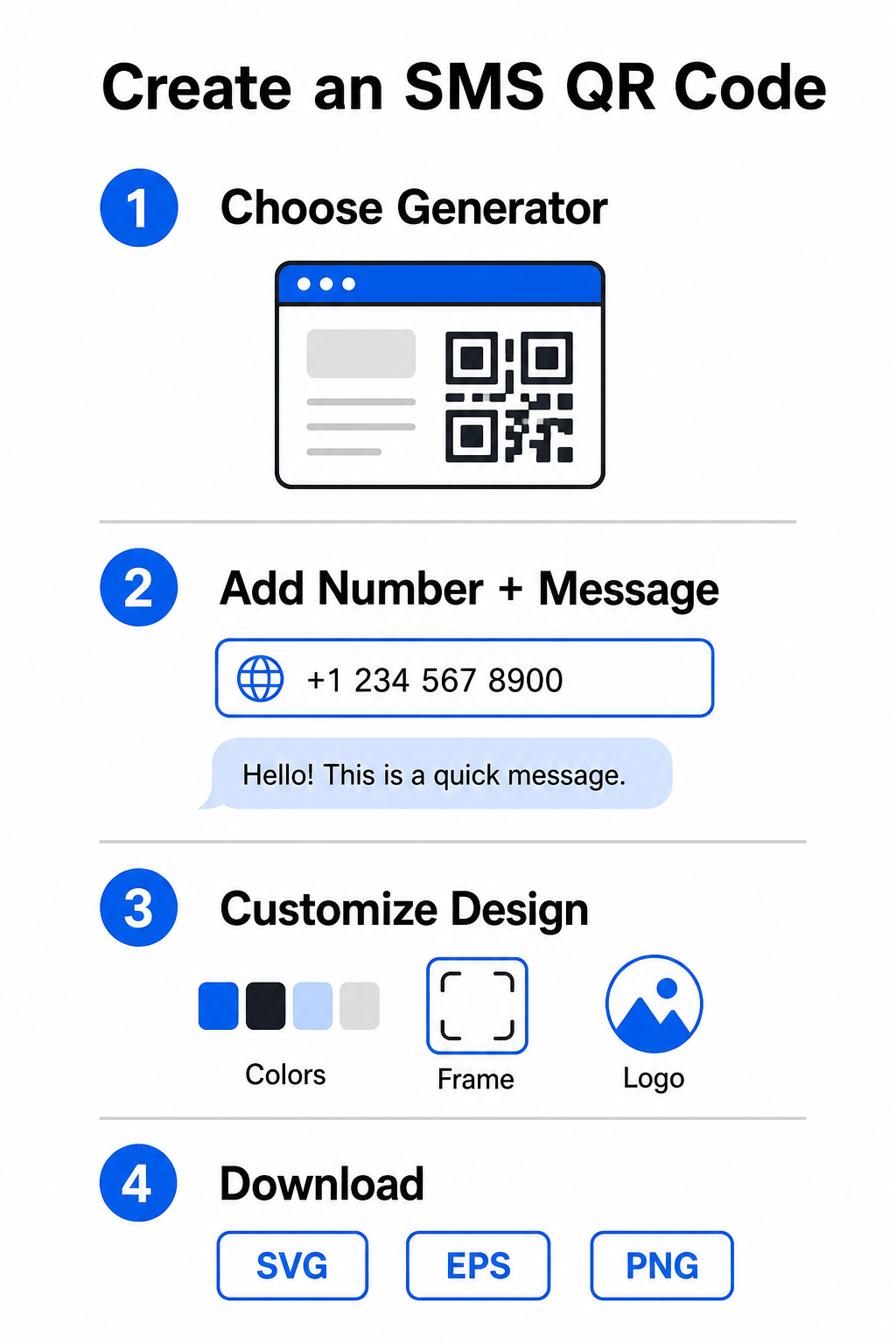
Building a customized SMS QR code requires no software installation or technical experience. Follow this straightforward process to build and export your text message code:

SMS QR creation steps
  • Select an SMS generator: Open an online QR 코드 생성기 or a specialized text QR code generator.
  • Input contact details: Enter the destination phone number using international format (for example, `+14155552671` for US numbers) without spaces, dashes, or parentheses, then add your prefilled text message.
  • Customize visual elements: Align the design with your brand identity by selecting custom colors, adding a frame, and embedding your logo with a 로고가 있는 QR 코드 생성기.
  • Download high-resolution files: Export your completed image in vector formats such as SVG or EPS for commercial printing, or PNG for online placement.

Start Capturing SMS Leads Instantly Ready to eliminate friction from your mobile communication channels? Use the Pageloot QR 코드 생성기 to create customized, print-ready SMS QR codes for your business today.

Design Best Practices for High Scannability

A poorly designed QR code causes scanning failures and frustrates potential leads. Follow these core design parameters to maintain reliable performance across all mobile devices:

Design Factor Recommended Specification 목적
최소 크기 At least 0.8 x 0.8 inches (2 x 2 cm) Ensures mobile camera sensors can resolve data modules at close range.
스캔 비율 10:1 거리-크기 비율 Maintains scannability; a 2-inch code works from up to 20 inches away.
색상 대비 Dark foreground on a light background Provides reflectivity differences so camera sensors decode data reliably.
조용한 영역 Clear margin equal to 4 module widths Separates the code pattern from background graphics and physical borders.

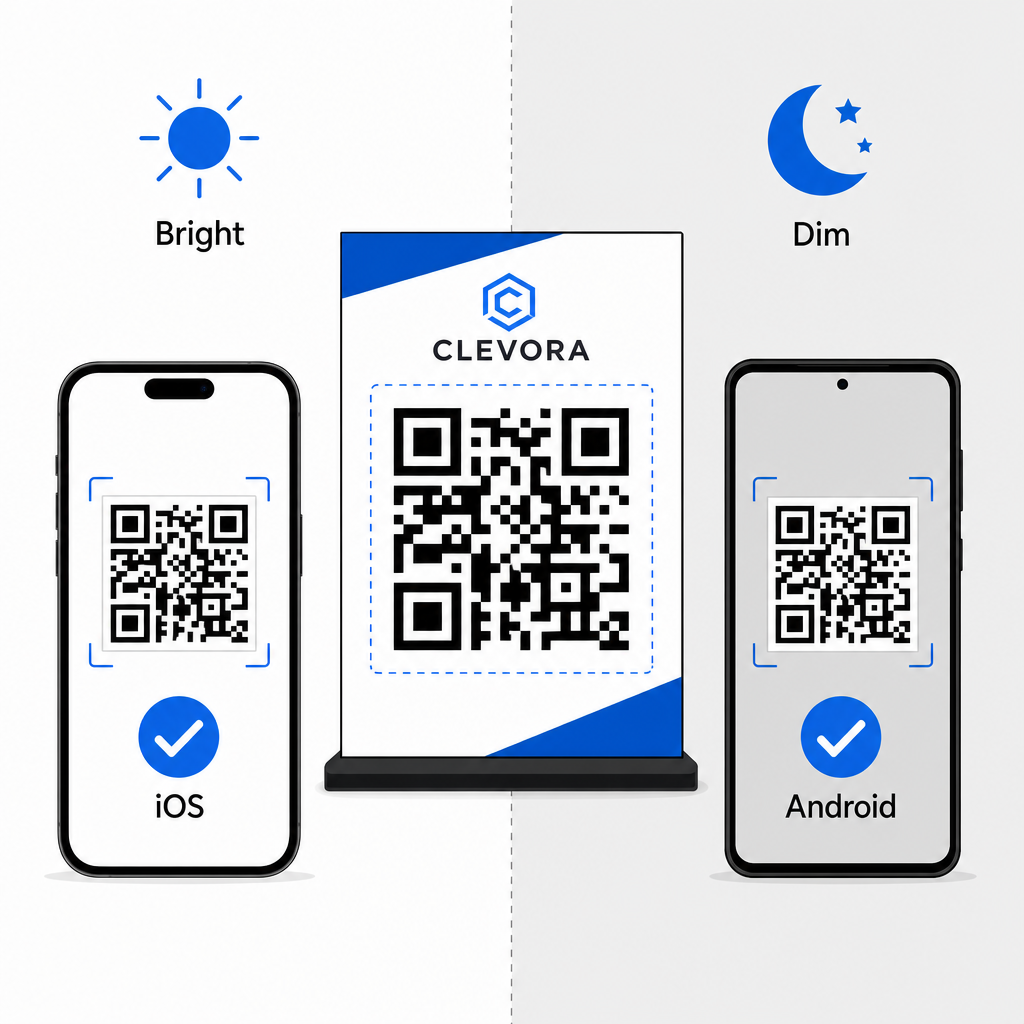
Always verify your physical or digital display before launching a campaign. Scan your code using multiple iOS and Android devices under varying light conditions to confirm quick decoding. You can read more about device testing in our guide on 스마트폰에서 QR 코드 스캔하는 방법. For broader campaign execution, explore our guides on strategic 마케팅에서의 QR 코드 배치 and overall QR 코드 가독성을 위한 모범 사례.

QR 코드 스캔 테스트

SMS Compliance and Legal Requirements

When using SMS QR codes for marketing or audience outreach in the United States, your campaigns must comply with Telecommunications Consumer Protection Act (TCPA) regulations.

While scanning a QR code and sending a prefilled message indicates direct user intent, automated promotional messaging requires explicit written consent beforehand. Protect your brand by implementing these compliance measures:

  • Provide clear disclosures: Place explicit text near the code explaining what happens when a user scans and sends the message (for example, “Scan to join our VIP club and receive weekly text discounts”).
  • Include mandatory terms: Add required regulatory notices near the image, such as “Message and data rates may apply.”
  • Send required opt-in details: Ensure your automated initial text response confirms your business name, message frequency, customer support contacts, and opt-out instructions (such as “Reply STOP to cancel”).

Streamline Your Mobile Outreach

Integrating prefilled SMS QR codes into your marketing touchpoints eliminates typing errors, speeds up user action, and improves lead conversion rates across both print and digital media. By combining clear call-to-action messaging, proper visual formatting, and regulatory compliance, you make it effortless for customers to start a conversation with your business. Design your custom SMS QR code today to start capturing higher-intent mobile leads.

자주 묻는 질문

Does scanning an SMS QR code automatically send the text message?

No. Scanning populates the destination phone number and draft body text inside the user’s native messaging app, but the user must manually tap send to dispatch the message.

What is the correct phone number format for an SMS QR code?

Enter the phone number using full international format starting with a plus sign and country code (such as +1 for North America) without spaces, dashes, or brackets.

Can I edit the prefilled SMS message after printing the QR code?

Static SMS QR codes encode the recipient number and message text directly into the graphic pattern, making them uneditable after printing. To change destination content dynamically, consider linking users to an updated web landing page.

작성자 정보

시임 코스타비는 페이지루트의 콘텐츠 책임자입니다. 그는 페이지루트의 혁신적인 QR 코드 생성 서비스에 대한 글을 쓰고 있습니다. 5년 이상 QR 코드 분야에서 쌓아온 깊이 있는 전문 지식을 바탕으로, 시임은 이 분야의 전문가로 인정받고 있습니다. 그는 QR 기술을 활용하여 디지털 상호작용을 간소화하고 향상시키는 데 크게 기여하고 있습니다.

범주
에 대해 자세히 알아보기

온라인으로 QR 코드를 생성해야하는 경우 QR 코드 만들기 무료로 여기!
Pageloot는 #1 Go-To 솔루션 QR 코드를 만들고 스캔합니다.

BL-0329

블로그 세대

20,000개 이상의 브랜드로부터 신뢰를 받아 더 많은 매출, 리뷰, 팔로워를 확보했습니다.

클라이언트 로고
최고 브랜드의 신뢰
5 중 4.8 평가

4.86 / 5 별점

휴고 로랑
휴고 로랑
레스토랑 주인
가장 쉽고 안정적인 QR 코드 생성기. PDF 파일을 즉시 업로드할 수 있습니다. 이제 레스토랑 메뉴가 디지털화되었습니다.
루카스 얀센
루카스 얀센
부동산 개발사
이것은 훌륭한 도구이며 QR 코드를 사용하면 원하는 곳으로 이동할 수 있습니다. 우리는 위치 QR 코드만 사용하지만 유용한 기능이 너무 많습니다.
엠마 모레티
엠마 모레티
소매 제품
사용하기 쉽고 빠릅니다. 그것은 훌륭하게 작동하고 완벽한 이미지를 생성하므로 직원들이 내 vCard를 다운로드할 수 있습니다.
휴고 로랑
휴고 로랑
레스토랑 주인
가장 쉽고 안정적인 QR 코드 생성기. PDF 파일을 즉시 업로드할 수 있습니다. 이제 레스토랑 메뉴가 디지털화되었습니다.
루카스 얀센
루카스 얀센
부동산 개발사
이것은 훌륭한 도구이며 QR 코드를 사용하면 원하는 곳으로 이동할 수 있습니다. 우리는 위치 QR 코드만 사용하지만 유용한 기능이 너무 많습니다.
엠마 모레티
엠마 모레티
소매 제품
사용하기 쉽고 빠릅니다. 그것은 훌륭하게 작동하고 완벽한 이미지를 생성하므로 직원들이 내 vCard를 다운로드할 수 있습니다.
더 많은 QR 코드보기
QR 코드 마케팅
5 간편한 QR 코드 마케팅 해킹
QR 명함 스캔
QR 코드 만들기 명함
무엇이든 디지털 경험으로 전환하세요 3분 이내에.

14일 무료 체험.

신용카드는 필요 없습니다.

첫 구매 시 30% 할인

코드를 사용하세요:

MP3 파일 공유

PDF QR 코드를 생성하려면 가입하세요

필요한 모든 것을 업로드하고 표시합니다.

  • 오디오 파일
  • 팟캐스트
  • 음악

가입 시 14일 무료 체험.
체험 기간 후 QR 코드 만료.

오디오 mp3 QR 코드를 생성하려면 가입하세요

프레임으로 더 많은 스캔 확보

QR 코드에 더 많은 프레임을 추가하려면 가입하세요

클릭 유도 문안 프레임은 고객이 QR 코드와 쉽게 상호 작용할 수 있도록 도와줍니다. 사용해 보세요!

가입 시 14일 무료 체험.
체험 기간 후 QR 코드 만료.

QR 코드에 더 많은 프레임을 추가하려면 가입하세요

도형으로 더 많은 스타일 추가

더 많은 도형을 만들려면 가입하세요

QR 코드는 정사각형일 필요가 없습니다. 브랜드 이미지에 맞게 전환해 보세요.

가입 시 14일 무료 체험.
체험 기간 후 QR 코드 만료.

더 많은 도형을 만들려면 가입하세요

QR 코드에 로고 추가

QR 코드에 로고를 추가하려면 가입하세요

로고와 브랜드를 추가하여 QR 코드를 돋보이게 만드세요.

가입 시 14일 무료 체험.
체험 기간 후 QR 코드 만료.

QR 코드에 로고를 추가하려면 가입하세요

스마트 앱 스토어 리디렉션

앱 스토어 QR 코드를 생성하려면 가입하세요

스마트 앱 스토어 QR 코드에 앱 링크를 추가하세요. 사용자는 장치에 따라 리디렉션됩니다.

가입 시 14일 무료 체험.
체험 기간 후 QR 코드 만료.

앱 스토어 QR 코드를 생성하려면 가입하세요

QR 코드에 이미지 업로드

이미지 QR 코드를 생성하려면 가입하세요

이미지를 쉽게 공유하세요. 몇 초 안에 동적으로 이미지를 변경하십시오.

가입 시 14일 무료 체험.
체험 기간 후 QR 코드 만료.

이미지 QR 코드를 생성하려면 가입하세요

PDF 파일 공유

PDF QR 코드를 생성하려면 가입하세요

필요한 모든 것을 업로드하고 표시합니다.

  • 메뉴 및 가격표
  • 명령
  • 모든 문서

가입 시 14일 무료 체험.
체험 기간 후 QR 코드 만료.

PDF QR 코드를 생성하려면 가입하세요

인쇄 없이 나중에 편집

다시 인쇄하지 않고 QR 코드를 편집하려면 가입하세요

동적 QR 코드를 사용하면 새 QR 코드를 인쇄하지 않고도 QR 코드의 내용을 변경할 수 있습니다.

가입 시 14일 무료 체험.
체험 기간 후 QR 코드 만료.

다시 인쇄하지 않고 QR 코드를 편집하려면 가입하세요

언제? 어디서? QR 코드 스캔 추적

QR 코드를 추적하려면 가입하세요

어떤 QR 코드가 가장 많이 스캔되고 무엇이 고객을 가장 흥분시키는지 알아보십시오.

가입 시 14일 무료 체험.
체험 기간 후 QR 코드 만료.

QR 코드를 추적하려면 가입하세요

인쇄 준비 파일 제공

PDF 및 SVG와 같은 벡터 QR 코드를 생성하려면 가입하세요.

.EPS, .PDF, .SVG

HD 해상도로 QR 코드를 다운로드하고 싶으신가요? 인쇄할 준비가 된 벡터 또는 픽셀 형식을 가져옵니다.

가입 시 14일 무료 체험.
체험 기간 후 QR 코드 만료.

PDF 및 SVG와 같은 벡터 QR 코드를 생성하려면 가입하세요.

기다리세요. 귀하의 QR 코드는 로드 중... 로드 중...

나만의 것으로 만들기

나중을 위해 QR 코드를 저장하려면 가입하세요.

다양한 색상, 로고 및 클릭 유도문안 프레임으로 멋진 QR 코드를 만들어 더 많은 스캔을 받으세요.

가입 시 14일 무료 체험.
체험 기간 후 QR 코드 만료.

나중을 위해 QR 코드를 저장하려면 가입하세요.