Bạn có đang mất khách hàng tại quầy thanh toán vì quy trình thanh toán quá chậm hoặc phức tạp không? Hàng dài chờ đợi và thiết bị đầu cuối cồng kềnh khiến người mua sắm khó chịu và làm bạn mất doanh thu. Hướng dẫn này sẽ chỉ cho bạn chính xác cách thiết lập và chấp nhận thanh toán bằng mã QR trong cửa hàng bán lẻ của bạn – bao gồm công nghệ, các bước thiết lập, vị trí và các biện pháp bảo mật.
Thanh toán bằng mã QR là gì và hoạt động như thế nào
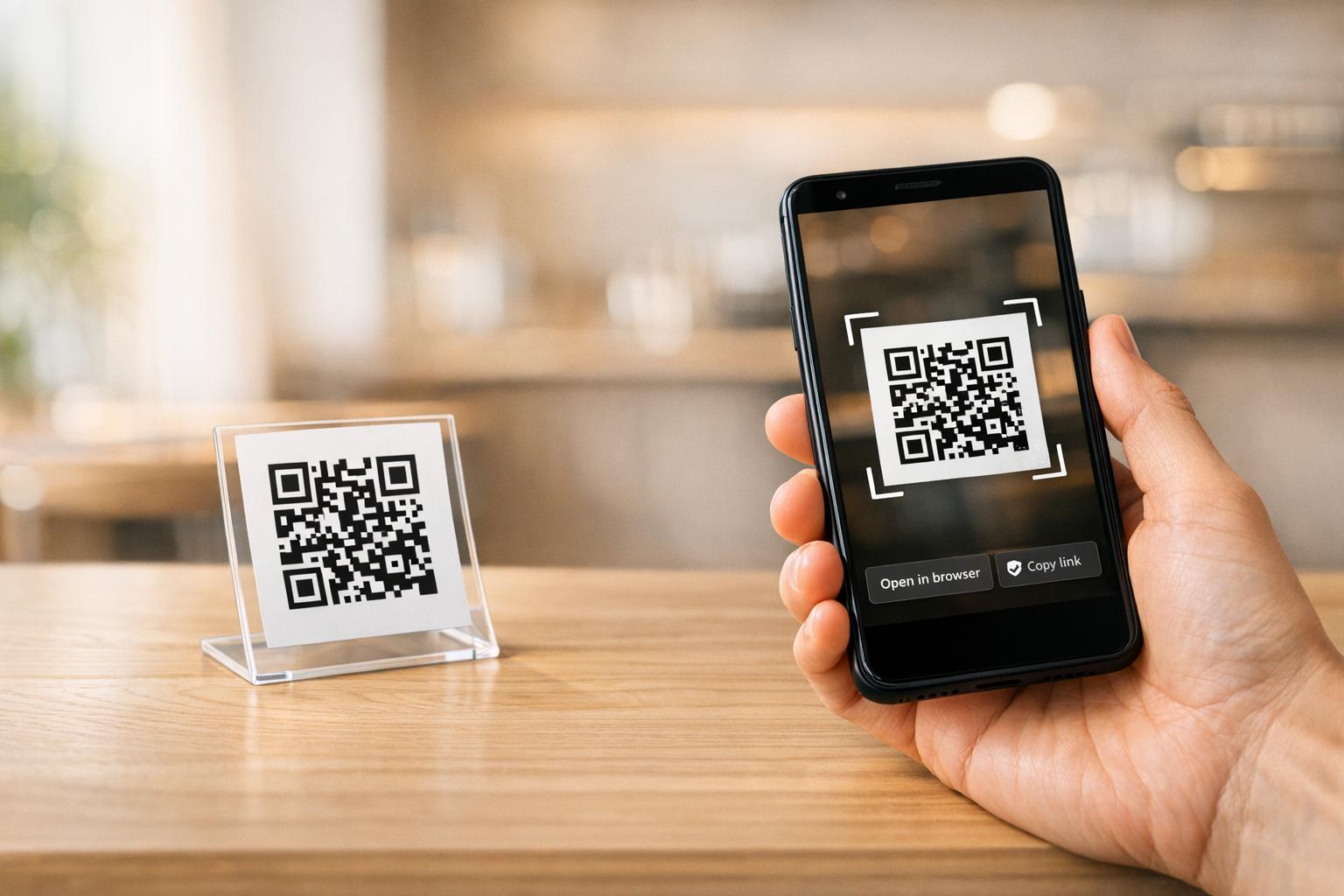
A mã QR thanh toán là một mã có thể quét được, liên kết điện thoại thông minh của khách hàng trực tiếp với trang thanh toán hoặc cổng thanh toán của bạn. Thay vì quẹt thẻ hoặc đếm tiền mặt, khách hàng chỉ cần hướng camera vào mã, xác nhận số tiền và hoàn tất giao dịch thông qua ứng dụng thanh toán ưa thích của họ.
Có hai chế độ thanh toán bằng mã QR trong bán lẻ:
- Chế độ do người bán trình bày (MPM): Bạn hiển thị mã QR tại điểm bán hàng – trên màn hình, biển báo in hoặc hóa đơn. Khách hàng quét mã bằng điện thoại của họ để mở trang thanh toán và hoàn tất giao dịch mua.
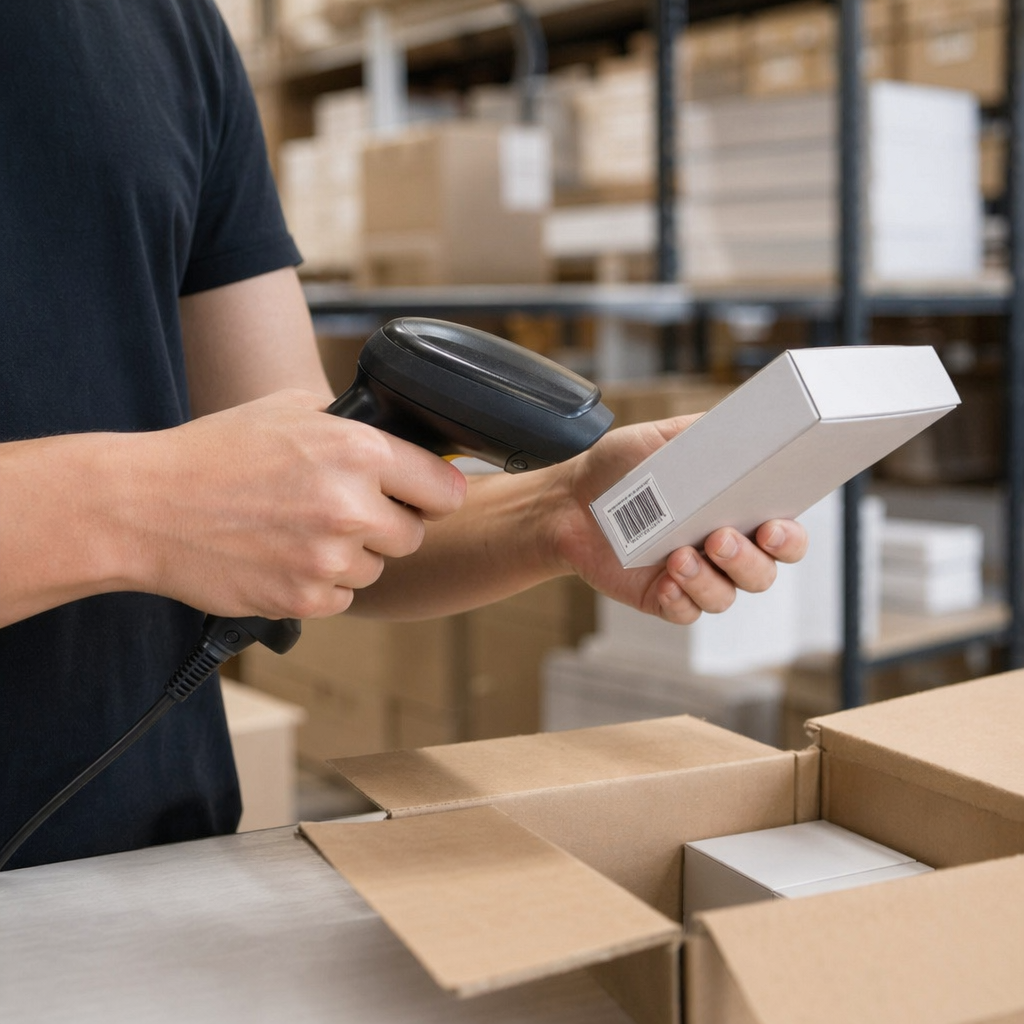
- Chế độ do người tiêu dùng trình bày (CPM): Khách hàng tạo mã QR trong ứng dụng thanh toán của họ (chẳng hạn như PayPal hoặc Venmo), và nhân viên hoặc máy quét sẽ đọc mã đó tại quầy thu ngân.
Hầu hết các thiết lập bán lẻ ở Hoa Kỳ sử dụng phương pháp do người bán trình bày vì nó không yêu cầu phần cứng đặc biệt nào từ phía khách hàng – bất kỳ điện thoại thông minh nào có camera đều hoạt động được.
Khi khách hàng quét, quy trình thường diễn ra: quét mã → đến trang thanh toán hoặc trang thanh toán → nhập hoặc xác nhận chi tiết thanh toán → giao dịch hoàn tất. Nhà cung cấp dịch vụ thanh toán (PayPal, Stripe, Square hoặc một bộ xử lý khác) sẽ xử lý tài chính từ đó.
Mã QR được sử dụng để thanh toán có hai loại kỹ thuật:
- Mã QR tĩnh lưu trữ một URL hoặc liên kết thanh toán cố định. Chúng miễn phí để tạo nhưng không thể cập nhật nếu không in lại, và chúng không cung cấp phân tích lượt quét.
- Mã QR động lưu trữ một liên kết ngắn chuyển hướng đến một đích mà bạn có thể cập nhật bất cứ lúc nào. Chúng có thể hết hạn sau một giao dịch duy nhất, theo dõi dữ liệu quét và bị vô hiệu hóa ngay lập tức nếu bị xâm phạm – khiến chúng trở thành lựa chọn tốt hơn cho hầu hết các ứng dụng thanh toán bán lẻ.
Để tìm hiểu sâu hơn về cách mã QR thanh toán hoạt động trong thực tế, bao gồm các phương thức thanh toán được hỗ trợ như ví di động, ứng dụng ngân hàng và tiền điện tử, hãy xem hướng dẫn thanh toán chuyên dụng của Pageloot.
Những Gì Bạn Cần Trước Khi Bắt Đầu
Thiết lập thanh toán bằng mã QR không yêu cầu đầu tư lớn vào phần cứng. Các yêu cầu thực tế là:
- Tài khoản thanh toán với nhà cung cấp hỗ trợ thanh toán bằng mã QR (PayPal, Square, Stripe, Venmo Business hoặc một bộ xử lý tương tự)
- Một thiết bị có khả năng hiển thị hoặc in mã QR của bạn – điện thoại, máy tính bảng, màn hình POS hoặc biển hiệu in đều hoạt động
- Một trình tạo mã QR để tạo mã thanh toán của bạn
- Một trang thanh toán thân thiện với thiết bị di động mà khách hàng truy cập sau khi quét
Nếu bạn đã chấp nhận thanh toán kỹ thuật số thông qua bất kỳ bộ xử lý chính thống nào, bạn có thể đã có hầu hết những gì mình cần. Mã QR chỉ đơn giản trở thành điểm truy cập vào quy trình thanh toán hiện có của bạn.
Bắt đầu chấp nhận thanh toán QR ngay hôm nay Tạo mã QR thanh toán có thương hiệu, có thể theo dõi trong vài phút bằng cách sử dụng Trình tạo mã QR Pageloot. Không yêu cầu mã hóa – chỉ cần dán liên kết thanh toán của bạn và tùy chỉnh.
Cách thiết lập mã QR thanh toán từng bước
Quy trình thiết lập cơ bản tuân theo một trình tự đơn giản:
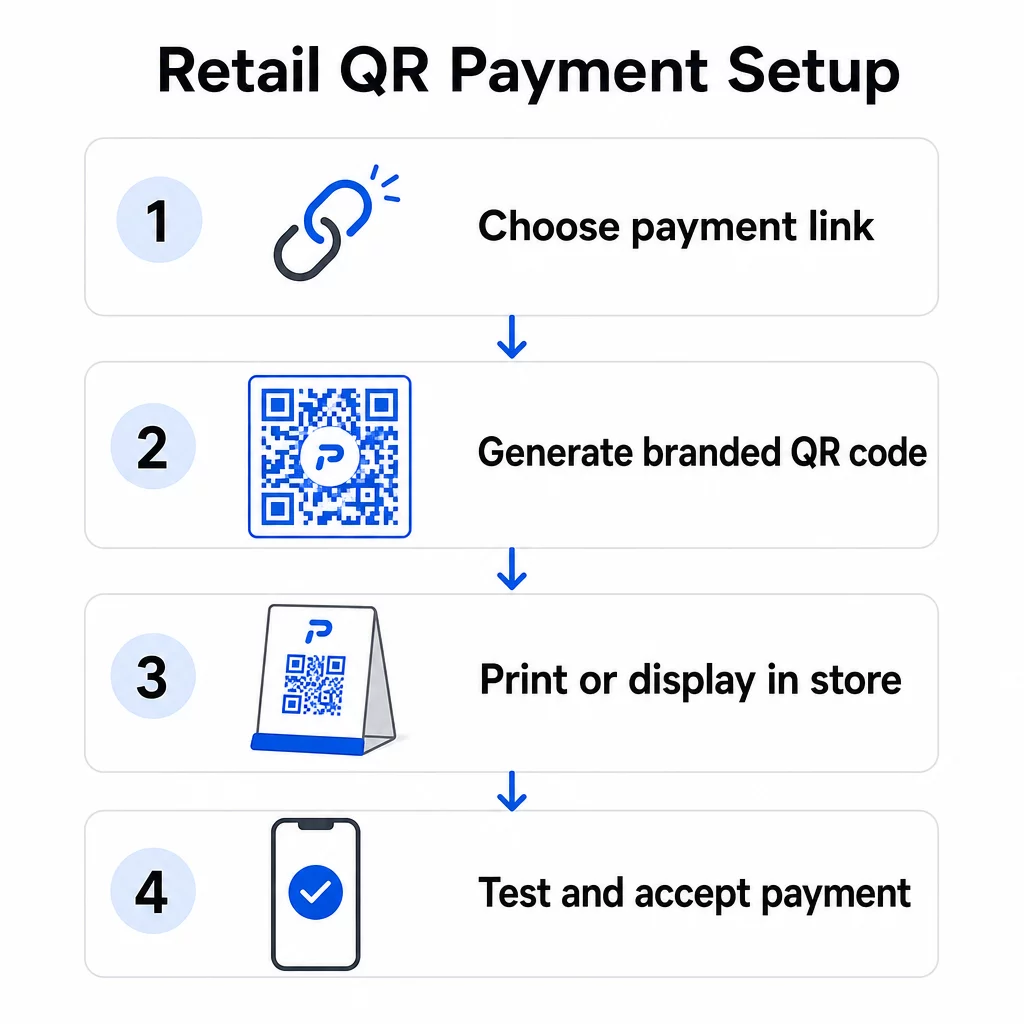
- Mở Trình tạo mã QR Pageloot hoặc bảng điều khiển của nhà cung cấp thanh toán của bạn
- Sao chép URL trang thanh toán hoặc liên kết thanh toán của bạn (liên kết PayPal.me của bạn, trang thanh toán Square, URL thanh toán Stripe, v.v.)
- Dán liên kết vào trình tạo và chọn loại mã QR của bạn
- Tùy chỉnh thiết kế – thêm logo của bạn, điều chỉnh màu sắc để phù hợp với thương hiệu của bạn và chọn một khung có lời kêu gọi hành động rõ ràng như “Quét để thanh toán”
- Tải xuống mã đã hoàn thành ở định dạng sẵn sàng in (SVG, PDF hoặc PNG)
- Kiểm tra mã trên cả thiết bị iOS và Android trước khi triển khai tại cửa hàng
Đối với PayPal nói riêng, Mã QR PayPal cho phép bạn tạo mã có thương hiệu trực tiếp từ liên kết PayPal.me của bạn. Khách hàng quét mã, nhập số tiền thanh toán và giao dịch được định tuyến an toàn qua PayPal mà không bên nào cần chia sẻ chi tiết tài khoản theo cách thủ công.
Toàn bộ quá trình thường mất dưới một giờ cho thiết lập cơ bản. Mã QR động cần thêm vài phút để cấu hình nhưng rất đáng giá vì tính linh hoạt và khả năng theo dõi mà chúng cung cấp.
Kết nối mã QR với hệ thống thanh toán của bạn
Mã QR của bạn chỉ hữu ích khi quy trình thanh toán mà nó trỏ đến hiệu quả. Khi liên kết mã của bạn với hệ thống thanh toán, bạn có một vài tùy chọn tích hợp:
- Liên kết trực tiếp: Dán URL thanh toán được lưu trữ của nhà cung cấp dịch vụ thanh toán của bạn vào trình tạo. Mã QR sẽ mở trang đó trong trình duyệt của khách hàng. Đây là cách tiếp cận đơn giản nhất và giữ dữ liệu thẻ hoàn toàn không có trên hệ thống của bạn.
- Tích hợp API: Kết nối nền tảng mã QR của bạn với POS hoặc bộ xử lý thanh toán của bạn thông qua API để tạo mã tự động, dành riêng cho giao dịch. Các nền tảng như Square, Shopify và Stripe hỗ trợ điều này một cách tự nhiên.
- Mã do nhà cung cấp tạo: Một số hệ thống POS (Square, Clover, Toast) tạo mã QR trực tiếp từ bảng điều khiển của họ, sau đó bạn có thể in hoặc hiển thị trên màn hình.
Một mã QR duy nhất có thể hỗ trợ nhiều phương thức thanh toán cùng lúc. Khách hàng quét cùng một mã có thể chọn từ ví kỹ thuật số (Apple Pay, Google Pay, Samsung Pay), PayPal, thẻ tín dụng hoặc các tùy chọn khác – tùy thuộc vào những gì trang thanh toán của bạn hỗ trợ. Tính linh hoạt này giúp giảm ma sát và tránh loại trừ khách hàng dựa trên phương thức thanh toán ưa thích của họ.
Nếu doanh nghiệp của bạn phục vụ khách hàng nói tiếng Trung, tích hợp mã QR của Alipay và WeChat Pay tuân theo quy trình thiết lập tương tự nhưng yêu cầu tài khoản người bán riêng với các nhà cung cấp đó và tuân thủ các quy định AML và KYC có liên quan.
Nơi hiển thị mã QR trong cửa hàng của bạn
Vị trí đặt trực tiếp ảnh hưởng đến tần suất khách hàng thực sự sử dụng tùy chọn thanh toán QR của bạn. Đặt ở vị trí chiến lược tại điểm tiếp xúc bán lẻ chính tạo ra sự khác biệt giữa một mã bị bỏ qua và một mã giúp quy trình thanh toán của bạn trở nên suôn sẻ hơn.
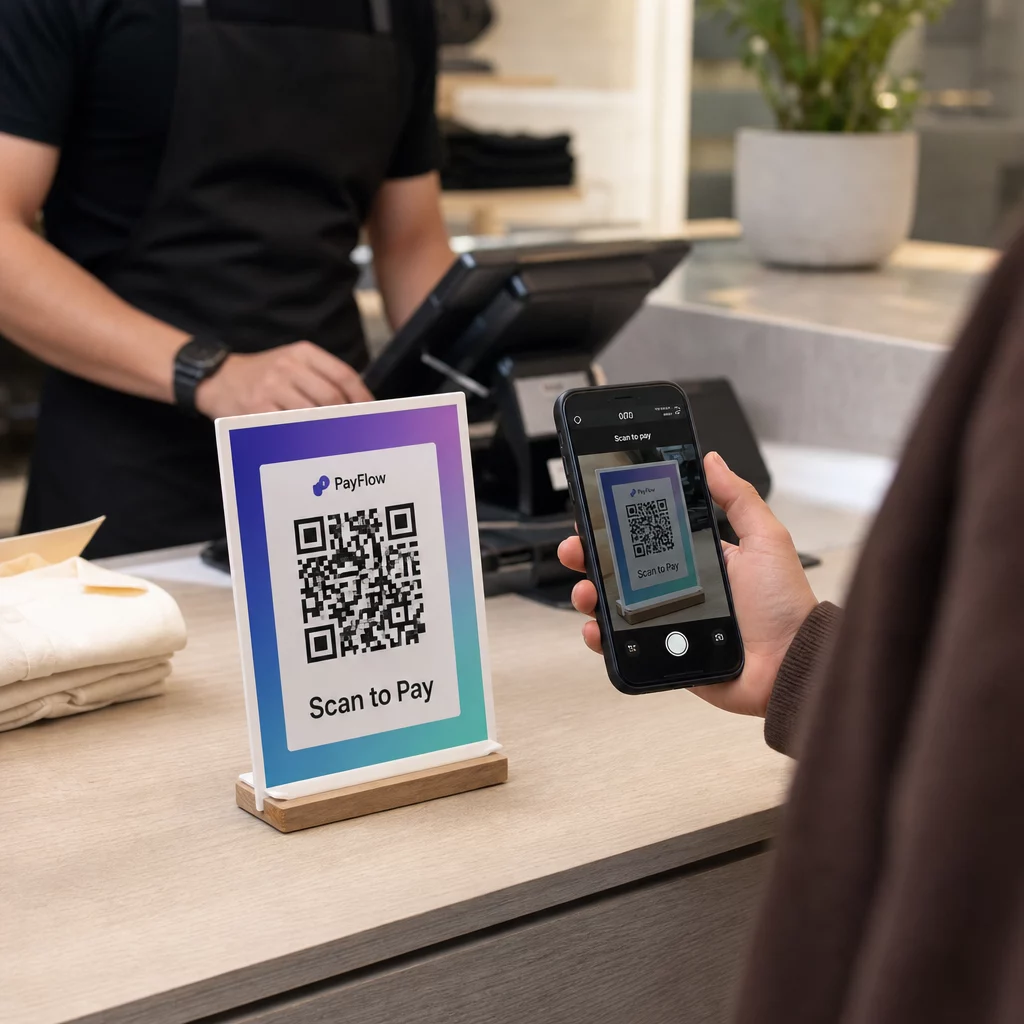
Tại điểm bán hàng: Hiển thị mã QR thanh toán của bạn một cách nổi bật trên quầy, màn hình máy tính tiền hoặc giá đỡ in. Đặt mã sao cho khách hàng có thể dễ dàng hướng camera điện thoại vào mà không gặp khó khăn về góc độ. Bao gồm một hướng dẫn rõ ràng như “Quét để thanh toán” để khách hàng biết phải làm gì.
Trên hóa đơn in: Thêm mã QR vào hóa đơn cho phép khách hàng thanh toán hóa đơn từ thiết bị của riêng họ – một mô hình mà Square sử dụng với tính năng “Quét để thanh toán” của mình. Điều này giúp giải phóng nhân viên trong thời gian cao điểm và giảm tình trạng xếp hàng.
Trên nhãn kệ và thẻ giá: Mã QR trên thẻ giá cho phép khách hàng thanh toán trực tiếp cho các mặt hàng tại kệ, giảm thời gian chờ đợi tại quầy thu ngân đối với các giao dịch mua hàng đơn giản.
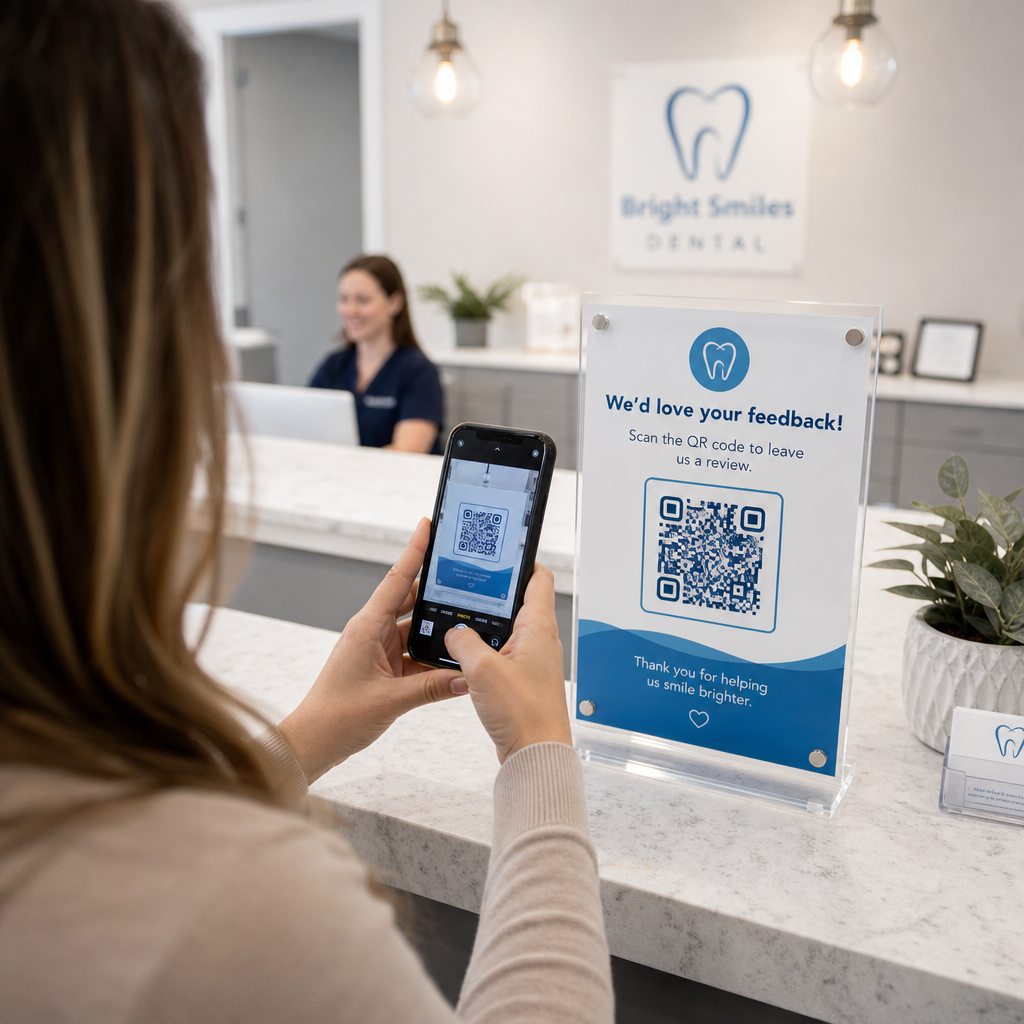
Trên bảng hiệu và áp phích trong cửa hàng: Mã QR lớn hơn trên áp phích hoặc màn hình cửa sổ có thể quảng bá các tùy chọn thanh toán cụ thể, đăng ký chương trình khách hàng thân thiết hoặc thanh toán không tiếp xúc cho những khách hàng muốn thanh toán trước khi đến quầy có nhân viên.
Đối với mã in, hãy làm theo các hướng dẫn sau để đảm bảo quét đáng tin cậy:
- Kích thước tối thiểu 2 × 2 cm (0,8 × 0,8 inch) cho các lần quét ở cự ly gần; tăng lên ít nhất 5 × 5 cm cho các mã được quét từ khoảng cách 50 cm trở lên
- Nền tối trên nền sáng – tránh các thiết kế đảo ngược hoặc nền màu đỏ/cam, mà nhiều ứng dụng camera gặp khó khăn khi đọc
- Vùng yên tĩnh rõ ràng (lề trắng) ít nhất bốn mô-đun xung quanh mã ở tất cả các cạnh
- Kiểm tra trên nhiều thiết bị và trong các điều kiện ánh sáng khác nhau trước khi triển khai
Mỗi mã QR được hiển thị phải có ngữ cảnh rõ ràng giải thích chức năng và cách sử dụng. Khách hàng có nhiều khả năng quét hơn khi họ thấy một hướng dẫn đơn giản thay vì một mã không có giải thích.
Để có phân tích đầy đủ về các chiến lược đặt mã theo khu vực cửa hàng, trang giải pháp mã QR bán lẻ bao gồm các ví dụ thực tế về biển báo, hóa đơn, bao bì và nhiều hơn nữa.
Lợi ích kinh doanh của thanh toán bằng mã QR
Chi phí thấp hơn và hoạt động đơn giản hơn
Thanh toán bằng mã QR thường có phí giao dịch thấp hơn so với xử lý thẻ truyền thống. Phí có thể thấp tới 1% mỗi giao dịch, so với mức 2–3% phổ biến với các mạng thẻ tín dụng. Đối với một doanh nghiệp xử lý 10.000 đô la mỗi tháng, sự khác biệt đó cộng lại thành hàng trăm đô la tiết kiệm hàng năm.
Ngoài phí giao dịch, thanh toán QR giảm nhu cầu về phần cứng thanh toán chuyên dụng. Một mã QR được in hoặc một máy tính bảng hiển thị mã sẽ thay thế nhu cầu về một thiết bị đầu cuối thẻ độc lập tại mỗi điểm thanh toán. Giảm việc xử lý tiền mặt cũng làm giảm rủi ro bảo mật và tiết kiệm thời gian cho nhân viên vào cuối mỗi ca làm việc.
Biên lai kỹ thuật số được kích hoạt bằng cách quét QR giúp đơn giản hóa hoạt động hơn nữa – khách hàng nhận được hồ sơ mua hàng trực tiếp vào email của họ, trong khi bạn giảm việc sử dụng giấy và ghi chép thủ công.
Cải thiện trải nghiệm khách hàng
Thanh toán QR giải quyết một số vấn đề thường gặp khi thanh toán. Khách hàng không cần mang theo thẻ vật lý hoặc nhớ chi tiết tài khoản. Một lần quét duy nhất từ ví kỹ thuật số ưa thích của họ sẽ hoàn tất giao dịch trong vài giây. Tốc độ này đặc biệt đáng chú ý trong giờ cao điểm khi hàng đợi thanh toán truyền thống nhanh chóng tăng lên.
Bản chất không tiếp xúc của thanh toán QR cũng đáp ứng sở thích liên tục của khách hàng về vệ sinh và tiện lợi. Không cần tiếp xúc vật lý với phần cứng dùng chung, và thanh toán được ủy quyền thông qua thiết bị của chính khách hàng bằng cách sử dụng cài đặt bảo mật hiện có của họ (vân tay, Face ID hoặc mã PIN).
Mã QR tại quầy thanh toán cũng mở ra cánh cửa cho việc tích hợp chương trình khách hàng thân thiết. Thay vì quản lý các thẻ khách hàng thân thiết riêng biệt, khách hàng có thể tích điểm, đổi thưởng và truy cập các ưu đãi độc quyền thông qua cùng một lần quét hoàn tất thanh toán của họ – với lịch sử mua hàng được cập nhật tự động.
Phân tích và thông tin chi tiết về khách hàng
Mã QR động không chỉ tạo điều kiện thanh toán – chúng còn tạo ra dữ liệu. Mỗi lần quét ghi lại thời gian, địa điểm và loại thiết bị, cung cấp cho bạn cái nhìn thời gian thực về hành vi của khách hàng. Bảng điều khiển phân tích của Pageloot cho phép bạn theo dõi thời gian quét cao điểm, giám sát những điểm tiếp xúc thanh toán nào được sử dụng nhiều nhất và xác định các mẫu thông tin để đưa ra quyết định về hàng tồn kho và khuyến mãi.
Dữ liệu này cũng hỗ trợ thử nghiệm A/B. Bạn có thể chạy hai phiên bản mã QR khuyến mãi ở các khu vực cửa hàng khác nhau và so sánh tỷ lệ chuyển đổi để hiểu vị trí hoặc ưu đãi nào hoạt động tốt hơn.
Theo dõi hiệu suất thanh toán QR của bạn Sử dụng Mã QR động của Pageloot để theo dõi số lượng quét, dữ liệu thiết bị và mức độ tương tác theo thời gian thực – tất cả từ một bảng điều khiển duy nhất.
Yêu cầu bảo mật đối với thanh toán QR bán lẻ
Bảo mật không phải là tùy chọn khi chấp nhận thanh toán. Nhiều lớp bảo vệ được áp dụng cho các giao dịch bán lẻ dựa trên QR.
Tuân thủ PCI DSS
Các nhà bán lẻ Hoa Kỳ chấp nhận thanh toán bằng thẻ qua mã QR phải tuân thủ Tiêu chuẩn bảo mật dữ liệu ngành thẻ thanh toán (PCI DSS). Các nghĩa vụ cụ thể của bạn phụ thuộc vào cấp độ người bán của bạn và cách luồng thanh toán của bạn được cấu trúc. Các nhà bán lẻ chuyển hướng khách hàng đến trang thanh toán do bên thứ ba lưu trữ thường đủ điều kiện để điền Bảng câu hỏi tự đánh giá đơn giản (SAQ A), vì dữ liệu thẻ không bao giờ chạm trực tiếp vào hệ thống của họ.
Xem xét kỹ hợp đồng xử lý của bạn để hiểu trách nhiệm PCI DSS nào thuộc về bạn so với nhà cung cấp thanh toán của bạn. Để biết phân tích chi tiết, hướng dẫn tuân thủ PCI DSS cho thanh toán bằng mã QR bao gồm các yêu cầu theo cấp độ người bán và giải thích cách mã QR động hỗ trợ tuân thủ thông qua nhật ký kiểm tra và kiểm soát theo thời gian thực.
Phòng chống gian lận và bảo mật vật lý
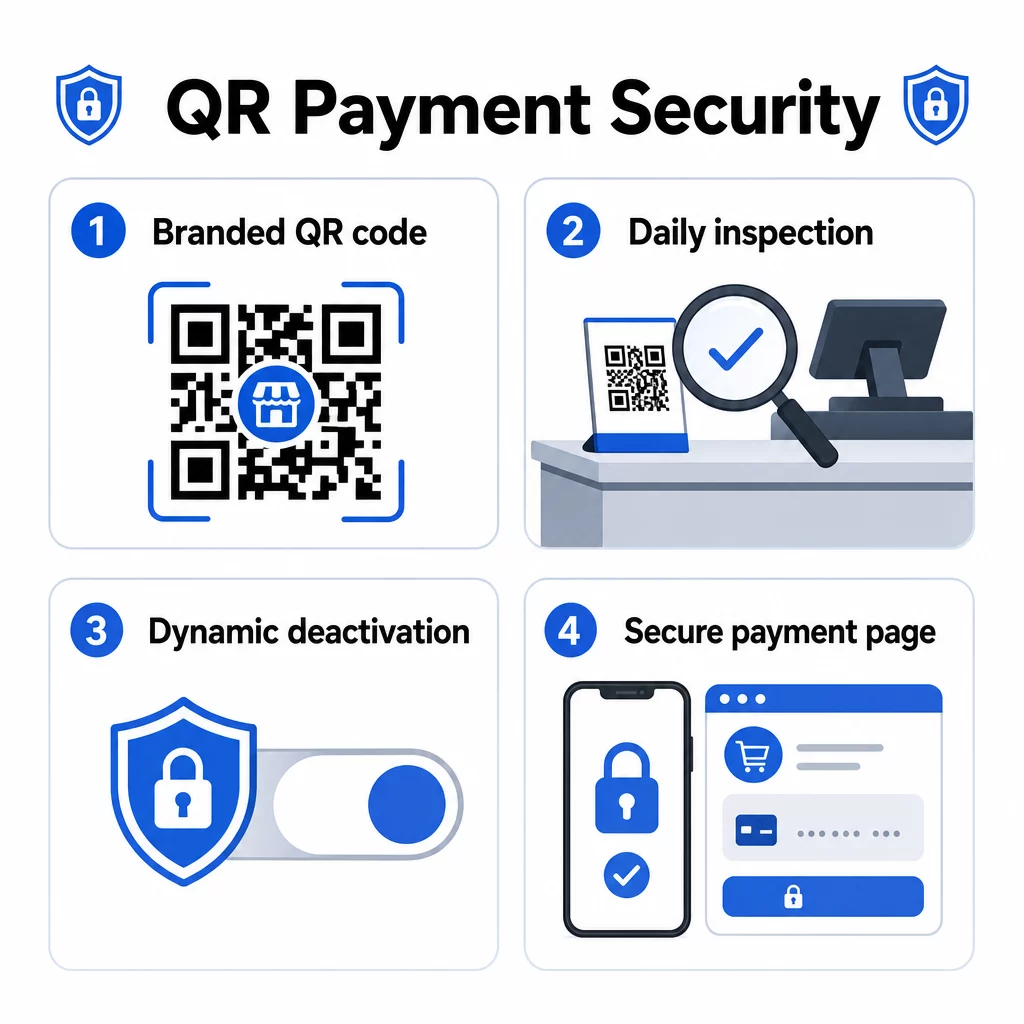
Mã QR được sử dụng trong bán lẻ vật lý dễ bị một loại gian lận cụ thể: kẻ tấn công có thể dán một nhãn dán có mã QR độc hại lên mã hợp pháp của bạn, chuyển hướng thanh toán của khách hàng đến một trang web lừa đảo. Rủi ro này là có thật – các trường hợp được ghi nhận bao gồm mã QR giả được đặt trên các thiết bị thanh toán công cộng ở nhiều thành phố của Hoa Kỳ.
Các biện pháp phòng thủ thực tế bao gồm:
- Kiểm tra tất cả các mã QR được hiển thị vào đầu mỗi ngày làm việc như một phần của danh sách kiểm tra mở cửa của bạn
- Sử dụng mã QR có thương hiệu với logo và màu sắc của bạn để khách hàng có thể xác minh trực quan tính xác thực trước khi quét
- Sử dụng mã QR động có thể bị vô hiệu hóa ngay lập tức nếu phát hiện có sự giả mạo
- Đào tạo nhân viên nhận biết các dấu hiệu mã QR bị dán đè hoặc thay thế
Để có cái nhìn toàn diện về các rủi ro khi thanh toán bằng mã QR và cách giảm thiểu chúng, bao gồm các mẫu tấn công lừa đảo và danh sách kiểm tra giảm thiểu, hãy xem hướng dẫn bảo mật chuyên dụng của Pageloot.
Bảo mật cấp độ giao dịch
Mã QR động tăng cường bảo mật ở cấp độ giao dịch. Mỗi mã có thể được cấu hình để hết hạn sau một lần sử dụng hoặc sau một khoảng thời gian nhất định, ngăn chặn việc sử dụng lại hoặc các cuộc tấn công phát lại. Các ứng dụng thanh toán phía khách hàng bổ sung một lớp bảo mật khác thông qua xác thực sinh trắc học (nhận dạng vân tay hoặc khuôn mặt) và xác minh đa yếu tố trước khi ủy quyền bất kỳ giao dịch nào.
Sự kết hợp giữa các liên kết thanh toán được mã hóa, dữ liệu giao dịch được mã hóa token và xác thực cấp độ thiết bị giúp thanh toán bằng mã QR có khả năng chống gian lận cao hơn đáng kể so với thẻ từ, vốn có thể bị sao chép mà chủ thẻ không hề hay biết.
Để biết thêm về cách thanh toán bằng mã QR cải thiện bảo mật và tốc độ so với các phương pháp truyền thống, bao gồm phân tích kỹ thuật về mã hóa và mã hóa token, hãy xem hướng dẫn so sánh đầy đủ.
Khả năng tiếp cận và Thiết kế hòa nhập
Không phải mọi khách hàng đều quét mã QR dễ dàng như nhau. Thiết kế hệ thống thanh toán bằng mã QR của bạn để dễ tiếp cận sẽ mở rộng đối tượng người dùng và tránh loại trừ những khách hàng có hạn chế về thị giác hoặc thể chất.
Các thực hành chính từ hướng dẫn về khả năng tiếp cận thanh toán bằng mã QR bao gồm:
- In mã với kích thước tối thiểu 2 × 2 inch (5 × 5 cm) để quét đáng tin cậy
- Gắn mã hiển thị trên tường ở độ cao từ 15 đến 48 inch so với sàn nhà để phù hợp với người dùng xe lăn
- Sử dụng thiết kế độ tương phản cao (mô-đun tối trên nền trắng) để dễ nhìn trong các điều kiện ánh sáng khác nhau
- Cung cấp hướng dẫn quét từng bước bằng ngôn ngữ đơn giản bên cạnh mỗi mã (“Quét → Xem lại → Xác nhận”)
- Cung cấp hướng dẫn đa ngôn ngữ nếu cơ sở khách hàng của bạn bao gồm những người không nói tiếng Anh
- Duy trì các tùy chọn thanh toán truyền thống (tiền mặt, máy POS) cùng với mã QR để tất cả khách hàng đều có một con đường khả thi để thanh toán
Khả năng tiếp cận cũng rất thực tế: hướng dẫn rõ ràng giúp tăng tỷ lệ quét trên tất cả các phân khúc khách hàng, không chỉ những người có nhu cầu về khả năng tiếp cận.
Tùy chỉnh mã QR cho ngành bán lẻ
Mã QR có thương hiệu làm được hai điều mà mã đen trắng thông thường không thể: chúng xây dựng lòng tin và chúng làm cho việc giả mạo trở nên dễ nhận thấy. Khi khách hàng nhìn thấy logo và màu sắc thương hiệu của bạn bên trong mã QR, họ có một điểm tham chiếu trực quan về tính xác thực. Một mã không có thương hiệu của bạn sẽ ngay lập tức đáng ngờ.
Trình tạo mã QR của Pageloot hỗ trợ tải lên logo lên đến 1MB, các bảng màu tùy chỉnh và các mẫu khung được thiết kế chuyên nghiệp với các lời kêu gọi hành động tích hợp. Các tùy chọn này cho phép bạn căn chỉnh mã thanh toán với nhận diện thương hiệu rộng hơn của mình mà không yêu cầu chuyên môn thiết kế.
Mã QR động mở rộng tính linh hoạt này vượt ra ngoài tính thẩm mỹ. Bởi vì URL đích được lưu trữ phía máy chủ thay vì được mã hóa trong mã vật lý, bạn có thể:
- Cập nhật đích thanh toán nếu bạn thay đổi nhà cung cấp dịch vụ thanh toán
- Điều chỉnh các ưu đãi khuyến mãi liên kết với các chiến dịch theo mùa mà không cần in lại
- Chạy thử nghiệm A/B trên các quy trình thanh toán hoặc thông điệp ưu đãi khác nhau
- Hủy kích hoạt một mã bị xâm phạm và thay thế nó ngay lập tức
Đối với các nhà bán lẻ đang triển khai chương trình khách hàng thân thiết, chiến dịch giới thiệu hoặc khuyến mãi theo mùa, khả năng thích ứng này trực tiếp giúp giảm chi phí vận hành và thực hiện chiến dịch nhanh hơn.
Câu hỏi thường gặp
Không yêu cầu phần cứng chuyên dụng. Bạn có thể hiển thị mã QR thanh toán trên biển hiệu in, màn hình máy tính bảng hoặc hóa đơn. Khách hàng quét mã bằng camera điện thoại thông minh của họ – không cần tải ứng dụng về phía khách hàng. Yêu cầu duy nhất về phía bạn là một tài khoản thanh toán với nhà cung cấp hỗ trợ thanh toán bằng mã QR, chẳng hạn như PayPal, Square hoặc Stripe.
Mã QR tĩnh chứa một liên kết thanh toán cố định không thể thay đổi sau khi in. Nếu thông tin thanh toán của bạn thay đổi, bạn cần in lại mã. Mã QR động lưu trữ một URL chuyển hướng mà bạn có thể cập nhật bất cứ lúc nào mà không cần chạm vào mã vật lý. Mã động cũng cung cấp phân tích lượt quét, có thể hết hạn sau một lần sử dụng và có thể bị vô hiệu hóa ngay lập tức nếu bị xâm phạm – khiến chúng trở thành lựa chọn được khuyến nghị cho việc sử dụng thanh toán bán lẻ.
Sử dụng mã QR có thương hiệu bao gồm logo và màu sắc của bạn để khách hàng có thể phát hiện các thay thế trái phép. Kiểm tra tất cả các mã được hiển thị vào đầu mỗi ngày làm việc để tìm nhãn dán hoặc lớp phủ. Sử dụng mã QR động để bạn có thể hủy kích hoạt bất kỳ mã bị xâm phạm nào ngay lập thì. Đào tạo nhân viên kiểm tra các dấu hiệu giả mạo và báo cáo bất kỳ điều gì đáng ngờ. Để có danh sách kiểm tra đầy đủ, hãy xem hướng dẫn về rủi ro mã QR trong thanh toán và cách giảm thiểu chúng.