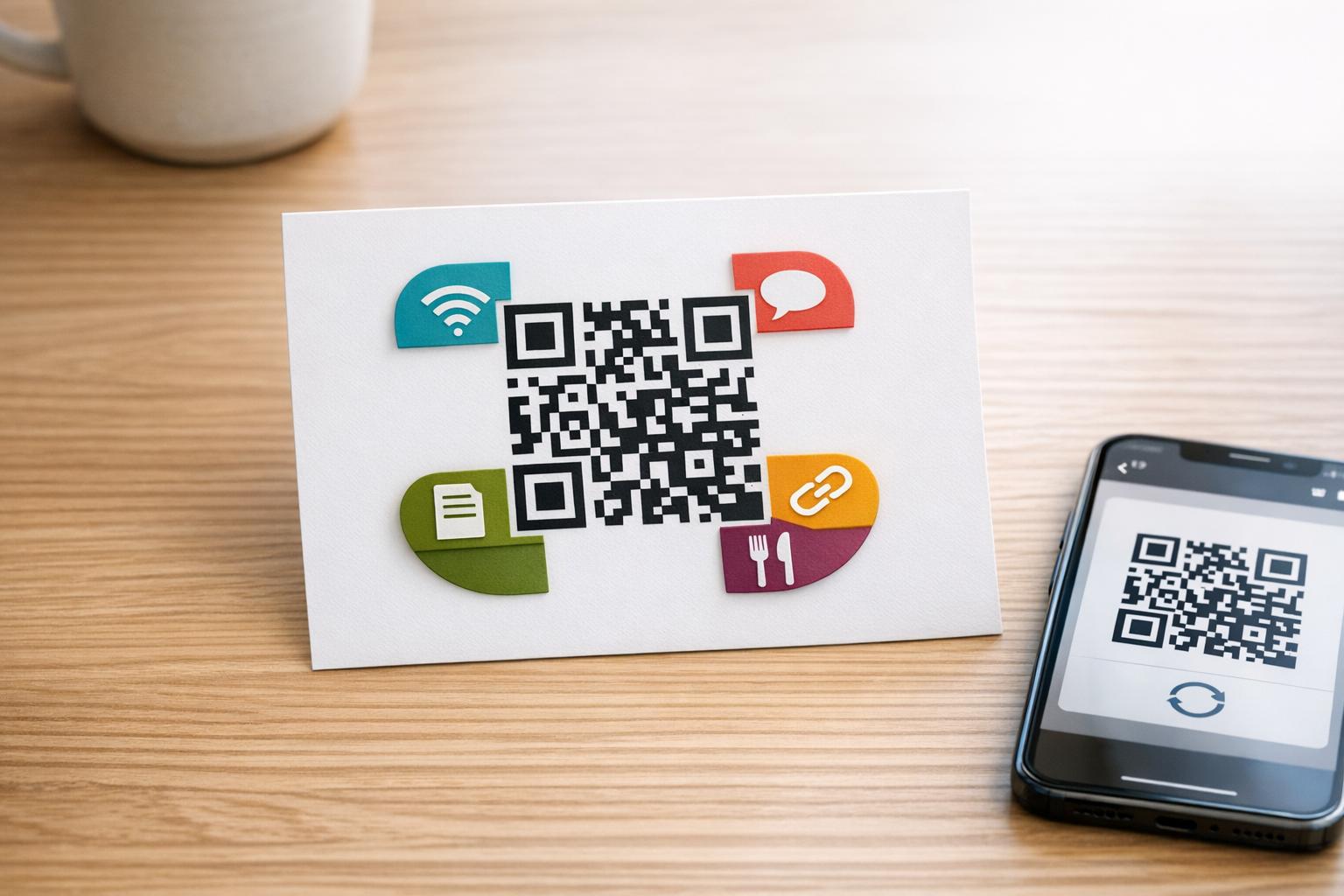
QR codes are everywhere. They simplify tasks like connecting to Wi-Fi, sharing social media profiles, accessing websites, downloading files, and viewing digital menus. By scanning a QR code, users can skip manual input, saving time and effort.
Here’s what you need to know:
- Wi-Fi QR Codes: Instantly connect to networks without typing passwords.
- Kod QR Media Sosial: Directly link to profiles or landing pages for easier following.
- Kod QR Pautan: Open websites or campaigns with a quick scan.
- File QR Codes: Share documents, images, or videos seamlessly.
- Kod QR menu: Provide diners with updated digital menus in seconds.
Kod QR dinamik are now preferred by 64% of users, offering features like real-time updates and analytics. These codes are widely used in hospitaliti, marketing, retail, events, and more, making them an essential tool for modern interactions.
This guide breaks down each QR code type, how they work, and where they’re most effective.
QR Codes Explained: How They Work and Why They’re Everywhere
sbb-itb-74874c9
Wi‑Fi QR Codes
Wi‑Fi QR codes make connecting to a network quick and easy by embedding network details into a scannable code. Instead of typing out long, error-prone passwords, users can simply scan the code to retrieve the SSID, password, and security type, then connect with a single tap. The whole process takes about 2 seconds, compared to the usual 2 minutes required for manual entry.
These codes follow a standardized format:
WIFI:T:[Security];S:[SSID];P:[Password];H:[Hidden];;
They work with all major encryption protocols like WPA, WPA2, WPA3, and even WEP, as well as open networks. Let’s break down how these codes work, how to create them using Pageloot, and where they’re commonly used.
How Wi‑Fi QR Codes Store Network Information
Every Wi‑Fi QR code uses a specific structure to store essential network details. It starts with a prefix (WIFI:) and includes four main components: security type, SSID, password, and hidden status.
T:Security Type: Specifies the encryption method, such as WPA2 or WPA3.S:SSID: The exact, case-sensitive name of the network as it appears in Wi‑Fi settings.P:Kata Laluan: The case-sensitive network key.H:Hidden Status: Indicates whether the network broadcasts its name (benarif hidden,salahotherwise).
Here’s an overview:
| Komponen | Tujuan | Contoh |
|---|---|---|
WIFI: |
Identifier | Marks the string as network configuration |
T: |
Security Type | WPA, WPA2, WPA3, atau nopass |
S: |
SSID | The network name (e.g., "MyNetwork") |
P: |
Kata Laluan | The network password (e.g., "SecurePass123") |
H: |
Hidden Status | benar atau salah |
When scanned, the device reads this string, extracts the details, and uses them to connect to the network. Devices running iOS 11+ or Android 10+ automatically recognize and process the WIFI: prefix.
How to Create Wi‑Fi QR Codes with Pageloot
Pageloot Wi‑Fi QR code generator makes creating these codes simple. Enter the SSID and password exactly as they appear in your router settings – both are case-sensitive. Then, choose the security protocol (WPA2 or WPA3 is common) and toggle the hidden network option if applicable.
You can also customize the QR code’s design by adding your brand colors or logo. For best results, print the code at least 2×2 inches in size and test it on both iOS and Android devices to ensure it works correctly. Pageloot even offers dynamic QR codes, which let you update the network password without reprinting the code – a handy feature for regularly changing credentials.
Where Wi‑Fi QR Codes Are Used
Wi‑Fi QR codes are incredibly versatile and are used across various industries to improve convenience.
- Restoran dan kafe: Placed on menus, table tents, or coasters, allowing customers to connect without asking for the password.
- Hotel: Printed on welcome cards, room key sleeves, or bedside tables, so guests can get online immediately.
- Sebagai contoh, Fab Hotels began adding Wi‑Fi QR codes to guest welcome cards in September 2025, simplifying the check-in process.
- Corporate Offices: Positioned in conference rooms or reception areas for easy access by clients and partners.
- Acara: Included in registration packets, badges, or displayed on large screens to reduce interruptions during gatherings.
These codes are also found in retail stores, healthcare facilities, libraries, and schools, making connectivity seamless for visitors. They save businesses 2–3 minutes of staff time per customer and boost customer satisfaction by 15–20%.
Modern devices support native scanning – about 98% of iPhones (iOS 11+) and 95% of Android 10+ devices are compatible. For older phones, it’s a good idea to print the SSID and password alongside the code. Always use a dedicated guest network for these QR codes to keep your primary systems secure.
Kod QR Media Sosial
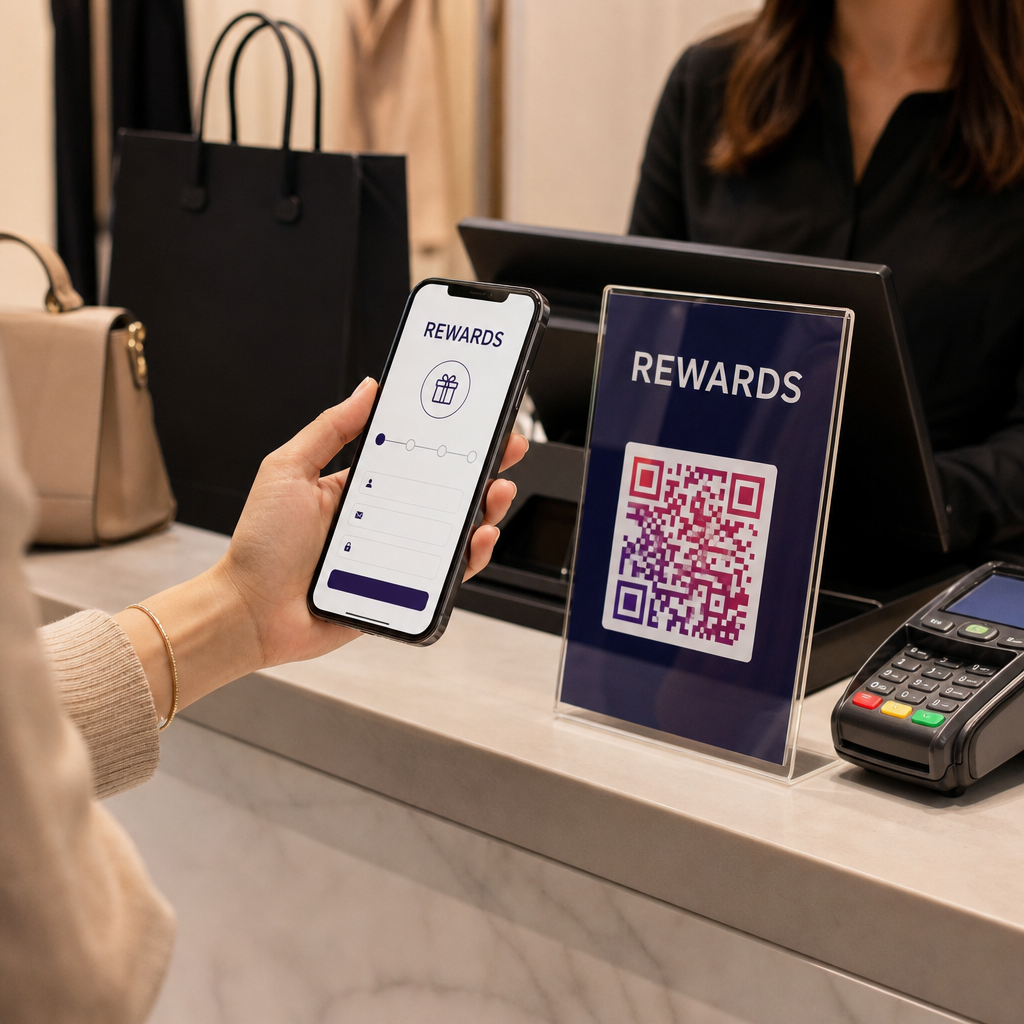
Social media QR codes take the hassle out of finding and following profiles. Instead of manually typing usernames or navigating search results, these codes provide a direct link to your profile, opening the relevant app instantly. With just one scan, users are brought to your page, making the "Follow" button only a tap away.
What makes these codes so effective is their ability to unify your online presence. A single QR code can lead to a landing page highlighting multiple platforms – like Instagram, LinkedIn, TikTok, and YouTube – solving the issue of scattered digital identities. These codes are especially useful during in-person interactions at events, retail spaces, or conferences, where they can capture the interest of people in the moment.
How Social Media QR Codes Work
These QR codes are all about simplicity and accessibility. When scanned, they connect users directly to a profile, page, or even a specific post. Some codes link to a single platform, while others open a multi-link landing page displaying all your channels, saving users from the effort of remembering or searching for usernames.
To ensure a smooth experience, keep landing pages optimized for mobile – loading in less than 3 seconds is key to avoiding drop-offs. Include a high-quality photo or logo (minimum 200px), write a short bio (under 150 characters), and limit the page to 6–8 essential platform buttons. Highlight your primary platform, such as LinkedIn for professional networking or Instagram for visually-driven brands, to make the most of user engagement.
Creating Social Media QR Codes with Pageloot
Pageloot simplifies the process of creating social media QR codes. Start by selecting the "Social Media" option, then paste the URL of your profile, post, or landing page. You can customize the design by adding your logo, matching colors to your brand, and choosing unique corner shapes or frames. With dynamic QR codes, you can update the destination link without needing to reprint materials.
Before printing, always test the code with a smartphone camera to ensure it works properly. For reliable scanning, make sure the code is at least 2×2 cm in size and uses a reka bentuk kontras tinggi (dark pattern on a light background).
Who Uses Social Media QR Codes
These QR codes have a wide range of applications across different industries. Influencers print them on merchandise like t-shirts or stickers, turning fans into mobile promoters. Restaurants add them to menus or table tents to share food photos or event updates. Retailers include them on packaging to encourage reviews or showcase tutorials. Event organizers place them on badges or signage to simplify networking, and job seekers attach them to resumes to link employers directly to their LinkedIn profiles or portfolios.
In some cases, targeted use of these codes can achieve a scan-to-follow rate as high as 75%. Adding a clear call to action – like "Follow for exclusive deals" or "See behind the scenes" – can further increase engagement.
Next, we’ll look at QR codes designed to streamline access by linking users directly to websites, making marketing efforts even more efficient.
Kod QR Pautan
Link QR codes turn web addresses into scannable symbols, instantly opening pages without the hassle of typing in a URL. They come in two types: static and dynamic codes, which use either a fixed URL or a redirect URL. Dynamic codes allow you to update the destination and track usage in detail.
How Link QR Codes Direct Users to Web Pages
Scanning a QR code automatically opens the encoded URL in the user’s browser. For dynamic codes, there’s an additional redirect step: the scan first goes through a server, which then forwards users to the final destination. This setup makes real-time updates and tracking possible.
To ensure the QR code works seamlessly, it should be highly visible and easy to scan. Use dark patterns on light backgrounds for better contrast. If you’re using Pageloot’s Penjana Kod QR Pautan, download your code in high-resolution formats like SVG or PDF at 300 DPI. This ensures the code remains clear and scannable, no matter the size.
Editing Links After Printing
Dynamic QR codes address a common problem in marketing: what happens if the URL changes after printing? With dynamic codes, you can update the destination link through your dashboard without needing to reprint materials. The physical code stays the same, but the digital destination can be adjusted instantly.
"The redirect layer is like a remote control for your QR codes. You stay in charge no matter where they are printed or shared." – Vince, QRSurge
This flexibility is invaluable for long-term campaigns. Whether a product page moves, a promotion expires, or a URL contains an error, you can fix it immediately. Some businesses even use dynamic codes to rotate seasonal offers or A/B test landing pages without reprinting. Always test updated links on cellular data to confirm the redirect is functioning properly.
Using Link QR Codes in Marketing
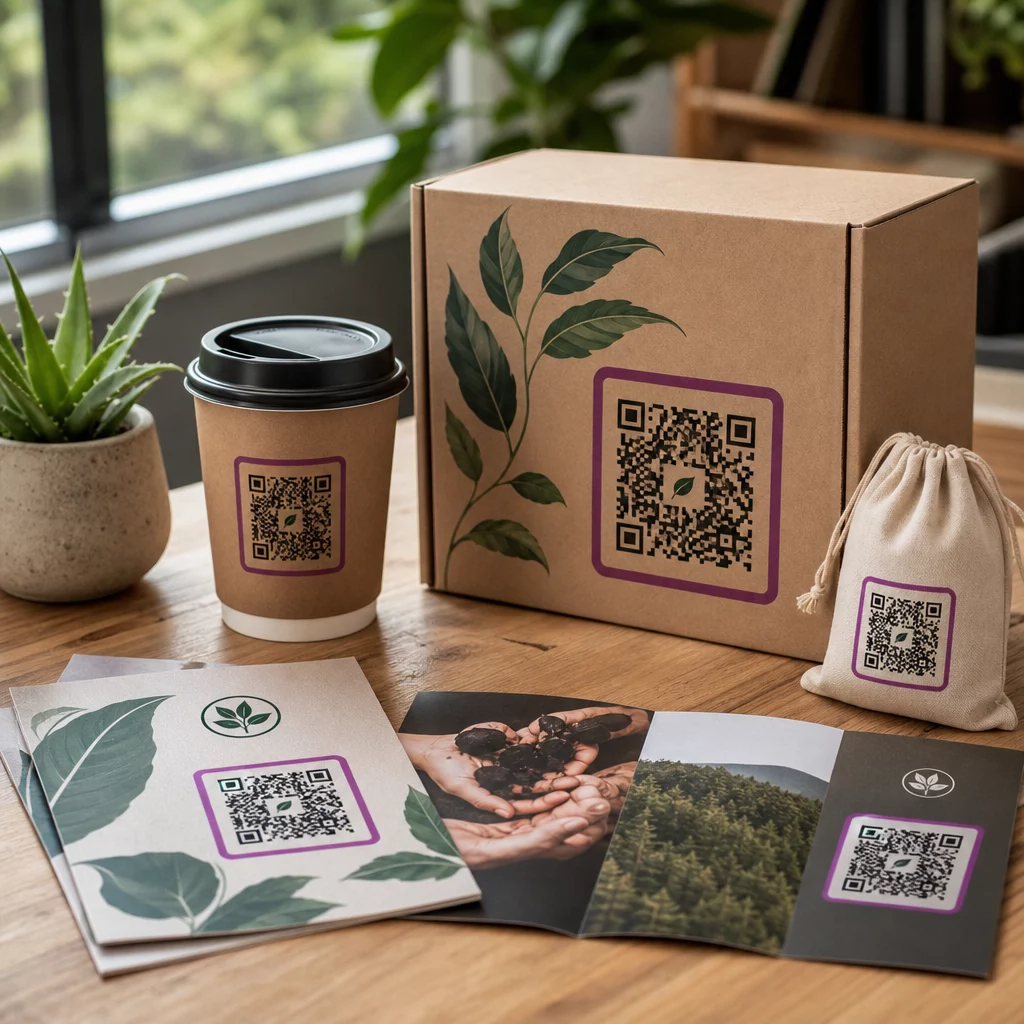
Link QR codes are a versatile tool for businesses. You’ll find them on Risalah, poster, Pembungkusan produk, window displays, property signs, dan tiket. They’re often used to drive traffic to promotions, surveys, virtual tours, or event registrations.
Dynamic codes offer another advantage: analitik imbasan terperinci. You can track where and when scans happen, the devices used, and even integrate retargeting pixels from platforms like Facebook or Google. This allows offline scans to feed into online ad campaigns. For businesses running multi-channel or multi-location campaigns, the data reveals which strategies are performing best.
| CIRI | Static Link QR Code | Dynamic Link QR Code |
|---|---|---|
| Keboleheditan | Permanent (No changes) | Editable anytime via dashboard |
| Penjejakan | Tidak tersedia | Real-time analytics (location, device, time) |
| Pattern Complexity | Increases with URL length | Remains simple (uses short redirect) |
| Kes Penggunaan Terbaik | One-time campaigns, permanent links | Marketing, promotions, product packaging |
Next, learn how File QR Codes make secure document sharing easier.
File QR Codes
File QR codes turn files – like PDFs, images, or videos – into scannable symbols that make sharing content quick and easy. Whether printed on packaging, signage, or business cards, these codes instantly direct users to a hosted file when scanned. Essentially, the QR code encodes a URL that links to a file stored on a server or CDN.
These codes are usually dynamic, meaning you can update the linked file without needing to reprint the QR code itself. For instance, if you need to revise a product manual or update a price list, you can simply replace the file in your dashboard. The printed code stays valid, making updates seamless. This flexibility is why file QR codes are the second most commonly used globally, accounting for 20.61% of all QR codes created. Plus, with digital document sharing up 67% since 2020 and QR code scans increasing by 57% in 2025, their popularity keeps growing.
When scanned, the file opens directly in the smartphone’s browser or native viewer. Supported formats include PDFs, Microsoft Office files (Word, Excel, PowerPoint), images (JPEG, PNG), audio (MP3), video (MP4), and compressed files (ZIP). To ensure smooth performance, compress files so a 2 MB file loads in under 2 seconds on a 4G connection.
"QR codes collapse all of these steps into a single action: scan. The recipient doesn’t need to type anything, doesn’t need to open specific apps, doesn’t need to search through their email."
- Brendan, Founder of FileShot.io
How File QR Codes Transfer Documents
The process is straightforward. Platforms like Pageloot let you upload your document, which is then hosted on their server or CDN. The platform generates a short redirect URL, which is embedded into the QR code’s pattern. When scanned, the device follows the URL to access the file in seconds – no manual typing required.
Since the QR code contains a URL rather than the actual file data, it stays small and scannable, even for large documents. This setup also enables dynamic functionality. You can log into your dashboard, swap out the file, and the QR code will still work without needing reprints. Many platforms also offer analytics, so you can track scans, see geographic data, and monitor device types. Some even provide features like password protection or lead capture for sensitive files.
Creating File QR Codes with Pageloot
Pageloot makes creating and customizing file QR codes simple. Their Cara buat QR code untuk dokumen PDF streamlines the process into three easy steps:
- Upload Your File: Drag and drop your file or paste a link to an online document. Pageloot supports a variety of file types, including PDFs, images, videos, audio files, and Microsoft Office formats.
- Customize the Design: Make the QR code match your brand. Add a logo (like a PDF icon), adjust colors, and choose unique shapes for the design. For print materials, download the code in SVG or PDF format to maintain high quality.
- Manage and Track: Use the dashboard to monitor scans and update files. Analytics show how often and where the code is scanned. Adding a frame with a call-to-action like "Scan to download" can increase engagement by up to 30%.
Business Uses for File QR Codes
File QR codes combine ease of use with flexibility, bridging the gap between physical materials and digital content. They’re widely adopted across industries:
- Real Estate: Place QR codes on "For Sale" signs to share floor plans or property brochures, eliminating the need for bulky printed materials.
- Pembuatan: Add QR codes to product packaging to provide updated assembly instructions or safety sheets, saving on printing costs.
- Acara: Use QR codes on attendee badges to distribute digital schedules or programs. Updates can be made in real time without reprinting.
- Penjagaan Kesihatan: Post QR codes in waiting areas to share patient intake forms or post-visit instructions, enabling contactless sharing.
| industri | Primary Use Case | Faedah |
|---|---|---|
| Hartanah | Property brochures on signs | Share floor plans and photos without printing |
| Pembuatan | Product manuals on packaging | Provide updated safety sheets and guides |
| Acara | Programs on badges | Update schedules instantly without reprinting |
| Penjagaan kesihatan | Patient forms in waiting rooms | Share forms and instructions contactlessly |
Before printing, test the QR code on both iOS and Android devices under various lighting conditions to ensure it scans reliably. Use high-contrast colors – preferably black on white – and maintain a "quiet zone" (a white border) of at least four module widths around the code.
Kod QR menu
Menu QR codes have carved out a special place in the dining industry, building on their success in file sharing and social media. Today, over 70% of sit-down restaurants use different QR code types for menus to offer digital options. Even more impressive, 90% of diners say they prefer scanning a code over flipping through a physical menu. This shift has made QR codes a key part of modern restaurant operations.
The concept is simple: diners scan a QR code displayed on a table tent or window sticker, and the menu appears instantly on their smartphone – no extra apps needed. Dynamic QR codes are the preferred choice for restaurants because they allow updates to menu items, prices, or specials in real time without having to reprint the codes.
Restaurants using these systems have seen real benefits, including a 15% increase in table turnover and a 20% boost in average spending per guest. By 2026, projections suggest that 100 million Americans will scan QR codes every month, solidifying their role in the dining experience.
How Digital Menu QR Codes Work
Digital menu QR codes embed a URL that directs a smartphone to a web-hosted menu or PDF file. Dynamic QR codes take it a step further by allowing restaurants to update the destination URL without reprinting the code. This flexibility is especially useful if the restaurant changes its menu platform or website design.
To ensure a seamless experience, digital menus should be mobile-friendly. Best practices include single-column layouts, high-contrast text, and a font size of at least 16px for easy reading on small screens. Linking to non-optimized PDFs can frustrate diners, so it’s better to use mobile-optimized formats. Many platforms also offer analytics to track how guests interact with the menu.
"A QR code menu eliminates all of that. Print one QR code on a table tent, and every guest scans to see your current menu on their phone."
Creating Menu QR Codes with Pageloot
Pageloot makes it simple for restaurants to create customized QR codes. The process starts by uploading your menu URL or PDF file into their generator. You can then personalize the QR code by adjusting colors and adding your restaurant’s logo. For best results, the logo should take up no more than 10–15% of the QR code area to ensure it scans reliably.
Once your QR code is ready, download it in a high-resolution format like SVG or PNG. Print it at a minimum size of 2×2 inches (5×5 cm) to ensure it can be scanned easily from a typical table distance. Don’t forget to include a call-to-action, such as "Scan for Menu", to encourage diners to use it. Display the QR code on table tents, window stickers, counter stands, or even takeout packaging for maximum visibility [36, 14].
Why Restaurants Rely on Menu QR Codes
Menu QR codes offer a blend of convenience and cost savings. Traditional printed menus can cost anywhere from $300 to $1,500 annually, while QR code table tents or stickers are often a one-time expense of less than $100. This switch can save restaurants between $500 and $2,000 per year.
The ability to update menus instantly is another big advantage. If a dish sells out or prices change, a digital menu can reflect those updates immediately, eliminating the need for reprints or delays. This flexibility not only saves time but also improves the dining experience, especially during labor shortages. Additionally, contactless menus enhance hygiene by reducing the need to handle physical menus – a feature that 90% of diners appreciate.
That said, it’s wise to keep a small supply of physical menus – about 10–20% of your seating capacity – for guests who need them, whether due to visual impairments, dead phone batteries, or personal preference.
For restaurants in areas with poor cellular reception, offering guest Wi-Fi can help. Pairing a Wi-Fi QR code alongside the menu code ensures diners can access the menu without connectivity issues. You can explore more about how Kod QR untuk menu are transforming dining experiences in kafe dan restoran.
Comparing the 5 QR Code Types
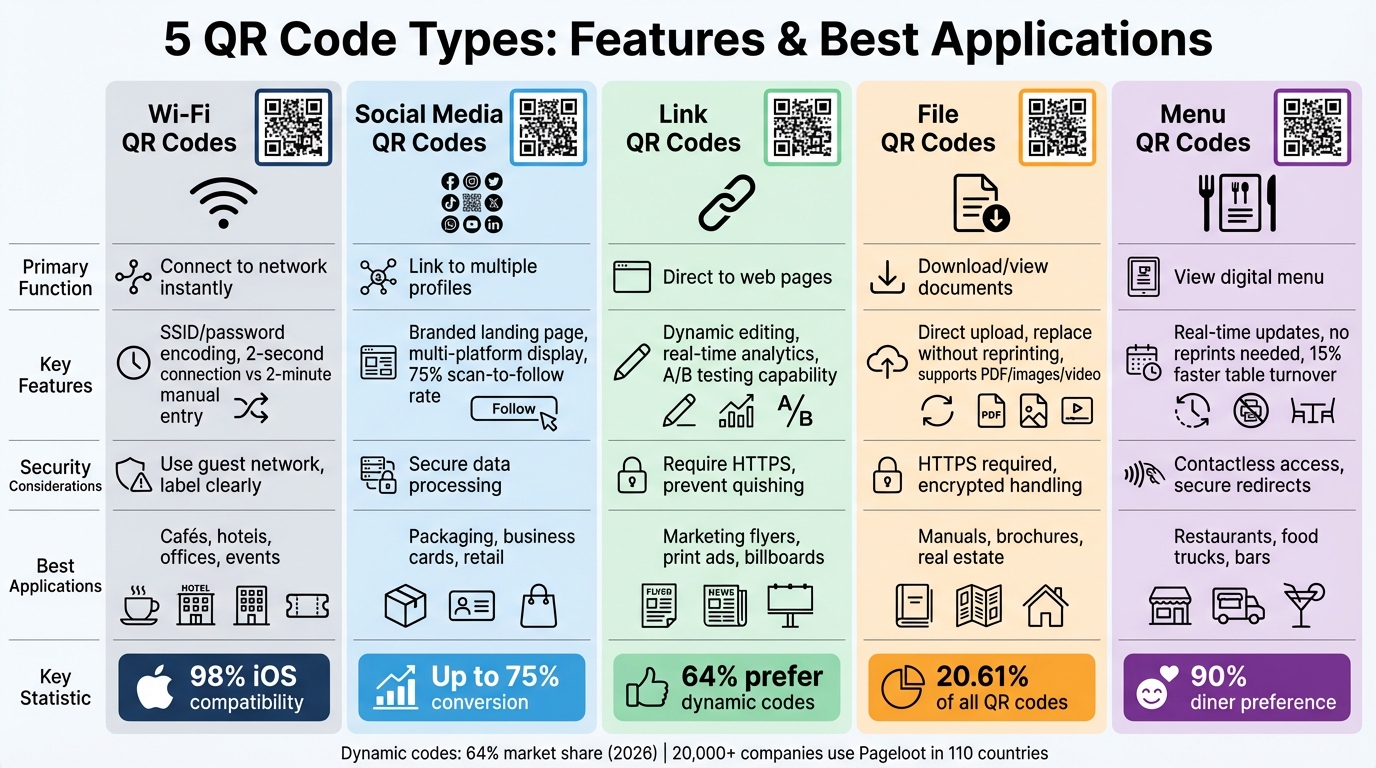
QR Code Types Comparison: Features, Security, and Best Use Cases
Picking the right QR code type can make or break a campaign. For example, Wi‑Fi codes simplify the process of connecting to networks by embedding credentials directly into the QR pattern. These are great for places like cafés or hotels where quick and easy access is essential. Social media codes consolidate multiple profiles into a single landing page, making them perfect for retail stores or influencer marketing. Meanwhile, Link codes are a staple for marketing campaigns, sending users to specific web pages. File codes replace traditional printed materials like manuals or brochures with instant downloads, reducing costs and supporting eco-friendly goals. Lastly, Menu codes allow restaurants to make real-time updates to their menus without the need to reprint table materials.
This breakdown highlights the unique strengths of each QR code type, showing how they can solve specific challenges. Whether it’s enabling seamless Wi‑Fi access or keeping restaurant menus up-to-date, each type offers tailored solutions for different needs.
As of 2026, dynamic codes dominate the market with a 64% share. Unlike static codes, which embed data directly into the QR pattern, dynamic codes rely on a short redirect URL. This allows for updates, real-time analytics, and the flexibility to test campaigns with A/B testing without wasting resources. Companies like Pageloot focus on dynamic codes for their versatility, offering options for Link, Social Media, File, and Menu codes.
Security Matters
Security varies depending on the QR code type. For example, Link dan File codes should always use HTTPS to guard against "quishing", a scam where malicious QR codes replace legitimate ones. Media Sosial dan Menu codes can benefit from password protection, especially when sharing exclusive offers or sensitive content. Pageloot’s platform includes features like password protection, expiration settings, and encrypted data handling to enhance security.
QR Code Type Comparison Table
| Jenis Kod QR | Fungsi Utama | Pageloot Features | Pertimbangan Keselamatan | Best Applications |
|---|---|---|---|---|
| Wi‑Fi | Connect to network instantly | SSID/password encoding; static or dynamic options | Clearly label and update credentials | Cafés, hotels, offices, events |
| Media Sosial | Link to multiple profiles | Branded landing page; custom templates; analytics | Secure data processing; anonymized stats | Packaging, business cards, shop windows |
| Link (URL) | Direct to web pages | Dynamic editing; scan tracking; UTM parameters | Use HTTPS to prevent quishing | Marketing flyers, print ads, billboards |
| File (PDF) | Download or view documents | Direct file upload; replace files without reprinting | HTTPS required; encrypted handling | Manuals, brochures, real estate galleries |
| Menu | View digital menu | Real-time updates; no reprints | Contactless access with secure redirects | Restaurants, food trucks, bars |
"Choosing the wrong QR code type can mean missed scans, broken links, and wasted print budgets – while the right type transforms a static piece of marketing into a real‑time data asset."
With Pageloot, you can customize your codes by changing colors, adding logos, and downloading them in high-resolution formats like SVG or EPS for professional printing. Bulk management tools make it easy to handle multiple codes from one dashboard, while advanced error correction ensures your codes remain scannable even with branding elements incorporated. Whether you’re setting up Wi‑Fi access, sharing PDF manuals, or launching a social media campaign, Pageloot provides the tools to turn each QR code into a trackable, editable asset.
These details give you the knowledge to choose the right QR code type, ensuring your campaigns are secure, consistent, and effective.
Kesimpulannya
QR codes have come a long way from being simple, black-and-white squares. Today, they serve as versatile tools that solve real-world business challenges and enhance connectivity. For instance, Wi‑Fi codes make joining networks effortless, social media codes bring all your profiles together in a single scan, link codes boost website traffic, file codes replace bulky printed materials with instant downloads, and menu codes keep digital menus up-to-date without the need for reprints. Each type serves a specific purpose, and choosing the right QR code can reshape how you engage with your audience.
Pageloot makes creating QR codes quick and easy – no technical expertise required. In just under a minute, you can generate fully functional codes. With features like dynamic editing, a centralized dashboard for managing all your codes, and real-time analytics to track scans by time and location, Pageloot stands out as a reliable solution. Over 20,000 companies in 110 countries already trust the platform. Plus, customization options like adding logos, changing colors, and downloading in high-resolution formats (SVG and EPS) ensure your QR codes look polished and professional.
You can try Pageloot with a 14-day free trial – no credit card needed – or create unlimited static QR codes for free. By combining the right QR code type with Pageloot’s tools, every scan becomes a trackable, impactful touchpoint, helping you streamline campaigns and bridge the gap between digital and physical interactions.
Soalan Lazim
Bilakah saya patut menggunakan kod QR dinamik bukannya yang statik?
Dynamic QR codes are perfect when you need flexibility – like updating content without reprinting materials – or want to track scan data. On the other hand, static QR codes are permanent and work best for fixed information, such as sharing a Wi-Fi password.
Dynamic codes let you update content, monitor performance, and access analytics, making them ideal for marketing campaigns, restaurant menus, or any scenario where frequent updates are necessary. They’re also a smarter choice for managing evolving content while keeping costs down.
How can I make sure my QR code scans reliably on any phone?
To make sure your scans work smoothly every time, here are some tips to keep in mind:
- Keep a high contrast: Stick to simple color combinations like black on white for better readability.
- Pick the right size: Ensure the code is large enough for the scanning distance – at least 0.5 inches for close-up scans.
- Kekalkan zon senyap: Leave a clean white border around the code to help scanners read it accurately.
- Use higher error correction levels: This is especially important if there’s a chance the code could get damaged or partially covered.
- Avoid cluttered or decorative designs: Keep the code clean and simple to prevent scanning issues.
These steps can make a big difference in ensuring your codes are scanned without a hitch.
What security steps should I take before sharing QR codes publicly?
To keep QR codes safe before sharing them publicly, consider these steps:
- Add password protection or encryption: This is especially crucial for QR codes containing sensitive information, ensuring only authorized users can access the data.
- Double-check embedded URLs or data: Always verify the content within the QR code to confirm it’s legitimate and not linked to phishing attempts.
- Opt for dynamic QR codes: These allow for updates or deactivation, giving you more control over the code’s functionality even after it’s shared.
- Be mindful of placement: Avoid putting QR codes in areas that aren’t monitored or could be tampered with, reducing the risk of misuse or unauthorized access.
- Panduan Langkah demi Langkah untuk Mencipta Menu Kod QR
- Melangkaui Imbasan: Membongkar Faedah Kod QR yang Menakjubkan untuk Perniagaan Moden
- Jenis-jenis kod QR yang berbeza: statik, dinamik, berbilang peringkat – yang mana satu untuk dipilih?
- Cipta dan imbas kod QR Wi-Fi pada Android dan iPhone: cara terpantas untuk berkongsi internet anda