
ホーム > 産業 > How to Use QR Codes in Veterinary Practice Management
Veterinary digital check-in

How to Use QR Codes in Veterinary Practice Management

Discover how veterinary clinics use QR codes to streamline client check-ins, share post-care instructions, accept payments, and get more Google reviews.
Updated on 7月 27, 2026
目次

Is your veterinary practice staff overwhelmed by crowded waiting rooms and endless paper forms? Manual administrative tasks delay care, increase front-desk stress, and frustrate pet owners. Implementing scannable digital workflows allows your clinic to streamline check-ins, automate aftercare instructions, and simplify client marketing.

Streamlining Daily Operations and Patient Check-In

Managing client flow during peak morning hours is a persistent challenge for practice managers. Replacing paper registration clipboards with digital touchpoints reduces lobby congestion and prevents manual data entry errors in your practice management software.

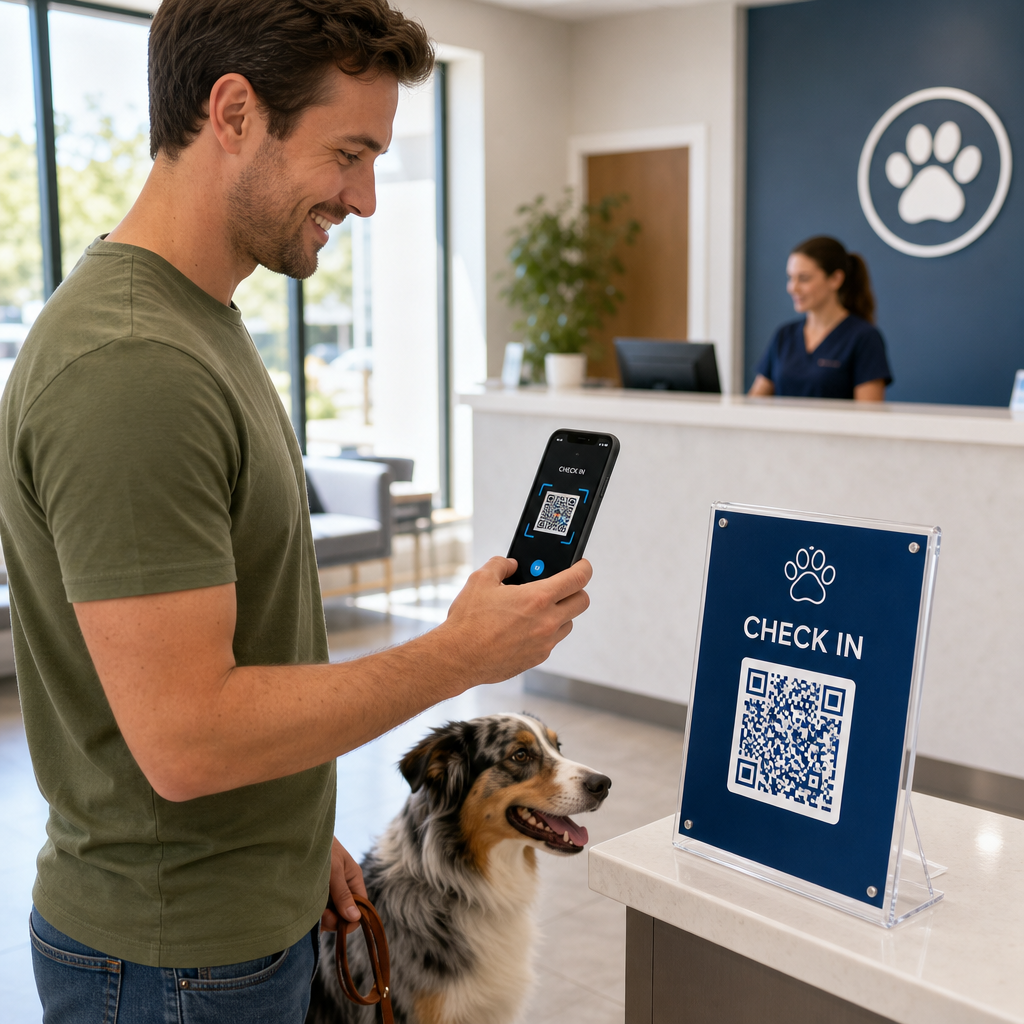
Placing touchless check-in codes on lobby acrylic stands or front door signage allows pet owners to initiate check-in directly from their smartphones. When clients scan the code, they open a secure digital form to confirm contact information, complete health histories, or sign pre-surgical consent agreements.

Key operational touchpoints for veterinary clinics include:

  • Digital patient intake: Direct clients to digital intake forms before appointments to capture health history updates without front-desk delays using a GoogleフォームQRコードジェネレーター.
  • Contactless payment collection: Display quick-pay signage at discharge counters so pet owners can settle bills through payment QR code solutions via digital wallets or PayPal.
  • Emergency contact sharing: Provide digital vCard contact codes on fridge magnet handouts so owners can save your urgent clinic numbers directly to their mobile phone address books.

Simplify Patient Intake and Form Collection Eliminate paper clutter and accelerate lobby check-ins with customized digital forms. Use the GoogleフォームQRコードジェネレーター to create scannable intake forms for your clinic today.

Enhancing Client Education and Aftercare Compliance

Pet owners often feel overwhelmed during discharge and forget verbal home-care instructions. Providing instant digital access to post-operative guidelines improves treatment compliance and reduces unnecessary panicked phone calls.

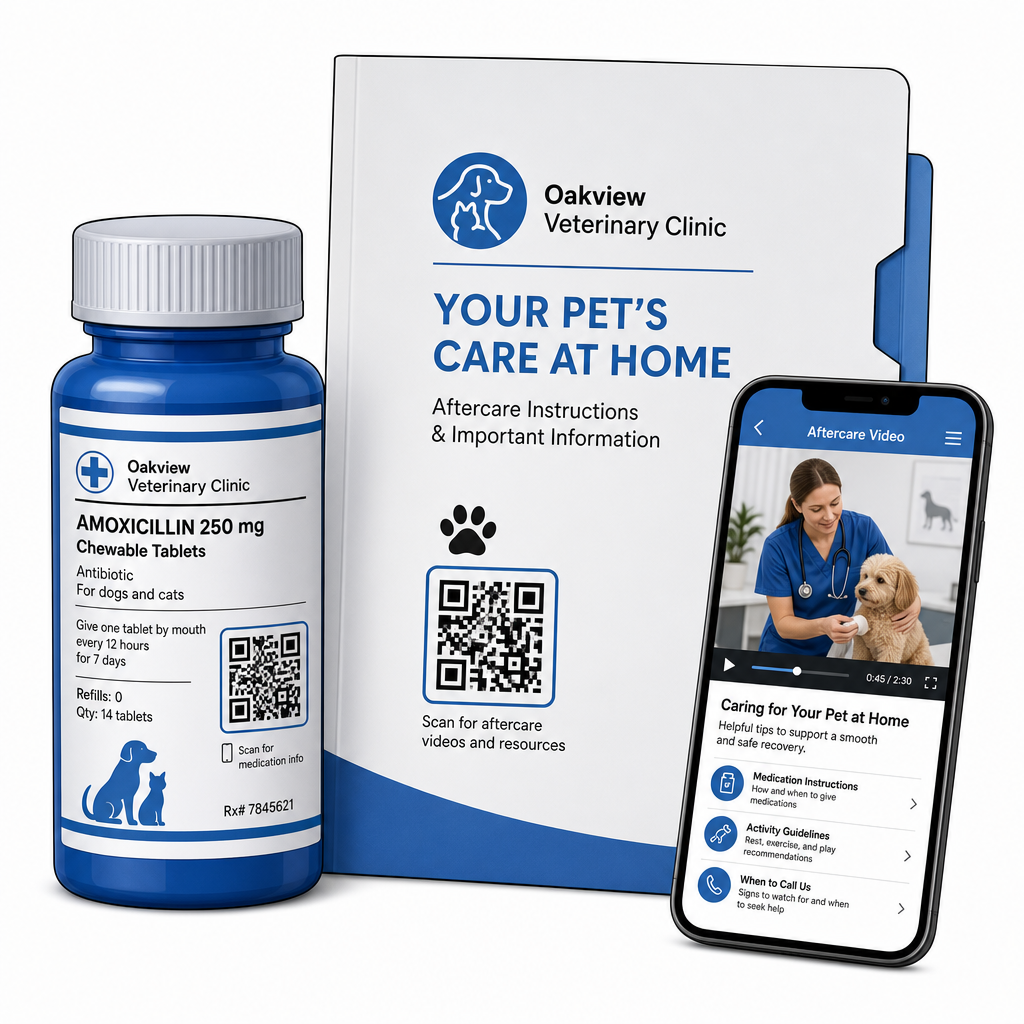
Printing scannable codes on medication bottles, discharge folders, or care sheets connects clients directly to instructional videos, wound-monitoring guides, and physical rehabilitation demonstrations. Similar to broader healthcare QR code applications, digital aftercare tools ensure critical medical guidance remains accessible 24/7.

Digital veterinary aftercare

You can deliver post-visit materials effectively through:

  • Digital discharge packets: Upload comprehensive post-operative recovery manuals using a PDF QRコードジェネレーター so pet owners can save document files directly to their phones.
  • Medication administration guides: Link prescription bottle labels directly to short video demonstrations showing proper pill administration, eye drop techniques, or insulin injections.
  • Dietary and wellness guides: Display scannable links to breed-specific nutritional guides, parasite prevention schedules, and dental care recommendations inside exam rooms.

Driving Practice Marketing and Reputation Management

Growing a veterinary practice requires consistent local engagement and positive online reviews. Strategic positioning of digital touchpoints across physical marketing assets helps convert routine visits into long-term practice growth.

By placing review prompts at the discharge desk or printing them on billing receipts, you encourage satisfied clients to leave feedback while their experience is fresh. You can streamline this process by deploying a GoogleレビューQRコードジェネレーター to direct pet owners straight to your profile.

To maintain trust and adhere to regulatory standards, practices must follow key compliance rules:

Marketing Area Best Practice Standard Regulatory & Platform Requirement
Google Reviews Direct all clients to your verified Google Business profile. FTC guidelines and Google policies strictly prohibit review gating, fake reviews, or offering discounts and gifts in exchange for reviews.
Wellness Plans Direct clients to multi-link landing pages for preventive care enrollment. Provide transparent pricing details and clear terms for annual wellness packages.
Client Referrals Feature referral registration codes on business cards and welcome folders. Ensure referral terms apply equally to all existing clients.

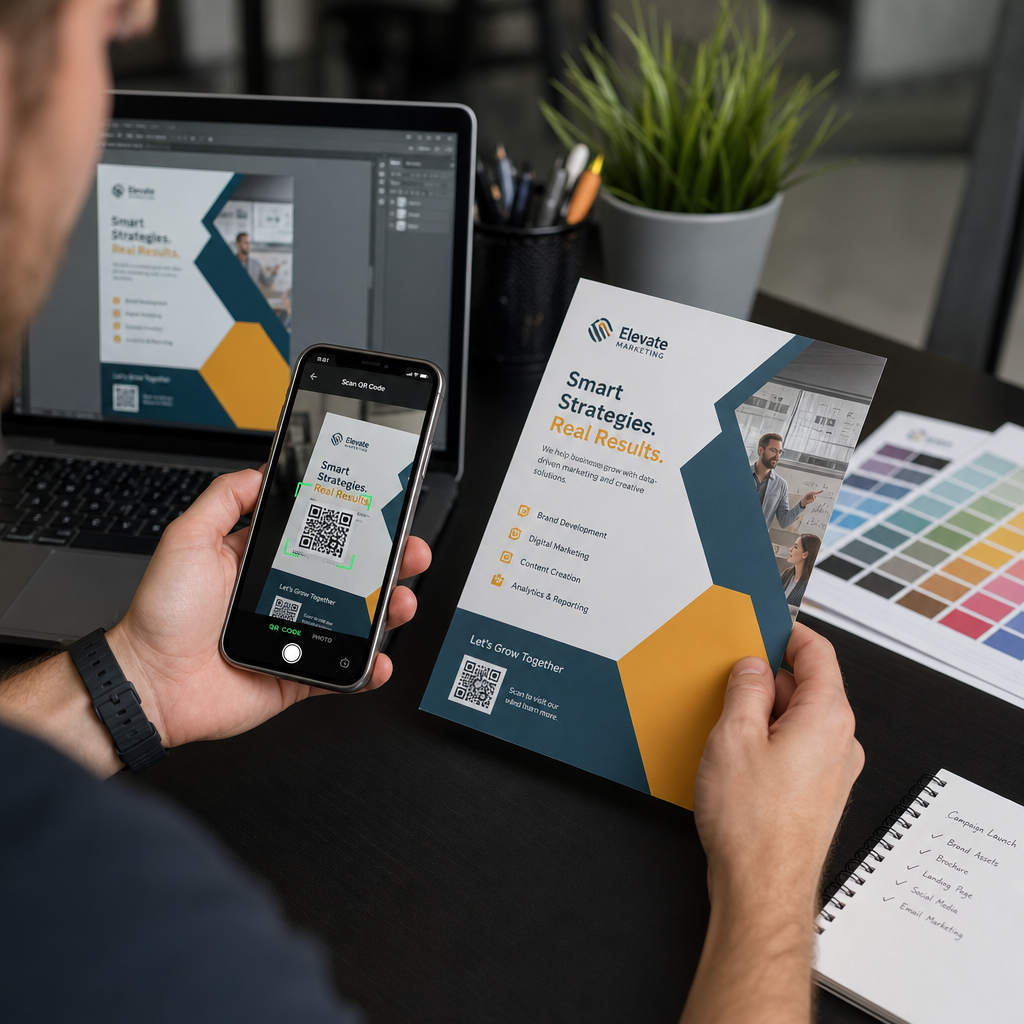
Monitoring engagement across printed flyers, seasonal promotions, and referral cards is straightforward when using trackable dynamic QR codes. Practice managers can view real-time scan metrics to evaluate which promotional placement generates the highest client engagement.

Best Practices for Scannability, Security, and Accessibility

A QR code that fails to scan creates frustration for both pet owners and clinic staff. Following technical standards and security protocols ensures reliable performance across all veterinary touchpoints.

QRコードのベストプラクティス

Technical Print Guidelines

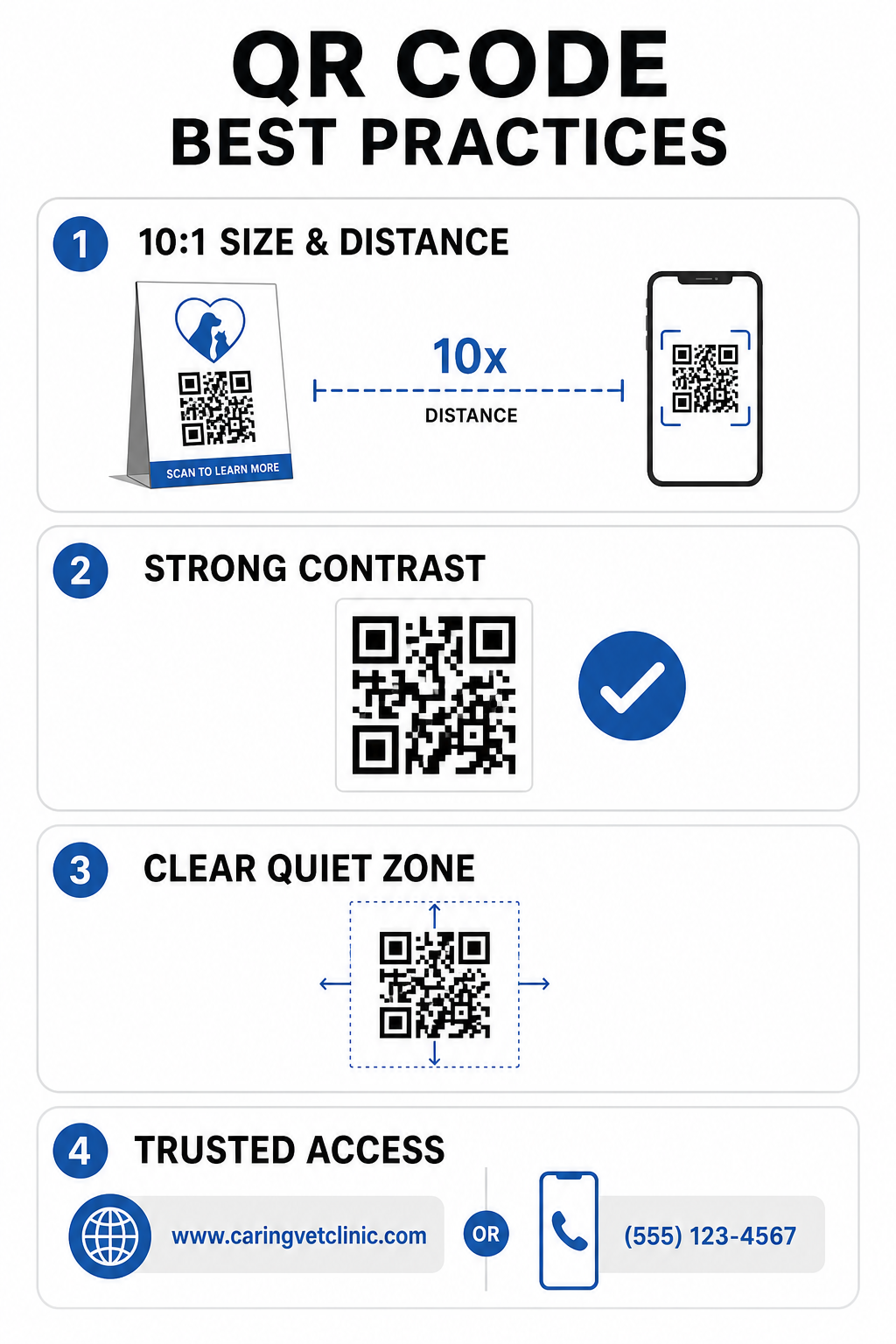
  • Maintain a 10:1 size-to-distance ratio: Make the code at least 1 cm wide for every 10 cm of expected scanning distance, keeping close-range codes to a minimum size of 2 x 2 cm.
  • Ensure high color contrast: Maintain at least a 4:1 contrast ratio between dark code patterns and light backgrounds, avoiding light-colored patterns on light backgrounds.
  • Preserve the quiet zone: Leave a clear white border around the outer edges of the code to prevent interference from surrounding graphic elements.
  • Export high-resolution files: Save print assets in vector formats like SVG or EPS at 300 DPI or higher to prevent pixelation, following established QRコードの読みやすさに関するベストプラクティス.

Security and Accessibility Standards

  • Protect physical signage from phishing: Inspect clinic signs regularly to guard against malicious overlay stickers (quishing) that target pet owners.
  • Utilize trusted custom domains: Link codes directly to verified clinic domains rather than generic URL shorteners to ensure destination security.
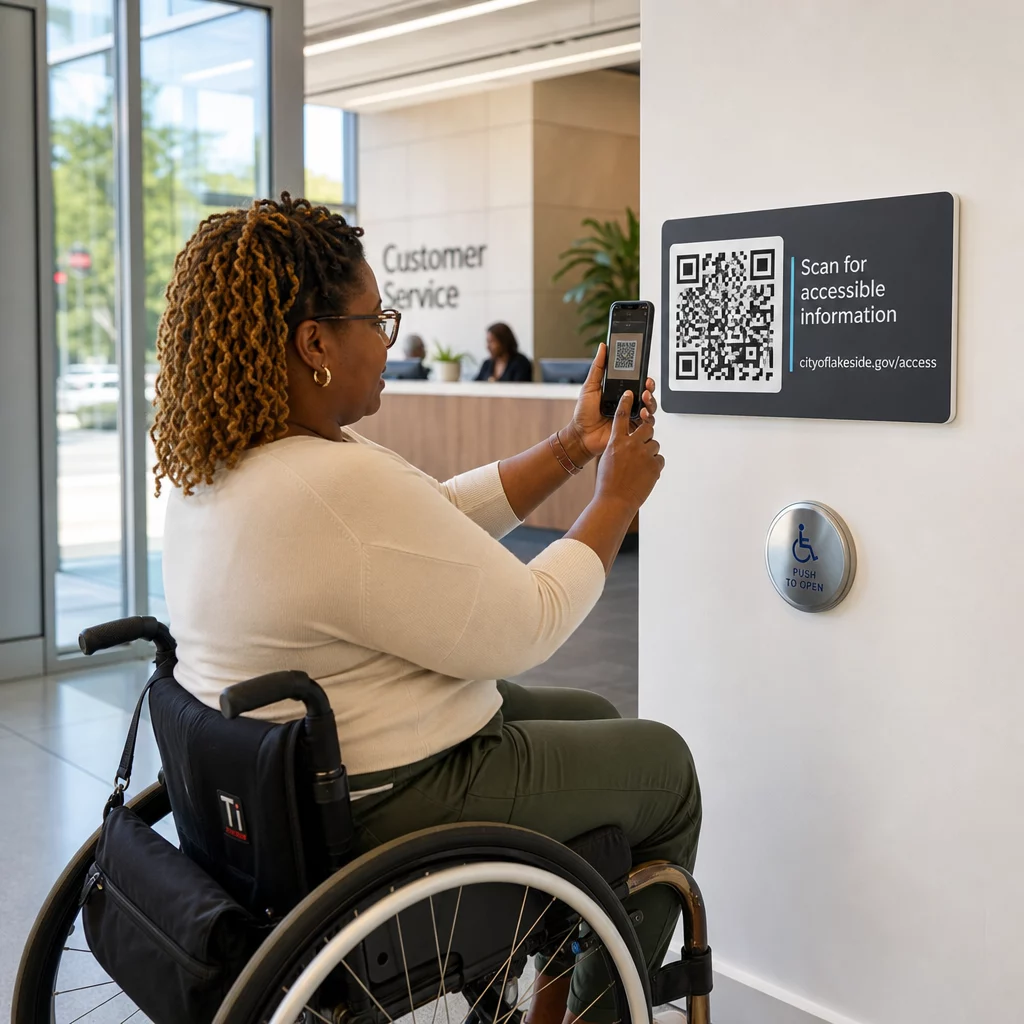
  • Provide alternative access methods: Include short written URLs, phone numbers, or staff assistance alongside codes, accompanied by clear plain-language scanning instructions.

Upgrading Your Veterinary Touchpoints

Integrating scannable workflows into your veterinary practice bridges the gap between physical client touchpoints and digital management tools. Replacing paper forms with digital intake options, providing instant aftercare videos, and simplifying feedback collection reduces staff fatigue while raising the standard of care for your patients.

Start by identifying high-traffic friction points in your clinic, such as lobby check-in or medication discharge. Select dynamic options so you can update linked web addresses or downloadable documents anytime without reprinting physical signs. Build, customize, and track your practice’s digital touchpoints using the Pageloot QRコードジェネレータ で今すぐ利用可能なツールをご覧ください。.

よくある質問

What is the main advantage of using dynamic QR codes over static ones in a vet clinic?

Dynamic QR codes allow staff to update the target web page or linked PDF document anytime without reprinting physical flyers, signage, or pill bottles. They also provide scan analytics so practice managers can evaluate client engagement.

Can veterinary practices offer discounts to clients who scan a QR code to leave a Google review?

No. FTC guidelines and Google review policies strictly prohibit offering incentives, free products, or discounts in exchange for online reviews. Practices must collect authentic, un-incentivized feedback.

How big should a QR code be on a veterinary waiting room poster?

Follow the 10:1 distance-to-size guideline. If a pet owner scans a poster from a distance of 100 cm (about 3 feet), the code should measure at least 10 x 10 cm, surrounded by a clear white border.

著者について

Siim KostabiはPagelootのコンテンツリードです。Pagelootの革新的なQRコード生成サービスについて執筆しています。5年以上にわたるQRコードに関する深い専門知識を持つSiimは、この分野の専門家です。QRテクノロジーを活用してデジタルインタラクションを簡素化・拡張する上で、大きな進歩を遂げています。.

カテゴリー
について詳しくはこちら
作業員が在庫QRをスキャン中
のQRコードを作る 製品在庫
バーコードとQRコードの比較
バーコード vs QRコード
✅ QRコードの#1ソリューション

オンラインでQRコードを作成する必要がある場合は QRコードを作る ここで無料で
ページルートは #1のGo-Toソリューション でQRコードを作成してスキャンすることができます。

BL-0343

ブログジェネ

売上、レビュー、フォロワーを増やすために 20,000 を超えるブランドから信頼されています。

クライアントのロゴ
トップブランドから信頼される
5 のうち 4.8 と評価しました

4.86 / 5つ星評価

ユーゴ・ローラン
ユーゴ・ローラン
レストランオーナー
最も簡単で信頼性の高いQRコードジェネレータです。PDFファイルを即座にアップロードできます。レストランのメニューがデジタル化されました。
ルーカス・ジャンセン
ルーカス・ジャンセン
不動産開発業者
これは優れたツールで、QRコードでちょうど欲しいところに連れて行ってくれます。私たちは位置情報のQRコードしか使っていませんが、とても便利な機能がたくさんあります。
エマ・モレッティ
エマ・モレッティ
小売製品
使いやすいし、早い。素晴らしい機能で、完璧な画像を作成してくれるので、社員は私のvCardをダウンロードすることができます。
ユーゴ・ローラン
ユーゴ・ローラン
レストランオーナー
最も簡単で信頼性の高いQRコードジェネレータです。PDFファイルを即座にアップロードできます。レストランのメニューがデジタル化されました。
ルーカス・ジャンセン
ルーカス・ジャンセン
不動産開発業者
これは優れたツールで、QRコードでちょうど欲しいところに連れて行ってくれます。私たちは位置情報のQRコードしか使っていませんが、とても便利な機能がたくさんあります。
エマ・モレッティ
エマ・モレッティ
小売製品
使いやすいし、早い。素晴らしい機能で、完璧な画像を作成してくれるので、社員は私のvCardをダウンロードすることができます。
QRコードをもっと見る
QRコードブックのスキャン
QRコードの 書籍・出版物
QRコードポスターのスキャン
QRコード データの制限
あらゆるものをデジタル体験に変えよう 3分以内に。

14日間の無料トライアル。

クレジットカードは必要ありません。

初回購入で30%オフ

次のコードを使用してください:

MP3ファイルを共有

PDF QRコードを作成するにはサインアップしてください

必要なものをすべてアップロードして表示する。

  • オーディオファイル
  • ポッドキャスト
  • 音楽

サインアップで14日間無料トライアル。.
トライアル終了後、QRコードは期限切れになります。.

オーディオmp3 QRコードを作成するにはサインアップしてください

フレームでより多くのスキャンを獲得

QRコードにフレームを追加するにはサインアップしてください

コールトゥアクションフレームは、お客様が簡単にQRコードと対話できるようにします。ぜひお試しください。

サインアップで14日間無料トライアル。.
トライアル終了後、QRコードは期限切れになります。.

QRコードにフレームを追加するにはサインアップしてください

シェイプでスタイルを追加

より多くの図形を作成するにはサインアップしてください

QRコードは四角いものである必要はありません。あなたのブランドのイメージに合わせて変えてみてください。

サインアップで14日間無料トライアル。.
トライアル終了後、QRコードは期限切れになります。.

より多くの図形を作成するにはサインアップしてください

QRコードにロゴを追加

QRコードにロゴを追加するにはサインアップしてください

QRコードにロゴやブランドを入れることで、目立たせることができます。

サインアップで14日間無料トライアル。.
トライアル終了後、QRコードは期限切れになります。.

QRコードにロゴを追加するにはサインアップしてください

スマートなApp Storeリダイレクト

アプリストアのQRコードを作成するにはサインアップしてください

スマートなApp StoreのQRコードに、あなたのアプリのリンクを追加します。ユーザーは、デバイスに応じてリダイレクトされます。

サインアップで14日間無料トライアル。.
トライアル終了後、QRコードは期限切れになります。.

アプリストアのQRコードを作成するにはサインアップしてください

QRコードに画像をアップロード

画像QRコードを作成するにはサインアップしてください

画像を簡単に共有できます。どんな画像も、数秒でダイナミックに変化します。

サインアップで14日間無料トライアル。.
トライアル終了後、QRコードは期限切れになります。.

画像QRコードを作成するにはサインアップしてください

PDFファイルを共有

PDF QRコードを作成するにはサインアップしてください

必要なものをすべてアップロードして表示する。

  • メニュー&プライスリスト
  • 指示
  • 任意の書類

サインアップで14日間無料トライアル。.
トライアル終了後、QRコードは期限切れになります。.

PDF QRコードを作成するにはサインアップしてください

印刷せずに後で編集

再度印刷せずにQRコードを編集するにはサインアップしてください

ダイナミックQRコードは、新たにQRコードを印刷することなく、QRコードの内容を変更することができます。

サインアップで14日間無料トライアル。.
トライアル終了後、QRコードは期限切れになります。.

再度印刷せずにQRコードを編集するにはサインアップしてください

いつ?どこで?QRコードのスキャンを追跡

QRコードを追跡するにはサインアップしてください

どのQRコードが最も多くスキャンされ、何が最も顧客を喜ばせているのかを知ることができます。

サインアップで14日間無料トライアル。.
トライアル終了後、QRコードは期限切れになります。.

QRコードを追跡するにはサインアップしてください

印刷可能なファイルが利用可能

PDFやSVGのようなベクターQRコードを作成するにはサインアップしてください

.eps、.pdf、.svg

QRコードをHD解像度でダウンロードしたいですか?すぐに印刷できるベクターまたはピクセル形式を入手しましょう。

サインアップで14日間無料トライアル。.
トライアル終了後、QRコードは期限切れになります。.

PDFやSVGのようなベクターQRコードを作成するにはサインアップしてください

しばらくお待ちください。あなたのQRコードは ロード... ロード...

あなただけのものに

サインアップしてQRコードを後で保存してください

異なる色、ロゴ、コールトゥアクションフレームで素晴らしいQRコードを作成することで、より多くのスキャンを得ることができます。

サインアップで14日間無料トライアル。.
トライアル終了後、QRコードは期限切れになります。.

サインアップしてQRコードを後で保存してください