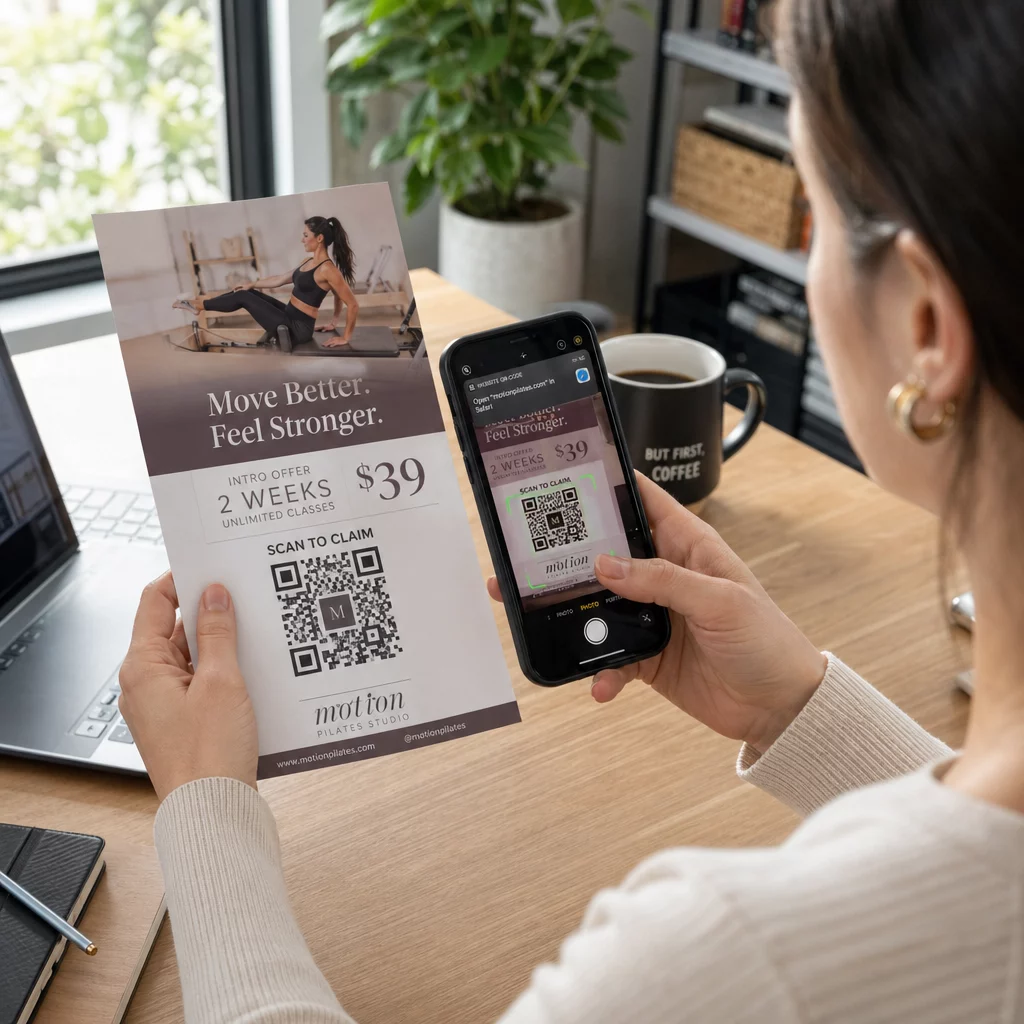
Un código QR para folletos es un código en tu folleto impreso que abre una página web, un formulario o un archivo cuando un lector lo escanea. Para crear uno, genera el código en un generador de códigos QR, descárgalo como SVG o PDF, colócalo en tu diseño con al menos 0.8 pulgadas (2 cm) de ancho con un borde blanco claro, y añade una breve llamada a la acción a su lado. Pruébalo con dos teléfonos antes de imprimir. Los pasos, tamaños y reglas de colocación están a continuación.
Por qué los códigos QR deben estar en los folletos
Un folleto tiene poco espacio. Si intentas incluir cada detalle del producto o horario del evento en él, el diseño se vuelve recargado y difícil de leer. Un código QR da a los lectores acceso con un toque a un menú digital, un formulario de registro, un cupón o un catálogo completo, mientras el folleto permanece limpio. Así es como los códigos QR conectan el marketing impreso y digital: el folleto capta la atención, y el escaneo lleva al lector al siguiente paso.
Un código QR también te permite medir una campaña impresa. Con un código dinámico puedes ver cuándo, dónde y en qué dispositivo ocurrió cada escaneo, así sabes qué folletos y ubicaciones atraen a la gente.
Códigos QR estáticos vs. dinámicos: ¿Cuáles debería usar?
Elige el tipo antes de diseñar el folleto. Los códigos QR estáticos y dinámicos se comportan de manera diferente después de la impresión.
Códigos QR estáticos almacenan el destino directamente en el patrón. El destino no se puede cambiar después de la impresión, y el código nunca caduca. El estático es suficiente cuando el enlace no cambiará, por ejemplo, un inicio de sesión de Wi-Fi o una página web permanente, y cuando no necesitas números de escaneos.
Códigos QR dinámicos apuntan a un enlace de redirección corto que gestionas en una cuenta. Puedes cambiar el destino después de que los folletos se distribuyan, sin necesidad de reimpresión. Si promocionas un evento semanal, cambias la página de registro cada semana. Los códigos dinámicos también contienen menos datos, por lo que el patrón es más simple y a menudo se escanea más fácilmente con poca luz.
Para folletos que se utilizan en más de un lugar o durante más de una semana, el dinámico suele valer la pena porque obtienes Seguimiento del código QR con recuentos de escaneos, ubicaciones y dispositivos. Los códigos dinámicos vienen con una prueba gratuita de 14 días, y los planes están listados en la página de precios de Pageloot. Los escaneos son ilimitados, y hay una garantía de devolución de dinero de 30 días en los planes. Un código dinámico deja de funcionar cuando finaliza un plan mensual o anual, así que mantén el plan activo mientras el folleto esté en circulación.
Cómo Crear un Código QR para un Folleto en 5 Pasos
Sigue estos pasos para añadir un código QR a un folleto:
- Elige qué abre el código. Elige un destino que funcione en un teléfono: una URL de sitio web, un documento PDF, una Google Forms, o un página de contacto vCard. Utiliza el generador que coincida con el contenido.
- Genera y personaliza. Abre el generador de códigos QR y pega tu enlace. Si quieres tu marca en el código, usa el Generador de código QR con logo. Mantén el logo pequeño y los colores oscuros sobre fondos claros.
- Descargar para imprimir. Descarga SVG o PDF si están disponibles, porque los archivos vectoriales mantienen la nitidez a cualquier tamaño. Si solo tienes PNG, descárgalo en un tamaño grande (el deslizador del generador llega hasta 2000 px) y no lo amplíes en tu diseño.
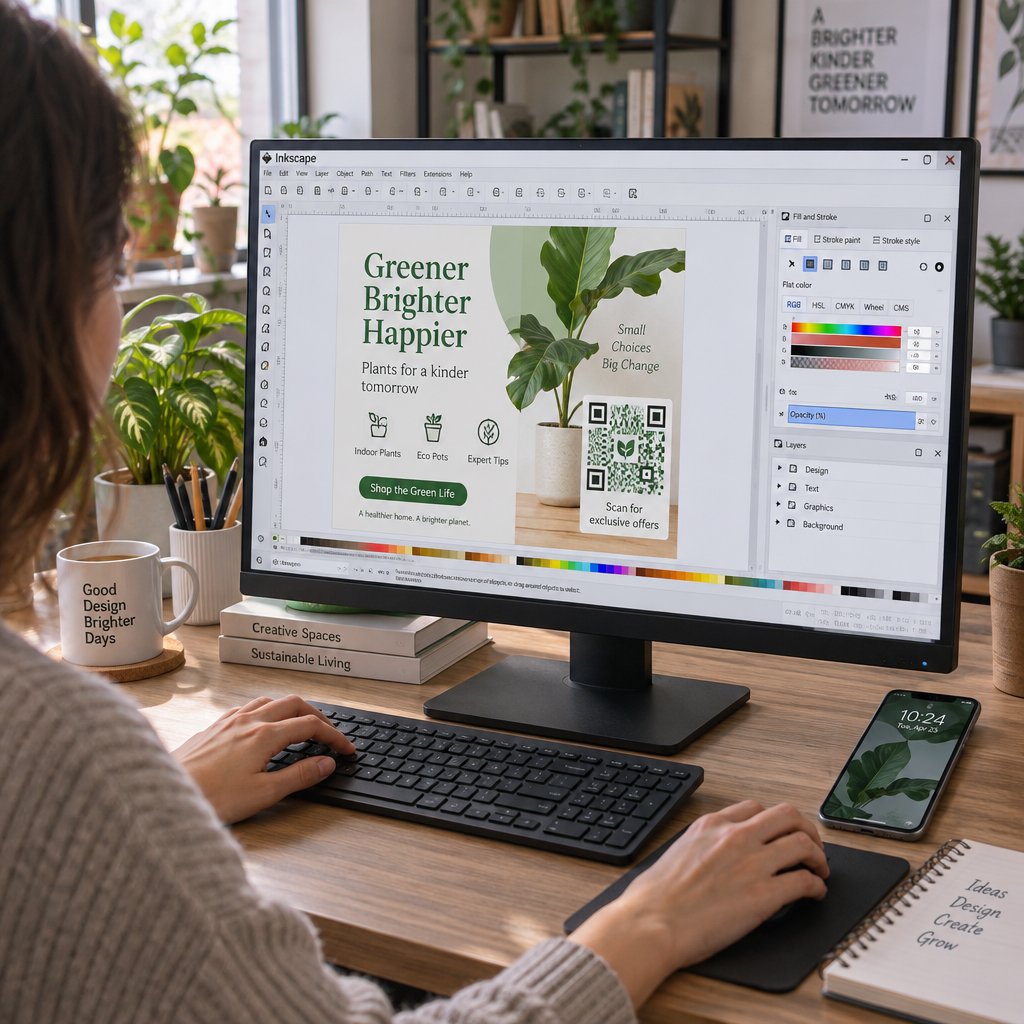
- Colócalo en tu herramienta de diseño. Importa el archivo a Canva, Adobe Illustrator u otra aplicación de diseño. Establece el tamaño, deja un borde blanco alrededor y coloca tu llamada a la acción al lado.
- Prueba antes de imprimir. Imprime una copia en el tamaño final. Escanéala con un iPhone y un teléfono Android, con luz ambiental normal, desde la distancia a la que un lector sostendrá el folleto.
Crea Tu Código QR Personalizado ¿Listo para añadir un código QR de marca y rastreable a tu próximo folleto? Usa el Generador de código QR con logo para diseñar un código que coincida con la identidad de tu marca.
Estándares de Diseño para un Escaneo Fiable
Un folleto bien diseñado aún falla si el código es difícil de escanear. Sigue las las pautas de tamaño del código QR para materiales impresos y verifica estos tres puntos.
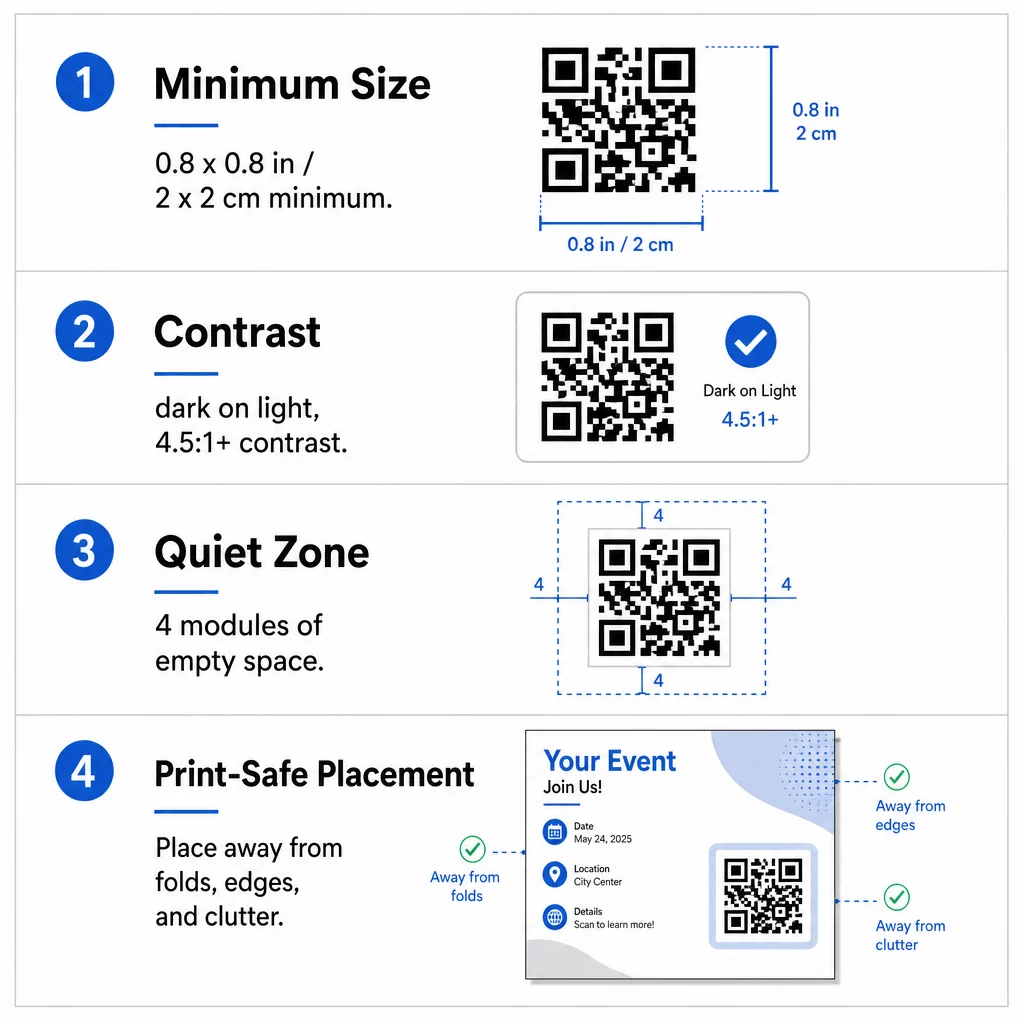
El tamaño: En un folleto de mano (A5, A4 o US Letter), haz el código de al menos 0.8 × 0.8 pulgadas (2 × 2 cm). Un código más grande, de alrededor de 1 a 1.5 pulgadas, es más fácil de escanear y ocupa poco espacio. Para folletos que la gente escanea desde más lejos, usa la regla 10:1: una pulgada de ancho de código por cada diez pulgadas de distancia de escaneo. Un folleto en una pared escaneado desde 20 pulgadas de distancia necesita un código de al menos 2 pulgadas de ancho.
Contraste: Usa módulos oscuros sobre un fondo claro. Una relación de contraste de relación de contraste de al menos 4.5:1 se recomienda para un escaneo fiable, y 7:1 o superior es mejor. No inviertas los colores (código claro sobre fondo oscuro) y no coloques el código sobre una foto.
Zona tranquila: Deja un borde claro de al menos cuatro módulos (los pequeños cuadrados) en los cuatro lados. Texto, líneas o imágenes dentro de este borde pueden impedir que el escáner encuentre el código.
Colocación Estratégica y Redacción de una CTA Clara
Tanto dónde colocas el código como lo que escribes junto a él influyen en el número de escaneos. colocación de códigos QR en marketing sigue algunas reglas prácticas.
En un folleto A4 o A5, buenos lugares son la esquina inferior derecha, el centro inferior o directamente debajo de la oferta principal. Evita estos puntos:
- Pliegues, arrugas y bordes curvos, que distorsionan el patrón
- Papel brillante o texturizado donde el reflejo o la textura reducen el contraste
- Lugares donde otros elementos de diseño invaden la zona de silencio
- La parte trasera de un folleto que la gente quizás nunca dé la vuelta
Un código por sí solo rara vez impulsa a la acción. Añade una llamada a la acción (CTA) que diga lo que el lector obtiene: “Escanea para un 20% de descuento”, “Escanea para confirmar asistencia”, “Escanea para ver el menú”. Añade una pista breve como “Apura la cámara de tu teléfono hacia el código” para los lectores nuevos en códigos QR. Coloca la CTA directamente encima o al lado del código. Esto las mejores prácticas para la legibilidad de los códigos QR ayuda a todos los grupos de edad. Asegúrate también de que la página a la que abre el código sea compatible con móviles y cargue rápido.
Seguimiento y análisis del rendimiento de los folletos
Para ver qué folletos funcionan, asigna a cada canal de distribución su propio código o su propia parámetros UTM. Por ejemplo, usa un código para una feria comercial y otro para el mostrador de una tienda. Google Analytics mostrará el tráfico por folleto, para que puedas comparar los lugares.
Con un código dinámico también puedes rastrear escaneos de códigos QR en tiempo real y ver la hora, ubicación y tipo de dispositivo. Si un área funciona mal, cambia el destino de ese código a una oferta local más relevante. El folleto impreso permanece igual.
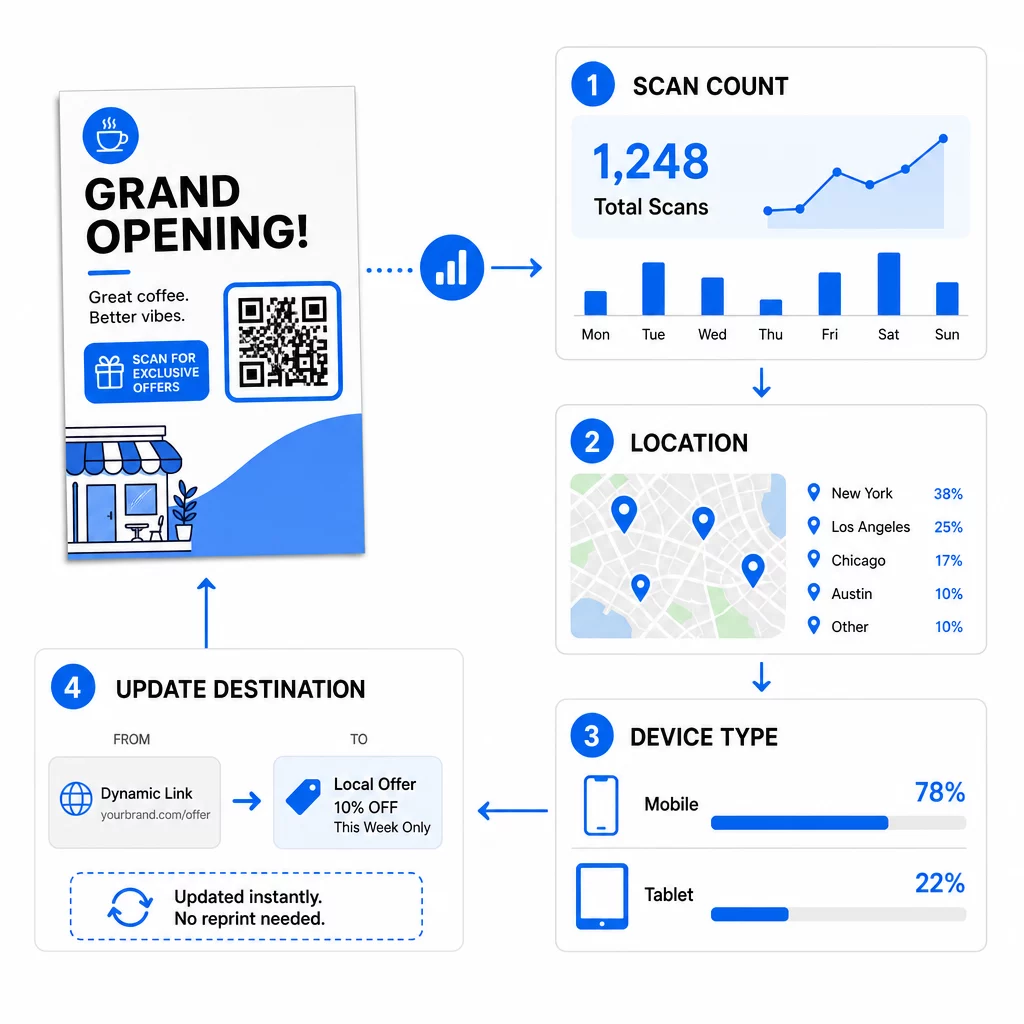
Monitorea el rendimiento de tu campaña ¿Quieres ver qué folletos están generando más tráfico? Usa el Generador de códigos QR para crear códigos dinámicos y rastreables y ver los datos de escaneo en tu panel de control.
¿Código QR en folleto no escanea? Revisa esto
- Demasiado pequeño: Por debajo de 0.8 pulgadas (2 cm), muchos teléfonos fallan. Amplía el código.
- Bajo contraste o colores invertidos: Usa un código oscuro sobre un fondo claro.
- Sin borde blanco: Restaura la zona de silencio de cuatro módulos.
- Impresión borrosa: Un PNG pequeño estirado se imprime borroso. Usa SVG o PDF, o un PNG más grande.
- Demasiados datos: Un enlace de destino muy largo crea un patrón denso. Usa un enlace corto o un código dinámico.
- Destino roto: Abre el enlace tú mismo. Una página eliminada o un código dinámico caducado produce un error de escaneo, incluso si el código está bien.
Añadir un código QR a un folleto lleva unos minutos y te proporciona un resultado medible. Elige el tipo de código correcto, sigue las reglas de tamaño y contraste, coloca el código donde la gente lo vea y escribe una llamada a la acción (CTA) clara.
Preguntas frecuentes
Para un folleto de mano estándar, el código QR debe tener al menos 0.8 × 0.8 pulgadas (2 × 2 cm). Si el folleto está destinado a ser escaneado desde la distancia, aplique la proporción 10:1: haga el código de una pulgada de ancho por cada diez pulgadas de distancia de escaneo esperada.
Sí, pero solo si usaste un código QR dinámico. Los códigos dinámicos se enrutan a través de una URL de redireccionamiento corta que puedes actualizar desde tu panel de control en cualquier momento. Los códigos estáticos incrustan el destino directamente en el patrón y no se pueden cambiar después de la impresión.
Los códigos QR dinámicos incluyen un panel de análisis que muestra escaneos totales, usuarios únicos, ubicaciones geográficas y participación basada en el tiempo. También puedes adjuntar parámetros UTM a tu URL de destino para rastrear estas interacciones directamente dentro de Google Analytics.
SVG o PDF, porque los archivos vectoriales se mantienen nítidos a cualquier tamaño de impresión. Si usas PNG, descarga uno grande y no lo amplíes en tu diseño.
Los códigos QR estáticos nunca caducan. Los códigos dinámicos dejan de funcionar cuando finaliza el plan mensual o anual que los creó, así que mantén el plan activo mientras el folleto esté en circulación.