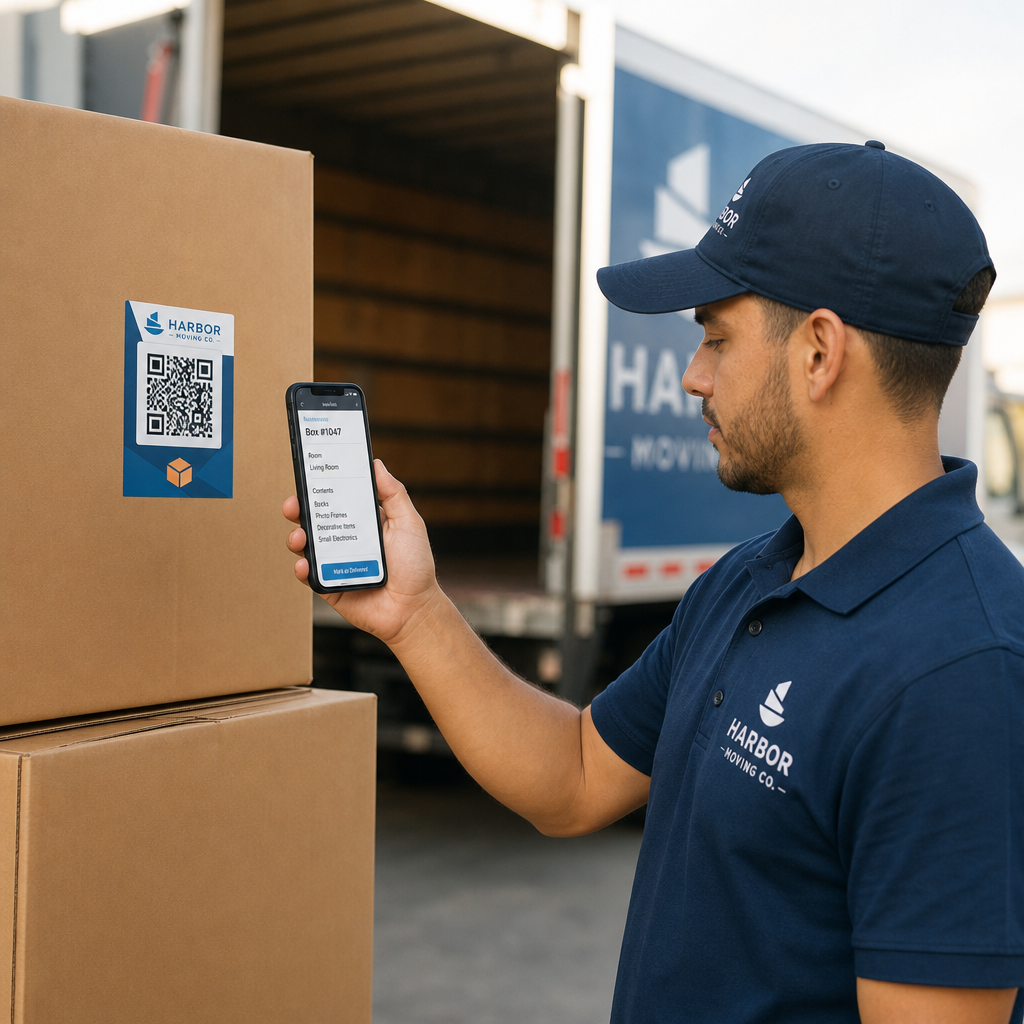

Verlieren Sie Kisten und unorganisierte Inventarlisten, die Ihr Umzugsunternehmen verlangsamen? Ungenaue Protokolle führen zu kostspieligen Streitigkeiten, verlorener Transitzeit und frustrierten Kunden. Die Verwendung dynamischer QR-Code-Etiketten ermöglicht es Ihrer Crew, das Inventar digital zu organisieren und den Inhalt der Kisten in Echtzeit zu verfolgen.
Die operativen Risiken von Papierinventaren für Umzüge
Die Verwaltung von Haushaltswarenlieferungen erfordert eine sorgfältige Dokumentation. Gemäß den Bundesvorschriften für zwischenstaatliche Umzugsunternehmen müssen die Crews vor dem Verladen ein schriftliches, detailliertes Inventar erstellen, das jeder Kiste und jedem nicht verpackten Gegenstand Identifikationsnummern zuweist. Traditionelle handschriftliche Papiermanifeste stellen erhebliche operative Engpässe dar:
- Unleserliche Handschrift: Crewmitglieder haben oft Schwierigkeiten, hastig gekritzelte Kisteninhalte oder Raumbezeichnungen beim Entladen zu lesen.
- Fehlende oder beschädigte Papiere: Physische Inventurblätter gehen während des Transports leicht verloren, werden verschmutzt oder zerrissen.
- Langsame Lieferbestätigung: Versender und Crews verschwenden wertvolle Arbeitsstunden mit dem manuellen Abhaken von Papierartikeln.
- Streitigkeiten: Unklare Papierunterlagen führen zu Reibereien, wenn Kunden nach der Lieferung schriftliche Verlust- oder Schadensansprüche geltend machen.
Die Digitalisierung dieses Arbeitsablaufs mit Echtzeit-Inventarverfolgung modernisiert Ihre Umzugsoperationen und liefert klare, prüfbare Aufzeichnungen für jede Sendung.
Wie digitale Etiketten Umzugs-Workflows verbessern
QR-Code-Etiketten verwandeln einfache Wellpappkisten in digitale Tracking-Punkte. Anstatt Artikel auf Karton oder Papierformularen aufzuschreiben, befestigt die Crew ein vorgedrucktes QR-Code-Etikett an jeder Kiste.
Beim Scannen mit einem Smartphone oder Tablet öffnet das Etikett ein sicheres digitales Manifest, das die Kisten-ID, den Zielraum, Handhabungshinweise und eine Fotodokumentation des verpackten Inhalts detailliert beschreibt.
Verbessern Sie Ihr Inventarmanagement für Umzüge Möchten Sie Ihre Kistenverfolgung digitalisieren und Manifeste unterwegs aktualisieren? Verwenden Sie die Dynamischer QR-Code Generator , um nachverfolgbare, bearbeitbare Etiketten für Ihre gesamte Flotte zu erstellen.
Verwendung von dynamische QR-Codes bietet Umzugsteams vollständige Flexibilität am Einsatzort. Wenn ein Kunde seinen Ablieferungsraum wechselt oder Artikel zu einer verpackten Kiste hinzufügt, können die Crewmitglieder die dem Code zugeordnete digitale Datei aktualisieren, ohne das physische Etikett neu zu drucken oder zu ersetzen.
Best Practices für den Druck von scannbaren QR-Etiketten
Umzugswagen und Lagerhallen stellen anspruchsvolle Umgebungen für gedruckte Grafiken dar. Staub, Reibung, Feuchtigkeit und schlechte Lichtverhältnisse können die Lesbarkeit von Barcodes beeinträchtigen. Die Einhaltung strenger Scannbarkeitsstandards stellt sicher, dass Ihr Team die Etiketten am Einsatzort mühelos scannen kann:
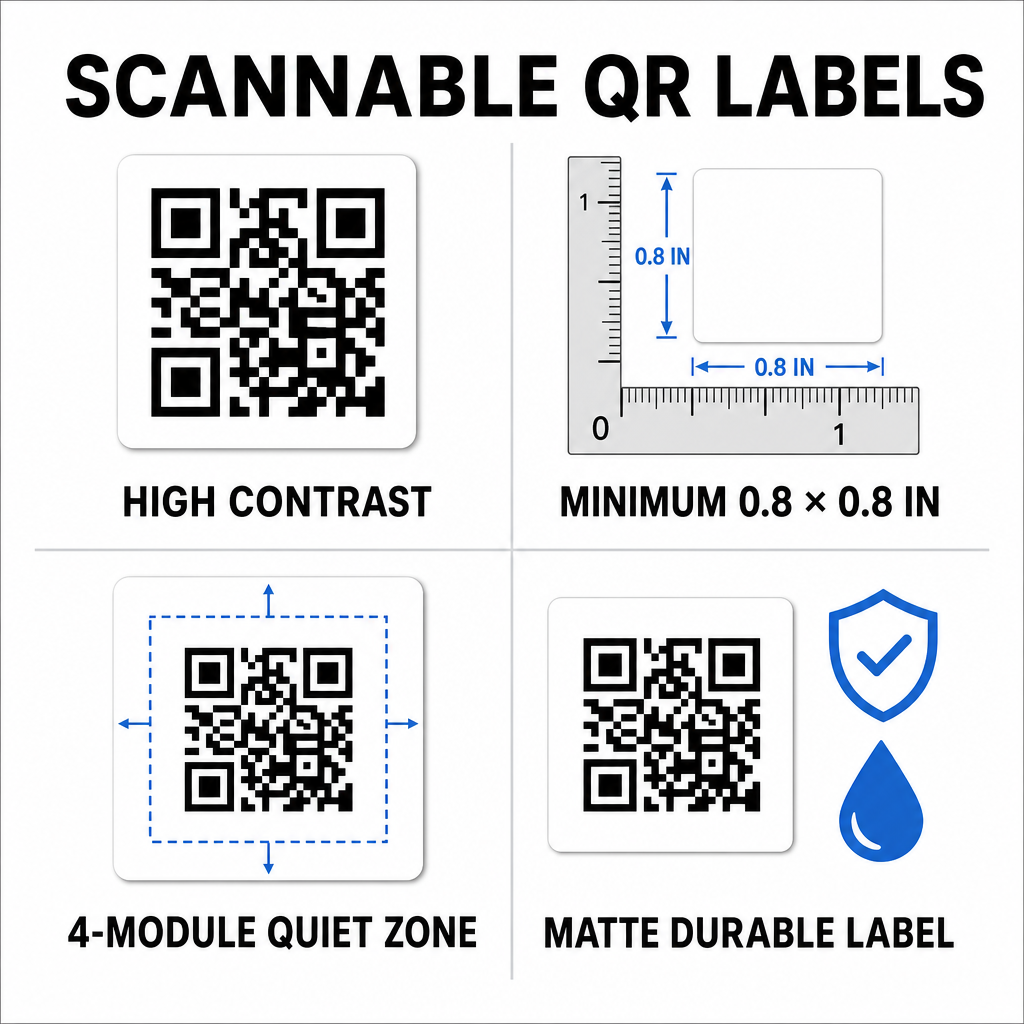
- Hoher Kontrast: Drucken Sie dunkle Codes auf helle Hintergründe und halten Sie ein Kontrastverhältnis von mindestens 50% (4:1 Kontrast) ein.
- Etiketten richtig dimensionieren: Halten Sie Standard-Kistenetiketten mindestens 0,8 x 0,8 Zoll (2 x 2 cm) und wenden Sie die Zehntelregel für größere Lagerbehälter an.
- Ruhezone schützen: Lassen Sie einen leeren Rand von mindestens 4 Modulen Breite um den äußeren Rand des Codes.
- Wählen Sie nicht reflektierende Materialien: Verwenden Sie matte, strapazierfähige synthetische Substrate, um Blendung und Reißen bei rauer Handhabung zu vermeiden.
- Verwenden Sie Vektordruckdateien: Exportieren Sie Grafiken als SVG-, EPS- oder hochauflösende PDF-Dateien, um unscharfe Kanten zu vermeiden. Weitere Informationen zur Formatierung finden Sie in unserem Leitfaden zu Drucken von QR-Codes auf Etiketten.
Schrittweise Implementierung für Umzugsteams
Die Umstellung von herkömmlichen Durchschreibformularen auf ein digitales Inventarsystem erfordert minimale Ausrüstung und Schulung. Die Umstellung verbessert die Effizienz bei jeder operativen Aufgabe erheblich.
| Operative Aufgabe | Papierinventarsystem | QR-Code-Digital-System |
|---|---|---|
| Kistenkatalogisierung | Manuelles Schreiben von Artikellisten auf Durchschreibformularen | Zuweisung von Artikeln digital zu einem gescannten QR-Code |
| Be- und Entladen | Abhaken von Artikelnummern auf Papier-Klemmbrettern | Sofortiges Scannen mit der Kamera an der Laderampe |
| Manifest-Updates | Durchstreichen von Text und Kritzeln von Papier-Updates | Aktualisierung dynamischer Ziele online ohne Nachdruck |
| Anspruchsüberprüfung | Suche in physischen Akten Monate nach der Lieferung | Sofortiger Zugriff auf digitale Fotos und Protokolle |
Einrichten eines effizienten Box-Labeling-Workflows umfasst vier Kernaktionen:
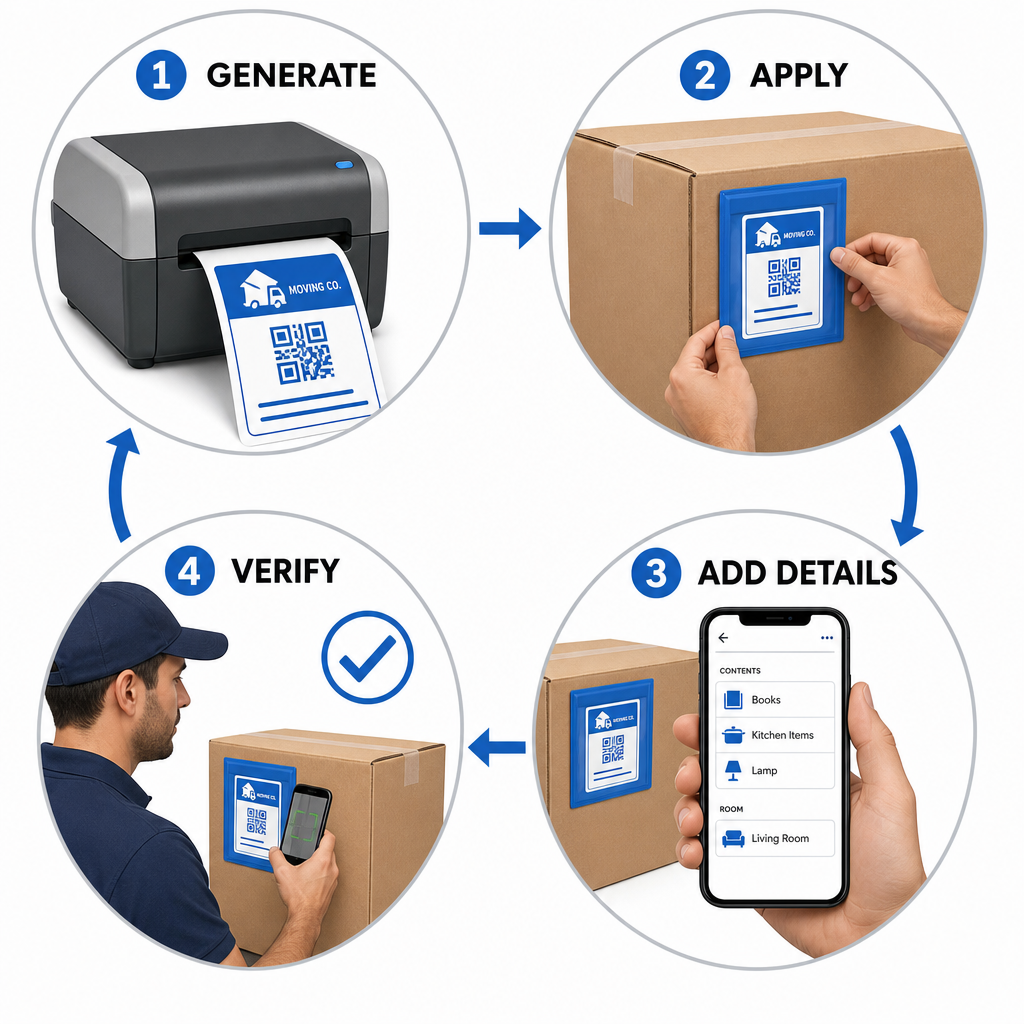
- Box-Etiketten generieren: Verwenden Sie eine QR-Code-Generator um QR-Etiketten-Batches zu erstellen, die für Standard-Klebeblätter formatiert sind.
- Etiketten strategisch anbringen: Platzieren Sie Etiketten an den oberen Seitenwänden der Kartons, halten Sie sie frei von Nähten, Klebeband und Falten.
- Manifest scannen und erstellen: Verwenden Sie eine Kamera-App oder ein kostenlosen QR-Code-Scanner um den Inhalt von Kartons, Raumstandorte und Fotos zu erfassen.
- Entladung bei Lieferung überprüfen: Scannen Sie jedes Etikett, wenn Kartons den Zielraum betreten, um ein genaues digitales Lieferprotokoll zu erstellen.
Unternehmen, die moderne Inventur-Workflows einrichten, können diese Methoden auch für Lagerbetriebe anpassen, indem sie unserer Anleitung zum Erstellen von Produktinventur-QR-Codes oder zum Drucken von benutzerdefinierten Produktetiketten-QR-Codes.
Skalierbare Etikettierungslösungen für verschiedene Branchen
Die digitale Inventurverfolgung ist nicht auf Umzüge von Privathaushalten beschränkt. Kommerzielle Umzüge, Lagerverlagerungen und Logistikdienstleister verlassen sich auf die serialisierte QR-Verfolgung, um hohe Vermögenswerte zu verwalten. Umzugsmanager können maßgeschneiderte Anwendungen und Workflow-Strategien in verschiedenen Sektoren untersuchen, indem sie die Aufschlüsselung von Pageloot zu QR-Code-Lösungen nach Branche.
Der Ersatz manueller Papierverfolgung durch dynamische QR-Code-Etiketten eliminiert Streitigkeiten über verlorene Kartons, beschleunigt Lade-Workflows und bietet eine klare digitale Verifizierung für Kunden. Übernehmen Sie noch heute die Kontrolle über Ihr Inventarmanagement, indem Sie benutzerdefinierte QR-Etiketten mit der kompletten Suite von QR-Code-Tools von Pageloot generieren.
Häufig gestellte Fragen
Ja. Mitarbeiter können Etiketten mithilfe von Standard-Smartphone-Kamera-Apps scannen oder ein webbasiertes Tool wie den Pageloot Kamera-Scanner direkt in ihrem mobilen Browser öffnen, ohne separate Anwendungen zu installieren.
QR-Codes verfügen über integrierte Fehlerkorrekturfähigkeiten. Abhängig von der bei der Erstellung gewählten Fehlerkorrekturstufe kann ein Scanner das Etikett auch dann noch korrekt dekodieren, wenn 15% bis 30% der Oberfläche beschädigt oder verdeckt ist.
Dynamische QR-Codes verknüpfen zu bearbeitbaren Webzielen. Dies ermöglicht es beweglichen Managern, Raumnamen zu ändern, Artikelmanifeste zu bearbeiten oder Kontaktdaten von Kunden in Echtzeit zu aktualisieren, ohne physische Etiketten auf den Kartons neu drucken oder ersetzen zu müssen.