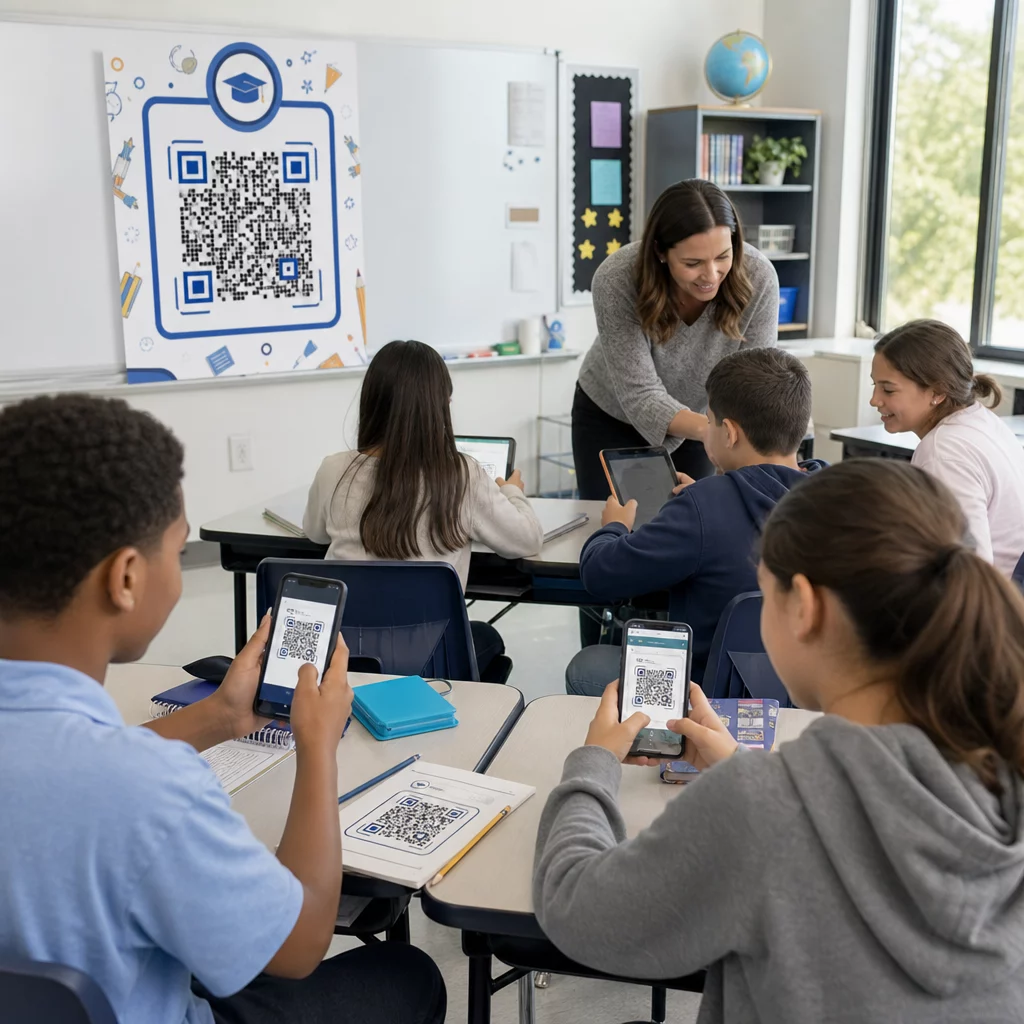
Bạn có đang gặp khó khăn trong việc giữ cho học sinh hứng thú hoặc dành quá nhiều thời gian để phân phát tài liệu học tập không? Chia sẻ tài nguyên không hiệu quả sẽ tốn thời gian giảng dạy và giảm sự tham gia của học sinh. Hướng dẫn này bao gồm các cách thực tế, đã được kiểm chứng để sử dụng mã QR trong giáo dục – từ chia sẻ tài liệu bài học đến tổ chức các hoạt động lớp học tương tác.
Tại sao các trường học đang áp dụng mã QR
Mã QR giúp học sinh truy cập tức thì vào nội dung kỹ thuật số bằng cách quét bằng bất kỳ camera điện thoại thông minh nào – không cần ứng dụng. Đối với các nhà giáo dục, điều đó có nghĩa là ít phút bị mất do gõ URL, in tài liệu phát tay hoặc chờ học sinh điều hướng đến đúng trang.
Sức hấp dẫn nằm ở tính thực tiễn: mã QR hoạt động trên mọi cấp lớp, không yêu cầu chuyên môn kỹ thuật để tạo và có thể được cập nhật sau khi in để tài liệu của bạn luôn mới mà không cần in lại một trang nào. Các trường học đã nhận thấy chúng hữu ích như nhau trong các lớp học tiểu học, giảng đường đại học và mọi nơi khác.
Tạo mã QR lớp học trong vài phút Sử dụng Trình tạo mã QR Pageloot để xây dựng mã QR có thể chỉnh sửa, theo dõi được cho các bài học, tài liệu phát tay và sự kiện – không cần kỹ năng kỹ thuật.
Chia sẻ tài liệu học tập ngay lập tức
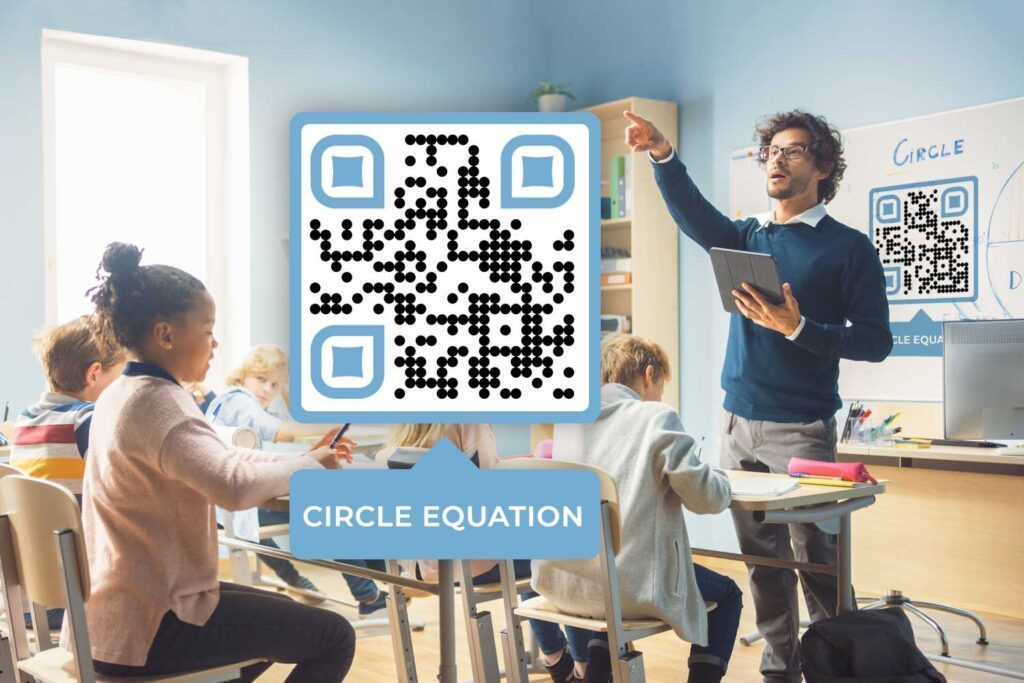
Một trong những cách sử dụng phổ biến nhất trong lớp học là phân phối tài liệu kỹ thuật số. Thay vì in hàng chồng phiếu bài tập, hãy tạo một Mã QR PDF mà học sinh quét để tải tệp trực tiếp về thiết bị của mình. Họ nhận được một bản sao kỹ thuật số có thể tìm kiếm, chia sẻ và bạn có thể cập nhật tệp bất cứ lúc nào mà không cần tạo mã mới.
Cách tiếp cận này hoạt động tốt cho:
- Ghi chú bài học và tài liệu đọc
- Hướng dẫn phòng thí nghiệm và quy định an toàn gắn liền với thiết bị khoa học
- Phiếu bài tập có phiên bản kỹ thuật số tùy chọn cho những học sinh thích hoặc cần nó
- Các liên kết nghiên cứu được tuyển chọn để học sinh quét trực tiếp đến các nguồn đã chọn trước thay vì gõ các URL phức tạp
Đối với học sinh nhỏ tuổi hoặc những em có nhu cầu đặc biệt, việc loại bỏ nhập URL thủ công sẽ loại bỏ một rào cản đáng kể trong việc truy cập tài liệu nhanh chóng.
Thúc đẩy học tập thông qua video và âm thanh
Gần 60% thế hệ Z thích học bằng video hơn sách in. Ghi lại các bài học của bạn và liên kết chúng thông qua một Mã QR YouTube cho phép học sinh xem lại nội dung theo tốc độ của riêng mình. Video có thể giữ ở chế độ riêng tư trên YouTube nhưng vẫn có thể truy cập được đối với bất kỳ ai có mã.
Âm thanh cũng hiệu quả không kém đối với những giáo viên thích nó. Ghi lại các giải thích hoặc tài liệu đọc dưới dạng tệp âm thanh và chia sẻ chúng qua mã QR hỗ trợ những học sinh tiếp thu thông tin tốt hơn thông qua việc nghe – bao gồm cả những người khiếm thị hoặc gặp khó khăn trong đọc.
Cả hai định dạng đều phù hợp tự nhiên vào một mô hình lớp học đảo ngược: giao mã QR liên kết đến video hoặc phần giới thiệu âm thanh làm bài tập về nhà, để học sinh đến lớp đã chuẩn bị sẵn sàng cho các cuộc thảo luận và hoạt động thực hành.
Tổ chức các hoạt động lớp học tương tác
Mã QR mở ra một loạt các định dạng học tập tích cực giúp học sinh vận động và tư duy.
Các trạm học tập sử dụng một mã QR cho mỗi trạm liên kết đến các hướng dẫn, hoạt động hoặc tài liệu bổ sung cụ thể. Học sinh làm việc độc lập và theo tốc độ của riêng mình, quét mã để truy cập những gì họ cần mà không cần chờ giáo viên.
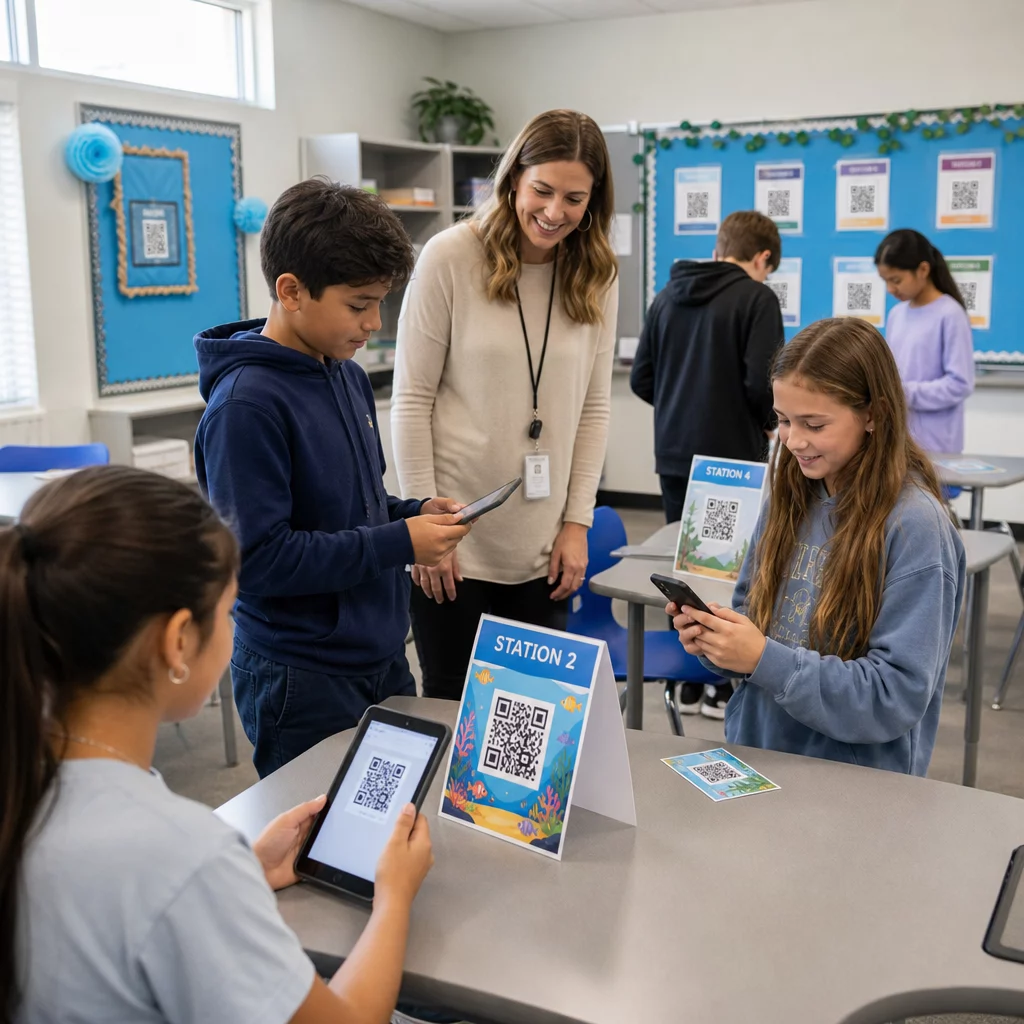
Săn tìm kho báu và đường mòn kho báu đặt mã QR xung quanh lớp học hoặc khuôn viên trường, mỗi mã liên kết đến một câu hỏi, gợi ý hoặc hoạt động gắn liền với đơn vị học tập hiện tại. Định dạng này đặc biệt hiệu quả cho các chủ đề STEM và giúp học sinh tập trung vào mục tiêu chương trình học trong khi bổ sung yếu tố khám phá. Để biết thêm ý tưởng, hãy xem Săn tìm kho báu bằng mã QR so với săn tìm kho báu truyền thống.
Làm phong phú bảng thông báo bổ sung chiều sâu cho các màn hình vật lý: đặt mã QR bên dưới tác phẩm nghệ thuật của học sinh để liên kết đến thông tin về người tạo, hoặc gắn một mã vào màn hình dự án để khách truy cập có thể xem video hoặc bài đăng blog đi kèm.
Phiếu ra lớp và đánh giá hình thành trở nên dễ dàng hơn khi bạn liên kết một Mã QR của Google Form đến một bài kiểm tra hoặc khảo sát ngắn. Học sinh quét mã vào cuối buổi học và gửi câu trả lời trong vài giây, giúp bạn nhận phản hồi theo thời gian thực mà không cần thu thập giấy tờ.
Thu hút gia đình và quảng bá sự kiện trường học
Mã QR đơn giản hóa việc giao tiếp ngoài lớp học. In mã lên tài liệu Đêm tựu trường để phụ huynh có thể quét để truy cập trang web hoặc blog lớp học của bạn ngay lập tức. Liên kết mã với một cuộc khảo sát trực tuyến tại các sự kiện nhà mở để các gia đình hoàn thành bảng câu hỏi kỹ thuật số trên thiết bị của riêng họ.
Đối với các sự kiện của trường, mã QR có thể cung cấp đầy đủ chi tiết sự kiện và cho phép người tham dự lưu ngày trực tiếp vào lịch của họ. Điều này hoạt động tốt cho:
- Các chuyến đi thực tế và phiếu xin phép
- Các buổi họp phụ huynh-giáo viên
- Các nhóm học tập và buổi họp lớp
- Họp hội đồng trường
Khám phá cách Mã QR để sử dụng trong lớp học có thể mở rộng sự tương tác ngoài giờ học.
Theo dõi điểm danh không cần giấy tờ
Việc điểm danh thủ công và phiếu đăng ký bằng giấy tốn thời gian và dễ gây lỗi. Một hệ thống điểm danh bằng mã QR cho phép học sinh điểm danh bằng cách quét mã liên kết với Google Form, tự động ghi lại phản hồi vào bảng tính. Không cần gọi tên, không mất phiếu và dữ liệu có sẵn ngay lập tức.
Thiết lập này đặc biệt hiệu quả cho các lớp học lớn, nhóm học tập và bất kỳ tình huống nào bạn cần một bản ghi đáng tin cậy, có dấu thời gian về những người đã có mặt.
Cung cấp quyền truy cập Wi-Fi cho học sinh một cách nhanh chóng
Các phòng máy tính, thư viện và thiết bị trong lớp học của trường thường yêu cầu học sinh kết nối mạng thủ công. Một Mã QR Wi-Fi mã hóa tên mạng và mật khẩu của bạn để học sinh kết nối ngay lập tức bằng cách quét – không cần gõ. Điều này đặc biệt hữu ích khi bắt đầu buổi học, khi mỗi phút đều quý giá.
Sử dụng mã QR động để bạn không bao giờ phải in lại
Một mối lo ngại thực tế với mã QR in là việc giữ chúng luôn cập nhật. Mã QR động giải quyết vấn đề này: bạn có thể cập nhật URL đích sau khi mã đã được in và phân phối. Nếu một tài liệu được liên kết thay đổi, một video được tải lên lại, hoặc một biểu mẫu sự kiện di chuyển, hãy cập nhật mã trong bảng điều khiển của bạn và mọi bản in sẽ ngay lập tức trỏ đến nội dung mới.
Mã động cũng bao gồm phân tích quét – theo dõi số lượng học sinh đã quét, khi nào và trên thiết bị nào. Dữ liệu này giúp bạn hiểu tài liệu nào học sinh thực sự truy cập và mức độ tương tác giảm ở đâu. Để tìm hiểu sâu hơn về cách hoạt động của tính năng theo dõi, hãy xem cách theo dõi lượt quét mã QR và phân tích.
Giữ mã lớp học của bạn luôn cập nhật Chuyển sang mã QR động với Trình tạo mã QR Pageloot để chỉnh sửa đích đến sau khi in và xem chính xác cách học sinh tương tác với tài liệu của bạn.
Mẹo thiết kế và đặt mã cho môi trường trường học
Mã QR mà học sinh không thể quét nhanh chóng sẽ là một sự xao nhãng hơn là một công cụ. Hãy làm theo một vài hướng dẫn đơn giản để đảm bảo việc quét đáng tin cậy.
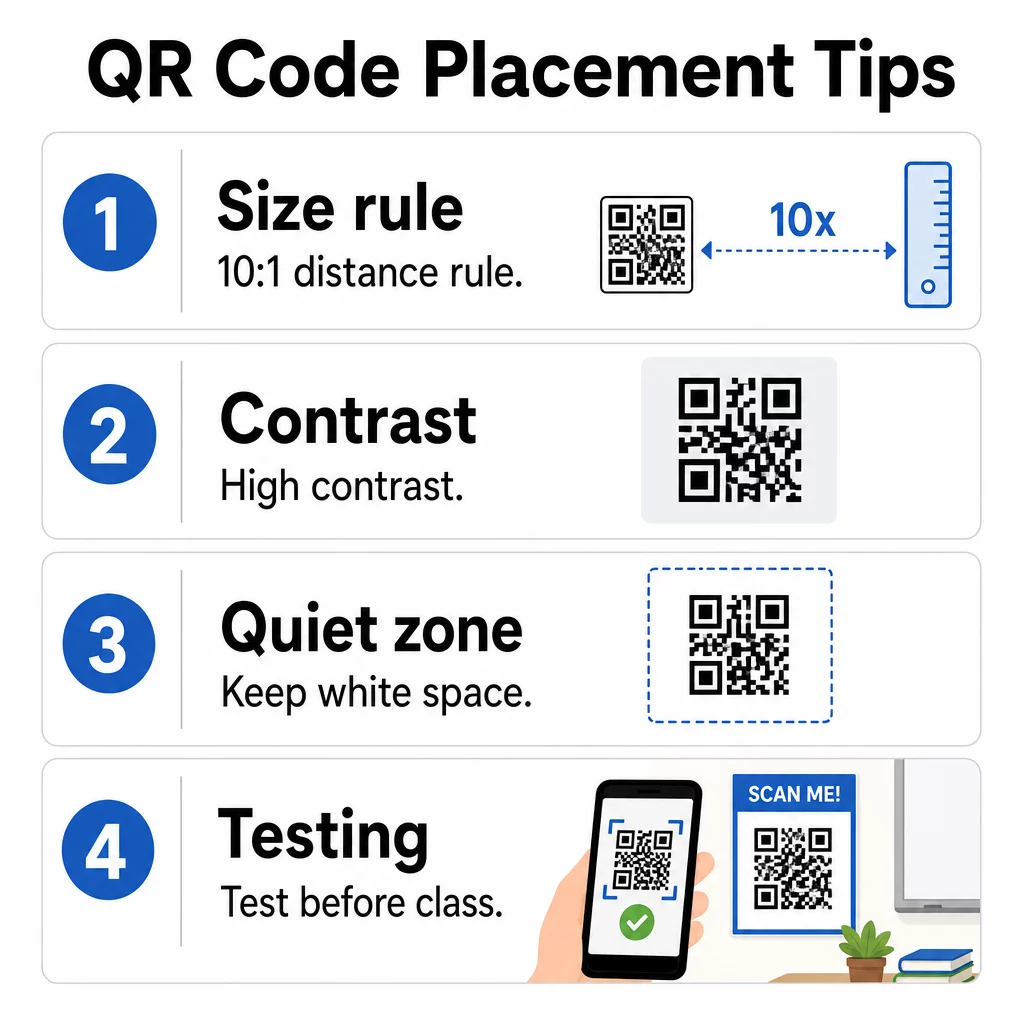
- Kích thước: Áp dụng quy tắc 10:1 – cứ mỗi 10 inch khoảng cách quét dự kiến, mã phải rộng ít nhất 1 inch. Mã trên một tờ tài liệu phát trên bàn được quét từ khoảng cách cánh tay phải có kích thước tối thiểu 0,8 × 0,8 inch. Mã trên một áp phích trong lớp học được nhìn từ phía bên kia phòng cần phải lớn hơn. Xem hướng dẫn chi tiết tại kích thước mã QR cho các vật liệu in khác nhau.
- Sự tương phản: Sử dụng mẫu tối trên nền sáng và đặt mục tiêu tỷ lệ tương phản ít nhất 4.5:1. Tránh đảo ngược màu sắc hoặc sử dụng các tông màu tương tự cho tiền cảnh và hậu cảnh.
- Vùng yên tĩnh: Giữ một đường viền rõ ràng bằng không gian trắng xung quanh mã để máy quét có thể phân biệt nó với nội dung xung quanh.
- VỊ TRÍ ĐẶT MÃ: Đặt mã ở ngang tầm mắt hoặc ở các vị trí quét tự nhiên – tài liệu phát trên bàn, nhãn bảng thông báo, hoặc bìa của một tài liệu được phân phối. Bao gồm một lời kêu gọi hành động ngắn gọn gần đó để học sinh biết điều gì sẽ xảy ra khi họ quét.
- Kiểm tra: Luôn tự quét mã trước khi phân phối, và kiểm tra trên nhiều thiết bị và dưới các điều kiện ánh sáng của lớp học của bạn. Để có hướng dẫn đầy đủ, hãy xem các phương pháp hay nhất về khả năng sử dụng mã QR.
Lưu ý về quyền riêng tư và khả năng tiếp cận của học sinh
Khi liên kết mã QR với nội dung kỹ thuật số trong môi trường K–12, hãy lưu ý đến quyền riêng tư dữ liệu của học sinh. FERPA yêu cầu các trường học bảo vệ quyền riêng tư của hồ sơ giáo dục, và bất kỳ nền tảng nào bạn sử dụng để lưu trữ nội dung liên kết QR nên được đánh giá về cách nó thu thập và lưu trữ thông tin học sinh. Đối với nội dung dành cho học sinh dưới 13 tuổi, việc tuân thủ COPPA cũng có liên quan.
Về khả năng tiếp cận: Điều II của ADA và Mục 504 yêu cầu các tổ chức giáo dục phải cung cấp quyền truy cập bình đẳng vào nội dung kỹ thuật số. Khi chia sẻ tài liệu, biểu mẫu hoặc video qua mã QR, hãy đảm bảo nội dung được liên kết bao gồm phụ đề hoặc bản ghi cho âm thanh và video, tương thích với trình đọc màn hình và có thể điều hướng bằng bàn phím. Nội dung được liên kết có thể truy cập giúp mở rộng lợi ích của mã QR đến mọi học sinh trong lớp học của bạn.
Để có cái nhìn rộng hơn về cách mã QR được sử dụng trong giáo dục và các môi trường khác, hãy khám phá các giải pháp mã QR theo ngành. Mã QR hoạt động hiệu quả nhất trong giáo dục khi chúng loại bỏ ma sát – giúp tài liệu đến tay học sinh nhanh hơn, giữ cho gia đình được thông báo và giải phóng thời gian học trên lớp cho việc học thực tế. Bắt đầu với một hoặc hai trường hợp sử dụng, thử nghiệm chúng với học sinh của bạn và phát triển từ đó.
Bắt đầu chia sẻ thông minh hơn Xây dựng mã QR lớp học đầu tiên của bạn miễn phí với Trình tạo mã QR Pageloot – không yêu cầu thẻ tín dụng và mã có thể được chỉnh sửa bất cứ lúc nào.
Câu hỏi thường gặp
Vâng, nếu bạn sử dụng mã QR động. Mã động lưu trữ một URL chuyển hướng ngắn mà bạn có thể cập nhật trong bảng điều khiển của mình bất cứ lúc nào. Mã đã in vẫn giữ nguyên, nhưng nó sẽ trỏ đến nội dung mới của bạn ngay lập tức. Mã QR tĩnh không thể thay đổi sau khi tạo.
Bạn có thể liên kết đến hầu hết mọi tài nguyên kỹ thuật số – tài liệu PDF, video YouTube, Google Biểu mẫu cho các bài kiểm tra hoặc điểm danh, thông tin đăng nhập mạng Wi-Fi, chi tiết sự kiện, trang web lớp học, tệp âm thanh và nhiều hơn nữa. Pageloot hỗ trợ hơn 25 loại mã QR khác nhau để đáp ứng nhiều nhu cầu trong lớp học.
Điều chỉnh kích thước mã phù hợp với khoảng cách quét bằng quy tắc 10:1 (rộng 1 inch cho mỗi 10 inch khoảng cách), duy trì độ tương phản màu sắc mạnh mẽ giữa mã và nền của nó, giữ một vùng yên tĩnh rõ ràng xung quanh các cạnh, và kiểm tra mã trên nhiều thiết bị trước khi phân phối. Đặt một hướng dẫn ngắn gần mã để học sinh biết phải làm gì.