Moeite om voetgangers om te zetten in loyale, betrokken klanten? Fysieke contactpunten zoals kassabonnen, verpakkingen en etalages gaan verloren wanneer ze niet verbonden zijn met iets digitaals. Deze gids behandelt praktische marketingideeën met QR-codes die u helpen die kloof te overbruggen en meetbare resultaten te behalen.
QR-codes zijn veel verder gegaan dan contactloze menu's. Vandaag de dag scannen 89 miljoen Amerikanen een QR-code in een bepaald jaar, en 43% van de smartphonegebruikers scant er minstens één per week. Voor kleine bedrijven vertegenwoordigt dit een direct, goedkoop kanaal om elk fysiek oppervlak te verbinden met een digitale ervaring die klanten daadwerkelijk willen.
De onderstaande ideeën zijn georganiseerd per marketingdoel, zodat u snel kunt vinden wat het beste bij uw bedrijf past – of u nu een café, een winkel of een servicegericht bedrijf runt.
Verhoog het verkeer en promoot uw website
De eenvoudigste plek om te beginnen is het koppelen van uw fysieke aanwezigheid aan uw online aanwezigheid. Een URL QR-code op uw etalage, toonbank of verpakking stuurt binnenlopende bezoekers naar uw website, een landingspagina of een lopende promotie zonder dat ze naar u hoeven te zoeken.
Voor maximale impact:
- Plaats de code op ooghoogte op uw voordeur of raam met een CTA zoals “Scan om de aanbiedingen van deze week te zien”
- Voeg een QR-code toe aan uw visitekaartje die rechtstreeks linkt naar uw portfolio, boekingspagina of meest populaire product
- Print een QR-code op kassabonnen die linken naar uw homepage of een bedankpagina na aankoop met een retouraanbieding
De QR-codegenerator van Pageloot stelt u in staat om binnen enkele seconden URL-gebaseerde codes te maken en deze te voorzien van uw logo en kleuren voor een sterkere herkenning.
Maak van elk drukwerk een verkeersbron Koppel uw fysieke materialen aan elke digitale bestemming met de QR-codegenerator. Gratis om te beginnen – geen aanmelding vereist voor basiscodes.
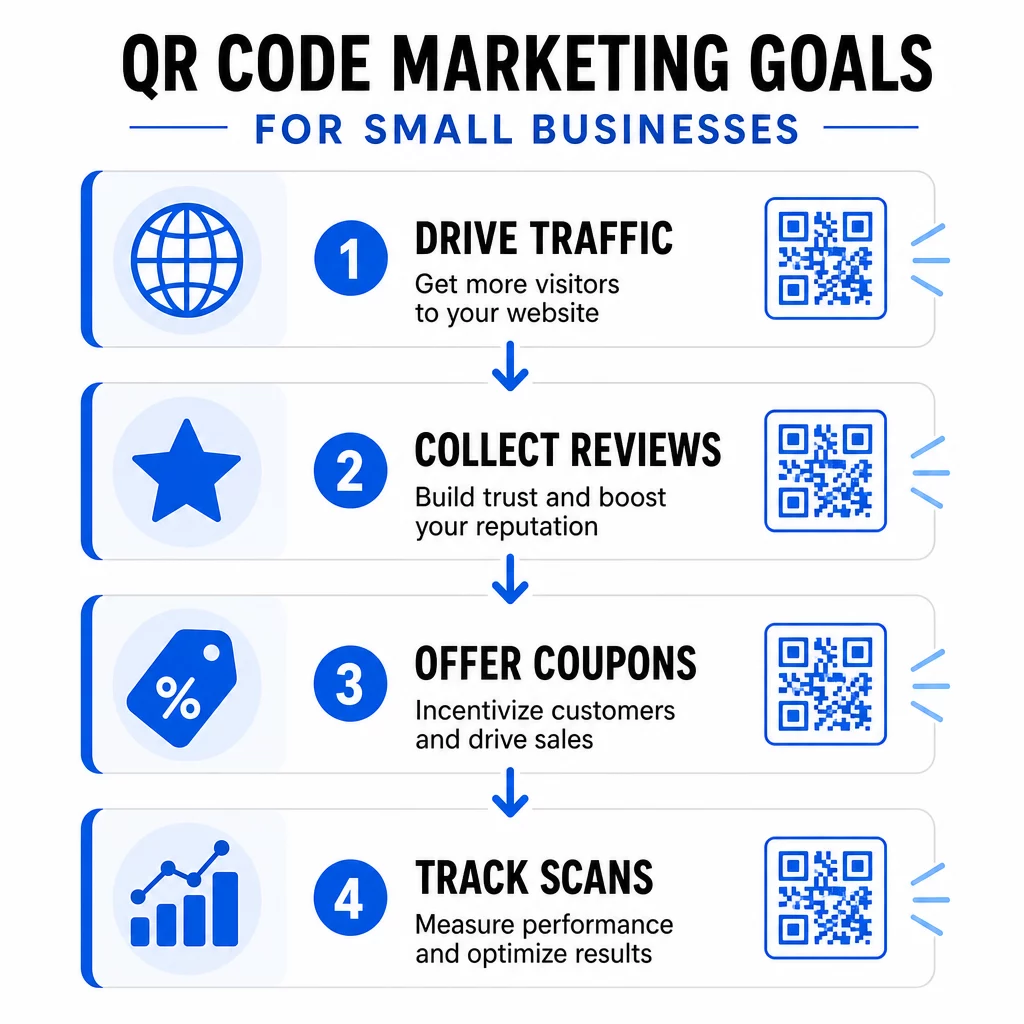
Verzamel meer Google Reviews
De meeste klanten zijn bereid een recensie achter te laten – de wrijving is het vinden van uw recensiepagina. Een Google review QR-code elimineert die wrijving volledig door scanners rechtstreeks naar uw formulier voor het indienen van recensies te leiden.
Effectieve plaatsingen zijn onder andere:
- Gedrukt op de onderkant van kassabonnen met een zin als “Heeft u genoten van uw bezoek? Scan om uw ervaring te delen”
- Op een klein tafelkaartje bij uw balie of kassa
- Op productverpakkingen zodat klanten een recensie kunnen achterlaten nadat ze thuis zijn
- In uw e-mailhandtekening of e-mail na aankoop
Meer recensies bouwen lokale SEO-ranglijsten en kopersvertrouwen op. Voor bedrijven waar recensies een groeifactor zijn – restaurants, sportscholen, salons, detailhandel – is dit een van de QR-code toepassingen met het hoogste rendement die u kunt implementeren.
Deel Digitale Menu's en Productcatalogi
EEN menu-QR-code laat restaurants, cafés, foodtrucks en zelfs winkels een digitaal menu of productcatalogus delen zonder elke keer opnieuw te printen als er iets verandert. Scan data toont aan dat 48% van de consumenten een QR-code heeft gescand specifiek om toegang te krijgen tot een restaurantmenu.
Naast restaurants is dit idee van toepassing op:
- Dienstverleners die linken naar een digitale brochure of tariefkaart
- Winkeliers die schapkaartjes linken naar volledige productspecificaties, ingrediëntenlijsten of instructievideo's
- Lokale ambachtslieden die verpakkingen of standborden linken naar een online bestelformulier of portfolio
Het gebruik van een dynamische QR-code betekent dat u het menu of de catalogus op elk moment kunt bijwerken zonder het gedrukte materiaal aan te raken. Dat alleen al kan aanzienlijke printkosten besparen over een jaar.
Bied Coupons en Tijdelijke Promoties aan
Kortingen presteren beter wanneer ze exclusief aanvoelen en gemakkelijk in te wisselen zijn. Een kortingsbon QR-code laat u aanbiedingen direct koppelen aan fysiek materiaal – flyers, verpakkingen, tafelstandaards of winkelpui-reclame – en deze bijwerken zonder opnieuw te printen.
Ideeën die goed werken:
- Een flyer die een seizoensuitverkoop promoot met een QR-code die linkt naar een landingspagina met een unieke kortingscode
- Verpakkingsinserts met een “Scan voor 15% korting op uw volgende bestelling” code
- Tafelkaarten in een café of restaurant die linken naar een loyaliteitsaanmelding die de eerste aankoop beloont
Omdat 70% van de consumenten graag kortingsbonnen ontvangt en 68% gelooft dat kortingsbonnen loyaliteit aanmoedigen, creëert het koppelen van QR-codes aan promoties een consistente reden voor klanten om betrokken te blijven.
Promoties bijwerken zonder opnieuw te printen Gebruik een Dynamische QR-code om uw aanbiedingsbestemming op elk moment te wijzigen – zelfs nadat de flyers zijn geprint en verspreid.
Maak het klanten gemakkelijk om u te vinden
Als u afhankelijk bent van spontane bezoekers of persoonlijke evenementen organiseert, een Google Maps QR-code op uw visitekaartje, uitnodiging voor een evenement of etalage opent direct navigatie met één enkele scan.
Praktische toepassingen:
- Voeg een locatie-QR-code toe aan uitnodigingen voor evenementen, zodat gasten uw adres niet hoeven op te zoeken
- Voeg er een toe aan uw visitekaartje naast uw telefoon en e-mail
- Gebruik het op direct mail-stukken gericht op lokale buurten
- Plaats het in uw e-mailhandtekening als u klanten uitnodigt om uw locatie te bezoeken
De code opent direct in Google Maps of de standaard browserkaart van de gebruiker, waardoor de stap van het handmatig invoeren van een adres wordt verwijderd.
Laat uw contactenlijst groeien met vCards
Traditionele visitekaartjes raken kwijt. Een vCard QR-code laat iedereen uw complete contactgegevens – naam, telefoon, e-mail, website en bedrijf – binnen enkele seconden direct naar hun telefoon scannen en opslaan.
Gebruik een vCard QR-code:
- Op de achterkant van uw visitekaartje in plaats van (of naast) gedrukte contactgegevens
- Op uw conferentie- of beursbadge
- Op e-mailhandtekeningen om het voor ontvangers gemakkelijk te maken uw informatie op te slaan
Deze aanpak voorkomt ook fouten bij gegevensinvoer en zorgt ervoor dat de opgeslagen contactinformatie altijd actueel is, vooral in combinatie met een dynamische code die u kunt bijwerken.
Verzamel klantfeedback met Google Forms
Weten wat klanten denken is moeilijk, tenzij u het hen gemakkelijk maakt om het u te vertellen. Een Google formulier QR code op een kassabon, tafelstandaard, productbijsluiter of winkeldisplay stuurt klanten direct naar een korte feedbackenquête of NPS-formulier.
Effectieve opstellingen omvatten:
- Een feedbackformulier na service, gekoppeld aan een kassabon met een CTA zoals “Help ons verbeteren – duurt 60 seconden”
- Een productbijsluiter met vragen over de aankoopervaring of tevredenheidsbeoordeling
- Een evenementfeedbackformulier weergegeven op bewegwijzering bij de uitgang
- Een suggestieformulier in de winkel voor winkellocaties met seizoensgebonden feedbackverzoeken
Korte formulieren met duidelijke prikkels – zoals deelname aan een maandelijkse weggeefactie – presteren consequent beter dan algemene enquêteverzoeken.
Vereenvoudig WiFi-toegang voor klanten
Voor elk bedrijf waar klanten tijd ter plaatse doorbrengen – cafés, kapsalons, wachtkamers, winkels – verwijdert een WiFi QR-code de ongemakkelijke wachtwoorduitwisseling en verbetert het de winkelervaring onmiddellijk.
Klanten scannen de code en maken verbinding zonder handmatige invoer. Toon het op:
- Een kleine gedrukte kaart bij de balie of receptie
- Tafelstandaards in uw zithoek
- Een ingelijst bord bij de ingang
Dit is een klein gebaar met een merkbare impact op het comfort van de klant en de waargenomen gastvrijheid.
Gebruik QR-codes in evenementmarketing
Of u nu workshops, pop-ups of gemeenschapsevenementen organiseert, QR-codes maken de evenementlogistiek soepeler en beter traceerbaar. Koppel een QR-code op uw evenementflyer of poster aan een registratiepagina, evenementenplanning of Google Maps-routebeschrijving.
Toepassingen zijn onder andere:
- Flyers en posters die linken naar een RSVP- of ticketformulier
- Tafelborden op beursstands die linken naar uw portfolio of contactpagina
- Opvolgmaterialen na het evenement met een QR-code die linkt naar een feedbackformulier of details van het volgende evenement
- E-mailuitnodigingen met een ingebedde QR-code voor kalenderintegratie
Ontdek QR-code oplossingen per branche om meer evenementspecifieke toepassingen te vinden die geschikt zijn voor uw bedrijfstype.
Voeg QR-codes toe aan productverpakkingen
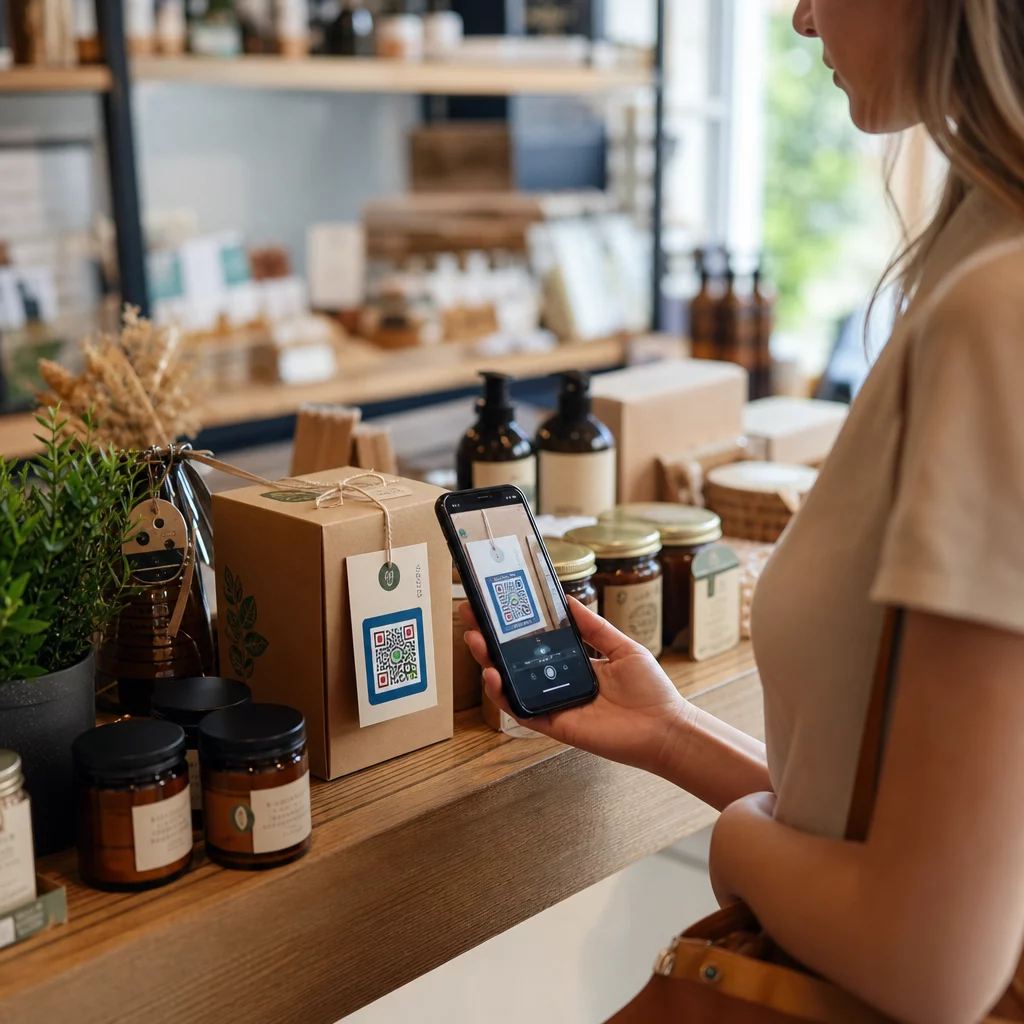
Productverpakkingen zijn een van de meest onderbenutte marketingoppervlakken die een klein bedrijf heeft. Een QR-code op een etiket, doos of hanglabel kan een eenmalige koper omzetten in een terugkerende klant door hen te verbinden met inhoud die waarde toevoegt na de aankoop.
Ideeën voor QR-codes op verpakkingen:
- Link naar een instructievideo, gebruiksaanwijzing of recept
- Bied een korting aan op de volgende bestelling voor terugkerende kopers
- Nodig klanten uit om zich te registreren voor een garantie- of loyaliteitsprogramma
- Deel je merkverhaal of content achter de schermen om verbinding op te bouwen
- Link naar een beoordelingspagina om feedback na aankoop vast te leggen terwijl de ervaring nog vers is
Businesses can also turn existing product photos into short promotional videos using an image to video ai tool like VideoPlus. These videos can showcase products in motion or tell a brand’s story, while QR codes on packaging make it easy for customers to watch them after scanning.
Een onderzoek uit 2024 wees uit dat 64% van de shoppers een QR-code op een product scande tijdens het winkelen in winkels, en 79% zei dat ze eerder geneigd zijn een product te kopen wanneer een QR-code aanvullende informatie biedt die ze willen zien.
Maak van elk pakket een marketingcontactpunt Maak branded QR-codes voor je productetiketten en verpakkingen met Pageloot's QR-code oplossingen.
Volg en verbeter elke campagne
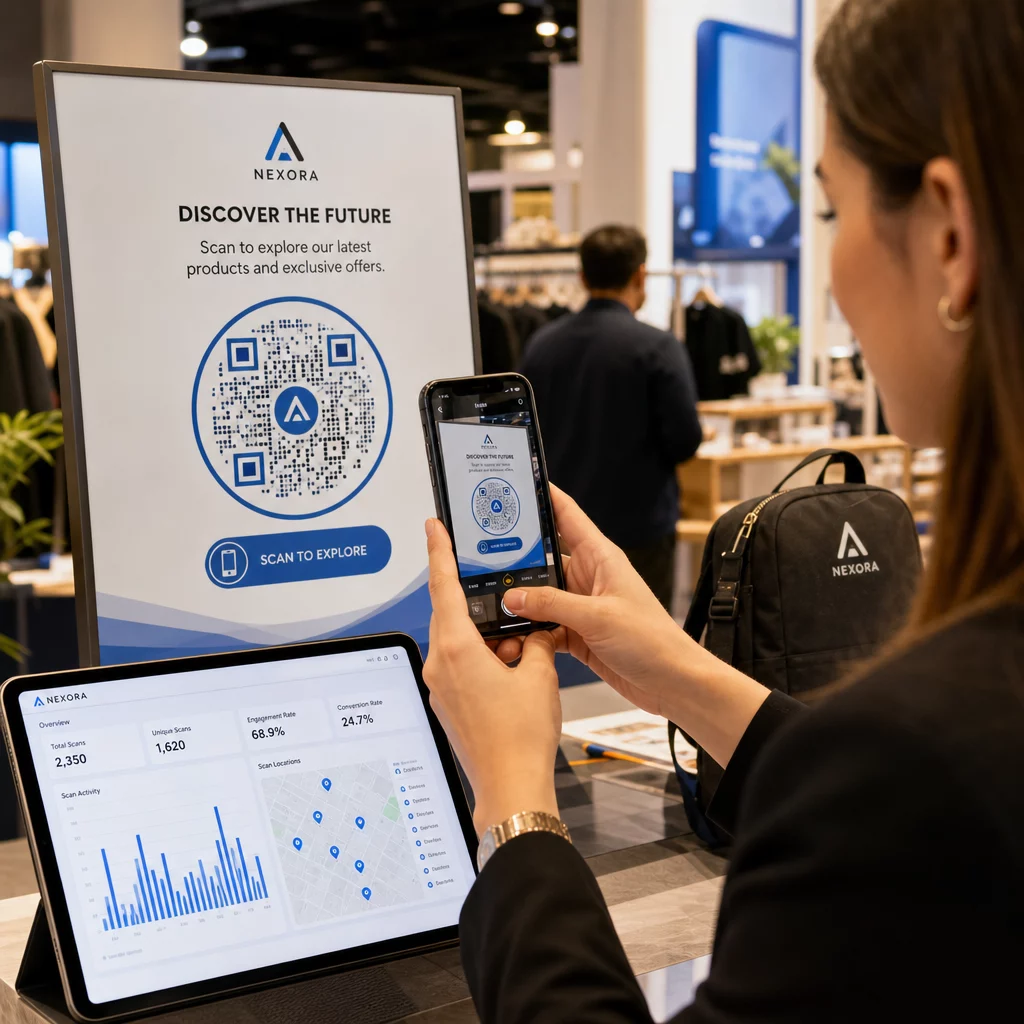
Het maken van QR-codes is slechts de helft van het werk. QR-codescans volgen vertelt je welke plaatsingen de meeste betrokkenheid genereren, op welk tijdstip van de dag klanten scannen, en welke locaties het beste presteren – gegevens die statische methoden eenvoudigweg niet kunnen bieden.
Dynamische QR-codes maken dit mogelijk. In tegenstelling tot statische codes, dynamische QR-codes coderen een korte omleidings-URL die op elk moment kan worden bijgewerkt. Dit betekent:
- Je kunt een kapotte bestemmingslink repareren zonder iets opnieuw af te drukken
- Je kunt seizoensaanbiedingen halverwege een campagne wisselen
- Je kunt twee versies van een landingspagina A/B-testen om te zien welke beter converteert
- Scananalyses blijven zich opbouwen terwijl je campagne loopt
Voor kleine bedrijven die meerdere campagnes tegelijkertijd uitvoeren – printadvertenties, verpakkingen, visitekaartjes, bewegwijzering – stelt een centraal dashboard zoals dat van Pageloot je in staat om elke code te beheren en de prestaties op één plek te beoordelen. Zie hoe je QR-codes effectief gebruikt om campagnes op te zetten die vanaf het begin gemakkelijk te meten zijn.
Ontwerp- en Plaatsingstips die Scans Verhogen
Een QR-code die opgaat in de achtergrond of context mist, wordt genegeerd. Een paar eenvoudige principes helpen elke code die je afdrukt beter te presteren.
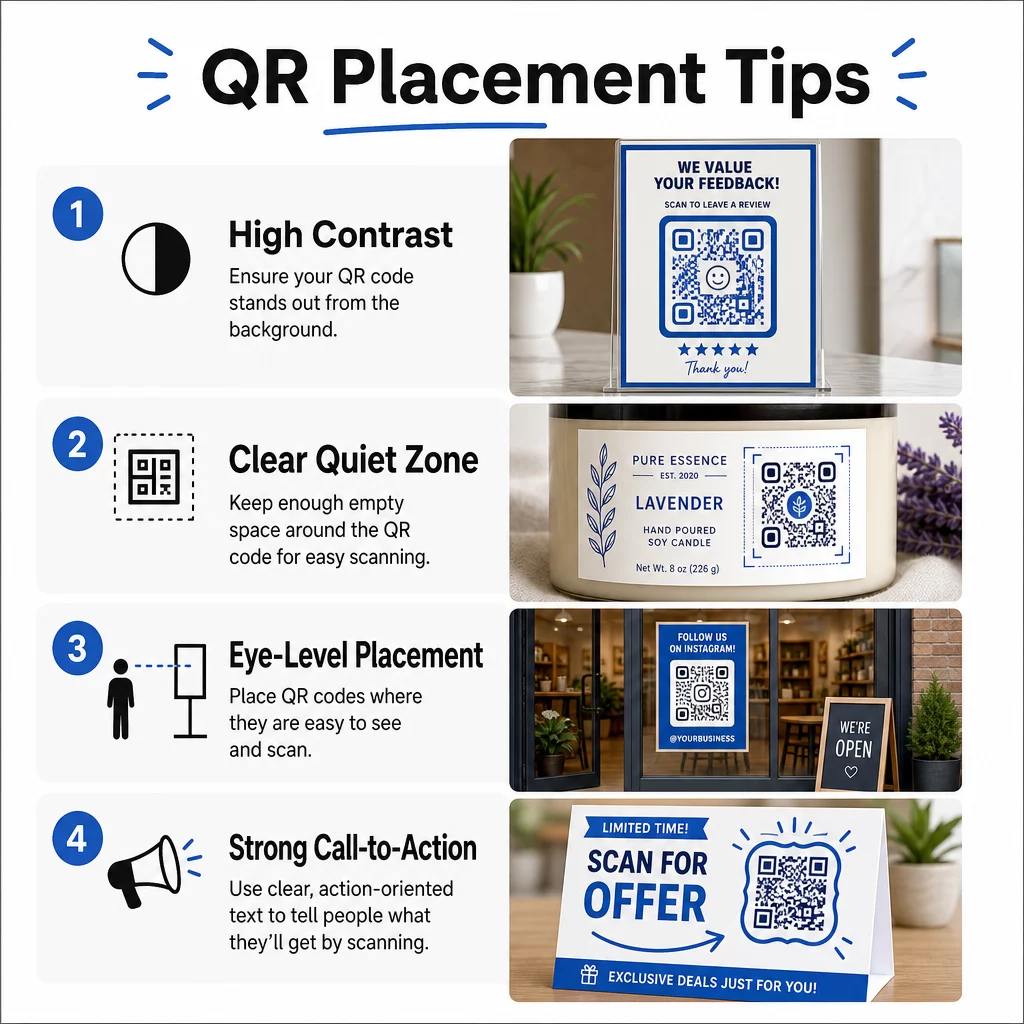
Ontwerp eerst voor scanbaarheid:
- Gebruik hoog contrast – donkere modules op een lichte achtergrond – en vermijd omgekeerde kleurenschema's
- Houd je logo tot niet meer dan 30% van het codegebied om scanfouten te voorkomen
- Handhaaf een “stille zone” van vrije ruimte rond de code, zodat scanners het patroon kunnen isoleren
Kies plaatsingen die overeenkomen met scan gedrag:
- Plaats codes op ooghoogte, ongeveer 1,05 tot 1,65 meter van de grond op posters en bewegwijzering
- Gebruik een minimale afgedrukte grootte van 0,8″ × 0,8″ voor betrouwbaar scannen op verschillende apparaten
- Vermijd het plaatsen van codes op gebogen oppervlakken, in vouwen of in hoeken waar ze onzichtbaar kunnen worden
Voeg een duidelijke call-to-action toe:
- Frames met tekst zoals “Scan voor 20% korting,” “Routebeschrijving” of “Laat een recensie achter” geven klanten een reden om te scannen
- Specifieke CTA's presteren consequent beter dan generieke zoals “Scan Mij”
- Met behulp van QR code kaders is een van de eenvoudigste ontwerpverbeteringen die je kunt aanbrengen
Voor meer details over hoe plaatsing de scanpercentages beïnvloedt, de ultieme gids voor QR-codeplaatsing behandelt elk belangrijk formaat, van visitekaartjes tot billboards.
Test je codes altijd onder realistische omstandigheden – verschillende belichting, verschillende apparaten, verschillende scanafstanden – voordat je op grote schaal print. De QR-code marketing checklist voor kleine bedrijven is een praktische referentie om ervoor te zorgen dat niets wordt gemist voor de lancering.
Waar te beginnen
Kies een of twee ideeën uit deze lijst die aansluiten bij je meest directe bedrijfsdoel – meer recensies, meer herhaalaankopen of meer bezoekers – en test ze op één locatie of in één campagne. Gebruik vanaf het begin dynamische QR-codes, zodat je bestemmingen kunt bijwerken en resultaten kunt meten zonder opnieuw te printen.
De Pageloot QR-codegenerator ondersteunt meer dan 25 QR-codetypen en omvat brandingopties, analyses en dynamische bewerking in één platform. Begin met een enkele campagne, volg wat werkt en schaal van daaruit op.
Veelgestelde vragen
De meest praktische QR-codetypen voor kleine bedrijven omvatten URL-codes voor het genereren van websiteverkeer, Google Review-codes voor het verzamelen van feedback, menu- of PDF-codes voor het delen van digitale inhoud, vCard-codes voor netwerken, couponcodes voor promoties en wifi-codes voor het verbeteren van de winkelervaring. Het juiste type hangt af van uw marketingdoel – begin met degene die uw meest directe klantcontactpunt aanpakt.
Statische QR-codes zijn gratis en werken goed voor permanente informatie die nooit verandert, zoals een vast websiteadres of een wifi-wachtwoord. Dynamische QR-codes zijn de betere keuze voor marketingcampagnes, omdat ze je in staat stellen de bestemmings-URL op elk moment na het afdrukken bij te werken, scangegevens bij te houden, inclusief locatie en apparaattype, en A/B-tests uit te voeren zonder materialen opnieuw af te drukken. Voor de meeste marketingtoepassingen voor kleine bedrijven bieden dynamische codes aanzienlijk meer flexibiliteit en meetbare ROI.
De meest effectieve aanpak combineert duidelijke plaatsing, een specifieke call-to-action en een overtuigende reden om te scannen. Plaats codes op ooghoogte in drukbezochte gebieden, gebruik frames met actiegerichte tekst zoals “Scan voor 15% korting” of “Laat een recensie achter,” en zorg ervoor dat de bestemming snel laadt op mobiel. Codes die onmiddellijke, duidelijke waarde bieden – een korting, routebeschrijving, een gratis bron – genereren consequent hogere scanpercentages dan codes zonder context.