ホーム > ブログ > フライヤーやパンフレットにQRコードを追加する方法
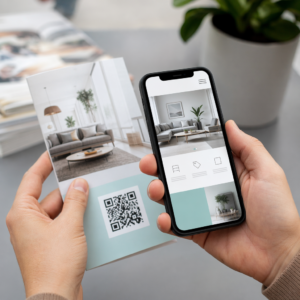
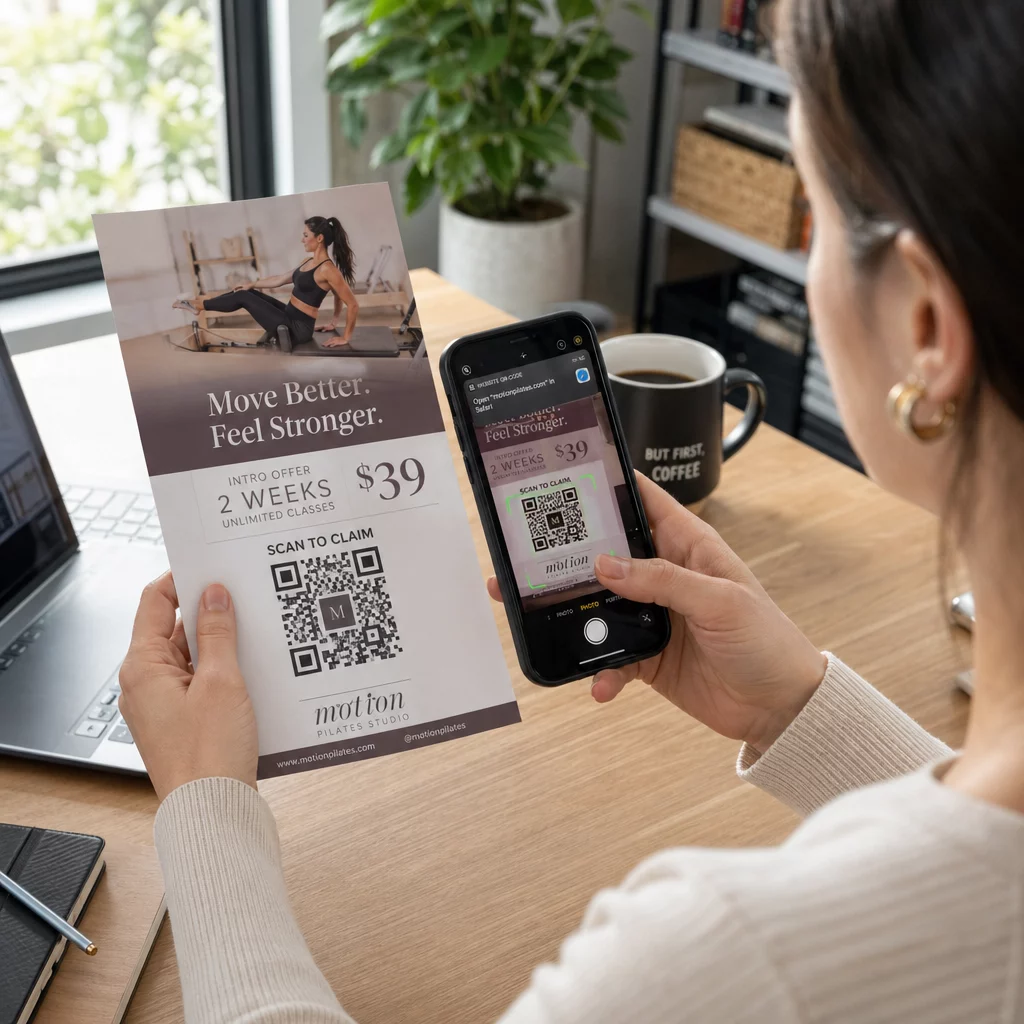
Scanning a flyer code

フライヤーやパンフレットにQRコードを追加する方法

Learn how to add QR codes to flyers and brochures effectively. Get practical sizing guidelines, color contrast rules, placement strategies, and print tips.
Updated on 9月 29, 2026
目次

Do you ever find potential customers ignoring your printed flyers because typing a URL feels like too much effort? This friction often leads to wasted printing budgets and missed opportunities to capture qualified leads. Following proven technical design and placement standards allows you to transform static print marketing into reliable digital gateways.

印刷マーケティングにおいて精度が重要である理由

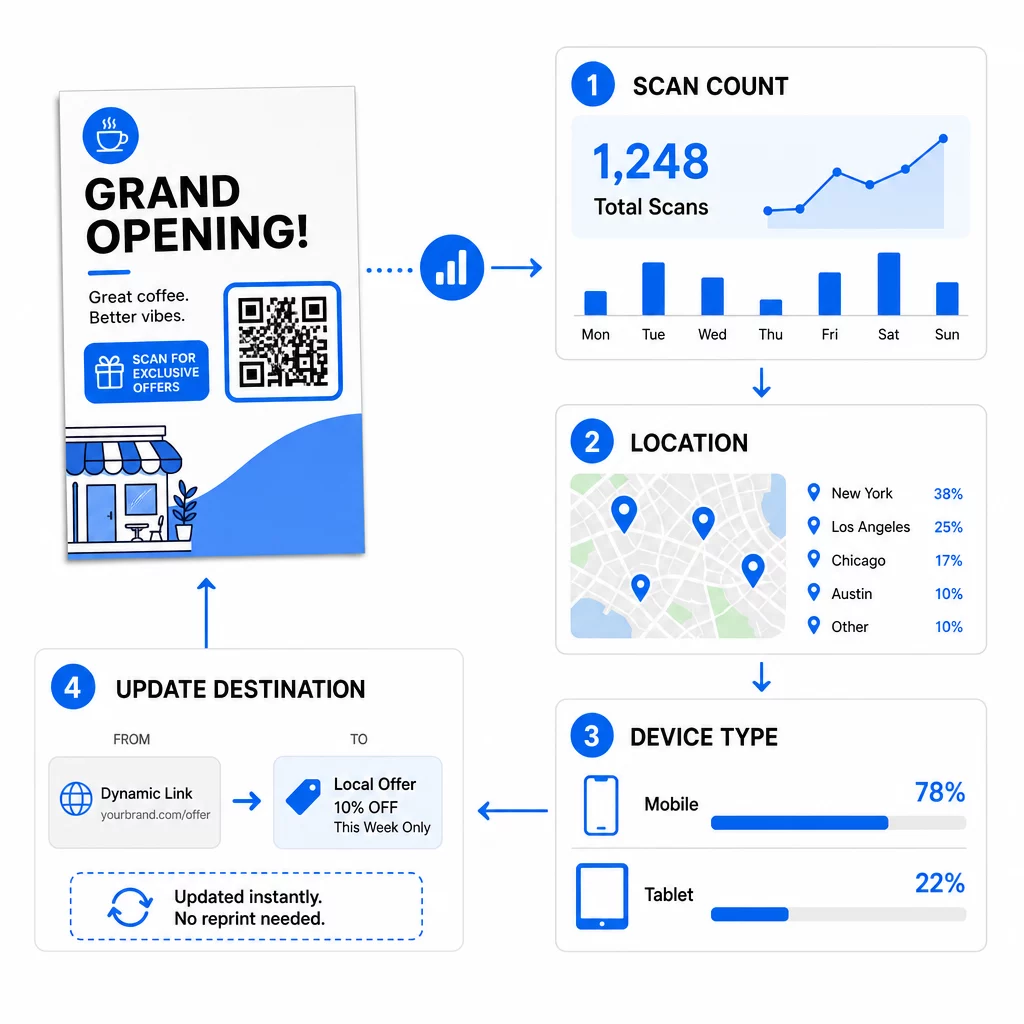
Integrating a QR code into your print media turns a static handout into an interactive channel. However, a code that is too small, blurry, or low-contrast will frustrate users and damage your brand reputation. Using dynamic QR codes is a critical first step because they allow you to update destination links even after your materials are distributed. This flexibility saves you from expensive reprinting if a promotion ends, a typo is discovered, or a campaign URL changes.

Beyond flexible links, dynamic codes provide real-time scan analytics that show scan counts, dates, times, and mobile operating systems. This data allows you to measure the return on investment of your print collateral just as you would with digital advertising. Applying these strategies across チラシのQRコード helps ensure your physical marketing works in tandem with your digital campaigns.

キャンペーンをリアルタイムで監視 顧客がいつ、どこであなたの資料をスキャンしているかを正確に知りたいですか? ダイナミックQRコードジェネレーター を使用して追跡可能なコードを作成し、今すぐ完全なパフォーマンスダッシュボードにアクセスしましょう。.

適切なサイズと解像度の選択

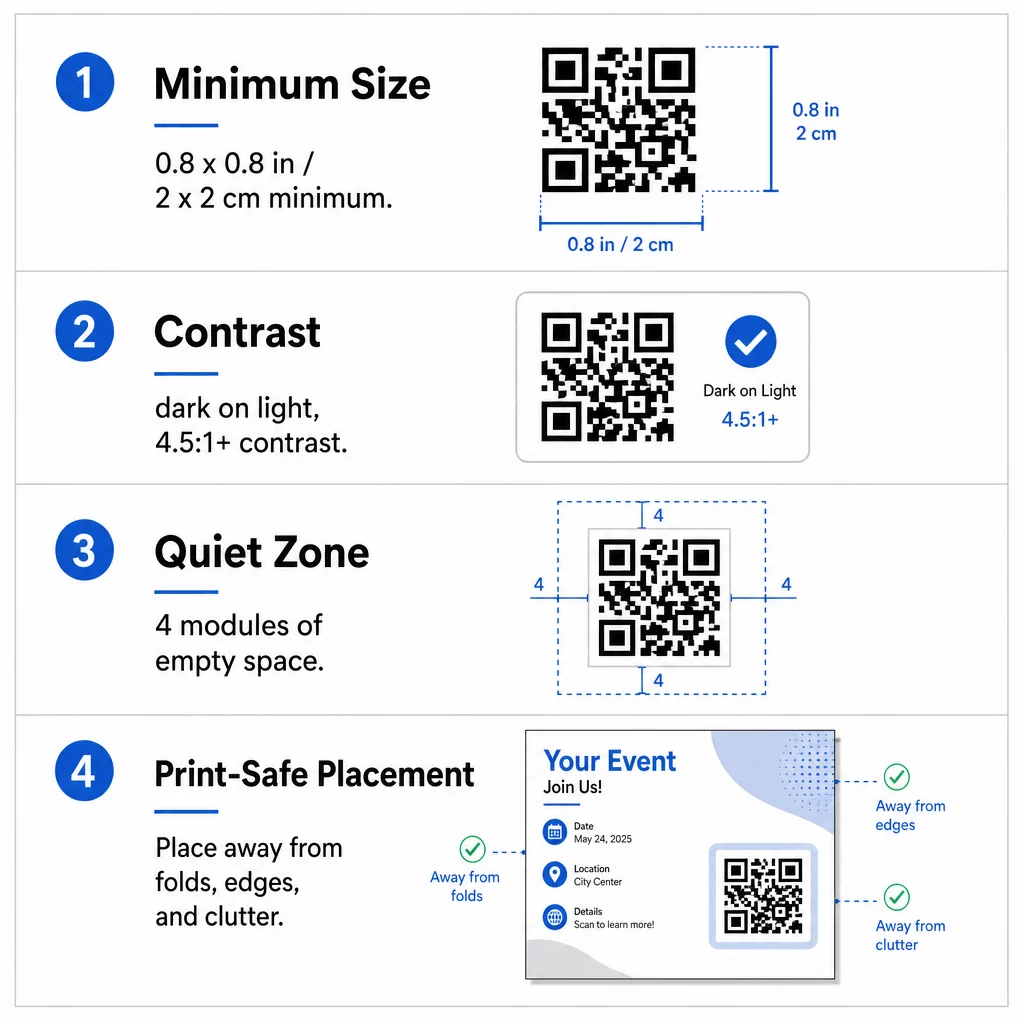
The most common reason QR codes fail on printed collateral is incorrect sizing. A camera sensor must be able to resolve individual modules – the tiny black and white squares that encode data – at a natural reading distance. For standard handheld items like flyers and brochures held at arm’s length, the symbol should be at least 0.8 x 0.8 inches (2 x 2 cm). If your design includes an embedded company logo, increase the code dimensions to at least 1.2 x 1.2 inches (3 x 3 cm) to preserve legibility.

  • Apply the 10:1 ratio by making the code at least 1 inch wide for every 10 inches of expected scanning distance.
  • Export files at 300 DPI or higher to prevent pixelation and blurriness during commercial printing.
  • Download print assets in vector formats such as SVG or EPS so the artwork scales sharply to any dimension.
  • Scale up symbol dimensions when designing larger collateral like promotional posters to account for greater scanning distances.

When selecting your paper stock, consult recommendations for 7. さまざまな印刷物のサイズ設定 to verify that surface textures or finishes will not interfere with scanning.

QR印刷ガイドライン

9. 色のコントラストとクワイエットゾーンの最適化

Scanners distinguish data by measuring the difference in light reflection between dark modules and the lighter background. When contrast is insufficient, camera sensors cannot separate the pattern from the page. Aim for a contrast ratio of at least 4.5:1 to ensure fast, reliable scanning across all smartphone cameras and varied ambient lighting.

  • Select dark module colors on light backgrounds, with solid black on crisp white delivering the highest readability.
  • Avoid reversed or inverted color schemes, as many native camera scanners struggle to decode white modules on dark backgrounds.
  • Eliminate gradients, drop shadows, and textured backgrounds that create mid-tones and confuse optical sensors.
  • Maintain a clear quiet zone around the entire symbol that measures at least four modules wide on all four sides.

This quiet zone acts as a protective buffer, preventing nearby text, images, or borders from blending into the code pattern. You can review detailed color pairing tables in the guide to 色のコントラストのベストプラクティス to select accessible brand colors before finalizing artwork.

最大限のエンゲージメントのための戦略的配置

Where you position the code on your layout directly influences whether readers notice and scan it. For brochures, you can place codes on the cover, an inside panel, or the back page depending on the reading flow. Keep the symbol completely flat and clear of any folding lines, staples, or trim margins where paper finishing could distort the data grid.

  • Position the code in an uncluttered section of the layout with ample whitespace surrounding the quiet zone.
  • Keep the code away from folds, creases, or trim edges to prevent mechanical distortion during cutting.
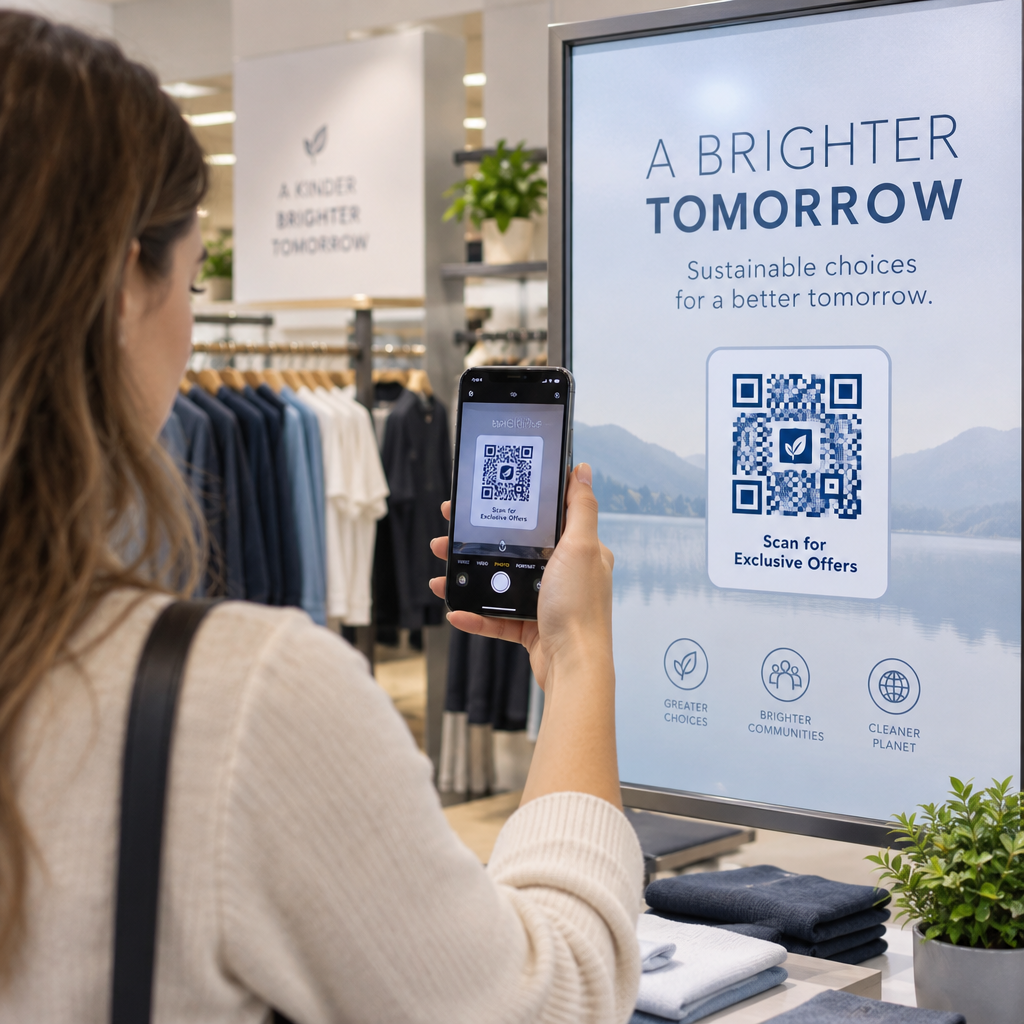
  • Add an action-oriented call to action directly beside or beneath the code, such as “Scan to View Menu” or “Scan for 20% Off.”
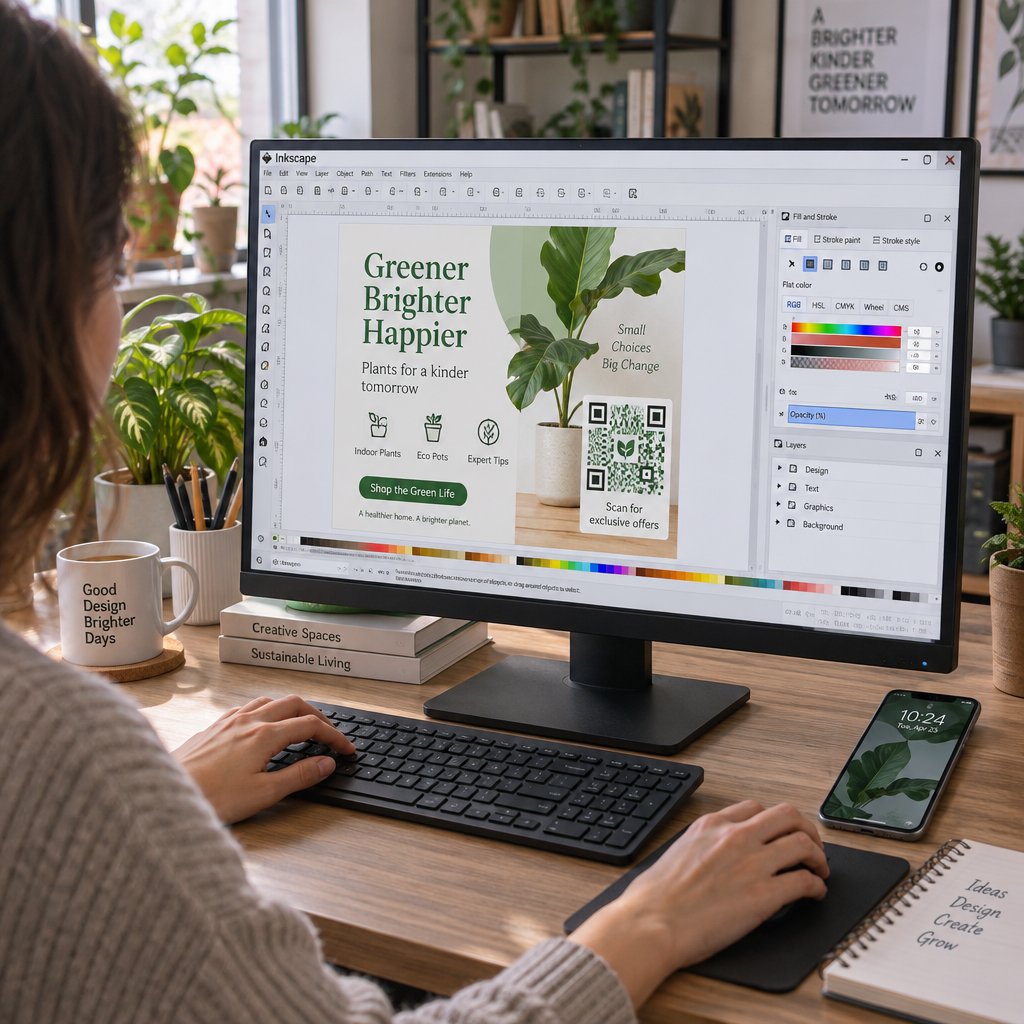
  • Incorporate your brand mark using a dedicated ロゴ付きQRコードジェネレーター to build visual trust with scanners.

Planning your layout around established brochure QR code placement principles ensures your audience understands the incentive to scan immediately upon picking up your collateral.

QR配置例

印刷前の技術的な品質チェック

Committing to a large print run without physical validation risks costly reprints and broken campaigns. Digital proofs on backlit computer monitors do not accurately represent how ink absorbs into paper or how ambient light reflects off different finishes.

  • Verify that your destination URL directs to a fast, mobile-optimized landing page.
  • Select Error Correction Level H (High) during code generation so the code remains functional even if up to 30% of the surface is scratched or obscured.
  • Print a physical proof at 100% scale using your intended paper stock and finish.
  • Test the printed proof under varying lighting conditions using native camera apps and an オンラインQRコードスキャナー to verify instant decoding.

Glossy papers can produce specular reflection or surface glare that blinds camera sensors under direct light. If you must use glossy stock, apply a spot matte varnish over the QR code area or position the code where overhead lights are less likely to create severe reflections. Taking time to test physical samples guarantees your marketing materials will scan effortlessly the moment they reach your customers.

よくある質問

What is the minimum QR code size for flyers and brochures?

The standard minimum size is 0.8 x 0.8 inches (2 x 2 cm) for paper materials held at arm’s length. If you add a brand logo to the center of the code, increase the size to 1.2 x 1.2 inches (3 x 3 cm) to maintain scannability.

Can you change the destination link after your flyers are printed?

You can update the destination link at any time if you generate a dynamic QR code. Dynamic codes route scanners through a short redirect link, allowing you to edit the target URL or digital document from your dashboard without reprinting.

Why do smartphone cameras fail to scan QR codes on glossy paper?

Glossy finishes create specular reflection or glare under bright lighting, which washes out the dark modules and blinds the camera sensor. You can fix this by applying a matte varnish over the code, switching to matte paper stock, or increasing visual contrast.

著者について

Siim KostabiはPagelootのコンテンツリードです。Pagelootの革新的なQRコード生成サービスについて執筆しています。5年以上にわたるQRコードに関する深い専門知識を持つSiimは、この分野の専門家です。QRテクノロジーを活用してデジタルインタラクションを簡素化・拡張する上で、大きな進歩を遂げています。.

カテゴリー
について詳しくはこちら
iPhoneでのQRコードスキャン
QRコードをスキャンして アイフォン
教会QRコードのスキャン
のQRコード 教会
✅ QRコードの#1ソリューション

オンラインでQRコードを作成する必要がある場合は QRコードを作る ここで無料で
ページルートは #1のGo-Toソリューション でQRコードを作成してスキャンすることができます。

BL-0136

ブログジェネ

売上、レビュー、フォロワーを増やすために 20,000 を超えるブランドから信頼されています。

クライアントのロゴ
トップブランドから信頼される
5 のうち 4.8 と評価しました

4.86 / 5つ星評価

ユーゴ・ローラン
ユーゴ・ローラン
★★★★★
レストランオーナー
最も簡単で信頼性の高いQRコードジェネレータです。PDFファイルを即座にアップロードできます。レストランのメニューがデジタル化されました。
ルーカス・ジャンセン
ルーカス・ジャンセン
★★★★★
不動産開発業者
これは優れたツールで、QRコードでちょうど欲しいところに連れて行ってくれます。私たちは位置情報のQRコードしか使っていませんが、とても便利な機能がたくさんあります。
エマ・モレッティ
エマ・モレッティ
★★★★★
小売製品
使いやすいし、早い。素晴らしい機能で、完璧な画像を作成してくれるので、社員は私のvCardをダウンロードすることができます。
ユーゴ・ローラン
ユーゴ・ローラン
★★★★★
レストランオーナー
最も簡単で信頼性の高いQRコードジェネレータです。PDFファイルを即座にアップロードできます。レストランのメニューがデジタル化されました。
ルーカス・ジャンセン
ルーカス・ジャンセン
★★★★★
不動産開発業者
これは優れたツールで、QRコードでちょうど欲しいところに連れて行ってくれます。私たちは位置情報のQRコードしか使っていませんが、とても便利な機能がたくさんあります。
エマ・モレッティ
エマ・モレッティ
★★★★★
小売製品
使いやすいし、早い。素晴らしい機能で、完璧な画像を作成してくれるので、社員は私のvCardをダウンロードすることができます。
QRコードをもっと見る
あらゆるものをデジタル体験に変えよう 3分以内に。

14日間の無料トライアル。

クレジットカードは必要ありません。

初回購入で30%オフ

次のコードを使用してください:

MP3ファイルを共有

PDF QRコードを作成するにはサインアップしてください

必要なものをすべてアップロードして表示する。

  • オーディオファイル
  • ポッドキャスト
  • 音楽

サインアップで14日間無料トライアル。.
トライアル終了後、QRコードは期限切れになります。.

オーディオmp3 QRコードを作成するにはサインアップしてください

フレームでより多くのスキャンを獲得

QRコードにフレームを追加するにはサインアップしてください

コールトゥアクションフレームは、お客様が簡単にQRコードと対話できるようにします。ぜひお試しください。

サインアップで14日間無料トライアル。.
トライアル終了後、QRコードは期限切れになります。.

QRコードにフレームを追加するにはサインアップしてください

シェイプでスタイルを追加

より多くの図形を作成するにはサインアップしてください

QRコードは四角いものである必要はありません。あなたのブランドのイメージに合わせて変えてみてください。

サインアップで14日間無料トライアル。.
トライアル終了後、QRコードは期限切れになります。.

より多くの図形を作成するにはサインアップしてください

QRコードにロゴを追加

QRコードにロゴを追加するにはサインアップしてください

QRコードにロゴやブランドを入れることで、目立たせることができます。

サインアップで14日間無料トライアル。.
トライアル終了後、QRコードは期限切れになります。.

QRコードにロゴを追加するにはサインアップしてください

スマートなApp Storeリダイレクト

アプリストアのQRコードを作成するにはサインアップしてください

スマートなApp StoreのQRコードに、あなたのアプリのリンクを追加します。ユーザーは、デバイスに応じてリダイレクトされます。

サインアップで14日間無料トライアル。.
トライアル終了後、QRコードは期限切れになります。.

アプリストアのQRコードを作成するにはサインアップしてください

QRコードに画像をアップロード

画像QRコードを作成するにはサインアップしてください

画像を簡単に共有できます。どんな画像も、数秒でダイナミックに変化します。

サインアップで14日間無料トライアル。.
トライアル終了後、QRコードは期限切れになります。.

画像QRコードを作成するにはサインアップしてください

PDFファイルを共有

PDF QRコードを作成するにはサインアップしてください

必要なものをすべてアップロードして表示する。

  • メニュー&プライスリスト
  • 指示
  • 任意の書類

サインアップで14日間無料トライアル。.
トライアル終了後、QRコードは期限切れになります。.

PDF QRコードを作成するにはサインアップしてください

印刷せずに後で編集

再度印刷せずにQRコードを編集するにはサインアップしてください

ダイナミックQRコードは、新たにQRコードを印刷することなく、QRコードの内容を変更することができます。

サインアップで14日間無料トライアル。.
トライアル終了後、QRコードは期限切れになります。.

再度印刷せずにQRコードを編集するにはサインアップしてください

いつ?どこで?QRコードのスキャンを追跡

QRコードを追跡するにはサインアップしてください

どのQRコードが最も多くスキャンされ、何が最も顧客を喜ばせているのかを知ることができます。

サインアップで14日間無料トライアル。.
トライアル終了後、QRコードは期限切れになります。.

QRコードを追跡するにはサインアップしてください

印刷可能なファイルが利用可能

PDFやSVGのようなベクターQRコードを作成するにはサインアップしてください

.eps、.pdf、.svg

QRコードをHD解像度でダウンロードしたいですか?すぐに印刷できるベクターまたはピクセル形式を入手しましょう。

サインアップで14日間無料トライアル。.
トライアル終了後、QRコードは期限切れになります。.

PDFやSVGのようなベクターQRコードを作成するにはサインアップしてください

しばらくお待ちください。あなたのQRコードは ロード... ロード...

あなただけのものに

サインアップしてQRコードを後で保存してください

異なる色、ロゴ、コールトゥアクションフレームで素晴らしいQRコードを作成することで、より多くのスキャンを得ることができます。

サインアップで14日間無料トライアル。.
トライアル終了後、QRコードは期限切れになります。.

サインアップしてQRコードを後で保存してください