
Graben Ihre Kunden immer noch in ihren Taschen nach Vierteldollarmünzen? Da die Bargeldnutzung weiter zurückgeht – von etwa 31% aller Verbraucherzahlungen im Jahr 2016 auf nur noch 14% im Jahr 2024 – riskieren münzabhängige Waschsalons, genau die Kunden zu frustrieren, die sie bedienen wollen. Dieser Leitfaden erklärt Ihnen, wie QR-Code-Zahlungen funktionieren, welche Vorteile sie Waschsalonbetreibern bieten und wie Sie sie praktisch und kundenfreundlich implementieren können.
Warum Waschsalons ihre Zahlungssysteme überdenken
Das Münzwaschsalon-Modell verursacht echte Betriebskosten: das Sammeln, Zählen und Transportieren von Münzen kostet Zeit, Wechselautomaten erfordern Wartung, und verklemmte Münzschlitze beeinträchtigen die Betriebszeit der Maschinen. Darüber hinaus trägt ein wachsender Anteil Ihrer potenziellen Kunden einfach kein Bargeld bei sich.
Laut dem „2025 Diary of Consumer Payment Choice“ der Federal Reserve entfallen mobile Telefone nun auf 23% aller Verbraucherzahlungen, ein Anstieg von nur 4 mobilen Zahlungen pro Monat im Jahr 2018 auf 11 pro Monat im Jahr 2024. Bei Erwachsenen im Alter von 18–24 Jahren werden Mobiltelefone für 45% all ihrer Zahlungen verwendet.
Diese Verschiebung ist für Waschsalons direkt relevant. Kunden, die ohne Vierteldollarmünzen hereinkommen und keine Alternative finden, werden oft einfach gehen. Bargeldlose Systeme lösen dieses Problem, bieten aber auch umfassendere betriebliche Vorteile:
- Reduziertes Diebstahlrisiko: Weniger Bargeld vor Ort bedeutet geringere Anfälligkeit für Raub und Vandalismus
- Flexible Preisgestaltung: Digitale Systeme unterstützen unterschiedliche Preispunkte anstelle fester Münzschritte, was die Anpassung der Tarife erleichtert
- Echtzeit-Berichterstattung: Digitale Transaktionsaufzeichnungen vereinfachen die Buchhaltung und geben Ihnen Einblick in Spitzenzeiten der Nutzung und die Maschinenleistung
- Geringerer Aufwand für die Münzbearbeitung: Zahlungen gehen direkt auf Ihr Bankkonto, wodurch der Münzsammelzyklus entfällt
Was ist eine QR-Code-Zahlung und wie funktioniert sie?
EIN QR-Code-Zahlung ist eine Art mobiler Zahlung, bei der ein Kunde einen maschinenlesbaren Code mit seiner Smartphone-Kamera scannt, der ihn zu einer sicheren Zahlungsseite weiterleitet, auf der er eine Transaktion autorisieren kann – kein Kartenlesegerät erforderlich.
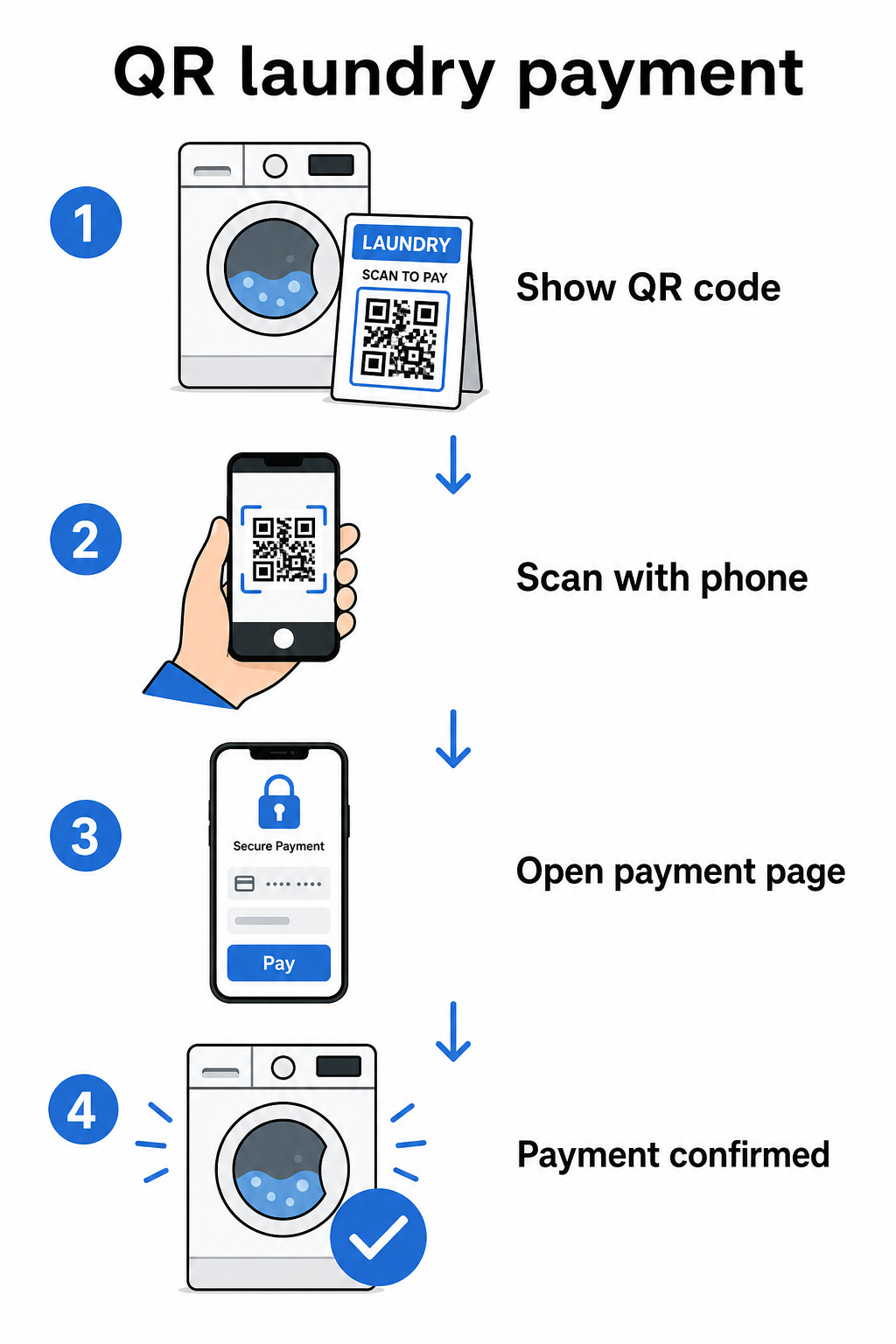
Der grundlegende Ablauf funktioniert so:
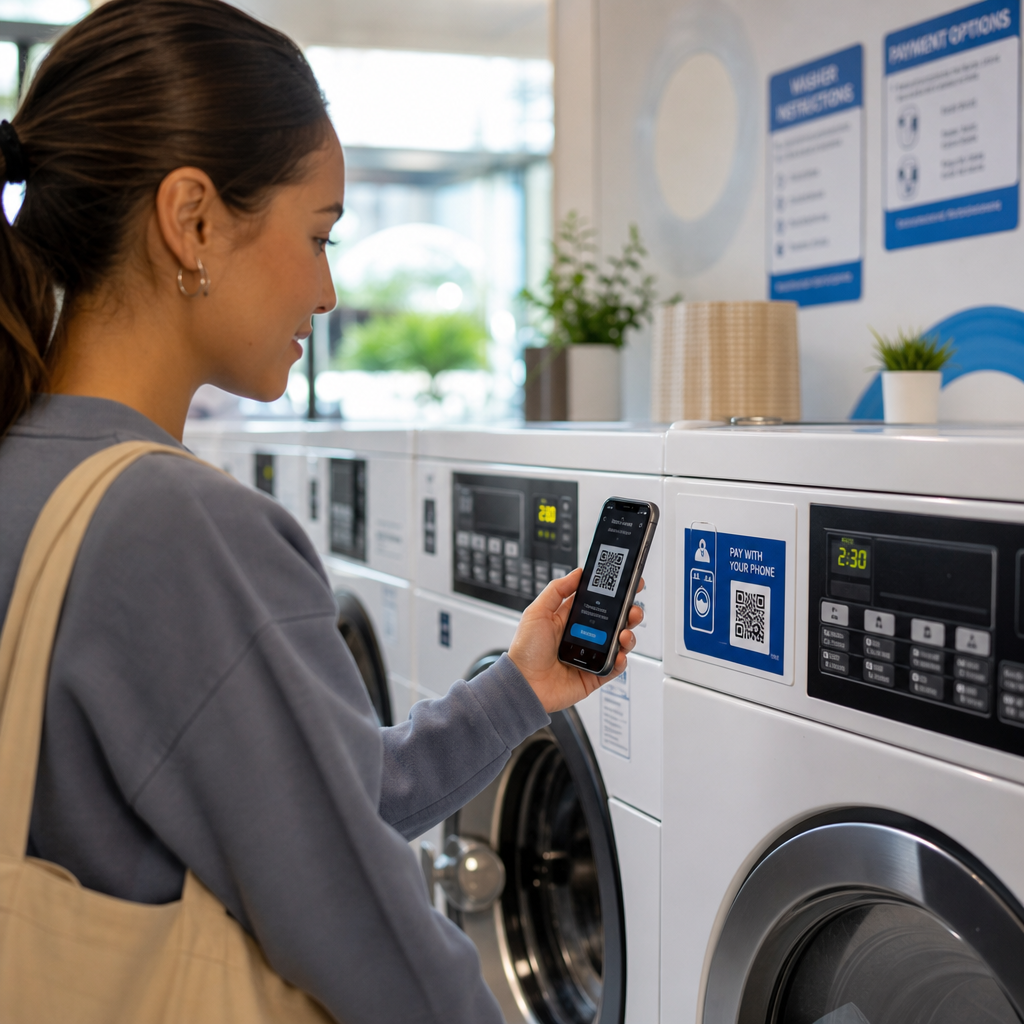
- Sie zeigen einen gedruckten oder bildschirmbasierten QR-Code an oder in der Nähe des Automaten an
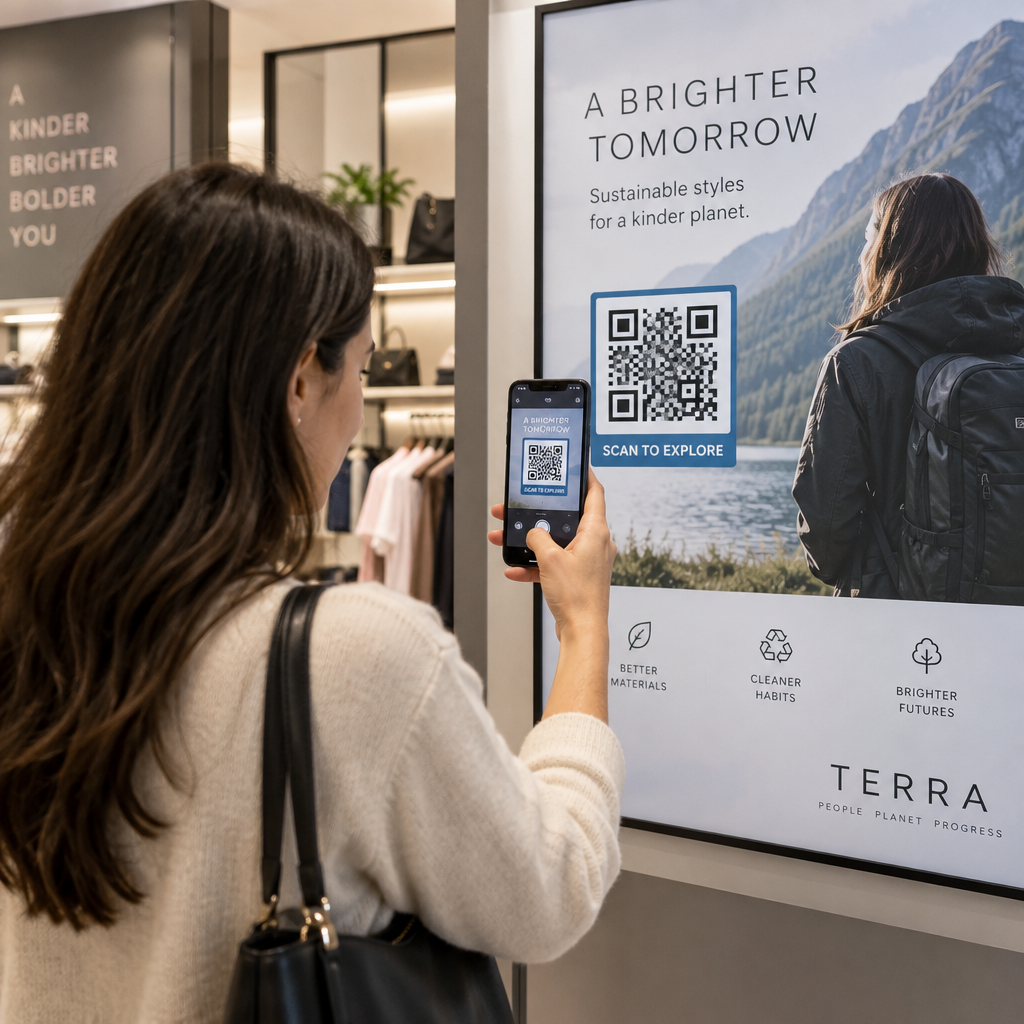
- Der Kunde öffnet seine Telefonkamera – auf den meisten modernen Smartphones ist kein App-Download erforderlich – und scannt den Code
- Sie werden zu einer Zahlungsseite weitergeleitet, z. B. einem PayPal-Checkout oder einem Zahlungs-Gateway, wo sie einen Betrag auswählen und bestätigen
- Der Zahlungsabwickler bearbeitet die Transaktion und Sie erhalten die Gelder
Es gibt zwei Arten von QR-Codes, die für dieses Setup relevant sind, und das Verständnis des Unterschieds hilft Ihnen, die richtige Wahl für Ihren Betrieb zu treffen.
| Typ | SO FUNKTIONIERT ES | Am besten für |
|---|---|---|
| Statischer QR-Code | Feste Ziel-URL; Kunde muss den Betrag möglicherweise manuell eingeben | Einfache Setups mit geringem Volumen |
| Dynamischer QR-Code | Verweist auf eine Weiterleitungs-URL, die jederzeit ohne Neudruck aktualisiert werden kann; unterstützt Scan-Tracking | Laufender Betrieb, Analysen, Flexibilität |
Für die meisten Waschsalonbetreiber, dynamische QR-Codes bieten einen klaren Vorteil: Wenn sich Ihr Zahlungslink jemals ändert, aktualisieren Sie das Ziel in Ihrem Dashboard, anstatt die Codes an jedem Automaten neu zu drucken.
QR-Code-Zahlungen einrichten: Schritt für Schritt
Ein QR-Zahlungssystem in Ihrem Waschsalon in Betrieb zu nehmen, erfordert keine technischen Kenntnisse. Hier ist ein praktischer Weg von der Einrichtung bis zur Einführung.
Wählen Sie einen Zahlungsanbieter. Beginnen Sie mit einem Anbieter, der einen teilbaren Zahlungslink anbietet. PayPal ist eine der zugänglichsten Optionen – es generiert einen PayPal.me-Link, den Sie direkt in einen scannbaren QR-Code umwandeln können. Andere Optionen sind Stripe, Square und Plattformen, die mobile Geldbörsen unterstützen. Für Betreiber, die internationale Kunden bedienen, funktionieren Wallets wie Alipay und WeChat Pay ebenfalls mit QR-basierten Zahlungsabläufen und könnten je nach Ihrem lokalen Kundenstamm eine Überlegung wert sein.
Generieren Sie Ihren QR-Code. Sobald Sie Ihren Zahlungslink haben, fügen Sie ihn in einen QR-Code-Generator ein. Der PayPal QR-Code Generator ermöglicht Ihnen die Erstellung eines gebrandeten Codes direkt über Ihren PayPal.me-Link. Für andere Zahlungslinks funktioniert der Link-QR-Code-Generator oder der allgemeine QR-Code-Generator auf die gleiche Weise: Fügen Sie Ihre Checkout-URL ein, passen Sie das Design an und laden Sie eine druckfertige Datei herunter.
Passen Sie es an Ihre Umgebung an. Ein Waschsalon ist ein lauter, stark spiegelnder physischer Raum. Ihre QR-Codes müssen diesen Bedingungen standhalten. Verwenden Sie eine Mindestgröße von 2 × 2 cm (0,8 × 0,8 Zoll) für das Scannen aus nächster Nähe, aber für die Wand- oder Maschinenmontage streben Sie mindestens 2 × 2 Zoll an. Halten Sie einen Kontrastverhältnis von mindestens 4:1 anstreben zwischen dem Code und seinem Hintergrund – dunkle Muster auf hellem Hintergrund scannen am zuverlässigsten. Sie können auch das Logo und die Markenfarben Ihres Waschsalons zum Code hinzufügen, aber halten Sie jedes eingebettete Logo auf nicht mehr als 30% der Gesamtfläche des Codes und verwenden Sie hohe Fehlerkorrekturstufen (Q oder H), um die Scannbarkeit zu erhalten. Fügen Sie schließlich einen klaren Call-to-Action in der Nähe des Codes hinzu, wie zum Beispiel “Scannen Sie, um mit Ihrem Telefon zu bezahlen” – dies reduziert die Kundenunentschlossenheit erheblich.
Drucken und strategisch platzieren. Bringen Sie QR-Codes dort an, wo Kunden natürlich hinschauen, wenn sie sich darauf vorbereiten, eine Maschine zu benutzen: direkt auf dem Maschinenpanel, auf einem Schild über einer Reihe von Waschmaschinen oder an einer zentralen Zahlungsstation. Laminierte Ausdrucke halten gut in der feuchten Waschsalonumgebung und sind auch schwerer zu manipulieren.
Erstellen Sie Zahlungs-QR-Codes mit Ihrem Branding Fügen Sie Ihren Zahlungslink ein, fügen Sie Ihr Logo und Ihre Farben hinzu und laden Sie eine druckfertige Datei herunter. Verwenden Sie die QR-Code-Generator um loszulegen – keine technischen Kenntnisse erforderlich.
Scans verfolgen und Codes im Laufe der Zeit verwalten
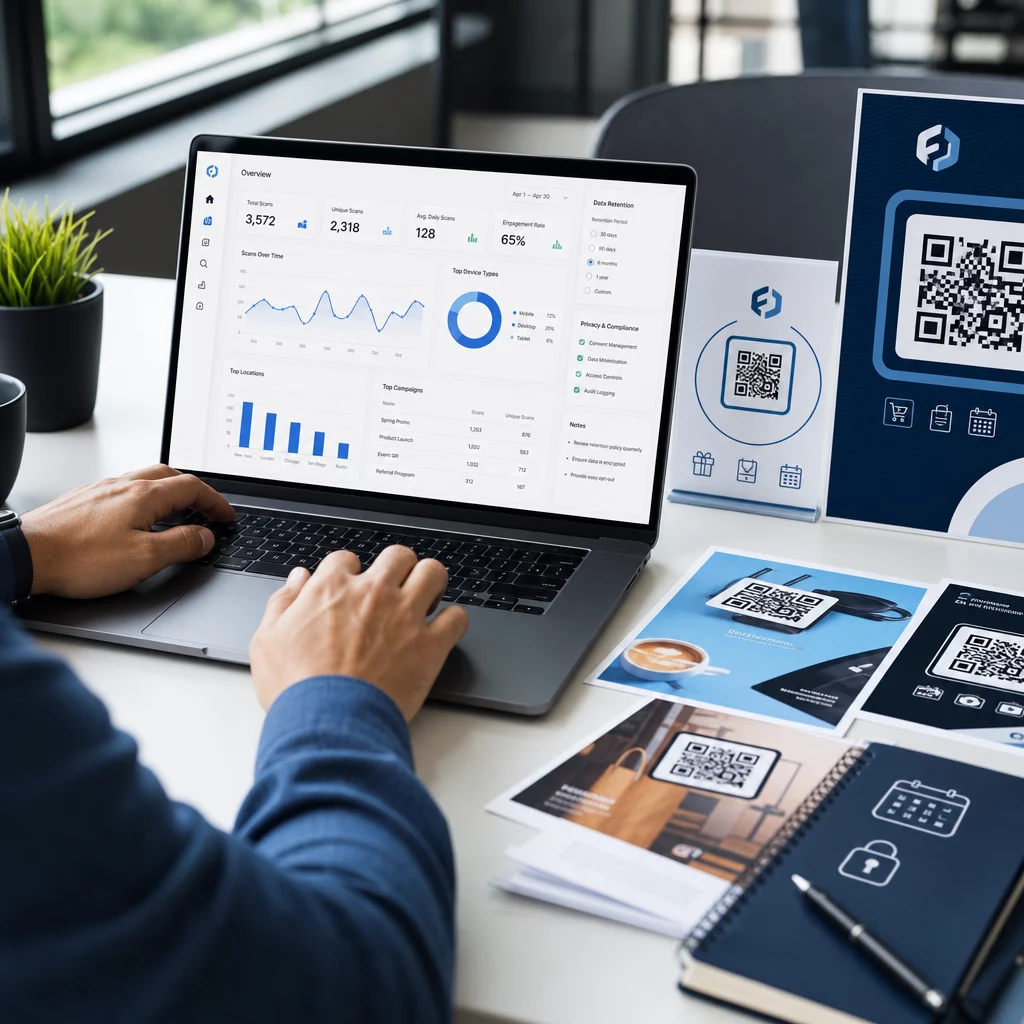
Einer der praktischsten Vorteile dynamischer QR-Codes ist die Möglichkeit, zu überwachen, wie Kunden mit Ihren Zahlungscodes interagieren, ohne Rätselraten. Die Plattform von Pageloot verfolgt Scan-Zahlen, Zeitpunkt und Standortdaten über ein zentrales Dashboard, das Ihnen ein klareres Bild von Spitzenzeiten und davon vermittelt, welche Maschinen oder Standorte die meiste Zahlungsaktivität aufweisen.
Für einen Waschsalon können diese Daten Personalentscheidungen, Preisänderungen und die Frage beeinflussen, ob ein bestimmter Maschinenstandort unterdurchschnittlich abschneidet. Es erstellt auch einen Prüfpfad, der die Abstimmung vereinfacht, falls jemals ein Zahlungsstreit entsteht.
Ebenso wichtig: Wenn sich Ihr Zahlungslink jemals ändert – zum Beispiel, wenn Sie den Zahlungsanbieter wechseln oder Ihr Konto aktualisieren – können Sie mit einem dynamischen QR-Code den vorhandenen gedruckten Code auf das neue Ziel verweisen, ohne ein einziges Schild zu berühren.
Halten Sie Ihre Zahlungscodes auf dem neuesten Stand Mit dem Dynamischer QR-Code Generator, können Sie den Ziellink jedes gedruckten Codes jederzeit aktualisieren und jeden Scan von einem einzigen Dashboard aus verfolgen.
Sicherheitsaspekte bei QR-Zahlungen
Physische Standorte wie Waschsalons sind einem spezifischen Betrugsrisiko ausgesetzt: jemand platziert einen Aufkleber mit einem gefälschten QR-Code über Ihrem legitimen. Dies ist eine dokumentierte Taktik – die FTC hat Verbraucherhinweise zu Betrügern herausgegeben, die schädliche Links in QR-Codes an öffentlichen Orten verstecken.
Praktische Schritte zur Reduzierung dieses Risikos:
- Verwenden Sie gebrandete QR-Codes: Codes, die das Logo und die Farben Ihres Waschsalons enthalten, sind schwerer überzeugend zu replizieren, und Kunden können sie vor dem Scannen visuell überprüfen
- Laminieren und sicher montieren: Es physisch schwierig zu machen, einen Aufkleberüberzug anzubringen, ist eine der einfachsten verfügbaren Abschreckungen
- Scan-Analysen überwachen: Unerwartete Spitzen oder geografische Anomalien in Ihren Scandaten können auf Manipulation hinweisen – dynamische Codes geben Ihnen die Sichtbarkeit, dies frühzeitig zu erkennen
- Kompromittierte Codes sofort deaktivieren: Mit dynamischen Codes können Sie einen Code von Ihrem Dashboard aus deaktivieren, sobald Sie den Verdacht haben, dass er manipuliert wurde
Für einen umfassenden Blick auf den Schutz Ihres Setups, die Anleitungen auf Risiken von QR-Code-Zahlungen und wie man sie mindert und wie QR-Code-Zahlungen Sicherheit und Geschwindigkeit verbessern decken das Gesamtbild ab, einschließlich Verschlüsselung, PCI-DSS-Konformität und Manipulationserkennung.
Barrierefreiheit und Kundenerlebnis
Nicht jeder Kunde wird sich mit mobilen Zahlungen gleichermaßen wohlfühlen. Einige haben möglicherweise Sehbehinderungen, begrenzte Smartphone-Erfahrung oder bevorzugen einfach andere Methoden. Ein paar Designprinzipien helfen sicherzustellen, dass Ihr QR-Zahlungs-Setup so viele Kunden wie möglich willkommen heißt.
Drucken Sie Codes in einer Mindestgröße von 2 × 2 Zoll und positionieren Sie wandmontierte Codes zwischen 15 und 48 Zoll vom Boden, um Rollstuhlfahrern entgegenzukommen. Fügen Sie Schritt-für-Schritt-Anleitungen in der Nähe des Codes hinzu – etwas so Einfaches wie “Scannen → Überprüfen → Bestätigen” hilft Erstnutzern, den Ablauf ohne Frustration abzuschließen. Wenn Ihr Kundenstamm Sprecher anderer Sprachen umfasst, können mehrsprachige Anweisungen das Erlebnis inklusiver gestalten. Sie sollten auch mindestens eine alternative Zahlungsmethode bereithalten – einen Kartenleser oder Bargeldannahme – damit Kunden ohne Smartphones nicht ohne Optionen dastehen.
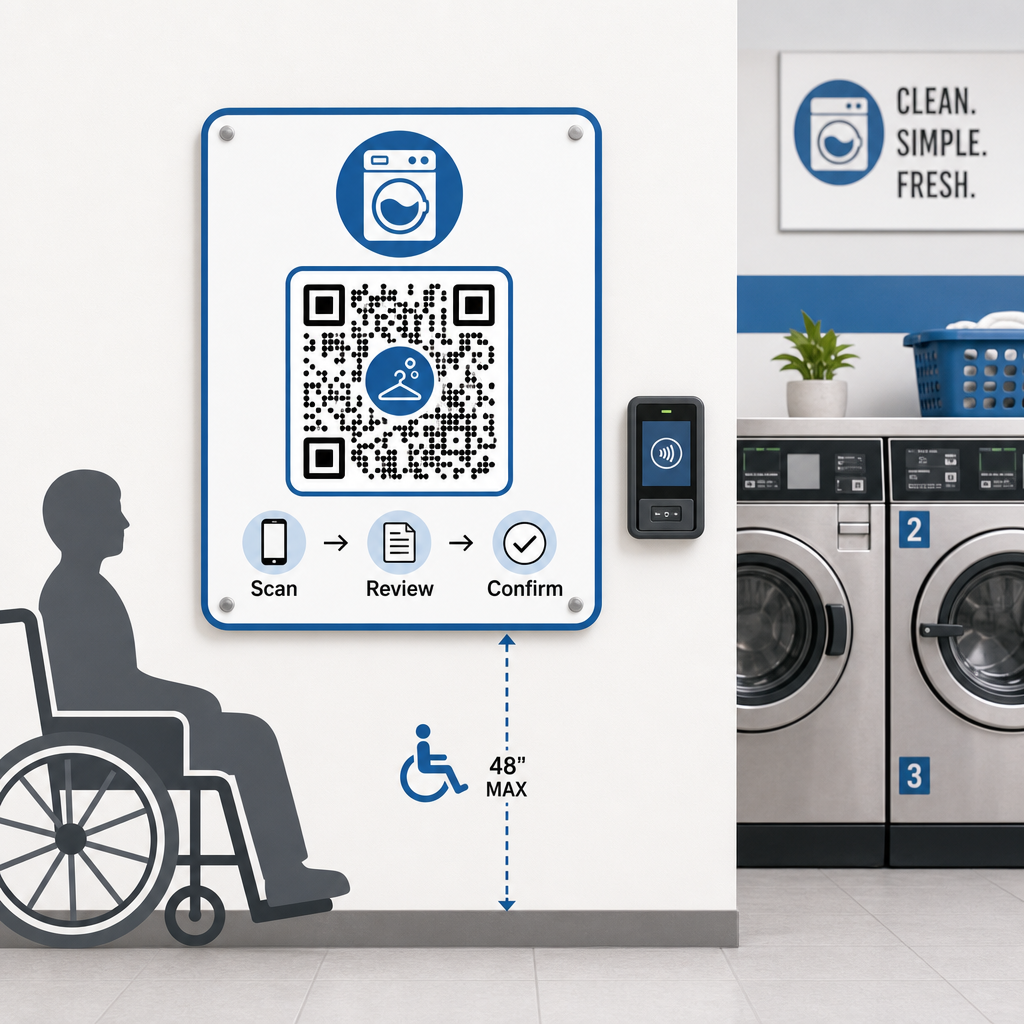
Für mehr zum inklusiven Design, die Best Practices für die Barrierefreiheit von QR-Code-Zahlungen Anleitung behandelt Größe, Platzierung und Anweisungsstandards im Detail.
Was Sie beachten sollten, bevor Sie bargeldlos werden
QR-basierte mobile Zahlungen bieten echte Vorteile, aber es lohnt sich, das Gesamtbild abzuwägen, bevor man sich für einen einzigen Ansatz entscheidet.
Die meisten Zahlungsabwickler berechnen einen kleinen Prozentsatz pro Transaktion. Diese Gebühren sind typischerweise niedriger als herkömmliche Kartenterminalgebühren, sollten aber in Ihre Preiskalkulationen einfließen. Einige Stammkunden – insbesondere ältere Demografien – benötigen möglicherweise auch Zeit, um sich an das Scannen an der Maschine zu gewöhnen, daher kann eine kurze Übergangszeit mit sichtbaren Anweisungen die Akzeptanzkurve glätten.
Es ist auch erwähnenswert, dass QR-Zahlungen davon abhängen, dass Kunden Smartphones und eine funktionierende Datenverbindung haben. In Gebieten mit inkonsistenter Abdeckung könnte dies gelegentlich zu Reibung führen. Aus diesem Grund stellen viele Waschsalonbetreiber fest, dass eine Kombination von Zahlungsoptionen – Karten, mobile Geldbörsen und QR-Codes – ihren gesamten Kundenstamm besser bedient als ein Ansatz mit einer einzigen Methode. Das Ziel ist es, die Reibung für den wachsenden Anteil von Kunden zu reduzieren, die bargeldlose Zahlungen bevorzugen, und nicht, neue Barrieren für diejenigen zu schaffen, die dies nicht tun.
QR-Code-Zahlungen bieten Waschsalonbetreibern einen kostengünstigen, flexiblen Weg zur Modernisierung des Kundenerlebnisses, ohne Ihre gesamte Infrastruktur zu überarbeiten. Der Schlüssel liegt darin, den richtigen Zahlungsanbieter zu wählen, gut gestaltete Codes zu generieren, sie strategisch zu platzieren und dynamische Codes zu verwenden, damit Sie sie im Laufe der Zeit aktualisieren und überwachen können. Die Plattform von Pageloot deckt alles ab, von der Generierung bis zur Nachverfolgung über Branchen und Anwendungsfälle hinweg an einem Ort.
Beginnen Sie mit der Erstellung Ihrer Zahlungs-QR-Codes Erstellen, anpassen und verwalten Sie Ihre Waschsalon-Zahlungscodes in einem Dashboard. Probieren Sie die Dynamischer QR-Code Generator 14 Tage lang kostenlos – keine Kreditkarte erforderlich.
Häufig gestellte Fragen
Nein. Die meisten modernen Smartphones können QR-Codes direkt über die integrierte Kamera-App scannen, die dann die Zahlungsseite in einem Browser öffnet. Kunden müssen nichts herunterladen – sie scannen einfach, überprüfen die Zahlungsdetails und bestätigen mit der von ihnen bevorzugten Zahlungsmethode.
Wenn Sie einen dynamischen QR-Code verwenden, können Sie die Ziel-URL in Ihrem Dashboard einfach aktualisieren, und alle vorhandenen gedruckten Codes verweisen automatisch auf den neuen Link – kein Neudruck erforderlich. Mit einem statischen QR-Code müssten Sie jeden Code, der den alten Link enthält, neu drucken, weshalb dynamische Codes die praktischere Wahl für einen laufenden Betrieb sind.
Verwenden Sie gebrandete QR-Codes, die das Logo und die Farben Ihres Waschsalons enthalten, wodurch Fälschungen für Kunden, die wissen, worauf sie achten müssen, visuell offensichtlich werden. Montieren Sie Codes unter Laminat oder hinter Schutzhüllen, um das Anbringen von Aufkleber-Overlays physisch zu erschweren. Dynamische QR-Codes ermöglichen es Ihnen auch, die Scan-Aktivität zu überwachen – ungewöhnliche Muster können auf Manipulation hinweisen, und Sie können einen kompromittierten Code sofort von Ihrem Dashboard aus deaktivieren.