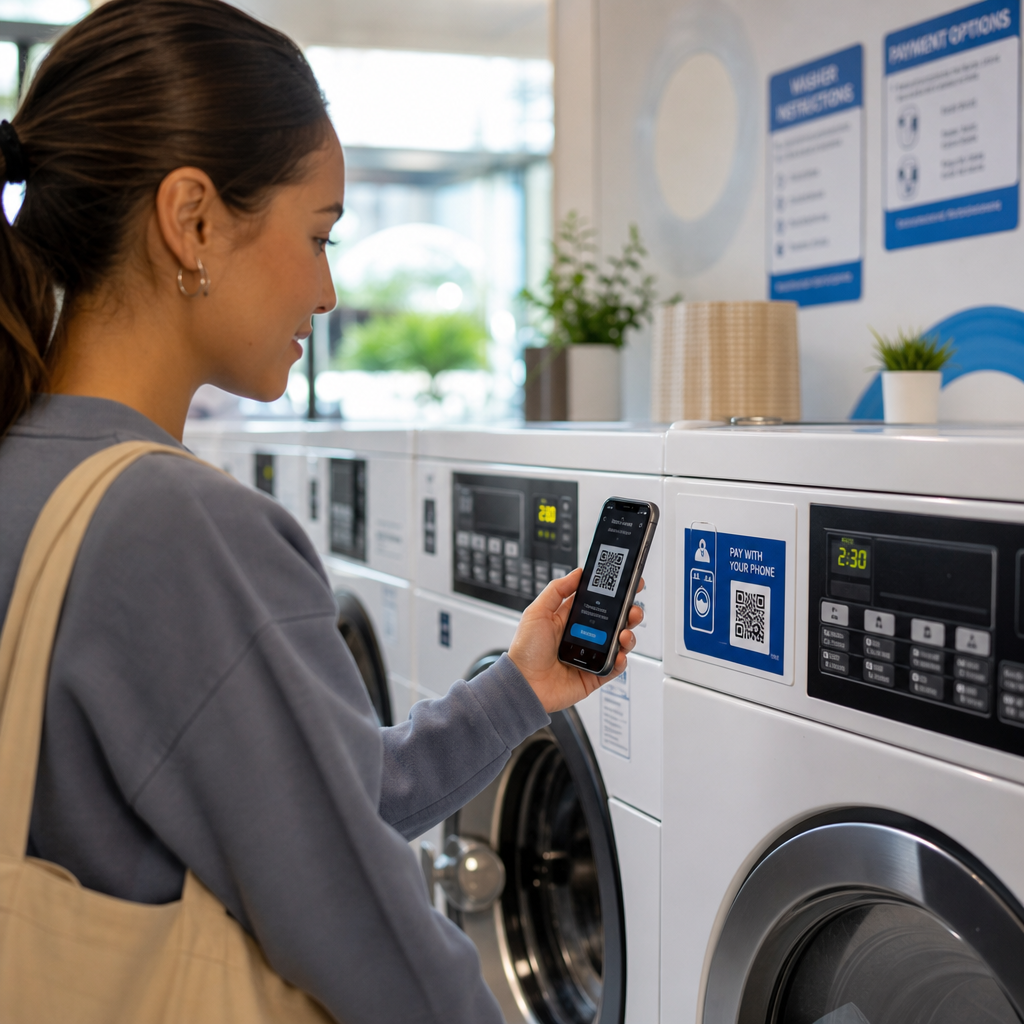

Graver dine kunder stadig i lommerne efter mønter? Da kontantbrug fortsætter med at falde – fra cirka 31 % af alle forbrugerbetalinger i 2016 til kun 14 % i 2024 – risikerer møntafhængige vaskerier at frustrere netop de kunder, de forsøger at betjene. Denne guide fører dig igennem, hvordan QR-kodebetalinger fungerer, hvad de tilbyder vaskerioperatører, og hvordan man implementerer dem på en praktisk, kundevenlig måde.
Hvorfor Vaskerier Gentænker Betalingssystemer
Møntvaskerimodellen medfører reelle driftsomkostninger: indsamling, optælling og transport af mønter tager tid, vekselautomater kræver vedligeholdelse, og fastklemte møntindkast dræber maskinens oppetid. Ud over det bærer en voksende andel af dine potentielle kunder simpelthen ikke kontanter.
Ifølge Federal Reserves 2025 Dagbog over Forbrugerbetalingsvalg tegner mobiltelefoner sig nu for 23 % af alle forbrugerbetalinger, op fra kun 4 mobilbetalinger pr. måned i 2018 til 11 pr. måned i 2024. Blandt voksne i alderen 18-24 år bruges mobiltelefoner til 45 % af alle deres betalinger.
Det skift har direkte betydning for vaskerier. Kunder, der kommer ind uden mønter og ikke finder noget alternativ, vil ofte bare gå. Kontantløse systemer løser det problem, men de leverer også bredere driftsfordele:
- Reduceret tyveririsiko: Færre kontanter på stedet betyder mindre eksponering for røveri og hærværk
- Fleksibel prissætning: Digitale systemer understøtter varierede prisniveauer snarere end faste mønttrin, hvilket gør det lettere at justere priserne
- Realtidsrapportering: Digitale transaktionsregistre forenkler regnskabet og giver dig indsigt i spidsbelastningstider og maskinens ydeevne
- Lavere omkostninger til mønthåndtering: Betalinger går direkte til din bankkonto, hvilket eliminerer møntindsamlingscyklussen
Hvad er en QR-kodebetaling, og hvordan fungerer den?
EN QR-kodebetaling er en type mobilbetaling, hvor en kunde scanner en maskinlæsbar kode med deres smartphonekamera, som dirigerer dem til en sikker betalingsside, hvor de kan godkende en transaktion – ingen kortterminal påkrævet.
Den grundlæggende proces fungerer sådan her:
- Du viser en printet eller skærmbaseret QR-kode på eller nær maskinen
- Kunden åbner deres telefonkamera – ingen app-download nødvendig på de fleste moderne smartphones – og scanner koden
- De føres til en betalingsside, såsom en PayPal-kasse eller en betalingsgateway, hvor de vælger et beløb og bekræfter
- Betalingsbehandleren håndterer transaktionen, og du modtager pengene
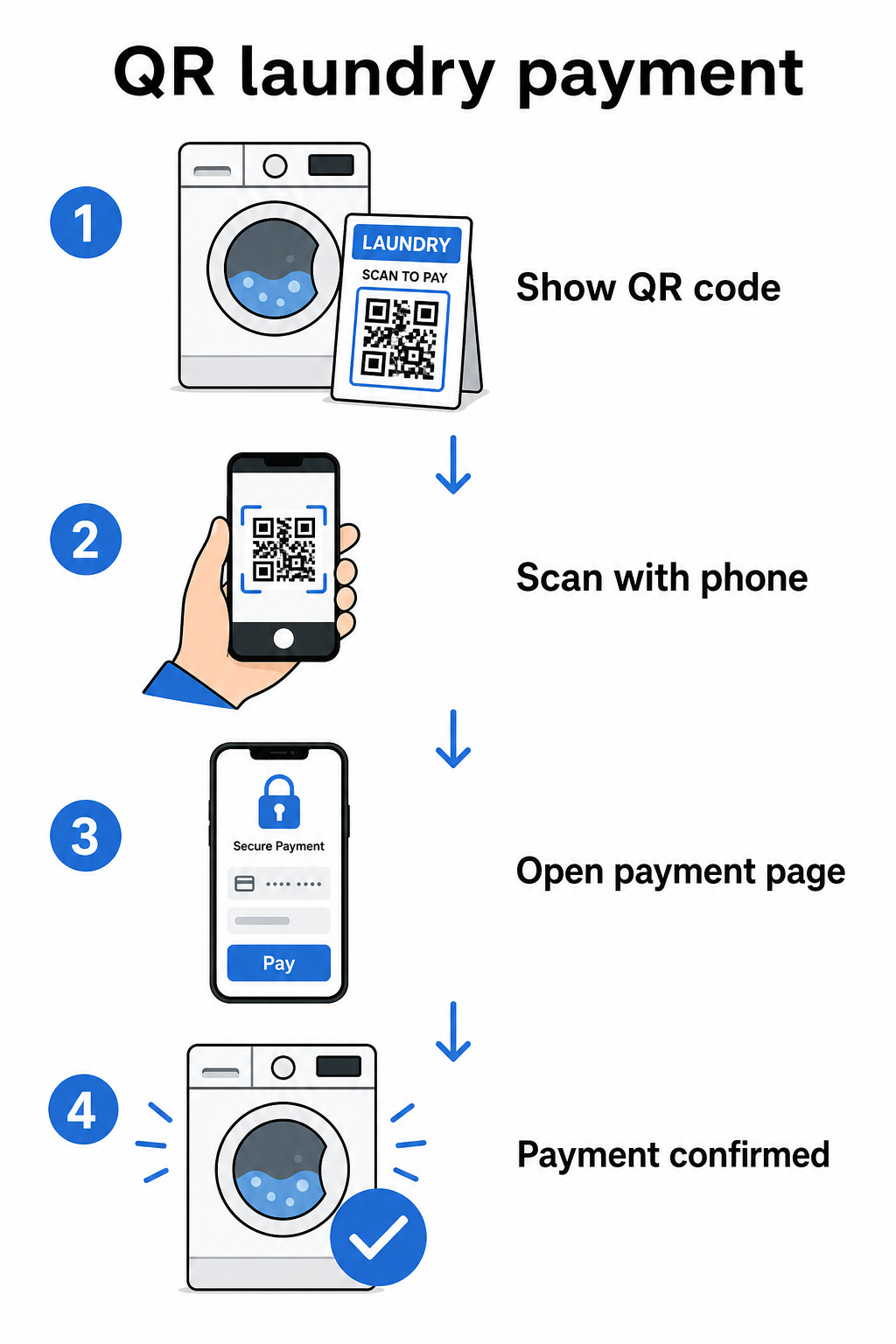
Der er to typer QR-koder relevante for denne opsætning, og at forstå forskellen hjælper dig med at træffe det rigtige valg for din drift.
| Type | SÅDAN VIRKER DET | Bedst til |
|---|---|---|
| 8. Statisk QR-kode | Fast destinations-URL; kunden skal muligvis indtaste beløbet manuelt | Enkle opsætninger med lav volumen |
| Dynamisk QR-kode | Peger på en omdirigerings-URL, der kan opdateres når som helst uden genudskrivning; understøtter scanningssporing | Løbende drift, analyser, fleksibilitet |
For de fleste vaskerioperatører, dynamiske QR-koder tilbyder en klar fordel: hvis dit betalingslink nogensinde ændres, opdaterer du destinationen i dit dashboard snarere end at genudskrive koder på hver maskine.
Opsætning af QR-kodebetalinger: Trin for trin
At få et QR-betalingssystem til at køre i dit vaskeri kræver ikke teknisk ekspertise. Her er en praktisk vej fra opsætning til lancering.
Vælg en betalingsudbyder. Start med en udbyder, der tilbyder et delbart betalingslink. PayPal er en af de mest tilgængelige muligheder – den genererer et PayPal.me-link, som du direkte kan omdanne til en scanningsbar QR-kode. Andre muligheder inkluderer Stripe, Square og platforme, der understøtter mobile tegnebøger. For operatører, der betjener internationale kunder, fungerer tegnebøger som Alipay og WeChat Pay også på QR-baserede betalingsflows og kan være værd at overveje afhængigt af din lokale kundebase.
Generer din QR-kode. Når du har dit betalingslink, indsæt det i en QR-kodegenerator. Den PayPal QR-kode generator lader dig oprette en brandet kode direkte fra dit PayPal.me-link. For andre betalingslinks, den link QR-kodegenerator eller den generelle QR-kodegenerator fungerer på samme måde: indsæt din checkout-URL, tilpas designet, og download en printklar fil.
Tilpas til dit miljø. Et vaskeri er et fysisk rum med meget støj og genskin. Dine QR-koder skal holde under disse forhold. Brug en minimumsstørrelse på 2 × 2 cm (0,8 × 0,8 tommer) til scanning på kort afstand, men til væg- eller maskinmontering, sigt efter mindst 2 × 2 tommer. Oprethold en kontrastforhold på mindst 4:1 mellem koden og dens baggrund – mørke mønstre på en lys baggrund scanner mest pålideligt. Du kan også tilføje dit vaskeris logo og brandfarver til koden, men hold ethvert indlejret logo til ikke mere end 30% af kodens samlede areal og brug høje fejlkorrektionsniveauer (Q eller H) for at opretholde scanningsmuligheden. Inkluder endelig en klar opfordring til handling nær koden, såsom “Scan for at betale med din telefon” – dette reducerer kundens tøven betydeligt.
Print og placer strategisk. Opsæt QR-koder, hvor kunder naturligt kigger, når de forbereder sig på at bruge en maskine: direkte på maskinens panel, på et skilt over en række vaskemaskiner eller ved en central betalingsstation. Laminerede print holder godt i det fugtige vaskerimiljø og er også sværere at manipulere med.
Opret betalings-QR-koder med dit brand Indsæt dit betalingslink, tilføj dit logo og farver, og download en printklar fil. Brug QR-kodegenerator for at komme i gang – ingen tekniske færdigheder nødvendige.
Sporing af scanninger og administration af koder over tid
En af de mest praktiske fordele ved dynamiske QR-koder er evnen til at overvåge, hvordan kunder interagerer med dine betalingskoder uden gætværk. Pageloots platform sporer antal scanninger, tidspunkt og lokationsdata via et centraliseret dashboard, hvilket giver dig et klarere billede af spidsbelastningsperioder, og hvilke maskiner eller lokationer der ser mest betalingsaktivitet.
For et vaskeri kan disse data informere om personalets beslutninger, prisændringer, og om en bestemt maskinplacering underpræsterer. Det skaber også et revisionsspor, der forenkler afstemning, hvis en betalingstvist nogensinde opstår.
Lige så vigtigt: hvis dit betalingslink nogensinde ændres – f.eks. hvis du skifter processor eller opdaterer din konto – lader en dynamisk QR-kode dig pege den eksisterende printede kode til den nye destination uden at røre et eneste skilt.
Hold dine betalingskoder opdaterede Med Dynamisk QR-kode generator, kan du opdatere destinationslinket for enhver printet kode når som helst og spore hver scanning fra et enkelt dashboard.
Sikkerhedsovervejelser for QR-betalinger
Fysiske steder som vaskerier står over for en specifik svindelrisiko: nogen placerer et klistermærke med en falsk QR-kode over din legitime. Dette er en dokumenteret taktik – FTC har udstedt forbrugervejledning om svindlere, der skjuler skadelige links i QR-koder placeret på offentlige steder.
Praktiske skridt til at reducere denne risiko:
- Brug brandede QR-koder: Koder, der inkluderer dit vaskeris logo og farver, er sværere at overbevisende kopiere, og kunder kan visuelt verificere dem før scanning
- Laminer og monter sikkert: At gøre det fysisk svært at påføre et klistermærkeoverlæg er en af de enkleste tilgængelige afskrækkelsesmidler
- Overvåg scanningsanalyser: Uventede stigninger eller geografiske anomalier i dine scanningsdata kan signalere manipulation – dynamiske koder giver dig synligheden til at opdage dette tidligt
- Deaktiver kompromitterede koder øjeblikkeligt: Med dynamiske koder kan du deaktivere en kode fra dit dashboard i det øjeblik, du mistænker, at den er blevet manipuleret med
For et grundigt kig på beskyttelse af din opsætning, dækker guiderne på risici ved QR-kodebetalinger og hvordan man mindsker dem og 15. hvordan QR-kodebetalinger forbedrer sikkerhed og hastighed det fulde billede, herunder kryptering, PCI-DSS-overholdelse og manipulationsdetektion.
Tilgængelighed og kundeoplevelse
Ikke alle kunder vil være lige komfortable med mobilbetalinger. Nogle kan have synshandicap, begrænset smartphone-erfaring eller simpelthen foretrække andre metoder. Et par designprincipper hjælper med at sikre, at din QR-betalingsopsætning er imødekommende over for så mange kunder som muligt.
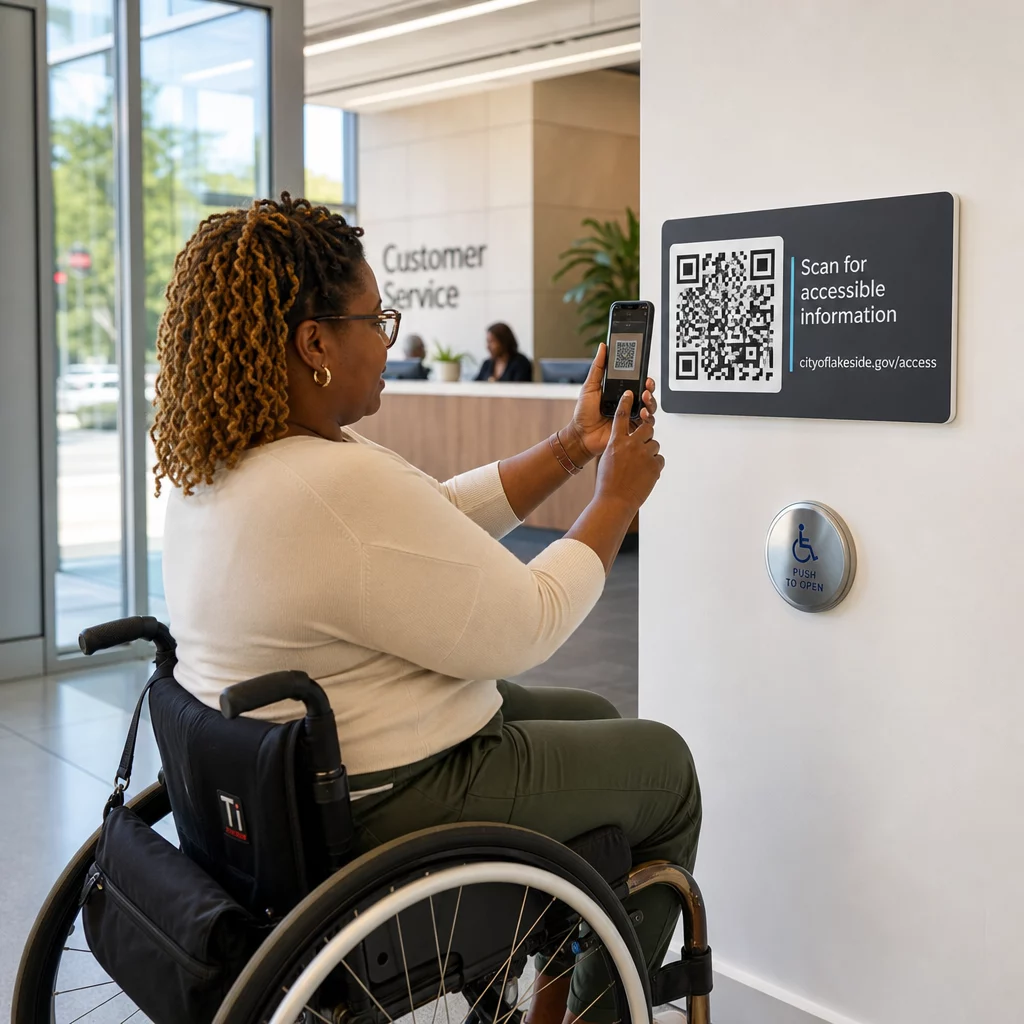
Print koder i en minimumsstørrelse på 2 × 2 tommer, og placer vægmonterede koder mellem 15 og 48 tommer fra gulvet for at imødekomme kørestolsbrugere. Inkluder trin-for-trin instruktioner nær koden – noget så simpelt som “Scan → Gennemgå → Bekræft” hjælper førstegangsbrugere med at gennemføre flowet uden frustration. Hvis din kundebase inkluderer talere af andre sprog, kan flersprogede instruktioner gøre oplevelsen mere inkluderende. Du bør også holde mindst én alternativ betalingsmetode tilgængelig – en kortlæser eller kontantbetaling – så kunder uden smartphones ikke efterlades uden muligheder.
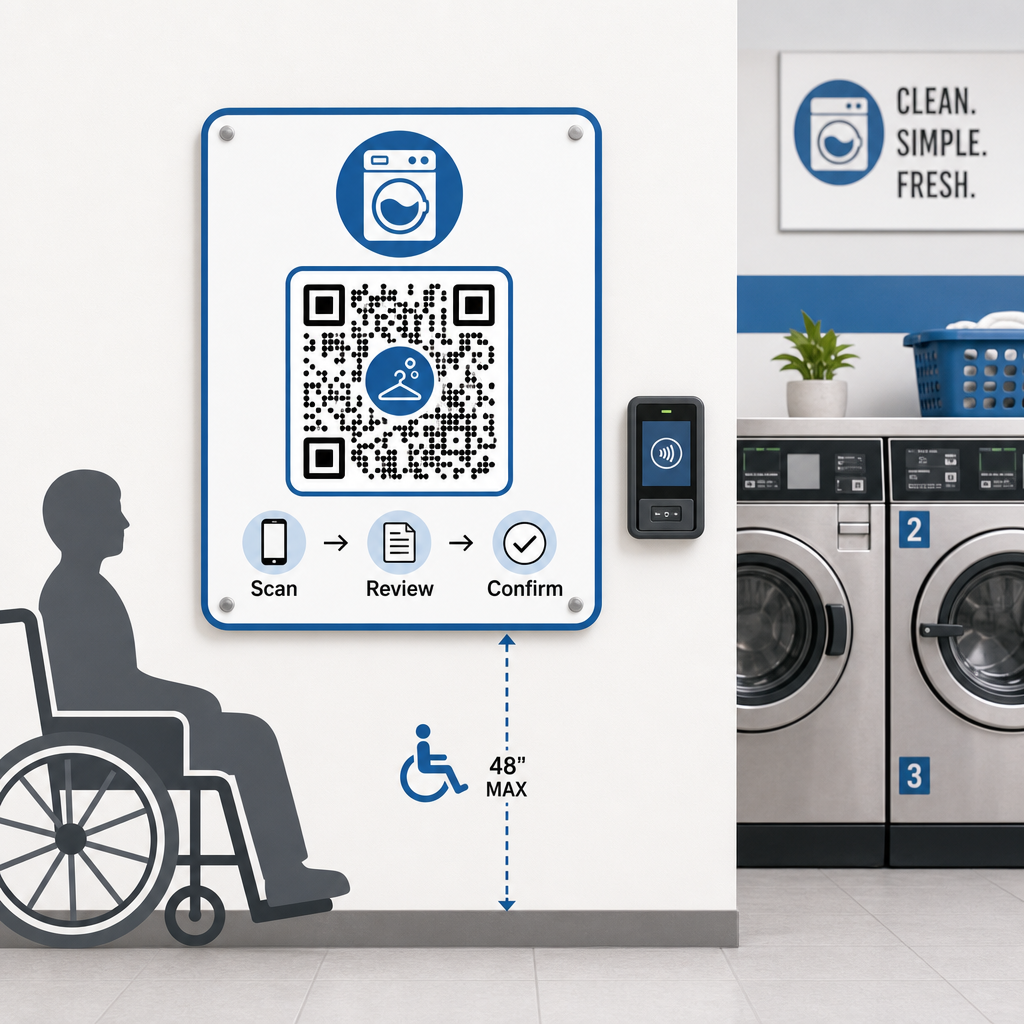
For mere om inkluderende design, dækker bedste praksis for tilgængelighed af QR-kodebetalinger guiden størrelse, placering og instruktionsstandarder i detaljer.
Hvad du skal huske på, før du går kontantløs
QR-baserede mobilbetalinger tilbyder reelle fordele, men det er værd at overveje det fulde billede, før du forpligter dig til en enkelt tilgang.
De fleste betalingsbehandlere opkræver en lille procentdel pr. transaktion. Disse gebyrer er typisk lavere end traditionelle kortterminalgebyrer, men de bør indgå i dine prisberegninger. Nogle faste kunder – især ældre demografier – kan også have brug for tid til at vænne sig til at scanne ved maskinen, så en kort overgangsperiode med synlige instruktioner kan udjævne indførelseskurven.
Det er også værd at bemærke, at QR-betalinger afhænger af, at kunderne har smartphones og en fungerende dataforbindelse. I områder med inkonsekvent dækning kan dette skabe lejlighedsvis friktion. Af denne grund finder mange vaskeriejere, at en kombination af betalingsmuligheder – kort, mobile tegnebøger og QR-koder – betjener deres fulde kundebase bedre end en enkeltmetode-tilgang. Målet er at reducere friktion for den voksende andel af kunder, der foretrækker kontantløse betalinger, ikke at skabe nye barrierer for dem, der ikke gør.
QR-kodebetalinger giver vaskeriejere en billig, fleksibel vej mod modernisering af kundeoplevelsen uden at skulle ombygge hele din infrastruktur. Nøglen er at vælge den rigtige betalingsudbyder, generere veldesignede koder, placere dem strategisk og bruge dynamiske koder, så du kan opdatere og overvåge dem over tid. Pageloots platform dækker alt fra generering til sporing på tværs af brancher og brugsscenarier på ét sted.
Begynd at opbygge dine betalings-QR-koder Opret, tilpas og administrer dine vaskeri-betalingskoder i ét dashboard. Prøv den Dynamisk QR-kode generator gratis i 14 dage – intet kreditkort påkrævet.
Ofte stillede spørgsmål
Nej. De fleste moderne smartphones kan scanne QR-koder direkte gennem den indbyggede kamera-app, som derefter åbner betalingssiden i en browser. Kunder behøver ikke at downloade noget – de scanner blot, gennemgår betalingsoplysningerne og bekræfter ved hjælp af den betalingsmetode, de foretrækker.
Hvis du bruger en dynamisk QR-kode, kan du simpelthen opdatere destinations-URL'en i dit dashboard, og alle eksisterende trykte koder vil automatisk pege på det nye link – ingen genoptrykning påkrævet. Med en statisk QR-kode ville du skulle genoptrykke hver kode, der indeholder det gamle link, hvilket er grunden til, at dynamiske koder er det mere praktiske valg for en igangværende operation.
Brug brandede QR-koder, der inkluderer dit vaskeris logo og farver, hvilket gør forfalskninger visuelt tydelige for kunder, der ved, hvad de skal kigge efter. Monter koder under laminat eller bag beskyttende covers for at gøre klistermærkeoverlejringer fysisk vanskelige at påføre. Dynamiske QR-koder giver dig også mulighed for at overvåge scanningsaktivitet – usædvanlige mønstre kan indikere manipulation, og du kan deaktivere en kompromitteret kode øjeblikkeligt fra dit dashboard.