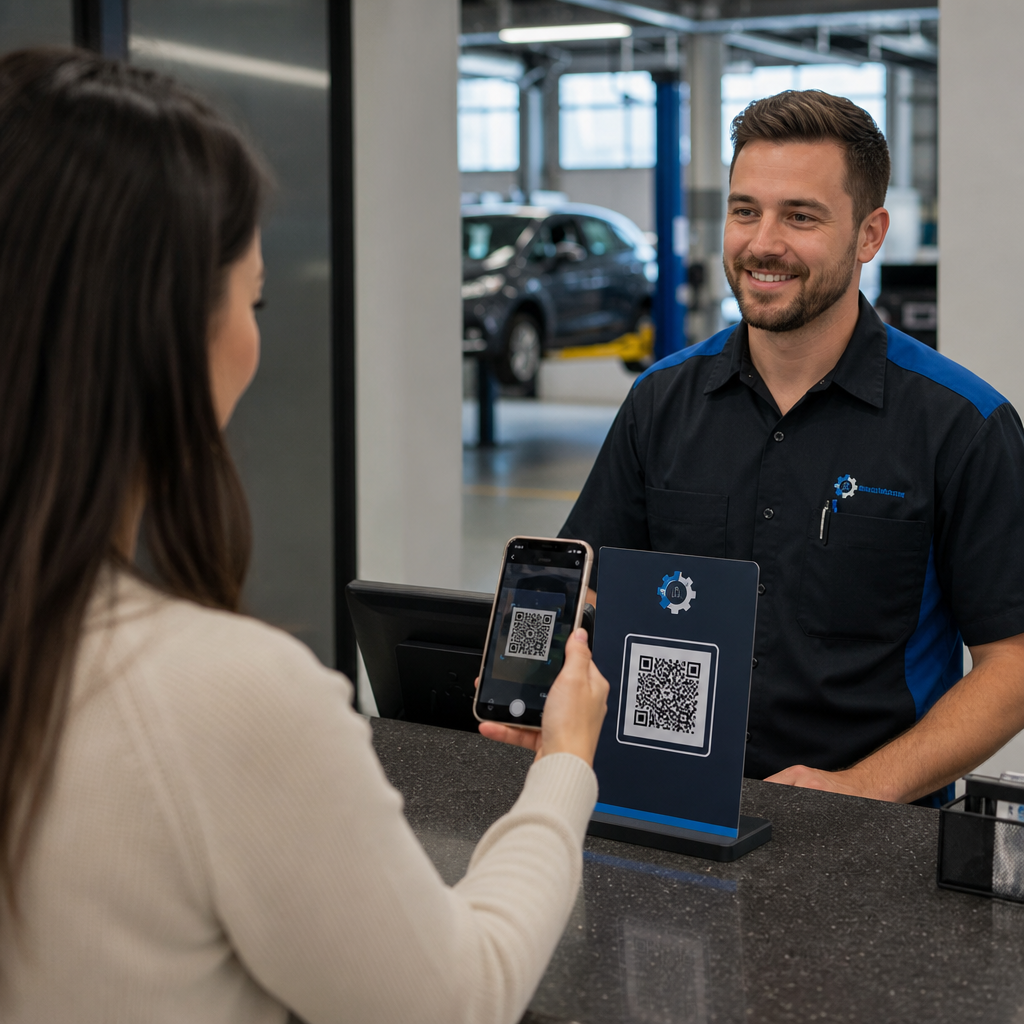

Are long intake queues, missed maintenance reminders, and sparse online reviews slowing down your auto repair shop? Manual paperwork and fragmented client communication waste valuable service advisor hours and let repeat revenue slip away. Integrating scannable QR codes into your physical touchpoints turns routine drop-offs and service follow-ups into fast, automated digital interactions.
Accelerate Customer Check-In and Intake Operations
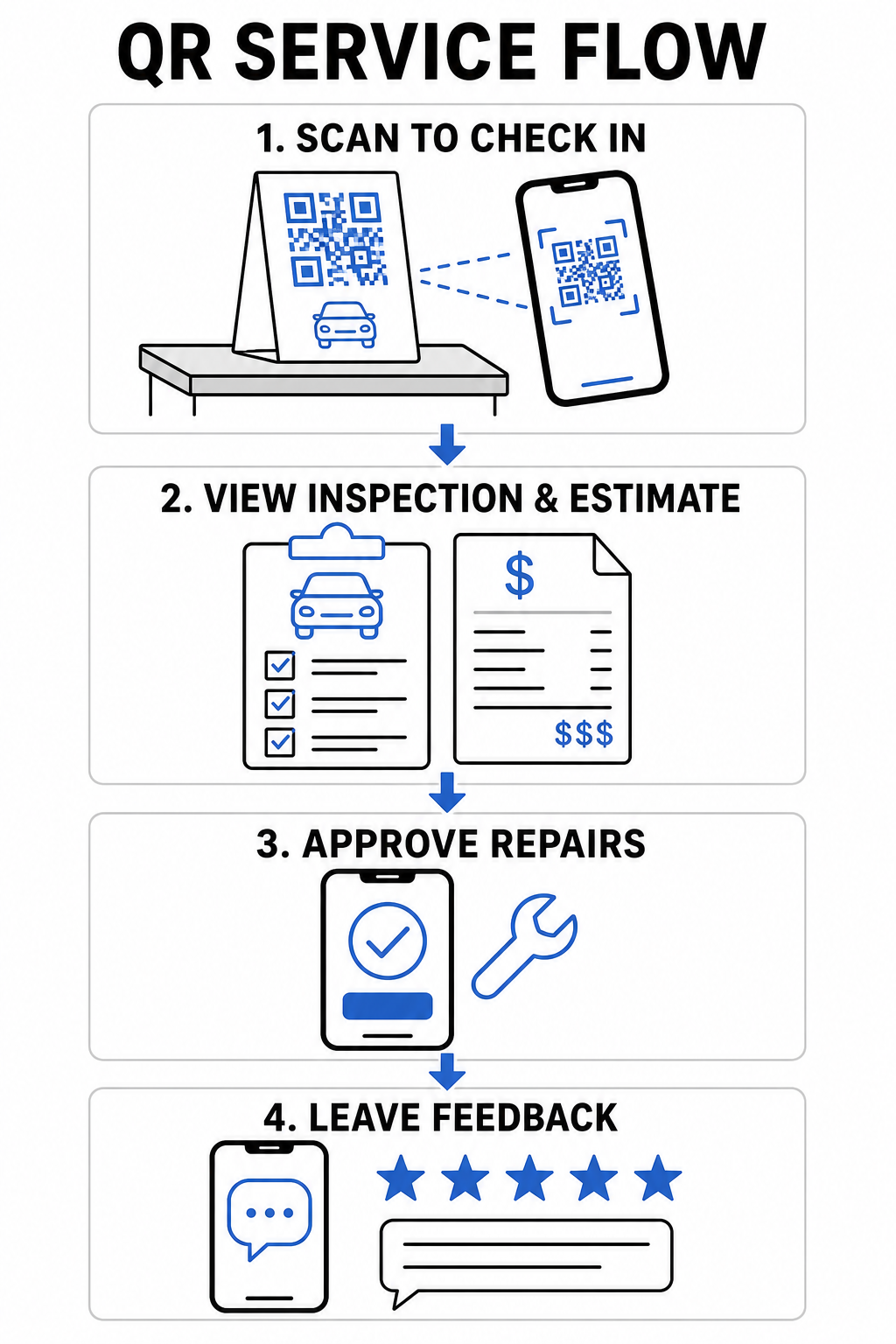
Vehicle drop-offs create bottlenecks when customers must manually fill out paper intake forms or wait for a service advisor to record vehicle mileage and symptoms line-by-line. Automating this initial contact reduces waiting room friction and gets repair orders to your technicians faster.
- Digitize customer check-in: Display counter signs linked to a 谷歌表单二维码生成器 so arriving drivers can submit contact details, vehicle information, and repair requests directly from their mobile devices.
- Provide instant waiting room Wi-Fi: Place scannable Wi-Fi codes on waiting area counter displays so customers can connect automatically without typing network passwords.
- Share digital inspection reports: Upload detailed vehicle diagnostic reports to a PDF QR 码生成器 link on work orders so drivers can review fluid health, tire tread depth, and recommended services on their phone screens.
Streamline Your Service Intake Process Reduce waiting room paperwork and speed up drop-offs by creating custom digital registration forms with the 谷歌表单 QR 代码生成器.
Improve Customer Communication and Digital Touchpoints
Building long-term customer loyalty requires transparent communication regarding complex automotive repairs. Providing immediate digital access to estimate breakdowns, shop contacts, and feedback channels fosters driver confidence throughout the service cycle.


- Store complete shop contacts: Print a vCard code on windshield service reminder stickers or key tags so customers can save your phone number, address, and towing details directly to their phone address books.
- Consolidate repair estimates: Direct vehicle owners to custom landing pages that outline repair options, parts breakdowns, and inspection photos in a single mobile view.
- Gather immediate service feedback: Add links from a customer feedback QR code tool to finalized invoices to measure customer satisfaction before drivers leave your shop.
| Touchpoint | Recommended QR Code Type | Operational Benefit |
|---|---|---|
| Service Counter | Form or Link QR | Eliminates paper intake sheets and shortens morning drop-off lines. |
| Final Invoice | Review or Feedback QR | Captures immediate client feedback and boosts public online ratings. |
| Reminder Sticker | vCard or Calendar QR | Makes saving shop contacts and booking next oil changes effortless. |
| Courtesy Fleet | Dynamic Marketing QR | Converts local shuttle routes into trackable marketing opportunities. |
Drive Local Marketing and Customer Reviews
Most drivers search online when they encounter unexpected vehicle trouble or need routine maintenance. Connecting your shop’s print advertising and offline customer interactions to your digital profiles expands your local footprint and generates consistent booking volume.
- Automate review collection: Display counter cards created with a Google 评论二维码生成器 at checkout to prompt satisfied vehicle owners to rate your business on Google.
- Distribute seasonal discounts: Add scannable offers using a 优惠券二维码生成器 to tire change flyers or postcard mailers to encourage timely bookings.
- Simplify shop navigation: Include a Google 地图二维码生成器 link on printed flyers so stranded motorists or new customers receive instant directions to your service bays.
- Turn courtesy vehicles into mobile ads: Place vehicle decals linked to 追踪QR码 on shuttle cars to measure engagement across local transit routes.
Generate More Google Reviews at Checkout Make it effortless for satisfied drivers to rate your shop online by creating a dedicated review link with the 谷歌评论二维码生成器.
Technical Guidelines for Code Printing and Placement
Auto repair shops present unique environmental challenges, including low lighting in service bays, oily surfaces, and high-glare reception counters. Adhering to technical print standards ensures your codes scan instantly across all mobile devices.


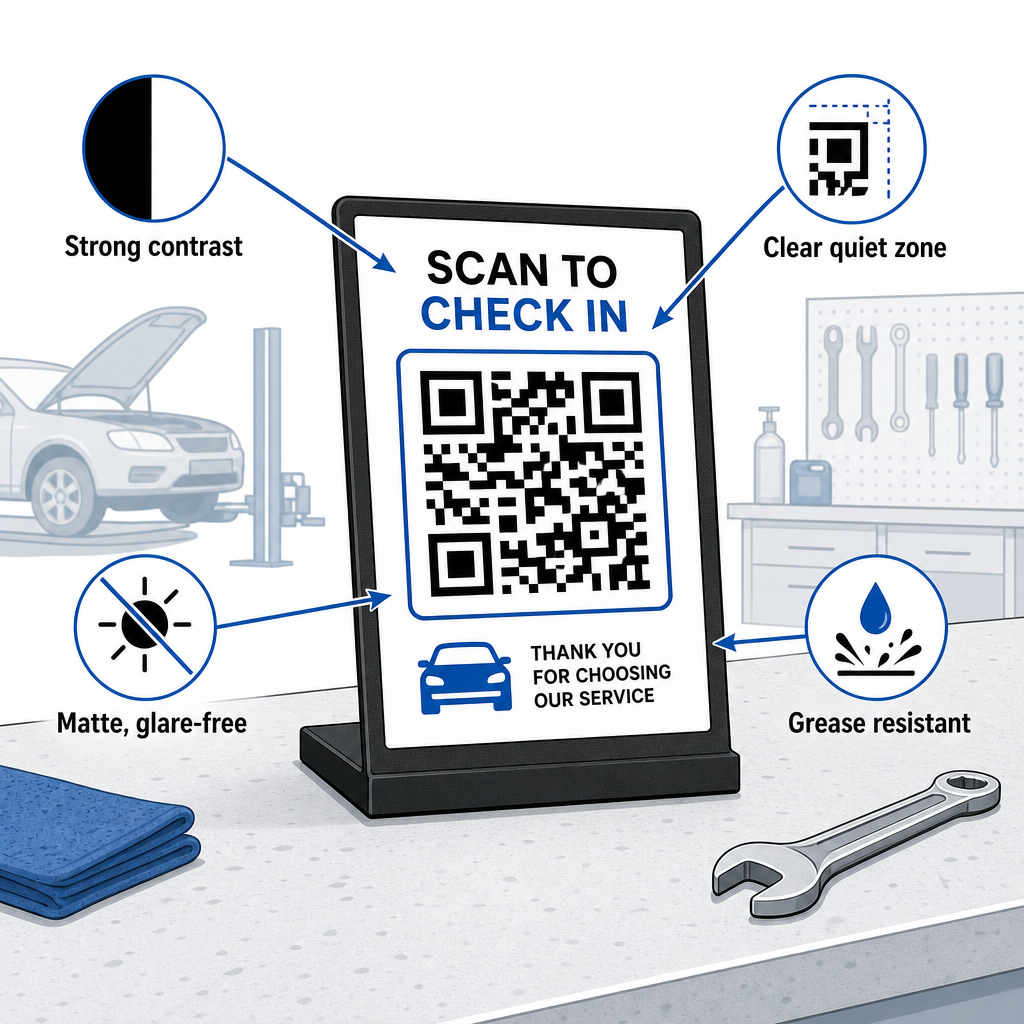
- Maintain proper sizing ratios: Apply a 10:1 scan-distance-to-code-size ratio so a receipt scanned from 10 inches away uses a code at least 0.8 × 0.8 inches (2 × 2 cm) wide.
- Ensure strong visual contrast: Print dark patterns on a uniformly light background with a contrast ratio of at least 4:1 to help smartphone cameras read modules accurately.
- 保护静区: Leave a clear border of at least 4 module widths around all four sides of the code as outlined in the guide to 二维码可读性的最佳实践.
- Select durable, matte materials: Use matte laminates or grease-resistant vinyl instead of glossy coatings to stop shop lights from creating scan-blocking reflections, following recommendations on 打印技术如何影响二维码的可扫描性.
- Position codes at eye level: Place counter displays between 3.5 and 5.5 feet high in reception areas according to research on 营销中的二维码放置.
- Export vector artwork: Download code artwork in SVG, EPS, or PDF formats to prevent blurring when scaling designs for large signage or vehicle graphics.
Replacing paper intake sheets, manual review collection, and static flyers with scannable links builds a smoother workflow for your automotive service team and a modern experience for vehicle owners. Updating physical touchpoints across your shop turns routine service calls into trackable digital growth.
Explore Pageloot’s comprehensive tools for service industry QR codes or utilize the online 二维码生成器 to launch your dynamic shop campaigns today.
常见问题
Dynamic QR codes let you update destination URLs, digital documents, or promotional offers without reprinting physical counter signs or stickers. They also include scan tracking so you can monitor customer engagement across your marketing channels.
The most effective location is directly on the payment counter near the card terminal, or printed on the final service invoice. You can also place review prompts on key tags or dashboard thank-you cards.
Heavy smudging can obscure modules, but using high error correction levels (Q or H) allows codes to scan even if up to 30% of the graphic is damaged. Applying clear matte protective covers over printed counter displays also prevents grease buildup.