
האם תורים ארוכים לקבלה, תזכורות שירות שהוחמצו, וביקורות מקוונות מועטות מאטים את מוסך הרכב שלך? ניירת ידנית ותקשורת לקוחות מקוטעת מבזבזות שעות יקרות של יועצי שירות וגורמות להכנסה חוזרת לחמוק. שילוב קודי QR סריקים בנקודות המגע הפיזיות שלך הופך איסוף רכב שגרתי ומעקבי שירות לאינטראקציות דיגיטליות מהירות ואוטומטיות.
האץ את תהליכי קבלת לקוחות וכניסת רכבים
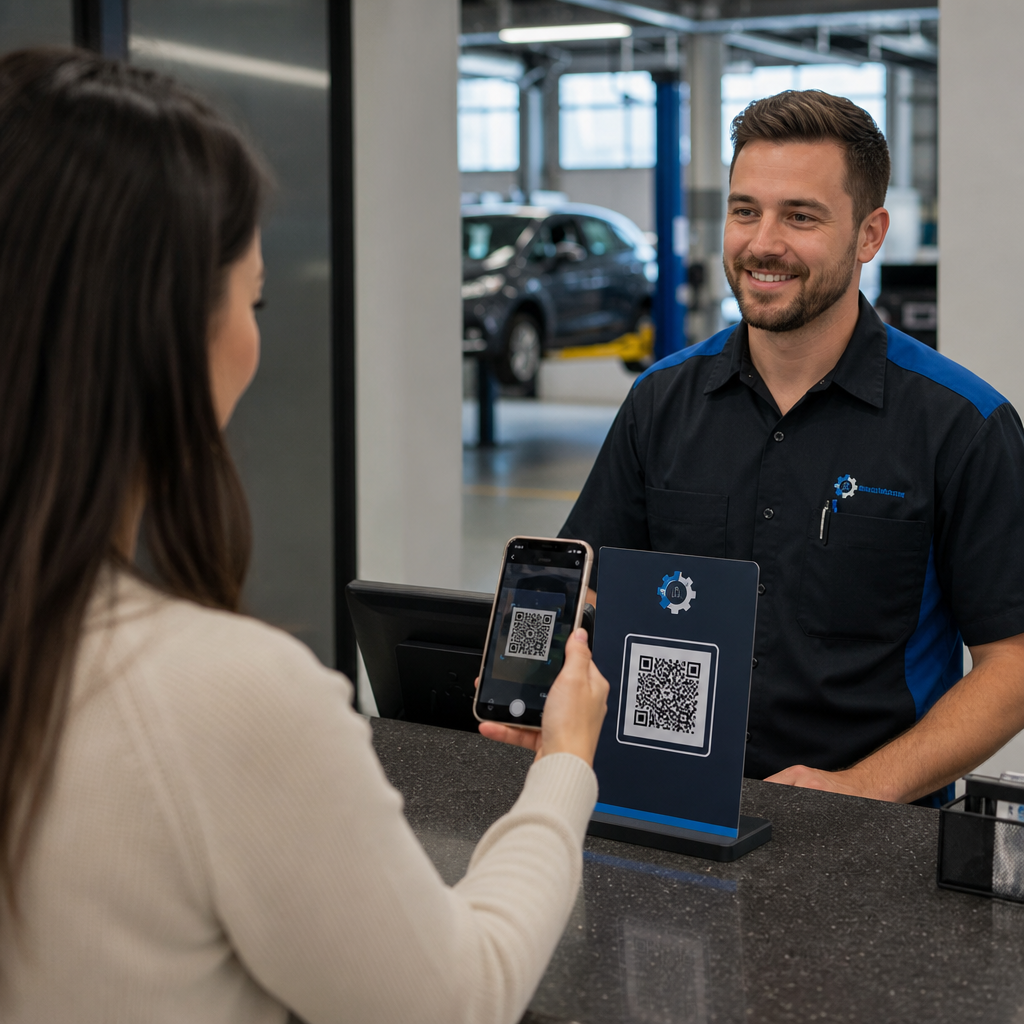
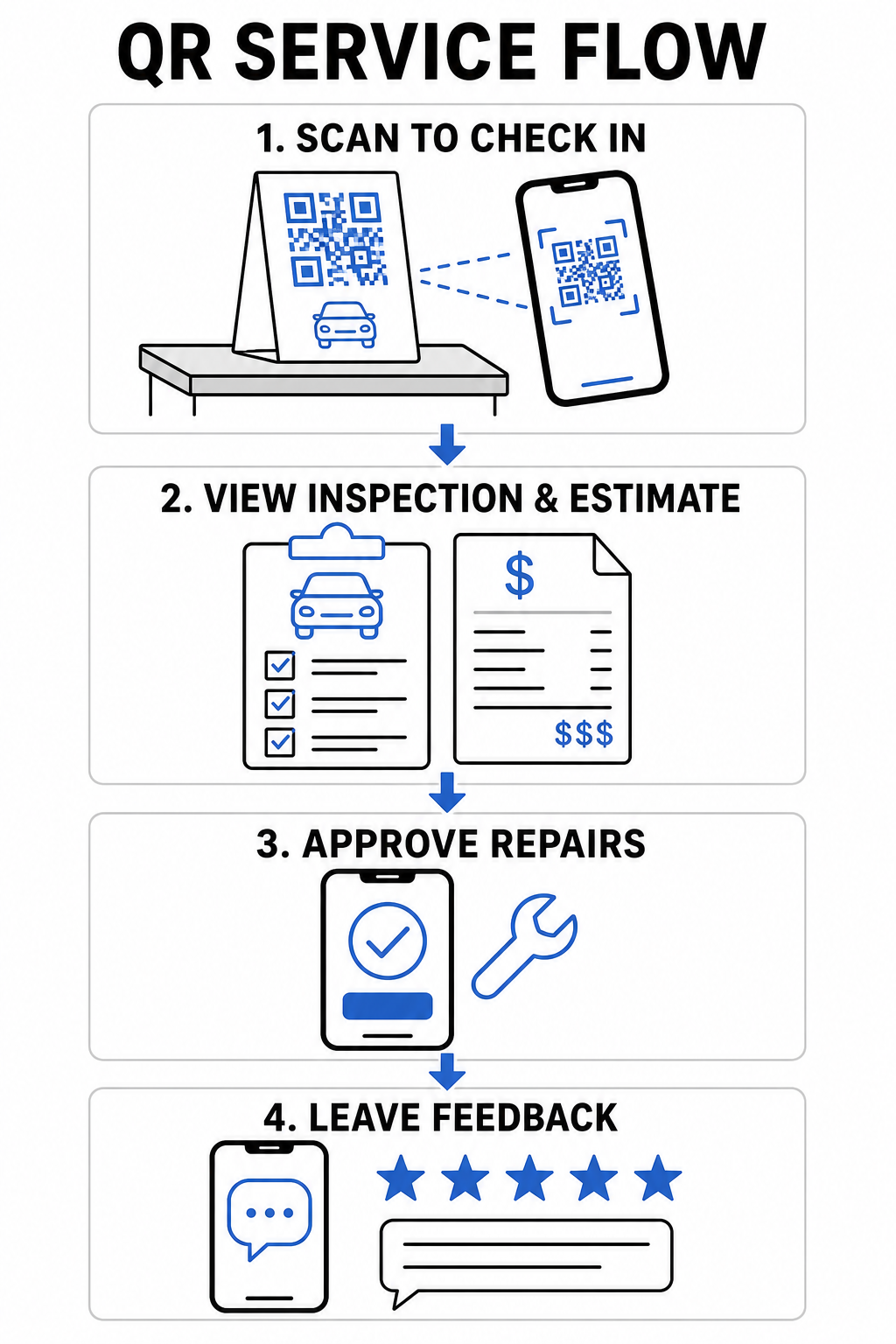
מסירת רכבים יוצרת צווארי בקבוק כאשר לקוחות נאלצים למלא טפסי קבלה ידניים או להמתין ליועץ שירות שירשום קילומטראז' ותסמינים שורה אחר שורה. אוטומציה של המגע הראשוני הזה מפחיתה חיכוך בחדר ההמתנה ומעבירה הזמנות תיקון לטכנאים שלך מהר יותר.
- דיגיטציה של קבלת לקוחות: הצג שלטי דלפק המקושרים ל- יצירת ברקוד גוגל לטופס כך שנהגים מגיעים יוכלו להגיש פרטי יצירת קשר, מידע על הרכב ובקשות תיקון ישירות ממכשירים ניידים.
- ספק אינטרנט אלחוטי מיידי בחדר ההמתנה: הצב קודי Wi-Fi סריקים על גבי צגי דלפק באזור ההמתנה, כך שלקוחות יוכלו להתחבר אוטומטית ללא הקלדת סיסמאות רשת.
- שתף דוחות בדיקה דיגיטליים: העלה דוחות אבחון רכב מפורטים ל- מחולל קוד QR ל-PDF קישור בהזמנות עבודה כדי שנהגים יוכלו לסקור את תקינות הנוזלים, עומק חריץ הצמיגים ושירותים מומלצים על מסכי הטלפון שלהם.
ייעל את תהליך קבלת השירות שלך הפחת ניירת בחדר ההמתנה והאץ מסירת רכבים על ידי יצירת טפסי רישום דיגיטליים מותאמים אישית עם ה- יצירת ברקוד גוגל לטופס.
שפר את תקשורת הלקוחות ונקודות המגע הדיגיטליות
בניית נאמנות לקוחות ארוכת טווח דורשת תקשורת שקופה לגבי תיקוני רכב מורכבים. מתן גישה דיגיטלית מיידית לפירוט הערכות, פרטי קשר של המוסך וערוצי משוב מטפח את אמון הנהגים לאורך כל מחזור השירות.
- שמור פרטי קשר מלאים של המוסך: הדפס קוד vCard על מדבקות תזכורת שירות לשמשה הקדמית או על תגי מפתחות, כך שלקוחות יוכלו לשמור את מספר הטלפון, הכתובת ופרטי הגרירה שלך ישירות בספרי הכתובות בטלפון שלהם.
- לאחד הערכות תיקון: להפנות בעלי רכבים לדפים מותאמים אישית דפי נחיתה המפרטים אפשרויות תיקון, פירוט חלקים ותמונות בדיקה בתצוגה ניידת אחת.
- לאסוף משוב מיידי על השירות: הוסף קישורים מ- קוד QR למשוב לקוחות כלי לחשבוניות סופיות כדי למדוד את שביעות רצון הלקוחות לפני שהנהגים עוזבים את המוסך.
| נקודת מגע | סוג קוד QR מומלץ | יתרון תפעולי |
|---|---|---|
| דלפק שירות | טופס או קישור QR | מבטל טפסי קבלה מנייר ומקצר את תורי ההורדה בבוקר. |
| חשבונית סופית | קוד QR לביקורת או משוב | לוכד משוב מיידי מלקוחות ומגביר דירוגים ציבוריים מקוונים. |
| מדבקת תזכורת | vCard או קוד QR ליומן | הופך את שמירת אנשי קשר של המוסך והזמנת טיפולי שמן הבאים לקלה. |
| צי רכבי שירות | קוד QR שיווקי דינמי | ממיר מסלולי הסעות מקומיים להזדמנויות שיווקיות ניתנות למעקב. |
הגבר שיווק מקומי וביקורות לקוחות
רוב הנהגים מחפשים באינטרנט כשהם נתקלים בתקלה בלתי צפויה ברכב או זקוקים לתחזוקה שוטפת. חיבור הפרסום המודפס של המוסך שלכם ואינטראקציות לקוחות לא מקוונות לפרופילים הדיגיטליים שלכם מרחיב את טביעת הרגל המקומית שלכם ומייצר נפח הזמנות עקבי.
- אוטומציה של איסוף ביקורות: הצג כרטיסי דלפק שנוצרו באמצעות גוגל ברקוד לביקורות בקופה כדי לעודד בעלי רכבים מרוצים לדרג את העסק שלכם בגוגל.
- הפץ הנחות עונתיות: הוסף הצעות סריקה באמצעות קוד הטבה עם QR לקופונים לעלונים של החלפת צמיגים או גלויות דיוור כדי לעודד הזמנות בזמן.
- פשט את ניווט המוסך: כלול מפות גוגל: מחולל קוד QR למיקום קישור על עלונים מודפסים כך שנהגים תקועים או לקוחות חדשים יקבלו הנחיות מיידיות למפרצי השירות שלכם.
- הפוך רכבי שירות לפרסומות ניידות: מקם מדבקות רכב המקושרות ל- מעקב אחר קודי QR על רכבי הסעות כדי למדוד מעורבות במסלולי תחבורה מקומיים.
צור יותר ביקורות גוגל בקופה הפוך את זה לקל עבור נהגים מרוצים לדרג את המוסך שלכם באינטרנט על ידי יצירת קישור ביקורת ייעודי עם ה- גוגל ברקוד לביקורות.
הנחיות טכניות להדפסה ומיקום קוד
מוסכים מציבים אתגרים סביבתיים ייחודיים, כולל תאורה חלשה באזורי שירות, משטחים שמנוניים ודלפקי קבלה עם בוהק גבוה. הקפדה על תקני הדפסה טכניים מבטיחה שהקודים שלכם ייסרקו באופן מיידי בכל המכשירים הניידים.
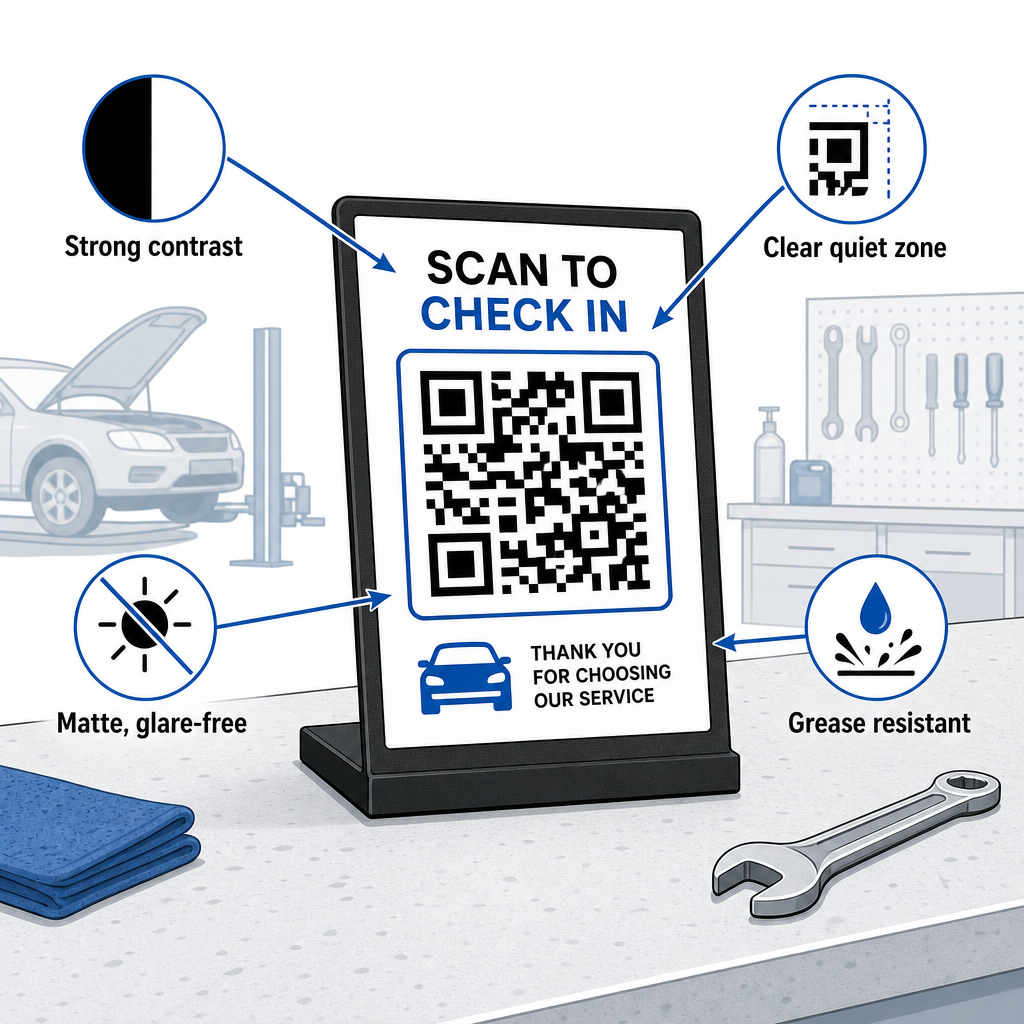
- שמרו על יחסי גודל נאותים: יישמו יחס של 10:1 בין מרחק הסריקה לגודל הקוד, כך שקבלה שנסרקת ממרחק של 10 אינץ' תשתמש בקוד ברוחב של לפחות 0.8 × 0.8 אינץ' (2 × 2 ס"מ).
- ודאו ניגודיות ויזואלית חזקה: הדפיסו דפוסים כהים על רקע בהיר ואחיד עם יחס ניגודיות של לפחות 4:1 כדי לסייע למצלמות סמארטפון לקרוא מודולים במדויק.
- הגן על האזור השקט: השאירו שוליים ברורים ברוחב של לפחות 4 יחידות מודול מסביב לכל ארבעת צידי הקוד כפי שמפורט במדריך ל- שיטות עבודה מומלצות לקריאות קודי QR.
- בחרו חומרים עמידים ומאט: השתמשו בלמינציה מט או ויניל עמיד לשומן במקום ציפויים מבריקים כדי למנוע מאורות החנות ליצור השתקפויות החוסמות סריקה, בהתאם להמלצות ב- כיצד טכניקות הדפסה משפיעות על סריקות קוד QR.
- מקמו קודים בגובה העיניים: הציבו תצוגות דלפק בגובה שבין 3.5 ל-5.5 רגל באזורי קבלה בהתאם למחקר בנושא קודי QR בשיווק.
- יצאו גרפיקה וקטורית: הורידו את גרפיקת הקוד בפורמטים SVG, EPS או PDF כדי למנוע טשטוש בעת שינוי גודל עיצובים לשילוט גדול או לגרפיקה לרכב.
החלפת טפסי קבלה מנייר, איסוף ביקורות ידני ופליירים סטטיים בקישורים סריקים בונה תהליך עבודה חלק יותר עבור צוות שירות הרכב שלכם וחוויה מודרנית לבעלי רכבים. עדכון נקודות מגע פיזיות ברחבי המוסך שלכם הופך שיחות שירות שגרתיות לצמיחה דיגיטלית הניתנת למעקב.
חקרו את הכלים המקיפים של Pageloot's ל- קודי QR לתעשיית השירות או השתמשו ב- מחולל קודי QR כדי להשיק את קמפייני החנות הדינמיים שלכם היום.
שאלות נפוצות
קודי QR דינמיים מאפשרים לך לעדכן כתובות URL יעד, מסמכים דיגיטליים או הצעות קידום מכירות מבלי להדפיס מחדש שלטי דלפק פיזיים או מדבקות. הם כוללים גם מעקב סריקות כך שתוכל לנטר מעורבות לקוחות בכל ערוצי השיווק שלך.
המיקום היעיל ביותר הוא ישירות על דלפק התשלום ליד מסוף הכרטיסים, או מודפס על חשבונית השירות הסופית. ניתן למקם בקשות לביקורת גם על מחזיקי מפתחות או כרטיסי תודה בלוח המחוונים.
לכלוך כבד עלול להסתיר מודולים, אך שימוש ברמות תיקון שגיאות גבוהות (Q או H) מאפשר סריקת קודים גם אם עד 30% מהגרפיקה פגום. הנחת כיסויי הגנה שקופים מט על גבי תצוגות דלפק מודפסות גם מונעת הצטברות שומן.