首页 > 博客 > 如何将二维码添加到传单和宣传册
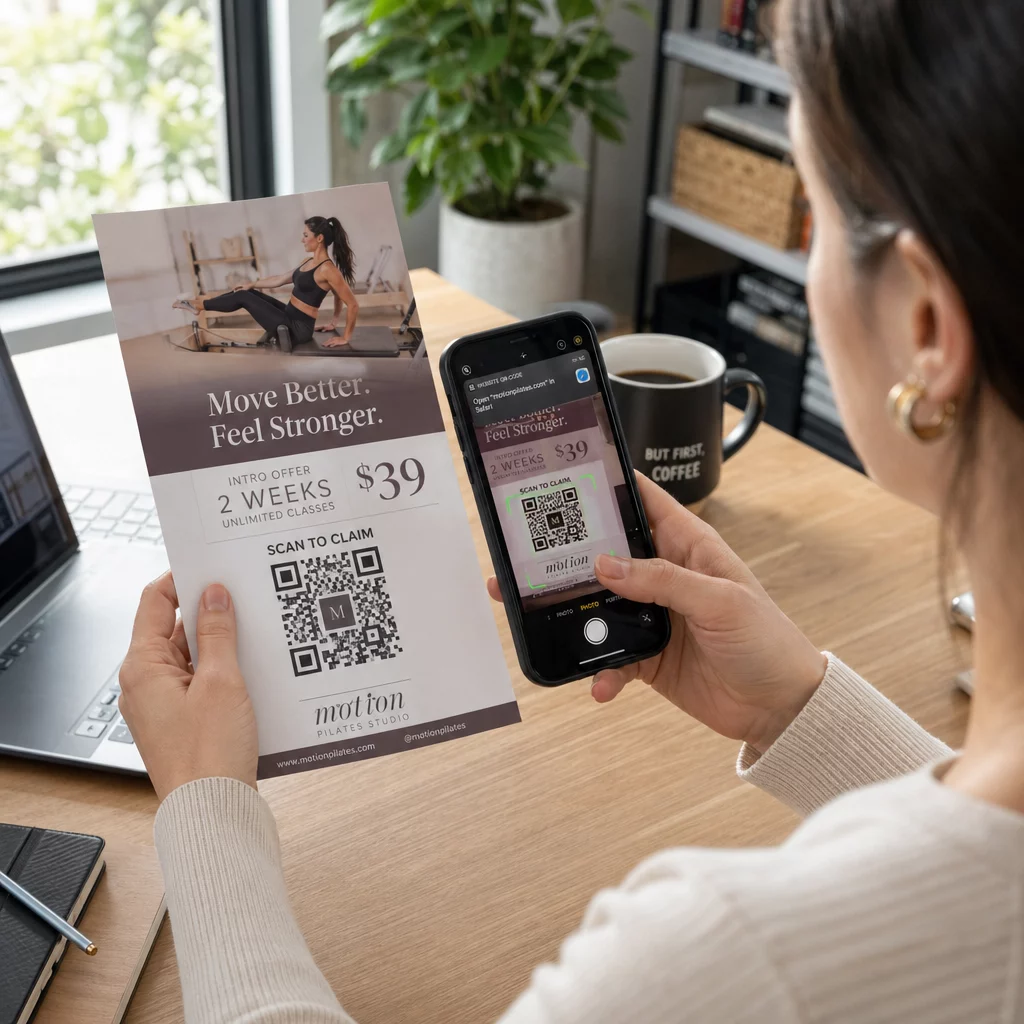
Scanning a flyer code

如何将二维码添加到传单和宣传册

Learn how to add QR codes to flyers and brochures effectively. Get practical sizing guidelines, color contrast rules, placement strategies, and print tips.
Updated on 9 月 29, 2026
目录

Do you ever find potential customers ignoring your printed flyers because typing a URL feels like too much effort? This friction often leads to wasted printing budgets and missed opportunities to capture qualified leads. Following proven technical design and placement standards allows you to transform static print marketing into reliable digital gateways.

为什么精准度在印刷营销中很重要

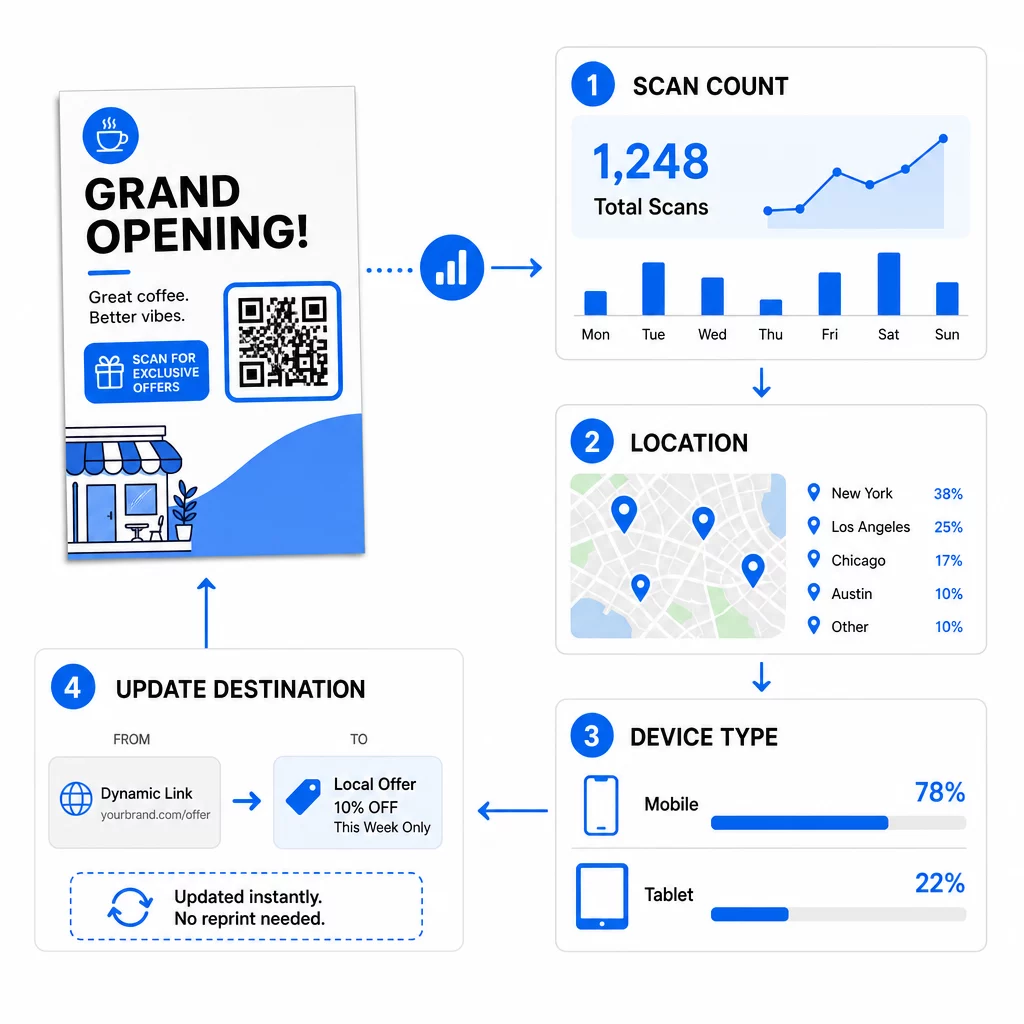
Integrating a QR code into your print media turns a static handout into an interactive channel. However, a code that is too small, blurry, or low-contrast will frustrate users and damage your brand reputation. Using dynamic QR codes is a critical first step because they allow you to update destination links even after your materials are distributed. This flexibility saves you from expensive reprinting if a promotion ends, a typo is discovered, or a campaign URL changes.

Beyond flexible links, dynamic codes provide real-time scan analytics that show scan counts, dates, times, and mobile operating systems. This data allows you to measure the return on investment of your print collateral just as you would with digital advertising. Applying these strategies across 传单上的二维码 helps ensure your physical marketing works in tandem with your digital campaigns.

实时监测您的营销活动 想知道您的客户在何时何地扫描您的材料吗?使用 动态二维码生成器 创建可追踪的二维码并立即访问完整的性能仪表板。.

选择合适的尺寸和分辨率

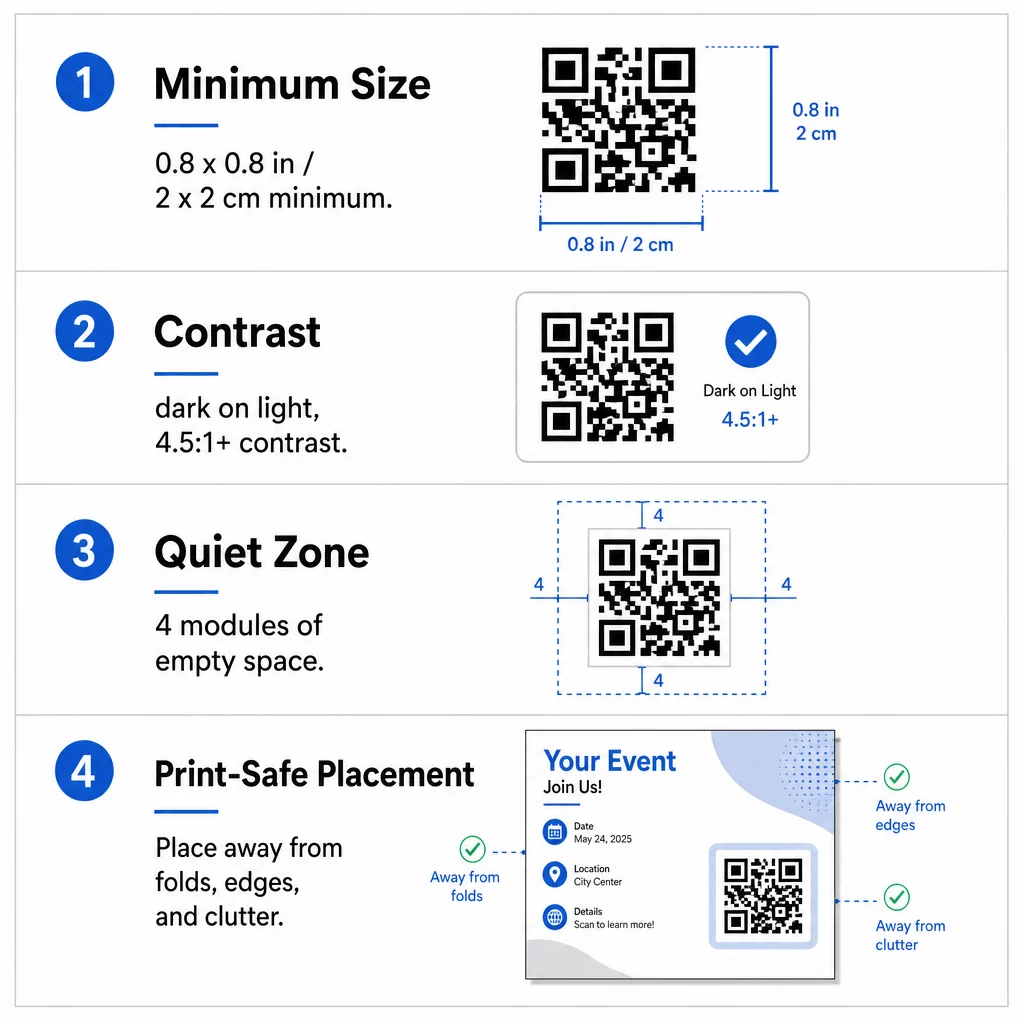
The most common reason QR codes fail on printed collateral is incorrect sizing. A camera sensor must be able to resolve individual modules – the tiny black and white squares that encode data – at a natural reading distance. For standard handheld items like flyers and brochures held at arm’s length, the symbol should be at least 0.8 x 0.8 inches (2 x 2 cm). If your design includes an embedded company logo, increase the code dimensions to at least 1.2 x 1.2 inches (3 x 3 cm) to preserve legibility.

  • Apply the 10:1 ratio by making the code at least 1 inch wide for every 10 inches of expected scanning distance.
  • Export files at 300 DPI or higher to prevent pixelation and blurriness during commercial printing.
  • Download print assets in vector formats such as SVG or EPS so the artwork scales sharply to any dimension.
  • Scale up symbol dimensions when designing larger collateral like promotional posters to account for greater scanning distances.

When selecting your paper stock, consult recommendations for 不同印刷材料的尺寸 to verify that surface textures or finishes will not interfere with scanning.

二维码打印指南

优化颜色对比度和静区

Scanners distinguish data by measuring the difference in light reflection between dark modules and the lighter background. When contrast is insufficient, camera sensors cannot separate the pattern from the page. Aim for a contrast ratio of at least 4.5:1 to ensure fast, reliable scanning across all smartphone cameras and varied ambient lighting.

  • Select dark module colors on light backgrounds, with solid black on crisp white delivering the highest readability.
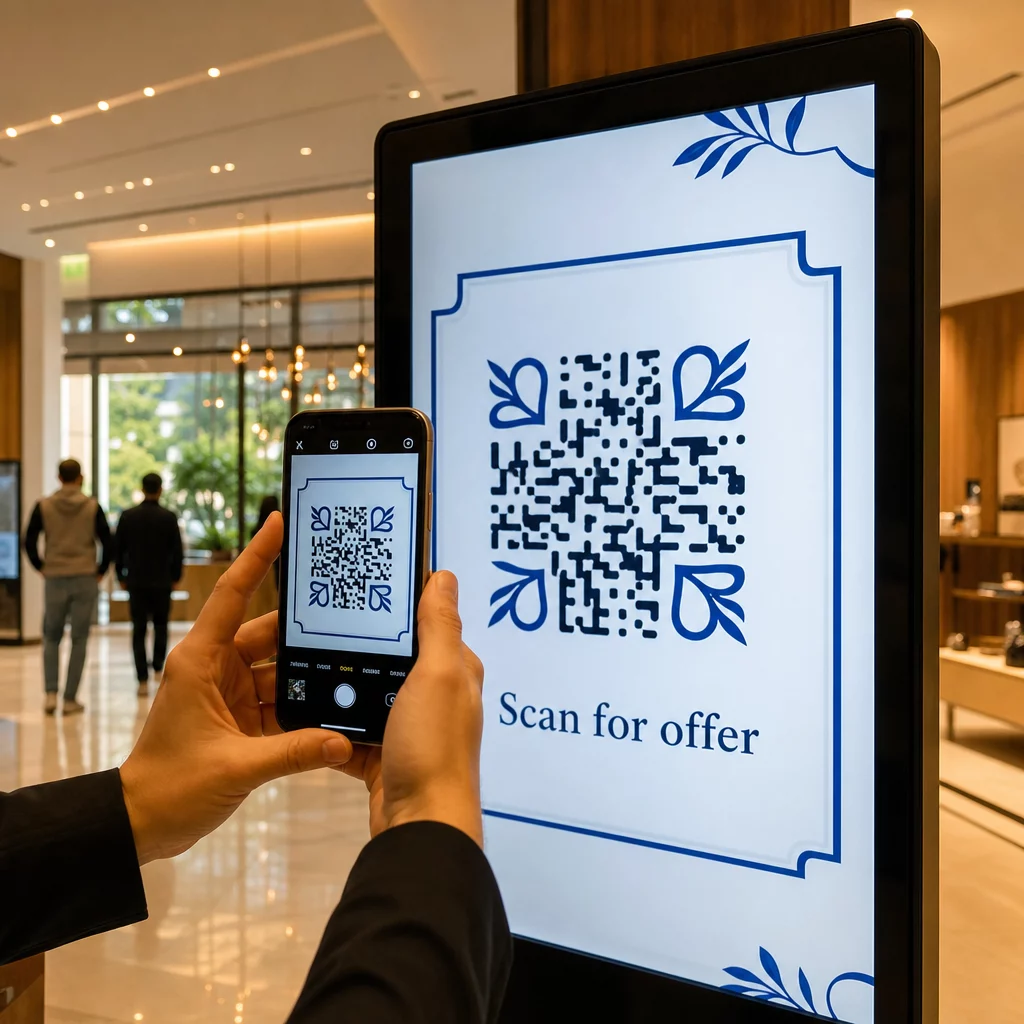
  • Avoid reversed or inverted color schemes, as many native camera scanners struggle to decode white modules on dark backgrounds.
  • Eliminate gradients, drop shadows, and textured backgrounds that create mid-tones and confuse optical sensors.
  • Maintain a clear quiet zone around the entire symbol that measures at least four modules wide on all four sides.

This quiet zone acts as a protective buffer, preventing nearby text, images, or borders from blending into the code pattern. You can review detailed color pairing tables in the guide to 颜色对比度最佳实践 to select accessible brand colors before finalizing artwork.

战略性放置以实现最大互动

Where you position the code on your layout directly influences whether readers notice and scan it. For brochures, you can place codes on the cover, an inside panel, or the back page depending on the reading flow. Keep the symbol completely flat and clear of any folding lines, staples, or trim margins where paper finishing could distort the data grid.

  • Position the code in an uncluttered section of the layout with ample whitespace surrounding the quiet zone.
  • Keep the code away from folds, creases, or trim edges to prevent mechanical distortion during cutting.
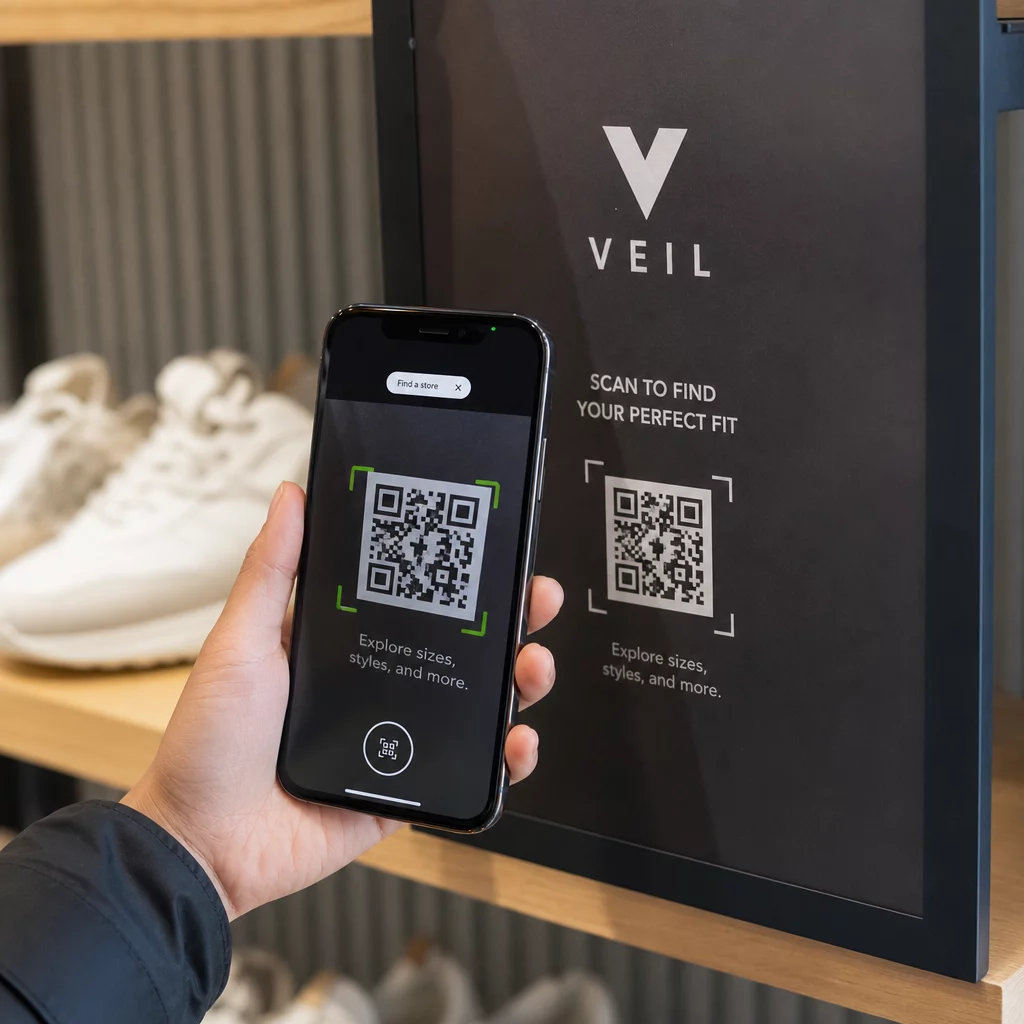
  • Add an action-oriented call to action directly beside or beneath the code, such as “Scan to View Menu” or “Scan for 20% Off.”
  • Incorporate your brand mark using a dedicated 带标志的二维码生成器 to build visual trust with scanners.

Planning your layout around established brochure QR code placement principles ensures your audience understands the incentive to scan immediately upon picking up your collateral.

二维码放置示例

打印前的技术质量检查

Committing to a large print run without physical validation risks costly reprints and broken campaigns. Digital proofs on backlit computer monitors do not accurately represent how ink absorbs into paper or how ambient light reflects off different finishes.

  • Verify that your destination URL directs to a fast, mobile-optimized landing page.
  • Select Error Correction Level H (High) during code generation so the code remains functional even if up to 30% of the surface is scratched or obscured.
  • Print a physical proof at 100% scale using your intended paper stock and finish.
  • Test the printed proof under varying lighting conditions using native camera apps and an 在线二维码扫描仪 to verify instant decoding.

Glossy papers can produce specular reflection or surface glare that blinds camera sensors under direct light. If you must use glossy stock, apply a spot matte varnish over the QR code area or position the code where overhead lights are less likely to create severe reflections. Taking time to test physical samples guarantees your marketing materials will scan effortlessly the moment they reach your customers.

常见问题

What is the minimum QR code size for flyers and brochures?

The standard minimum size is 0.8 x 0.8 inches (2 x 2 cm) for paper materials held at arm’s length. If you add a brand logo to the center of the code, increase the size to 1.2 x 1.2 inches (3 x 3 cm) to maintain scannability.

Can you change the destination link after your flyers are printed?

You can update the destination link at any time if you generate a dynamic QR code. Dynamic codes route scanners through a short redirect link, allowing you to edit the target URL or digital document from your dashboard without reprinting.

Why do smartphone cameras fail to scan QR codes on glossy paper?

Glossy finishes create specular reflection or glare under bright lighting, which washes out the dark modules and blinds the camera sensor. You can fix this by applying a matte varnish over the code, switching to matte paper stock, or increasing visual contrast.

关于作者

Siim Kostabi 是 Pageloot 的内容主管,负责撰写关于我们创新型二维码生成器服务的文章。凭借五年多来在二维码领域积累的深厚专业知识,Siim 是该领域的专家。他致力于利用二维码技术简化和增强数字交互,并取得了显著的成果。.

类别
了解更多关于
Scanning print QR code
开启QR码 报纸杂志
如何搜索QR码
如何 搜索二维码
QR QR码的#1解决方案

如果您需要在线创建QR码,则可以 制作二维码 就在这里免费!
Pageloot是 #1转到解决方案 创建和扫描QR码。

BL-0136

博客生成器

受到超过 20,000 个品牌的信赖,可获得更多销售、评论和关注者。

客户徽标
受到顶级品牌的信赖
评分为 4.8(共 5)

4.86 / 5 星评级

雨果·劳伦特
雨果·劳伦特
★★★★★
餐馆老板
有史以来最容易和最可靠的QR码生成器。PDF文件可以立即上传。我们的餐厅菜单现在是数字化的。
卢卡斯-詹森
卢卡斯-詹森
★★★★★
房地产开发商
这是一个很好的工具,二维码带你到你想要的地方。我们只使用位置二维码,但有许多有用的功能。
艾玛-莫雷蒂
艾玛-莫雷蒂
★★★★★
零售产品
易于使用和快速。它工作得很好,创造了一个完美的图像,所以员工可以下载我的vCard。
雨果·劳伦特
雨果·劳伦特
★★★★★
餐馆老板
有史以来最容易和最可靠的QR码生成器。PDF文件可以立即上传。我们的餐厅菜单现在是数字化的。
卢卡斯-詹森
卢卡斯-詹森
★★★★★
房地产开发商
这是一个很好的工具,二维码带你到你想要的地方。我们只使用位置二维码,但有许多有用的功能。
艾玛-莫雷蒂
艾玛-莫雷蒂
★★★★★
零售产品
易于使用和快速。它工作得很好,创造了一个完美的图像,所以员工可以下载我的vCard。
查看更多QR码
营销人员与二维码宣传册
如何 编辑QR码
将一切转化为数字体验 不到3分钟。

免费试用 14 天。

无需信用卡。

首次购买可享受 30% 折扣

使用代码:

分享您的 MP3 文件

注册以创建 PDF QR 码

上传和显示你需要的一切。

  • 音频文件
  • 播客
  • 音乐

注册即可享 14 天免费试用。.
试用期结束后,二维码将失效。.

注册以创建音频 mp3 二维码

使用边框获得更多扫描

注册以向您的二维码添加更多框架

呼叫行动框架帮助您的客户与QR码轻松互动。试试吧!

注册即可享 14 天免费试用。.
试用期结束后,二维码将失效。.

注册以向您的二维码添加更多框架

使用形状添加更多样式

注册以创建更多形状

二维码不一定是方形的。试着改变它以适应你的品牌形象。

注册即可享 14 天免费试用。.
试用期结束后,二维码将失效。.

注册以创建更多形状

为您的二维码添加徽标

注册以将您的徽标添加到二维码中

通过在二维码上添加你的标志和品牌,使你的二维码脱颖而出。

注册即可享 14 天免费试用。.
试用期结束后,二维码将失效。.

注册以将您的徽标添加到二维码中

智能应用商店重定向

注册以创建应用商店二维码

将您的应用程序链接添加到我们的智能应用程序商店QR码。用户会根据他们的设备被重新定向。

注册即可享 14 天免费试用。.
试用期结束后,二维码将失效。.

注册以创建应用商店二维码

将图片上传到二维码

注册以创建图像二维码

轻松分享你的图像。在几秒钟内动态地改变任何图像。

注册即可享 14 天免费试用。.
试用期结束后,二维码将失效。.

注册以创建图像二维码

分享您的 PDF 文件

注册以创建 PDF QR 码

上传和显示你需要的一切。

  • 菜单和价格表
  • 使用说明
  • 任何文件

注册即可享 14 天免费试用。.
试用期结束后,二维码将失效。.

注册以创建 PDF QR 码

稍后编辑,无需打印

注册即可编辑您的二维码,无需再次打印

动态QR码让你改变你的QR码的内容,而不需要打印新的QR码。

注册即可享 14 天免费试用。.
试用期结束后,二维码将失效。.

注册即可编辑您的二维码,无需再次打印

何时?何地?追踪您的二维码扫描

注册以追踪您的二维码

发现你的哪些二维码收到了最多的扫描,以及什么最能让你的客户兴奋。

注册即可享 14 天免费试用。.
试用期结束后,二维码将失效。.

注册以追踪您的二维码

提供可打印文件

注册以创建 PDF 和 SVG 等矢量二维码

.EPS, .PDF, .SVG

想下载高清分辨率的QR码吗?获得矢量或像素格式,可随时打印。

注册即可享 14 天免费试用。.
试用期结束后,二维码将失效。.

注册以创建 PDF 和 SVG 等矢量二维码

请等待。您的二维码是 正在加载... 正在加载...

打造专属

注册以保存您的二维码以供日后使用

通过创建具有不同颜色、标识和行动呼吁框架的出色的QR码,获得更多的扫描。

注册即可享 14 天免费试用。.
试用期结束后,二维码将失效。.

注册以保存您的二维码以供日后使用