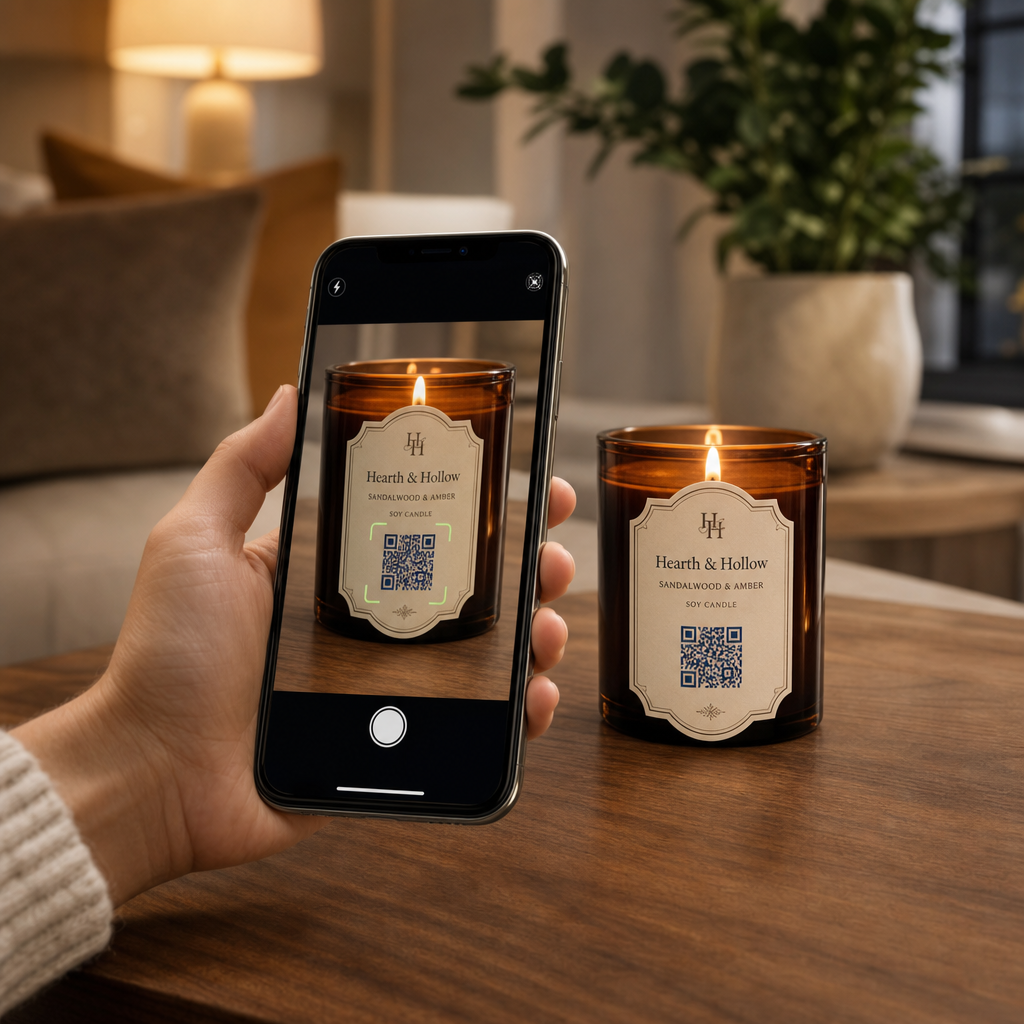
Вам важко ділитися історією свого бренду та акціями на маленьких етикетках свічок? Фізичний простір етикетки надзвичайно обмежений, що змушує виробників жертвувати розповідями про продукт, посібниками з використання або подарунковими повідомленнями. Додавання QR-кодів до упаковки поєднує фізичні продукти з інтерактивним цифровим вмістом, зберігаючи при цьому чистий візуальний вигляд.
Креативні способи використання QR-кодів на етикетках свічок
Свічки — це універсальні продукти, які зазвичай купують як елементи домашнього декору, товари для здоров’я або продумані подарунки. Інтеграція сканованої цифрової точки на ваш контейнер або упаковку перетворює звичайний продукт на захопливий досвід бренду.
- Доставка персоналізованих подарункових повідомлень: Дозволяє покупцям додавати відео, аудіо або письмові нотатки за допомогою QR код текст: генератор або MP3 QR: генератор QR-кодів перетворює свічки на незабутні подарунки для свят, весіль або пам'ятних подій.
- Поєднання аромату з підібраними плейлистами: Поєднання ароматів з аудіо-атмосферою за допомогою Spotify QR дозволяє покупцям сканувати банку, щоб відтворити музику, що відповідає аромату, з додатковими деталями налаштування, доступними в нашому посібнику зі спільного використання плейлистів Spotify.
- Стимулювання повторних продажів за допомогою акційних знижок: Заохочення лояльності клієнтів шляхом пропозиції цільових угод за допомогою Генератор QR-кодів для купонів безпосередньо на коробці стимулює повторні онлайн-замовлення.
- Надання вичерпних інструкцій з догляду за свічками: Обмін інформацією про віск ручної роботи, профілі ефірних олій, рекомендації щодо обрізання ґноту та поради щодо повторного використання банок допомагає уникнути захаращення фізичних етикеток.
Баланс між дотриманням нормативних вимог та простором на етикетці
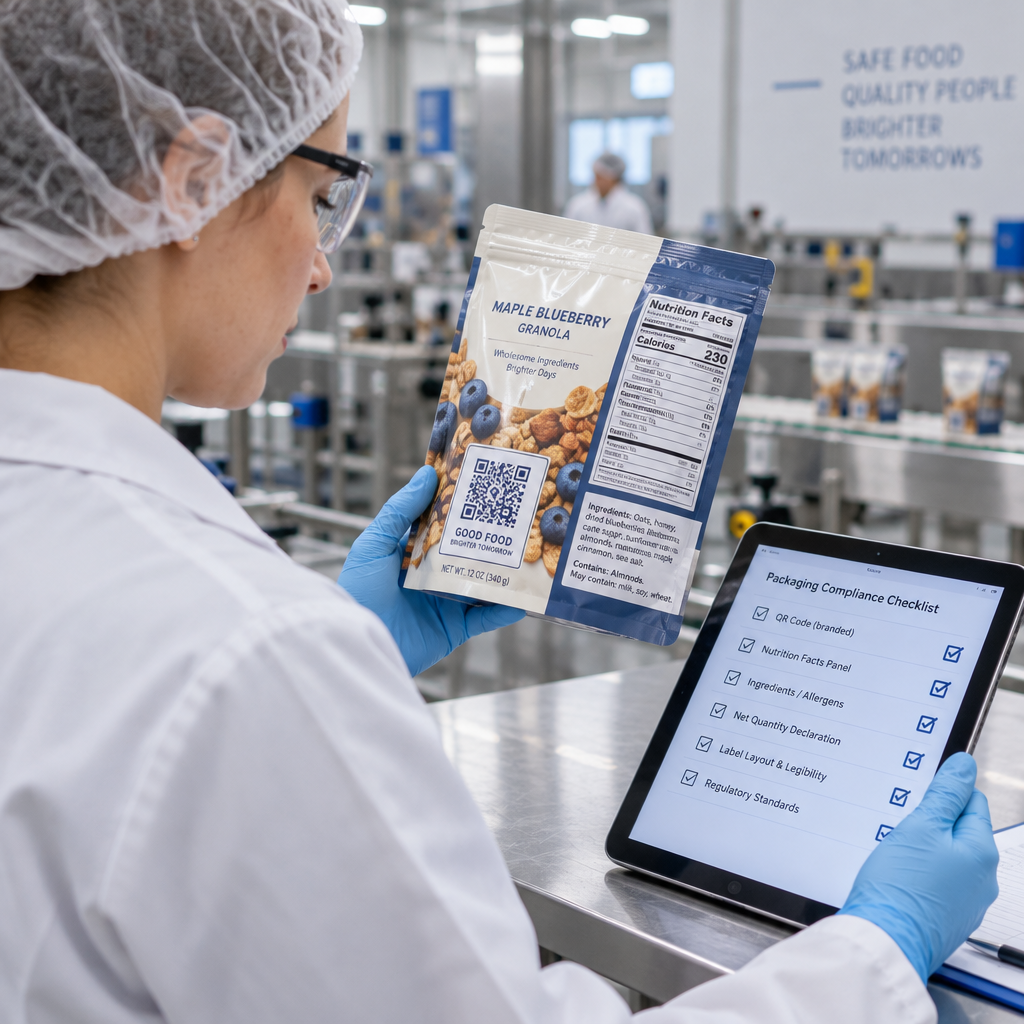
При плануванні стратегічного розміщення для розміщення QR-кодів на упаковці продукту, ви повинні збалансувати цифрову взаємодію з обов'язковими юридичними вимогами до упаковки.
У Сполучених Штатах етикетки споживчих свічок повинні відповідати Закону про справедливе пакування та маркування (FPLA). Цей федеральний закон вимагає, щоб основні панелі відображення включали певні інформаційні елементи:
- Заява про ідентичність, яка чітко описує товар (наприклад, “Ароматична соєва свічка”).
- Чиста кількість вмісту, відображена як у американських звичайних одиницях (унціях), так і в метричних одиницях (грамах).
- Назва компанії та фізичне місцезнаходження (місто, штат та поштовий індекс) виробника, пакувальника або дистриб'ютора.
Крім того, стандарти безпеки, встановлені ASTM F2058, вимагають чітких попереджень про пожежну безпеку. Стандартні попереджувальні етикетки містять три основні запобіжні заходи: “Палити в межах видимості,” “Тримати подалі від легкозаймистих речовин,” та “Тримати подалі від дітей та домашніх тварин.” Якщо ви розміщуєте повні інструкції з пожежної безпеки на нижній панелі банки, стандарти пакування вказують, що бічна або верхня етикетка повинна інформувати користувачів: “Дивіться нижню панель для отримання інформації про безпеку.”
Переміщення фонових історій, пірамід ароматів та маркетингових посилань за сканований код допомагає задовольнити обов'язкові регуляторні текстові вимоги, захищаючи при цьому загальну естетику вашої упаковки.
Збільште кількість повторних замовлень за допомогою динамічних знижок Хочете винагородити лояльність клієнтів без повторного друку упаковки свічок для кожної кампанії? Створюйте редаговані посилання на знижки за допомогою Генератор QR-кодів для купонів сьогодні.
Рекомендації з дизайну та друку для сканованих етикеток свічок
Сканований код повинен надійно функціонувати за повсякденних умов освітлення та поводження. При нанесенні дизайнів на скляні банки, алюмінієві бляшанки або картонні коробки застосовуйте критичні найкращих практик для читабельності QR-кодів:
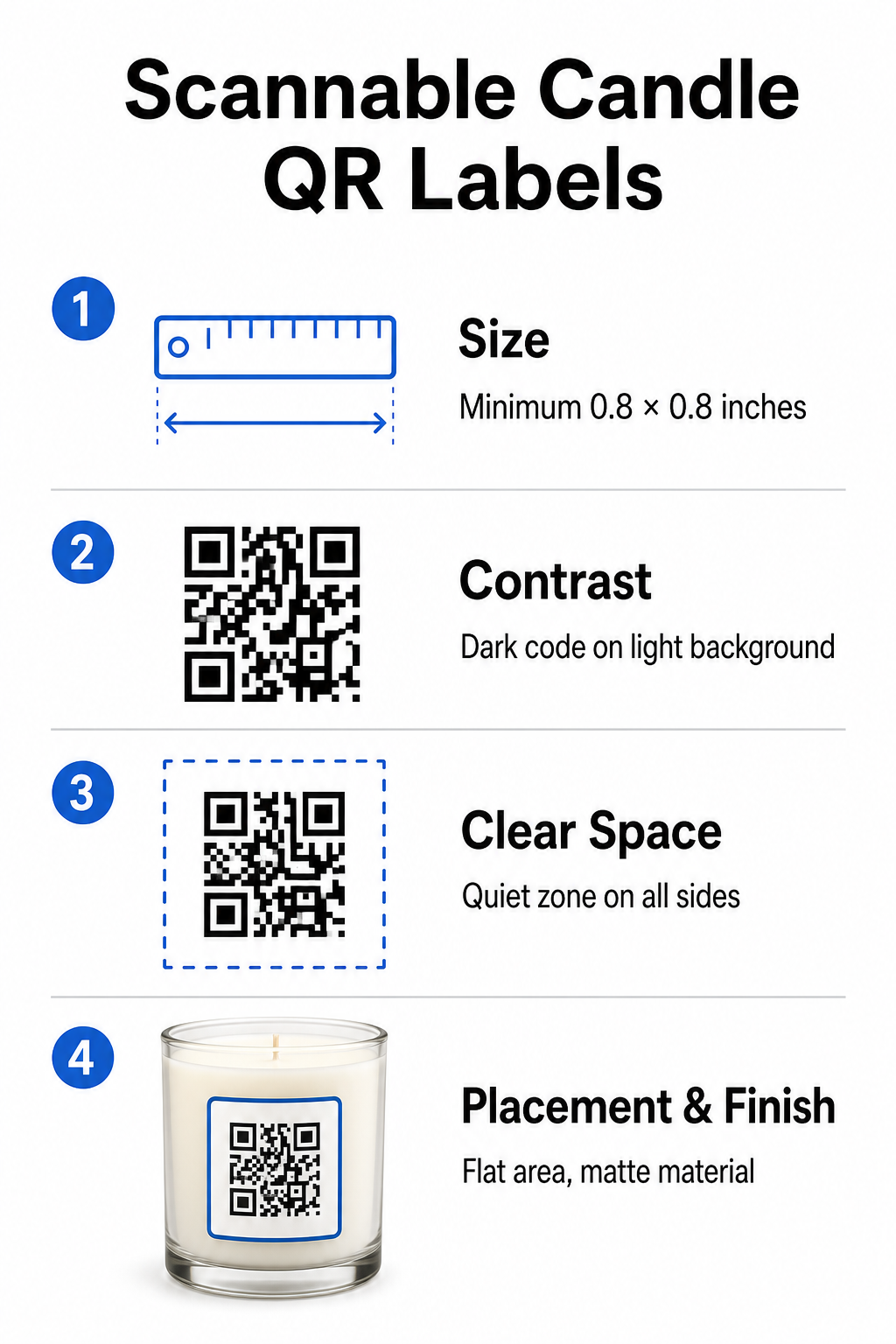
- Дотримання правильних розмірів друку: Зберігайте фізичні розміри принаймні 0.8 x 0.8 дюйма (2 x 2 см) для етикеток, розширюючись до 3 x 3 см для зовнішніх коробок, як зазначено в нашому посібнику з розмірів QR-кодів.
- Забезпечення сильного візуального контрасту: Використовуйте темні візерунки на світлому тлі, щоб стандартні датчики камери телефону могли легко зчитувати матрицю.
- Збереження адекватної тихої зони: Зберігайте незадруковану межу з усіх чотирьох сторін, яка становить принаймні в чотири рази ширину модуля.
- Зменшення відблисків контейнера та кривизни поверхні: Розміщуйте коди на плоскій вторинній упаковці або робіть коди на етикетках вузькими, щоб запобігти викривленню через кривизну, обираючи матові або напівглянцеві матеріали для етикеток замість високоглянцевих покриттів.
- Експорт векторних ресурсів високої роздільної здатності: Зберігайте зображення у форматі SVG або EPS з роздільною здатністю 300 DPI або вище, щоб краї залишалися чіткими, дотримуючись нашого посібника з друку QR-коду на етикетці.
Покращте враження від свічки за допомогою звуку Поєднайте ваші фірмові аромати з власними аудіодоріжками або плейлистами, щоб захопити ваших клієнтів. Використовуйте Spotify QR для створення музичних кодів для ваших продуктів, що можна сканувати.
Порівняння статичних та динамічних QR-кодів для брендів свічок
Вибір правильної архітектури коду визначає, чи залишиться ваш післяпродажний маркетинг адаптивним з часом.
| ФУНКЦІЯ | Статичні QR-коди | Динамічні QR-коди |
|---|---|---|
| Редаговане посилання | Постійний (не може бути змінений після друку) | Повністю редагований у будь-який час без передруку упаковки |
| Аналітика сканувань | Відстеження недоступне | Відстежує загальну кількість сканувань, місцезнаходження, ОС пристрою та час |
| Щільність візерунка | Щільніший шаблон з довгими URL-адресами призначення | Чистий шаблон з меншою щільністю, що використовує короткі посилання для перенаправлення |
| Найкращий варіант використання | Постійні інструкції або прості текстові нотатки | Сезонні розпродажі, змінні плейлисти, динамічні подарункові повідомлення |
Використовуючи Динамічний QR код: генератор дозволяє змінювати промо-призначення, оновлювати сезонні музичні плейлисти або оновлювати цифрові подарункові повідомлення ще довго після того, як ваші продукти покинуть полиці. Для отримання повних деталей реалізації перегляньте наш вичерпний посібник з QR-кодів для етикеток продуктів.
Як створити брендовані QR-коди для упаковки свічок
Створення індивідуальних, готових до друку кодів для упаковки свічок вимагає лише кількох структурованих кроків:
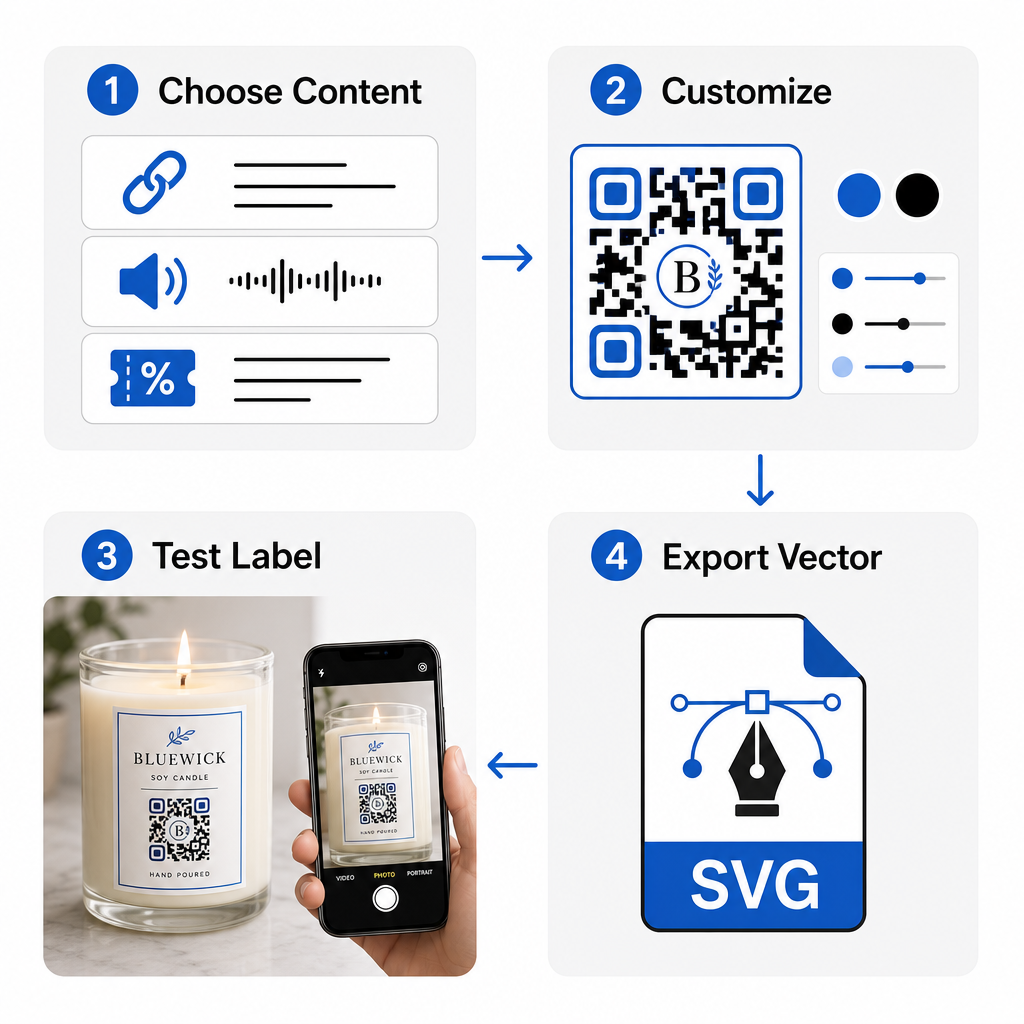
- Вибір типу QR-коду: Вирішіть, чи направляти покупців на веб-сайт, аудіофайл, PDF-посібник або купон, використовуючи наш Безкоштовний QR генератор.
- Введення даних призначення: Введіть веб-адресу призначення або завантажте свій цифровий медіафайл.
- Налаштування візуального дизайну: Застосуйте власні кольори бренду, рамки та логотипи за допомогою Генератор QR-кодів з логотипом для формування візуальної довіри.
- Тестування на кількох пристроях: Перевірте ефективність сканування на тестових відбитках, використовуючи різні смартфони та умови освітлення.
- Завантаження файлів, готових до друку: Експортуйте векторні файли у форматі SVG або EPS для друку високої роздільної здатності.
Інтеграція сканованих кодів у пакування вашої свічки перетворює стандартні фізичні продукти на інтерактивні точки взаємодії з брендом, не перевантажуючи необхідний простір етикетки. Незалежно від того, чи вбудовуєте ви сезонні аудіо-плейлисти, пропонуєте акційні знижки, чи надсилаєте персоналізовані повідомлення клієнтам, цифрові посилання надають вашому бренду довгострокову гнучкість. Почніть створювати відстежувані, налаштовувані коди вже сьогодні з Pageloot’s Безкоштовний QR генератор щоб покращити вашу стратегію пакування свічок.
Поширені запитання
Так. Ви можете надрукувати QR-код на нижній панелі безпеки разом із попередженнями про пожежу, за умови, що ви забезпечите достатній колірний контраст, адекватну тиху зону та чіткий заклик до дії на основній етикетці, що вказує клієнтам сканувати нижню частину.
Мінімальний рекомендований розмір для друкованого QR-коду на основній етикетці свічки становить 0.8 x 0.8 дюйма (2 x 2 см). Для вторинної зовнішньої упаковки або транспортних коробок розмір 3 x 3 см забезпечує швидше та більш стабільне сканування.
Якщо ви використовуєте динамічні QR-коди, ви можете будь-коли змінити цільову URL-адресу або цифровий вміст у вашій панелі керування без повторного друку ваших фізичних етикеток для свічок або пакувальних коробок.