
> 산업 > How to Use QR Codes in Hair Salons to Streamline Workflows
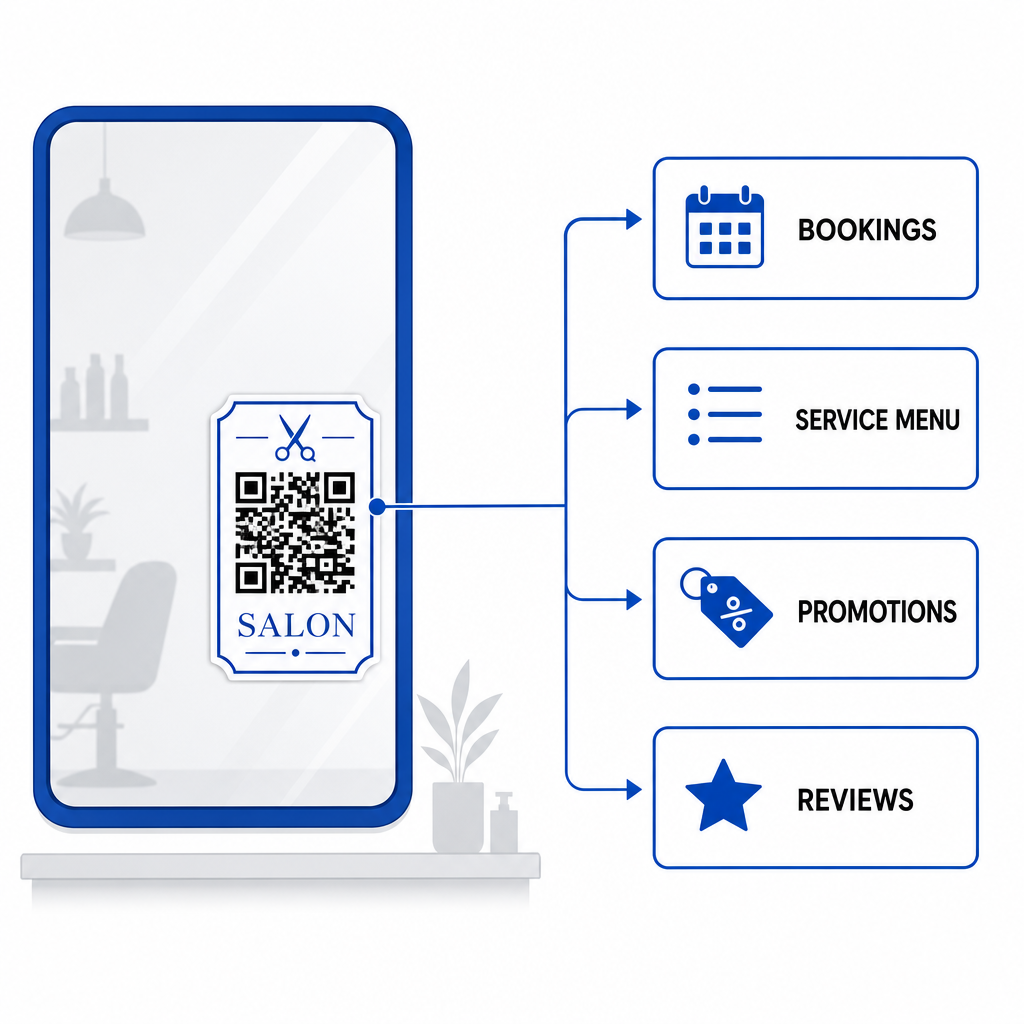
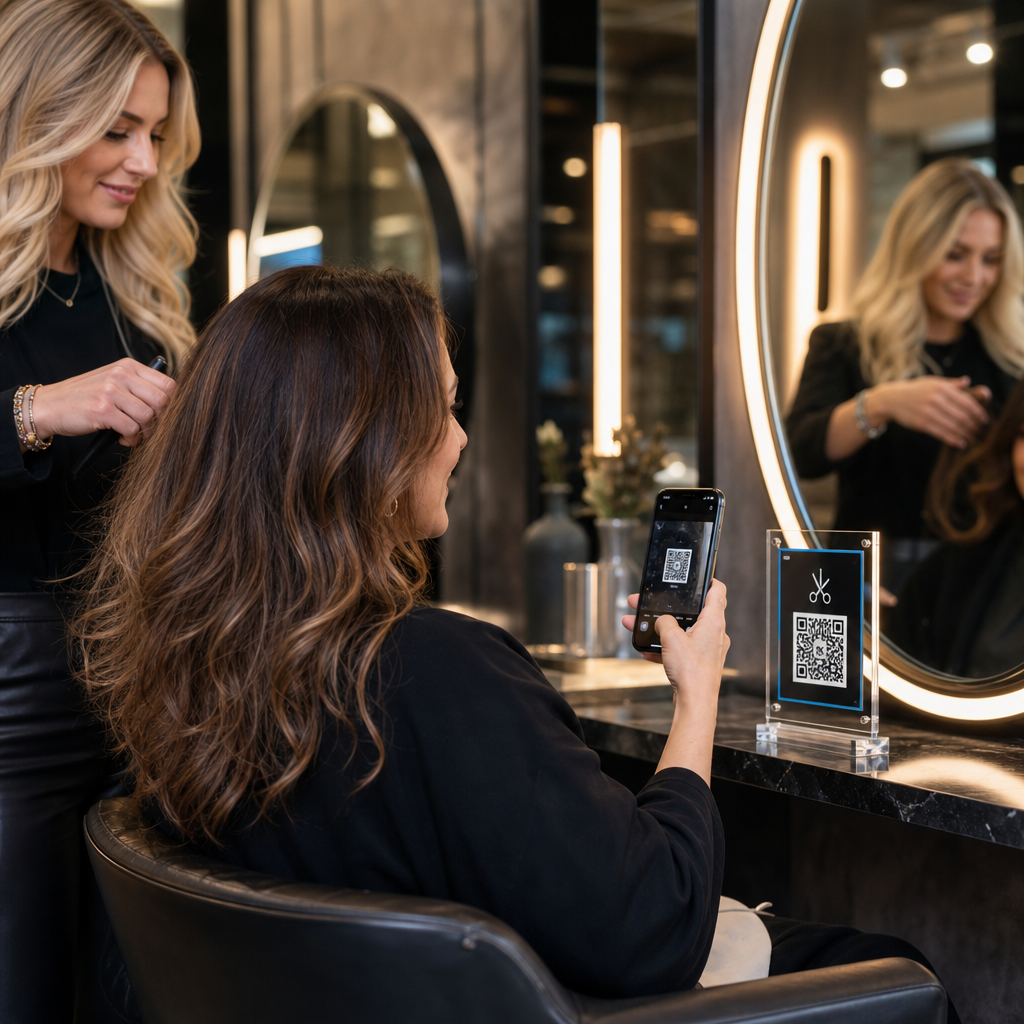
Client scans salon code

How to Use QR Codes in Hair Salons to Streamline Workflows

Learn how hair salons use QR codes to streamline bookings, display digital menus, accept payments, and collect reviews. Explore placement and printing tips.
Updated on 7월 27, 2026
목차

Are manual appointments, front-desk payment bottlenecks, and constant phone interruptions slowing down your salon workflow? Handling administrative tasks during client visits frustrates waiting guests and pulls your stylists away from revenue-generating services. Placing strategic QR codes across your salon allows clients to book appointments, view treatment menus, submit Google reviews, and make contactless payments directly from their smartphones.

Key Client Touchpoints for QR Codes in Your Salon

Converting downtime in styling chairs into active digital engagement helps streamline daily operations. You can implement scannable touchpoints across several core salon operations:

  • Streamline online booking and rebooking: Allow clients to schedule their next hair coloring or trim session directly from the styling chair using a 링크 QR 코드 생성기.
  • Display digital service menus: Provide updated treatment lists and transparent pricing without reprinting paper inserts by setting up a 메뉴 QR 코드 생성기.
  • Collect instant client reviews: Boost local search ranking and online reputation by directing clients to a Google 리뷰 QR 코드 생성기 link before they leave the chair.
  • Accept contactless payments and tips: Speed up checkout times at the reception counter using dedicated payment QR codes 또는 PayPal QR 코드 생성기.
  • Share guest Wi-Fi access: Eliminate manual password inquiries in waiting areas by letting guests automatically connect to Wi-Fi via QR code.
  • Expand social media engagement: Direct salon visitors to styling portfolios, tutorials, and reels created with an instagram QR code generator.

Upgrade Your Salon’s Digital Client Experience Ready to streamline bookings, payments, and client reviews with customizable codes? Use the QR 코드 생성기 to build branded dynamic codes for your salon stations today.

Optimal Placement Areas for Salon QR Codes

Strategic placement ensures high visibility without creating visual clutter across your salon interior. Positioning digital displays where clients naturally rest their eyes encourages immediate interaction during idle moments.

Placement Area Primary Action Recommended Material
Styling Mirrors & Stations Rebooking appointments & reviewing services Mirror decals or acrylic frame displays
Reception Counter Payment processing & review requests Compact counter signs or table tents
Storefront Window / Door After-hours booking & browsing service menus Weatherproof vinyl stickers
Retail Product Shelves Product tutorials & ingredient guides Shelf talkers or bottle tags
Appointment Cards Following social media & direct rebooking High-quality cardstock print

For comprehensive guidelines on layout strategies across physical commercial spaces, review our guide to QR code placement in marketing.

Technical Standards for Reliable Code Scanning

A code that fails to scan creates friction and undermines client trust. Following established printing and technical guidelines ensures smartphone cameras capture your codes instantly under salon lighting.

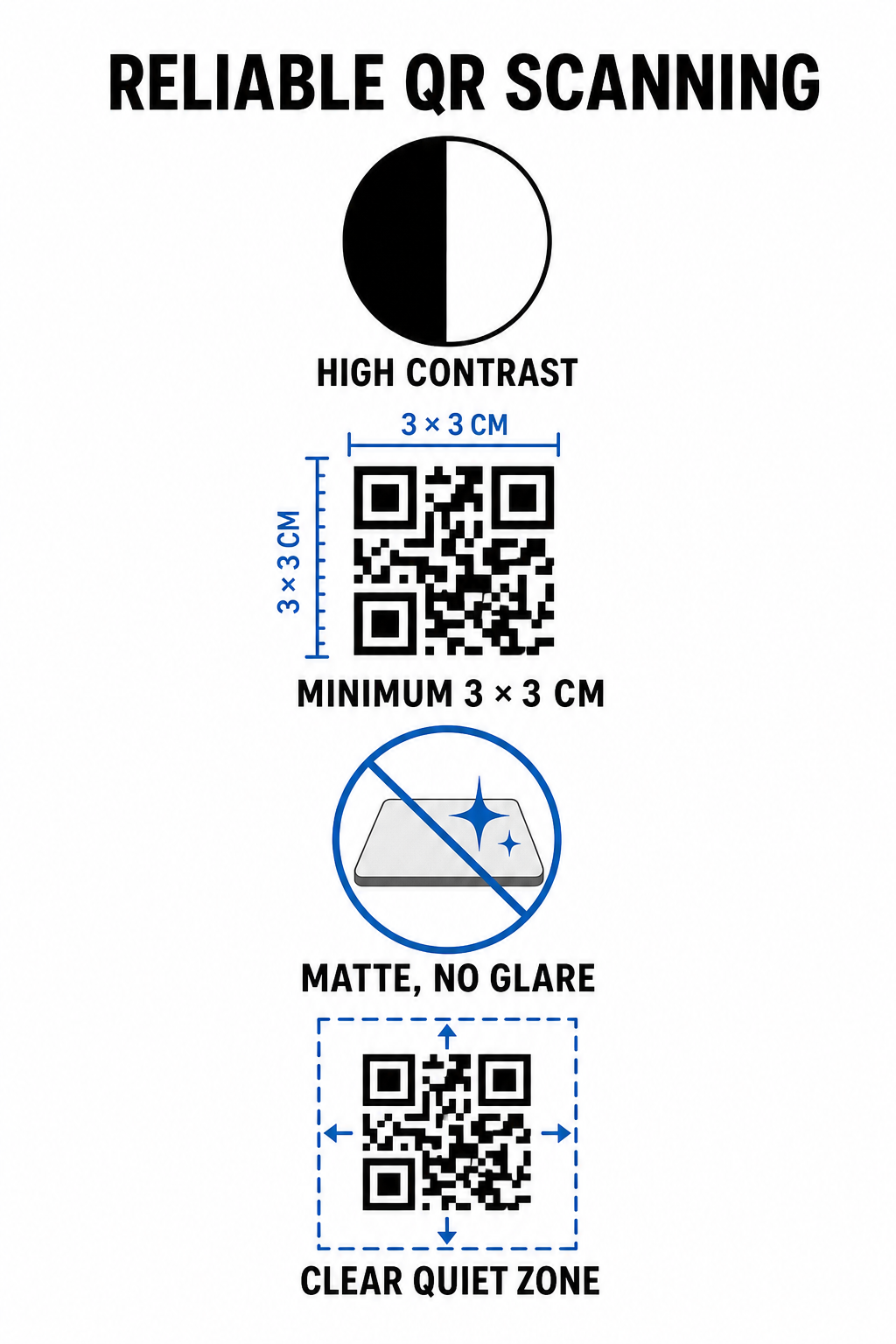
Reliable QR scanning standards
  • Maintain high color contrast: Apply dark foreground patterns on light backgrounds. Black on white offers an optimal 21:1 contrast ratio, while smaller codes require at least a 4.5:1 ratio to ensure camera sensors detect the code pattern immediately.
  • Calculate appropriate print dimensions: Follow a 10:1 scanning distance-to-size ratio, making the code width one-tenth of the expected distance. For close-range mirror stickers and counter displays, print codes at a minimum size of 1.2 x 1.2 inches (3 x 3 cm).
  • Apply a non-reflective matte finish: Select matte cardstock, vinyl, or non-glare laminates instead of glossy paper. Glossy finishes reflect bright overhead salon lighting into smartphone lenses, causing scan failures.
  • Preserve the quiet zone margin: Maintain a blank, unprinted border around all four sides of the code pattern. This quiet zone must measure at least four times the width of a single module square.
  • Export in high-resolution print formats: Save final graphics as vector files like SVG or PDF, or export PNG files at 300 DPI to prevent pixelation during physical printing.

How Dynamic QR Codes Flexibly Scale Salon Operations

Static QR codes hardcode destination URLs directly into the printed matrix, meaning any web link change requires reprinting physical displays. In contrast, dynamic QR codes route through a short redirect link, enabling salon managers to update encoded destinations at any time through a central management platform.

Managing a growing service business involves frequent menu adjustments, promotional shifts, and software updates. Dynamic codes allow you to change destination links without replacing mirror decals or counter signage.

Dynamic salon code updates

Additionally, dynamic codes capture valuable scan analytics, such as scan frequencies, peak engagement times, and user device types. Monitoring these metrics helps managers identify high-performing styling stations and refine promotional layouts across broader small business operations.

Streamlining Your Salon Workflows

Integrating digital QR codes across key physical touchpoints reduces administrative burdens on your front desk while offering clients a convenient, modern salon experience. By prioritizing strategic code placement, high color contrast, and proper print dimensions, you remove friction from booking, payments, and feedback collection.

Audit your existing salon layout today to identify high-dwell areas where scannable touchpoints provide immediate value. Start creating custom dynamic codes using Pageloot tools to build trackable physical signage that elevates client satisfaction and operational efficiency.

자주 묻는 질문

What is the ideal size for a QR code placed on a salon mirror?

For close-up scanning from a salon chair (about 1 to 2 feet away), the QR code should be at least 1.2 x 1.2 inches (3 x 3 cm). Always maintain a quiet zone margin of at least four times the module width around the code pattern.

Can I update the web link behind a salon QR code after printing it?

Yes, if you use a dynamic QR code. Dynamic codes allow you to edit the destination URL anytime in your dashboard without reprinting your stickers, signs, or appointment cards.

How do QR codes help collect more Google reviews for my salon?

QR codes remove manual searching by opening your Google review form directly upon scanning. Placing them near styling mirrors or counter displays prompts satisfied clients to rate your services before leaving.

작성자 정보

시임 코스타비는 페이지루트의 콘텐츠 책임자입니다. 그는 페이지루트의 혁신적인 QR 코드 생성 서비스에 대한 글을 쓰고 있습니다. 5년 이상 QR 코드 분야에서 쌓아온 깊이 있는 전문 지식을 바탕으로, 시임은 이 분야의 전문가로 인정받고 있습니다. 그는 QR 기술을 활용하여 디지털 상호작용을 간소화하고 향상시키는 데 크게 기여하고 있습니다.

범주
에 대해 자세히 알아보기

온라인으로 QR 코드를 생성해야하는 경우 QR 코드 만들기 무료로 여기!
Pageloot는 #1 Go-To 솔루션 QR 코드를 만들고 스캔합니다.

BL-0333

블로그 세대

20,000개 이상의 브랜드로부터 신뢰를 받아 더 많은 매출, 리뷰, 팔로워를 확보했습니다.

클라이언트 로고
최고 브랜드의 신뢰
5 중 4.8 평가

4.86 / 5 별점

휴고 로랑
휴고 로랑
레스토랑 주인
가장 쉽고 안정적인 QR 코드 생성기. PDF 파일을 즉시 업로드할 수 있습니다. 이제 레스토랑 메뉴가 디지털화되었습니다.
루카스 얀센
루카스 얀센
부동산 개발사
이것은 훌륭한 도구이며 QR 코드를 사용하면 원하는 곳으로 이동할 수 있습니다. 우리는 위치 QR 코드만 사용하지만 유용한 기능이 너무 많습니다.

엠마 모레티
엠마 모레티
소매 제품
사용하기 쉽고 빠릅니다. 그것은 훌륭하게 작동하고 완벽한 이미지를 생성하므로 직원들이 내 vCard를 다운로드할 수 있습니다.

휴고 로랑
휴고 로랑
레스토랑 주인
가장 쉽고 안정적인 QR 코드 생성기. PDF 파일을 즉시 업로드할 수 있습니다. 이제 레스토랑 메뉴가 디지털화되었습니다.
루카스 얀센
루카스 얀센
부동산 개발사
이것은 훌륭한 도구이며 QR 코드를 사용하면 원하는 곳으로 이동할 수 있습니다. 우리는 위치 QR 코드만 사용하지만 유용한 기능이 너무 많습니다.
엠마 모레티
엠마 모레티
소매 제품
사용하기 쉽고 빠릅니다. 그것은 훌륭하게 작동하고 완벽한 이미지를 생성하므로 직원들이 내 vCard를 다운로드할 수 있습니다.
더 많은 QR 코드보기
갤러리 QR 코드 스캔
QR 코드 이미지 갤러리
이미지 QR 코드 스캔
다음에서 QR 코드 만들기 이미지
무엇이든 디지털 경험으로 전환하세요 3분 이내에.

14일 무료 체험.

신용카드는 필요 없습니다.

첫 구매 시 30% 할인

코드를 사용하세요:

MP3 파일 공유

PDF QR 코드를 생성하려면 가입하세요

필요한 모든 것을 업로드하고 표시합니다.

  • 오디오 파일
  • 팟캐스트
  • 음악

가입 시 14일 무료 체험.
체험 기간 후 QR 코드 만료.

오디오 mp3 QR 코드를 생성하려면 가입하세요

프레임으로 더 많은 스캔 확보

QR 코드에 더 많은 프레임을 추가하려면 가입하세요

클릭 유도 문안 프레임은 고객이 QR 코드와 쉽게 상호 작용할 수 있도록 도와줍니다. 사용해 보세요!

가입 시 14일 무료 체험.
체험 기간 후 QR 코드 만료.

QR 코드에 더 많은 프레임을 추가하려면 가입하세요

도형으로 더 많은 스타일 추가

더 많은 도형을 만들려면 가입하세요

QR 코드는 정사각형일 필요가 없습니다. 브랜드 이미지에 맞게 전환해 보세요.

가입 시 14일 무료 체험.
체험 기간 후 QR 코드 만료.

더 많은 도형을 만들려면 가입하세요

QR 코드에 로고 추가

QR 코드에 로고를 추가하려면 가입하세요

로고와 브랜드를 추가하여 QR 코드를 돋보이게 만드세요.

가입 시 14일 무료 체험.
체험 기간 후 QR 코드 만료.

QR 코드에 로고를 추가하려면 가입하세요

스마트 앱 스토어 리디렉션

앱 스토어 QR 코드를 생성하려면 가입하세요

스마트 앱 스토어 QR 코드에 앱 링크를 추가하세요. 사용자는 장치에 따라 리디렉션됩니다.

가입 시 14일 무료 체험.
체험 기간 후 QR 코드 만료.

앱 스토어 QR 코드를 생성하려면 가입하세요

QR 코드에 이미지 업로드

이미지 QR 코드를 생성하려면 가입하세요

이미지를 쉽게 공유하세요. 몇 초 안에 동적으로 이미지를 변경하십시오.

가입 시 14일 무료 체험.
체험 기간 후 QR 코드 만료.

이미지 QR 코드를 생성하려면 가입하세요

PDF 파일 공유

PDF QR 코드를 생성하려면 가입하세요

필요한 모든 것을 업로드하고 표시합니다.

  • 메뉴 및 가격표
  • 명령
  • 모든 문서

가입 시 14일 무료 체험.
체험 기간 후 QR 코드 만료.

PDF QR 코드를 생성하려면 가입하세요

인쇄 없이 나중에 편집

다시 인쇄하지 않고 QR 코드를 편집하려면 가입하세요

동적 QR 코드를 사용하면 새 QR 코드를 인쇄하지 않고도 QR 코드의 내용을 변경할 수 있습니다.

가입 시 14일 무료 체험.
체험 기간 후 QR 코드 만료.

다시 인쇄하지 않고 QR 코드를 편집하려면 가입하세요

언제? 어디서? QR 코드 스캔 추적

QR 코드를 추적하려면 가입하세요

어떤 QR 코드가 가장 많이 스캔되고 무엇이 고객을 가장 흥분시키는지 알아보십시오.

가입 시 14일 무료 체험.
체험 기간 후 QR 코드 만료.

QR 코드를 추적하려면 가입하세요

인쇄 준비 파일 제공

PDF 및 SVG와 같은 벡터 QR 코드를 생성하려면 가입하세요.

.EPS, .PDF, .SVG

HD 해상도로 QR 코드를 다운로드하고 싶으신가요? 인쇄할 준비가 된 벡터 또는 픽셀 형식을 가져옵니다.

가입 시 14일 무료 체험.
체험 기간 후 QR 코드 만료.

PDF 및 SVG와 같은 벡터 QR 코드를 생성하려면 가입하세요.

기다리세요. 귀하의 QR 코드는 로드 중... 로드 중...

나만의 것으로 만들기

나중을 위해 QR 코드를 저장하려면 가입하세요.

다양한 색상, 로고 및 클릭 유도문안 프레임으로 멋진 QR 코드를 만들어 더 많은 스캔을 받으세요.

가입 시 14일 무료 체험.
체험 기간 후 QR 코드 만료.

나중을 위해 QR 코드를 저장하려면 가입하세요.