ホーム > 産業 > QR Codes for Product Recalls: How They Work and Why They Matter
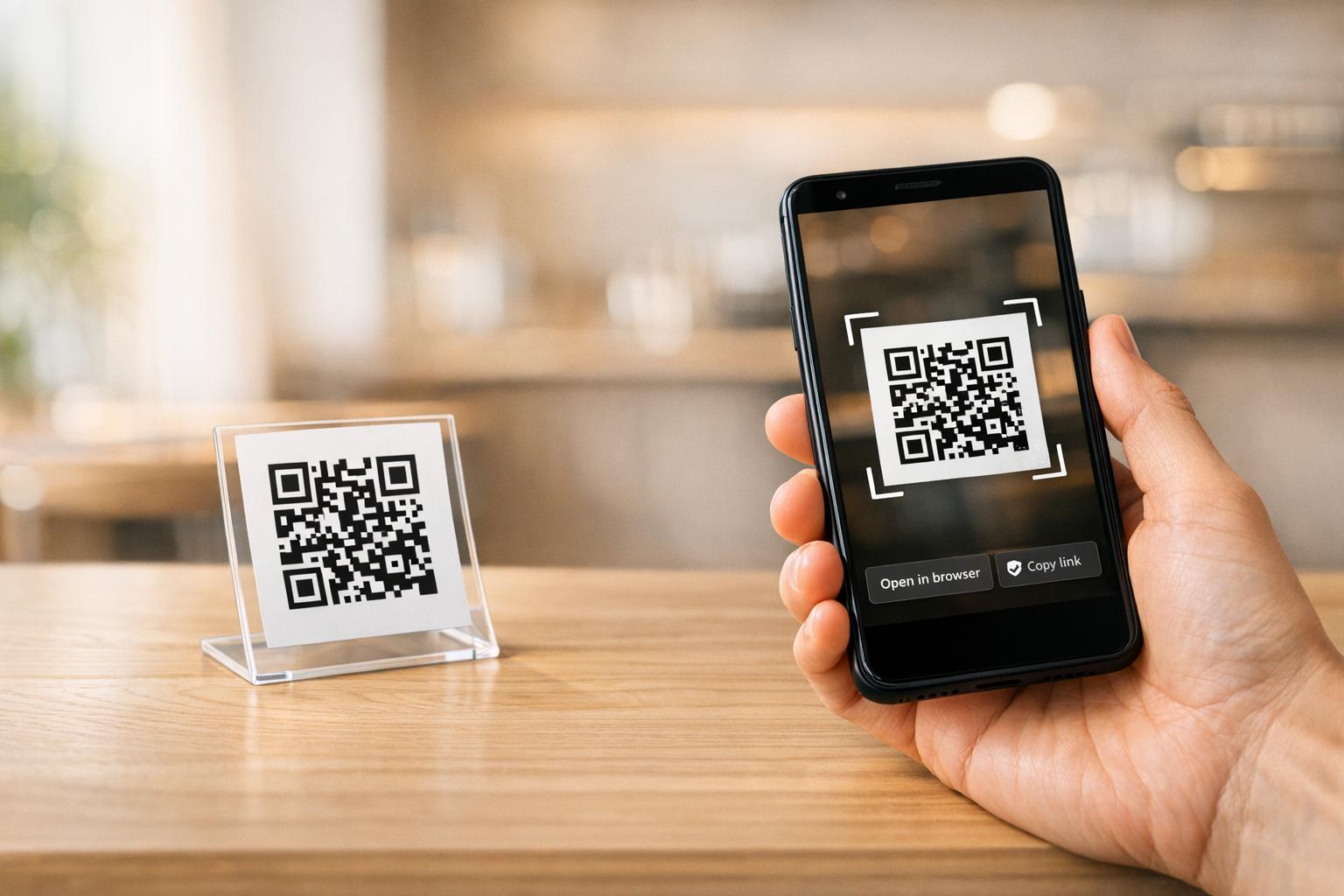
Scanning recall QR code

QR Codes for Product Recalls: How They Work and Why They Matter

Improve product recall efficiency using QR codes. Learn how dynamic codes support lot-level traceability, real-time notifications, and regulatory compliance.
Updated on 7月 2, 2026
目次

Does your recall communication plan rely on static notices that can’t be updated after printing? When a safety issue emerges, outdated or incomplete information reaching consumers can turn a manageable recall into a serious liability. This guide explains how QR codes fit into product recall workflows – from traceability and lot-level identification to real-time consumer notifications – and what to consider when implementing them.

Why Product Recalls Need Better Communication Tools

A product recall is a race against time. Regulators, retailers, consumers, and your own supply chain all need accurate information quickly, and the channel you use to deliver it matters enormously.

The CPSC’s recall handbook is explicit: recall outreach must be comprehensive, using emails, letters, advertisements, social media, and other technological means to reach as many consumers as possible. Even with direct notice – sending communications to consumers known to have the product – the CPSC may require additional notices to ensure full coverage. The handbook specifically recommends that recall posters include QR codes so consumers can act on the recall immediately.

The FDA echoes this urgency on the traceability side. Under the FSMA Final Rule on Additional Traceability Records, covered firms must provide electronic, sortable records to the FDA within 24 hours of a request, and those records must be linked to a Traceability Lot Code (TLC) at every Critical Tracking Event (CTE) – from harvesting and initial packing through shipping and receiving. When a recall hits, the ability to quickly pull lot-level records isn’t a nice-to-have; it’s a regulatory requirement.

QR codes address both sides of this problem: they connect physical products to digital records for traceability, and they connect consumers to live recall information at the moment of scanning.

How QR Codes Support Product Traceability

The foundation of any effective recall is knowing exactly which units are affected, where they went, and who has them. QR codes help manufacturers build this foundation before a recall ever occurs.

Encoding Lot and Batch Data

A traditional 1D barcode stores 20–85 characters – enough for a simple product ID. A QR code can hold over 7,000 characters, which means you can encode the TLC, batch number, expiration date, and production site in a single symbol. When a QR code is scanned at each step of the supply chain, that data feeds directly into your traceability records.

The GS1 Digital Link standard takes this further by turning GS1 product identifiers – like a GTIN – into a web URI encoded in a QR code. A single scan can then serve multiple audiences: a point-of-sale system reads the GTIN for checkout, a retailer’s compliance system checks whether the product has been recalled, and a consumer’s phone opens a branded product page, all from the same code on the package. For food manufacturers, these QR codes can embed the GTIN alongside lot and batch numbers, serial numbers, expiration dates, and country of origin. Retailers scanning at point-of-sale can be automatically notified if a product has been recalled, has expired, or is flagged as counterfeit.

If you’re navigating FDA digital labeling requirements alongside traceability, the guide on QR codes for FDA compliance covers how GS1 Digital Link and FSMA Rule 204 interact in practice.

Tracking at Critical Points

Each time a QR-coded product is scanned – whether at a warehouse receiving dock, a distribution center, or a retail shelf – your system captures a timestamped, location-attributed record. This is the kind of audit trail that supports rapid lot isolation during a recall. If you need to identify which retail locations received units from a specific lot, scannable QR codes on cases and units give you that data without manual cross-referencing.

For a deeper look at how QR codes operate throughout the supply chain, see the guides on QR codes for supply chain tracking そして 製造業におけるQRコードを.

Using Dynamic QR Codes in Recall Notices

This is where QR codes move from traceability into active recall communication – and where the distinction between static and dynamic QR codes becomes critical.

静的QRコード encodes a fixed destination. Once printed, the destination cannot change. If you distribute a recall notice with a static QR code pointing to your recall landing page and that page URL changes – or you need to update the information it contains – every printed notice becomes obsolete.

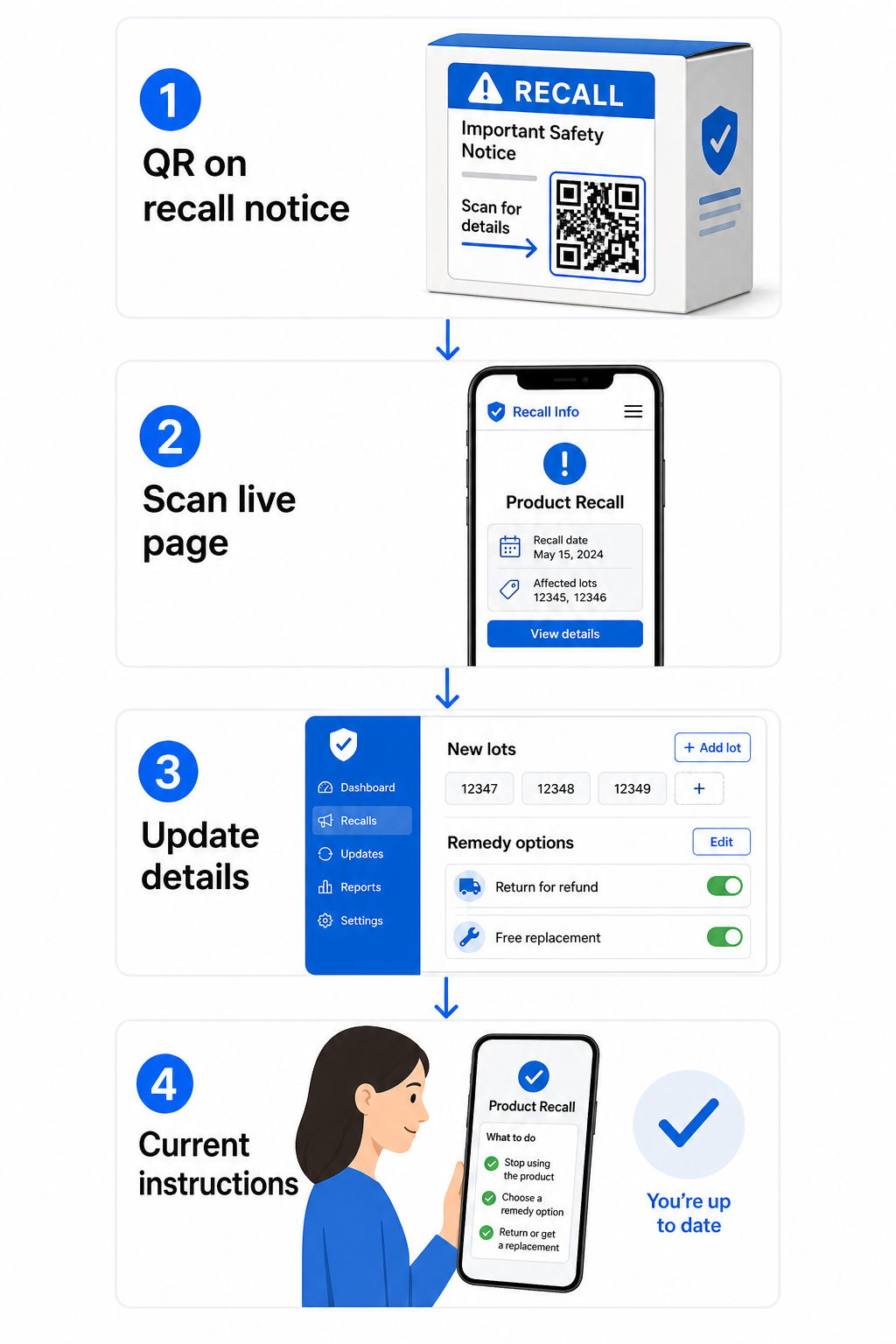
ダイナミックQRコード works differently. The code itself points to a short redirect link, and you control where that redirect sends the user. You can edit the destination after printing without generating a new code or reprinting anything. For recall communications – which may need updating as new lot numbers are identified, remedies change, or contact information is revised – this flexibility is essential.

What to Put Behind a Recall QR Code

The FDA’s guidance on public warnings provides a useful checklist for what recall-related web content should include:

  • Product identification information, including images, numerical product codes, packaging descriptions, and brand names
  • Geographic areas and dates of distribution of the affected product
  • A clear description of the defect and health hazard, written to prompt an urgent response
  • Name and contact information for the recalling firm
  • Instructions for consumers on what to do with the product
  • Number and nature of any reported illnesses or injuries associated with the defect
  • Common symptoms of any illness of concern, where applicable

A dynamic QR code on a recall poster, package insert, or retailer notice can link directly to a page containing all of this. As the recall evolves – new lots added, remedy options confirmed, hotline numbers updated – you update the destination page, and every previously printed code automatically points to current information.

Dynamic recall workflow

Keep Your Recall Content Editable After Print Need to update your recall landing page without reprinting thousands of notices? Use Pageloot’s ダイナミックQRコードジェネレーター to create codes whose destinations you can change anytime from a central dashboard.

Applying QR Codes to Different Recall Communication Formats

Recall Posters and In-Store Notices

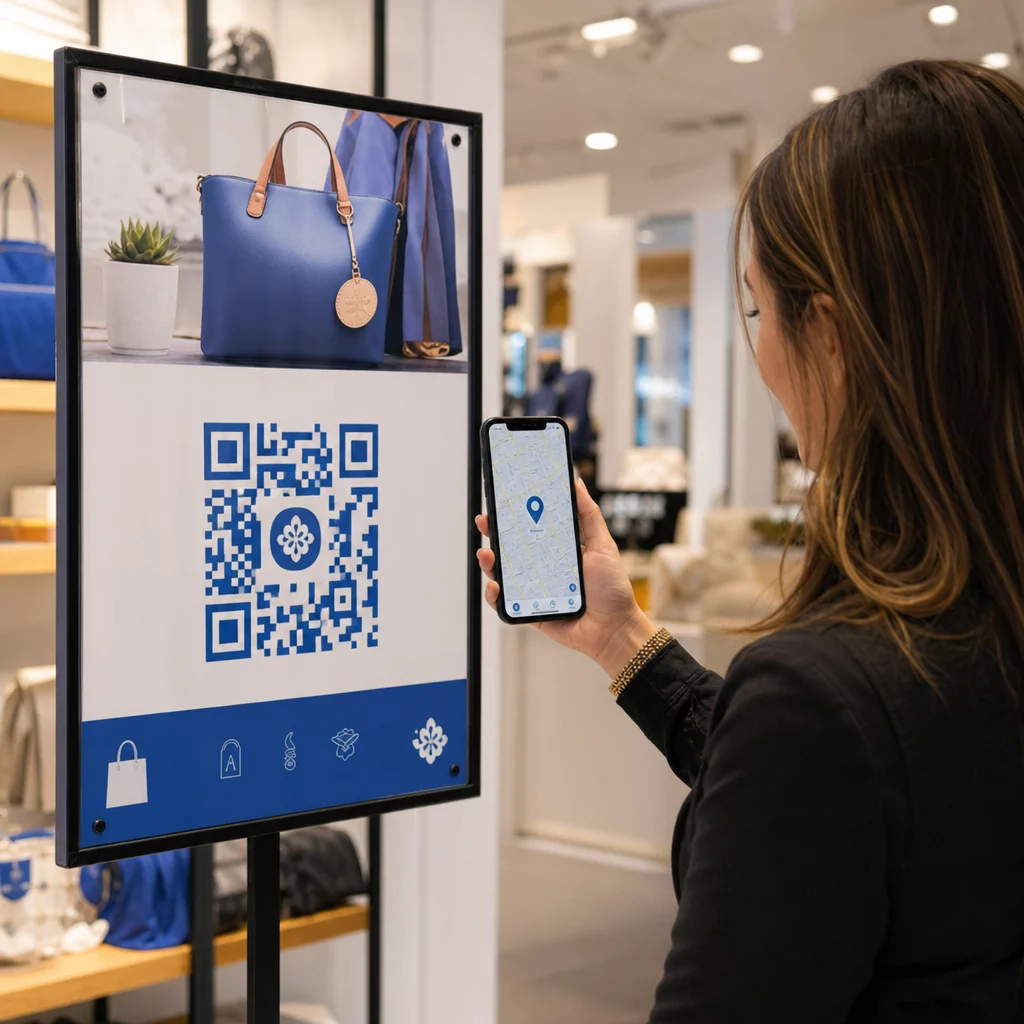
The CPSC handbook recommends that recall posters show a clear photograph or drawing of the product, a toll-free number in large type, a “Post until [date]” instruction, and tear-off sheets or QR codes for immediate consumer action. A dynamic QR code on a poster can link to a mobile-optimized recall page with the full FDA-recommended information, and the same poster remains accurate even if details are updated after distribution.

Mailed Recall Notices

For direct mail recalls, the CPSC recommends that the words “Safety Recall” or “Recall Notice” appear prominently on the envelope and at the top of the letter. Adding a QR code to the letter body gives recipients a one-scan path to the full recall page, a digital response form, or a returns portal – without needing to type a URL.

The FDA also recommends including a return response card with mailed recall notices, asking recipients to confirm they followed the instructions. A QR code linking to a digital version of that response form makes it easier to collect and track responses.

製品包装

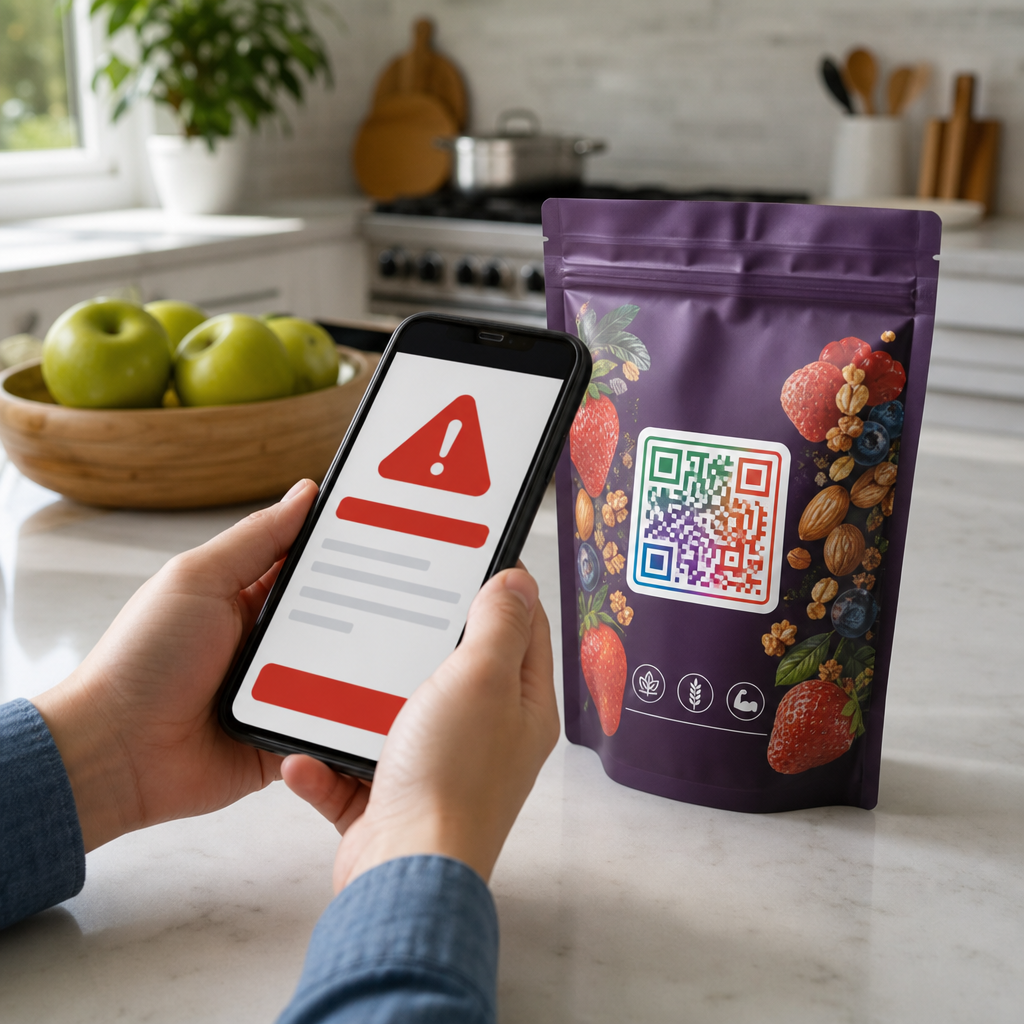
For manufacturers who want to build recall-readiness into packaging from the start, a dynamic QR code printed on the package itself can serve everyday purposes – linking to product information, certifications, or usage instructions – and be redirected to a recall notice if that specific product is ever affected. This approach is particularly relevant for 製品パッケージのQRコード そして food packaging, where lot-specific traceability is already expected by regulators.

PDF Recall Documents

When a recall involves detailed technical documentation – safety data sheets, corrective action instructions for distributors, or multi-page consumer advisories – a PDF QRコード lets you link directly to the document from any printed surface. Upload your recall document, generate the QR code, and anyone who scans it gets the full PDF immediately on their phone. Because the document is hosted dynamically, you can replace it with an updated version without changing the printed code.

Communicating with Retailers and Distributors

Recall communications to the trade channel have their own requirements. The FDA recommends that written communications to direct account consignees include:

  • Accurate product identification, including lot numbers, expiration dates, serial numbers, and UPC codes
  • A clear description of the hazard and reason for the recall
  • Depth of the recall, specifying whether it extends to wholesale, retail, or consumer level
  • Specific instructions for handling inventory and returning or disposing of product
  • A response mechanism for consignees to confirm they have complied

A QR code in the retailer notice can link to a distributor-specific portal with all of this information, a digital acknowledgment form, and step-by-step instructions for pulling product from shelves. The CPSC also notes that notices to retailers should explain how to display recall posters and inform consumers – a QR code linking to downloadable poster files makes that logistics step simpler.

Tracking Recall Response with QR Code Analytics

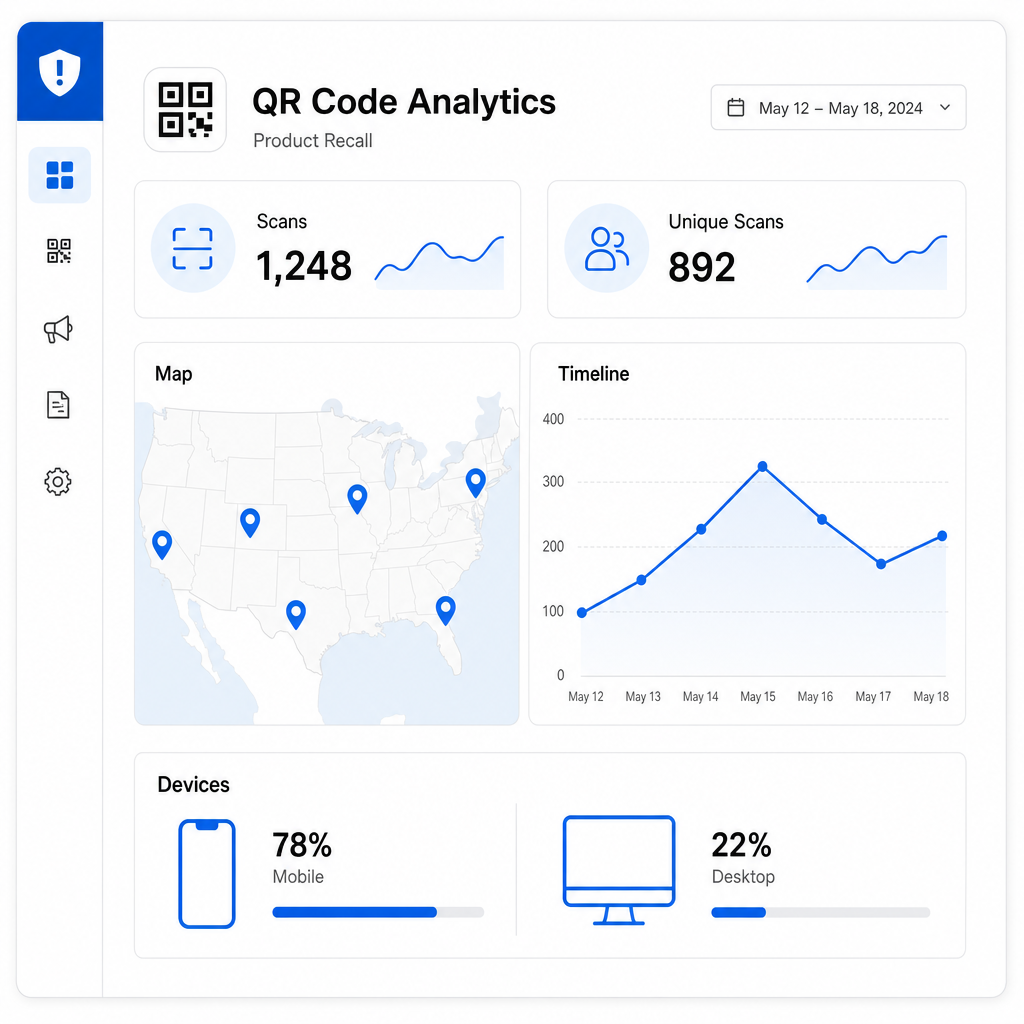
One of the practical advantages of dynamic QR codes is that every scan generates data. Pageloot’s dynamic QR codes collect scan counts, unique versus repeat scans, timestamps, geographic location data (country, city, and GPS coordinates), device type, and browser or OS information.

Recall scan analytics

In a recall context, this data lets you monitor which regions are engaging with the recall notice – helping identify where consumer awareness is low – as well as scan velocity over time, which indicates whether your outreach is reaching consumers or losing momentum. Device type data also tells you whether your recall landing page needs better mobile optimization.

This kind of real-time visibility helps you assess whether your recall communication is working before regulators ask that question. If scan activity is low in a state where significant inventory was distributed, that signals a need for additional outreach in that area.

For more on what data dynamic QR codes collect and how to interpret it, see the guide on tracking QR code scans and analytics.

Monitor Your Recall Response in Real Time See exactly where and when consumers are engaging with your recall notices. Use the ダイナミックQRコードジェネレーター to create trackable codes and access a full performance dashboard from the moment your recall goes live.

Practical Guidelines for Recall QR Codes

Size and Print Quality

For QR codes to scan reliably in real-world conditions – on a grocery store poster, a consumer mailer, or a product package – physical placement and print quality matter significantly.

  • 最小サイズ: Print recall QR codes at no smaller than 2 × 2 cm (0.8 × 0.8 inches) for close-range scanning; for posters and signage, 3 × 3 cm (1.2 × 1.2 inches) or larger is more appropriate
  • コントラスト: Use a dark code on a light background; avoid reversed designs or placing the code over a busy background
  • クワイエットゾーン: Leave a clear margin of at least 0.25 inches around the code on all sides so scanners can locate it reliably
  • ファイル形式: Export print-ready QR codes in vector formats such as SVG or EPS to maintain clarity at any print size
  • Test before printing: Always verify the QR code scan on the actual printed material before committing to a full print run

For complete label design guidance, see the guide to QR codes for product labels.

Keep Recall Content Mobile-Optimized

Most consumers will scan a recall QR code on a smartphone. The landing page behind the code should load quickly, display clearly on a small screen, and lead with the critical information – product description, hazard, and what to do – before anything else. The FDA guidance is clear that brief, succinct warnings are more effective than lengthy ones, and that content which distracts consumers from the hazard message should be avoided.

Privacy and Data Compliance

QR code scan analytics collect data about the devices and locations of people who scan. If your recall QR code is consumer-facing, be aware of applicable privacy regulations – particularly GDPR for EU consumers, CCPA for California residents, and any sector-specific requirements. For a full overview of how these laws apply to QR code data collection, see the guide on QR code privacy laws and key regulations.

Scaling Recall Codes Across Large Product Lines

If you manufacture products across multiple SKUs, production runs, or geographic markets, you may need to generate unique QR codes for each lot, batch, or product variant. Pageloot supports bulk QR code generation via CSV uploads, capable of producing up to 100,000 codes for enterprise-scale operations. Each code can be individually tracked and managed from a centralized dashboard.

For industries that need QR code solutions at this scale, the manufacturing QR code solutions そして product QR code tools pages cover relevant use cases and platform capabilities. You can also explore the full range of industry-specific QR code applications to see how other regulated sectors use QR codes for compliance and safety communication.

***

When a recall happens, the speed and clarity of your communication directly affects consumer safety, regulatory outcomes, and brand trust. Building QR codes into your recall communication plan – and using dynamic codes that can be updated after distribution – gives you a flexible, trackable layer that static notices simply cannot provide. Start by creating a ダイナミックQRコード for your next safety notice or product label, and give your recall response the real-time flexibility it needs.

よくある質問

What is the difference between a static and dynamic QR code for a product recall?

A static QR code encodes a fixed destination that cannot be changed after printing. If your recall page URL changes or you need to update the information, every printed notice with a static code becomes outdated. A dynamic QR code points to a redirect link that you control – so you can update the destination page, swap in a new PDF, or change the linked content at any time without reprinting the code. For recall communications that may evolve as new lot numbers are identified or remedies change, dynamic QR codes are the practical choice.

What information should a recall QR code link to?

FDA guidance recommends that recall public warnings include a clear product description with lot numbers, expiration dates, and images to help with identification; the geographic area and dates of distribution; a plain-language description of the defect and associated health hazard; instructions for consumers on what to do with the product; the recalling firm’s name and contact information; and, where applicable, the number and nature of any reported illnesses or injuries. The landing page should be mobile-optimized, load quickly, and lead with the hazard and required action steps before any other content.

Can QR codes help with FDA traceability requirements for food recalls?

Yes. Under the FSMA Final Rule on Additional Traceability Records, covered firms must maintain records linking a Traceability Lot Code (TLC) to Key Data Elements at each Critical Tracking Event, and must be able to provide those records electronically to the FDA within 24 hours of a request. QR codes – particularly those using the GS1 Digital Link standard – can encode the TLC, batch number, expiration date, and GTIN in a single symbol, making it easier to trace affected product through the supply chain rapidly. When a recall is triggered, lot-level QR code data helps isolate which units are affected and where they were distributed.

著者について

Siim KostabiはPagelootのコンテンツリードです。Pagelootの革新的なQRコード生成サービスについて執筆しています。5年以上にわたるQRコードに関する深い専門知識を持つSiimは、この分野の専門家です。QRテクノロジーを活用してデジタルインタラクションを簡素化・拡張する上で、大きな進歩を遂げています。.

カテゴリー
について詳しくはこちら
Marketing QR code scan
QRコードの仕組み マーケティングを強化する
✅ QRコードの#1ソリューション

オンラインでQRコードを作成する必要がある場合は QRコードを作る ここで無料で
ページルートは #1のGo-Toソリューション でQRコードを作成してスキャンすることができます。

BL-0299

ブログジェネ

売上、レビュー、フォロワーを増やすために 20,000 を超えるブランドから信頼されています。

クライアントのロゴ
トップブランドから信頼される
5 のうち 4.8 と評価しました

4.86 / 5つ星評価

ユーゴ・ローラン
ユーゴ・ローラン
レストランオーナー
最も簡単で信頼性の高いQRコードジェネレータです。PDFファイルを即座にアップロードできます。レストランのメニューがデジタル化されました。
ルーカス・ジャンセン
ルーカス・ジャンセン
不動産開発業者
これは優れたツールで、QRコードでちょうど欲しいところに連れて行ってくれます。私たちは位置情報のQRコードしか使っていませんが、とても便利な機能がたくさんあります。
エマ・モレッティ
エマ・モレッティ
小売製品
使いやすいし、早い。素晴らしい機能で、完璧な画像を作成してくれるので、社員は私のvCardをダウンロードすることができます。
ユーゴ・ローラン
ユーゴ・ローラン
レストランオーナー
最も簡単で信頼性の高いQRコードジェネレータです。PDFファイルを即座にアップロードできます。レストランのメニューがデジタル化されました。
ルーカス・ジャンセン
ルーカス・ジャンセン
不動産開発業者
これは優れたツールで、QRコードでちょうど欲しいところに連れて行ってくれます。私たちは位置情報のQRコードしか使っていませんが、とても便利な機能がたくさんあります。
エマ・モレッティ
エマ・モレッティ
小売製品
使いやすいし、早い。素晴らしい機能で、完璧な画像を作成してくれるので、社員は私のvCardをダウンロードすることができます。
QRコードをもっと見る
スマートフォンでログインQRをスキャン
のQRコードを作る Gmail
あらゆるものをデジタル体験に変えよう 3分以内に。

14日間の無料トライアル。

クレジットカードは必要ありません。

初回購入で30%オフ

次のコードを使用してください:

MP3ファイルを共有

PDF QRコードを作成するにはサインアップしてください

必要なものをすべてアップロードして表示する。

  • オーディオファイル
  • ポッドキャスト
  • 音楽

サインアップで14日間無料トライアル。.
トライアル終了後、QRコードは期限切れになります。.

オーディオmp3 QRコードを作成するにはサインアップしてください

フレームでより多くのスキャンを獲得

QRコードにフレームを追加するにはサインアップしてください

コールトゥアクションフレームは、お客様が簡単にQRコードと対話できるようにします。ぜひお試しください。

サインアップで14日間無料トライアル。.
トライアル終了後、QRコードは期限切れになります。.

QRコードにフレームを追加するにはサインアップしてください

シェイプでスタイルを追加

より多くの図形を作成するにはサインアップしてください

QRコードは四角いものである必要はありません。あなたのブランドのイメージに合わせて変えてみてください。

サインアップで14日間無料トライアル。.
トライアル終了後、QRコードは期限切れになります。.

より多くの図形を作成するにはサインアップしてください

QRコードにロゴを追加

QRコードにロゴを追加するにはサインアップしてください

QRコードにロゴやブランドを入れることで、目立たせることができます。

サインアップで14日間無料トライアル。.
トライアル終了後、QRコードは期限切れになります。.

QRコードにロゴを追加するにはサインアップしてください

スマートなApp Storeリダイレクト

アプリストアのQRコードを作成するにはサインアップしてください

スマートなApp StoreのQRコードに、あなたのアプリのリンクを追加します。ユーザーは、デバイスに応じてリダイレクトされます。

サインアップで14日間無料トライアル。.
トライアル終了後、QRコードは期限切れになります。.

アプリストアのQRコードを作成するにはサインアップしてください

QRコードに画像をアップロード

画像QRコードを作成するにはサインアップしてください

画像を簡単に共有できます。どんな画像も、数秒でダイナミックに変化します。

サインアップで14日間無料トライアル。.
トライアル終了後、QRコードは期限切れになります。.

画像QRコードを作成するにはサインアップしてください

PDFファイルを共有

PDF QRコードを作成するにはサインアップしてください

必要なものをすべてアップロードして表示する。

  • メニュー&プライスリスト
  • 指示
  • 任意の書類

サインアップで14日間無料トライアル。.
トライアル終了後、QRコードは期限切れになります。.

PDF QRコードを作成するにはサインアップしてください

印刷せずに後で編集

再度印刷せずにQRコードを編集するにはサインアップしてください

ダイナミックQRコードは、新たにQRコードを印刷することなく、QRコードの内容を変更することができます。

サインアップで14日間無料トライアル。.
トライアル終了後、QRコードは期限切れになります。.

再度印刷せずにQRコードを編集するにはサインアップしてください

いつ?どこで?QRコードのスキャンを追跡

QRコードを追跡するにはサインアップしてください

どのQRコードが最も多くスキャンされ、何が最も顧客を喜ばせているのかを知ることができます。

サインアップで14日間無料トライアル。.
トライアル終了後、QRコードは期限切れになります。.

QRコードを追跡するにはサインアップしてください

印刷可能なファイルが利用可能

PDFやSVGのようなベクターQRコードを作成するにはサインアップしてください

.eps、.pdf、.svg

QRコードをHD解像度でダウンロードしたいですか?すぐに印刷できるベクターまたはピクセル形式を入手しましょう。

サインアップで14日間無料トライアル。.
トライアル終了後、QRコードは期限切れになります。.

PDFやSVGのようなベクターQRコードを作成するにはサインアップしてください

しばらくお待ちください。あなたのQRコードは ロード... ロード...

あなただけのものに

サインアップしてQRコードを後で保存してください

異なる色、ロゴ、コールトゥアクションフレームで素晴らしいQRコードを作成することで、より多くのスキャンを得ることができます。

サインアップで14日間無料トライアル。.
トライアル終了後、QRコードは期限切れになります。.

サインアップしてQRコードを後で保存してください