Why are customers ignoring the QR codes on your product labels? A hard-to-scan code creates immediate friction, frustrating shoppers and wasting valuable packaging real estate. Here is how to master contrast, sizing, material finishes, and placement to build seamless digital touchpoints on every item.
为什么对比度是可扫描性的基础
Optical scanners detect QR codes by measuring the difference in light reflectance between dark data modules and the lighter background. Think of the scanner like a high-speed reader that needs a sharp visual edge to process encoded information. When colors blend together, camera sensors fail to recognize the positioning markers, leading to scan failures at retail shelves.
The standard black-on-white pairing provides a reliable 21:1 contrast ratio, ensuring immediate decoding across different camera sensors and lighting environments. When your packaging artwork requires custom brand palettes, you must keep the foreground significantly darker than the background. For example, deep navy blue on a cream backdrop scans consistently, whereas pale yellow on white washes out under standard store lighting. If you plan to customize colors or embed visual marks, use a 带 logo 的二维码生成器 designed to preserve optical balance.
Always preserve a quiet zone – a solid margin of at least four modules wide on all sides of the code. This empty border prevents package typography, illustrations, and background textures from spilling into the data grid and confusing reader software.
为包装选择合适的尺寸
Package dimensions and viewing distances dictate the minimum physical size of a printed code. When a code is scaled down too far to conserve label space, the individual data modules blur together into an unreadable block. For small, handheld retail goods, maintain an absolute minimum size of 0.8 x 0.8 inches (2 x 2 cm).
To determine the ideal dimensions for larger containers, calculate your layout using the 10:1 scanning ratio outlined in this 二维码尺寸指南. Under this rule, your code’s width and height should equal one-tenth of the intended scanning distance. When a shopper views an item from 10 inches away, your code should measure at least 1.0 inch wide.
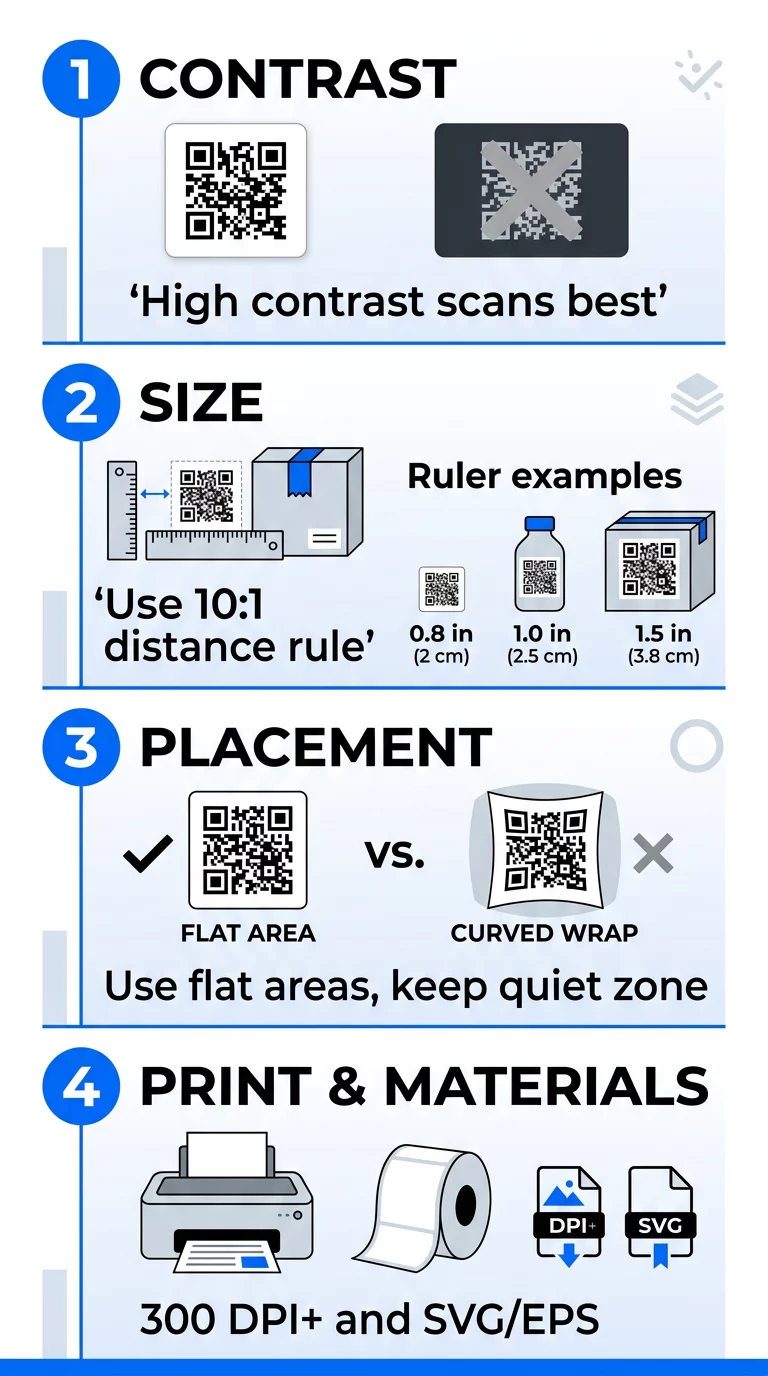
- Sizing cosmetic containers at 0.8 x 0.8 inches for hand-held close-up reading
- Sizing beverage bottles at 1.0 x 1.0 inches for standard arm’s-length interaction
- Sizing shipping cartons at 1.5 x 1.5 inches for quick warehouse or shelf scanning
Strategic Placement Across Packaging Formats
A code must sit where users can easily see and scan it without physical package distortion interfering with the camera view. Prioritize flat, smooth panels and keep codes away from box seams, fold lines, tears, and curved edges. Placing a code directly across a package seam can break the data grid and render the link unusable.
Different container structures require specific positioning strategies:
- Positioning codes on primary containers to deliver instant directions, refill orders, or safety warnings
- Placing codes on secondary packaging boxes to showcase brand videos, recipe ideas, or loyalty points
- Applying codes to tertiary shipping cartons to streamline inventory tracking and logistics checks
Curved containers such as cans, jars, and bottles introduce unique challenges. Placing a square code horizontally around a cylinder creates an extreme wrap effect that turns square modules into curved shapes outside the camera’s depth of field. Align the code vertically along the straightest axis of the container to minimize curvature distortion and maintain scanner line of sight. For deeper background on connecting items to dynamic landing pages, explore practical methods for interactive packaging QR codes across different container styles.
Overcoming Substrate and Printing Challenges
Label material choices can compromise even the most precise layout design. High-gloss laminates and metallic foils reflect direct overhead light, blinding smartphone cameras with glare that obliterates data modules. Whenever possible, choose matte paper, satin coatings, or dull protective varnishes that evenly diffuse ambient light.
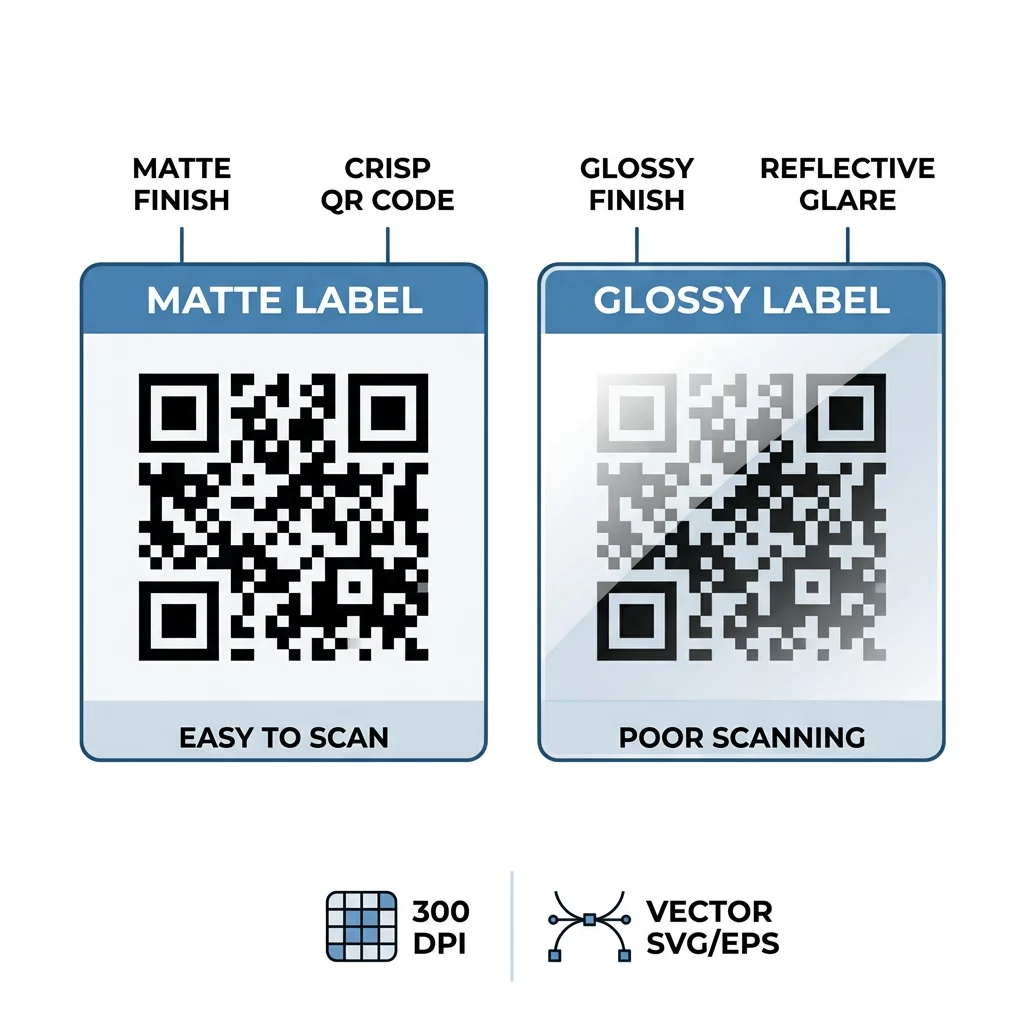
Print resolution dictates module edge sharpness. Standard label jobs require a minimum of 300 DPI, while micro-labels on small cosmetics or pharmaceuticals need 600 DPI to avoid edge feathering. When designing artwork, export your code in vector formats like SVG, EPS, or high-definition PDF rather than standard raster formats. If your layout requires a transparent background over a solid substrate, create a clean asset using a 透明 PNG 二维码 generator to avoid raster compression artifacts. You can also evaluate how different substrates and inks behave by reviewing this analysis of printing techniques and QR code scannability.
Always conduct physical press proofs before committing to large print runs. Inspect the sample with multiple smartphone models under low, direct, and fluorescent light to confirm fast scan speeds.
Managing and Tracking Content with Dynamic Codes
Standard static codes hardcode their destination URL directly into the matrix. If a website changes or an offer expires after you print tens of thousands of packages, those physical labels become obsolete.
Update Your Product Links Anytime Need to change landing pages or promotional offers without reprinting your packaging? Use the 动态 QR code 生成器 to create editable codes and track engagement in real time.
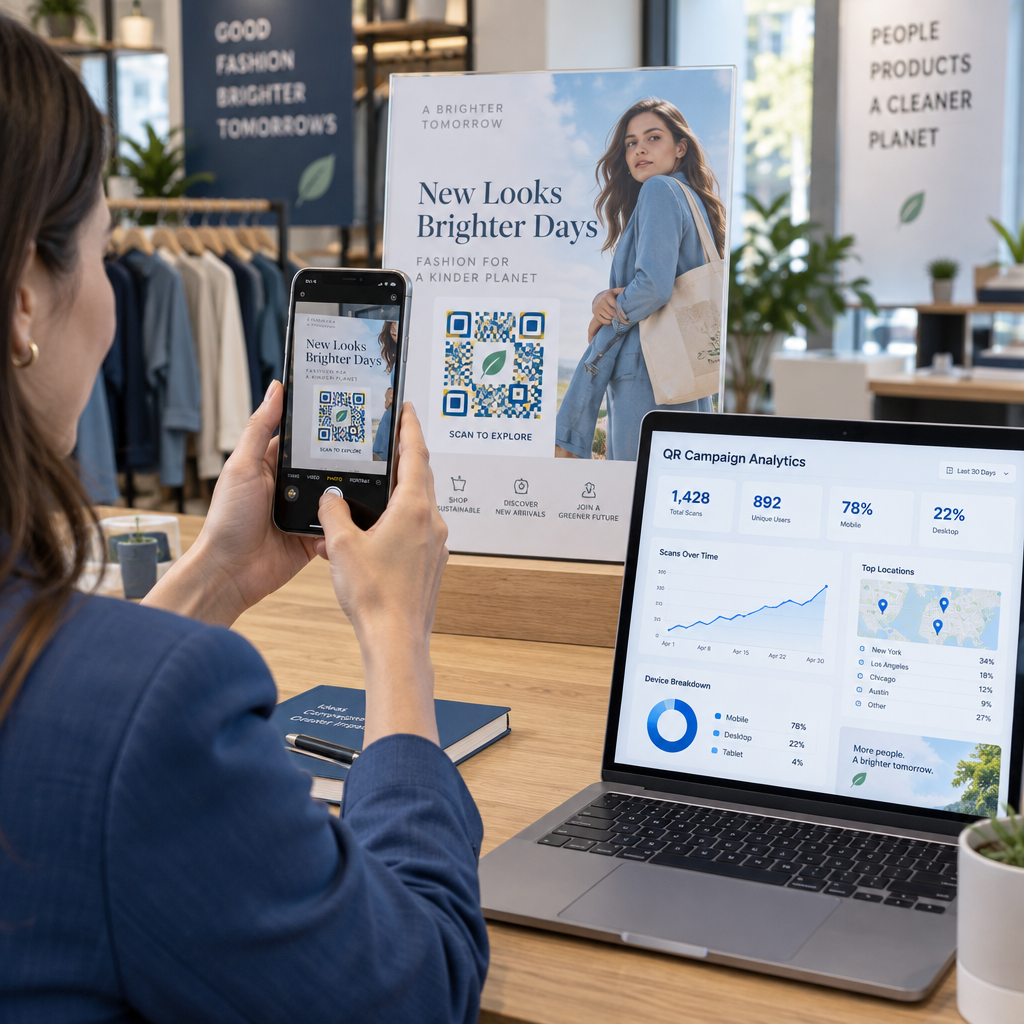
Dynamic codes direct scanners to a flexible redirect URL, letting you modify destination links, swap marketing campaigns, or update regulatory information long after production. They also generate actionable behavioral data by 追踪QR码 for total scans, scan frequency, geographic locations, and user devices.
When pairing custom logos with dynamic codes, always configure a high error correction setting such as Level Q or Level H. These redundancy levels allow scanners to reconstruct obscured data even if a custom logo covers up to 30% of the center pattern. This ensures your packaging maintains a branded presentation without sacrificing instant technical readability on consumer 产品包装.
常见问题
Handheld retail products require a minimum size of 0.8 x 0.8 inches (2 x 2 cm). Smaller dimensions can cause scanning failures on budget smartphones or under dim retail lighting.
Align the code vertically rather than horizontally, or position it on the flattest section of the container. Vertical orientation limits curvature distortion and prevents the scanning pattern from wrapping out of the camera’s sight.
Logos that cover more than 30% of the code area or codes generated with low error correction often fail to scan. Use high error correction (Level H) during generation and keep your center logo compact.
Mastering packaging codes comes down to balanced design: strong color contrast, sufficient physical size, glare-free substrates, and dynamic redirect management. Reviewing these technical variables on your packaging proofs helps protect your brand investment and guarantees a frictionless digital journey for shoppers. To design your next high-converting label campaign, start creating with the Pageloot 二维码生成器 。.