
> 산업 > How to Use QR Codes in Your Chiropractic Practice
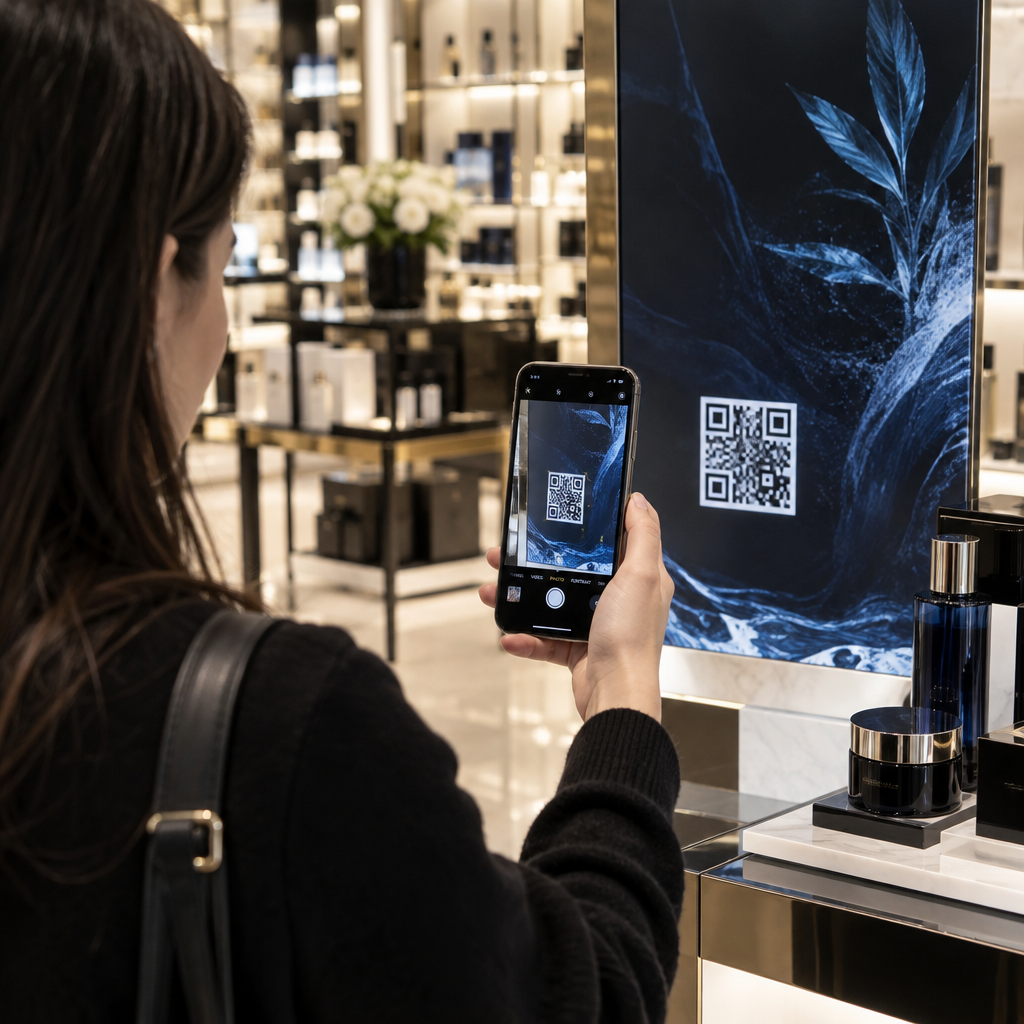
QR chiropractic check-in

How to Use QR Codes in Your Chiropractic Practice

Discover how chiropractic practices can use QR codes to streamline patient intake, collect Google reviews ethically, and modernize home-care instructions.
Updated on 7월 27, 2026
목차

Are paper intake forms and empty review profiles slowing down your chiropractic practice? Manual clipboard check-ins create front-desk bottlenecks, while missed patient feedback limits your local visibility. Implementing QR codes across your clinic streamlines patient check-ins, automates review requests, and modernizes your patient education materials.

Streamline Patient Intake and Maintain HIPAA Compliance

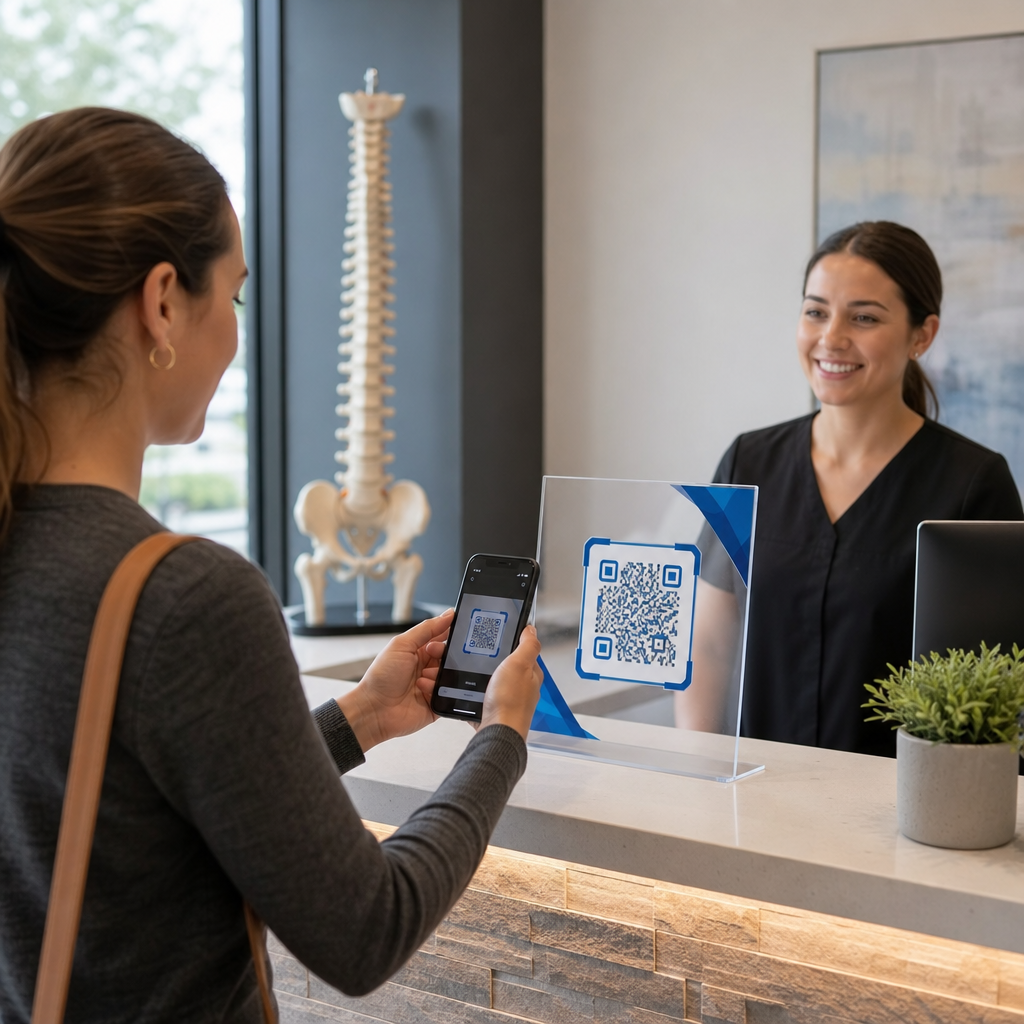
Manual intake forms require staff to rekey handwriting into electronic health records, increasing administrative errors and extending waiting room times. Placing a scannable code on acrylic stands in your reception area allows patients to scan and complete digital intake forms directly on their personal mobile devices.

You can set up quick intake links using a Google 양식 QR 코드 생성기 or route patients directly to downloadable intake documents using a PDF QR 코드 생성기.

When handling Protected Health Information (PHI) through digital intake, your practice must maintain regulatory safeguards aligned with broader healthcare QR code applications. Prioritizing QR 코드를 이용한 안전한 건강 데이터 공유 ensures patient privacy remains protected at every step:

  • Execute a Business Associate Agreement (BAA) with your destination form builder or patient portal vendor.
  • Encrypt all health data both in transit and at rest while enforcing strict access controls and audit logs.
  • Apply the HIPAA minimum necessary standard by requesting only essential health history and contact details.
  • Remove third-party advertising tracking scripts from patient-facing intake pages to prevent unauthorized disclosures.

Collect Google Reviews Without Policy Violations

Online reviews drive local search rankings and build trust with prospective patients searching for pain relief. Placing scannable review prompts at your front checkout desk or on appointment reminder cards makes it effortless for satisfied patients to leave feedback before leaving the office.

Using a dedicated Google 리뷰 QR 코드 생성기 routes patients directly to your verified Google Business Profile review screen, eliminating the multi-step search process where feedback submissions often get lost.

To collect customer feedback with QR codes legally and ethically, your clinic must comply with Federal Trade Commission (FTC) guidelines and Google review policies:

  • Avoid offering incentives such as discounts, free adjustments, gift cards, or entry into prize drawings.
  • Eliminate review gating by offering every patient an equal opportunity to post public feedback.
  • Solicit feedback directly from real patients who have received treatment at your facility.

Modernize Patient Education and Marketing Materials

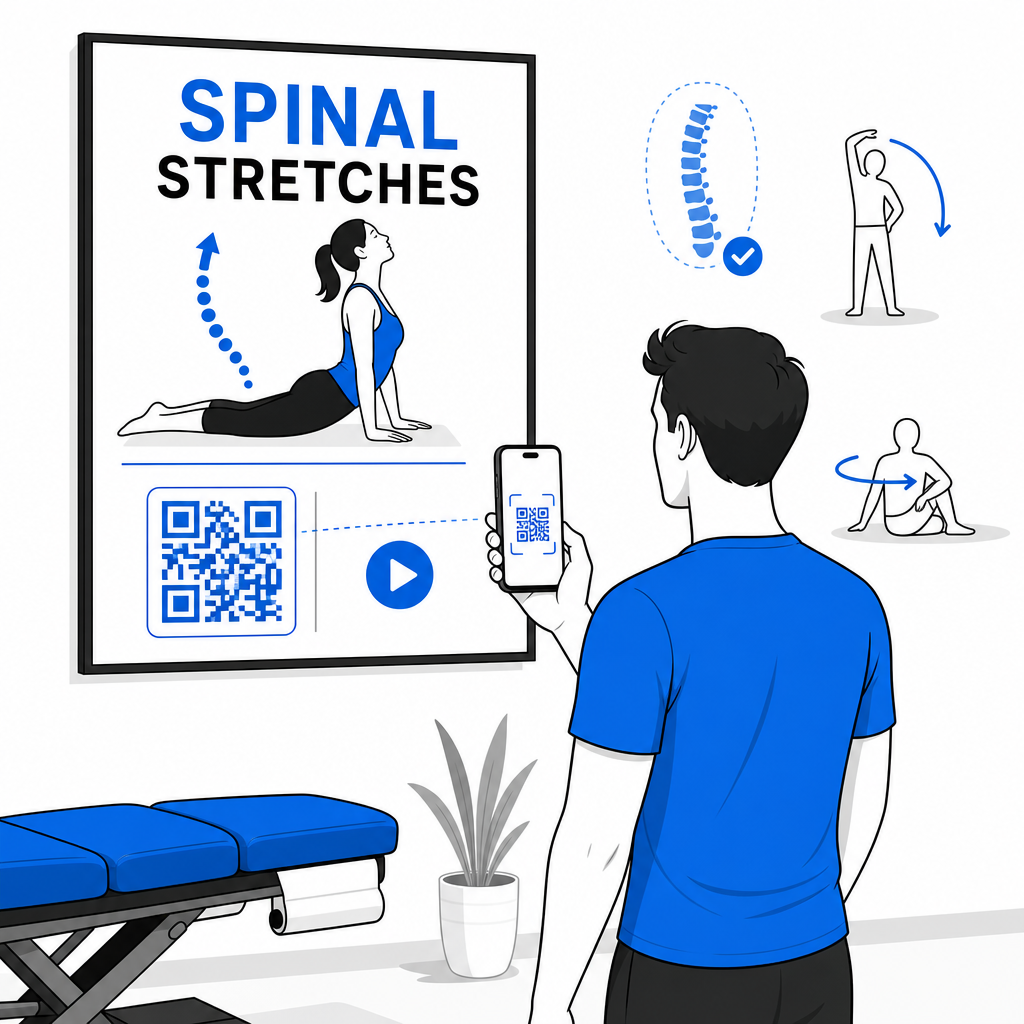
Chiropractic care relies heavily on patient compliance with home exercises, posture correction, and ergonomics. Instead of handing out paper sheets that patients often misplace, embed QR codes into clinical touchpoints across various industry applications.

Digital chiropractic exercise guide

You can deploy scannable codes across your practice to enhance patient engagement and regional brand awareness:

Boost Your Chiropractic Practice Efficiency Want to collect more Google reviews and accelerate patient check-ins without front-desk delays? Generate custom, print-ready codes with the Google 리뷰 QR 코드 생성기 에서 지금 바로 시작하세요.

Ensure Scannability and Monitor Campaign Analytics

A QR code that fails to scan frustrates patients and hurts clinic credibility. Following established QR 코드 가독성을 위한 모범 사례 ensures every code functions reliably across both newer and older smartphones.

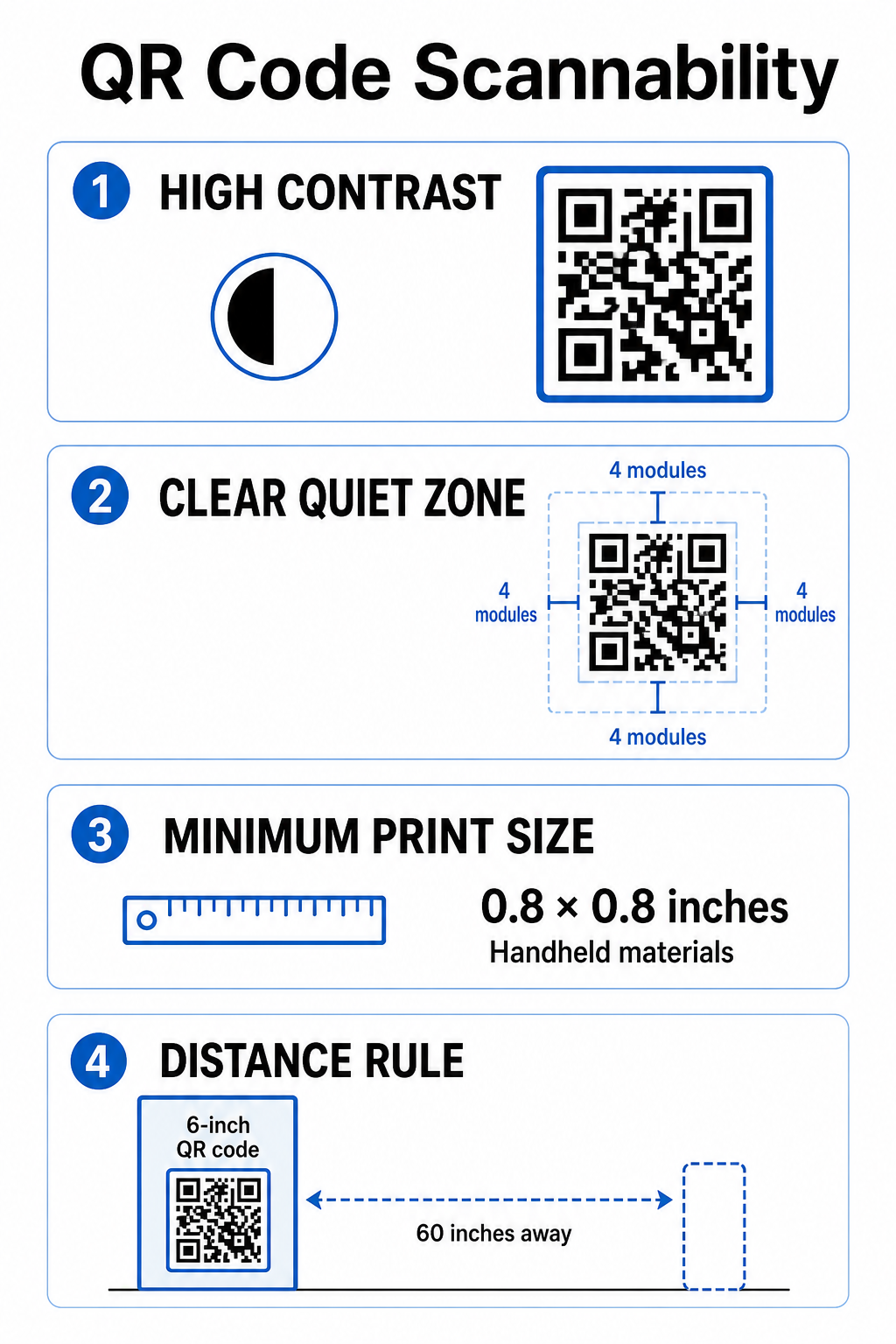
QR scannability best practices

When preparing printed materials for your office, follow these essential design standards:

  • Maintain high color contrast by displaying dark modules against a solid, light background.
  • Preserve a clear quiet zone equal to at least 4 modules of unobstructed space on all four sides.
  • Print handheld items at a minimum size of 0.8 x 0.8 inches (2 x 2 cm) for close-range scanning.
  • Apply a 10:1 distance-to-size ratio for wall signage, sizing the code to 6 inches wide for a 60-inch viewing distance.

Using dynamic codes from a central QR 코드 생성기 allows you to update destination links later without reprinting physical signs. Furthermore, utilizing comprehensive QR 코드 추적 provides actionable scan metrics – such as total scans, device types, and peak scanning times – to help you evaluate which patient education posters or promotional flyers drive the highest engagement.

Integrating QR codes into your daily operations removes friction from patient onboarding, builds your local reputation through honest feedback, and keeps your patient education modern. By combining clear call-to-action designs with dynamic code management, your practice bridges physical care with digital convenience. Create custom, branded QR codes for your front desk and treatment rooms today to elevate your overall patient experience.

자주 묻는 질문

Are QR code intake forms HIPAA compliant for chiropractic clinics?

QR codes simply store a web address, but the destination form must be hosted on a HIPAA-compliant platform featuring end-to-end encryption, access controls, audit logs, and a signed Business Associate Agreement (BAA).

Can my chiropractic office offer incentives for patients to leave Google reviews?

No, FTC rules and Google policy strictly ban offering discounts, free care, gift cards, or raffle entries in exchange for reviews, regardless of whether the review is positive or negative.

How big should a QR code be on a chiropractic waiting room poster?

Follow the 10:1 ratio rule for scanning distance. If patients stand roughly 5 feet (60 inches) away from the poster, the QR code must be at least 6 x 6 inches wide to scan reliably.

작성자 정보

시임 코스타비는 페이지루트의 콘텐츠 책임자입니다. 그는 페이지루트의 혁신적인 QR 코드 생성 서비스에 대한 글을 쓰고 있습니다. 5년 이상 QR 코드 분야에서 쌓아온 깊이 있는 전문 지식을 바탕으로, 시임은 이 분야의 전문가로 인정받고 있습니다. 그는 QR 기술을 활용하여 디지털 상호작용을 간소화하고 향상시키는 데 크게 기여하고 있습니다.

범주
에 대해 자세히 알아보기
Students scanning QR codes
QR 코드 학교 교육

온라인으로 QR 코드를 생성해야하는 경우 QR 코드 만들기 무료로 여기!
Pageloot는 #1 Go-To 솔루션 QR 코드를 만들고 스캔합니다.

BL-0340

블로그 세대

20,000개 이상의 브랜드로부터 신뢰를 받아 더 많은 매출, 리뷰, 팔로워를 확보했습니다.

클라이언트 로고
최고 브랜드의 신뢰
5 중 4.8 평가

4.86 / 5 별점

휴고 로랑
휴고 로랑
레스토랑 주인
가장 쉽고 안정적인 QR 코드 생성기. PDF 파일을 즉시 업로드할 수 있습니다. 이제 레스토랑 메뉴가 디지털화되었습니다.
루카스 얀센
루카스 얀센
부동산 개발사
이것은 훌륭한 도구이며 QR 코드를 사용하면 원하는 곳으로 이동할 수 있습니다. 우리는 위치 QR 코드만 사용하지만 유용한 기능이 너무 많습니다.
엠마 모레티
엠마 모레티
소매 제품
사용하기 쉽고 빠릅니다. 그것은 훌륭하게 작동하고 완벽한 이미지를 생성하므로 직원들이 내 vCard를 다운로드할 수 있습니다.
휴고 로랑
휴고 로랑
레스토랑 주인
가장 쉽고 안정적인 QR 코드 생성기. PDF 파일을 즉시 업로드할 수 있습니다. 이제 레스토랑 메뉴가 디지털화되었습니다.
루카스 얀센
루카스 얀센
부동산 개발사
이것은 훌륭한 도구이며 QR 코드를 사용하면 원하는 곳으로 이동할 수 있습니다. 우리는 위치 QR 코드만 사용하지만 유용한 기능이 너무 많습니다.
엠마 모레티
엠마 모레티
소매 제품
사용하기 쉽고 빠릅니다. 그것은 훌륭하게 작동하고 완벽한 이미지를 생성하므로 직원들이 내 vCard를 다운로드할 수 있습니다.
더 많은 QR 코드보기
고객이 QR 포스터 스캔 중
QR 코드 소셜 미디어
무엇이든 디지털 경험으로 전환하세요 3분 이내에.

14일 무료 체험.

신용카드는 필요 없습니다.

첫 구매 시 30% 할인

코드를 사용하세요:

MP3 파일 공유

PDF QR 코드를 생성하려면 가입하세요

필요한 모든 것을 업로드하고 표시합니다.

  • 오디오 파일
  • 팟캐스트
  • 음악

가입 시 14일 무료 체험.
체험 기간 후 QR 코드 만료.

오디오 mp3 QR 코드를 생성하려면 가입하세요

프레임으로 더 많은 스캔 확보

QR 코드에 더 많은 프레임을 추가하려면 가입하세요

클릭 유도 문안 프레임은 고객이 QR 코드와 쉽게 상호 작용할 수 있도록 도와줍니다. 사용해 보세요!

가입 시 14일 무료 체험.
체험 기간 후 QR 코드 만료.

QR 코드에 더 많은 프레임을 추가하려면 가입하세요

도형으로 더 많은 스타일 추가

더 많은 도형을 만들려면 가입하세요

QR 코드는 정사각형일 필요가 없습니다. 브랜드 이미지에 맞게 전환해 보세요.

가입 시 14일 무료 체험.
체험 기간 후 QR 코드 만료.

더 많은 도형을 만들려면 가입하세요

QR 코드에 로고 추가

QR 코드에 로고를 추가하려면 가입하세요

로고와 브랜드를 추가하여 QR 코드를 돋보이게 만드세요.

가입 시 14일 무료 체험.
체험 기간 후 QR 코드 만료.

QR 코드에 로고를 추가하려면 가입하세요

스마트 앱 스토어 리디렉션

앱 스토어 QR 코드를 생성하려면 가입하세요

스마트 앱 스토어 QR 코드에 앱 링크를 추가하세요. 사용자는 장치에 따라 리디렉션됩니다.

가입 시 14일 무료 체험.
체험 기간 후 QR 코드 만료.

앱 스토어 QR 코드를 생성하려면 가입하세요

QR 코드에 이미지 업로드

이미지 QR 코드를 생성하려면 가입하세요

이미지를 쉽게 공유하세요. 몇 초 안에 동적으로 이미지를 변경하십시오.

가입 시 14일 무료 체험.
체험 기간 후 QR 코드 만료.

이미지 QR 코드를 생성하려면 가입하세요

PDF 파일 공유

PDF QR 코드를 생성하려면 가입하세요

필요한 모든 것을 업로드하고 표시합니다.

  • 메뉴 및 가격표
  • 명령
  • 모든 문서

가입 시 14일 무료 체험.
체험 기간 후 QR 코드 만료.

PDF QR 코드를 생성하려면 가입하세요

인쇄 없이 나중에 편집

다시 인쇄하지 않고 QR 코드를 편집하려면 가입하세요

동적 QR 코드를 사용하면 새 QR 코드를 인쇄하지 않고도 QR 코드의 내용을 변경할 수 있습니다.

가입 시 14일 무료 체험.
체험 기간 후 QR 코드 만료.

다시 인쇄하지 않고 QR 코드를 편집하려면 가입하세요

언제? 어디서? QR 코드 스캔 추적

QR 코드를 추적하려면 가입하세요

어떤 QR 코드가 가장 많이 스캔되고 무엇이 고객을 가장 흥분시키는지 알아보십시오.

가입 시 14일 무료 체험.
체험 기간 후 QR 코드 만료.

QR 코드를 추적하려면 가입하세요

인쇄 준비 파일 제공

PDF 및 SVG와 같은 벡터 QR 코드를 생성하려면 가입하세요.

.EPS, .PDF, .SVG

HD 해상도로 QR 코드를 다운로드하고 싶으신가요? 인쇄할 준비가 된 벡터 또는 픽셀 형식을 가져옵니다.

가입 시 14일 무료 체험.
체험 기간 후 QR 코드 만료.

PDF 및 SVG와 같은 벡터 QR 코드를 생성하려면 가입하세요.

기다리세요. 귀하의 QR 코드는 로드 중... 로드 중...

나만의 것으로 만들기

나중을 위해 QR 코드를 저장하려면 가입하세요.

다양한 색상, 로고 및 클릭 유도문안 프레임으로 멋진 QR 코드를 만들어 더 많은 스캔을 받으세요.

가입 시 14일 무료 체험.
체험 기간 후 QR 코드 만료.

나중을 위해 QR 코드를 저장하려면 가입하세요.